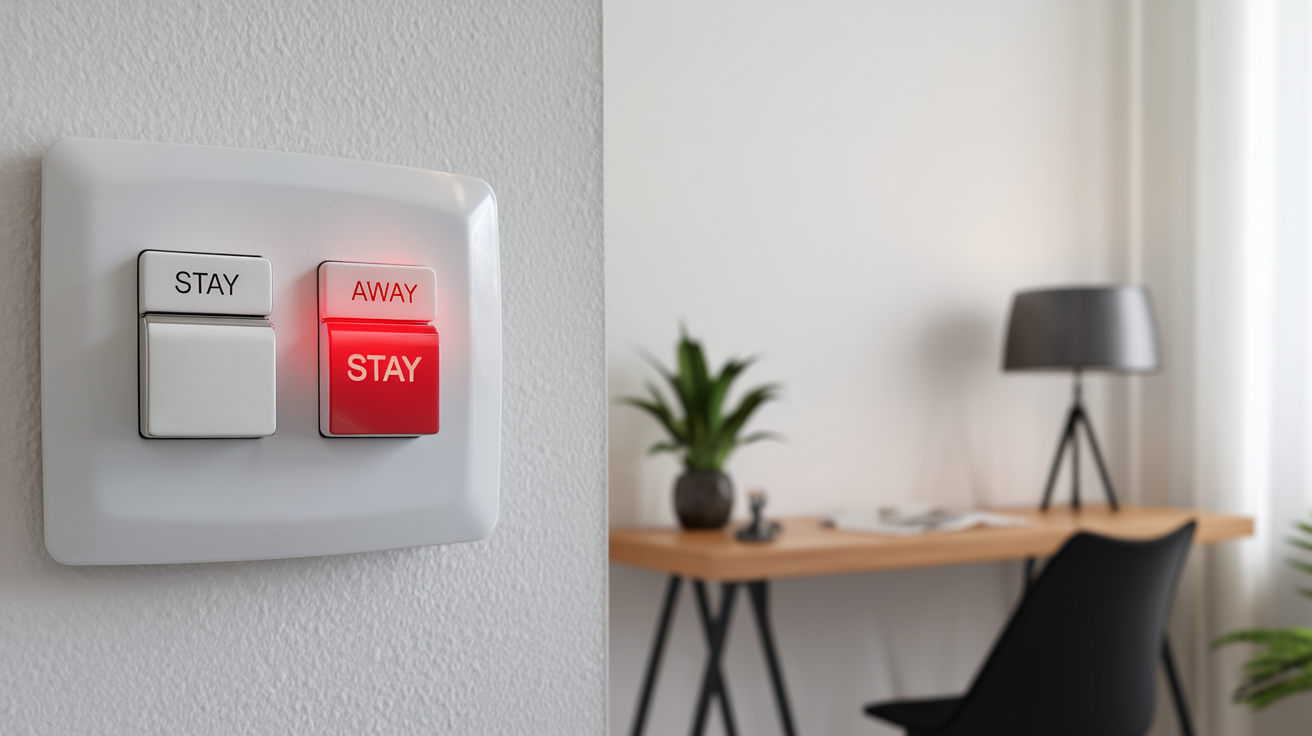
Choosing between "Stay" and "Away" alarm modes is crucial for effective home security. This guide clarifies their distinct functions, helping you select the right setting for optimal protection whether you're home or away, ensuring peace of mind in 2025-26.
Understanding Alarm Modes: Stay vs. Away
Modern home security systems offer a sophisticated layer of protection, moving beyond simple on/off switches. Central to this are the "Stay" and "Away" modes, each designed to cater to different scenarios and provide tailored security coverage. Understanding the nuances between these two settings is fundamental to maximizing the effectiveness of your alarm system and ensuring the safety of your home and loved ones. In 2025, with evolving threats and integrated smart home technology, making an informed decision about these modes is more critical than ever. This section will delve into the core functionalities of each mode, setting the stage for a detailed comparison and practical application guidance.
The Purpose of Alarm Modes
The primary purpose of distinct alarm modes like "Stay" and "Away" is to provide flexible yet robust security. A home is not a static environment; its security needs change based on occupancy. When residents are present, the system must be sensitive enough to detect intruders but also intelligent enough to avoid triggering false alarms from normal household activity. Conversely, when the home is vacant, the system can be armed to its fullest extent, detecting even the slightest disturbance. This adaptive approach ensures that your security system is always working optimally for your current situation, offering peace of mind without unnecessary inconvenience.
Evolution of Security Systems
Gone are the days of single-setting alarm panels. The evolution of home security systems mirrors the advancements in technology. From basic door and window sensors, we've moved to motion detectors, glass break sensors, smart cameras, and integrated AI that can differentiate between pets and potential threats. These advancements have necessitated more nuanced control over alarm systems, leading to the development of modes like "Stay" and "Away." These modes leverage the expanded sensor capabilities to provide context-aware security. By 2025, most reputable systems offer at least these two fundamental modes, with many allowing further customization.
The "Stay" Mode Explained: Protection When You're Home
The "Stay" mode, often referred to as "Home" or "Night" mode, is specifically designed for situations when you are inside your property. Its primary objective is to secure the perimeter of your home while allowing for normal movement within. This means that while exterior doors and windows are monitored, interior motion sensors are typically deactivated or set to a less sensitive setting to prevent accidental triggers. This mode is invaluable for overnight security or when family members are home during the day.
How "Stay" Mode Works
In "Stay" mode, your alarm system strategically arms specific sensors. Typically, this includes:
- Perimeter Sensors: All door and window contact sensors are active. If any entry point is breached, the alarm will trigger.
- Glass Break Sensors: These are usually active, detecting the sound of breaking glass on windows or doors.
- Interior Motion Sensors: These are generally *inactive* or set to a "pet-immune" mode. This is the key differentiator. The system assumes that movement within the house is by residents and therefore does not need to trigger an alarm.
- Smoke/CO Detectors: These life-safety devices remain active regardless of the alarm mode.
The system is configured to allow a brief entry/exit delay for the main doors. This means you have a set amount of time (e.g., 30-60 seconds) to disarm the system upon entering or to exit the premises before the alarm is fully active. This prevents you from being locked out or triggering the alarm accidentally when entering or leaving.
Benefits of Using "Stay" Mode
The advantages of utilizing "Stay" mode are numerous:
- Enhanced Overnight Security: Provides peace of mind during sleep, knowing that any attempt to force entry through doors or windows will be detected.
- Protection During Occupancy: Ensures security even when you are home and perhaps less vigilant, such as when relaxing or working from home.
- Reduced False Alarms: By deactivating interior motion sensors, it significantly minimizes the risk of false alarms caused by pets, family members moving around, or even drafts.
- Convenience: Allows for normal daily activities within the home without constant concern about triggering the alarm.
Common Misconceptions About "Stay" Mode
One common misconception is that "Stay" mode offers less security than "Away" mode. While it doesn't arm every sensor, it provides the *appropriate* level of security for an occupied home. Another misconception is that it's only for nighttime. "Stay" mode is beneficial anytime residents are home, including during the day when children might be playing or someone is napping.
The "Away" Mode Explained: Maximum Security When You're Out
The "Away" mode is the most comprehensive setting for your home security system. It is designed for when the property is completely vacant. In this mode, all sensors – perimeter and interior – are armed and active. This provides the highest level of detection capability, ensuring that any unauthorized entry or movement within the premises will trigger an immediate alarm. This is the setting you'll use when leaving for work, going on vacation, or any time no one is expected to be inside.
How "Away" Mode Works
When "Away" mode is activated, the system arms every sensor it is equipped with:
- Perimeter Sensors: All door and window contact sensors are active.
- Glass Break Sensors: These are active, detecting the sound of breaking glass.
- Interior Motion Sensors: These are fully active and will trigger an alarm if any movement is detected within their range. This is the crucial difference from "Stay" mode.
- Other Sensors: Any additional sensors, such as environmental sensors or specialized intrusion detectors, will also be active.
- Life-Safety Devices: Smoke and CO detectors remain active.
Similar to "Stay" mode, an entry/exit delay is usually provided for the primary entry points. This allows you to leave the house and arm the system, and then re-enter and disarm it within a specified timeframe without triggering an immediate alarm. It's crucial to ensure everyone in the household understands this delay and knows how to disarm the system promptly.
Benefits of Using "Away" Mode
The benefits of employing "Away" mode are centered around maximizing deterrence and detection:
- Maximum Intrusion Detection: With all sensors active, any attempt to enter or move within the home is likely to be detected.
- Deterrence: A visible, fully armed alarm system can act as a significant deterrent to potential burglars.
- Comprehensive Coverage: Ideal for extended periods of absence, such as vacations, providing the highest level of security.
- Protection Against Various Entry Methods: Detects not only forced entry through doors and windows but also potential entry through unsecured access points or movement inside the home if an intruder bypasses perimeter defenses.
Important Considerations for "Away" Mode
When using "Away" mode, it's vital to ensure that no one (including pets) is left inside the home. Accidental triggers from pets are a common cause of false alarms in "Away" mode. Additionally, ensure that all windows and doors are properly closed and locked before arming the system. If you have a smart home system, you can often remotely check the status of all sensors before activating "Away" mode. For 2025-26, many systems offer mobile app notifications for sensor status, making this check even easier.
Key Differences at a Glance
To solidify your understanding, here's a direct comparison of the "Stay" and "Away" modes:
| Feature | "Stay" Mode | "Away" Mode |
|---|---|---|
| Occupancy | Home is occupied (e.g., sleeping, at home during the day) | Home is vacant (e.g., at work, on vacation) |
| Perimeter Sensors (Doors/Windows) | Active | Active |
| Interior Motion Sensors | Inactive or Pet-Immune | Active |
| Glass Break Sensors | Active | Active |
| Overall Security Level | Perimeter protection, allowing internal movement | Maximum detection, including internal movement |
| Primary Use Case | Nighttime, family at home | Leaving the house, extended absences |
When to Use "Stay" Mode: Scenarios and Best Practices
The "Stay" mode is your go-to setting for a multitude of everyday situations where your home is occupied. Its intelligent design ensures you're protected without the inconvenience of constant false alarms. Understanding when and how to best utilize this mode is key to a functional and effective home security system.
Nighttime Security
This is perhaps the most common and critical use case for "Stay" mode. When everyone is asleep, the perimeter of your home becomes the primary concern. "Stay" mode arms all your door and window sensors, as well as glass break detectors. If an intruder attempts to force entry through a window or door, the alarm will sound, alerting you and potentially scaring off the intruder. Interior motion sensors are deactivated, so you or your family members can move around the house (e.g., to get a glass of water) without triggering the alarm.
Daytime Occupancy
Even during the day, "Stay" mode offers valuable protection. If you work from home, have young children who are home, or have elderly family members present, "Stay" mode provides a crucial layer of security. It monitors all external access points, ensuring that any unauthorized entry is detected. This is especially important if you live in an area with a higher crime rate or if you want an extra layer of reassurance while you're engaged in other activities within the house.
Managing Pets
For households with pets, "Stay" mode is often the only practical option when people are home. While some advanced motion sensors are "pet-immune" and can be used in "Away" mode, their effectiveness can vary based on the pet's size and behavior. In "Stay" mode, interior motion sensors are typically disabled entirely, allowing pets to roam freely without triggering the alarm. If your system allows, setting motion sensors to a "pet-immune" setting in "Stay" mode can offer an additional layer of protection if you have pets that tend to stay in specific areas.
Best Practices for "Stay" Mode
- Regular Testing: Periodically test your "Stay" mode by opening a window or door to ensure the sensors are functioning correctly.
- Educate Household Members: Ensure everyone in the home understands how "Stay" mode works, especially the entry/exit delays.
- Secure All Entry Points: Even in "Stay" mode, ensure all doors and windows are locked.
- Consider Additional Sensors: For enhanced security, consider adding sensors to less obvious entry points like basement windows or pet doors.
- Leverage Smart Features: If your system has a mobile app, use it to arm and disarm the system, and to check the status of your sensors.
When to Use "Away" Mode: Scenarios and Best Practices
The "Away" mode is your ultimate defense when your home is empty. It maximizes the system's ability to detect any unauthorized presence, providing a robust shield against intrusion. Proper use of this mode is paramount for effective security when you're not on the premises.
Leaving for Work or Errands
The most frequent application of "Away" mode is when you leave your home for work, school, or even short errands. As you lock up and depart, arm the system in "Away" mode. This ensures that if anyone attempts to break in during your absence, all sensors will be active, ready to detect the intrusion and alert authorities or your monitoring service.
Vacations and Extended Absences
When you embark on a vacation or any extended period away from home, "Away" mode is non-negotiable. This is when your home is most vulnerable. Arming the system in "Away" mode provides the highest level of protection against burglars who might target unoccupied residences. It's advisable to inform your alarm monitoring company of your travel dates, especially for longer absences.
Securing Empty Properties
If you have a second home, a rental property, or a property that is temporarily vacant, "Away" mode should be consistently used. Even if the property is only empty for a few days, the risk of opportunistic crime increases. Ensure all sensors are functional and that the system is armed whenever the property is unoccupied.
Best Practices for "Away" Mode
- Double-Check All Doors and Windows: Before arming in "Away" mode, meticulously ensure that every door and window is closed and locked.
- Confirm No Occupants: Be absolutely certain that no people or pets are inside the home. This includes checking closets, garages, and any other areas where someone might be hiding or accidentally left behind.
- Understand the Entry Delay: Be aware of the entry delay time. Upon returning, you have a limited window to disarm the system before it triggers an alarm.
- Utilize Mobile Apps: For 2025-26, smart home apps allow you to arm and disarm your system remotely, and often provide status updates. This is invaluable for confirming your system is armed correctly after you've left.
- Inform Neighbors (Optional but Recommended): If you're going away for an extended period, consider informing a trusted neighbor that your alarm system will be armed.
- Regular System Checks: Ensure your alarm system is regularly maintained and tested to guarantee all sensors are working optimally in "Away" mode.
Customizing Your Alarm Settings for Maximum Efficacy
While "Stay" and "Away" are the foundational modes, modern home security systems offer a degree of customization that can further enhance your protection. Tailoring these settings to your specific lifestyle and property layout can significantly improve both security and user experience. Understanding these customization options is key to leveraging your system's full potential.
Zone Configuration
Most alarm systems divide sensors into "zones." You can often customize which zones are active in "Stay" mode. For example, if you have a detached garage or a basement that you want to be extra secure even when you're home, you might configure those zones to remain active in "Stay" mode. Conversely, if you have a rarely used guest room, you might disable its motion sensor in "Stay" mode to avoid accidental triggers.
Example: A family with a home office might choose to keep the motion sensor in the office active in "Stay" mode if they want an extra layer of security while working, but only if they are certain no one will be entering that room unexpectedly. This is a more advanced setup and requires careful consideration.
Sensitivity Settings
Motion sensors, in particular, often have adjustable sensitivity levels. This is particularly relevant for pet-immune settings. You can often fine-tune the sensitivity to best accommodate the size and movement patterns of your pets. For 2025, AI-powered motion sensors are becoming more common, offering sophisticated object recognition that can differentiate between pets, people, and even inanimate objects like curtains blowing in the wind, significantly reducing false alarms.
Entry/Exit Delays
The duration of entry and exit delays can usually be customized. While standard delays are often sufficient, you might adjust them based on the size of your home or the number of doors you typically use. For instance, if you have a larger home with multiple entry points, you might opt for a slightly longer exit delay to ensure you have ample time to secure the premises. Conversely, a smaller home might benefit from a shorter delay for quicker arming.
Custom Modes
Some advanced systems allow you to create custom modes. For example, you might create a "Quick Exit" mode that arms only specific perimeter sensors for a short duration, or a "Guest" mode that arms the system but bypasses certain interior zones. While less common than standard "Stay" and "Away," these custom modes offer unparalleled flexibility for unique situations.
Integrating with Smart Home Devices
In 2025, the integration of alarm systems with other smart home devices is becoming standard. You can set up automations where arming your alarm in "Away" mode triggers other actions, such as turning off lights, adjusting the thermostat, or locking smart door locks. Similarly, disarming the system can trigger lights to turn on or unlock doors. This interconnectedness enhances both security and convenience.
Advanced Features and Considerations for 2025-26
The landscape of home security is constantly evolving, with new technologies and features emerging regularly. As we move through 2025 and into 2026, several advanced features are becoming more prevalent, offering enhanced protection and smarter control over your alarm system. Understanding these can help you make the most informed decisions about your security setup.
AI-Powered Detection
Artificial intelligence is revolutionizing home security. AI-powered cameras and sensors can now differentiate between a person, a pet, a vehicle, and even specific events like package deliveries. This technology allows alarm systems to become far more intelligent. For instance, an AI-powered motion sensor in "Away" mode might ignore a passing car but trigger an alert if someone lingers near a window. In "Stay" mode, AI can distinguish between a family member and an unknown person, potentially offering a hybrid security level.
Smart Notifications and Remote Access
Modern systems offer sophisticated mobile applications that provide real-time notifications and complete remote control. You can receive alerts for any sensor activity, view live camera feeds, arm/disarm your system, and even grant temporary access to guests or service providers. By 2025, these apps are highly intuitive and offer customizable alert preferences, ensuring you only receive notifications that are relevant to you.
Environmental Monitoring
Beyond intrusion detection, many advanced systems now integrate environmental sensors. These can detect smoke, carbon monoxide, water leaks, and extreme temperature fluctuations. These sensors often remain active regardless of the alarm mode, providing comprehensive protection for your home and its occupants. For example, a water leak sensor in the basement can trigger an alert even when the alarm is disarmed.
Integration with Voice Assistants
For ultimate convenience, many alarm systems now integrate seamlessly with voice assistants like Amazon Alexa or Google Assistant. You can arm your system by voice command (though disarming often requires a PIN for security reasons), check the system status, or even trigger specific security routines. This hands-free operation is a significant advantage for busy households.
Video Verification
When an alarm is triggered, video verification allows your monitoring center to view live or recorded footage from your security cameras. This helps them quickly assess the situation, distinguish between a false alarm and a genuine threat, and dispatch emergency services more effectively. This capability is becoming increasingly standard for professional monitoring services in 2025-26.
Cybersecurity Considerations
As home security systems become more connected, cybersecurity is paramount. Ensure your system uses strong encryption protocols and that you maintain strong, unique passwords for your alarm system and associated accounts. Reputable providers regularly update their software to patch vulnerabilities. For 2025, understanding the cybersecurity measures of your chosen provider is as important as the features they offer.
Choosing the Right Home Security System
Selecting the ideal home security system is a decision that impacts your safety and peace of mind for years to come. While understanding "Stay" and "Away" modes is crucial, the overall system you choose will dictate the features and flexibility you have. Consider these factors when making your selection.
Professional Monitoring vs. Self-Monitoring
Professional Monitoring: A central monitoring station receives alarm signals and dispatches emergency services. This offers the highest level of response but typically involves a monthly fee. For 2025, professional monitoring is often integrated with advanced features like video verification.
Self-Monitoring: You receive alerts directly to your smartphone and are responsible for contacting emergency services. This is generally less expensive but requires your constant vigilance.
Wired vs. Wireless Systems
Wired Systems: Generally considered more reliable and less susceptible to interference, but installation can be more complex and invasive.
Wireless Systems: Easier and faster to install, offering greater flexibility in placement. Battery life and potential interference are considerations, though wireless technology has significantly improved.
Sensor Types and Coverage
Ensure the system offers a comprehensive range of sensors to cover your specific needs. This includes door/window sensors, motion detectors, glass break sensors, and potentially environmental sensors. Consider the layout of your home and identify potential vulnerabilities.
Ease of Use and App Functionality
The system should be intuitive to operate for all household members. A well-designed mobile app that provides easy access to system controls, notifications, and camera feeds is essential for modern security management.
Scalability and Integration
Choose a system that can grow with your needs. Can you easily add more sensors or cameras later? Does it integrate with other smart home devices you may own or plan to purchase? For 2025, smart home integration is a key consideration for a truly connected home.
Cost and Contractual Obligations
Evaluate the upfront equipment costs, installation fees, and ongoing monthly monitoring fees. Be wary of long-term contracts and understand the terms and conditions clearly.
Conclusion: Making the Right Choice for Your Home Security
Effectively managing your home security hinges on understanding and correctly utilizing your alarm system's "Stay" and "Away" modes. "Stay" mode provides essential perimeter protection when you're home, allowing for normal movement within, ideal for nighttime and daytime occupancy. Conversely, "Away" mode activates all sensors, including interior motion detectors, offering maximum security when your home is vacant, whether for work or extended travel. The distinction is critical: one protects your perimeter while you're present, the other detects any intrusion when you're absent.
By carefully considering your daily routines, household members (including pets), and the specific vulnerabilities of your property, you can confidently select the appropriate mode. Furthermore, leveraging customization options, advanced features like AI detection and smart notifications available in 2025-26 systems, and choosing a system that aligns with your needs for monitoring and integration will ensure comprehensive protection. Ultimately, mastering these alarm settings is a fundamental step towards a safer, more secure home environment, providing unparalleled peace of mind.