
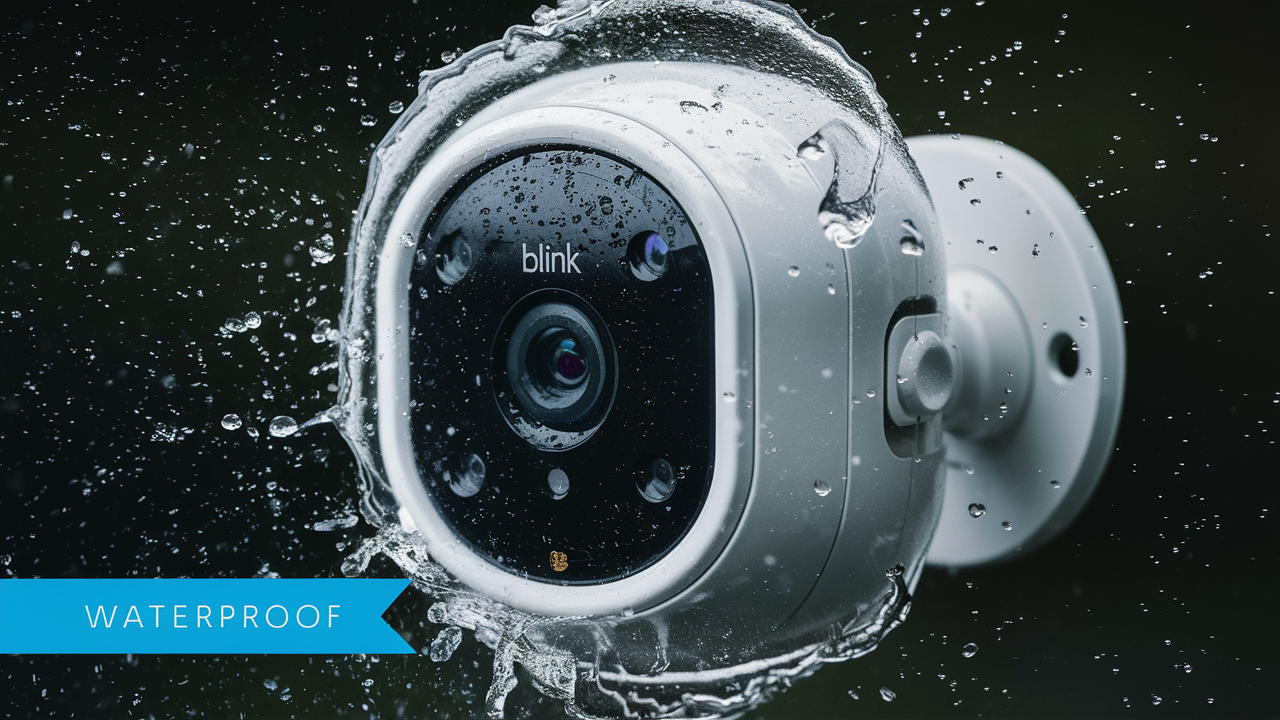
Yes, Blink Outdoor cameras are designed to withstand various weather conditions, boasting an IP rating that signifies their water and dust resistance. This makes them a reliable choice for outdoor surveillance, offering peace of mind against rain, snow, and humidity.
Understanding Waterproofing Ratings: What Does IP Mean?
When we talk about whether electronic devices, especially those intended for outdoor use like security cameras, are "waterproof," we're often referring to their Ingress Protection (IP) rating. This rating is a standardized international classification that indicates the degree of protection provided by mechanical casings and electrical enclosures against intrusion from foreign bodies (like dust and dirt) and moisture. It's crucial for consumers to understand these ratings to make informed purchasing decisions, especially when the device will be exposed to the elements.
The IP rating system consists of two digits. The first digit indicates the level of protection against solid objects, including dust. The second digit indicates the level of protection against water. For outdoor electronics, the second digit is particularly important. Let's break down the common levels:
First Digit (Solids Protection):
- 0: No protection.
- 1: Protected against solid objects larger than 50mm (e.g., accidental hand contact).
- 2: Protected against solid objects larger than 12.5mm (e.g., fingers).
- 3: Protected against solid objects larger than 2.5mm (e.g., tools, thick wires).
- 4: Protected against solid objects larger than 1mm (e.g., wires, small screws).
- 5: Dust protected. Ingress of dust is not entirely prevented, but it must not enter in sufficient quantity to impair satisfactory operation.
- 6: Dust tight. No ingress of dust; complete protection against contact. This is the highest level of dust protection.
Second Digit (Liquids Protection):
- 0: No protection.
- 1: Protected against vertically falling water drops (e.g., condensation).
- 2: Protected against water drops falling at a 15° angle (e.g., light rain).
- 3: Protected against water spray from any direction (e.g., moderate rain).
- 4: Protected against water splashes from any direction (e.g., heavy rain, sprinklers).
- 5: Protected against water jets from any direction (e.g., high-pressure washing, strong rain).
- 6: Protected against powerful water jets (e.g., from a hose).
- 7: Protected against the effects of temporary immersion in water (up to 1 meter for 30 minutes).
- 8: Protected against continuous immersion in water under conditions which shall be specified by the manufacturer. This typically means it can withstand submersion beyond 1 meter, but specific depth and duration are manufacturer-defined.
- 9K: Protected against high-pressure and high-temperature water jets. This is often seen in automotive applications but can apply to robust outdoor equipment.
For an outdoor camera to be considered truly "weatherproof" or "water-resistant" for typical outdoor installations, a rating of at least IP44 is generally recommended. However, for significant exposure to rain, wind, and dust, higher ratings like IP65 or IP66 provide much greater assurance. Understanding these digits allows you to gauge how well a device will hold up against specific environmental challenges.
The Blink Outdoor Camera's IP Rating Explained
The Blink Outdoor camera, a popular choice for home security, is engineered with durability in mind, specifically to withstand the rigors of outdoor environments. When asking "Are Blink Outdoor cameras waterproof?", the answer lies in their official IP rating. Blink Outdoor cameras are rated IP65.
Let's break down what IP65 means for your Blink Outdoor camera:
- The '6' (First Digit): This signifies that the camera is "dust tight." This means no dust can enter the enclosure under any conditions. This is the highest level of protection against solid ingress, which is excellent for cameras mounted in dusty environments or areas prone to fine particles.
- The '5' (Second Digit): This indicates that the camera is protected against water jets. Specifically, it means that water projected by a nozzle (12.5 mm nozzle) against the enclosure from any direction shall have no harmful effects. This level of protection is robust enough to handle moderate to heavy rain, splashes, and even being hosed down (though submersion is not recommended).
Therefore, an IP65 rating means the Blink Outdoor camera is well-equipped to handle most common outdoor weather conditions. It is designed to be protected from dust and can withstand water spray and rain. This rating provides a significant level of confidence for users looking to deploy these cameras outside their homes or businesses without constant worry about weather damage.
It's important to note that while IP65 offers substantial protection, it does not mean the camera is submersible. It is not designed to be placed underwater or withstand extremely high-pressure water jets (like those from a pressure washer at close range). However, for typical outdoor mounting scenarios, the IP65 rating is more than adequate for protecting the camera's internal components from the elements.
This rating is a key selling point for Blink Outdoor cameras, differentiating them from indoor-only cameras and many other consumer-grade outdoor options that might have lower IP ratings or no rating at all. It underscores Blink's commitment to providing a reliable and weather-resistant surveillance solution for homeowners.
Factors Affecting Outdoor Camera Durability
While the IP rating is a primary indicator of a Blink Outdoor camera's ability to withstand weather, several other factors contribute to its overall durability and longevity when exposed to the elements. Understanding these factors can help users maximize the lifespan of their devices and prevent premature failure, even with a robust IP rating.
Environmental Extremes:
Even with an IP65 rating, extreme environmental conditions can test the limits of any electronic device. This includes:
- Extreme Temperatures: While Blink Outdoor cameras are designed to operate within a specific temperature range (typically -20°C to 45°C or -4°F to 113°F, check specific model specs), prolonged exposure to temperatures far outside this range can impact battery performance, internal component lifespan, and even the integrity of the casing materials. For instance, extreme cold can make plastics brittle, while extreme heat can accelerate electronic degradation.
- Humidity and Condensation: While IP65 protects against water jets, prolonged high humidity can still lead to condensation forming inside the camera if seals are compromised or if the camera is subjected to rapid temperature changes. This is particularly relevant in tropical climates or during seasonal shifts.
- UV Exposure: Direct and prolonged exposure to ultraviolet (UV) radiation from the sun can degrade plastic components over time, leading to fading, cracking, or becoming brittle. While manufacturers use UV-resistant materials, constant intense sunlight can still have an effect.
- Salt Spray and Corrosive Elements: In coastal areas, salt spray can be highly corrosive to electronics and metal components. While the camera's casing is sealed, any microscopic gaps or potential points of corrosion on external metal parts (like mounting screws) can be exacerbated by a salty environment.
- Physical Impact: While not directly related to waterproofing, outdoor cameras are susceptible to physical impacts from falling debris, branches, or even vandalism. The camera's casing is designed to offer some protection, but severe impacts can compromise its structural integrity and potentially affect its weatherproofing seals.
Installation Quality:
The way a camera is installed plays a critical role in its ability to maintain its weather resistance. Even a perfectly rated device can fail if:
- Improper Mounting: If the camera is not securely mounted, it can be subjected to excessive vibration or movement, which can stress seals over time.
- Cable Management: If power or Ethernet cables (if applicable) are not properly sealed or routed, they can become entry points for water and dust. For wireless cameras, ensuring the battery compartment is securely closed is paramount.
- Location Choice: While the camera is rated for outdoor use, choosing a location that offers some natural protection from direct, harsh elements (like under an eave) can significantly extend its lifespan.
Manufacturing Defects and Wear and Tear:
Like any manufactured product, there's always a small chance of a manufacturing defect that could affect the seals or casing. Over time, seals can also degrade due to constant exposure to UV, temperature fluctuations, and physical stress. This is a natural part of wear and tear.
By considering these factors, users can take proactive steps to protect their Blink Outdoor cameras and ensure they perform reliably for years to come, even in challenging outdoor conditions.
Installation Best Practices for Longevity
To ensure your Blink Outdoor camera not only functions optimally but also maintains its weather resistance and durability for the longest possible time, following best installation practices is paramount. Even with an excellent IP rating like IP65, improper installation can compromise its protective seals and expose internal components to the elements. Here’s a comprehensive guide to installing your Blink Outdoor camera for maximum longevity:
1. Choose the Right Location Wisely:
While the camera is designed for outdoor use, strategic placement can significantly enhance its lifespan and performance.
- Seek Partial Shelter: Whenever possible, mount the camera under an eave, overhang, or porch roof. This provides a crucial layer of protection against direct, prolonged exposure to rain, snow, and intense sunlight, reducing stress on the seals and casing.
- Avoid Direct Water Flow: Do not mount the camera where it will be directly in the path of sprinklers or water runoff from roofs or gutters.
- Consider Sun Exposure: While UV-resistant, constant, intense direct sunlight can still degrade materials over time. Positioning the camera to minimize direct sun exposure during the hottest parts of the day can be beneficial.
- Stable Mounting Surface: Ensure the surface you're mounting the camera to is stable and won't vibrate excessively.
2. Secure Mounting is Key:
A wobbly camera is more prone to damage and seal stress.
- Use Appropriate Hardware: Use the mounting screws and anchors provided by Blink. If mounting to a different surface (e.g., brick, metal siding), ensure you use compatible, weather-resistant hardware that can support the camera's weight securely.
- Tighten Securely: Ensure all mounting screws are tightened firmly, but avoid overtightening, which could strip the threads or damage the mounting surface.
- Proper Orientation: Mount the camera in its intended orientation as per the manufacturer's instructions.
3. Manage Cables and Power Sources Meticulously:
For wireless Blink Outdoor cameras, this primarily means ensuring the battery compartment is sealed correctly. For any wired components (like a solar panel or potential future wired models), this step is critical.
- Battery Compartment Seal: For the battery-powered Blink Outdoor camera, ensure the battery compartment cover is firmly and correctly closed after battery replacement. Check that the rubber gasket or seal around the compartment is intact and free from debris.
- Cable Routing (if applicable): If you are using a Blink Solar Panel or any other accessories that involve cables, ensure they are routed neatly and securely. Use cable clips or ties to prevent them from dangling, which could lead to damage or snagging.
- Weatherproof Connectors (if applicable): If any part of the setup involves connecting cables outdoors, ensure the connectors are designed for outdoor use and are properly sealed.
4. Initial Setup and Testing:
Before relying on the camera, perform a thorough setup and test.
- Check for Gaps: After mounting, visually inspect the camera and its mount for any obvious gaps or misalignments that could allow water or dust ingress.
- Test Functionality: Ensure the camera is powering on correctly, connecting to your Wi-Fi network, and streaming video.
- Initial Weather Test (Optional but Recommended): If possible, after a light rain shower, check the camera's exterior and battery compartment (if accessible without compromising seals) to ensure no moisture has entered.
5. Avoid Tampering with Seals:
The integrity of the camera's seals is its primary defense against water and dust. Avoid the temptation to pry open the camera or tamper with its internal components unless you are an experienced technician and understand the risks. The IP65 rating is achieved through factory-sealed construction.
By adhering to these installation best practices, you significantly increase the likelihood that your Blink Outdoor camera will withstand the elements and provide reliable surveillance for years to come, fulfilling its promise of durable outdoor security.
Essential Maintenance for Your Blink Outdoor Camera
While the Blink Outdoor camera is designed to be a low-maintenance, high-durability device, a few simple maintenance steps can ensure its optimal performance and longevity, especially when exposed to various weather conditions. Proactive care can prevent minor issues from becoming major problems. Here are essential maintenance tips for your Blink Outdoor camera:
1. Regular Cleaning of the Lens and Exterior:
Dirt, dust, pollen, and water spots can accumulate on the camera lens, obstructing the view and potentially affecting image quality. The exterior casing can also become grimy.
- Frequency: Aim to clean the lens and exterior at least once every few months, or more frequently if you notice a degradation in image quality or significant buildup.
- Tools: Use a soft, lint-free microfiber cloth. For stubborn grime, you can slightly dampen the cloth with water or a mild, non-abrasive lens cleaner specifically designed for electronics. Avoid harsh chemicals or abrasive materials that can scratch the lens or damage the casing.
- Battery Compartment: When cleaning, take the opportunity to ensure the battery compartment is clean and free of debris.
2. Battery Management:
The Blink Outdoor camera relies on AA lithium batteries (or a rechargeable battery pack depending on the model). Proper battery management is crucial for continuous operation and can prevent issues related to low power.
- Monitor Battery Levels: The Blink app provides real-time battery status. Pay attention to these notifications and replace or recharge batteries proactively.
- Use High-Quality Batteries: For non-rechargeable models, use high-quality, long-lasting lithium AA batteries. These perform better in a wider range of temperatures than alkaline batteries.
- Replace Batteries Correctly: Ensure batteries are inserted with the correct polarity. After replacing batteries, double-check that the battery compartment cover is securely sealed to maintain the camera's IP65 rating.
3. Firmware Updates:
Blink regularly releases firmware updates for its devices. These updates often include performance improvements, bug fixes, and enhanced security features.
- Enable Automatic Updates: If available through the Blink app, enable automatic firmware updates to ensure your camera is always running the latest software.
- Manual Checks: If automatic updates are not enabled, periodically check the Blink app for available updates and install them promptly. A stable Wi-Fi connection is usually required for firmware updates.
4. Inspect Seals and Casing Periodically:
While the IP65 rating is robust, it's wise to perform a visual inspection of the camera's seals and casing, especially after periods of extreme weather.
- Check for Cracks or Damage: Look for any visible cracks, dents, or signs of degradation in the camera's plastic casing or around the lens.
- Verify Seal Integrity: Ensure that the seals around the battery compartment and any other access points appear to be intact and free from debris or damage. If you notice any compromise, it's best to contact Blink support.
5. Wi-Fi Signal Strength:
A weak Wi-Fi signal can lead to connectivity issues, dropped recordings, and increased battery drain as the camera struggles to maintain a connection. Ensure your camera is within a good range of your Wi-Fi router or a Blink Sync Module.
- Signal Check: The Blink app often provides a signal strength indicator.
- Consider a Wi-Fi Extender or Mesh System: If you have a large property or areas with weak Wi-Fi, consider upgrading your network.
6. Cleaning Contacts (for Rechargeable Batteries/Solar Panels):
If you are using a Blink Outdoor camera with a rechargeable battery pack or a Blink Solar Panel, ensure the charging contacts are clean and free from corrosion or debris. Use a dry cotton swab or a pencil eraser to gently clean them if necessary. This ensures efficient charging.
By incorporating these simple maintenance practices into your routine, you can help ensure your Blink Outdoor camera remains a reliable and effective part of your home security system, performing well in all seasons and conditions.
Blink Outdoor vs. Competitors: A 2025-26 Durability Comparison
When evaluating outdoor security cameras, durability and weather resistance are key considerations. The Blink Outdoor camera, with its IP65 rating, stands as a strong contender in the consumer market. However, how does it stack up against other popular brands in the 2025-26 landscape? Let's compare durability and weatherproofing features.
| Feature/Brand | Blink Outdoor (Gen 3) | Arlo Pro 4 | Ring Stick Up Cam Battery | Wyze Cam Outdoor v2 | Google Nest Cam (Outdoor, Battery) |
|---|---|---|---|---|---|
| IP Rating | IP65 | IP65 | IP65 | IP65 | IP54 |
| Dust Protection | Dust Tight (6) | Dust Tight (6) | Dust Tight (6) | Dust Tight (6) | Protected against dust ingress (5) |
| Water Protection | Water Jets (5) | Water Jets (5) | Water Jets (5) | Water Jets (5) | Splashes from any direction (4) |
| Operating Temperature Range (Typical) | -20°C to 45°C (-4°F to 113°F) | -20°C to 45°C (-4°F to 113°F) | -20°C to 50°C (-4°F to 122°F) | -20°C to 50°C (-4°F to 122°F) | -20°C to 40°C (-4°F to 104°F) |
| Casing Material | Durable plastic | Durable plastic, Weather-sealed | Durable plastic, Weather-sealed | Durable plastic | Durable plastic, Weather-sealed |
| Battery Type | 2x AA Lithium (removable) | Rechargeable (built-in) | Removable 3rd Gen battery pack | Rechargeable (built-in) | Rechargeable (built-in) |
| Mounting Options | Magnetic, Screw mount | Screw mount | Screw mount | Magnetic, Screw mount | Screw mount |
| Overall Durability Perception (2025-26 Market) | Very Good (Value-focused) | Excellent (Premium features, robust) | Good (Solid performance, good value) | Good (Budget-friendly, decent resilience) | Good (Integrated ecosystem, solid build) |
Analysis for 2025-26:
As the table illustrates, most leading consumer brands, including Blink, Arlo, Ring, and Wyze, have converged on the IP65 rating for their battery-powered outdoor cameras. This rating signifies a strong level of protection against dust and water jets, making them suitable for most outdoor environments. This is a positive trend for consumers, ensuring a baseline level of weatherproofing across popular options.
Blink Outdoor performs admirably with its IP65 rating, offering excellent value. Its use of standard AA lithium batteries is a unique approach, providing flexibility for users who prefer replaceable batteries over built-in rechargeable ones, though it requires more frequent attention than integrated solutions.
Arlo Pro 4 and Ring Stick Up Cam Battery also boast IP65 ratings and are often positioned as premium or solid mid-range options, respectively. They typically offer more advanced features and ecosystem integration, which might justify a higher price point for some users.
Wyze Cam Outdoor v2 provides a compelling budget-friendly option with the same IP65 rating, making robust weatherproofing accessible to a wider audience. However, users might find compromises in areas like video quality or advanced features compared to higher-priced competitors.
The outlier in this comparison is the Google Nest Cam (Outdoor, Battery), which carries an IP54 rating. While IP54 still offers protection against dust and splashes, it is less robust than IP65. The '4' rating means it's protected against water splashes but not direct water jets, making it more susceptible to heavy rain or direct spray from sprinklers compared to cameras with an IP65 rating. This could be a significant factor for users in regions with very wet climates.
Temperature Range Considerations: Most cameras operate within similar temperature ranges. However, Ring and Wyze sometimes list slightly higher upper limits, which could be marginally beneficial in extremely hot climates, though actual performance can vary. For extreme cold, the performance of any battery-powered device will be impacted, regardless of the IP rating.
Conclusion on Durability: For 2025-26, the IP65 rating has become the standard for reliable outdoor camera durability in the consumer space. Blink Outdoor cameras meet this standard, offering a solid, value-driven choice. Users prioritizing the absolute highest level of protection against direct water jets and dust should look for IP65-rated devices. The Google Nest Cam's IP54 rating makes it a slightly less robust option for very harsh weather conditions.
Common Weather-Related Issues and Solutions
Even with an IP65 rating, outdoor cameras like the Blink Outdoor can encounter issues related to weather. Understanding these common problems and their solutions can help you maintain your camera's performance and longevity.
1. Reduced Battery Life in Extreme Temperatures:
Issue: Both extreme cold and extreme heat can significantly impact battery performance. Cold temperatures reduce the chemical reaction rate within batteries, lowering their voltage and capacity. High temperatures can accelerate battery degradation.
Solution:
- Temperature Management: If possible, mount the camera in a location that experiences less extreme temperatures. For instance, avoid direct, intense afternoon sun on the camera housing in hot climates.
- Battery Type: For non-rechargeable AA lithium batteries (used in Blink Outdoor), these are generally more resilient to temperature variations than alkaline batteries. However, performance will still be affected at the extremes.
- Consider Solar Power (if available/compatible): If Blink offers a compatible solar panel for your model, this can supplement battery power and reduce reliance on batteries during periods of heavy use or extreme temperatures.
- Monitor Battery Levels: Be extra vigilant about checking battery levels in extreme weather and be prepared to replace them sooner.
2. Condensation Inside the Camera:
Issue: Rapid temperature changes, especially from cold to warm and humid conditions, can cause condensation to form on the inside of the lens or casing. This can obscure the view and, if severe, potentially damage electronics.
Solution:
- Proper Sealing: Ensure the battery compartment and any other access points are tightly sealed. Check that the rubber gaskets are clean and intact.
- Strategic Mounting: Mounting under an eave can reduce direct exposure to rain and rapid temperature shifts.
- Allow Acclimatization: If bringing a cold camera into a warm environment (e.g., for battery replacement), allow it to acclimatize to room temperature before opening it to minimize condensation.
- Contact Support: If condensation persists despite proper sealing, there might be a seal integrity issue, and you should contact Blink support.
3. Lens Fogging or Obscuring:
Issue: Similar to condensation, but often more superficial, fogging can occur due to humidity, dew, or dirt buildup on the exterior of the lens.
Solution:
- Regular Cleaning: Clean the lens with a soft microfiber cloth as part of your maintenance routine.
- Anti-Fog Sprays (Use with Caution): For extreme humidity, some specialized anti-fog coatings for lenses exist. However, use these with extreme caution, ensuring they are safe for camera lenses and do not leave residue. Test in an inconspicuous area first.
- Water-Repellent Coatings: Applying a hydrophobic coating (like those used for car windshields, but specifically for lenses) can help water bead up and roll off, reducing fogging and water spots. Again, use with caution and test first.
4. Reduced Wi-Fi Signal Strength:
Issue: Heavy rain, snow, or even dense fog can sometimes interfere with Wi-Fi signals, leading to connectivity issues.
Solution:
- Optimize Router Placement: Ensure your Wi-Fi router is centrally located and has a clear line of sight to the camera if possible.
- Wi-Fi Extenders/Mesh Systems: In areas with weak signals, consider using Wi-Fi extenders or a mesh Wi-Fi system to boost coverage.
- Blink Sync Module: If your Blink Outdoor camera connects via a Sync Module, ensure the module itself has a strong Wi-Fi connection.
5. Physical Damage from Weather Events:
Issue: Strong winds can cause branches to hit the camera, heavy snow or ice can accumulate and cause stress, and hail can potentially damage the casing or lens.
Solution:
- Strategic Placement: Mount the camera in a location that offers some natural protection from the harshest elements, such as under eaves or within sturdy structures.
- Secure Mounting: Ensure the camera is mounted very securely to withstand wind.
- Trim Overhanging Branches: Regularly trim any tree branches that could pose a risk to the camera.
- Insurance/Warranty: Understand your warranty coverage for accidental damage, though most standard warranties do not cover damage from extreme weather events.
By being aware of these potential weather-related issues and implementing these solutions, you can significantly improve the resilience and operational lifespan of your Blink Outdoor camera.
Troubleshooting Potential Water Damage
Despite the IP65 rating, accidents can happen, or seals can degrade over time, leading to potential water ingress. If you suspect your Blink Outdoor camera has suffered water damage, acting quickly and systematically can sometimes mitigate the damage or help you determine the best course of action. Here's a troubleshooting guide:
Step 1: Immediate Action - Power Off and Remove from Exposure
If you notice signs of water ingress (e.g., visible moisture inside, condensation that won't clear, fogging, or the camera malfunctioning after rain), the very first step is to:
- Power Off: If the camera is battery-powered, remove the batteries immediately. If it were a wired camera (which Blink Outdoor is not), you would disconnect the power source.
- Remove from Exposure: Take the camera down from its mounting location and move it to a dry, safe environment.
Step 2: Visual Inspection for Entry Points
Carefully examine the camera for any obvious signs of water entry:
- Battery Compartment: Open the battery compartment. Is there any visible moisture, corrosion on the battery contacts, or water residue? Check the seal around the compartment door.
- Lens Area: Look for moisture or fogging on the inside of the lens.
- Seams and Gaps: Inspect all seams, ports (if any), and the connection points for mounting hardware.
- Casing: Check for any cracks or damage to the plastic casing that could have allowed water in.
Step 3: Drying Procedures (Proceed with Caution)
If you find moisture, the goal is to dry the camera thoroughly. Do NOT attempt to turn the camera back on until you are certain it is completely dry.
- Air Drying: The safest method is to leave the camera in a warm, dry, well-ventilated area for at least 48-72 hours. You can place it on a soft towel.
- Silica Gel Packets: Place the camera in an airtight container or zip-top bag along with several silica gel packets (often found in new shoe boxes or electronics packaging). These packets absorb moisture effectively.
- Avoid Heat Guns or Hair Dryers: Do not use direct heat, as excessive heat can damage internal components and seals.
- Do Not Shake Vigorously: While you might want to dislodge water, shaking vigorously can spread moisture further inside.
Step 4: Check for Corrosion
After drying, if you found moisture, especially around the battery contacts or any internal metallic components, inspect for signs of corrosion (a greenish or whitish powdery substance).
- Cleaning Corrosion: If corrosion is minor, you might be able to gently clean it with a pencil eraser or a cotton swab lightly dampened with isopropyl alcohol (ensure it evaporates completely). For significant corrosion, the camera may be permanently damaged.
Step 5: Attempt to Power On (After Thorough Drying)
Once you are confident the camera is completely dry (allow at least 72 hours of drying time), attempt to reinsert the batteries and power it on.
- Observe Behavior: Does it boot up normally? Does the app detect it?
- Test Functionality: Check the live view, motion detection, and recording.
- Monitor for Issues: Keep a close eye on the camera for any intermittent problems, unusual behavior, or signs of moisture reappearing.
Step 6: Contact Blink Support
If the camera:
- Does not power on after drying.
- Exhibits persistent malfunctions (e.g., poor image quality, connectivity issues, error messages).
- Shows signs of corrosion that you cannot safely clean.
- Continues to fog up internally.
Then it's time to contact Blink customer support. Explain the situation clearly, including the weather conditions, how you found the issue, and the troubleshooting steps you've taken. They can advise on warranty coverage or potential repair/replacement options.
Important Note on Warranty: Standard manufacturer warranties typically cover defects in materials and workmanship but often exclude damage caused by misuse, accidents, or extreme environmental conditions that exceed the product's rated specifications. Water damage due to compromised seals or exceeding the IP rating's limits might not be covered.
By following these steps, you can systematically address potential water damage and make an informed decision about the camera's future.
Extended Warranty and Support Options
While Blink Outdoor cameras are built to be durable and come with a standard manufacturer's warranty, investing in extended warranty or understanding support options can provide additional peace of mind, especially for devices deployed outdoors where they are subject to environmental stresses. As of 2025-26, here's what you should consider:
1. Standard Blink Manufacturer's Warranty:
Blink typically offers a limited one-year warranty covering defects in materials and workmanship. This means if the camera fails due to a manufacturing fault, Blink will repair or replace it.
- Coverage: Generally covers hardware malfunctions under normal use.
- Exclusions: Usually excludes damage caused by accidents, misuse, abuse, neglect, unauthorized modification, external causes like fire, flood (beyond rated protection), or acts of God. Damage due to exceeding the IP rating's capabilities (e.g., submersion) would likely be excluded.
- How to Claim: You'll typically need proof of purchase and to contact Blink customer support through their official channels.
2. Extended Warranty Options (Third-Party):
While Blink may not directly offer an extended warranty service for its cameras, major electronics retailers often provide third-party extended warranty plans at the point of purchase or shortly after.
- Retailer Plans: Retailers like Amazon, Best Buy, or Walmart may offer plans that extend coverage beyond the manufacturer's warranty, often for 1-3 additional years.
- Coverage Details: These plans vary significantly. Some may offer accidental damage protection (which could cover drops or environmental mishaps not covered by the standard warranty), while others simply extend the repair/replacement period for defects.
- Cost: Extended warranties typically cost a percentage of the product's purchase price.
- Recommendation: If you opt for an extended warranty, carefully read the terms and conditions. Pay close attention to what types of damage are covered, the claims process, and any deductibles or service fees. For outdoor devices, accidental damage protection can be particularly valuable.
3. Blink Customer Support:
Beyond warranty claims, Blink provides customer support for troubleshooting, setup assistance, and general inquiries.
- Online Resources: Blink's website features a comprehensive support section with FAQs, troubleshooting guides, setup tutorials, and community forums. This is often the first place to look for solutions.
- Contact Methods: Blink offers customer support via email, chat, and sometimes phone. The availability of these channels can vary. Check their official website for the most current contact information.
- Sync Module Support: If you use a Sync Module, support extends to its functionality and connectivity as well.
4. Community Forums and User Groups:
Online communities, such as Reddit subreddits dedicated to Blink or smart home technology, can be invaluable resources. Experienced users often share tips, workarounds, and solutions to common problems, including those related to outdoor installation and weather resilience.
5. Factors to Consider for Outdoor Devices:
- Environmental Risk: Cameras installed outdoors are inherently at higher risk of damage from weather, accidental impacts, or vandalism compared to indoor devices.
- Cost vs. Risk: Weigh the cost of an extended warranty against the potential cost of replacing the camera if it fails prematurely due to factors not covered by the standard warranty.
- Ease of Replacement: Consider how easy it is to access and replace the camera if it does fail. If it's in a difficult-to-reach location, a longer warranty period might be more appealing.
In summary, while the Blink Outdoor camera is designed for durability, understanding the limitations of its standard warranty and exploring third-party extended warranty options can be a prudent decision for users deploying these devices in challenging outdoor environments. Always prioritize reading the fine print to ensure you have the coverage you need.
Conclusion
In conclusion, the question "Are Blink Outdoor cameras waterproof?" is definitively answered by their robust IP65 rating. This classification signifies that Blink Outdoor cameras are not only protected against dust ingress but can also withstand water jets from any direction, making them highly resilient to rain, splashes, and general outdoor elements. This level of protection is crucial for ensuring reliable surveillance performance in various climates.
While the IP65 rating provides a strong foundation, users should be aware that longevity is also influenced by installation practices, environmental extremes, and consistent maintenance. By choosing strategic mounting locations, managing battery life effectively, keeping lenses clean, and performing periodic inspections, you can maximize the lifespan of your Blink Outdoor camera. Competitors in the 2025-26 market largely align with the IP65 standard, highlighting its importance in the industry, though it's worth noting the slightly lower IP54 rating on some devices like the Google Nest Cam.
Should you encounter issues, understanding common weather-related problems like battery drain in extreme temperatures or condensation, and knowing how to troubleshoot potential water damage, are vital. Always ensure your camera is properly sealed after battery changes and consider third-party extended warranty options for added peace of mind, especially for devices exposed to the elements. Ultimately, Blink Outdoor cameras offer a dependable, weather-resistant solution for your outdoor security needs, backed by a commitment to durability and user support.





