
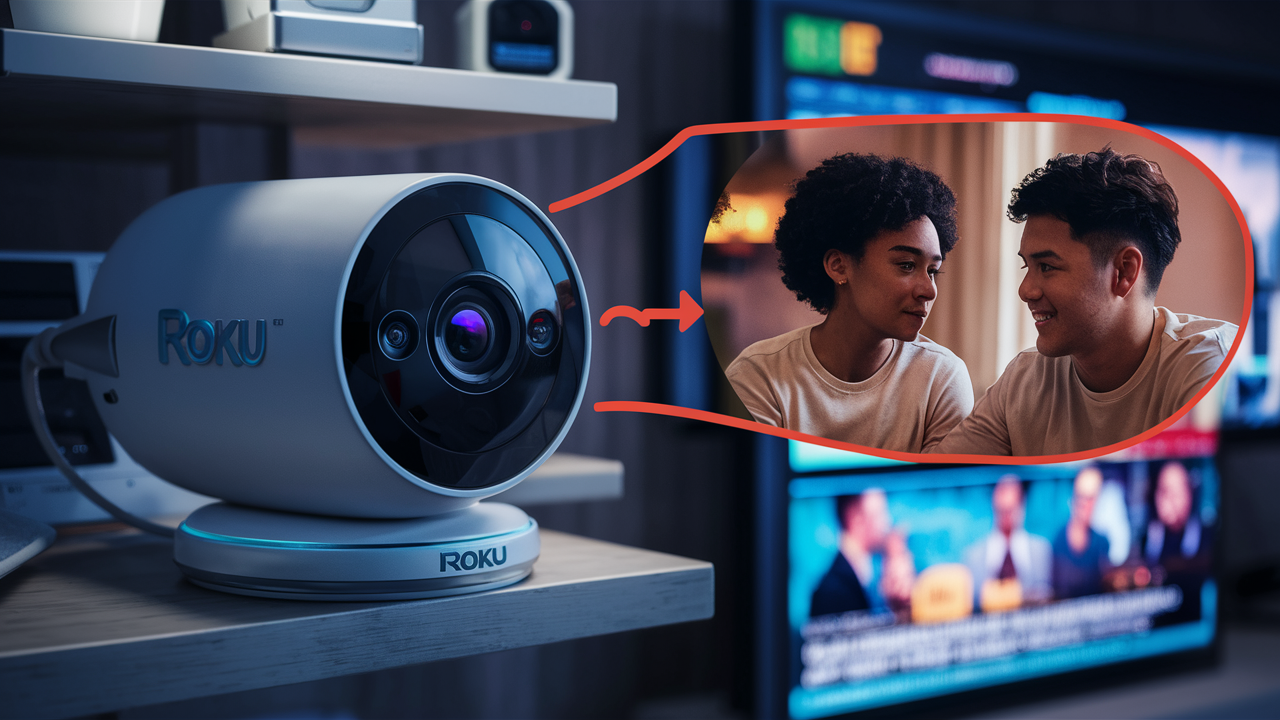
Understanding Roku Camera Security
When considering smart home devices, particularly those that monitor your living space, security is paramount. The question "Are Roku Cameras Secure?" is a valid and crucial one for any potential buyer. This comprehensive guide delves into the security measures Roku employs, potential risks, and best practices to ensure your peace of mind. We aim to provide a clear, data-driven answer for 2025-26, empowering you to make an informed decision about your home surveillance needs.
Roku Camera Security Features: A Deep Dive
Roku, a brand synonymous with streaming entertainment, has expanded its ecosystem to include home security cameras. Understanding the built-in security features is the first step in assessing their overall safety. Roku's approach to camera security integrates several layers designed to protect user data and privacy. These features are crucial for building trust and ensuring that these devices function as intended – to enhance, not compromise, home security.
On-Device Processing and Storage
One of the key aspects of Roku's security strategy, particularly for their newer camera models, is the emphasis on on-device processing. This means that a significant portion of data analysis, such as motion detection and person detection, happens directly on the camera itself, rather than being immediately sent to cloud servers. This reduces the amount of sensitive data that needs to be transmitted over the internet, thereby minimizing potential interception points. For 2025-26, this approach is increasingly important as concerns about cloud-based data breaches continue to rise. While not all processing can be done on-device, Roku's commitment to this model is a positive indicator for security-conscious users.
Secure Cloud Storage Options
For video footage that requires longer-term storage or remote access, Roku offers secure cloud storage solutions. These services are designed with robust security protocols to protect your recordings. Data transmitted to and stored in the cloud is typically protected by industry-standard encryption. Roku partners with reputable cloud providers that adhere to strict security certifications and compliance standards. This ensures that your video history is safeguarded against unauthorized access. The specifics of their cloud infrastructure are proprietary, but the general industry practice involves end-to-end encryption for data in transit and at rest.
Two-Factor Authentication (2FA)
A cornerstone of modern online security, two-factor authentication is a vital feature for any connected device, including smart cameras. Roku mandates or strongly encourages 2FA for user accounts associated with their devices. This adds an extra layer of security beyond just a password. When you log in to your Roku account or access your camera feeds, you may be prompted to enter a code from your smartphone or another trusted device. This significantly reduces the risk of unauthorized access, even if your password is compromised. By implementing 2FA, Roku demonstrates a commitment to protecting user accounts from common hacking techniques.
Regular Software Updates and Patching
The cybersecurity landscape is constantly evolving, with new threats emerging regularly. To combat these evolving risks, Roku, like other reputable tech companies, provides regular software updates for its cameras and associated apps. These updates often include security patches to address newly discovered vulnerabilities. It is crucial for users to ensure their Roku cameras and the Roku mobile app are kept up-to-date. Automatic updates, where available, are a significant convenience and a strong security measure. For 2025-26, the frequency and effectiveness of these updates are key indicators of a manufacturer's ongoing commitment to product security.
Privacy Controls and Settings
Roku cameras offer various privacy controls that allow users to manage how and when their cameras are active. This includes features like:
- Motion Detection Zones: Users can define specific areas within the camera's field of view where motion detection should be active, reducing unnecessary alerts and data recording.
- Scheduled Recording: The ability to schedule recording times or disable recording altogether during specific periods, such as when residents are home.
- Privacy Modes: Some models may offer dedicated privacy modes that temporarily disable recording and streaming functionality.
Data Encryption and Privacy: What You Need to Know
The security of your video data and personal information is a primary concern when using any connected device. Roku's approach to data encryption and privacy is designed to safeguard this sensitive information. Understanding these protocols is essential for assessing the overall security posture of Roku cameras.
Encryption in Transit
When video streams or recorded footage are sent from your Roku camera to your mobile device, the Roku app, or cloud storage, it is crucial that this data is encrypted. Roku utilizes industry-standard encryption protocols, such as Transport Layer Security (TLS), to protect data as it travels across the internet. TLS encrypts the data, making it unreadable to anyone who might intercept it. This is a fundamental security measure that prevents "man-in-the-middle" attacks where an attacker could eavesdrop on your camera feed. The strength of this encryption is paramount; Roku's use of modern TLS versions ensures a high level of security for data in transit.
Encryption at Rest
Once your video recordings are stored, either locally (if supported by the model) or in the cloud, they should also be protected. Encryption at rest ensures that even if a storage medium is physically accessed without authorization, the data remains unreadable. Roku's cloud storage solutions employ encryption at rest. This means that your video files are encrypted before being stored on Roku's servers or those of their third-party cloud partners. While the exact encryption algorithms used are typically proprietary, the commitment to encrypting data at rest is a significant security feature, protecting your footage from unauthorized access to storage systems.
Privacy Policy and Data Usage
Understanding how Roku collects, uses, and protects your data is as important as understanding their technical security measures. Roku provides a comprehensive Privacy Policy that outlines these practices. It's essential for users to review this policy to understand:
- What data is collected (e.g., video footage, motion detection events, device usage data).
- How this data is used (e.g., to provide services, improve products, for targeted advertising if opted in).
- With whom data might be shared (e.g., service providers, legal authorities).
- Your rights regarding your data (e.g., access, deletion).
Data Minimization Principles
Reputable companies increasingly adopt data minimization principles, collecting only the data necessary to provide their services. For Roku cameras, this means that motion detection events, for instance, should trigger recordings only when specific criteria are met, rather than continuously recording and uploading all activity. Features like adjustable motion sensitivity and activity zones contribute to this principle by allowing users to control the scope of data collection. This not only enhances privacy but also reduces the burden on network bandwidth and storage.
Third-Party Cloud Providers
When Roku utilizes third-party cloud infrastructure for storage or processing, it's important to consider the security practices of these providers. Roku typically partners with well-established cloud service providers that adhere to stringent security standards and certifications (e.g., ISO 27001, SOC 2). These providers are responsible for the physical security of data centers and the network infrastructure. Roku's responsibility then lies in configuring these services securely and ensuring that data remains encrypted throughout its lifecycle. For 2025-26, the robust security frameworks of major cloud providers are generally considered a strong foundation for data protection.
Network Security Best Practices for Your Roku Cameras
While Roku implements security measures for its cameras and services, the overall security of your smart home ecosystem heavily relies on your home network's security. Implementing robust network security practices is crucial to protect your Roku cameras and other connected devices from unauthorized access.
Secure Your Wi-Fi Network
Your Wi-Fi network is the gateway for your Roku cameras to connect to the internet. If your Wi-Fi is not secured, it can be a significant vulnerability.
- Strong, Unique Password: Ensure your Wi-Fi network has a strong, unique password. Avoid using default passwords or easily guessable combinations.
- WPA3 Encryption: If your router supports it, use WPA3 encryption. If not, WPA2 is the next best option. Avoid WEP, as it is outdated and easily compromised.
- Change Default Router Credentials: Always change the default username and password for your router's administrative interface. These are often publicly known and can be a backdoor for attackers.
Enable a Guest Network
Many modern routers allow you to create a separate guest network. This is an excellent security practice for IoT devices like your Roku cameras.
- Isolation: By placing your Roku cameras on a guest network, you isolate them from your primary network, which likely contains more sensitive devices like computers and smartphones.
- Limited Access: Even if a device on the guest network is compromised, it will have limited ability to access devices on your main network.
Keep Router Firmware Updated
Just like your Roku cameras, your router's firmware needs to be kept up-to-date. Router manufacturers release firmware updates to patch security vulnerabilities and improve performance.
- Automatic Updates: If your router offers automatic firmware updates, enable this feature.
- Manual Checks: If automatic updates are not available, regularly check your router manufacturer's website for new firmware releases and follow their instructions for installation.
Disable UPnP (Universal Plug and Play)
UPnP can be convenient as it allows devices to automatically configure network settings. However, it can also be a security risk, as it can allow malware to open ports on your router without your knowledge.
- Security Risk: UPnP has been known to be exploited by malicious software to create backdoors.
- Manual Configuration: For enhanced security, it's often recommended to disable UPnP and manually configure port forwarding if specific applications or devices require it. For most home users and Roku cameras, disabling UPnP is a safer approach.
Use a Strong Roku Account Password and 2FA
As mentioned previously, securing your Roku account is paramount.
- Unique Password: Use a strong, unique password for your Roku account that is different from passwords used for other services.
- Enable 2FA: Always enable two-factor authentication on your Roku account. This adds a critical layer of security, requiring a second verification step beyond your password.
Consider Network Segmentation (Advanced)
For users with advanced networking knowledge, implementing a more robust network segmentation strategy can further enhance security. This might involve using a firewall or a separate VLAN (Virtual Local Area Network) specifically for IoT devices. This creates an even stronger barrier between your smart home devices and your critical personal devices.
Comparing Roku Camera Security to Competitors
The smart camera market is competitive, with many brands offering a range of features and security protocols. When evaluating "Are Roku Cameras Secure?", it's beneficial to compare their security offerings against major players in the industry. This comparison helps to contextualize Roku's security posture and identify potential areas where they excel or might lag behind. For 2025-26, we'll look at key security aspects.
Key Competitors and Their Security Focus
Major competitors in the smart camera space include brands like Arlo, Ring (Amazon), Nest (Google), Wyze, and Eufy. Each has its own approach to security:
- Arlo: Often praised for robust security features, including strong encryption, local storage options (on some models), and regular security updates. They typically offer subscription plans for enhanced cloud storage and AI features.
- Ring: Emphasizes end-to-end encryption (on select models and plans), user-friendly interface, and deep integration with the Amazon ecosystem. Security concerns have been raised in the past regarding data privacy and potential vulnerabilities, though Amazon has made efforts to address these.
- Nest (Google): Focuses on AI-powered features and seamless integration with Google Home. Security relies heavily on Google's robust cloud infrastructure and account security, including 2FA.
- Wyze: Known for its budget-friendly options, Wyze cameras offer good basic security features but have faced scrutiny in the past regarding data privacy and security breaches, leading to increased focus on transparency and security enhancements.
- Eufy: Promotes local storage as a primary security feature, reducing reliance on cloud services. However, past incidents have raised questions about the completeness of their local storage security and data handling.
Comparison Table: Roku vs. Key Competitors (2025-26 Focus)
The following table provides a comparative overview of key security features. Note that specific features can vary by model and subscription plan.
| Feature | Roku Cameras | Arlo | Ring | Nest (Google) | Wyze |
|---|---|---|---|---|---|
| Encryption (In Transit) | TLS | TLS/SSL | TLS/SSL (E2EE on select plans) | TLS/SSL | TLS/SSL |
| Encryption (At Rest) | Yes (Cloud) | Yes (Cloud/Local) | Yes (Cloud) | Yes (Cloud) | Yes (Cloud) |
| Local Storage Option | Limited/Model Dependent | Yes (Base Station/SD Card) | No (Requires Ring Alarm Pro) | No | Yes (SD Card) |
| Two-Factor Authentication (2FA) | Yes | Yes | Yes | Yes | Yes |
| Regular Software Updates | Yes | Yes | Yes | Yes | Yes |
| Privacy Controls | Good (Zones, Scheduling) | Good (Zones, Scheduling) | Good (Zones, Scheduling) | Good (Zones, Scheduling) | Basic (Zones) |
Roku's Position in the Market
Roku cameras generally offer a solid baseline of security features comparable to many mid-range competitors. Their integration into the broader Roku ecosystem is a significant advantage for existing Roku users. While they might not always offer the cutting-edge, advanced encryption options (like end-to-end encryption across all services) found in some premium competitors, their commitment to standard encryption protocols, 2FA, and regular updates positions them as a reasonably secure option. The emphasis on on-device processing for certain tasks also adds a layer of privacy.
For users already invested in the Roku platform, the security of Roku cameras aligns well with the overall security posture of the ecosystem. However, for users who prioritize absolute maximum security, such as comprehensive end-to-end encryption for all footage or extensive local storage options without cloud reliance, they might need to explore higher-tier or specialized solutions from brands like Arlo or certain Eufy models (with careful consideration of past issues).
Potential Vulnerabilities and Mitigation Strategies
No technology is entirely immune to vulnerabilities. Understanding potential risks associated with smart cameras, including Roku's, and knowing how to mitigate them is crucial for maintaining a secure home environment. For 2025-26, the threat landscape continues to evolve, making proactive security measures more important than ever.
Common Vulnerabilities in Smart Cameras
Smart cameras, by their nature, are connected devices that process and transmit data. This makes them potential targets for various cyber threats:
- Weak Passwords and Account Compromise: If a user's Roku account password is weak or reused across multiple sites, it can be compromised through brute-force attacks or credential stuffing.
- Network Exploitation: Insecure home Wi-Fi networks can be exploited to gain access to connected devices, including cameras.
- Firmware Vulnerabilities: Undiscovered flaws in device firmware can be exploited by attackers to gain control of the camera or access data.
- Phishing and Social Engineering: Users can be tricked into revealing their account credentials through fake emails or websites.
- Physical Tampering: While less common for remote attacks, physical access to a camera could allow for tampering or data extraction if not properly secured.
Mitigation Strategies for Roku Camera Users
Fortunately, most common vulnerabilities can be effectively mitigated with proactive steps:
1. Secure Your Roku Account
This is the first and most critical line of defense.
- Use a Strong, Unique Password: Create a password that is long, complex, and not used anywhere else. Consider using a password manager.
- Enable Two-Factor Authentication (2FA): Always enable 2FA on your Roku account. This is non-negotiable for robust security.
- Review Account Activity: Periodically check your Roku account for any suspicious login activity or unauthorized changes.
2. Harden Your Home Network
As detailed in the previous section, a secure network is fundamental.
- Strong Wi-Fi Password and Encryption: Use WPA3 or WPA2 and a complex password.
- Change Router Admin Credentials: Secure your router's management interface.
- Guest Network: Isolate IoT devices on a guest network.
- Keep Router Firmware Updated: Ensure your router is running the latest firmware.
- Disable UPnP: For enhanced security, disable Universal Plug and Play.
3. Keep Roku Cameras and App Updated
Roku regularly releases updates to patch security vulnerabilities.
- Enable Automatic Updates: If available for your camera model, enable automatic firmware updates.
- Update the Roku App: Ensure the Roku mobile app on your smartphone or tablet is always up-to-date.
4. Be Mindful of Physical Security
While not a direct cybersecurity threat, physical security is part of overall safety.
- Strategic Placement: Install cameras in locations that are visible but not easily accessible for tampering.
- Secure Mounts: Ensure cameras are mounted securely to prevent them from being easily dislodged.
5. Understand Privacy Settings
Leverage the privacy features offered by Roku cameras.
- Activity Zones: Configure motion detection zones to avoid recording irrelevant areas.
- Scheduling: Use scheduling features to disable recording when you are home or during specific times.
- Privacy Modes: Utilize any available privacy modes when not actively monitoring.
6. Be Wary of Phishing and Scams
Always be skeptical of unsolicited emails or messages claiming to be from Roku.
- Verify Sender: Never click on links or download attachments from suspicious emails.
- Direct Access: If you need to access your Roku account, go directly to the official Roku website or app.
Roku's Response to Vulnerabilities
In the event that a significant vulnerability is discovered, Roku's response time and effectiveness in deploying patches are crucial. Historically, major tech companies have processes in place to address security issues promptly. Users should monitor official Roku communications for any security advisories. For 2025-26, the speed and transparency of Roku's response to any discovered threats will be a key indicator of their ongoing commitment to user security.
User Reviews and Expert Opinions on Roku Camera Security
While technical specifications and manufacturer claims are important, real-world user experiences and the opinions of cybersecurity experts provide valuable insights into the practical security of Roku cameras. For 2025-26, a balanced perspective drawing from both is essential.
What Users Are Saying
User reviews for Roku cameras often highlight ease of setup and integration with the Roku ecosystem. Regarding security, feedback is generally mixed but leans positive for basic use cases:
- Positive Feedback: Many users appreciate the straightforward security setup, particularly the mandatory 2FA for Roku accounts. They find the app intuitive for managing privacy settings like motion detection zones and recording schedules. For everyday home monitoring, users often feel their data is adequately protected.
- Concerns Raised: Some users express concerns about the reliance on cloud storage, especially for those who prefer entirely local solutions. A few reviews might mention occasional app glitches or update issues, which, while not direct security breaches, can impact the perceived reliability of the system. Discussions in online forums sometimes touch upon the depth of encryption or the lack of advanced features like local storage on all models, compared to some premium competitors.
- Data Privacy Perceptions: The general sentiment among many users is that Roku's privacy practices, as outlined in their policy, are acceptable for their needs, especially given the convenience and price point. However, more security-conscious individuals may seek more detailed assurances or alternative solutions.
Expert Analysis and Cybersecurity Perspectives
Cybersecurity experts generally view Roku cameras as offering a reasonable level of security for the average consumer, particularly when proper network and account security practices are followed.
- Standard Security Practices: Experts acknowledge Roku's implementation of industry-standard encryption (TLS), 2FA, and regular software updates as positive steps. These are fundamental requirements for any connected device to be considered secure.
- Cloud Reliance: The reliance on cloud services for storage and processing is a common point of discussion. While Roku partners with reputable providers, experts always advise caution with any service that stores sensitive data in the cloud. They emphasize that the security of cloud storage is only as strong as the provider's infrastructure and Roku's implementation of it.
- On-Device Processing: The trend towards on-device processing for features like motion detection is seen as a positive development by experts, as it reduces the amount of data transmitted and stored externally, thereby minimizing potential attack vectors.
- Comparison to Market: In expert reviews, Roku cameras are often placed in the mid-tier category for security. They are generally considered more secure than some ultra-budget brands that may cut corners on security features, but may not offer the same level of advanced, granular security controls or specialized features (like robust end-to-end encryption for all streams) as some premium, specialized security camera brands.
- Importance of User Behavior: Cybersecurity experts consistently stress that even the most secure device can be compromised if the user's own security practices are weak. They highlight that strong passwords, 2FA, and secure home networks are critical complements to any device's built-in security features.
Overall Consensus
The consensus from both users and experts for 2025-26 is that Roku cameras are generally secure for typical home monitoring purposes, provided users adhere to best practices. They offer a good balance of features, ease of use, and security. For users with highly sensitive security needs or those who are particularly concerned about cloud data privacy, further research into specific models and alternative solutions might be warranted. However, for the majority of consumers looking for a reliable and reasonably secure smart camera, Roku presents a viable option.
Step-by-Step Guide: Setting Up Secure Roku Cameras
Setting up your Roku cameras securely from the outset is crucial. This step-by-step guide will walk you through the process, emphasizing security best practices at each stage.
Step 1: Unboxing and Initial Inspection
- Check for Tampering: Before proceeding, ensure the packaging shows no signs of tampering.
- Verify Contents: Confirm all components listed in the manual are present.
Step 2: Download the Roku App and Create/Log In to Your Account
- Download: Download the official Roku mobile app from your device's app store (iOS App Store or Google Play Store).
- Account Creation/Login:
- If you don't have a Roku account, create one. Use a strong, unique password.
- If you already have an account, log in.
- Enable Two-Factor Authentication (2FA): This is critical. Navigate to your Roku account settings via the app or website and enable 2FA. Follow the on-screen instructions to set up your verification method (e.g., SMS code, authenticator app).
Step 3: Prepare Your Home Network
Ensure your Wi-Fi network is secure before connecting your camera.
- Router Security:
- Change your router's default administrator username and password.
- Ensure your Wi-Fi is using WPA3 or WPA2 encryption.
- Use a strong, unique Wi-Fi password.
- Guest Network (Recommended): If your router supports it, set up a separate guest network for your smart home devices, including Roku cameras.
Step 4: Power On and Connect the Camera
- Power Up: Plug in your Roku camera according to the manufacturer's instructions.
- Follow App Prompts: Open the Roku app and follow the prompts to add a new device. The app will guide you through connecting the camera to your Wi-Fi network.
- Select Network: Choose your primary Wi-Fi network or your dedicated guest network for the camera to connect to.
- Enter Wi-Fi Password: Carefully enter your Wi-Fi password.
Step 5: Camera Setup and Configuration within the Roku App
Once connected to your network, the camera will appear in the Roku app.
- Device Pairing: The app will guide you through pairing the camera to your Roku account.
- Name Your Camera: Give your camera a descriptive name (e.g., "Front Door Camera," "Living Room").
- Configure Settings:
- Motion Detection: Adjust motion detection sensitivity and set up activity zones to define areas of interest and reduce false alerts.
- Recording Settings: Configure recording preferences, including whether to record on motion detection, continuous recording (if supported), and the duration of recordings.
- Notifications: Set up push notifications to your mobile device for motion events or other alerts.
- Privacy Settings: Explore any available privacy modes or scheduling options to control when the camera is active.
Step 6: Position Your Camera
- Optimal Placement: Mount your camera in a location that provides the desired field of view. Consider lighting conditions and potential obstructions.
- Physical Security: Ensure the camera is mounted securely and is not easily accessible to unauthorized individuals.
Step 7: Test and Verify
- Test Motion Detection: Walk in front of the camera to trigger motion detection and ensure you receive notifications and that recordings are captured as expected.
- Review Footage: Access recorded footage through the Roku app to verify video quality and playback.
- Check Network Security: Periodically review your router's connected devices list to ensure only authorized devices are on your network.
Ongoing Security Maintenance
- Regular Updates: Keep your Roku cameras and the Roku app updated. Enable automatic updates where possible.
- Password Management: Periodically update your Roku account and Wi-Fi passwords.
- Review Settings: Annually review your camera and network security settings to ensure they remain robust.
Conclusion: Are Roku Cameras Secure?
In conclusion, the question "Are Roku Cameras Secure?" warrants a nuanced answer. For the vast majority of users in 2025-26, Roku cameras offer a **secure and reliable solution for home monitoring**, provided they are set up and maintained correctly. Roku implements essential security measures such as robust encryption protocols for data in transit and at rest, mandatory two-factor authentication for account access, and a commitment to regular software updates to patch vulnerabilities. Their increasing focus on on-device processing for certain tasks further enhances privacy by reducing the reliance on constant cloud transmission.
However, like any connected device, Roku cameras are not entirely immune to risks. Their security is intrinsically linked to the security of your home network and the diligence of the user in managing their accounts and devices. By following best practices – securing your Wi-Fi network with strong passwords and WPA3/WPA2 encryption, enabling 2FA on your Roku account, keeping firmware updated, and utilizing the available privacy controls – you can significantly mitigate potential vulnerabilities.
Compared to many competitors, Roku cameras provide a strong, competitive security offering, especially for users already within the Roku ecosystem. While they may not always boast the absolute highest-end security features found in some premium, specialized brands, they strike an excellent balance between accessibility, functionality, and robust security for the average consumer. Therefore, for those seeking a user-friendly, well-integrated, and generally secure smart camera solution, Roku cameras are a recommended choice when proper security hygiene is practiced.





