Can Adt Turn Off Alarm Remotely?
Introduction: Can ADT Turn Off Alarm Remotely?
Yes, ADT systems can be turned off remotely, but with specific protocols and through authorized channels. This capability is a cornerstone of modern home security, offering convenience and control. This guide delves into how ADT's remote disarming works, its practical applications, limitations, and how it stacks up against competitors in 2025-26.
Understanding ADT Remote Access
ADT's remote access capabilities are primarily facilitated through its integrated mobile application and web portal. These platforms allow homeowners and authorized users to interact with their security system from virtually anywhere, provided they have an internet connection. This isn't just about arming or disarming; it extends to receiving alerts, viewing event history, and even controlling integrated smart home devices. The core concept is to extend the control and oversight of your home's security beyond the physical boundaries of your property.
In today's connected world, the expectation for immediate control over our living spaces is paramount. ADT has recognized this need and invested significantly in developing robust remote access features. These features are designed not only for convenience but also to enhance the overall effectiveness of the security system. For instance, being able to disarm the system remotely can prevent unnecessary police dispatches caused by accidental activations, saving both time and potential fines. Conversely, it allows for swift action in situations where a trusted individual needs access to the home without being physically present to disarm the system.
The underlying technology relies on a secure connection between the ADT control panel, the ADT servers, and the user's connected device (smartphone or tablet). This communication is encrypted to ensure that sensitive commands and data remain protected. The system is designed with multiple layers of security to prevent unauthorized access, ensuring that only verified users can control the system. This comprehensive approach to remote access is what allows ADT to offer a reliable and secure way to manage your home security from afar.
How ADT Remote Disarming Works
The process of remotely disarming an ADT alarm system is a multi-faceted operation designed for both ease of use and robust security. It involves a user-friendly interface, stringent authentication measures, and strict protocols followed by the ADT monitoring center.
The ADT App Interface
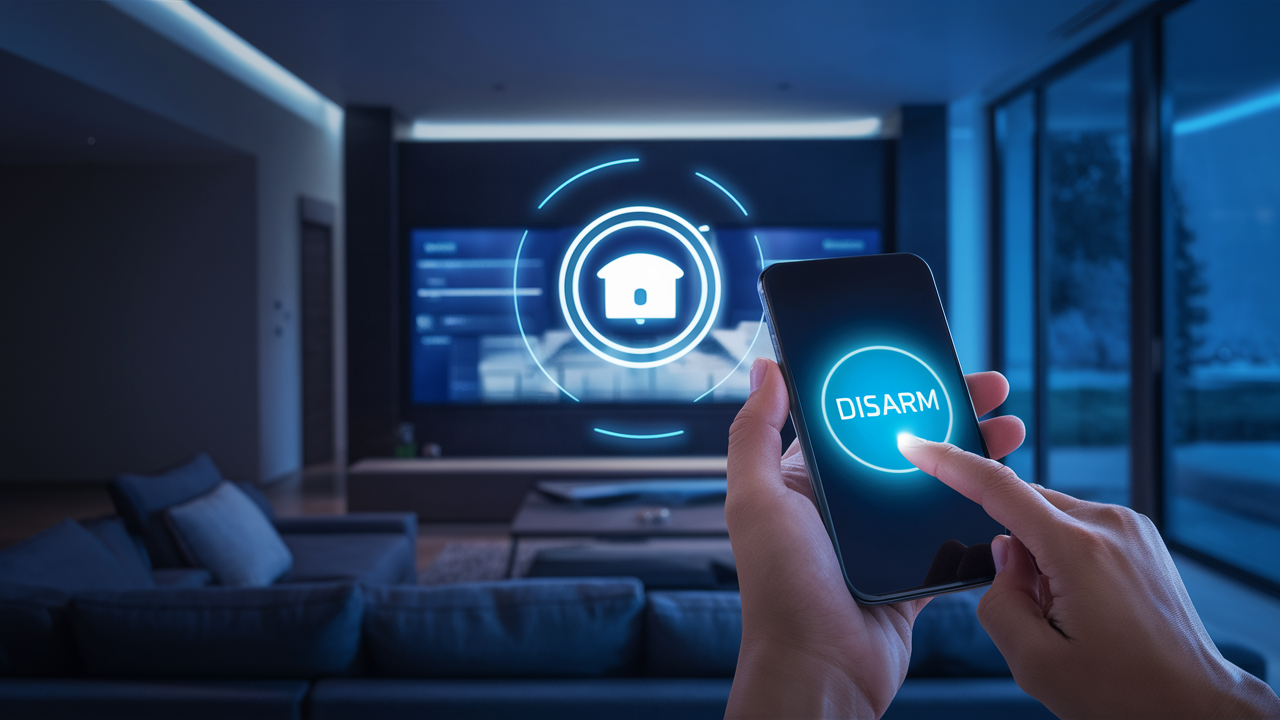
The primary tool for remote interaction with an ADT system is the ADT Control app (or a similar branded app depending on the specific ADT service package). Once logged in, users are typically presented with a dashboard that shows the current status of their security system – whether it's armed (home or away), disarmed, or in an alarm state. To disarm the system remotely, a user would navigate to the system status section and select the disarm option. This action sends a command through ADT's secure servers to the user's home security panel. The interface is designed to be intuitive, often featuring large, clear buttons for common actions like arming and disarming, minimizing the chance of user error.
The app also provides a history of system events, including when the system was armed, disarmed, and any alarms that were triggered. This historical data is crucial for accountability and for understanding patterns of system usage. For remote disarming, the app might prompt for a secondary verification step, such as a PIN code or biometric authentication, depending on the user's settings and the sensitivity of the action. This ensures that even if someone gains unauthorized access to a user's phone, they cannot easily disarm the alarm without further credentials. The visual feedback within the app is also important; users can see the system status change in near real-time, confirming that their command has been received and executed.
Authentication and Security
Security is paramount in any remote access system, and ADT employs several layers of authentication to ensure only authorized individuals can disarm the system. When you log into the ADT app, you'll use your unique username and password. For added security, many ADT systems support two-factor authentication (2FA), which requires a second form of verification, such as a code sent to your registered mobile phone or a fingerprint scan. This significantly reduces the risk of unauthorized access, even if your password is compromised.
Beyond initial login, specific actions like disarming the system may require an additional PIN or biometric verification within the app. This is a crucial security measure, especially if the system is configured to allow multiple users. Each user can be assigned different permission levels, and critical actions like disarming might be restricted to primary account holders or require a specific user's credentials. The communication between the app, ADT's servers, and the home panel is encrypted using industry-standard protocols (like TLS/SSL) to protect data in transit. This ensures that any commands or status updates are unreadable to anyone trying to intercept them. The system is also designed to detect and flag suspicious activity, such as multiple failed login attempts or unusual disarming patterns, which can trigger alerts to the user and ADT.
Monitoring Center Protocols
While users can disarm their systems directly via the app, it's important to understand that ADT's professional monitoring center plays a critical role in the overall security process, especially during alarm events. If an alarm is triggered, the monitoring center receives an alert. They will attempt to verify the alarm by calling the designated contact numbers. During this verification process, they will ask for a verbal password or code that the homeowner has pre-set. If the correct code is provided, the monitoring center will cancel the dispatch of emergency services. This is a key aspect of preventing false alarms and ensuring that the system is only disarmed by authorized personnel.
In some scenarios, particularly if the homeowner is away and cannot be reached, or if there's a need to proactively disarm the system due to a known issue (like a pet accidentally triggering a sensor), the user might contact ADT directly. In such cases, the ADT representative will follow strict protocols to verify the caller's identity before remotely disarming the system. This verification typically involves asking for account information, security questions, and the pre-set verbal password. It's crucial for users to understand these protocols and keep their security information up-to-date. The monitoring center's involvement ensures that remote disarming is not just a matter of convenience but remains a secure and controlled process, integrated with the broader emergency response framework.
Scenarios Where Remote Disarming is Used
The ability to remotely disarm an ADT alarm system offers significant practical benefits across a variety of situations, enhancing both convenience and security.
Accidental Alarms
One of the most common reasons for needing to disarm an alarm remotely is an accidental activation. This can happen for numerous reasons: a pet brushing against a motion sensor, a door or window not being fully closed, or even a user forgetting to disarm the system upon entering. In the past, an accidental alarm would mean a potentially delayed response to disarm the system, or worse, an unnecessary dispatch of emergency services, which can incur fines in many municipalities. With remote disarming via the ADT app, a homeowner or authorized user can immediately disarm the system, preventing a false alarm from escalating. This is particularly useful if the user is not home when the accidental alarm occurs but receives a notification on their phone.
For example, imagine a scenario where a strong gust of wind causes a door to slam shut, triggering a door sensor. If the homeowner is at work and receives an alert, they can simply open the ADT app, enter their credentials, and disarm the system. This avoids the stress of waiting for ADT to call for verification and prevents the police from being dispatched to their home for a non-emergency. This immediate control is a significant advantage of modern smart security systems.
Authorized Access for Guests
Remote disarming is incredibly useful when you need to grant access to your home for friends, family, service providers, or contractors, but you won't be there to let them in or disarm the system yourself. Instead of sharing your primary security code, which can be a security risk, you can remotely disarm the system just before they arrive and then re-arm it after they leave. Some ADT systems also offer the ability to create temporary user codes or schedules for specific individuals, which can be managed remotely.
Consider a situation where a pet sitter needs to access your home. You can remotely disarm the system at the scheduled time, allowing them entry. Once they have left, you can remotely re-arm it. This provides a secure and controlled way to manage access without compromising your primary security codes. This feature is invaluable for busy households or for those who frequently have visitors or service personnel enter their homes.
Emergency Situations and Verification
While the primary function of an alarm is to alert in emergencies, remote disarming can also play a role in managing the response. If an alarm is triggered and the homeowner knows it's a genuine emergency (e.g., a fire detected by a smoke alarm that the app notified them about), they might be able to remotely disarm the system to allow emergency responders unimpeded access, or to prevent further automated actions that might hinder response. However, this is a nuanced situation. In most genuine emergencies, the protocol is for the monitoring center to dispatch services directly. Remote disarming in such a scenario would typically be done *after* confirming with the monitoring center or if the user is directing the response.
More commonly, remote disarming is used in the *verification* process. If a sensor is triggered and the monitoring center calls, the user can remotely disarm the system to confirm that they are in control and that the situation is under control, thereby preventing a false alarm dispatch. This is a critical function for minimizing unnecessary emergency service interventions. The ability to communicate intent and control the system remotely provides a crucial layer of immediate assurance during potentially stressful events.
System Maintenance and Testing
When performing maintenance on your home or security system, or when testing new equipment, you might need to temporarily disarm the alarm to prevent it from triggering. Remote disarming allows you to do this without needing to be physically at the control panel. For example, if you're installing new smart locks or sensors, you can use the app to disarm the system while you work, and then re-arm it once the installation is complete and tested. This streamlines the process and reduces the likelihood of accidental triggers during these activities.
This is also useful for technicians who might need to access your system remotely for diagnostics or updates. With your permission, they could potentially be guided through the process of remotely disarming the system to perform their work. This level of control over system operations, even when physically absent, is a hallmark of advanced security solutions.
Limitations and Considerations
While ADT's remote disarming feature is powerful, it's essential to be aware of its limitations and the conditions under which it operates effectively and securely.
Internet Connectivity Requirements
The most significant limitation for remote disarming is the reliance on a stable internet connection. Both your home's internet service and the internet connection on your mobile device must be active and functioning for remote commands to be sent and received. If your home internet is down, or if your mobile device has no signal, you will not be able to disarm the system remotely. In such cases, you would need to disarm the system using the physical keypad on your control panel or by contacting ADT directly, provided your cellular backup (if applicable and active) is functioning.
ADT systems often include a cellular backup communicator. This is designed to transmit alarm signals to the monitoring center even if the primary internet connection is lost. However, the ability to send *commands* like disarming via the app typically still relies on an active internet connection for both the user's device and the home's connection to ADT's servers. It's crucial to understand that cellular backup is primarily for outgoing alarm signals, not necessarily for two-way command and control via the app when the primary internet is down. Therefore, maintaining a reliable home internet service is critical for seamless remote operation.
Account Permissions
Not all users on an ADT account have the same level of access. Typically, the primary account holder has full administrative privileges, including the ability to manage users, set permissions, and perform all remote actions. Other users, such as family members or guests, might have limited access. For instance, they might be able to arm and disarm the system from the keypad but not have access to the mobile app's remote disarming features, or they might have restricted app access. It's important to configure these permissions correctly within your ADT account settings to ensure that only authorized individuals can disarm the system remotely.
This tiered access system is a vital security feature. It allows the primary account holder to maintain ultimate control over the system. If you need someone to have remote disarming capabilities, you must explicitly grant them those permissions through your account management portal or by contacting ADT. Without these permissions, attempting to disarm remotely will fail. Understanding and managing these user roles is key to leveraging the system's full potential while maintaining security.
Response Times and Protocol Adherence
While the ADT app provides near real-time status updates, the actual execution of a remote disarm command can be influenced by network latency and the processing speed of ADT's servers and your home's control panel. In most cases, the response is very quick, but it's not instantaneous. Furthermore, ADT's protocols for handling alarm events are designed to prioritize safety. If an alarm is triggered, the monitoring center will follow its established procedure, which includes verification. Even if you remotely disarm the system, the monitoring center may still attempt to contact you to confirm the situation, especially if the alarm was severe (e.g., fire, burglary). They will only cancel emergency dispatch if they are satisfied with the verification.
It's crucial to remember that remote disarming is a tool for convenience and management, but it operates within the framework of ADT's professional monitoring. Users should not assume that a remote disarm command bypasses the monitoring center's established procedures for genuine emergencies. The system is designed to err on the side of caution. If a user remotely disarms a system after an alarm, and the monitoring center cannot immediately verify the situation or the user's intent, they may still dispatch emergency services to ensure safety. Understanding this interaction is key to effective use.
Potential Security Risks
While ADT implements robust security measures, no system is entirely immune to risks. The primary risks associated with remote access include compromised account credentials (weak passwords, phishing attacks) and vulnerabilities in the mobile app or connected devices. If an unauthorized person gains access to your ADT account credentials, they could potentially disarm your alarm system remotely. This underscores the importance of strong, unique passwords, enabling two-factor authentication, and keeping your mobile devices secure with screen locks and up-to-date software.
Another consideration is the security of your home Wi-Fi network. If your Wi-Fi is compromised, it could potentially expose your ADT system to unauthorized access. Regularly changing your Wi-Fi password and using strong encryption (WPA2 or WPA3) are essential steps. Furthermore, always ensure you are downloading the official ADT app from trusted app stores and keeping it updated. Be wary of any unsolicited communications or requests for your login information. By following best practices for online security, you can significantly mitigate these potential risks and ensure your ADT system remains secure.
Comparing ADT Remote Features with Competitors (2025-26)
In the competitive landscape of home security in 2025-26, ADT's remote access and disarming capabilities are a significant selling point. However, it's essential to compare these features against those offered by other major players in the market to understand ADT's positioning and value proposition.
Key Features Comparison Table
Here's a comparative look at remote disarming and related features among leading security providers:
| Feature | ADT | Vivint | SimpliSafe | Ring Alarm Pro |
|---|---|---|---|---|
| Remote Disarming via App | Yes (ADT Control App) | Yes (Vivint App) | Yes (SimpliSafe App - requires monitoring plan) | Yes (Ring App - requires monitoring plan) |
| Two-Factor Authentication (2FA) | Yes | Yes | Yes (for account login) | Yes (for account login) |
| User Permissions Management | Yes (primary account holder) | Yes | Yes (limited) | Yes (limited) |
| Cellular Backup (for monitoring) | Standard | Standard | Standard (with monitoring plan) | Standard (with monitoring plan) |
| Professional Monitoring Included/Required | Required | Required | Optional (but needed for remote features) | Optional (but needed for remote features) |
| Smart Home Integration | Good (e.g., Alexa, Google Assistant) | Excellent (proprietary ecosystem) | Moderate (e.g., Alexa, Google Assistant) | Excellent (Ring ecosystem, Alexa) |
User Experience and App Functionality
ADT's app, ADT Control, is generally well-regarded for its user-friendliness and comprehensive features. It provides clear system status, event history, and easy access to arm/disarm functions. Vivint's app is also highly rated, often praised for its seamless integration with their smart home ecosystem, offering advanced automation possibilities. SimpliSafe's app is straightforward and functional, providing core control for users who prioritize simplicity. Ring's app, being part of the Amazon ecosystem, offers deep integration with other Ring devices and Alexa, making it very convenient for existing Ring users. For remote disarming specifically, all major platforms offer a similar core functionality, but the overall user experience can differ based on the breadth of other smart home features and the intuitiveness of the interface.
Security Protocols and Verification
ADT, with its long history in professional security, emphasizes robust verification protocols. Their monitoring centers are highly trained to handle alarm events and conduct thorough verification before dispatching emergency services. This often involves more direct interaction and potentially stricter verification steps compared to some DIY systems. Vivint also offers strong professional monitoring with similar verification procedures. SimpliSafe and Ring, while offering professional monitoring plans, might have slightly less stringent verification processes or more reliance on automated systems, though they still employ verification calls. The critical differentiator for ADT and Vivint is often the human element in their monitoring centers and their established protocols for handling complex situations, which can be reassuring for users prioritizing maximum security assurance.
Pricing and Package Considerations
ADT is generally positioned as a premium service, often involving higher upfront equipment costs and monthly monitoring fees compared to DIY systems like SimpliSafe or Ring. Vivint also falls into a similar premium category, often bundling equipment with their monitoring services. SimpliSafe offers more flexible pricing, with optional monthly monitoring fees that unlock features like remote access and professional monitoring. Ring Alarm Pro offers a competitive entry point, especially for those already invested in the Ring ecosystem, with its optional Ring Protect Pro plan providing professional monitoring and cellular backup. When considering remote disarming, it's important to note that for SimpliSafe and Ring, this feature is typically tied to a paid monitoring plan, whereas for ADT and Vivint, it's an integral part of their professionally monitored service packages.
The choice between these providers often comes down to a balance of cost, desired features, and the level of professional service and integration you're looking for. ADT's strength lies in its established reputation, extensive network of professional installers, and robust monitoring, making its remote disarming feature part of a comprehensive, high-touch security solution. Competitors offer more flexibility and potentially lower costs, especially for DIY installations, but may not always match the depth of ADT's integrated professional service model.
Best Practices for Remote Alarm Management
To maximize the benefits and maintain the security of your ADT system's remote access features, including remote disarming, follow these best practices:
Secure Your Account
This is the foundational step. Use a strong, unique password for your ADT account that is not used for any other online service. Enable two-factor authentication (2FA) whenever possible. This adds an extra layer of security, requiring a second verification step (like a code sent to your phone) beyond just your password. Regularly review your account settings to ensure that only authorized devices and users are linked to your account.
Educate Household Members
Ensure everyone in your household who might need to interact with the alarm system understands how it works, including the remote disarming function. Explain the importance of not sharing security codes or app access. If they have their own access, make sure they understand the proper procedures for arming and disarming, and what to do in case of an accidental alarm. This collective understanding minimizes the risk of errors and unauthorized use.
Understand Your System Capabilities
Familiarize yourself with the specific features and limitations of your ADT system and the ADT Control app. Know how to check your system's status, view event history, and use the remote disarming function effectively. Understand what happens if your internet connection is down and what the cellular backup provides. This knowledge empowers you to use the system confidently and appropriately.
Regularly Review Account Activity
Make it a habit to check your ADT account activity log through the app or web portal. Look for any unusual events, such as unexpected arming/disarming times, or any alerts you weren't expecting. Promptly investigate any discrepancies. This proactive monitoring can help you detect potential security breaches or system malfunctions early on.
The Future of Remote Security Management
The evolution of home security is intrinsically linked to technological advancements, particularly in connectivity and artificial intelligence. For ADT and the broader security industry, the future of remote security management promises even greater integration, intelligence, and automation. We can anticipate more sophisticated AI-driven threat detection that can differentiate between genuine threats and false alarms with higher accuracy, potentially allowing for more nuanced remote intervention. Enhanced biometric authentication methods, such as facial recognition integrated directly into the app or even through smart home devices, could further streamline secure access.
The integration with smart home ecosystems will undoubtedly deepen, allowing for more complex automation routines triggered by security events or remote commands. Imagine a scenario where remotely disarming your alarm also triggers specific lighting scenes, unlocks smart locks for authorized personnel, and disarms motion sensors in non-critical areas. Furthermore, advancements in network technology, like 5G and beyond, will ensure faster, more reliable communication, reducing latency and improving the responsiveness of remote commands. Predictive maintenance, where the system can alert users to potential issues before they cause a failure, will also become more prevalent. ADT's continued investment in its mobile platform and its integration with emerging technologies will be key to staying at the forefront of this evolving landscape, ensuring that remote disarming and other control features remain not just convenient, but also secure and intelligent.
Conclusion: Empowering Your Security with ADT Remote Access
In conclusion, the answer to "Can ADT turn off alarm remotely?" is a definitive yes, provided you are an authorized user with access to the ADT Control app and your system is properly configured. This capability is not merely a convenience; it's a vital component of modern home security, offering immediate control and peace of mind. ADT's robust security protocols, including multi-factor authentication and secure data transmission, ensure that this remote access is both powerful and safe.
From managing accidental alarms and granting access to trusted individuals to streamlining system maintenance, the ability to disarm your ADT system remotely empowers you to stay connected and in control of your home's safety, regardless of your location. While it's crucial to be aware of the reliance on internet connectivity and to adhere to best practices for account security, the benefits of ADT's remote disarming feature are substantial. By understanding how it works and leveraging its capabilities responsibly, you can significantly enhance your home security experience, making it more responsive, convenient, and secure in 2025-26 and beyond.



