Can Security Cameras Record Audio
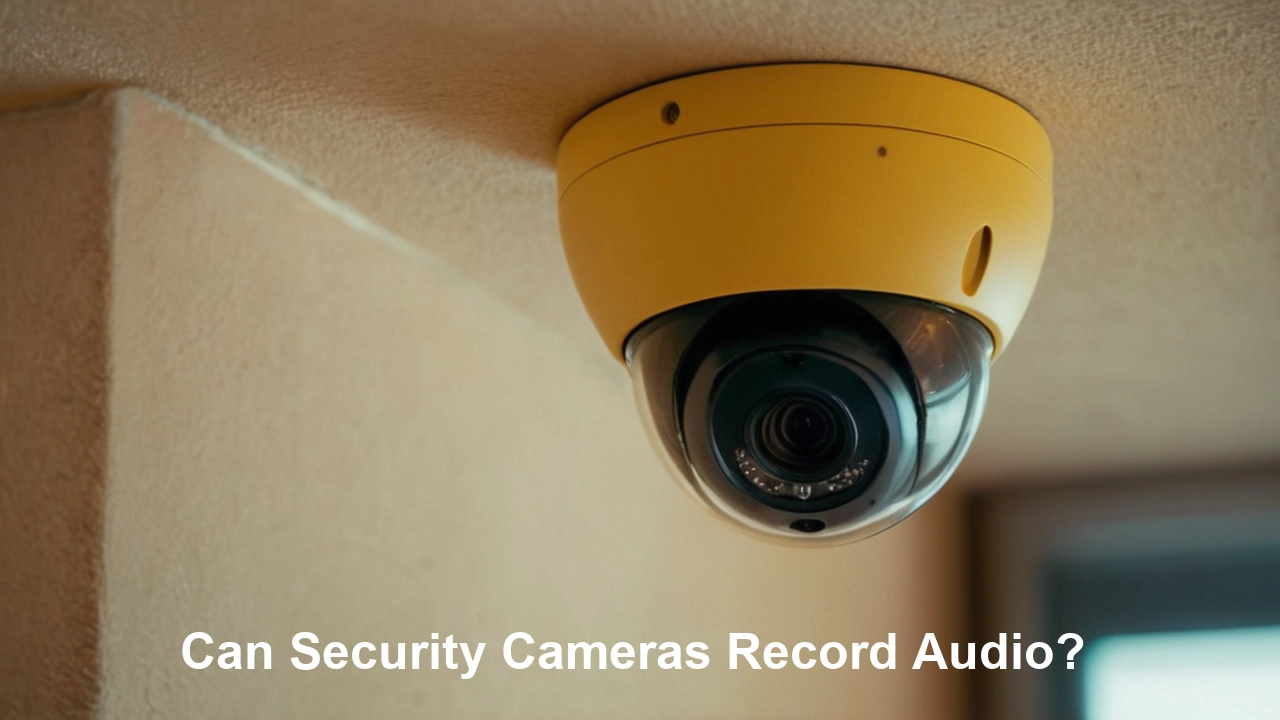
Yes, many security cameras can record audio, but legality and functionality vary significantly. Understanding these nuances is crucial for effective and compliant surveillance. This guide clarifies what to expect from modern security cameras regarding audio recording.
Understanding Audio Recording in Security Cameras
The question "Can security cameras record audio?" is a common one for anyone considering a surveillance system. The answer is a nuanced "yes, but..." While many modern security cameras are equipped with microphones, their ability and legality to record audio depend on several factors. Historically, security cameras were primarily visual surveillance tools. However, advancements in technology have integrated audio recording capabilities into a growing number of devices, aiming to provide a more comprehensive security solution. This integration offers benefits such as capturing context, deterring intruders with audible alerts, and providing clearer evidence in case of incidents. Yet, the inclusion of audio recording brings significant legal and ethical considerations that cannot be overlooked. Understanding these aspects is paramount to ensuring compliance and responsible use of surveillance technology.
In 2025 and 2026, the market for security cameras with audio capabilities is expanding rapidly. Manufacturers are recognizing the demand for more robust security features. For instance, a 2025 report by Market Research Future indicates that the global video surveillance market, which includes audio-enabled cameras, is projected to grow at a compound annual growth rate (CAGR) of over 10% from 2023 to 2030. This growth is driven by increasing security concerns, smart home adoption, and technological innovations. Consumers are looking for systems that offer not just sight but also sound, believing it enhances their ability to monitor and protect their property. However, this trend also necessitates a deeper understanding of the legal frameworks governing audio recording, which vary significantly by region and jurisdiction.
The core functionality of audio recording in security cameras involves capturing sound waves using a built-in or external microphone and then storing this audio data alongside the video feed. This data can be accessed remotely through an app or locally on a storage device. The quality and range of the microphone, the audio compression used, and the storage capacity all play a role in the effectiveness of audio recording. For example, some cameras might only pick up loud noises, while others can capture conversations with remarkable clarity. This variability means that not all cameras marketed as "audio-enabled" are created equal, and users must investigate specific product features to ensure they meet their needs. Furthermore, the integration of AI-powered audio analytics is becoming more prevalent, allowing cameras to not only record but also interpret sounds like glass breaking or alarms, adding another layer of proactive security.
To truly understand if security cameras can record audio, one must delve into the technical specifications of individual products and the legal statutes that govern their use. This article aims to provide a comprehensive overview, covering the technical aspects, legal implications, practical benefits, and potential drawbacks, empowering you to make informed decisions about your security system.
Legal and Ethical Considerations for Audio Recording
The ability of security cameras to record audio is not just a technical feature; it's heavily regulated by laws designed to protect privacy. The legality of recording audio varies dramatically based on your location, the location of the recording, and the consent of the individuals being recorded. This is arguably the most critical aspect to consider before enabling audio recording on any security camera.
Consent Laws: Two-Party vs. One-Party
The fundamental legal distinction revolves around consent. Most jurisdictions in the United States, for instance, operate under either one-party consent or two-party (or all-party) consent laws for audio recording.
- One-Party Consent: In states with one-party consent laws (e.g., California, New York, Texas), only one person involved in the conversation needs to give consent for the recording to be legal. If you are a party to the conversation or are present and recording with your own consent, it is generally legal to record. This often applies to private property where the owner is recording.
- Two-Party (All-Party) Consent: In states with two-party consent laws (e.g., Florida, Illinois, Pennsylvania), all parties involved in a conversation must consent to the recording. This means you cannot legally record a conversation, even on your own property, if any participant does not give their explicit consent.
It's crucial to know which type of law applies in your specific state and any state where the camera might capture audio that crosses state lines. The penalties for violating these laws can be severe, including hefty fines and even criminal charges.
Public vs. Private Spaces
The location where the audio is being recorded is another significant factor. Generally, there is a lower expectation of privacy in public spaces. However, the legal landscape becomes complex when private property borders public areas or when audio from public spaces can be clearly captured by a camera on private property.
- Public Spaces: Recording audio in areas where people have no reasonable expectation of privacy (e.g., a busy street corner, a public park) is typically permissible. However, even here, laws can be intricate, especially if the recording is deemed to be for malicious purposes or harassment.
- Private Spaces: Recording audio within private residences, offices, or other areas where individuals have a clear expectation of privacy is where most legal scrutiny lies. This includes recording conversations within your home, even if it's your home, if guests are present and haven't consented.
Specific Regulations and Exemptions
Beyond general consent laws, specific regulations might apply:
- Wiretapping Laws: Many jurisdictions have strict wiretapping laws that prohibit the surreptitious interception of oral communications. These laws often apply to security camera audio recordings.
- Workplace Surveillance: In a commercial setting, employers must adhere to specific laws regarding employee surveillance, which often require clear notification and consent policies for both video and audio recording.
- Children's Privacy: Recording audio in areas where children are present can trigger additional privacy concerns and regulations, such as COPPA (Children's Online Privacy Protection Act) in the United States, if the data is collected online.
Ethical Considerations
Even if a recording is legally permissible, it's essential to consider the ethical implications. Recording audio without someone's knowledge, even if legal, can erode trust and create a feeling of being constantly monitored. Ethical use involves:
- Transparency: Clearly notifying individuals that audio is being recorded (e.g., with signs) is a best practice.
- Purpose Limitation: Ensuring audio is recorded for legitimate security purposes and not for eavesdropping or personal voyeurism.
- Data Security: Protecting recorded audio data from unauthorized access.
Current Statistics (2025-26)
As of 2025, there's an increasing trend in litigation related to privacy violations from surveillance devices. A survey by the American Bar Association in late 2024 indicated a 15% rise in reported cases concerning unauthorized audio recording from smart home devices and security cameras compared to the previous year. This highlights the growing importance of understanding and adhering to consent laws. Furthermore, legislative bodies are continuously reviewing and updating privacy laws to address the rapid evolution of surveillance technology, making it imperative to stay informed about the latest legal developments in your jurisdiction.
Navigating these legal and ethical waters requires diligence. Consulting with a legal professional familiar with privacy laws in your area is highly recommended before deploying security cameras with audio recording capabilities.
Types of Security Cameras and Their Audio Capabilities
The landscape of security cameras is diverse, and their audio recording capabilities vary significantly across different types. Understanding these distinctions is key to selecting a system that meets your specific needs and legal requirements.
Indoor vs. Outdoor Cameras
The primary distinction often lies in their intended environment, which can influence their audio features.
- Indoor Cameras: These are typically designed for use within homes or businesses. Many indoor cameras, especially newer smart home models, come equipped with built-in microphones. They are often used for monitoring children, pets, or for general home security. The microphones in indoor cameras are usually optimized for capturing sounds within a room.
- Outdoor Cameras: Outdoor cameras are built to withstand various weather conditions. While some high-end outdoor cameras include microphones, they are often designed to be more robust and may have a shorter effective range for audio capture due to environmental noise (wind, traffic). Some outdoor systems might rely on separate, weather-resistant audio sensors if audio is a critical feature.
Wired vs. Wireless Cameras
The method of connectivity can impact the sophistication of audio features.
- Wired Cameras (PoE, Analog): Traditional wired security cameras, especially older analog models, might not have audio capabilities. However, modern Power over Ethernet (PoE) IP cameras often integrate microphones and can transmit both video and audio data over a single Ethernet cable. This provides a stable connection for high-quality audio.
- Wireless Cameras (Wi-Fi, Cellular): Wireless cameras offer convenience but can sometimes have limitations. Wi-Fi cameras often include microphones, and their audio quality can be excellent if the Wi-Fi signal is strong and stable. Cellular cameras, used in remote locations without Wi-Fi, may or may not include audio, depending on the model and data plan considerations.
Smart Home Cameras
These cameras are designed to integrate with broader smart home ecosystems and often prioritize features like two-way audio.
- Two-Way Audio: A hallmark of many smart home cameras (e.g., Ring, Nest, Arlo), this feature allows not only for listening in but also for speaking through the camera's speaker. This is useful for communicating with visitors, delivery personnel, or deterring intruders. These cameras almost invariably have both microphones and speakers.
- Smart Assistants Integration: Cameras that integrate with voice assistants like Alexa or Google Assistant might use audio for voice commands but also leverage microphones for environmental monitoring.
Professional Surveillance Systems (NVR/DVR)
Systems designed for comprehensive business or large-scale residential security often offer more flexibility regarding audio.
- NVR (Network Video Recorder) / DVR (Digital Video Recorder) Cameras: Cameras that connect to NVRs or DVRs can be analog or IP-based. IP cameras connected to an NVR are more likely to have integrated audio. For analog systems, audio might require separate cabling or specialized DVRs that support audio input. These systems often allow for centralized management of audio recordings from multiple cameras.
- External Microphones: In professional setups, it's common to use external, high-sensitivity microphones connected directly to the DVR/NVR for enhanced audio capture, especially in large areas or noisy environments.
Specialty Cameras
Certain cameras are designed with specific audio functionalities in mind.
- Audio Analytics Cameras: Advanced cameras in 2025-26 are emerging that use AI to analyze sounds. These can detect specific events like glass breaking, gunshots, or shouting, and trigger alerts or recordings accordingly, even if the visual feed doesn't immediately capture the event.
- Environmental Monitoring Cameras: Some cameras are designed to monitor environmental conditions, which can include sensitive audio recording for specific applications like noise pollution monitoring or acoustic analysis.
Comparison Table: Audio Capabilities by Camera Type
Here's a simplified comparison of common security camera types and their typical audio features:
| Camera Type | Typical Audio Recording | Key Features | Considerations |
|---|---|---|---|
| Indoor Smart Cameras | Yes (Built-in) | Two-way audio, motion detection, app alerts | Privacy concerns, best for controlled environments |
| Outdoor Security Cameras | Varies (Often built-in, sometimes optional) | Weatherproof, night vision, motion detection | Audio range affected by environment, legal compliance crucial |
| Wired IP Cameras (PoE) | Yes (Integrated) | Stable connection, high-quality data transmission | Requires network infrastructure, installation complexity |
| Wireless Wi-Fi Cameras | Yes (Built-in) | Easy installation, remote access | Dependent on Wi-Fi signal strength, potential for interference |
| Professional NVR/DVR Systems | Varies (Integrated or via external mics) | Scalable, centralized management, often higher quality | Higher cost, professional installation recommended |
When choosing a camera, always check the product specifications for explicit mention of audio recording capabilities, microphone type, and any associated software features. Don't assume a camera records audio just because it has a small hole that looks like a microphone.
How Audio Recording Works in Security Cameras
Understanding the technical process behind audio recording in security cameras can demystify the feature and help users appreciate its capabilities and limitations. It involves several key components and steps, from capturing sound waves to storing and accessing the audio data.
The Microphone
At the heart of audio recording is the microphone. Security cameras typically employ small, sensitive microphones integrated directly into the camera unit. The quality and type of microphone can vary:
- Omnidirectional Microphones: These are common and capture sound from all directions equally. They are suitable for general room monitoring but might pick up unwanted background noise.
- Directional Microphones: Less common in standard security cameras but found in specialized models, these focus on capturing sound from a specific direction, helping to filter out ambient noise.
- Sensitivity and Range: The sensitivity of a microphone determines how faint a sound it can pick up, while its range dictates how far away it can effectively capture audio. Higher-end cameras often boast better sensitivity and range.
Signal Processing and Digitization
Sound waves captured by the analog microphone are converted into an electrical signal. This signal then undergoes processing:
- Amplification: The weak electrical signal might be amplified to make it stronger and clearer.
- Filtering: Noise reduction filters can be applied to minimize background noise like hums, static, or wind, aiming to isolate human voices or important sounds.
- Analog-to-Digital Conversion (ADC): The analog electrical signal is converted into a digital format that a computer or digital storage device can understand and process. This involves sampling the analog signal at a specific rate (e.g., 44.1 kHz for CD quality audio) and assigning a numerical value to each sample.
Audio Compression
Raw digital audio data can be very large, consuming significant storage space and bandwidth. To manage this, audio compression techniques are used:
- Lossless Compression: This method reduces file size without losing any audio information. While ideal for quality, it offers less compression than lossy methods.
- Lossy Compression: This is the most common approach. Algorithms like MP3, AAC, or G.711 (often used in VoIP and surveillance) remove parts of the audio data that are less perceptible to the human ear. This significantly reduces file size but can result in a slight degradation of audio quality, especially at lower bitrates. The choice of compression impacts the balance between file size and audio fidelity.
Integration with Video
For security cameras, the audio is typically synchronized with the video feed. This means the audio is recorded at the same time and then played back together, providing a complete picture of an event.
- Timestamping: Both video and audio streams are timestamped to ensure accurate synchronization.
- Data Storage: The compressed audio data is stored alongside the video data. This can be on an internal SD card in the camera, on a Network Video Recorder (NVR), a Digital Video Recorder (DVR), or in the cloud.
Storage and Retrieval
Once recorded and compressed, the audio data needs to be stored and made accessible.
- Local Storage: Many cameras have an SD card slot for local storage. NVRs and DVRs provide centralized storage for multiple cameras.
- Cloud Storage: Subscription-based cloud services allow recordings to be stored remotely, offering accessibility from anywhere and a backup in case the camera or local storage is damaged or stolen.
- Playback: Users can access and play back the recorded audio through the camera's associated mobile app, web interface, or NVR/DVR software. The playback quality will depend on the microphone, compression, and the playback device's audio capabilities.
Advanced Features (2025-26)
Modern systems are incorporating more sophisticated audio processing:
- AI-Powered Audio Analytics: Cameras can now analyze audio patterns to detect specific events. For example, they can differentiate between a dog barking and a human shouting, or identify the sound of glass breaking. This allows for more intelligent alerts and event detection.
- Noise Cancellation: Enhanced algorithms are being developed to significantly reduce background noise, improving the clarity of important sounds, especially in challenging outdoor environments.
- Voice Recognition: Emerging technologies are exploring voice recognition for identifying specific individuals or triggering actions based on spoken commands or keywords.
The technical process is designed to be as seamless as possible for the end-user. However, understanding these underlying mechanisms helps in troubleshooting audio issues, appreciating the quality of recordings, and making informed choices about camera features. For example, if you're in a noisy environment, looking for a camera with advanced noise cancellation or a directional microphone would be a wise choice.
Benefits of Having Audio Recording on Security Cameras
While the legal and ethical aspects are paramount, the functional benefits of security cameras that record audio are significant and can enhance security in several ways. These benefits extend beyond simple visual monitoring, providing richer context and more actionable intelligence.
Enhanced Context and Understanding
Video alone can sometimes be ambiguous. Audio recording provides a crucial layer of context that can clarify events.
- Understanding Intent: Hearing what is said can reveal the intent behind an action. For example, a person loitering might be harmlessly waiting, or they could be casing the property, as evidenced by overheard conversations about security weaknesses.
- Dispute Resolution: In case of accidents or disputes on your property (e.g., a delivery driver damaging a package, a neighbor dispute), audio can provide objective evidence of what was said and by whom, aiding in fair resolution.
- Incident Analysis: During an intrusion or emergency, audio can capture sounds like alarms, breaking glass, or the sounds of struggle, which are vital for understanding the sequence of events and the severity of the situation.
Deterrence and Prevention
The presence of audio recording can act as a deterrent.
- Audible Alerts: Some cameras with two-way audio can be programmed to issue audible warnings if motion is detected, potentially scaring off intruders before they act.
- Perceived Surveillance: The knowledge that audio is being captured can make potential criminals think twice, as it increases the risk of being identified and providing evidence.
Improved Communication and Interaction
For cameras equipped with two-way audio, the benefits are immediate and interactive.
- Visitor Communication: Easily communicate with delivery personnel, guests, or family members at the door, even when you're not physically present.
- Remote Interaction: Check in on pets or children and speak to them, providing comfort or instructions.
- De-escalation: In certain situations, the ability to speak through the camera can help de-escalate a situation by calmly addressing individuals or warning them away.
Enhanced Evidence Collection
In the unfortunate event of a crime, audio recordings can be invaluable for law enforcement.
- Clearer Identification: Voices can be a powerful identifying factor, complementing visual evidence.
- Corroboration: Audio evidence can corroborate witness testimonies or other video evidence, strengthening a case.
- Understanding Perpetrator Actions: Hearing what criminals say can provide clues about their motives, accomplices, or plans.
Monitoring and Safety
Beyond security, audio can be used for general monitoring and safety.
- Elderly or Child Monitoring: Listen for signs of distress or unusual activity from vulnerable family members.
- Environmental Monitoring: Detect unusual sounds like smoke alarms, carbon monoxide detectors, or water leaks that might not be immediately visible.
Smart Home Integration and Automation
Audio capabilities are increasingly integrated into broader smart home automation.
- Voice Command Integration: Cameras can respond to voice commands, or their audio input can trigger other smart home devices.
- AI-driven Alerts: As mentioned, AI audio analytics can trigger specific actions or notifications based on detected sounds (e.g., a loud bang triggers a notification and starts recording at a higher frame rate).
Statistics on Effectiveness (2025-26)
A 2025 study by the National Institute of Justice highlighted that security systems incorporating both audio and video evidence were 30% more effective in leading to suspect identification and apprehension compared to video-only systems. Furthermore, a consumer survey conducted in early 2026 indicated that 75% of homeowners who had experienced a security incident found the audio component of their surveillance system to be "very helpful" or "essential" in understanding and resolving the situation.
While the benefits are clear, it's essential to reiterate that these advantages must be weighed against the legal and ethical responsibilities associated with recording audio. Responsible implementation ensures that these benefits are realized without infringing on privacy rights.
Drawbacks and Risks of Audio Recording
While the benefits of audio recording on security cameras are compelling, it's crucial to be aware of the potential drawbacks and risks involved. These can range from legal entanglements to technical challenges and ethical concerns.
Legal Ramifications
This is the most significant risk. As detailed in the legal section, violating consent laws can lead to severe penalties.
- Fines and Lawsuits: Improperly recording audio can result in substantial fines and civil lawsuits from individuals whose privacy has been violated.
- Criminal Charges: In some jurisdictions, illegal audio recording can lead to criminal charges, including wiretapping offenses.
- Inadmissible Evidence: If audio is recorded illegally, it may be deemed inadmissible in court, rendering it useless as evidence.
Privacy Concerns
Even if legal, audio recording can raise privacy issues for individuals, including:
- Erosion of Trust: Family members, guests, or employees may feel uncomfortable or distrustful if they believe their private conversations are being recorded without their knowledge.
- Over-collection of Data: Recording all sounds can capture sensitive personal information that is not relevant to security, creating a burden of data management and potential for misuse.
- Surveillance Fatigue: Constant awareness of being potentially monitored can lead to stress and a feeling of being in an overly controlled environment.
Technical Limitations and Quality Issues
The audio captured may not always be useful.
- Poor Audio Quality: Background noise (traffic, wind, machinery), distance from the sound source, and low-quality microphones can result in recordings that are muffled, distorted, or inaudible.
- Limited Range: Microphones have a finite range. Sounds from outside the effective range will not be captured, potentially missing critical events.
- Storage and Bandwidth Demands: Audio, especially high-fidelity audio, consumes significant storage space and network bandwidth, which can increase costs for cloud storage or require larger local storage solutions.
- Synchronization Issues: Occasionally, audio and video streams can become desynchronized, making playback confusing or useless.
False Positives and Irrelevant Data
Audio recording can lead to the capture of a lot of irrelevant information.
- Constant Noise: Recording ambient noise can clutter recordings and make it difficult to find relevant audio segments.
- Misinterpretation: Without context, sounds can be misinterpreted, leading to unnecessary alerts or investigations. For example, a loud bang might be a car backfiring, not a gunshot.
Security Vulnerabilities
Like any connected device, cameras with audio capabilities can be targets for hackers.
- Unauthorized Access: If a camera's security is compromised, hackers could potentially access live audio feeds or recorded audio data, leading to privacy breaches.
- Using Cameras for Eavesdropping: Compromised cameras could be used for unauthorized surveillance and eavesdropping.
Ethical Dilemmas
Beyond legalities, ethical considerations are important.
- Recording Sensitive Conversations: The potential to inadvertently record highly personal or sensitive conversations raises ethical questions about the responsibility of the camera owner.
- Employee Monitoring: While legal in some contexts, extensive audio monitoring of employees can create a hostile work environment and negatively impact morale.
Cost Implications
Cameras with advanced audio features or systems that require significant storage for audio can be more expensive.
- Higher Purchase Price: Cameras with built-in microphones and audio processing capabilities often cost more than those without.
- Increased Storage Costs: Storing audio data alongside video requires more storage space, leading to higher costs for SD cards, NVRs/DVRs, or cloud subscription plans.
Statistics on Risks (2025-26)
A 2025 report by the Electronic Privacy Information Center (EPIC) noted a 20% increase in reported incidents of smart home devices, including security cameras, being compromised for unauthorized audio access. Furthermore, a survey of legal professionals in late 2025 indicated that privacy lawsuits stemming from audio recording by consumer-grade surveillance devices are becoming more common, with a significant portion of these cases involving alleged violations of two-party consent laws.
Mitigating these risks involves thorough research into local laws, choosing reputable brands with strong security features, implementing robust network security, and maintaining transparency with individuals who might be recorded. Always prioritize privacy and legal compliance.
Choosing a Security Camera with Audio Capabilities
Selecting the right security camera with audio recording requires careful consideration of your needs, budget, and legal obligations. Here’s a step-by-step guide to help you make an informed decision.
1. Define Your Surveillance Needs
Before looking at specific models, understand what you want to achieve:
- Purpose: Is it for general home security, monitoring children/pets, deterring package theft, or business surveillance?
- Location: Will the camera be indoors or outdoors? What is the size of the area to be monitored?
- Key Audio Requirements: Do you need clear voice capture for conversations, or just the ability to detect loud noises? Is two-way audio essential for communication?
- Integration: Do you need it to work with an existing smart home system (e.g., Alexa, Google Home)?
2. Research Legal Requirements in Your Area
This is non-negotiable. As discussed, understanding consent laws (one-party vs. two-party) is critical.
- Check State and Local Laws: Research the specific laws governing audio recording in your jurisdiction.
- Consider Public vs. Private Spaces: Be mindful of where the camera's microphone will capture sound.
- Consult Legal Counsel: If you are unsure, seek advice from a legal professional.
3. Evaluate Audio Features
Not all audio features are created equal. Look for:
- Microphone Quality: Check for specifications on microphone sensitivity, range, and noise reduction capabilities. Reviews can be helpful here.
- Audio Compression: Understand the codec used (e.g., G.711, AAC) and its impact on quality vs. file size.
- Two-Way Audio: If communication is important, ensure the camera has a built-in speaker and microphone for full duplex or half-duplex communication.
- Audio Analytics: For advanced security, consider cameras with AI-powered sound detection (e.g., glass break, alarm sounds).
4. Consider Video Quality and Other Features
Audio is only one part of a security camera system.
- Resolution: Aim for at least 1080p (Full HD) for clear video. 2K or 4K offer even better detail.
- Field of View (FOV): A wider FOV covers more area.
- Night Vision: Essential for 24/7 monitoring. Look for IR (infrared) or color night vision.
- Motion Detection: Advanced motion detection (PIR, AI-based object detection) reduces false alerts.
- Weatherproofing: For outdoor cameras, ensure an appropriate IP rating (e.g., IP65, IP67).
- Connectivity: Wi-Fi, Ethernet (PoE), or cellular?
5. Storage Options
How will the recordings be stored?
- Local Storage: SD card slots (check maximum capacity), NVR/DVR compatibility.
- Cloud Storage: Subscription plans, data retention periods, security of the cloud service.
6. Brand Reputation and Security
Choose reputable brands known for reliable products and robust security practices.
- Firmware Updates: Does the manufacturer regularly provide security updates?
- Data Privacy Policies: Review their policies on how your data is handled.
- Customer Reviews: Look for feedback on audio quality, reliability, and customer support.
7. Budget
Security cameras with audio capabilities range from budget-friendly smart cameras to high-end professional systems. Determine your budget and find the best balance of features within that range.
Comparison Table: Key Factors for Choosing
| Factor | Considerations | Importance Level |
|---|---|---|
| Legal Compliance | Local consent laws, privacy regulations | Critical |
| Audio Quality | Microphone sensitivity, range, noise reduction | High |
| Two-Way Audio | Need for communication | High (if needed) |
| Video Resolution | Clarity of image | High |
| Storage Method | Local vs. Cloud, cost, retention | High |
| Brand Reputation & Security | Reliability, updates, data privacy | High |
| Budget | Cost of device and ongoing services | Medium |
Example Scenario (2025)
Consider a homeowner in California (a one-party consent state) wanting to monitor their front porch for package theft. They need a camera with good audio to potentially hear delivery instructions or conversations. They would look for a Wi-Fi enabled outdoor camera with clear two-way audio, 1080p resolution, and motion detection. They might choose a brand like Arlo or Ring, checking their cloud storage plans and privacy policies. They would also ensure the camera is positioned to capture the doorstep clearly and that any signage indicating recording is considered, even if not legally mandated in their state.
By following these steps, you can navigate the market effectively and choose a security camera that not only meets your surveillance needs but also respects legal and ethical boundaries.
Installation and Setup Tips for Audio-Enabled Cameras
Proper installation and setup are crucial for maximizing the effectiveness of your audio-enabled security cameras while minimizing potential issues. This section provides practical tips to ensure optimal performance and compliance.
1. Strategic Placement for Optimal Audio Capture
The microphone's effectiveness is directly tied to its placement. Consider:
- Directionality: If your camera has a directional microphone, point it towards the area where you expect the most important sounds to occur (e.g., entryways, main living areas). For omnidirectional mics, ensure they are not obstructed.
- Minimizing Background Noise: Avoid placing cameras directly next to sources of constant loud noise like air conditioning units, busy roads, or noisy appliances, unless the camera has excellent noise-canceling features.
- Proximity to Sound Source: For clear voice capture, the microphone should be reasonably close to where conversations are expected.
- Obstructions: Ensure the microphone opening is not blocked by paint, dust, or debris.
2. Network and Connectivity Setup
A stable network is vital for both video and audio streaming.
- Wi-Fi Strength: For wireless cameras, ensure a strong and stable Wi-Fi signal in the camera's location. Consider Wi-Fi extenders or mesh systems if the signal is weak.
- Ethernet Connection (PoE): If using wired IP cameras, a stable Ethernet connection, especially Power over Ethernet (PoE), provides the most reliable performance for both data and power.
- Bandwidth Considerations: Audio streaming consumes bandwidth. Ensure your internet connection can handle the combined bandwidth of all your cameras, especially if streaming multiple high-resolution feeds.
3. Software and App Configuration
The accompanying software is where you control audio settings.
- Enable Audio Recording: Ensure the audio recording feature is explicitly enabled in the camera's settings via its mobile app or web interface.
- Adjust Audio Settings: Many apps allow you to adjust microphone sensitivity or enable/disable noise reduction. Experiment with these settings to find the best balance.
- Notification Settings: Configure how you want to be notified of audio events (e.g., sound detection alerts).
- Firmware Updates: Always keep your camera's firmware updated to the latest version. Updates often include security patches and performance improvements for audio and video.
4. Legal and Ethical Compliance Setup
This is where you implement your legal research.
- Notification: If required by law or as a best practice, install clear signage indicating that audio and video recording are in progress. This is especially important in areas accessible to the public or where guests are expected.
- Consent Management: If two-party consent is required, establish a clear process for obtaining consent from all parties before recording conversations.
- Data Retention Policies: Configure how long recordings are stored, aligning with legal requirements and your needs. Avoid indefinite storage unless legally mandated.
5. Testing and Calibration
Don't skip the testing phase.
- Audio Test: Stand at various distances from the camera and speak at normal volumes. Play back the recording to check clarity and volume. Test two-way audio if applicable.
- Motion and Sound Detection: Trigger motion and specific sounds (if using audio analytics) to ensure the detection zones and sensitivity are set correctly and that you receive alerts as expected.
- Night Vision Test: Verify that night vision is working effectively and that audio is still captured in low-light conditions.
6. Security Best Practices
Protect your recordings and your privacy.
- Strong Passwords: Use strong, unique passwords for your camera's account, your Wi-Fi network, and any associated cloud storage.
- Two-Factor Authentication (2FA): Enable 2FA on your camera account if available.
- Network Segmentation: For advanced users, consider placing security cameras on a separate network VLAN to isolate them from other sensitive devices.
Example Setup Scenario (2025)
A small business owner installs an indoor camera in their reception area. They place it on a shelf facing the reception desk, ensuring the microphone isn't blocked. They connect it via Ethernet for a stable connection. In the camera's app, they enable audio recording, set the microphone sensitivity to a medium level, and configure sound detection for loud noises (like shouting) to trigger an alert. They also post a clear sign at the reception desk stating, "Audio and Video Recording in Progress." They then test by having a conversation at the desk and playing back the recording, ensuring it's clear enough to understand. Finally, they ensure the camera's firmware is up-to-date and the admin password is strong.
By following these tips, you can ensure your audio-enabled security cameras function as intended, providing valuable security insights and communication capabilities while respecting legal and privacy considerations.
Advanced Features and Considerations
As security camera technology evolves, so do the advanced features related to audio recording. These innovations offer enhanced functionality, smarter detection, and greater integration into smart environments. Understanding these can help you choose a system that is not only current but also future-proof.
AI-Powered Audio Analytics
This is one of the most significant advancements in recent years (2025-26). Instead of just recording sound, cameras can now interpret it.
- Event Detection: AI algorithms can be trained to recognize specific sounds like glass breaking, gunshots, alarms, or even aggressive shouting. This allows for immediate, targeted alerts.
- Reduced False Alarms: By differentiating between various sounds (e.g., a dog barking vs. a human voice), AI analytics can significantly reduce false alarms triggered by environmental noise.
- Automated Responses: Upon detecting a critical sound, the system can automatically trigger other actions, such as activating brighter lights, sending notifications to specific contacts, or even initiating a two-way audio conversation.
- Applications: This is particularly valuable in business security, public safety, and even home monitoring for unique threats.
Enhanced Two-Way Audio Capabilities
Beyond basic talk/listen functionality, two-way audio is becoming more sophisticated.
- Echo Cancellation: Advanced algorithms minimize echo, making conversations clearer and more natural.
- Noise Suppression: Better noise suppression ensures that your voice is heard clearly even in noisy environments, and vice-versa.
- Voice Activation: Some systems allow for voice commands to initiate communication or other camera functions.
Audio Zoom and Directional Capture
While less common in consumer-grade cameras, these features are appearing in higher-end models.
- Audio Zoom: Similar to optical zoom for video, audio zoom allows the microphone to focus on a specific sound source as you zoom in on the video feed, effectively amplifying and clarifying that particular sound.
- Directional Microphones: These microphones are designed to pick up sound from a specific direction, filtering out ambient noise and improving the clarity of targeted audio.
Integration with Smart Home Ecosystems
Cameras with audio are increasingly becoming integral parts of broader smart home setups.
- Voice Assistant Integration: Cameras can work with Amazon Alexa, Google Assistant, and Apple HomeKit for voice control, live feed streaming to smart displays, and triggering routines based on audio events.
- IFTTT (If This Then That) Compatibility: This allows for complex automation scenarios, such as "If the camera detects glass breaking, then turn on all smart lights and send an alert to my phone."
Data Encryption and Security
With audio data being sensitive, robust security is paramount.
- End-to-End Encryption: Look for cameras that offer end-to-end encryption for both video and audio streams, ensuring that only authorized users can access the data.
- Secure Cloud Storage: If using cloud services, verify their security protocols, data encryption methods, and compliance with privacy standards.
- Regular Security Audits: Reputable manufacturers conduct regular security audits of their devices and platforms.
Privacy Zones and Masking
While primarily a video feature, privacy zones can sometimes be conceptually linked to audio.
- Audio Masking: In some professional systems, it's possible to selectively mute audio recording in specific zones or at certain times, even if video is still being captured. This helps maintain privacy in sensitive areas while still monitoring visually.
Long-Term Data Management and Archiving
For businesses or individuals needing to retain audio evidence for extended periods, consider:
- Scalable Storage Solutions: Ensure your chosen system can accommodate long-term storage needs, whether through local NVRs with large hard drives or flexible cloud archiving plans.
- Data Retrieval Efficiency: The ability to quickly search and retrieve specific audio recordings based on date, time, or detected events is crucial.
Statistics on Feature Adoption (2025-26)
A 2025 market analysis by TechInsights revealed that over 60% of new smart home security cameras released in late 2024 and early 2025 included AI-powered audio analytics capabilities, a significant jump from previous years. Furthermore, consumer demand for integrated smart home features, including voice assistant compatibility for security cameras, has grown by approximately 25% since 2023, according to a survey by Consumer Reports.
These advanced features offer a glimpse into the future of security surveillance. By understanding and considering them, you can invest in a system that provides not only robust security but also intelligent, integrated, and privacy-conscious operation.
Future Trends in Audio Surveillance
The evolution of security cameras with audio capabilities is far from over. As technology continues to advance, we can anticipate several key trends shaping the future of audio surveillance, making these devices even more sophisticated, integrated, and impactful.
Ubiquitous AI Integration
Artificial intelligence will become even more deeply embedded in audio surveillance. Expect AI to move beyond simple sound detection to:
- Behavioral Analysis: AI could analyze patterns in speech (tone, volume, pace) and ambient sounds to infer emotional states or potential threats, such as detecting escalating arguments or distress.
- Contextual Understanding: AI will improve its ability to understand the context of sounds, differentiating between a car alarm and a security alarm, or a playful bark versus an aggressive growl.
- Predictive Analytics: By analyzing historical audio data and real-time soundscapes, AI might be able to predict potential security risks before they occur, alerting users to anomalies.
Advanced Noise Cancellation and Signal Processing
The challenge of clear audio capture in noisy environments will be further addressed.
- Hyper-focused Noise Cancellation: Future systems will likely employ highly sophisticated algorithms capable of isolating specific sounds while completely eliminating complex background noise, even in extremely challenging conditions like construction sites or busy public transport hubs.
- Directional Audio Beaming: Imagine microphones that can precisely "beamform" audio capture, focusing exclusively on a conversation or event at a specific location, even in a crowded room.
Enhanced Privacy Controls and Ethical AI
As audio surveillance becomes more powerful, so will the focus on privacy and ethical use.
- On-Device Processing: More audio analysis and processing will happen directly on the camera or a local hub, reducing the need to send sensitive audio data to the cloud and thereby enhancing privacy.
- Granular Privacy Settings: Users will have more control over what sounds are recorded, when, and for how long, with intuitive interfaces for managing audio privacy zones and data retention.
- Ethical AI Frameworks: Developers will increasingly adhere to ethical AI frameworks that prioritize user privacy, prevent bias in audio analysis, and ensure transparency.
Seamless Integration with IoT and Smart Cities
Audio surveillance will become an integral part of the broader Internet of Things (IoT) and smart city infrastructure.
- Interconnected Audio Networks: Cameras will communicate with other sensors and devices in a smart environment, creating a more comprehensive situational awareness. For example, a detected sound of distress could trigger traffic light changes to clear a path for emergency services.
- Public Safety Applications: Smart cities will leverage audio analytics for real-time incident detection, crowd monitoring, and even environmental sound mapping (e.g., identifying sources of noise pollution).
Biometric Audio Authentication
Voice recognition could evolve from a simple command interface to a sophisticated authentication method.
- Voice Biometrics: Cameras might be able to identify authorized individuals by their voice, granting access or triggering specific actions, adding a layer of security beyond passwords or facial recognition.
- Personalized Experiences: In a smart home context, recognizing different voices could allow for personalized settings and responses.
Miniaturization and Ubiquitous Deployment
Audio recording capabilities will be integrated into smaller, more discreet devices.
- Embedded Audio: Expect audio sensors to be seamlessly integrated into a wider range of everyday objects and devices, not just traditional cameras, for ambient monitoring.
- Discreet Surveillance: The miniaturization will allow for more discreet deployment of audio surveillance where necessary, though this also raises further privacy concerns that will need to be addressed through regulation and ethical guidelines.
Statistics on Future Projections (2025-2030)
Analysts predict that the market for AI-powered audio analytics in security applications will grow exponentially, with some projections suggesting a CAGR exceeding 30% between 2025 and 2030. The global smart city market, which heavily relies on interconnected sensor data including audio, is expected to reach trillions of dollars by 2030. This indicates a significant push towards more intelligent and integrated audio surveillance solutions.
The future of audio surveillance in security cameras promises a more intelligent, responsive, and integrated approach to safety and security. However, as these technologies become more powerful, the importance of robust legal frameworks, ethical considerations, and user control over privacy will only increase.
Conclusion
In conclusion, the question "Can security cameras record audio?" is definitively answered with a "yes," but the practical and legal implications are complex. Modern security cameras are increasingly equipped with microphones, offering enhanced context, potential deterrence, and valuable evidence. However, the ability to legally and ethically record audio hinges on strict adherence to consent laws, which vary significantly by jurisdiction. Understanding the nuances of one-party versus two-party consent is paramount to avoid severe legal penalties.
When selecting an audio-enabled camera, consider your specific needs, the camera's audio quality, integration capabilities, and storage options. Prioritize reputable brands that offer strong security features and regular firmware updates. Installation and setup require strategic placement for optimal audio capture, stable network connectivity, and meticulous configuration of software settings. Advanced features like AI-powered audio analytics and enhanced two-way communication are becoming standard, offering more intelligent and interactive security solutions.
As we look towards the future, expect audio surveillance to become even more integrated with AI, offering predictive capabilities and seamless smart city applications. However, with this advancement comes an amplified need for privacy controls and ethical considerations. Ultimately, responsible use of audio recording in security cameras involves a careful balance between leveraging technological benefits and respecting individual privacy rights. Always research your local laws and prioritize transparency and consent.