
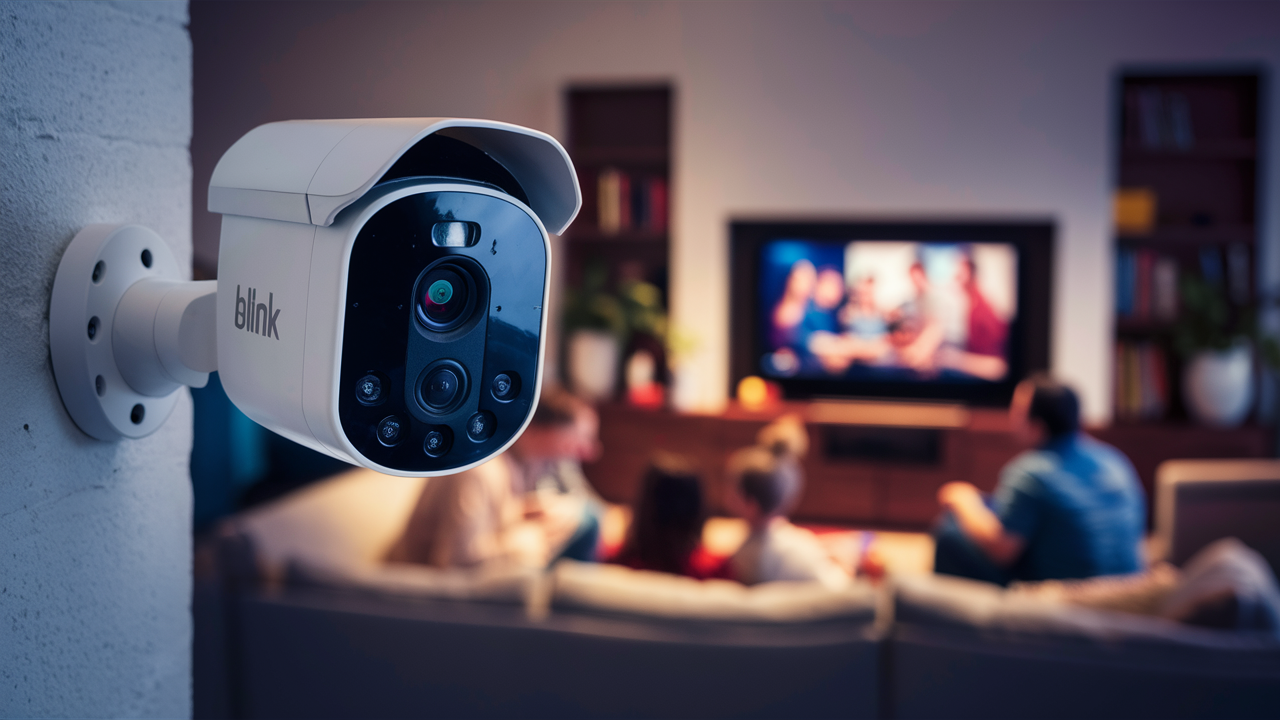
Yes, you can use Blink Outdoor cameras inside, but with important considerations. While designed for outdoor resilience, their core functionality and features make them a viable option for indoor monitoring, provided you understand their limitations and optimize their placement and usage for an indoor environment.
Can You Use Blink Outdoor Cameras Inside? The Definitive Guide
The question "Can you use Blink Outdoor cameras inside?" is a common one for homeowners and renters looking to leverage existing security hardware or seeking a cost-effective solution for indoor monitoring. Blink Outdoor cameras are engineered with robust weatherproofing and durability to withstand the elements, leading many to wonder if this outdoor prowess translates to indoor functionality. The short answer is a resounding yes, but with crucial caveats. This comprehensive guide will delve into the nuances of using Blink Outdoor cameras indoors, exploring their capabilities, limitations, and how to best adapt them for your internal surveillance needs. We'll examine their design intent, weigh the pros and cons, compare them to their indoor counterparts, and offer practical advice for optimal setup and troubleshooting. By the end of this article, you'll have a clear understanding of whether Blink Outdoor cameras are the right fit for your indoor security strategy in 2025 and 2026.
Understanding Blink Outdoor Cameras: Design and Intent
Before we dive into the specifics of indoor usage, it's essential to understand what Blink Outdoor cameras are designed for. Blink, a subsidiary of Amazon, focuses on providing affordable and accessible home security solutions. The Blink Outdoor camera line, specifically, is built with the primary purpose of external surveillance. This means they are equipped with features that are paramount for outdoor environments.
Key Design Features of Blink Outdoor Cameras
The defining characteristic of Blink Outdoor cameras is their weather resistance. They typically boast an IP rating (like IP65 or IP66) which signifies their ability to withstand dust and water ingress. This is achieved through sealed casings, robust materials, and careful engineering to prevent moisture from damaging the internal electronics. Beyond weatherproofing, these cameras are designed for:
- Wireless Operation: Most Blink Outdoor cameras run on AA lithium batteries, offering flexibility in placement without the need for constant power outlets. This is a significant advantage for outdoor installations where running power can be complex and costly.
- Motion Detection: They feature built-in motion sensors that trigger recording and send notifications to your smartphone. The sensitivity and detection zones can often be customized.
- HD Video Recording: Blink Outdoor cameras typically record in 1080p HD, providing clear video quality for identification and monitoring.
- Night Vision: Infrared (IR) LEDs are integrated to provide visibility in low-light and complete darkness conditions.
- Two-Way Audio: Many models include a microphone and speaker, allowing for two-way communication through the Blink app.
- Cloud and Local Storage Options: Depending on the model and subscription plan, footage can be stored in the cloud or locally via a Blink Sync Module and USB drive.
The Outdoor Advantage: What Makes Them Robust
The robust nature of Blink Outdoor cameras stems directly from their intended environment. They are built to endure:
- Temperature Fluctuations: They operate within a wider temperature range than typical indoor electronics.
- Humidity and Moisture: Designed to handle rain, snow, and high humidity.
- Dust and Debris: The sealed design protects against airborne particles.
- UV Exposure: Materials are often chosen to resist degradation from sunlight.
These features, while crucial for outdoor security, are not inherently detrimental to indoor use. In fact, their durability can be an asset in certain indoor scenarios, offering peace of mind against accidental bumps or spills.
The Case for Indoor Use: When Blink Outdoor Shines Indoors
Given their capabilities, Blink Outdoor cameras can indeed serve effectively as indoor security cameras. The decision to use them indoors often arises from several practical scenarios, making them a surprisingly versatile choice for many users.
Cost-Effectiveness and Existing Investment
One of the primary drivers for using Blink Outdoor cameras indoors is cost. If you already own Blink Outdoor cameras, perhaps from a previous outdoor setup or as part of a larger security system, repurposing them for indoor use can save significant money compared to purchasing dedicated indoor cameras. This is particularly relevant in 2025-26, where consumers are increasingly budget-conscious.
Flexibility and Portability
The battery-powered, wireless nature of Blink Outdoor cameras makes them incredibly flexible. You can easily move them from room to room as your needs change. This is invaluable for:
- Temporary Monitoring: Setting up a camera in a guest room, a nursery for occasional use, or a home office.
- Seasonal Needs: Monitoring a basement during a rainy season or an attic during periods of potential pest activity.
- Monitoring Pets: Keeping an eye on pets while you're away, ensuring they are safe and not causing mischief.
Durability in High-Traffic Areas
While not essential, the rugged build of Blink Outdoor cameras can be a benefit in indoor environments where accidental bumps or spills might occur. For instance, placing a camera near a doorway, in a child's play area, or in a garage can be less worrying with a more durable device.
Monitoring Specific Areas
Blink Outdoor cameras are well-suited for monitoring specific zones within your home that might not require the constant power and wired connectivity of traditional indoor cameras. Examples include:
- Entryways: Monitoring the front door or back door from the inside.
- Garages and Sheds: Providing security for these often-overlooked areas.
- Basements and Attics: Checking for water leaks, pests, or unauthorized access.
- Home Offices: Ensuring the security of sensitive equipment or documents.
- Nurseries or Playrooms: For parents who want an extra layer of monitoring.
Integration with the Blink Ecosystem
For users already invested in the Blink ecosystem, using Outdoor cameras indoors maintains a unified app experience. All your Blink devices, whether indoor or outdoor, can be managed from a single interface, simplifying monitoring and management. This seamless integration is a significant advantage for existing Blink users.
Limitations and Considerations for Indoor Use
While Blink Outdoor cameras are capable of indoor surveillance, it's crucial to be aware of their limitations. These are primarily due to their design being optimized for outdoor conditions, which can present minor drawbacks when used inside.
Weatherproofing is Overkill (and Potentially Less Discreet)
The robust, weather-sealed casing of Blink Outdoor cameras, while durable, can make them larger and less discreet than cameras specifically designed for indoor aesthetics. They might not blend as seamlessly into your home decor as a sleek, compact indoor camera. The extra seals and materials might also contribute to a slightly higher cost compared to their indoor counterparts, even if the functionality is the same.
Battery Life in Different Conditions
Blink Outdoor cameras are designed for battery efficiency, especially in outdoor settings where power is less accessible. However, indoor usage can sometimes lead to different battery drain patterns. Frequent motion detection events within a busy indoor environment, or continuous recording triggered by specific settings, can deplete batteries faster than expected. While Blink claims up to two years of battery life, this is often under ideal outdoor conditions with moderate activity. Indoor environments with constant movement (like pets or high foot traffic) might require more frequent battery changes or a subscription to Blink's continuous recording features if available and applicable.
Night Vision Effectiveness Indoors
The infrared (IR) night vision on Blink Outdoor cameras is effective for outdoor use, illuminating large areas. Indoors, however, IR light can reflect off surfaces like windows, mirrors, and light-colored walls, creating glare and reducing image clarity. This is known as "IR bloom." While this can be mitigated with placement, it's a common issue with IR night vision indoors. Furthermore, if the camera is placed behind glass (e.g., looking out a window), the IR lights will reflect directly back into the lens, rendering the night vision useless and potentially creating a bright white image.
Temperature Range vs. Indoor Comfort
Blink Outdoor cameras are built to withstand extreme temperatures. While this is a positive, indoor environments are typically kept within a much narrower, comfortable temperature range. The robust build might be unnecessary and could even lead to slightly less efficient heat dissipation in a consistently warm indoor room compared to a camera designed for ambient indoor temperatures.
Limited Field of View in Certain Indoor Setups
While the field of view on Blink Outdoor cameras is generally adequate, their placement for optimal indoor coverage might be constrained by furniture, room layout, or aesthetic preferences. Unlike outdoor installations where a wide vantage point is often easier to achieve, indoor placement might require more strategic positioning to avoid blind spots.
Potential for False Motion Alerts
The motion detection system, while customizable, can be prone to false alerts in busy indoor environments. This could include pets triggering alerts, curtains moving due to drafts, or even shadows from passing vehicles outside a window. Fine-tuning motion detection zones and sensitivity is crucial but can be an iterative process.
No Built-in Power Option (Typically)
Most Blink Outdoor cameras rely solely on batteries. While this is a feature for outdoor flexibility, it means that if you want continuous power indoors, you'd need to regularly replace batteries or explore third-party solar panel accessories (if compatible and available), which might not be as aesthetically pleasing indoors.
Aesthetics and Discreetness
As mentioned, the rugged, outdoor-focused design of Blink Outdoor cameras may not blend in as well with indoor decor as dedicated indoor cameras. If discreet surveillance is a priority, this could be a significant drawback. For example, placing a camera in a living room or bedroom might be more noticeable than a camera designed with interior aesthetics in mind.
Optimizing Blink Outdoor for Indoor Environments
To make the most of your Blink Outdoor camera indoors, strategic optimization is key. By understanding and mitigating the limitations, you can achieve effective indoor surveillance. Here’s how to optimize:
Strategic Placement to Combat IR Reflection
This is perhaps the most critical adjustment for indoor use. Avoid placing the camera directly facing windows or mirrors, especially if you intend to use night vision. If you need to monitor an area near a window, try to angle the camera so the IR LEDs don't reflect back into the lens. Sometimes, placing the camera further away from the glass or using a slightly different angle can make a significant difference. If monitoring through glass is essential, consider disabling IR night vision and relying on ambient light or external illumination, or investigate if Blink offers any accessories to mitigate this. For example, some users experiment with placing small pieces of opaque tape over parts of the IR LEDs, though this can reduce night vision effectiveness.
Fine-Tuning Motion Detection Settings
Indoor environments often have more subtle or frequent motion triggers than outdoor ones. Spend time in the Blink app adjusting:
- Motion Detection Zones: Define specific areas within the camera's view where motion should be detected. This helps ignore irrelevant movement, like pets walking in a designated "no-alert" zone or cars passing by a window.
- Sensitivity: Lower the sensitivity if you're getting too many false alerts. Conversely, increase it if you're missing important events.
- Motion Frequency: Set how often the camera will record after detecting motion. A shorter interval means more frequent recordings but faster battery drain.
Regularly review your motion alert history to identify patterns and further refine these settings. This iterative process is vital for a smooth indoor experience.
Leveraging Two-Way Audio Effectively
The two-way audio feature, while standard on many cameras, can be particularly useful indoors. You can use it to:
- Communicate with family members: Call out to children or pets.
- Deter intruders: Speak to someone at your door or inside your home if you suspect unauthorized entry.
- Provide comfort: Speak to a pet to calm them down.
Ensure the microphone and speaker are not obstructed and that you are familiar with how to activate the two-way audio feature within the Blink app.
Managing Battery Life
Be realistic about battery life. If you're experiencing rapid depletion, consider these strategies:
- Reduce motion recording frequency: Set the camera to record for shorter durations after motion is detected.
- Optimize motion zones: Ensure motion detection is only active in critical areas.
- Consider a Blink Sync Module 2: If you plan to store footage locally, the Sync Module 2 allows for USB storage, which can sometimes offer better power management for the cameras connected to it, although the primary power source remains the batteries.
- Invest in high-quality lithium batteries: Use reputable brands known for long-lasting performance.
- Regularly check battery levels: The Blink app provides battery status for each camera, allowing you to proactively replace them before they die.
Utilizing the Blink App for Customization
The Blink app is your primary tool for managing and optimizing your cameras. Explore all its features, including:
- Live View: Check in on your indoor space anytime.
- Event History: Review recorded clips to identify patterns and refine settings.
- Camera Settings: Adjust video quality, audio settings, and motion detection parameters.
- Notifications: Customize how and when you receive alerts.
Familiarize yourself with all the app's capabilities to ensure you're getting the most out of your indoor Blink Outdoor camera.
Supplementing Night Vision (If Necessary)
If IR reflection is a persistent problem and you need clear night vision, consider supplementing with ambient light. This could involve leaving a dim light on in the room or using a small, motion-activated LED night light that doesn't interfere with the camera's view. Some advanced users might even explore external IR illuminators, though this adds complexity and cost.
Blink Outdoor vs. Blink Indoor Cameras: A Comparative Look
Understanding the differences between Blink's outdoor and indoor camera lines is crucial for making an informed decision. While the core functionality often overlaps, their design and intended use lead to distinct advantages and disadvantages.
| Feature | Blink Outdoor Camera | Blink Indoor Camera |
|---|---|---|
| Primary Design Intent | Outdoor surveillance, weather resistance | Indoor surveillance, discreetness |
| Weatherproofing | High (e.g., IP65/IP66 rating) | None (designed for protected indoor environments) |
| Power Source | Primarily battery-powered (AA lithium) | Primarily battery-powered (AA lithium), some models may offer USB power options or require a Sync Module for continuous power. |
| Durability | High, robust casing | Standard, less rugged |
| Aesthetics | Functional, often larger and more visible | Sleeker, more compact, designed to blend with home decor |
| Night Vision | Infrared (IR) LEDs, effective outdoors, can have reflection issues indoors | Infrared (IR) LEDs, generally less prone to reflection issues indoors due to design and placement considerations, but can still occur. |
| Temperature Range | Wider, designed for outdoor fluctuations | Standard indoor operating temperatures |
| Cost | Generally slightly higher due to weatherproofing | Often slightly lower due to less robust construction |
| Use Case | Monitoring exteriors, garages, sheds; can be used indoors if durability/battery power is prioritized over aesthetics. | Monitoring living areas, bedrooms, nurseries, home offices; ideal for discreet surveillance. |
Key Differentiating Factors
The most significant differentiator is weatherproofing. Blink Outdoor cameras are built to withstand rain, snow, and dust, making them unsuitable for direct outdoor exposure for Blink Indoor cameras. Conversely, Blink Indoor cameras are designed to be more aesthetically pleasing and less obtrusive within a home environment. They often have a smaller form factor and a design that blends better with interior decor. Battery life is a shared feature, but the usage patterns and potential for faster drain in busy indoor settings with Outdoor cameras should be noted.
When to Choose Which
- Choose Blink Outdoor for indoors if: You already own them, prioritize extreme durability, need the flexibility of battery power in an area without outlets, or are monitoring less-trafficked indoor areas where aesthetics are less of a concern.
- Choose Blink Indoor if: Aesthetics and discreetness are paramount, you want a camera that blends seamlessly into your home decor, you prefer a more compact design, or you are setting up cameras in high-visibility areas like living rooms or bedrooms.
Ultimately, both camera types offer HD video, motion detection, and two-way audio, making them functionally similar for basic surveillance. The choice often boils down to the specific environment and your priorities regarding durability, aesthetics, and cost.
Alternative Blink Camera Options for Indoor Surveillance
While using Blink Outdoor cameras indoors is feasible, Blink offers dedicated indoor camera models that might be a better fit depending on your specific needs and priorities. These alternatives are designed with indoor environments in mind, offering distinct advantages in terms of aesthetics, features, and sometimes even cost.
Blink Mini and Blink Mini 2
The Blink Mini and its successor, the Blink Mini 2, are Blink's flagship indoor camera solutions. They are compact, affordable, and designed to be plugged into a standard wall outlet for continuous power. This eliminates battery management concerns entirely.
- Blink Mini: A popular entry-level indoor camera offering 1080p HD video, motion detection, and two-way audio. It's incredibly small and discreet, making it easy to place on shelves, tables, or mount on walls.
- Blink Mini 2: An upgraded version that offers enhanced features, including a wider field of view, improved low-light performance, and compatibility with both cloud storage and local storage via a Sync Module 2. It also boasts a more durable, weather-resistant design (though not as robust as the Outdoor models) making it suitable for covered outdoor areas as well as indoor use.
These cameras are ideal for users who want a simple, plug-and-play indoor solution without the need for battery replacements and with a focus on discreet integration into their home.
Blink Video Doorbell
While not a traditional indoor camera, the Blink Video Doorbell can also serve an indoor monitoring purpose, particularly for entryways. It allows you to see, hear, and speak to visitors from your smartphone, and it records motion events. When used with a Sync Module, it can offer local storage. Its primary function is outdoor, but its ability to provide live view and record events makes it a supplementary option for monitoring who approaches your front door from the inside.
Considerations When Choosing Alternatives
- Power Source: Blink Mini cameras require a constant power source, which means they need to be placed near an electrical outlet. This can limit placement options compared to battery-powered Blink Outdoor cameras.
- Aesthetics: Blink Mini cameras are specifically designed to be small and blend in, making them a superior choice if discreet indoor surveillance is your top priority.
- Cost: Generally, Blink Mini cameras are more affordable than Blink Outdoor cameras, especially when considering the long-term cost of batteries.
- Features: While core features like HD video and motion detection are present across all Blink cameras, specific enhancements like wider fields of view or improved low-light performance might be found in newer indoor models like the Blink Mini 2.
For most users seeking dedicated indoor surveillance, the Blink Mini or Blink Mini 2 will likely offer a more streamlined and aesthetically pleasing experience than repurposing a Blink Outdoor camera. However, if you already have Blink Outdoor cameras, they remain a perfectly functional option for indoor monitoring with the right adjustments.
Setup and Placement Tips for Indoor Blink Outdoor Cameras
Successfully using Blink Outdoor cameras indoors requires careful setup and strategic placement. Here are some practical tips to ensure optimal performance and coverage:
1. Initial Setup and Sync Module Connection
Ensure your Blink Outdoor camera is properly connected to your Blink Sync Module. Follow the instructions in the Blink app meticulously. If you're using multiple cameras, ensure they are all within range of the Sync Module. For indoor use, the Sync Module can be placed centrally within your home to maximize signal strength to all connected cameras.
2. Choosing the Right Location
Consider what you want to monitor. For general room surveillance, place the camera at a height that provides a good overview without being too conspicuous. For monitoring entryways from the inside, place it near the door but out of direct line of sight of people entering and exiting, if possible, to avoid immediate detection. Avoid placing it directly above heat sources or in areas with excessive dust or moisture (e.g., directly above a steamy shower).
3. Mounting the Camera
Blink Outdoor cameras typically come with a mounting bracket. For indoor use, you can mount them on walls, ceilings, or even place them on a stable surface using the bracket as a stand. Ensure the mount is secure to prevent accidental falls. If placing on a surface, ensure it's stable and won't be easily knocked over.
4. Optimizing Field of View
Walk through the area you intend to monitor and view the live feed from the camera. Adjust the camera's angle to capture the most important areas. For example, if monitoring a living room, ensure you can see the main seating area and entry points. For a hallway, ensure it covers the full length. Remember to account for potential blind spots created by furniture.
5. Addressing Night Vision Challenges
As discussed, IR reflection is a major issue indoors. If you must place the camera near a window:
- Angle away from glass: Position the camera so the IR LEDs don't point directly at the window.
- Use ambient light: If possible, leave a dim light on in the room to reduce reliance on IR.
- Experiment with coverage: Try covering parts of the IR LEDs with a small piece of opaque tape to reduce glare, but be aware this will diminish night vision effectiveness.
If night vision is critical and reflection is unavoidable, you might need to reconsider using the Blink Outdoor camera in that specific spot or invest in an alternative.
6. Power Management Strategies
Be mindful of battery usage. If you're using the camera in a high-traffic area, expect to change batteries more frequently. Keep spare batteries on hand and monitor battery levels in the Blink app. Consider using the camera only when necessary or adjusting motion settings to conserve power.
7. Testing and Refinement
After initial setup, test the camera thoroughly. Trigger motion events intentionally to see if recordings are captured correctly and if notifications are received promptly. Review the recorded footage to check video quality, audio clarity, and motion detection accuracy. Refine motion detection zones, sensitivity, and recording intervals based on your testing. This iterative process is crucial for achieving optimal performance.
8. Security of the Sync Module
If you're using a Sync Module for local storage, ensure it's placed in a secure location within your home, as it's essential for accessing your recordings.
By following these setup and placement tips, you can maximize the effectiveness of your Blink Outdoor cameras when used for indoor surveillance, ensuring they meet your security and monitoring needs.
Troubleshooting Common Indoor Issues
Even with careful setup, you might encounter issues when using Blink Outdoor cameras indoors. Here’s a guide to troubleshooting common problems:
Issue 1: Frequent False Motion Alerts
Cause: High motion sensitivity, pets, moving curtains, shadows, or reflections from outside.
Solution:
- Adjust Sensitivity: Lower the motion detection sensitivity in the Blink app.
- Refine Motion Zones: Use the app to draw specific zones where motion should be detected, excluding areas prone to false triggers (e.g., pet beds, windows).
- Disable IR at Night: If reflections from outside are causing issues at night, try disabling IR night vision if ambient light is sufficient, or reposition the camera.
- Check for Drafts: Ensure curtains or blinds aren't moving excessively due to drafts.
Issue 2: Poor Night Vision Quality (IR Bloom/Glare)
Cause: IR light reflecting off nearby surfaces like windows, mirrors, or light-colored walls.
Solution:
- Reposition Camera: Angle the camera away from reflective surfaces. Move it further from windows or mirrors.
- Reduce IR Intensity: If possible, try covering a portion of the IR LEDs with opaque tape. This will reduce glare but also dim the night vision.
- Add Ambient Light: Leave a dim light on in the room.
- Disable IR: If ambient light is sufficient, disable IR night vision in the app.
Issue 3: Rapid Battery Drain
Cause: Frequent motion detection events, long recording durations, poor signal strength, or using older batteries.
Solution:
- Optimize Motion Settings: Reduce sensitivity and recording duration.
- Improve Signal: Ensure the camera is within good range of the Sync Module.
- Use High-Quality Batteries: Replace with fresh, reputable AA lithium batteries.
- Review Usage: If the camera is in a very active area, consider if it's truly necessary or if its settings can be adjusted.
Issue 4: Camera Offline or Not Connecting
Cause: Weak Wi-Fi signal, Sync Module issues, or camera battery depletion.
Solution:
- Check Wi-Fi: Ensure your home Wi-Fi is working and the camera is within range. Consider moving the Sync Module closer to the camera.
- Restart Sync Module: Unplug and replug the Sync Module.
- Check Batteries: Replace the camera batteries.
- Re-add Camera: If all else fails, try removing the camera from the app and re-adding it.
Issue 5: Audio Issues (No Sound or Poor Quality)
Cause: Microphone or speaker obstruction, app settings, or Bluetooth interference.
Solution:
- Check Obstructions: Ensure the microphone and speaker ports on the camera are clear.
- Verify App Settings: Confirm audio recording is enabled in the Blink app.
- Check Two-Way Audio: When using two-way audio, ensure your phone's microphone is not muted and that the camera's speaker is functioning.
- Restart Camera: Remove and reinsert batteries.
Issue 6: Video Quality is Poor or Pixelated
Cause: Low light, weak Wi-Fi signal, or camera lens dirty.
Solution:
- Clean Lens: Gently wipe the camera lens with a soft, dry microfiber cloth.
- Improve Wi-Fi: Ensure a strong Wi-Fi connection.
- Use Night Vision: Enable IR night vision in low-light conditions.
Troubleshooting often involves a process of elimination. By systematically checking these common issues and their solutions, you can resolve most problems encountered when using Blink Outdoor cameras indoors.
Conclusion: Making the Right Choice for Your Indoor Security Needs
In conclusion, the answer to "Can you use Blink Outdoor cameras inside?" is a definitive yes. These robust devices, while engineered for the rigors of outdoor surveillance, possess the core functionalities—HD video, motion detection, two-way audio—that make them perfectly capable of monitoring your indoor spaces. Their battery-powered, wireless design offers unparalleled flexibility, allowing you to easily reposition them as your needs evolve, making them a cost-effective solution for temporary monitoring, pet surveillance, or securing less-trafficked areas like basements and garages. For those already invested in the Blink ecosystem, using existing Outdoor cameras indoors provides a seamless integration and avoids the expense of purchasing new hardware. However, it's crucial to acknowledge their limitations. The rugged outdoor design might compromise indoor aesthetics, and the infrared night vision can suffer from reflections off indoor surfaces. Battery life, while generally good, can be more demanding in active indoor environments. To maximize their effectiveness indoors, strategic placement is paramount, particularly to mitigate IR glare, and diligent fine-tuning of motion detection settings is essential to minimize false alerts. When considering alternatives, Blink's dedicated indoor cameras like the Blink Mini and Mini 2 offer a more discreet and plug-and-play experience, often at a lower price point, and without the need for battery management. Ultimately, the decision hinges on your priorities: if durability and existing hardware are key, Blink Outdoor cameras are a viable indoor solution. If aesthetics, discretion, and hassle-free power are paramount, Blink's indoor-specific models might be a better fit. By understanding these nuances and applying the optimization tips provided, you can confidently leverage Blink Outdoor cameras to enhance your indoor security and peace of mind throughout 2025 and beyond.





