Home Security Systems Costs: Budget-Friendly Options
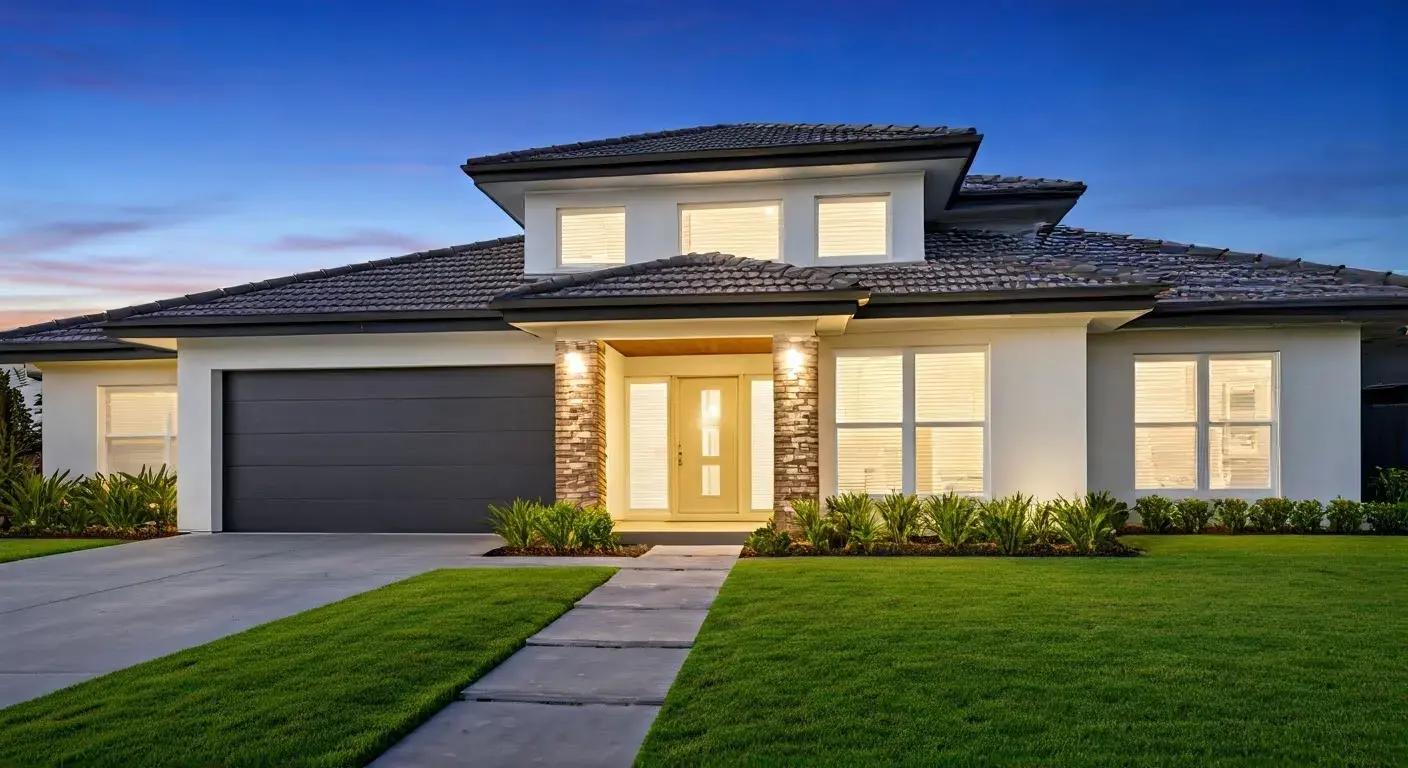
Discover how to secure your home without breaking the bank. This guide explores the true costs of home security systems, focusing on budget-friendly options and strategies to find the perfect balance between affordability and robust protection for your peace of mind in 2025-26.
Understanding Home Security System Costs
When considering a home security system, the initial thought often revolves around price. However, the cost of home security is multifaceted, extending beyond the upfront purchase price to include installation fees, monthly monitoring charges, potential equipment upgrades, and even maintenance. In 2025-26, homeowners are increasingly seeking solutions that offer comprehensive protection without demanding an exorbitant financial commitment. Understanding the various components that contribute to the overall cost is the first crucial step in finding a budget-friendly option that doesn't compromise on safety. This section will demystify the typical cost structures, helping you navigate the landscape of home security pricing.
The Anatomy of Home Security Costs
The total expense associated with a home security system can be broken down into several key areas. Recognizing these components allows for a more accurate budgeting process and helps in comparing different providers and system types effectively.
Upfront Equipment Costs
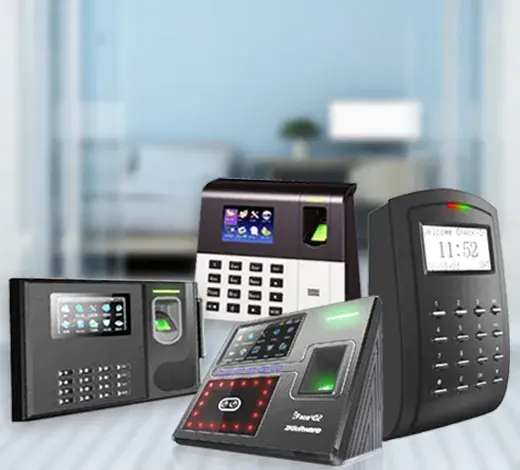
This is often the most visible cost. It includes the price of the central hub or control panel, sensors (door/window, motion, glass break), cameras (indoor, outdoor, doorbell), keypads, and any other peripheral devices. The number and type of devices needed will significantly impact this initial outlay. For instance, a basic system might include a control panel and two door/window sensors, while a more comprehensive setup could involve multiple cameras, advanced motion detectors, and smart locks. The quality and brand of the equipment also play a role; premium brands or those with advanced features will naturally command higher prices.
Installation Fees
Professional installation offers convenience and ensures the system is set up correctly for optimal performance. However, it comes with a cost. Fees can range from a one-time charge for a technician to visit your home and set up the system, to more complex installations that might require wiring or specialized mounting. Some companies include installation in a package deal, while others charge separately. For budget-conscious consumers, DIY (Do-It-Yourself) installation is a significant cost-saving measure, which we will explore in detail later.
Monthly Monitoring Fees
This is a recurring expense that provides the ongoing service of a professional monitoring center. When an alarm is triggered, the monitoring center is alerted and can dispatch emergency services (police, fire, medical) if necessary. Monitoring plans vary in price based on the level of service offered. Basic plans might only include alarm notification, while premium plans could offer video monitoring, smart home integration, and cellular backup. The average monthly monitoring fee in 2025-26 typically ranges from $20 to $60, depending on the provider and features. Some systems, particularly DIY ones, offer self-monitoring options, which eliminate this recurring fee but shift the responsibility of responding to alerts to the homeowner.
Contract Lengths and Penalties
Many traditional security companies require customers to sign long-term contracts, often 2-3 years. While these contracts might sometimes offer lower upfront equipment costs or bundled services, they can also include hefty penalties for early termination. Understanding the contract terms is vital. For budget-friendly options, systems with month-to-month contracts or no contracts at all offer greater flexibility and avoid potential future financial burdens.
Potential Additional Costs
Beyond the core components, other costs can arise. These might include:
- Battery replacements: Sensors and cameras often use batteries that need periodic replacement.
- Maintenance and repairs: While most systems are reliable, occasional issues might require professional attention.
- Upgrades: As technology advances or your needs change, you might opt for new equipment or feature upgrades.
- Permits: Some municipalities require homeowners to obtain an alarm permit, which may involve a small annual fee.
Average Cost Benchmarks for 2025-26
To provide a clearer picture, here are some general cost benchmarks for home security systems in 2025-26:
- Basic DIY System (Equipment Only): $100 - $400
- Mid-Range DIY System (More Sensors/Cameras): $300 - $800
- Professional Installation (Basic System): $100 - $300 (one-time fee)
- Professional Installation (Comprehensive System): $300 - $1000+ (one-time fee)
- Monthly Monitoring (Professional): $20 - $60
- Monthly Monitoring (Self/App-based): $0 - $15 (for app features)
It's important to remember that these are averages. Specific pricing can vary significantly based on the provider, the complexity of your home, and the specific features you choose. The goal of this guide is to help you find options that fall on the lower end of these spectrums while still offering effective security.
DIY vs. Professional Installation: Cost Breakdown
The decision between a Do-It-Yourself (DIY) home security system and one requiring professional installation is one of the most significant factors influencing overall cost. While professional installation offers convenience and expertise, DIY systems are often the cornerstone of budget-friendly security solutions. This section dissects the cost implications of each approach, empowering you to choose the path that best aligns with your financial goals and technical comfort level.
DIY Home Security Systems: The Budget Champion
DIY security systems have surged in popularity, largely due to their inherent cost-effectiveness. The primary advantage is the elimination of professional installation fees, which can range from $100 to over $1000 depending on the system's complexity. With DIY systems, you purchase the equipment outright and install it yourself, often with the help of clear instructions, video tutorials, and user-friendly apps.
Cost Advantages of DIY
- No Installation Fees: This is the most substantial saving. You are the installer, saving hundreds of dollars.
- Lower Upfront Equipment Costs (Often): Many DIY brands offer more affordable equipment packages, as they don't need to factor in technician labor.
- Flexibility in Equipment Choice: You can often purchase individual components or starter kits and expand your system as your budget allows.
- No Long-Term Contracts (Typically): Most DIY systems operate on a month-to-month or pay-as-you-go basis for optional monitoring, offering greater freedom.
Potential Downsides of DIY
- Time Investment: Installation requires your time and effort.
- Technical Skill (Minor): While designed to be user-friendly, some technical aptitude is beneficial for troubleshooting.
- Responsibility for Setup: If the system isn't installed correctly, it may not function as intended, impacting security.
- Self-Monitoring (Often): Many budget DIY systems rely on self-monitoring via smartphone alerts, meaning you are responsible for contacting authorities. Professional monitoring is usually an optional add-on.
Examples of popular DIY security systems in 2025-26 include brands like SimpliSafe, Ring Alarm, Wyze Home Monitoring, and Abode. These systems typically offer a range of affordable starter kits and individual sensors.
Professional Installation: Convenience at a Price
Professional installation services are provided by security companies where trained technicians install and configure your entire system. This is ideal for those who prefer a hands-off approach or have complex home layouts that might be challenging for a novice to secure effectively.
Cost Factors for Professional Installation
- Installation Fee: This is the direct cost for the service. It can be a flat fee per visit or vary based on the number of devices and complexity.
- Bundled Packages: Often, professional installation is included or heavily discounted when you sign up for a long-term monitoring contract. This can lower the upfront cost but lock you into recurring payments.
- System Complexity: Homes with multiple entry points, large square footage, or unique architectural features may incur higher installation costs due to the increased labor involved.
- Wired vs. Wireless: While most modern systems are wireless, if any components require hardwiring, installation costs can increase.
When Professional Installation Might Be Worth It
- Complex Home Layouts: Large homes, multi-story residences, or properties with many windows and doors can benefit from expert placement of sensors and cameras.
- Lack of Technical Confidence: If you're not comfortable with technology or DIY projects, professional installation ensures the system is set up correctly.
- Desire for Integrated Smart Home Features: Professionals can often help integrate your security system with other smart home devices for a seamless experience.
- Bundled Deals: Sometimes, the cost of professional installation is offset by significant discounts on equipment or attractive monthly monitoring rates within a contract.
Comparing the Costs: A Snapshot
Let's illustrate the cost difference with a hypothetical basic system (control panel, 2 door/window sensors, 1 motion sensor):
| Feature | DIY System Cost (Estimate) | Professional System Cost (Estimate) |
|---|---|---|
| Equipment Purchase | $150 - $300 | $100 - $250 (often subsidized by contract) |
| Installation | $0 (Your Time) | $100 - $400 (one-time fee) |
| Total Upfront Cost | $150 - $300 | $200 - $650 |
| Monthly Monitoring (Optional for DIY, Required for Pro) | $0 - $20 (self-monitoring app) / $15 - $30 (professional add-on) | $25 - $50 |
As this table shows, DIY systems typically offer a significantly lower upfront investment. While professional installation might seem more expensive initially, it's crucial to weigh this against the convenience and the potential for bundled discounts that might offer better long-term value for some users. For budget-focused consumers, DIY remains the clear winner for minimizing initial expenditure.
Key Factors Influencing Home Security System Costs
Beyond the choice between DIY and professional installation, several other critical factors dictate the final price tag of a home security system. Understanding these elements allows for more informed decision-making and helps in identifying areas where costs can be managed to achieve a budget-friendly solution. In 2025-26, homeowners are increasingly savvy about these variables, seeking transparency and value.
System Components and Quantity
The most direct influence on upfront equipment cost is the type and number of components you choose. A basic system might consist of a central hub, a few door/window sensors, and a motion detector. However, a more comprehensive setup could include:
- Door and Window Sensors: Essential for perimeter protection. The more entry points you have, the more sensors you'll need.
- Motion Detectors: Cover larger indoor areas. Consider pet-immune models if you have animals.
- Glass Break Sensors: Detect the sound of breaking glass, offering an extra layer of protection for windows.
- Indoor and Outdoor Cameras: For visual monitoring and evidence. Outdoor cameras are typically more expensive due to weatherproofing and advanced features.
- Video Doorbells: Combine a doorbell with a camera for front-door surveillance.
- Smart Locks: Allow for keyless entry and remote locking/unlocking.
- Environmental Sensors: Smoke, carbon monoxide, flood, and freeze detectors can be integrated into security systems.
- Key Fobs and Keypads: For easy arming and disarming.
Each additional sensor or camera increases the total equipment cost. Budget-friendly strategies often involve starting with essential components and adding more over time as needed and as budget allows.
Monitoring Services: Professional vs. Self-Monitoring
The type of monitoring service is a major determinant of recurring monthly costs.
- Professional Monitoring: This involves a 24/7 monitoring center that responds to alarms. It typically costs between $20 and $60 per month. This is the standard for most traditional security companies and often a premium add-on for DIY systems.
- Self-Monitoring: With self-monitoring, you receive alerts directly on your smartphone or device when an alarm is triggered. You are then responsible for assessing the situation and contacting emergency services. This option usually has no monthly fee or a very low fee for app features. Many budget-friendly DIY systems are designed for self-monitoring, making them highly attractive for cost-conscious consumers.
- Cellular Backup: Most professional monitoring plans include cellular backup, which ensures the system can still communicate with the monitoring center even if your internet or landline is cut. Systems without this feature might rely solely on Wi-Fi, which is less secure. Cellular backup can sometimes add a few dollars to the monthly fee.
The trade-off is clear: professional monitoring offers peace of mind and a reliable response, but at a consistent monthly cost. Self-monitoring is free or very low-cost but requires active homeowner participation.
Smart Home Integration and Features
The ability to integrate your security system with other smart home devices can add significant value, but it often comes at a higher price. Systems that offer robust smart home compatibility (e.g., with Alexa, Google Assistant, Z-Wave, Zigbee devices) may have higher upfront equipment costs or require more expensive monitoring plans.
- Basic Integration: Many systems offer basic voice control or integration with a limited number of smart devices.
- Advanced Integration: More sophisticated systems can create complex automation routines, such as lights turning on when motion is detected or doors locking automatically at night.
For budget-conscious users, it's wise to prioritize core security features over extensive smart home integration unless specific smart home functionalities are essential to your security strategy. Many budget systems offer basic app control for arming/disarming and receiving notifications, which is often sufficient for basic needs.
Brand Reputation and Equipment Quality
Established brands with a long history in the security industry often command premium prices for their equipment and services. This is partly due to brand recognition, perceived reliability, and the quality of materials and technology used. While investing in a reputable brand can offer long-term peace of mind, budget-friendly alternatives from newer or more specialized companies can provide comparable security at a lower cost.
When evaluating brands, consider:
- Customer Reviews: Look for consistent feedback on reliability, ease of use, and customer support.
- Warranty: A good warranty can protect your investment against defects.
- Equipment Durability: For outdoor cameras, weather resistance (IP rating) is crucial.
Budget brands often focus on core functionality, using reliable but less premium materials or simpler designs to keep costs down. This doesn't necessarily mean lower security, but rather a different value proposition.
Contract Terms and Length
As mentioned earlier, contract terms significantly impact the overall cost.
- Long-Term Contracts (2-3 years): Often come with subsidized equipment costs or lower monthly fees, but include penalties for early termination.
- Short-Term Contracts (1 year): Offer more flexibility than long-term contracts but may have slightly higher monthly rates or equipment costs.
- Month-to-Month Contracts: Provide the most flexibility, allowing you to cancel at any time without penalty. These often have higher upfront equipment costs.
- No Contracts: Typically associated with DIY systems, offering complete freedom.
For budget-conscious individuals seeking flexibility, month-to-month or no-contract options are generally preferred. While the upfront cost might be higher, the ability to cancel without penalty provides significant financial security.
Geographic Location and Home Size
While less of a direct factor in the system's technology, your location and home size can indirectly influence costs.
- Home Size: Larger homes require more sensors, longer cable runs (if applicable), and potentially more cameras to achieve adequate coverage, increasing equipment and potentially installation costs.
- Service Availability: In some remote areas, professional installation services might be less available or more expensive. Similarly, response times for professional monitoring might vary by region.
When planning your system, consider a thorough assessment of your home's layout and identify all potential entry points that need protection.
Budget-Friendly Home Security System Options
Finding a home security system that offers effective protection without straining your budget is entirely achievable in 2025-26. The market has evolved significantly, with numerous providers offering flexible, affordable solutions. This section delves into the types of budget-friendly systems available, focusing on DIY options, companies with lower-cost plans, and strategies to customize a system that fits your financial constraints.
The Rise of DIY Security Systems
DIY security systems are the undisputed champions of budget-friendly home protection. Their core appeal lies in eliminating professional installation fees and offering flexible, often contract-free, monitoring plans. These systems are designed for easy setup by the homeowner, typically involving wireless components that can be mounted with adhesive strips or simple screws.
Key Features of Budget DIY Systems:
- Easy Installation: Guided by mobile apps and clear instructions.
- Wireless Components: Sensors and devices communicate wirelessly with the base station.
- App-Based Control: Arm, disarm, and receive notifications via a smartphone app.
- Optional Professional Monitoring: Many offer affordable monthly plans for 24/7 professional monitoring, often with cellular backup.
- Expandability: Start with a basic kit and add more sensors or cameras as needed.
Popular brands in this category include SimpliSafe, Ring Alarm, Wyze Home Monitoring, and Abode. These companies often provide starter kits that include a base station, keypad, a few door/window sensors, and a motion detector for under $300. Monthly monitoring plans can start as low as $10-$20 for basic professional monitoring or self-monitoring with enhanced app features.
Companies Offering Lower-Cost Professional Monitoring
While traditional security giants can be expensive, some companies have entered the market with more competitive pricing for professional monitoring services. These often partner with DIY hardware or offer simpler, more streamlined packages.
- Virtual Guard/Self-Monitoring with AI: Some systems use AI-powered cameras to detect intruders and alert homeowners, with optional professional verification. This can be cheaper than constant human monitoring.
- Partnerships with DIY Brands: Companies like SimpliSafe offer professional monitoring for their DIY systems at competitive rates, often without long-term contracts.
- Smaller Regional Providers: Local security companies might offer more personalized and potentially cheaper services, especially if they have lower overhead.
When researching, look for companies that clearly advertise their monthly monitoring costs and contract terms. Avoid those that heavily obscure pricing or require lengthy consultations before revealing basic figures.
Building a Custom Budget System
One of the most effective ways to manage costs is to build a custom system tailored to your specific needs. Instead of opting for pre-packaged bundles that might include unwanted components, focus on the essentials.
Step 1: Assess Your Needs
Walk through your home and identify all potential entry points (doors, accessible windows). Determine which areas require motion detection and whether you need cameras for specific locations (e.g., front door, backyard). Prioritize the most vulnerable areas first.
Step 2: Start with a Core Kit
Choose a DIY system that offers a basic starter kit. This typically includes:
- A central hub/base station
- A keypad for arming/disarming
- 2-3 door/window sensors
- 1 motion detector
Step 3: Add Essential Components Strategically
Based on your assessment, add only the most critical components. For example:
- If you have a large living room with multiple windows, one motion detector might suffice for the entire area.
- If your front door is the primary entry point, a video doorbell is a high-priority addition.
- If you have pets, ensure motion detectors are pet-immune to avoid false alarms.
Step 4: Consider Optional Features Later
Features like smart locks, additional cameras, or environmental sensors can be added later as your budget allows. This phased approach makes comprehensive security more financially accessible.
Example of a Budget-Friendly System Configuration (2025-26)
Let's consider a hypothetical budget-friendly setup for a small to medium-sized home:
- System: SimpliSafe Essentials Package (or similar DIY competitor)
- Components:
- Base Station
- Keypad
- 2 Entry Sensors
- 1 Motion Sensor
- Estimated Upfront Cost: $200 - $250
- Optional Monitoring: SimpliSafe's $19.99/month plan (includes professional monitoring and cellular backup)
- Total First Year Cost: $200 (equipment) + ($19.99 x 12 months) = $200 + $239.88 = $439.88
This provides a fully functional, professionally monitored system for under $450 in the first year, with ongoing costs of less than $20 per month. Compare this to traditional systems that might require $500-$1000 upfront and $40-$60 per month for monitoring.
Leveraging Sales and Discounts
Keep an eye out for seasonal sales and promotions. Many DIY security companies offer significant discounts during major shopping events like Black Friday, Cyber Monday, and Prime Day. Signing up for email newsletters from your preferred brands can also alert you to special offers.
Popular Budget-Friendly Brands & Packages (2025-26)
Navigating the home security market can be overwhelming, especially when trying to find options that are both effective and affordable. Fortunately, several brands have emerged as leaders in providing budget-friendly solutions without compromising on essential security features. In 2025-26, these companies continue to innovate, offering accessible packages for homeowners seeking peace of mind without a hefty price tag. This section highlights some of the most popular and cost-effective brands and their typical offerings.
SimpliSafe: The All-Around DIY Champion
SimpliSafe consistently ranks high for its user-friendly DIY approach, robust security features, and flexible monitoring plans. They are renowned for their ease of installation and comprehensive customer support.
Typical Budget Packages:
- Foundation/Essentials Kit: Usually includes a base station, keypad, entry sensors, and a motion detector. Priced around $200-$250.
- Add-on Components: Individual sensors, cameras (indoor/outdoor), and video doorbells are available at competitive prices.
Monitoring Options:
- Self-Monitoring (Free): Basic app control.
- Interactive Plan ($19.99/month): Professional monitoring, cellular backup, mobile app access, and limited cloud video storage.
- Fast Protect™ Plan ($29.99/month): Includes all Interactive features plus 30-day cloud video storage for up to 10 cameras and priority dispatch.
Why it's budget-friendly: No contracts required, competitive equipment pricing, and affordable professional monitoring tiers.
Ring Alarm: Integrated with Amazon Ecosystem
Owned by Amazon, Ring Alarm offers a compelling DIY security solution that integrates seamlessly with other Ring devices (like video doorbells and cameras) and the broader Amazon ecosystem.
Typical Budget Packages:
- Ring Alarm Security Kit: Typically includes a base station, keypad, contact sensor, motion detector, and range extender. Priced around $200-$300.
- Bundles: Often available with Ring video doorbells or cameras for a more integrated smart home security experience.
Monitoring Options:
- Ring Protect Pro ($20/month or $200/year): Professional 24/7 monitoring, cellular backup, and unlimited Ring camera video recording.
- Ring Protect Plus ($10/month or $100/year): Self-monitoring with enhanced app features, and unlimited Ring camera video recording.
Why it's budget-friendly: Competitive hardware pricing, especially during Amazon sales events, and a cost-effective professional monitoring plan that also covers Ring cameras.
Wyze Home Monitoring: The Ultra-Affordable Choice
Wyze is known for its incredibly low prices on smart home devices, and their home monitoring system is no exception. It offers a very basic but functional security setup at a fraction of the cost of many competitors.
Typical Budget Packages:
- Wyze Home Monitoring Starter Kit: Includes a base station, keypad, motion sensor, and entry sensor. Often priced under $100.
- Add-on Sensors: Individual sensors are exceptionally cheap, allowing for extensive coverage at minimal cost.
Monitoring Options:
- Wyze Home Monitoring ($9.99/month): Professional 24/7 monitoring and cellular backup.
Why it's budget-friendly: Extremely low upfront equipment costs and one of the cheapest professional monitoring plans on the market. The trade-off is a simpler feature set compared to higher-end systems.
Abode: Smart Home Focused DIY
Abode is a strong contender for those who want a DIY system with robust smart home integration capabilities at a reasonable price. They offer both DIY and professionally monitored options.
Typical Budget Packages:
- Starter Kits: Usually include a smart security hub, door/window sensor, and motion sensor. Priced around $200-$300.
- Emphasis on Smart Home: The hub is compatible with a wide range of smart home devices and protocols.
Monitoring Options:
- Standard Plan ($20/month): Professional monitoring, cellular backup, smart home integrations, and limited cloud storage.
- Optional Homeowner's Insurance Discount: Abode systems can sometimes qualify for insurance discounts.
Why it's budget-friendly: Competitive pricing for a feature-rich hub that supports extensive smart home automation, alongside affordable professional monitoring.
Other Considerations for Budget Shopping
- Refurbished Equipment: Some companies offer certified refurbished equipment at a discount. Ensure it comes with a warranty.
- Bundled Deals: Look for packages that combine security systems with other smart home devices if you're planning to build out your smart home.
- Promotional Offers: Many providers run limited-time promotions, especially for new customers.
When choosing a brand, always compare the total cost over a year or two, considering both equipment and monitoring fees. Read recent customer reviews to ensure reliability and good customer service, as these are crucial for long-term satisfaction, even with budget systems.
Smart Strategies to Save on Home Security
Securing your home doesn't have to be a significant financial burden. By adopting smart strategies, homeowners can drastically reduce the costs associated with home security systems while still maintaining a high level of protection. In 2025-26, savvy consumers are leveraging these tactics to maximize value and minimize expenditure. This section outlines practical tips and approaches to achieve cost-effective home security.
Prioritize Essential Components
Resist the urge to equip your home with every possible sensor and gadget. Focus on the most critical areas and components that provide the most significant security benefit for your specific property.
- Entry Points: Secure all doors and ground-floor windows with contact sensors. This is the absolute baseline for any security system.
- High-Traffic Areas: Install motion detectors in main living areas or hallways where an intruder is likely to pass.
- Vulnerable Spots: Identify any unusually accessible windows or doors and ensure they are covered.
You can always add more components later as your budget allows. A well-placed few sensors are far more effective than a multitude of poorly placed ones.
Embrace DIY Installation
As discussed previously, DIY installation is one of the most impactful ways to save money. The average cost of professional installation can range from $100 to over $1000. By investing a few hours of your time and following clear instructions (often provided via apps or video tutorials), you can eliminate this significant expense entirely. Most modern DIY systems are designed for user-friendly setup, requiring no specialized tools or technical expertise.
Opt for Self-Monitoring or Low-Cost Professional Monitoring
Professional 24/7 monitoring is a valuable service, but it comes with a recurring monthly fee, typically $25-$60. For budget-conscious homeowners, consider these alternatives:
- Self-Monitoring: Many DIY systems offer app-based alerts. You receive notifications on your smartphone when an alarm is triggered and are responsible for contacting authorities. This option is usually free or has a very minimal monthly fee for enhanced app features.
- Low-Cost Professional Monitoring: Brands like Wyze and SimpliSafe offer professional monitoring plans for as low as $10-$20 per month. These plans provide the peace of mind of a monitoring center without the premium price tag.
Weigh the cost savings against the level of personal involvement you're willing to undertake.
Avoid Long-Term Contracts
Many traditional security companies lock customers into 2-3 year contracts. While these might offer lower upfront equipment costs, they can be financially restrictive and often come with hefty early termination fees. For maximum flexibility and to avoid being locked into potentially rising costs, opt for:
- Month-to-Month Plans: These offer the freedom to cancel or change services at any time.
- No-Contract Systems: Most DIY systems operate on this model, allowing you to pay for equipment and optional monitoring as you see fit.
Leverage Existing Smart Home Devices
If you already own smart home devices like smart speakers (Amazon Echo, Google Home) or smart cameras, see if they can be integrated into your security setup. Some systems allow for basic integration, enabling voice control or using existing cameras for added surveillance. While not a full security solution on its own, it can reduce the need to purchase duplicate devices.
Take Advantage of Sales and Promotions
Timing your purchase can lead to significant savings. Many security companies, especially DIY brands, offer substantial discounts during major sales events like:
- Black Friday and Cyber Monday
- Amazon Prime Day
- Holiday sales (e.g., Memorial Day, Labor Day)
Signing up for newsletters from your preferred brands can also alert you to exclusive deals and promotions.
Bundle Smart Home Devices Wisely
If you're looking to build a comprehensive smart home, consider security system bundles that include devices like video doorbells, smart locks, or smart lighting. Sometimes, purchasing these as a package deal is more cost-effective than buying them individually. However, ensure that the security components themselves meet your needs and aren't just an add-on to a smart home package.
Consider Refurbished or Open-Box Equipment
Some reputable retailers and manufacturers offer certified refurbished or open-box security equipment at a reduced price. These items have been inspected, repaired (if necessary), and are typically sold with a warranty. This can be an excellent way to acquire higher-quality components for less. Always ensure you are purchasing from a trusted source.
Negotiate with Providers (Where Applicable)
While less common with DIY systems, if you are considering a professionally installed system with a contract, don't be afraid to negotiate. Companies may be willing to offer discounts on equipment, installation, or monthly fees, especially if you have competing quotes. Be prepared to walk away if they cannot meet your budget.
Check for Homeowner's Insurance Discounts
Many insurance companies offer discounts on homeowner's insurance premiums for homes equipped with a monitored security system. While this doesn't reduce the upfront cost, it can provide ongoing savings that offset the system's expense over time. Inquire with your insurance provider about potential discounts and the types of systems they recognize.
Evaluating Long-Term Value and ROI
When investing in a home security system, especially a budget-friendly one, it's crucial to look beyond the initial purchase price and consider the long-term value and return on investment (ROI). A system that seems cheap upfront might become more expensive over time due to hidden fees, frequent replacements, or inadequate protection leading to costly incidents. This section will guide you through evaluating the true long-term value of your chosen security solution in 2025-26.
Total Cost of Ownership (TCO)
The TCO encompasses all expenses associated with the system over its expected lifespan. For home security, this includes:
- Upfront Equipment Costs: The initial purchase price.
- Installation Fees: If applicable.
- Monthly Monitoring Fees: The recurring cost for professional or enhanced self-monitoring.
- Battery Replacements: For wireless sensors and devices.
- Potential Repair Costs: For out-of-warranty components.
- Upgrade Costs: If you choose to replace older equipment with newer technology.
Example TCO Calculation (3 Years):
- Budget DIY System (SimpliSafe Essentials):
- Upfront Equipment: $250
- Monthly Monitoring ($19.99/month): $19.99 x 36 months = $719.64
- Battery Replacements (Estimate): $50
- Total TCO: $1019.64
- Mid-Range Professionally Installed System:
- Upfront Equipment & Installation: $700
- Monthly Monitoring ($40/month): $40 x 36 months = $1440
- Total TCO: $2140
This comparison clearly illustrates how DIY systems, even with professional monitoring, can offer significantly lower TCO over several years.
Durability and Lifespan of Equipment
Budget-friendly does not necessarily mean low-quality. However, it's essential to research the expected lifespan and durability of the equipment.
- Materials: Are the sensors and cameras made from robust materials that can withstand daily use?
- Warranty: A longer warranty (e.g., 2-3 years) suggests the manufacturer has confidence in their product's longevity.
- Brand Reputation: While focusing on budget, lean towards brands with a track record of reliability. Read reviews specifically mentioning how long their equipment has lasted.
A system that requires frequent replacement of components will negate its initial cost savings.
Effectiveness of Protection
The ultimate ROI of a security system is measured by its ability to prevent or mitigate security threats. A cheap system that fails to detect an intruder or alert authorities provides no real value and could lead to significant financial losses from theft or damage.
- Detection Accuracy: Do sensors reliably detect intrusions? Are there frequent false alarms?
- Response Time: If professionally monitored, how quickly does the monitoring center respond and dispatch help?
- Coverage: Does the system adequately cover all vulnerable areas of your home?
A system that provides reliable detection and alerting, even if basic, offers a high ROI by preventing potential losses that far exceed the system's cost.
Peace of Mind and Reduced Stress
Beyond tangible financial benefits, the intangible value of peace of mind is a significant aspect of ROI. Knowing your home and loved ones are protected can reduce stress and improve overall quality of life. This psychological benefit is invaluable and should be considered when evaluating a security system. A budget-friendly system that provides this sense of security offers a high return on that emotional investment.
Potential for Homeowner's Insurance Discounts
As mentioned earlier, many insurance providers offer discounts for homes with monitored security systems. While this doesn't reduce the system's cost directly, it provides an ongoing financial benefit that contributes to the system's overall ROI. Ensure the system you choose qualifies for such discounts in your area. A discount of 5-15% on your annual premium can significantly offset the system's monthly fees over time.
Scalability and Future-Proofing
Consider a system that can grow with your needs. A budget system that allows you to easily add more sensors, cameras, or integrate with new smart home technologies later on offers better long-term value than a system that becomes obsolete quickly or requires a complete overhaul for upgrades. Modular DIY systems are particularly strong in this regard, allowing for incremental expansion.
The Cost of NOT Having Security
Perhaps the most compelling argument for the ROI of a security system is the potential cost of not having one. The average cost of a home burglary in the US can range from several thousand dollars to tens of thousands, considering stolen property, damage, and the emotional toll. A security system, even a budget-friendly one, acts as a deterrent and provides a crucial layer of defense that can prevent these significant financial and personal losses. The cost of a security system is often a fraction of the potential cost of a single break-in.
Making the Right Decision for Your Budget
Choosing the right home security system on a budget requires careful consideration and a clear understanding of your priorities. It's about finding the optimal balance between cost, features, and the level of protection you need. In 2025-26, the market offers more accessible and effective options than ever before. This concluding section synthesizes the key takeaways and provides actionable advice to help you make an informed decision that secures your home without compromising your financial well-being.
Recap: Key Considerations for Budget Security
- DIY is King for Savings: For the lowest upfront costs, DIY systems like SimpliSafe, Ring Alarm, and Wyze are generally the most cost-effective.
- Monitor Your Monitoring Costs: Professional monitoring adds recurring expenses. Evaluate if self-monitoring or a low-cost professional plan meets your needs.
- Focus on Essentials: Prioritize securing entry points and high-risk areas before investing in optional features.
- Avoid Long Contracts: Opt for month-to-month or no-contract options for flexibility and to avoid costly penalties.
- Research Brands and Reviews: Look for reliability and good customer support, even with budget brands.
Your Actionable Checklist
Before you commit to a system, run through this checklist:
- Assess Your Home: Map out all doors, windows, and potential vulnerabilities.
- Define Your Needs: What are your absolute must-have security features? (e.g., door sensors, motion detection, video monitoring).
- Set Your Budget: Determine your upfront spending limit and your comfortable monthly recurring cost (if any).
- Compare Top Budget Brands: Research SimpliSafe, Ring Alarm, Wyze, Abode, and others based on their starter kits and monitoring plans.
- Read Recent Reviews: Look for feedback on installation ease, system reliability, and customer service.
- Check for Sales: Time your purchase around major sale events if possible.
- Understand the Contract (If Any): Ensure you are comfortable with the terms and cancellation policy.
- Factor in Long-Term Value: Consider equipment lifespan, warranty, and potential insurance discounts.
The Final Verdict: Smart Security is Accessible
The notion that effective home security is an expensive luxury is outdated. With the plethora of DIY systems, flexible monitoring options, and a focus on essential components, homeowners in 2025-26 can achieve robust protection for a fraction of the cost previously thought necessary. By understanding the cost factors, leveraging smart saving strategies, and choosing reputable yet affordable brands, you can create a security solution that perfectly fits your budget and provides invaluable peace of mind. Don't let cost be a barrier to safety; informed choices can lead to secure homes and secure finances.