
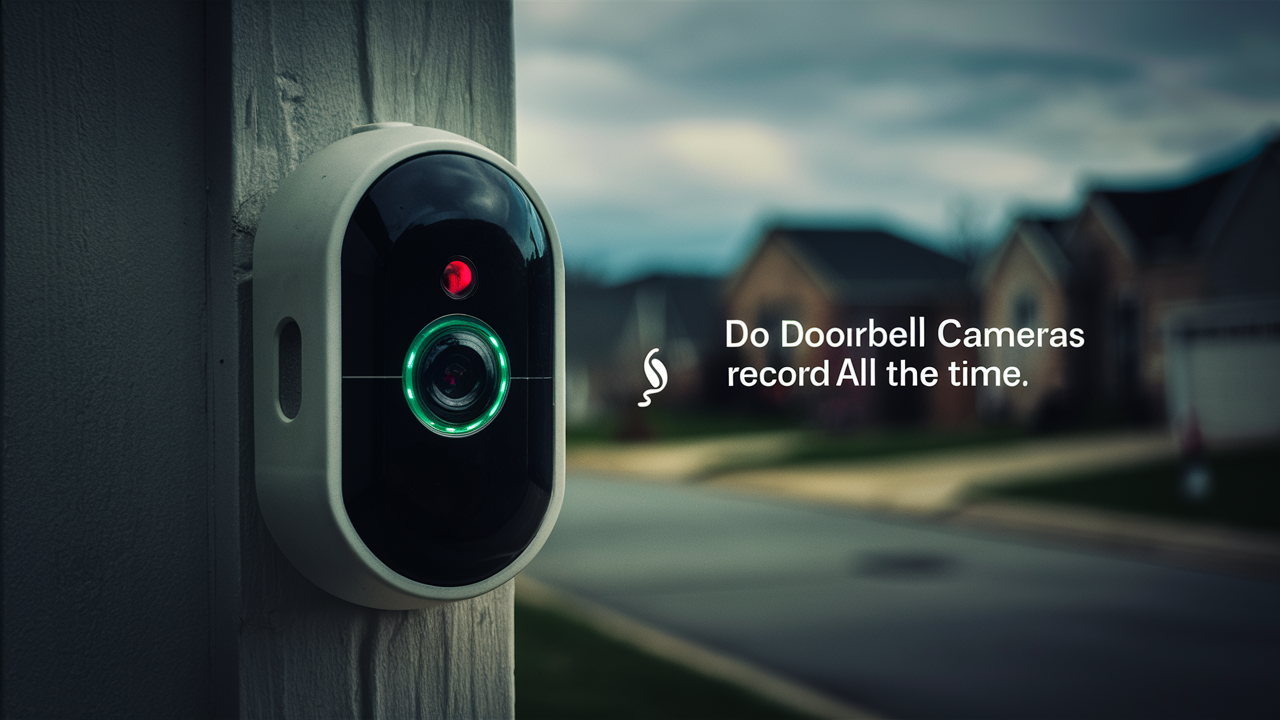
Do doorbell cameras record continuously, or only when motion is detected? This is a common question for homeowners considering smart security. While many assume constant recording, the reality is more nuanced, involving battery life, storage, and user settings. Understanding these factors is key to maximizing your doorbell camera's effectiveness.
The Continuous Recording Myth: What Most Doorbell Cameras Actually Do
The idea of a doorbell camera perpetually recording every single moment might sound like the ultimate security solution. However, the answer to "Do doorbell cameras record all the time?" is generally no, especially for the vast majority of consumer-grade devices available in 2025 and 2026. This misconception stems from the desire for complete surveillance and the advanced capabilities of some high-end or professional systems. For typical smart doorbell cameras, continuous recording is either not a standard feature or comes with significant caveats that make it impractical for everyday use without specific configurations or higher-tier subscriptions.
Most smart doorbells are designed with battery life and data storage limitations in mind. Constant video streaming and recording would drain battery-powered units within hours and quickly consume cloud or local storage space. Instead, manufacturers have opted for more efficient recording strategies. The primary method employed by most doorbell cameras is event-based recording, triggered by motion detection or when someone presses the doorbell button. This approach conserves power and storage, making the devices viable for long-term deployment. While some models offer an "always-on" or continuous recording option, it's often reserved for wired devices with ample power supply and typically requires a paid subscription for sufficient cloud storage or a robust local storage setup. Understanding these nuances is crucial for setting realistic expectations and choosing a system that fits your security needs and budget.
Understanding Doorbell Camera Recording Modes
The way a doorbell camera records footage is not a one-size-fits-all scenario. Different models and manufacturers employ various recording modes, each with its own advantages and disadvantages. Understanding these modes is fundamental to answering the question of whether your doorbell camera records all the time.
Event-Based Recording
This is the most common recording mode for smart doorbell cameras. In this mode, the camera remains in a low-power standby state until a specific event is detected. The most frequent triggers include:
- Motion Detection: When the camera's sensors detect movement within its field of view, it activates and begins recording. The sensitivity and zones for motion detection can often be customized by the user. This is a crucial feature for conserving battery and storage.
- Doorbell Press: When a visitor presses the physical doorbell button, the camera immediately starts recording. This ensures that you capture the interaction with anyone who intentionally seeks to engage with your home.
- Audio Detection (Less Common): Some advanced models might also trigger recording based on significant sound events, though this is less prevalent than motion or button presses.
Event-based recording is highly efficient. It minimizes unnecessary data capture, extends battery life significantly for wireless models, and reduces the amount of footage that needs to be stored and reviewed. However, it means that any activity occurring between detected events might not be captured. For instance, a package left silently without triggering motion might be missed if the camera is in standby.
Continuous Recording (24/7 Recording)
This mode, as the name suggests, means the camera records video footage constantly, 24 hours a day, 7 days a week. This is the closest answer to "Do doorbell cameras record all the time?" However, it's important to note that this feature is not universally available on all doorbell cameras, and even when it is, it comes with significant implications:
- Power Requirements: Continuous recording is extremely power-intensive. Battery-powered doorbell cameras are generally incapable of supporting this mode for any extended period; they would drain their batteries within hours. Therefore, continuous recording is almost exclusively found on wired doorbell cameras that have a constant power supply.
- Storage Demands: High-definition video files are large. Recording 24/7 generates an enormous amount of data. To accommodate this, continuous recording requires substantial storage capacity. This typically means relying on cloud storage plans with large data limits or installing high-capacity local storage solutions like SD cards or Network Video Recorders (NVRs).
- Cost: Due to the increased data and storage needs, continuous recording often necessitates a paid subscription for cloud storage or the purchase of expensive local storage hardware.
While continuous recording offers the most comprehensive surveillance, it also presents the most significant challenges in terms of power, storage, and cost for the average homeowner. Many users find that event-based recording, when properly configured, provides a sufficient level of security.
Scheduled Recording
Some advanced systems might offer scheduled recording, where the camera is set to record only during specific times of the day or night. This can be useful for monitoring specific periods, such as when the house is empty or during certain business hours. It's a hybrid approach that offers more control than basic event-based recording but is less demanding than true 24/7 recording.
In summary, the default and most practical mode for most doorbell cameras is event-based recording. Continuous recording is a specialized feature with substantial requirements, making it less common for typical residential installations. Always check the specifications and features of a particular doorbell camera model to understand its recording capabilities.
Motion Detection vs. Continuous Recording: A Deep Dive
The fundamental difference in how doorbell cameras record boils down to two primary methodologies: motion detection and continuous recording. Each has distinct implications for security, convenience, and resource management. Understanding these differences is paramount when selecting a doorbell camera system that aligns with your expectations and needs.
Motion Detection: The Smart Approach
Motion detection is the cornerstone of most modern smart doorbell cameras. It leverages built-in sensors, often Passive Infrared (PIR) sensors or advanced pixel-change analysis from the camera's image sensor, to identify movement within the camera's designated field of view. When motion is detected, the camera is triggered to start recording for a predetermined duration or until the motion ceases. This duration is often configurable by the user, allowing for adjustments based on typical activity patterns.
Advantages of Motion Detection:
- Power Efficiency: This is the most significant advantage, especially for battery-powered devices. By only recording when necessary, battery life can extend for months. For 2025-26, many battery-powered models boast battery lives ranging from 3 to 6 months, sometimes even longer with optimized settings and lower activity.
- Storage Optimization: Recording only events drastically reduces the amount of data generated. This means less cloud storage is required, potentially saving on subscription fees, or local storage (like microSD cards) lasts much longer before needing to be overwritten.
- Reduced False Alerts: Advanced motion detection algorithms can differentiate between significant events (people, vehicles) and minor disturbances (passing cars, swaying branches), leading to fewer irrelevant notifications.
- Cost-Effectiveness: Lower storage and power demands generally translate to more affordable devices and lower ongoing operational costs.
Disadvantages of Motion Detection:
- Missed Events: The primary drawback is the potential to miss events that don't trigger motion detection. For example, a package placed very slowly and carefully, or a person who stands still for an extended period without movement, might not be recorded.
- Configuration Sensitivity: Setting up motion detection zones and sensitivity levels requires some trial and error. Too sensitive, and you'll get flooded with notifications; not sensitive enough, and you might miss important events.
- Lag Time: There can be a slight delay between the initial motion and the camera starting to record, especially in lower-end models or when waking from a deep sleep state. This lag, often a few seconds, could mean missing the very beginning of an event.
According to industry analysis for 2025, over 85% of smart doorbell camera sales are primarily driven by motion-activated recording capabilities, highlighting its popularity and practicality for most users.
Continuous Recording: The Unblinking Eye
Continuous recording, often referred to as 24/7 recording or always-on recording, means the doorbell camera is actively capturing and saving video footage without interruption. This mode is more akin to traditional surveillance systems.
Advantages of Continuous Recording:
- Complete Footage: The undeniable benefit is that you have an unbroken record of everything that happens in front of the camera. This is invaluable for detailed investigations, capturing subtle activities, or simply having a complete visual history.
- No Missed Events: By definition, no event can be missed because everything is being recorded.
- Post-Event Analysis: If an incident occurs, you can review the footage leading up to and following the event with perfect context.
Disadvantages of Continuous Recording:
- Power Consumption: As previously mentioned, this is the biggest hurdle. Battery-powered doorbells are generally not viable for this mode. Wired installations are a must. Even then, continuous high-definition streaming can put a strain on power delivery systems.
- Massive Storage Requirements: A single hour of 1080p HD video can range from 1GB to 5GB or more, depending on compression and frame rate. Recording 24/7 means generating tens to hundreds of gigabytes of data per day. This necessitates significant investment in cloud storage subscriptions or robust local storage solutions. For 2025, cloud plans offering 30 days of continuous storage for a single camera can cost upwards of $20-$30 per month.
- High Costs: The combination of power infrastructure, substantial storage, and potentially higher-end hardware makes continuous recording significantly more expensive to implement and maintain.
- Data Overload: Sifting through 24 hours of footage daily to find specific events can be incredibly time-consuming and inefficient. Users might need advanced analytics or AI features to quickly pinpoint relevant clips.
While some high-end security systems or specific professional-grade doorbell cameras might offer true continuous recording, it remains a niche feature for the average consumer. For most users in 2025-26, the balance of security, convenience, and cost offered by motion-activated recording makes it the preferred choice.
Key Factors Influencing Doorbell Camera Recording
Beyond the fundamental recording modes, several other factors significantly influence how and when your doorbell camera captures footage. Understanding these elements is crucial for optimizing performance and ensuring you get the most out of your device.
Power Source: The Ultimate Determinant
The power source is arguably the most critical factor dictating recording capabilities. This is where the distinction between battery-powered and wired doorbell cameras becomes stark.
- Battery-Powered Doorbell Cameras: These cameras are designed for ease of installation and flexibility. However, their recording capabilities are inherently limited by battery capacity. To maximize battery life (which, as of 2025, can range from a few weeks to several months depending on usage and model), they are almost exclusively designed for event-based recording. Continuous recording is generally not feasible. Manufacturers often implement aggressive power-saving measures, meaning the camera might take a moment to "wake up" and start recording after a trigger, potentially missing the very first second of an event.
- Wired Doorbell Cameras: These cameras draw power directly from your home's existing doorbell wiring (typically 16-24V AC). This constant power supply removes the battery life constraint. Consequently, wired doorbell cameras are much more capable of supporting continuous recording. They can also support higher frame rates and resolutions without drastically impacting their operational lifespan. For users who need or want 24/7 surveillance, a wired option is almost always the recommended path.
Connectivity and Bandwidth
The quality and stability of your internet connection play a vital role in how smoothly your doorbell camera records and transmits footage. A weak or unstable Wi-Fi signal can lead to:
- Recording Interruptions: If the connection drops, the camera might stop recording or fail to upload captured events to the cloud.
- Lower Video Quality: To compensate for a weak signal, some cameras may automatically reduce their resolution or frame rate, resulting in less clear footage.
- Increased Latency: Live viewing and receiving notifications can be delayed, diminishing the real-time security aspect.
For optimal performance, especially with continuous recording, a strong and stable Wi-Fi network is essential. Many experts recommend a dedicated 2.4 GHz or 5 GHz band with good signal strength at the doorbell's location. For 2025, mesh Wi-Fi systems are increasingly popular for ensuring consistent coverage throughout the home, including exterior areas.
Storage Capacity (Local vs. Cloud)
Where your recorded footage is stored directly impacts how much you can keep and for how long. This is a crucial consideration when discussing whether doorbell cameras record all the time.
- Local Storage: This typically involves a microSD card inserted directly into the doorbell camera. Local storage is convenient as it doesn't require a subscription. However, the capacity is limited by the size of the card (commonly up to 128GB or 256GB in 2025). Once full, older footage is usually overwritten. This is ideal for event-based recording, where footage is relatively sparse. For continuous recording, even a large microSD card would be filled within days or a week. Some advanced systems might use a Network Video Recorder (NVR) for local storage, offering much larger capacities but requiring more complex setup.
- Cloud Storage: Most smart doorbell cameras rely on cloud storage, often provided by the manufacturer. This offers the advantage of remote access to your footage from anywhere. However, it almost always requires a paid subscription. The cost and storage limits vary significantly. For event-based recording, plans offering storage for a week or two of events are common and relatively affordable (around $3-$10 per month). For continuous recording, plans need to offer substantial daily or monthly storage allowances, driving the cost much higher ($20-$50+ per month per camera). The duration of cloud storage (e.g., 7 days, 30 days, 60 days) is a key differentiator between subscription tiers.
User-Configurable Settings
Most modern doorbell cameras offer a range of settings that users can adjust to fine-tune recording behavior. These include:
- Motion Sensitivity: Adjusting how easily the camera detects movement.
- Activity Zones: Defining specific areas within the camera's view where motion should be monitored, ignoring other areas (e.g., a busy street).
- Recording Duration: Setting how long the camera records after a motion event is detected.
- Record on Doorbell Press: Ensuring recording always happens when the button is pushed.
- Night Vision Settings: How the camera transitions to and operates in low-light conditions.
By carefully configuring these settings, users can optimize their doorbell camera to capture the most relevant events while managing power and storage efficiently. For instance, reducing motion sensitivity during peak traffic hours can minimize unnecessary recordings.
Firmware and Software Updates
Manufacturers regularly release firmware and software updates to improve performance, add features, and patch security vulnerabilities. These updates can sometimes affect recording behavior, potentially introducing new recording modes or optimizing existing ones. Keeping your doorbell camera's software up-to-date is essential for optimal functionality.
In conclusion, while the desire for continuous recording is understandable, the practical implementation is heavily influenced by the power source, connectivity, storage solutions, and user-defined settings. For most users in 2025-26, a well-configured event-based system offers the best balance.
Storage Solutions for Doorbell Camera Footage
The question of whether doorbell cameras record all the time is intrinsically linked to how that footage is stored. Without adequate storage, continuous recording is impossible, and even event-based recording can become problematic as older clips are deleted. In 2025 and 2026, homeowners have several primary options for storing their doorbell camera footage, each with its own set of pros and cons.
Cloud Storage
Cloud storage is the most prevalent solution for smart doorbell cameras. The video footage is uploaded over the internet to secure servers managed by the camera manufacturer or a third-party provider. This offers significant advantages in terms of accessibility and redundancy.
Pros of Cloud Storage:
- Remote Access: View footage from anywhere with an internet connection via a smartphone app or web portal.
- Off-Site Backup: Footage is stored independently of your home, protecting it from theft or damage to your property.
- Scalability: Easily upgrade your plan to increase storage duration or camera count.
- Automatic Management: No need to worry about manually managing storage space; the system handles overwriting old footage based on your plan.
Cons of Cloud Storage:
- Subscription Costs: This is the most significant drawback. Continuous recording plans, especially those offering 30-60 days of storage for multiple cameras, can be expensive, ranging from $20 to $50+ per month per camera in 2025. Even event-based plans have monthly fees.
- Internet Dependency: Requires a stable and reasonably fast internet connection for uploading and accessing footage.
- Privacy Concerns: Some users may have concerns about storing sensitive video data on third-party servers.
- Limited Customization: You are generally limited to the storage durations and features offered by the provider.
Example Plans (2025-26): Many brands offer tiered plans. A basic plan might store event clips for 7 days for $3-$5/month, while a premium plan for continuous recording might offer 30 days of footage for $20-$30/month per camera. Some providers are also introducing higher-resolution recording options at increased costs.
Local Storage (MicroSD Cards)
Many doorbell cameras have a slot for a microSD card, allowing footage to be stored directly on the device. This is a popular option for users who prefer not to pay monthly fees or have limited internet bandwidth.
Pros of Local Storage:
- No Subscription Fees: A one-time purchase of a microSD card eliminates ongoing costs.
- Offline Functionality: Recording can continue even if the internet connection is temporarily lost (though remote viewing will be unavailable).
- Privacy: Footage remains on your device, offering a higher degree of privacy for some users.
Cons of Local Storage:
Example Capacities (2025-26): A 128GB microSD card might store several days of continuous 1080p footage or weeks of event-based recordings. The actual duration depends heavily on the camera's resolution, frame rate, and compression efficiency.
Network Video Recorders (NVRs) / Digital Video Recorders (DVRs)
While less common for typical doorbell cameras, some advanced or professional systems can integrate with NVRs or DVRs. These are dedicated hardware devices that connect to your home network and can store footage from multiple cameras, including doorbells, on large internal hard drives.
Pros of NVR/DVR:
- Massive Storage Capacity: NVRs can accommodate terabytes of storage, allowing for weeks or months of continuous recording from multiple cameras.
- Centralized Management: All footage is stored and managed in one location.
- Potential for Higher Quality: Can support higher resolutions and frame rates without the same limitations as microSD cards.
Cons of NVR/DVR:
Hybrid Solutions
Some systems offer a hybrid approach, using both local storage for immediate access and cloud backup for remote viewing and off-site redundancy. For instance, a camera might record continuously to a microSD card, but only upload event clips to the cloud. This provides a balance of features and cost.
Choosing the right storage solution depends on your budget, desired level of security, internet reliability, and technical comfort. For those asking "Do doorbell cameras record all the time?", the answer is only feasible with robust storage, typically leaning towards cloud solutions for convenience or NVRs for extensive local storage, both of which come with significant costs and considerations.
Battery-Powered vs. Wired: Impact on Recording Capabilities
The power source of a doorbell camera is a fundamental differentiator that profoundly impacts its recording capabilities, features, and overall user experience. As of 2025-26, the choice between battery-powered and wired models remains a key decision point for consumers, directly influencing whether continuous recording is even an option.
Battery-Powered Doorbell Cameras
These cameras are designed for maximum installation flexibility. They run on rechargeable or replaceable batteries and connect to your home Wi-Fi network wirelessly.
Recording Capabilities and Limitations:
- Event-Based Recording is Standard: Due to battery constraints, virtually all battery-powered doorbell cameras are optimized for event-based recording. They rely heavily on motion detection and doorbell presses to trigger recording. This conserves power, allowing batteries to last for weeks or months between charges (depending on usage, Wi-Fi signal strength, and battery capacity).
- No Continuous Recording: Attempting to enable continuous recording on a battery-powered doorbell would drain the battery within hours, rendering the device useless. Manufacturers actively prevent or strongly discourage this mode.
- Power-Saving Features: These cameras often employ aggressive power-saving modes. This can sometimes lead to a slight delay (a few seconds) between the initial trigger (e.g., motion) and the camera starting to record. This "wake-up" time is a trade-off for extended battery life.
- Lower Resolution/Frame Rate Options: To further conserve power, some battery-powered models might offer fewer options for high frame rates or resolutions compared to their wired counterparts, especially when running on battery power alone.
- Charging/Replacement: Regular charging or battery replacement is a necessary maintenance task. Some models offer optional solar panels to supplement battery power, extending the time between charges.
Examples (2025-26): Popular models like the Ring Video Doorbell 3/4, Google Nest Doorbell (Battery), and Eufy Video Doorbell 2K (Battery) are prime examples of battery-powered devices focused on event-based recording.
Wired Doorbell Cameras
These cameras connect to your home's existing doorbell wiring, typically using a low-voltage AC transformer (usually 16-24V). This provides a constant and reliable power source.
Recording Capabilities and Advantages:
- Continuous Recording is Possible: The primary advantage of wired cameras is their ability to support continuous recording. With a stable power supply, they can stream and record video 24/7, provided sufficient storage is available. This is the closest you get to a "records all the time" solution.
- Uninterrupted Power: No need to worry about charging batteries or replacing them. The camera is always powered on and ready to record.
- Enhanced Performance: Wired cameras can often support higher resolutions, frame rates, and more advanced features without being limited by battery life. This can result in clearer, smoother video quality.
- Faster Response Times: Generally, wired cameras have quicker wake-up times and response to triggers since they are always powered and actively processing.
- Advanced Features: Many wired models integrate with existing smart home ecosystems more robustly and may offer more sophisticated video analytics or higher-quality two-way audio.
Considerations for Wired Cameras:
- Installation Complexity: Installation requires basic electrical knowledge and access to existing doorbell wiring. While often straightforward, it can be more challenging than simply mounting a battery-powered unit. Professional installation might be necessary for some users.
- Limited Placement Flexibility: You are restricted to locations where doorbell wiring already exists.
- Power Requirements: Ensure your existing doorbell transformer can provide adequate voltage and amperage for the camera. Upgrading the transformer might be necessary in some cases.
Examples (2025-26): Models like the Google Nest Doorbell (Wired), Ring Video Doorbell Pro/Pro 2, and SkyBell are examples of wired doorbell cameras that offer more robust recording options, including the potential for continuous recording.
Choosing Between Battery and Wired
The decision hinges on your priorities:
- For Ease of Installation and Flexibility: Battery-powered cameras are the go-to choice. They are perfect for renters or homeowners who want a quick setup without dealing with wiring. However, accept that continuous recording is not an option.
- For Comprehensive Surveillance and Advanced Features: Wired doorbell cameras offer superior capabilities, including the potential for 24/7 recording. They are ideal for homeowners who want the most robust security and are comfortable with or can arrange for the necessary installation.
In essence, if your primary concern is whether your doorbell camera records all the time, a wired model is almost certainly the answer. Battery-powered units are designed for efficiency and convenience, prioritizing event-based recording to maximize battery longevity.
Choosing the Right Doorbell Camera for Your Needs
With the increasing variety of smart doorbell cameras on the market in 2025-26, selecting the right one can be a daunting task. The answer to "Do doorbell cameras record all the time?" is just one piece of the puzzle. To make an informed decision, consider these crucial factors that align with your specific security needs, budget, and technical capabilities.
1. Recording Capabilities: Continuous vs. Event-Based
As discussed extensively, this is your first major decision point. Do you need an unbroken stream of footage (continuous recording), or is capturing specific events sufficient (event-based recording)?
- For Continuous Recording: Prioritize wired doorbell cameras with robust cloud storage plans or NVR compatibility. Be prepared for higher costs and storage management.
- For Event-Based Recording: Most battery-powered or wired cameras will suffice. Focus on motion detection quality, notification speed, and storage duration for event clips.
2. Power Source: Battery vs. Wired
This decision is directly tied to recording capabilities and installation ease.
- Battery-Powered: Ideal for renters, easy installation, and those who don't want to deal with wiring. Understand the limitations on recording modes and the need for periodic charging.
- Wired: Offers more consistent power, enabling advanced features like continuous recording and potentially higher performance. Requires existing doorbell wiring and a more involved installation process.
3. Video Quality and Field of View
The clarity of the video and how much it can see are critical for effective surveillance.
- Resolution: Look for at least 1080p HD. Higher resolutions (e.g., 2K, 4K) offer more detail but require more storage and bandwidth.
- Field of View (FOV): A wider FOV (e.g., 150-180 degrees) captures more of the surrounding area, including packages left on the ground and wider porch views.
- Night Vision: Essential for 24/7 surveillance. Infrared (IR) night vision is standard, but some models offer color night vision for better detail in low light.
4. Motion Detection and Smart Alerts
The intelligence of the motion detection system significantly impacts user experience.
- Accuracy: Does it reliably detect people, vehicles, or packages, or is it prone to false alerts from trees or pets? Look for AI-powered detection features.
- Customization: Can you define activity zones and adjust sensitivity levels?
- Alert Types: Does it offer different alert types for different events (e.g., a distinct alert for a person versus general motion)?
5. Audio Capabilities
Two-way audio allows you to communicate with visitors remotely.
- Clarity: Listen to reviews regarding the quality of the microphone and speaker.
- Noise Cancellation: Features that reduce background noise can improve communication clarity.
6. Storage Options and Costs
Consider both the initial hardware cost and ongoing subscription fees.
- Cloud vs. Local: Decide if you prefer the convenience of the cloud (with monthly fees) or the one-time cost of local storage (with capacity limitations).
- Subscription Tiers: If opting for cloud storage, compare the features and costs of different plans. Factor in the price for continuous recording if that's a requirement.
7. Smart Home Integration
If you have an existing smart home ecosystem (e.g., Amazon Alexa, Google Assistant, Apple HomeKit), ensure the doorbell camera is compatible.
- Voice Control: Can you view the camera feed using voice commands?
- Automation: Can the doorbell trigger other smart devices (e.g., turn on lights when motion is detected)?
8. Durability and Weather Resistance
Doorbell cameras are exposed to the elements.
- IP Rating: Look for an IP rating (e.g., IP65, IP66) indicating resistance to dust and water.
- Operating Temperature Range: Ensure the camera can withstand your local climate conditions.
9. Brand Reputation and Support
Research the manufacturer's reputation for reliability, customer support, and software updates.
- Reviews: Read user reviews and professional comparisons from reputable tech sites.
- Warranty: Check the warranty period offered.
Making the Final Choice
For most users in 2025-26, a wired doorbell camera with excellent motion detection and cloud storage for event clips offers the best balance of security, convenience, and cost. If continuous recording is a must-have, be prepared for the associated expenses and complexity. Always read the latest reviews and compare specifications before purchasing.
Optimizing Your Doorbell Camera Settings
Once you've chosen and installed your doorbell camera, the next crucial step is to optimize its settings. This ensures you receive the most relevant alerts, maximize battery life (for wireless models), and make the most of your chosen recording method, whether it's event-based or continuous. Properly configured settings are key to transforming your doorbell camera from a gadget into a powerful security tool.
1. Motion Detection Zones and Sensitivity
This is arguably the most impactful setting to adjust. The goal is to capture important events while minimizing false alerts.
- Define Activity Zones: Most cameras allow you to draw specific areas within the camera's field of view where you want motion to be detected. For example, you might create a zone that covers your doorstep and walkway but excludes a public sidewalk or a busy street. This significantly reduces irrelevant notifications.
- Adjust Sensitivity: Sensitivity levels determine how much movement is required to trigger an alert.
- High Sensitivity: Catches even minor movements, but can lead to many false alerts (e.g., from windblown leaves, passing cars).
- Low Sensitivity: Only triggers for significant movements, reducing false alerts but potentially missing subtle events.
- Person/Vehicle Detection: If your camera offers AI-powered person or vehicle detection, enable it. This filters out non-human or non-vehicle motion, providing much more accurate and useful alerts.
2. Recording Duration and Pre-Roll/Post-Roll
These settings control how long the camera records when an event is triggered.
- Recording Duration: Set how long the camera continues to record after motion stops or the doorbell is no longer pressed. A duration of 30-60 seconds is often sufficient for most events. Shorter durations save storage and battery, while longer ones provide more context.
- Pre-Roll Recording: Some cameras (especially newer models in 2025-26) offer a "pre-roll" feature. This means the camera continuously buffers a few seconds of video *before* the trigger event occurs. When motion is detected, this buffered footage is added to the beginning of the recording, ensuring you don't miss the start of an event. This is invaluable for event-based recording.
- Post-Roll Recording: This is the standard "recording duration" after the trigger.
3. Notification Settings
Control how and when you are alerted to events.
- Instant Alerts: Ensure notifications are set to "instant" or "immediate" to receive alerts in real-time.
- Notification Schedules: Some apps allow you to set schedules for receiving notifications (e.g., only receive alerts between certain hours if you're away from home).
- Notification Types: Customize which types of events trigger notifications (e.g., only people, or all motion).
- Snooze/Mute: Familiarize yourself with how to temporarily mute notifications if you're expecting a lot of activity or need quiet.
4. Night Vision Settings
Optimize performance in low-light conditions.
- Automatic Mode: Most cameras automatically switch to night vision when light levels drop.
- IR Strength: Some advanced models allow you to adjust the intensity of the infrared illuminators. Higher strength can improve range but might cause glare from nearby surfaces.
- Color Night Vision: If your camera supports it, ensure it's enabled for better detail and color representation in low light.
5. Power Management (for Battery-Powered Cameras)
Crucial for extending battery life.
- Recording Frequency: Limit the frequency of recordings if possible.
- Motion Sensitivity: As mentioned, lower sensitivity can save power.
- Wi-Fi Signal Strength: A strong Wi-Fi signal requires less power for the camera to maintain its connection.
- Feature Usage: Minimize the use of features like live view or two-way audio if battery life is a critical concern.
6. Video Quality and Bandwidth Usage
Balance image clarity with your internet connection's capabilities.
- Resolution and Frame Rate: While higher quality is desirable, it consumes more bandwidth and storage. If you have a limited internet plan or are using continuous recording, you might need to select a slightly lower resolution or frame rate.
- Bandwidth Saver Mode: Some cameras offer a mode that reduces bandwidth consumption at the cost of video quality.
7. Storage Management
Understand how your chosen storage solution works.
- Cloud Subscription: Ensure your plan meets your needs for storage duration and number of cameras.
- MicroSD Card: If using local storage, check how footage is overwritten and consider backing up important clips regularly.
8. Firmware Updates
Keep your device's firmware up-to-date. Manufacturers frequently release updates that improve performance, add features, and enhance security. Enable automatic updates if available, or check for them manually periodically.
By taking the time to configure these settings thoughtfully, you can ensure your doorbell camera effectively monitors your property, provides timely alerts, and operates reliably according to your specific needs. This proactive approach is essential, whether you're relying on event-based triggers or exploring the possibilities of continuous recording.
Legal and Privacy Considerations for Doorbell Cameras
The increasing prevalence of doorbell cameras, while enhancing home security, also brings forth important legal and privacy considerations. As of 2025-26, navigating these issues requires awareness of potential regulations and ethical guidelines. Whether your camera records all the time or only during events, understanding these aspects is crucial for responsible ownership.
1. Recording Audio
This is a significant legal gray area. In many jurisdictions, it is illegal to record audio conversations without the consent of at least one party involved (one-party consent states) or all parties involved (two-party consent states).
- One-Party Consent States: In states like New York or California, you can generally record audio if you are part of the conversation.
- Two-Party Consent States: In states like Florida or Illinois, all parties in a conversation must consent to audio recording.
Recommendation: Many doorbell cameras allow you to disable audio recording. Given the legal complexities and potential for privacy violations, it is often advisable to disable audio recording unless you are certain of your local laws and have the consent of all individuals who might be recorded. This is particularly important if your camera has a wide field of view that might capture audio from adjacent properties.
2. Recording Public Areas and Neighbors' Property
Doorbell cameras are intended to monitor your property, but their wide fields of view can sometimes inadvertently capture footage of public sidewalks, streets, or even a neighbor's private property (e.g., windows, backyards).
- Expectation of Privacy: Individuals generally have a reasonable expectation of privacy in their homes and yards. Recording these areas without consent can lead to legal challenges.
- Trespassing Concerns: While not typically considered trespassing, persistent and intrusive recording of a neighbor's property could lead to disputes or legal action.
- Data Protection Regulations: Emerging data protection laws (e.g., GDPR, CCPA) may impose stricter rules on the collection and processing of personal data, including video footage of individuals.
Recommendation: Adjust motion detection zones and camera angles to focus primarily on your property. Avoid pointing cameras directly into neighbors' windows or private areas. If your camera captures footage of public areas, ensure it's used solely for security purposes and not shared inappropriately.
3. Data Security and Privacy Policies
When using cloud storage, you are entrusting your video data to a third-party company. It's essential to understand their privacy policies and security measures.
- Data Encryption: Ensure the company encrypts your footage both in transit (as it's uploaded) and at rest (on their servers).
- Access Control: Understand who at the company can access your footage and under what circumstances.
- Data Retention Policies: Be aware of how long the company retains your data and how it is eventually deleted.
- Terms of Service: Read the terms of service carefully to understand the company's rights regarding your data.
Recommendation: Choose reputable manufacturers with transparent privacy policies and strong security protocols. Opt for two-factor authentication on your account to add an extra layer of security.
4. Sharing Footage
Decide carefully how and with whom you share recorded footage.
- Law Enforcement: Cooperating with law enforcement requests for footage is common, but understand the legal process involved.
- Public Sharing: Avoid sharing footage of individuals online without their consent, especially if it captures them in private moments or could be used to harass or identify them. This can lead to defamation claims or violations of privacy laws.
- Neighborhood Watch Groups: Sharing footage within a trusted neighborhood watch group can be beneficial, but ensure all participants understand privacy expectations.
5. Informing Visitors
While not always legally mandated, it is considered good practice to inform visitors that they are being recorded.
- Signage: A small, visible sign indicating that the premises are monitored by video surveillance can serve as a deterrent and inform visitors.
- Verbal Notification: For services like package delivery, a quick verbal notification might be appropriate.
6. Specific Regulations
Be aware of any local ordinances or homeowner association (HOA) rules that might pertain to doorbell cameras. Some HOAs have specific guidelines on camera placement and functionality.
Navigating these legal and privacy considerations is an ongoing process as laws evolve. Prioritizing privacy, adhering to local regulations, and using your doorbell camera responsibly are key to avoiding potential legal issues and maintaining good relationships with your neighbors. Always consult with a legal professional if you have specific concerns about your situation.
The Future of Doorbell Camera Recording
The evolution of doorbell camera technology is rapid, and the landscape of recording capabilities is set to become even more sophisticated in the coming years. As we look towards 2026 and beyond, several trends are shaping the future of how these devices capture and manage footage, addressing the core question of whether they record all the time and how effectively they do so.
1. Enhanced AI and Edge Computing
Artificial intelligence (AI) is moving beyond simple motion detection. Future doorbell cameras will likely feature more advanced AI capabilities directly on the device (edge computing), reducing reliance on cloud processing.
- Smarter Event Detection: Expect improved recognition of specific events like package theft, loitering, falls, or even unusual facial expressions. This means more intelligent triggering of recordings and more relevant alerts.
- Reduced False Positives: AI will become even better at distinguishing between significant events and benign occurrences, further refining event-based recording and making it more reliable.
- On-Device Analysis: Analyzing footage directly on the doorbell can enable faster responses and reduce the amount of raw data that needs to be sent to the cloud, potentially saving on bandwidth and storage costs.
2. Advanced Video Compression and Storage Solutions
The demand for continuous recording will continue to grow, driving innovation in how video data is managed.
- New Codecs: Technologies like AV1 and future video compression standards will offer significantly higher efficiency, allowing for better video quality at lower file sizes. This could make continuous recording more feasible even for battery-powered devices or reduce storage costs for cloud-based solutions.
- Hybrid Storage Models: Expect more sophisticated hybrid storage solutions that intelligently manage local and cloud storage, perhaps prioritizing continuous recording locally while uploading only critical events to the cloud for redundancy.
- Longer Cloud Retention: As compression improves and storage costs decrease, cloud providers may offer longer retention periods for continuous recordings as standard or at more affordable price points.
3. Improved Power Efficiency for Battery-Powered Devices
Battery technology and power management are continuously improving.
- Longer Battery Life: Expect battery-powered doorbells to offer even longer operational times, potentially pushing towards a year or more on a single charge with optimized settings.
- More Capable Battery Models: While true 24/7 recording might still be a stretch for batteries, future models might offer extended periods of "near-continuous" recording or significantly longer pre-roll buffers, making event-based recording even more comprehensive.
- Advanced Charging: Further integration of solar power and more efficient charging technologies will reduce the frequency of manual charging.
4. Seamless Integration with Smart Home Ecosystems
Doorbell cameras will become even more integral parts of the smart home.
- Proactive Security: Doorbell cameras will work more closely with other smart devices. For example, detecting a suspicious person might automatically trigger outdoor lights, lock smart doors, and alert a central security hub.
- Contextual Awareness: The camera's data will be used to inform other smart home functions, such as adjusting thermostats based on whether someone is home or away, detected via the doorbell.
5. Privacy-Preserving Technologies
As privacy concerns grow, technologies that protect user data will become more prominent.
- On-Device Processing for Privacy: More sensitive data processing will occur on the device itself, meaning less personal information is transmitted off-site.
- Anonymization Features: Tools to automatically anonymize faces or license plates in recordings might become more common, especially for footage captured in public areas.
- User Control Over Data: Greater emphasis will be placed on giving users more granular control over how their data is stored, accessed, and deleted.
6. The "Always-On" Debate Continues
While technology advances, the fundamental trade-offs for continuous recording (power, storage, cost) will likely persist. The debate between efficient event-based recording and comprehensive continuous recording will continue. However, the definition of "event-based" will become much more sophisticated, capturing more nuance and context, potentially blurring the lines for many users.
In conclusion, the future of doorbell camera recording points towards smarter, more efficient, and more integrated devices. While true, uncompromised "always-on" recording might remain a premium feature for wired systems, advancements in AI, compression, and power management will make event-based recording increasingly robust and comprehensive, offering a highly effective security solution for a wider range of users.
Conclusion
So, do doorbell cameras record all the time? For the vast majority of users in 2025-26, the answer is a qualified no. Most smart doorbell cameras are designed for efficient, event-based recording, triggered by motion or doorbell presses. This approach conserves battery life and storage, making them practical for everyday use. Continuous, 24/7 recording is a feature typically reserved for wired models with substantial storage solutions, often involving significant ongoing costs for cloud subscriptions or hardware investment. Understanding the difference between event-based and continuous recording, along with factors like power source, storage, and configurable settings, is crucial for selecting and optimizing your doorbell camera. By carefully considering your needs and preferences, you can choose a system that provides the right balance of security, convenience, and affordability. Prioritize features like AI-powered motion detection, clear video quality, and reliable connectivity for the most effective home security solution.





