Considering a DIY home security camera system? This guide explores the benefits, considerations, and step-by-step process for installing your own surveillance, offering cost-effective, customizable, and empowering home protection solutions for 2025-26.
What Are DIY Home Security Cameras?
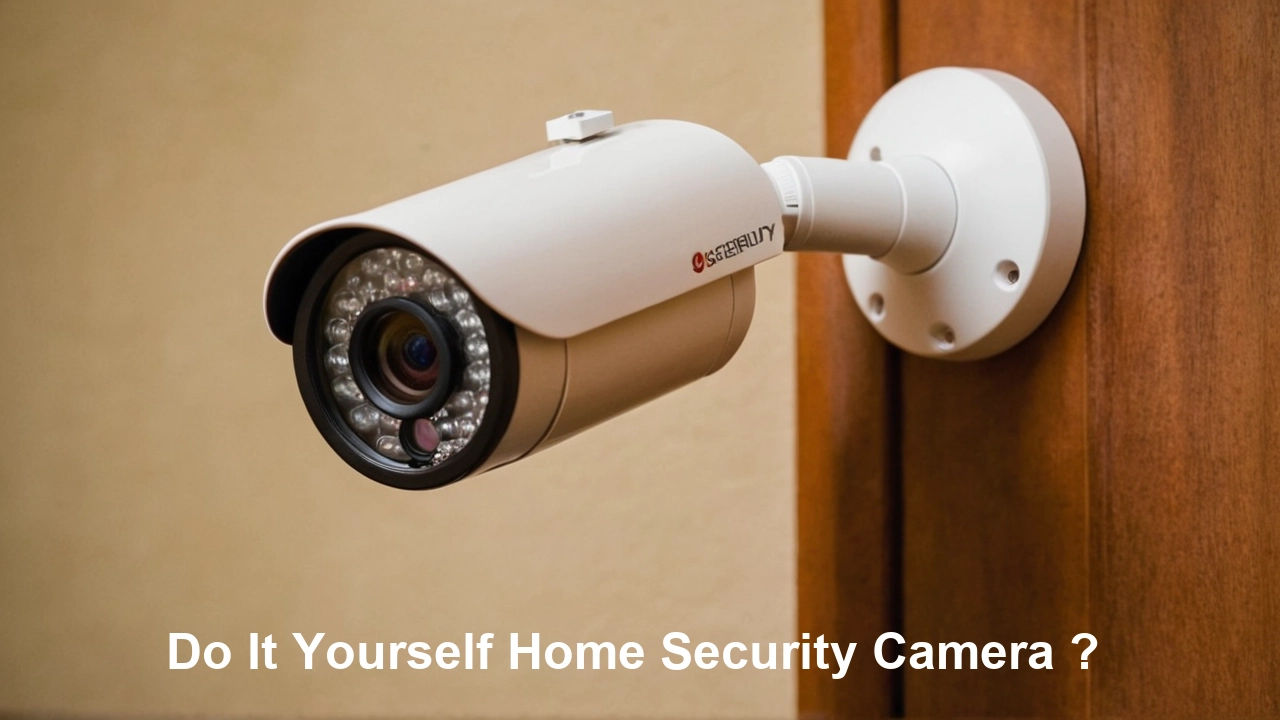
DIY home security cameras, often referred to as do-it-yourself or self-installed security cameras, are surveillance devices that homeowners can purchase and set up themselves without the need for professional installation services. These systems typically consist of individual cameras, a recording method (like cloud storage or a local NVR/DVR), and often a mobile app for remote monitoring and control. They offer a flexible, budget-friendly, and customizable approach to enhancing home security, allowing individuals to tailor their surveillance needs to their specific property and preferences.
The Compelling Advantages of DIY Home Security Cameras
In an era where home security is paramount, the rise of DIY solutions has empowered homeowners to take a proactive stance in protecting their properties. The allure of do-it-yourself home security cameras lies not just in their accessibility but in a host of tangible benefits that resonate with modern homeowners. As we look towards 2025-26, these advantages continue to solidify their position as a preferred choice for many.
Cost-Effectiveness: A Budget-Friendly Approach
One of the most significant draws of DIY security cameras is their inherent cost-effectiveness. Unlike professionally installed systems that often involve substantial upfront installation fees and ongoing monthly service charges, DIY options typically require only the initial purchase of the hardware. While some cloud storage plans might incur a subscription, these are generally more affordable than comprehensive professional monitoring packages. This allows homeowners to allocate their security budget more strategically, focusing on the number and type of cameras that best suit their needs without the burden of recurring professional service fees.
Flexibility and Customization: Tailored to Your Needs
The "do-it-yourself" aspect inherently means unparalleled flexibility. You are not bound by a provider's package deals or limited camera placements. With DIY systems, you can select cameras based on specific features – resolution, night vision capabilities, field of view, motion detection sensitivity, and audio recording. You can also decide precisely where each camera is positioned to cover blind spots or critical entry points. Furthermore, as your needs evolve, you can easily add more cameras, upgrade existing ones, or change recording solutions without needing to consult or pay for a professional installer.
Ease of Installation: Empowering the Homeowner
Manufacturers have invested heavily in making DIY security cameras user-friendly. Modern wireless cameras often feature simple plug-and-play setups, connecting to your home Wi-Fi network through intuitive mobile apps. Many wired systems also come with clear instructions and necessary cabling, making the installation process manageable for individuals with basic technical aptitude. The availability of online tutorials and customer support further demystifies the process, empowering more people to confidently install their own security systems.
Remote Access and Monitoring: Peace of Mind, Anywhere
The integration of smart technology means that most DIY security cameras offer robust remote access capabilities. Through dedicated mobile applications, you can view live feeds from your cameras, receive motion detection alerts, review recorded footage, and even communicate through two-way audio – all from your smartphone or tablet, regardless of your location. This constant connectivity provides invaluable peace of mind, allowing you to check on your home, pets, or family members while you're at work, on vacation, or simply out running errands.
Scalability: Growing with Your Security Needs
Your security requirements today might differ from those in a year or two. DIY systems are inherently scalable. If you initially install a single camera at your front door, you can later expand to include cameras for your backyard, garage, or even indoor common areas. This modular approach ensures that your investment grows with your needs, allowing you to build a comprehensive security network incrementally rather than committing to a large, fixed system from the outset.
Data Privacy Control: Ownership of Your Footage
For many, the ability to control their own data is a significant advantage. While cloud storage offers convenience, some DIY systems also support local storage options, such as microSD cards or Network Video Recorders (NVRs)/Digital Video Recorders (DVRs). This means your video footage is stored on your premises, giving you greater control over who accesses it and reducing reliance on third-party servers. This is particularly appealing for individuals concerned about data privacy and the security of their personal information.
Exploring the Diverse Landscape of DIY Camera Options
The market for DIY home security cameras is vast and continually evolving, offering a wide array of options to suit different needs, budgets, and technical proficiencies. Understanding the various types available is crucial for making an informed decision about your home surveillance setup. For 2025-26, the trends lean towards enhanced resolution, smarter AI capabilities, and more seamless integration into smart home ecosystems.
Wireless vs. Wired Cameras
This is perhaps the most fundamental distinction.
- Wireless Cameras: These cameras connect to your home network via Wi-Fi and often run on batteries or are plugged into a power source. Their primary advantage is ease of installation, as they don't require running Ethernet cables. However, they can be susceptible to Wi-Fi signal strength issues and may require periodic battery charging or replacement.
- Wired Cameras: These cameras connect to your network and power source via cables, typically Ethernet for data and a separate power cable or Power over Ethernet (PoE). While installation is more involved, they offer a more stable and reliable connection, eliminating Wi-Fi interference and the need for battery management. Wired systems often connect to an NVR or DVR for local storage.
Indoor vs. Outdoor Cameras
The environment where a camera will be placed dictates its design and features.
- Indoor Cameras: These are designed for internal use and are typically more discreet. They focus on monitoring activity within the home, such as living areas, hallways, or nurseries.
- Outdoor Cameras: Built to withstand the elements, outdoor cameras are weather-resistant (often with IP ratings like IP65, IP66, or IP67), durable, and usually equipped with robust night vision capabilities to monitor perimeters, driveways, and entry points.
Resolution and Image Quality
The clarity of the video feed is paramount for effective surveillance.
- Standard Definition (SD): Older or very basic models might offer SD resolution (around 480p or 720p), which is generally insufficient for identifying faces or crucial details.
- High Definition (HD): 1080p (Full HD) is the current standard for most good-quality DIY cameras, offering clear and detailed footage.
- Ultra High Definition (UHD/4K): Increasingly common, 4K cameras provide exceptional detail, allowing for significant digital zoom without losing clarity, which is invaluable for identifying individuals or license plates from a distance.
Night Vision Capabilities
Effective surveillance extends beyond daylight hours.
- Infrared (IR) Night Vision: Most cameras use IR LEDs to illuminate the scene in low light, producing black-and-white images. The range and clarity of IR night vision vary significantly between models.
- Color Night Vision: Advanced cameras are now incorporating starlight sensors or ambient light enhancement to provide color footage even in very low light conditions, which can be crucial for identifying details like clothing color.
Field of View (FoV)
This refers to the extent of the area that a camera can capture.
- Narrow FoV (e.g., 60-90 degrees): Suitable for specific points like a doorway or a small area.
- Wide FoV (e.g., 110-180 degrees): Ideal for covering larger areas like a living room or a backyard. Fisheye lenses can offer a 360-degree view but may introduce distortion.
Recording and Storage Options
How and where your footage is stored is a critical consideration.
- Cloud Storage: Footage is uploaded to secure servers over the internet. This offers convenience and accessibility but often requires a subscription fee and relies on your internet connection.
- Local Storage (SD Card): Many cameras have a microSD card slot for on-device recording. This is cost-effective and provides direct control but is susceptible to theft of the camera itself.
- Network Video Recorder (NVR) / Digital Video Recorder (DVR): These are dedicated devices that record footage from multiple cameras, typically wired ones. NVRs are for IP cameras, while DVRs are for older analog cameras. They offer large storage capacities and robust management but represent a higher upfront cost.
Smart Features and AI Detection
The intelligence of a camera system is rapidly advancing.
- Motion Detection: Basic detection triggers recording or alerts when movement is sensed.
- Person Detection: AI algorithms can distinguish between people and other moving objects (like pets or swaying trees), reducing false alarms.
- Package Detection: Some systems can specifically alert you when a package is delivered or removed from your doorstep.
- Facial Recognition: More advanced (and often more expensive) systems can learn to identify familiar faces, distinguishing between family members and strangers.
- Two-Way Audio: Allows for communication with individuals in the camera's vicinity through the mobile app.
Essential Features to Prioritize for Your DIY System
As you embark on selecting the right DIY home security cameras for your needs in 2025-26, certain features stand out as non-negotiable for an effective and reliable system. Beyond the basic functionality, these advanced capabilities significantly enhance the value and performance of your chosen cameras.
High Resolution (1080p or 4K)
While 1080p (Full HD) is still a solid baseline, 4K resolution is becoming increasingly accessible and offers a substantial upgrade. The enhanced detail in 4K footage is invaluable for identifying individuals, reading license plates, and providing clear evidence if an incident occurs. The ability to digitally zoom into 4K footage without significant pixelation is a game-changer for surveillance. For 2025-26, aiming for 4K for primary entry points is a wise investment.
Advanced Night Vision
Effective nighttime surveillance is critical. Look for cameras with superior infrared (IR) night vision that offers a good range and clear, detailed black-and-white images. Even better are cameras with color night vision technology, which utilizes advanced sensors and ambient light to produce color footage in low-light conditions. This can be crucial for distinguishing colors of clothing or vehicles, providing vital identifying information.
Intelligent Motion Detection (AI-Powered)
Standard motion detection can lead to a barrage of false alerts from passing cars, swaying branches, or pets. AI-powered motion detection, specifically person detection, is a must-have for 2025-26. This technology intelligently filters out irrelevant movements, ensuring you only receive notifications for genuine human activity around your property. Some systems even offer package detection, which is particularly useful for homeowners who frequently receive deliveries.
Wide Field of View (FoV)
A wider field of view means fewer cameras are needed to cover the same area. For outdoor perimeter monitoring or large indoor spaces, a camera with a wide FoV (110-150 degrees or more) is highly beneficial. This ensures that critical areas are not missed and provides a more comprehensive overview of your property. For specific narrow entry points, a narrower FoV might be acceptable, but a balance is usually best.
Reliable Connectivity (Wi-Fi 6 or Wired Ethernet)
For wireless cameras, robust Wi-Fi connectivity is essential. Look for cameras that support newer Wi-Fi standards like Wi-Fi 6, which offers improved speed, capacity, and stability, especially in homes with many connected devices. For critical areas or if you experience Wi-Fi dead zones, consider wired Ethernet cameras, which provide the most stable and secure connection. Power over Ethernet (PoE) is a bonus for wired cameras, as it allows both data and power to run through a single Ethernet cable.
Flexible Storage Options (Cloud & Local)
The ideal system offers flexibility in how your footage is stored. While cloud storage provides convenient remote access, it often comes with subscription fees. Local storage options, such as microSD cards or an NVR/DVR, offer a one-time purchase and greater control over your data. The best DIY systems allow for a combination of both, providing a primary local backup with optional cloud archiving for added security and accessibility.
Weather Resistance (for Outdoor Cameras)
If you're installing cameras outdoors, ensure they have an appropriate IP rating (e.g., IP65 or higher) to withstand various weather conditions, including rain, snow, dust, and extreme temperatures. A durable, weather-sealed casing is crucial for the longevity and reliable operation of outdoor security cameras.
Two-Way Audio Communication
The ability to speak and listen through your cameras can be a powerful deterrent and a useful communication tool. Whether you need to greet a visitor, warn off an intruder, or speak to a delivery person, two-way audio adds a significant layer of functionality to your security system.
User-Friendly Mobile App and Interface
The effectiveness of your DIY system hinges on its ease of use. A well-designed, intuitive mobile app is paramount for remote monitoring, receiving alerts, managing settings, and reviewing footage. Check reviews for app stability, responsiveness, and the availability of features like customizable alert zones and recording schedules.
Integration with Smart Home Ecosystems
For those with existing smart home setups (e.g., Amazon Alexa, Google Assistant, Apple HomeKit), compatibility is a key consideration. Integration allows for voice control, automated routines (e.g., turning on lights when motion is detected), and a more cohesive smart home experience. Ensure the cameras you choose are compatible with your preferred smart home platform.
Strategic Planning: Designing Your Ideal DIY Camera Network
Before you purchase a single camera, meticulous planning is the cornerstone of a successful DIY home security camera system. A well-thought-out strategy ensures optimal coverage, avoids common pitfalls, and maximizes the effectiveness of your investment. This planning phase is critical for tailoring the system to your unique property and security concerns.
Assessing Your Security Needs and Vulnerabilities
Begin by walking around your property, both inside and out, and identify potential security vulnerabilities. Consider:
- Entry Points: Front door, back door, patio doors, garage doors, ground-floor windows. These are prime targets for intruders.
- Blind Spots: Areas around your property that are not easily visible from the street or from inside your home.
- High-Value Areas: Where you store valuable items, such as garages, sheds, or home offices.
- Activity Zones: Areas where you want to monitor activity, such as driveways, walkways, or children's play areas.
- Vulnerable Neighbors: If you live in a neighborhood with a history of crime, consider additional coverage.
Determining Camera Placement Strategy
Based on your assessment, map out the ideal locations for your cameras. Aim for comprehensive coverage without unnecessary overlap.
- Exterior: Mount cameras high enough to be out of easy reach but low enough to capture clear details of faces and vehicles. Consider angles that avoid direct sunlight which can cause glare. Cover all entry points and key perimeter areas.
- Interior: Place indoor cameras in common areas like living rooms, hallways, or kitchens. For nurseries or pet monitoring, consider placement that offers a clear view of the entire space. Ensure indoor cameras are positioned discreetly if privacy is a concern.
Choosing the Right Camera Types and Features
Not all cameras are created equal, and the best choice depends on the location and purpose.
- Outdoor Cameras: Prioritize weather resistance, robust night vision, and wide fields of view for perimeter monitoring.
- Indoor Cameras: Focus on discreet design, good resolution, and potentially two-way audio for communication.
- Specific Areas: For driveways, consider cameras with license plate recognition capabilities if available. For areas with frequent deliveries, package detection is a valuable feature.
Evaluating Your Network Infrastructure
Your home's Wi-Fi network is the backbone of most DIY camera systems.
- Wi-Fi Strength: Ensure strong Wi-Fi signals reach all desired camera locations. If not, consider a Wi-Fi extender or a mesh network system.
- Bandwidth: Multiple high-resolution cameras streaming simultaneously can consume significant bandwidth. Check your internet plan's upload speed, as this is crucial for remote viewing and cloud recording.
- Router Capacity: Ensure your router can handle the number of devices you plan to connect.
- Wired Options: If Wi-Fi is unreliable, plan for wired Ethernet connections and consider PoE for simplified wiring.
Selecting a Recording and Storage Solution
Decide how you want to store your footage.
- Cloud Storage: Convenient for remote access, but consider subscription costs and data privacy.
- Local Storage (SD Card/NVR/DVR): Offers more control and avoids recurring fees, but requires managing the storage device. For multiple cameras, an NVR/DVR is often the most practical and cost-effective solution for long-term local storage.
Budgeting for Your System
DIY systems offer a wide price range. Determine your budget upfront. Factor in the cost of cameras, any necessary accessories (e.g., mounts, extensions, SD cards), and potential subscription fees for cloud storage or advanced features. Remember that while the initial investment might be lower than professional systems, quality components are essential for reliability.
Considering Power Sources
How will your cameras be powered?
- Battery-Powered: Offers ultimate flexibility in placement but requires regular battery changes or recharging.
- Plug-in Power Adapters: Requires proximity to a power outlet. Extension cords might be necessary for outdoor placement.
- Power over Ethernet (PoE): For wired cameras, PoE simplifies installation by delivering power and data through a single Ethernet cable, often powered by a PoE-enabled switch or NVR.
Your Comprehensive DIY Camera Installation Blueprint
Installing a DIY home security camera system is an achievable project for most homeowners. By following these steps, you can ensure a smooth and successful setup. This guide focuses on common wireless and wired camera installations.
Step 1: Gather Your Tools and Equipment
Before you begin, ensure you have everything you need:
- Your chosen security cameras
- Mounting hardware (screws, anchors, brackets)
- Power adapters or PoE switch/injector (for wired cameras)
- Ethernet cables (if using wired cameras)
- Drill and drill bits
- Screwdriver set
- Ladder (for outdoor installations)
- Wire strippers and connectors (if needed for custom wiring)
- Cable management tools (zip ties, clips)
- Smartphone or tablet with the camera manufacturer's app installed
- Your home Wi-Fi network name and password
Step 2: Test Cameras and Network Connectivity
It's crucial to test your equipment before permanent installation.
- Unbox and Charge/Power Up: Connect your cameras to power and ensure they are functioning. For battery-powered cameras, ensure batteries are fully charged.
- Connect to Wi-Fi: Follow the manufacturer's instructions to connect each wireless camera to your home Wi-Fi network. This usually involves using the mobile app to scan a QR code or enter network credentials.
- Test Signal Strength: Place the cameras in their intended locations (or nearby) and check the Wi-Fi signal strength within the app. If the signal is weak, you may need to reposition your router, use a Wi-Fi extender, or consider a wired connection.
- Test Wired Connections: For wired cameras, connect them to your NVR/DVR or PoE switch and ensure they are recognized by the system.
Step 3: Mount the Cameras
Once you've confirmed functionality and connectivity, it's time to mount the cameras.
For Wireless Cameras:
- Choose the Location: Select the pre-determined spot based on your planning.
- Mark Mounting Holes: Hold the camera mount or bracket in place and mark the screw hole positions.
- Drill Pilot Holes: Use an appropriate drill bit to create pilot holes. If mounting on drywall, insert wall anchors.
- Secure the Mount: Screw the mounting bracket firmly into the wall or surface.
- Attach the Camera: Connect the camera to the mount. Adjust the angle to achieve the desired field of view.
- Connect Power: Plug in the power adapter or ensure the battery is securely in place.
For Wired Cameras:
- Plan Cable Routes: Determine the path for your Ethernet and power cables. Consider running them through walls, attics, or crawl spaces for a cleaner look.
- Drill Holes: Drill holes for cables where necessary, ensuring they are large enough for the connectors.
- Run Cables: Carefully pull the Ethernet and power cables through the planned routes. Use cable clips or ties to secure them neatly.
- Mount the Camera: Attach the camera to its mounting bracket and secure it to the wall.
- Connect to NVR/PoE: Connect the Ethernet cable to your NVR or PoE switch/injector. Connect the power cable if it's not a PoE setup.
Step 4: Final Adjustments and Aiming
After mounting, fine-tune the camera's position.
- Check Live View: Use the mobile app to view the live feed from each camera.
- Adjust Angle: Pan, tilt, and rotate the camera to ensure it captures the intended area without obstructions or glare.
- Confirm Field of View: Ensure all critical areas are within the camera's view.
Step 5: Secure Cables and Protect from Elements
For outdoor installations, take extra steps to protect your wiring.
- Seal Holes: Use caulk or sealant to weather-proof any holes drilled for cables.
- Protect Connections: Ensure all outdoor connections are protected from moisture. Some cameras come with weather-resistant connectors.
- Tidy Up: Use zip ties or cable management sleeves to keep exposed cables neat and prevent tripping hazards.
Seamless Integration: Setting Up Your DIY Camera System
Once your DIY security cameras are physically installed, the next critical phase is connecting them to your network and configuring their settings. This is where the "smart" aspect of your system comes to life, enabling remote access, alerts, and recording. The process is generally straightforward, guided by the manufacturer's mobile application.
Initial App Setup and Account Creation
Most DIY camera systems require a dedicated mobile application.
- Download the App: Search for your camera brand's app in the Apple App Store or Google Play Store.
- Create an Account: You'll typically need to create a user account, often requiring an email address and password. This account is used to link your cameras and access them remotely.
- Add New Device: Within the app, there will be an option to "Add Device" or "Add Camera." Follow the on-screen prompts.
Connecting Cameras to Your Network
This step varies slightly between wireless and wired systems.
For Wireless Cameras:
This usually involves pairing the camera with your Wi-Fi network via the app.
- Pairing Process: The app will guide you through the pairing. This might involve:
- Scanning a QR code displayed on your phone with the camera.
- Entering your Wi-Fi network name (SSID) and password directly into the app.
- Pressing a sync button on the camera.
- Confirmation: Once connected, the app will confirm that the camera is online and accessible.
For Wired Cameras (NVR/DVR):
If you're using an NVR or DVR, the setup is slightly different.
- Connect NVR/DVR to Network: Connect the NVR/DVR unit to your router using an Ethernet cable.
- Connect Cameras to NVR/DVR: Connect your IP cameras to the NVR's built-in PoE ports or to a separate PoE switch that is then connected to the NVR. For older DVR systems, connect analog cameras using coaxial cables and power cables.
- Initial NVR/DVR Setup: Power on the NVR/DVR and follow its on-screen setup wizard, which will guide you through setting a password, configuring network settings, and detecting connected cameras.
- Access via App/Software: You'll then typically use a mobile app or desktop software provided by the NVR/DVR manufacturer to access the cameras remotely.
Configuring Camera Settings
Once connected, dive into the app's settings to customize your cameras.
- Naming Cameras: Assign descriptive names (e.g., "Front Door," "Backyard," "Living Room") for easy identification.
- Motion Detection Zones: Define specific areas within the camera's view where motion detection should be active. This is crucial for minimizing false alarms (e.g., excluding a busy street if the camera covers it).
- Sensitivity Levels: Adjust the motion detection sensitivity to suit your environment.
- Notification Settings: Choose how and when you want to receive alerts (e.g., push notifications, email alerts). Set schedules for when you want notifications to be active.
- Recording Settings:
- Continuous Recording: Records 24/7. This requires significant storage space.
- Motion-Triggered Recording: Records only when motion is detected. This conserves storage and battery life.
- Scheduled Recording: Records during specific times of the day.
- Image and Video Quality: Select the desired resolution, frame rate, and quality settings. Higher settings provide better detail but consume more bandwidth and storage.
- Night Vision Settings: Configure whether night vision is set to auto, always on, or always off.
- Audio Settings: Enable or disable audio recording and adjust microphone sensitivity. Configure two-way audio if available.
Setting Up Storage (Cloud or Local)
Configure how your footage is stored.
- Cloud Storage: If you've opted for a cloud plan, follow the app's instructions to subscribe and link your cameras to the cloud service.
- Local Storage (SD Card): Insert a compatible microSD card into the camera or NVR/DVR. Format the card through the app or NVR/DVR interface.
- NVR/DVR Configuration: For NVR/DVR systems, ensure the hard drive is properly installed and formatted. Configure recording schedules and storage management settings within the NVR/DVR interface.
Testing and Verification
Before considering the setup complete, thoroughly test everything.
- Trigger Motion: Walk in front of each camera to ensure motion detection is working and you receive alerts.
- Review Footage: Check the recorded footage to confirm it's clear and accurately captured.
- Remote Access Test: Turn off your home Wi-Fi on your phone and try accessing the camera feeds from a cellular network to ensure remote access is functioning correctly.
- Two-Way Audio Test: Test the two-way audio feature by speaking through the app and listening for your voice through the camera.
Keeping Your System Optimal: Ongoing Care and Solutions
A DIY home security camera system, like any technology, requires occasional maintenance and troubleshooting to ensure it operates reliably. Proactive care can prevent minor issues from becoming major problems, ensuring your system continues to provide the security and peace of mind you expect.
Regular Cleaning
Dirt, dust, and cobwebs can accumulate on camera lenses, especially for outdoor units, degrading image quality.
- Frequency: Clean lenses at least quarterly, or more often if your cameras are in dusty or exposed environments.
- Method: Use a soft, lint-free microfiber cloth. For stubborn grime, slightly dampen the cloth with water or a lens-cleaning solution specifically designed for electronics. Never spray liquid directly onto the lens.
- Housing: Wipe down the camera housing to remove debris.
Firmware and Software Updates
Manufacturers frequently release firmware updates for cameras and software updates for their apps and NVR/DVR systems. These updates are crucial for:
- Security Patches: Addressing vulnerabilities that could be exploited by hackers.
- Performance Improvements: Enhancing features, stability, and efficiency.
- New Features: Adding new functionalities or improving existing ones.
Checking Connections and Power
Loose connections or power interruptions are common causes of camera downtime.
- Wired Systems: Periodically inspect Ethernet and power cables for any signs of damage, wear, or loose connections. Ensure PoE injectors or switches are functioning correctly.
- Wireless Systems: Check that power adapters are securely plugged in. For battery-powered cameras, monitor battery levels and replace/recharge them as needed. Ensure Wi-Fi connectivity remains stable.
Network Health
A stable internet connection is vital for remote access and cloud recording.
- Router Performance: Ensure your router is functioning optimally. Consider rebooting it periodically.
- Wi-Fi Signal Strength: If you notice cameras dropping offline, re-evaluate Wi-Fi signal strength in their locations. You might need to reposition your router, add a Wi-Fi extender, or upgrade to a mesh network.
- Internet Speed: Monitor your internet speed to ensure it meets the demands of your camera system, especially if you have multiple high-resolution cameras.
Storage Management
If you're using local storage (SD card or NVR/DVR), manage your storage space effectively.
- SD Cards: Ensure the SD card is properly formatted and functioning. If it's nearing its lifespan, consider replacing it.
- NVR/DVR: Monitor the available storage space. Configure the system to overwrite the oldest footage when storage is full, or manually delete old footage if you have specific retention needs.
Common Troubleshooting Scenarios
Here are solutions for frequent issues:
Camera Offline
- Check Power: Ensure the camera is receiving power.
- Check Network: Verify Wi-Fi signal strength or Ethernet connection. Reboot your router and modem.
- Restart Camera: Power cycle the camera by unplugging it for 30 seconds and plugging it back in.
- Re-pair Camera: For wireless cameras, you may need to re-pair it with your Wi-Fi network.
Poor Image Quality (Blurry, Pixelated)
- Clean Lens: As mentioned above, clean the camera lens.
- Check Resolution Settings: Ensure the camera is set to the desired resolution in the app.
- Network Issues: Poor network performance can lead to pixelation.
- Low Light: Ensure night vision is functioning correctly or consider adding supplemental lighting.
False Motion Alerts
- Adjust Motion Zones: Refine the motion detection zones in the app to exclude irrelevant areas.
- Adjust Sensitivity: Lower the motion detection sensitivity.
- Check for Environmental Factors: Ensure branches, shadows, or reflections aren't triggering the sensor.
No Recording
- Check Storage: Ensure your SD card is inserted and formatted, or that your NVR/DVR has sufficient space and is configured for recording.
- Verify Recording Settings: Confirm that motion-triggered or continuous recording is enabled in the app.
- Check SD Card Health: If using an SD card, it might be corrupted or full.
App Not Connecting Remotely
- Check Internet: Ensure your home internet is working.
- Check Server Status: Occasionally, the manufacturer's cloud servers might be experiencing issues. Check their status page if available.
- Log Out and Back In: Try logging out of the app and logging back in.
- Update App: Ensure you have the latest version of the mobile app.
DIY vs. Professional Installation: A 2025-26 Comparison
The decision between a DIY home security camera system and a professionally installed one is a significant one for homeowners. As we move further into 2025-26, both options have evolved, offering distinct advantages and disadvantages. Understanding these differences is key to making the choice that best aligns with your budget, technical comfort level, and security needs.
Cost Considerations
DIY Systems:
- Upfront Cost: Generally lower. You pay for the hardware (cameras, NVR/DVR if applicable).
- Ongoing Costs: Minimal, often limited to optional cloud storage subscriptions. No installation fees.
- Long-Term Savings: Significant savings over time due to the absence of monthly service fees and installation charges.
Professional Systems:
- Upfront Cost: Higher, includes equipment, installation labor, and often an activation fee.
- Ongoing Costs: Typically involves monthly monitoring and service fees, which can add up significantly over the years.
- Bundled Services: Often include professional monitoring, which can be a significant selling point for some users.
Installation Complexity and Time
DIY Systems:
- Installation: Requires homeowner effort. Can range from very simple (wireless cameras) to moderately complex (running wires for wired systems).
- Time Commitment: Varies based on the number of cameras and system type, from a few hours to a full day.
- Technical Skill: Basic to moderate technical aptitude is beneficial, especially for wired systems or troubleshooting.
Professional Systems:
- Installation: Handled by trained technicians, ensuring proper placement and setup.
- Time Commitment: Technicians manage the installation process, typically completing it within a few hours.
- Technical Skill: No technical skill required from the homeowner.
Flexibility and Customization
DIY Systems:
- Customization: High. You choose exactly which cameras, features, and placement you want. Easy to add or upgrade components later.
- Brand Choice: Wide variety of brands and models to choose from, allowing for specific feature selection.
Professional Systems:
- Customization: Limited to the packages and equipment offered by the service provider. Adding components often requires scheduling a technician.
- Brand Choice: Usually restricted to the provider's proprietary equipment.
Features and Technology
DIY Systems:
- Innovation: Rapid adoption of new technologies (AI detection, 4K resolution, smart home integration) often appears first in the DIY market due to less hardware lock-in.
- Smart Home Integration: Many DIY systems offer excellent compatibility with platforms like Alexa, Google Assistant, and HomeKit.
Professional Systems:
- Proprietary Tech: May use specialized or proprietary technology that is tightly integrated but less open to third-party devices.
- Integration: Smart home integration varies by provider; some are excellent, others more limited.
Monitoring and Support
DIY Systems:
- Monitoring: Primarily self-monitoring through mobile apps. Alerts are sent to your phone.
- Support: Varies by manufacturer; typically online FAQs, email, or phone support. No professional monitoring service.
Professional Systems:
- Monitoring: Often include 24/7 professional monitoring services that can dispatch authorities in case of an alarm.
- Support: Dedicated customer support and technical assistance from the provider.
Data Privacy and Control
DIY Systems:
- Control: Greater control over data, especially with local storage options (SD card, NVR/DVR). Cloud storage options offer convenience but rely on third-party servers.
Professional Systems:
- Control: Data is typically managed by the service provider. Privacy policies vary.
Summary Table (2025-26 Outlook):
| Feature | DIY Home Security Cameras | Professionally Installed Systems |
|---|---|---|
| Initial Cost | Lower | Higher |
| Ongoing Costs | Minimal (optional cloud) | Higher (monthly fees) |
| Installation | Self-installed | Professional |
| Flexibility | High | Limited |
| Monitoring | Self-monitoring | Professional (optional) |
| Technology Adoption | Fast | Slower (provider dependent) |
Navigating the Legal and Privacy Landscape of Home Surveillance
While installing DIY home security cameras offers significant benefits, it's essential to be aware of the legal and privacy considerations involved. Responsible use ensures compliance with laws and respects the privacy of others, preventing potential legal issues and maintaining good neighborly relations. For 2025-26, privacy concerns continue to be at the forefront of public and legislative attention.
Recording Audio
Laws regarding audio recording vary significantly by jurisdiction.
- One-Party Consent: In many places, it is legal to record audio if at least one party to the conversation consents. This often means you can record conversations that occur on your property without informing everyone involved, as you are a party to the conversation.
- Two-Party Consent: Other jurisdictions require the consent of all parties involved in a conversation to legally record it. This is a stricter standard.
Recording Public Areas
Cameras should primarily be used to monitor your private property.
- Neighboring Properties: Avoid pointing cameras directly into your neighbors' windows, yards, or private spaces. This can be considered an invasion of privacy and may have legal repercussions.
- Public Sidewalks/Streets: While monitoring your own entryway is standard, excessive recording of public areas might raise privacy concerns. Focus on capturing activity directly related to your property's security.
Data Security and Storage
Protecting your recorded footage is as important as capturing it.
- Strong Passwords: Use strong, unique passwords for your camera accounts, Wi-Fi network, and NVR/DVR systems. Enable two-factor authentication whenever possible.
- Firmware Updates: Keep your camera firmware and associated apps updated to patch security vulnerabilities.
- Cloud Security: If using cloud storage, understand the provider's security measures and privacy policy.
- Local Storage Security: If using local storage (SD card, NVR/DVR), ensure the device is physically secured and protected from theft.
Disclosure to Visitors and Residents
Transparency is key, especially for individuals who regularly enter your home.
- Guests: While not always legally required, it's good practice to inform guests that security cameras are in use, especially if they are in common areas.
- Renters/Housemates: If you rent out a property or have housemates, clear agreements and disclosures about camera usage are essential and often legally mandated.
Children's Privacy
Be particularly mindful of privacy when children are involved.
- Nursery Cameras: If using indoor cameras in children's rooms, ensure they are used responsibly and that access to footage is strictly controlled.
- School-Aged Children: Discuss camera usage with older children and ensure their privacy is respected within reasonable limits for security.
Compliance with Local Ordinances
Some municipalities or homeowner associations may have specific rules regarding the installation and operation of surveillance equipment. Recommendation: Before installation, it's advisable to check with your local government or HOA for any relevant regulations.
By understanding and adhering to these legal and privacy guidelines, you can deploy your DIY home security camera system responsibly, ensuring it serves its purpose effectively while respecting the rights and privacy of others.
Conclusion
Embracing a DIY home security camera system in 2025-26 offers a powerful, adaptable, and cost-effective way to safeguard your property. From the significant savings on installation and monthly fees to the unparalleled flexibility in choosing features and placement, the advantages are clear. We've explored the diverse types of cameras available, highlighted essential features like 4K resolution and AI motion detection, and provided a comprehensive guide to planning and installation. Remember, meticulous planning, understanding your network's capabilities, and configuring settings wisely are crucial for optimal performance. While professional systems offer monitoring services, the control, customization, and long-term value of a DIY setup are increasingly appealing. By staying informed about legal and privacy considerations, you can ensure your system is both effective and responsible. Take the proactive step today to enhance your home's security with a system tailored precisely to your needs.