Considering DIY surveillance cameras offers a compelling blend of cost savings, customization, and enhanced privacy. This guide delves into whether building your own security system is feasible and beneficial for your needs, covering everything from component selection to setup and maintenance in 2025-26.
DIY Surveillance Cameras vs. Professional Systems: A 2025-26 Overview
The decision between a do-it-yourself (DIY) surveillance camera setup and a professionally installed system is a significant one for homeowners and businesses alike. In 2025-26, the market offers an unprecedented array of options, blurring the lines between consumer-grade DIY solutions and entry-level professional installations. Professional systems, often provided by established security companies, typically involve a higher upfront cost but come with expert installation, dedicated support, and often integrated monitoring services. They can offer robust, scalable solutions for complex needs. However, DIY surveillance cameras have surged in popularity due to their affordability, flexibility, and the growing ease of setup. Users can select individual components, tailor the system precisely to their requirements, and avoid ongoing subscription fees for basic functionality. The primary distinction often lies in the level of technical expertise required, the scalability, and the integrated support network. For many, the question isn't just about cost, but about control, customization, and the satisfaction of building their own security solution.
The Undeniable Advantages of DIY Surveillance Cameras
Opting for a DIY surveillance camera system in 2025-26 presents a compelling case for many individuals and small businesses. The most prominent advantage is undoubtedly cost-effectiveness. By purchasing individual components and performing the installation yourself, you bypass the labor costs and markups associated with professional installers. This can lead to savings of hundreds, if not thousands, of dollars, especially for larger or more complex setups. Beyond the initial financial savings, DIY systems offer unparalleled customization. You are not limited by pre-packaged kits. Instead, you can select cameras with specific features – be it resolution, night vision capabilities, field of view, or weatherproofing – that perfectly match your unique security needs and budget. This granular control allows you to prioritize coverage for vulnerable areas, such as entry points or driveways, without paying for features you don't require.
Another significant benefit is privacy. With a DIY system, particularly one that uses local storage (like an NVR or SD card) rather than cloud-based services, you maintain greater control over your footage. This can be a crucial consideration for individuals concerned about data security and potential breaches. Furthermore, the setup process itself can be a rewarding learning experience, empowering users with a deeper understanding of their security infrastructure. The flexibility to expand or modify your system over time is also a major draw. As your needs evolve or as new technologies emerge, you can easily add more cameras, upgrade existing ones, or change storage solutions without being locked into a proprietary system. The sheer accessibility of information and readily available components in 2025-26 makes starting a DIY project more feasible than ever before.
Navigating the Hurdles: Challenges of DIY Security Cameras
While the allure of DIY surveillance cameras is strong, it's crucial to acknowledge the potential challenges. The primary hurdle for many is the technical aspect. Setting up cameras, configuring network settings, and ensuring proper connectivity can be daunting for individuals with limited technical expertise. This includes understanding IP addresses, port forwarding (if applicable), and network security protocols. Incorrect setup can lead to unreliable performance, security vulnerabilities, or footage that is inaccessible when you need it most. The initial investment in time and effort is also a significant factor. Researching components, planning the layout, and the physical installation process can be time-consuming. Unlike professional installations that are typically completed in a day or two, a DIY project can stretch over weekends or require multiple dedicated sessions.
Troubleshooting can also be a significant challenge. When something goes wrong – a camera drops offline, footage is corrupted, or the system is sluggish – you are your own IT department. Identifying the root cause and finding a solution often requires patience, research, and a willingness to experiment. Compatibility issues between different brands or components can also arise, leading to frustration and potentially requiring the purchase of additional adapters or specific software. Furthermore, while DIY can save money upfront, the cost of tools, mounting hardware, and potential mistakes can add up. Finally, the warranty and support structure for DIY systems are often less robust than for professionally installed ones. You might be dealing with individual manufacturer warranties rather than a single point of contact for comprehensive support.
Essential Planning for Your DIY Surveillance Camera Setup
A well-planned DIY surveillance camera system is the foundation for success. Before purchasing any hardware, it's critical to define your objectives. What areas do you need to monitor? What level of detail is required (e.g., facial recognition, license plate capture)? What are your budget constraints? Understanding these fundamental questions will guide your component selection and system design. Consider the environment where the cameras will be installed. Will they be indoors or outdoors? Do they need to withstand extreme weather conditions, dust, or vandalism? Outdoor cameras require weatherproofing (IP ratings), while indoor cameras might prioritize discreet design or pan-tilt functionality. Lighting conditions are also paramount. For areas with poor lighting or complete darkness, cameras with excellent night vision capabilities, including infrared (IR) illumination, are essential. Some advanced cameras also feature color night vision, which provides more detail in low-light scenarios.
Network infrastructure is another critical planning element. How will your cameras connect to your network? Wired connections (Ethernet) generally offer more stable and secure performance than wireless (Wi-Fi) connections, but they require running cables. If opting for Wi-Fi, ensure you have a strong and reliable signal strength in all camera locations. Consider the number of cameras and the bandwidth they will consume, especially if you have a limited internet plan. Powering the cameras is also a key consideration. Most cameras use AC adapters, but Power over Ethernet (PoE) is a popular and efficient solution for wired systems, as it delivers both data and power through a single Ethernet cable, simplifying installation and reducing clutter. Finally, determine your storage needs. How much footage do you want to retain, and for how long? This will influence your choice between local storage (NVR/DVR, SD cards) or cloud storage solutions, each with its own cost and accessibility implications. A thorough site survey, even a simple sketch of your property with camera placement marked, can be incredibly beneficial.
Deconstructing the DIY Surveillance Camera: Core Components
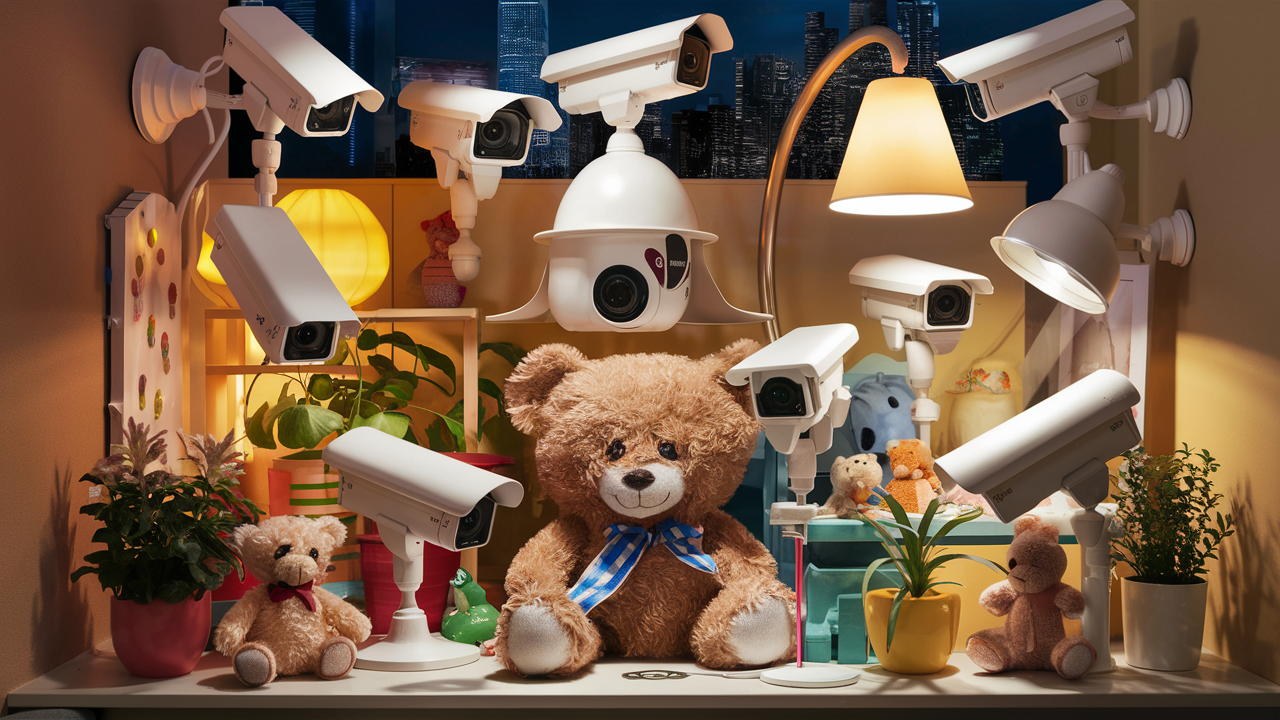
Building a DIY surveillance system involves understanding the function of each key component. At its heart are the cameras themselves. These vary widely in type, resolution, lens, and features. Common types include bullet cameras (fixed, visible), dome cameras (discreet, often vandal-resistant), turret cameras (a hybrid of bullet and dome), and PTZ (Pan-Tilt-Zoom) cameras for dynamic coverage. Resolution is measured in megapixels (MP) or pixels (e.g., 1080p, 4K), with higher resolutions offering greater detail. The lens determines the field of view – wide-angle lenses cover more area, while telephoto lenses offer a narrower, more focused view.
The Network Video Recorder (NVR) or Digital Video Recorder (DVR) is the central hub for recording and managing footage from your cameras. For IP (Internet Protocol) cameras, an NVR is used. It connects to your network and receives video streams from the cameras. For analog or older HD-TVI/CVI/AHD cameras, a DVR is used, which connects directly to cameras via coaxial cables. The NVR/DVR typically houses hard drives for local storage. Alternatively, some systems rely on SD cards installed directly in the cameras for local recording, offering a simpler, albeit potentially limited, storage solution.
Cabling is essential for connecting cameras to the NVR/DVR or network. For IP cameras, this is usually Ethernet cable (Cat5e or Cat6). For analog systems, it's coaxial cable. Power cables are also required unless using PoE or battery-powered cameras. Power supplies, such as AC adapters or PoE switches/injectors, are needed to power the cameras. A router and internet connection are crucial for remote access and cloud features. Finally, mounting hardware (brackets, screws) and potentially tools for installation (drills, ladders) are necessary for physically securing the cameras.
Choosing the Right DIY Surveillance Cameras for Your Needs
Selecting the appropriate DIY surveillance cameras is critical for effective monitoring. The market in 2025-26 offers a diverse range, each with specific applications:
- Bullet Cameras: These are typically mounted externally and are highly visible, acting as a deterrent. They come in various resolutions and often feature IR night vision. Their fixed nature makes them ideal for monitoring specific points like doorways or gates.
- Dome Cameras: Often preferred for their discreet appearance and vandal-resistant housings, dome cameras are suitable for both indoor and outdoor use. They can offer wider fields of view and are less conspicuous than bullet cameras, making them good for retail or office environments.
- Turret Cameras: A popular hybrid, turret cameras offer a balance between the visibility of bullet cameras and the discreetness of dome cameras. They are generally easier to adjust and maintain than dome cameras and often have better IR performance due to their design.
- PTZ (Pan-Tilt-Zoom) Cameras: These cameras offer remote control over their movement and zoom capabilities, allowing users to actively scan an area or focus on specific details. They are more expensive but provide dynamic coverage for large areas like parking lots or expansive yards.
- Wireless (Wi-Fi) Cameras: These cameras connect to your network via Wi-Fi, simplifying installation as they don't require Ethernet cabling. However, their performance is dependent on Wi-Fi signal strength and can be more susceptible to interference.
- PoE (Power over Ethernet) Cameras: These are wired IP cameras that receive both data and power through a single Ethernet cable, simplifying installation and ensuring a stable connection. They are a preferred choice for reliability.
- Specialty Cameras: This category includes fisheye cameras (360-degree view), doorbell cameras (integrating video with your doorbell), and cameras with advanced analytics like facial recognition or license plate recognition (LPR).
When choosing, consider resolution (1080p is standard, 2K or 4K for greater detail), field of view (wider for general surveillance, narrower for specific points), night vision range (how far the IR can see), and IP rating for weatherproofing if used outdoors. Compatibility with your chosen NVR/DVR or software platform is also paramount. Open standards like ONVIF ensure better interoperability between different brands.
Camera Resolution and Image Quality
In 2025-26, 1080p (Full HD) resolution has become the baseline for decent surveillance, offering clear images for identifying individuals and general activity. However, for more critical applications where fine details are crucial, such as license plate recognition or identifying faces from a distance, higher resolutions like 2K (1440p) or 4K (2160p) are increasingly accessible and recommended. Higher resolution means more pixels, which translates to sharper images and the ability to zoom in digitally without significant loss of quality. Factors like sensor size, lens quality, and image processing also contribute to overall image quality, especially in challenging lighting conditions. Look for cameras with good low-light performance, often indicated by a low lux rating (the lower, the better).
Night Vision Capabilities
Effective surveillance doesn't stop when the sun goes down. Night vision is a critical feature for most DIY camera systems. Infrared (IR) LEDs are commonly used to illuminate the scene in darkness, producing a black-and-white image. The range of the IR LEDs (measured in meters or feet) dictates how far the camera can "see" in complete darkness. For areas with some ambient light, cameras with good low-light sensitivity can produce usable color images even at night. Advanced features like "Starlight" or "ColorVu" technology are becoming more common, offering significantly improved color reproduction in very low light conditions, which can be invaluable for identification.
Field of View and Lens Type
The field of view (FOV) determines how much of an area a camera can capture. This is dictated by the lens. Wide-angle lenses (e.g., 2.8mm, 4mm) offer a broad FOV, ideal for covering large areas like backyards or living rooms. Narrower lenses (e.g., 6mm, 8mm) provide a more focused, telephoto view, useful for monitoring specific points like entryways from a distance. Varifocal lenses allow for adjustable zoom, offering flexibility in installation. When planning your camera placement, consider the FOV to ensure you cover the desired areas without excessive overlap or blind spots. For instance, a single wide-angle camera might cover a whole room, while two narrower-angle cameras might be needed to cover a long driveway.
Storing Your Footage: DIY Surveillance Camera Storage Options
The way you store your surveillance footage is a critical aspect of any DIY system. In 2025-26, several viable options exist, each with its own pros and cons:
- Network Video Recorder (NVR) / Digital Video Recorder (DVR): These are dedicated hardware devices that connect to your cameras (NVR for IP, DVR for analog) and house one or more hard drives for continuous recording. They offer robust storage, often allowing for weeks or months of footage depending on the drive capacity and camera settings. NVRs also act as a central management point for your cameras, simplifying remote access and configuration.
- MicroSD Cards: Many modern IP cameras have a built-in microSD card slot, allowing for direct, local recording. This is a simple and cost-effective solution for individual cameras or as a backup in case the main recording system fails. However, storage capacity is limited, and the cards can be susceptible to failure or theft if the camera is compromised.
- Cloud Storage: Numerous manufacturers offer cloud storage plans, where footage is uploaded to remote servers. This provides excellent off-site backup and accessibility from anywhere with an internet connection. However, it typically involves recurring subscription fees, requires a stable internet connection with sufficient upload bandwidth, and raises privacy concerns for some users.
- Network Attached Storage (NAS): A NAS device is a more versatile storage solution that can be used for various purposes, including surveillance recording. Many NAS devices have dedicated surveillance software or support third-party applications, allowing them to function as an NVR. This offers flexibility and scalability, but requires more technical expertise to set up and manage.
The choice of storage depends on your budget, desired retention period, and technical comfort level. For comprehensive, long-term storage, an NVR with large hard drives is often the best DIY solution. For basic backup or individual camera recording, microSD cards or cloud services might suffice. It's also common to use a hybrid approach, with an NVR for primary storage and microSD cards as a fail-safe.
NVR and DVR Systems
NVRs and DVRs are the workhorses of many DIY surveillance setups. An NVR is designed for IP cameras, connecting to them over your network. It receives digital video streams and records them to internal hard drives. The capacity of the NVR is determined by the number of hard drive bays and the size of the drives installed. For example, a system with two 4TB hard drives can store a significant amount of footage. DVRs are older technology, designed for analog cameras, and connect to cameras via coaxial cables. They convert the analog signal to digital for recording. When choosing an NVR/DVR, ensure it supports the number of cameras you plan to use, the resolution of those cameras, and offers features like remote viewing and motion detection recording.
Cloud vs. Local Storage
The debate between cloud and local storage is ongoing. Local storage (NVR, DVR, microSD) offers greater privacy and control over your data, with no recurring fees beyond the initial hardware purchase. However, it's vulnerable to physical damage or theft of the recording device. Cloud storage provides off-site backup, ensuring your footage is safe even if your property is compromised. It also offers convenient access from any internet-connected device. The downsides are the ongoing subscription costs, reliance on internet connectivity, and potential privacy concerns about data being stored by a third party. Many users opt for a hybrid approach: using an NVR for continuous local recording and a cloud service for critical event clips or as an off-site backup.
Step-by-Step: Installing Your DIY Surveillance Cameras
Installing DIY surveillance cameras requires careful execution. Here's a general step-by-step guide:
- Plan Your Layout: Based on your earlier planning, determine the exact placement of each camera. Mark the locations and consider the best angles for coverage.
- Run Cables: If using wired cameras, run Ethernet or coaxial cables from each camera location back to your NVR/DVR or network switch. This is often the most time-consuming part and may require drilling through walls or ceilings. Ensure cables are protected from the elements if routed outdoors.
- Mount Cameras: Securely mount the cameras using appropriate hardware. Ensure they are positioned to capture the desired view and are not easily accessible for tampering.
- Connect Cameras: Connect the cables to the cameras and to the NVR/DVR or network switch. If using PoE, connect cameras to a PoE-enabled switch or use PoE injectors.
- Connect NVR/DVR: Connect the NVR/DVR to your router using an Ethernet cable. Connect a monitor and mouse for initial setup if required.
- Power Up: Connect power to the cameras (if not using PoE) and the NVR/DVR.
- Initial Configuration: Turn on the NVR/DVR and follow the on-screen prompts for initial setup. This usually involves setting a strong administrator password, configuring network settings, and formatting the hard drives.
- Camera Detection and Setup: The NVR/DVR should detect connected cameras. You may need to manually add cameras or enter their IP addresses. Configure recording schedules, motion detection zones, and other settings.
- Remote Access Setup: Configure your NVR/DVR for remote viewing. This often involves setting up a DDNS (Dynamic DNS) service or using the manufacturer's P2P (peer-to-peer) connection service. Download the mobile app or desktop software.
- Testing: Thoroughly test each camera to ensure it's recording, the image quality is good, and remote access is functioning correctly. Adjust camera angles as needed.
Remember to consult the specific manuals for your chosen hardware, as steps can vary significantly between brands and models.
Choosing Camera Locations
Strategic placement is key to effective surveillance. For exterior coverage, focus on entry points like front doors, back doors, garage doors, and ground-floor windows. Consider areas prone to theft or vandalism, such as driveways, side yards, and gates. For interior coverage, high-traffic areas like living rooms, hallways, and kitchens are common choices. Avoid placing cameras directly facing windows where glare can be an issue, and be mindful of privacy laws regarding areas like bathrooms or bedrooms. Ensure cameras have a clear line of sight to their intended targets and consider potential obstructions like trees or furniture. The goal is to create overlapping fields of view where possible to eliminate blind spots.
Wiring and Power Considerations
For wired systems, Ethernet cabling (Cat5e or Cat6) is standard for IP cameras. If your NVR/DVR supports PoE, you can use a PoE switch to power cameras through the Ethernet cable, simplifying installation and reducing the need for separate power outlets near each camera. If your NVR/DVR doesn't support PoE, you'll need to run separate power cables or use PoE injectors. For outdoor installations, ensure all cabling is weather-resistant and properly sealed to prevent water ingress. Wireless cameras simplify wiring but require a strong Wi-Fi signal and a nearby power source unless they are battery-powered, which necessitates periodic battery changes.
Network Configuration and Remote Access
Setting up remote access is crucial for monitoring your cameras when you're away. This typically involves configuring your NVR/DVR to connect to your network and then to the internet. Many manufacturers provide mobile apps or desktop software that facilitate this process, often using P2P technology which simplifies port forwarding. You may need to create an account with the manufacturer. For more advanced users, setting up a DDNS service allows you to access your system using a domain name instead of a dynamic IP address. Ensure your router's firewall is configured correctly to allow necessary traffic for remote access, but be cautious not to create security vulnerabilities.
Enhancing Your DIY System: Advanced Features and Integrations
Beyond basic recording, modern DIY surveillance systems can be enhanced with advanced features and integrations. Motion detection is standard, allowing cameras to record only when movement is detected, saving storage space and making it easier to review footage. More sophisticated systems offer person detection or vehicle detection, reducing false alarms caused by swaying trees or passing animals. Two-way audio, found on many modern cameras, allows for real-time communication through the camera's speaker and microphone, useful for deterring intruders or communicating with visitors.
AI-powered analytics are becoming increasingly accessible. These can include facial recognition, license plate recognition (LPR), and object counting. While advanced LPR might still be the domain of professional systems, basic facial recognition for identifying known individuals is appearing in some DIY solutions. Integration with other smart home devices is also a growing trend. For example, you could set up your cameras to trigger lights or alarms when motion is detected, or to integrate with smart assistants like Amazon Alexa or Google Assistant for voice control. Some systems support IFTTT (If This Then That) applets, allowing for complex automation routines. For those with higher technical skills, integrating cameras into existing home automation platforms like Home Assistant can unlock immense customization potential.
Motion Detection and Alerts
Motion detection is a cornerstone feature of modern surveillance. Instead of recording 24/7, cameras can be configured to start recording when they sense movement. This significantly conserves storage space and makes reviewing footage more efficient. Advanced systems allow you to define specific motion detection zones within the camera's field of view, so you only receive alerts for movement in critical areas (e.g., your front porch, not a busy street). Many systems also offer push notifications to your smartphone or email alerts when motion is detected, allowing you to respond quickly to potential security events.
Two-Way Audio and Smart Integrations
The inclusion of two-way audio on many DIY cameras transforms them from passive recording devices into interactive security tools. This feature allows you to speak and listen through the camera, enabling you to communicate with delivery personnel, deter potential intruders with your voice, or even check in on pets. Smart integrations are also expanding rapidly. Many Wi-Fi cameras can connect to your home network and integrate with smart home ecosystems. This means you could, for example, have your lights turn on automatically when motion is detected by a camera, or ask your smart speaker to show you the live feed from a specific camera. Compatibility with platforms like Google Home, Amazon Alexa, and Apple HomeKit is becoming increasingly common.
AI-Powered Analytics
Artificial intelligence is revolutionizing DIY surveillance. Beyond basic motion detection, AI-powered analytics can differentiate between people, vehicles, animals, and even package deliveries. This intelligent filtering dramatically reduces false alarms, ensuring you're only notified of events that truly matter. Some higher-end DIY cameras are beginning to incorporate basic facial recognition, allowing you to tag known individuals and receive alerts only when an unfamiliar face is detected. While sophisticated LPR systems remain largely in the professional realm, the capabilities of AI in consumer-grade devices are rapidly advancing, offering more intelligent and proactive security solutions.
Maintenance and Troubleshooting
Even the best DIY surveillance systems require ongoing maintenance to ensure optimal performance. Regularly check that all cameras are online and recording. Clean camera lenses periodically to remove dust, dirt, or spiderwebs that can degrade image quality. For outdoor cameras, inspect them for any signs of damage or wear, especially after harsh weather. If using an NVR/DVR, ensure the hard drive is functioning correctly and that there's sufficient free space. Firmware updates for cameras and NVRs/DVRs are crucial for security and performance improvements; check for and install these updates regularly. If using cloud storage, ensure your subscription is active and your internet connection is stable.
Troubleshooting common issues involves a systematic approach. If a camera is offline, check its power connection and network cable (if wired). For Wi-Fi cameras, ensure the Wi-Fi signal is strong and the camera is still connected to the network. Rebooting the camera, the NVR/DVR, and your router can often resolve temporary glitches. If image quality is poor, check for lens obstructions or adjust camera focus. If remote access isn't working, verify your internet connection, router settings, and the NVR/DVR's network configuration. Online forums and manufacturer support websites are invaluable resources for diagnosing and resolving specific issues. Remember to always back up your system configuration before making significant changes.
Routine Checks and Cleaning
Regular maintenance is key to longevity. Schedule weekly or bi-weekly checks to ensure all cameras are operational. Verify that recordings are being made and that footage is accessible. For outdoor cameras, inspect lenses for dirt, smudges, or obstructions like leaves or cobwebs. A soft, lint-free cloth dampened with water or lens cleaner can be used for cleaning. For indoor cameras, dust buildup can also affect image quality. Ensure cables are secure and free from damage, especially if they are exposed to the elements or foot traffic.
Firmware Updates and Security Patches
Manufacturers regularly release firmware updates for cameras, NVRs/DVRs, and associated software. These updates often include critical security patches to protect your system from vulnerabilities, as well as performance enhancements and new features. It's essential to check for and install these updates promptly. Most modern devices offer automatic update options, but it's wise to verify that they are enabled or to manually check periodically. Neglecting firmware updates can leave your DIY surveillance system exposed to cyber threats, making it a target for hackers.
Common Troubleshooting Steps
When issues arise, a methodical approach is best.
- Check Power: Ensure all devices have power.
- Verify Network Connectivity: For wired systems, check cable connections. For wireless, ensure the Wi-Fi signal is strong and the camera is connected. Reboot your router.
- Restart Devices: Power cycle your cameras, NVR/DVR, and router.
- Check Software/App: Ensure the mobile app or desktop software is up to date.
- Consult Manuals/Forums: Refer to your device manuals or online support communities for specific error messages or symptoms.
- Test Individual Components: If possible, test cameras individually to isolate the problem.
Understanding the Legal and Privacy Landscape of DIY Surveillance
While the freedom to install your own surveillance cameras is appealing, it's crucial to be aware of the legal and privacy implications. Laws regarding surveillance vary significantly by region, state, and even city. Generally, you are permitted to record areas within your private property, such as your yard, driveway, and the interior of your home. However, recording public spaces or neighboring properties without consent is often illegal and can lead to significant penalties. Be particularly cautious about recording audio, as laws surrounding audio surveillance are often stricter than those for video.
It's advisable to avoid pointing cameras directly into neighboring windows or private yards. Consider installing "No Trespassing" signs if your property is large or if you have extensive camera coverage, as this can serve as a deterrent and a legal defense. When installing cameras in a business setting, employee privacy must be respected, and signage informing employees of surveillance is typically required. For shared living spaces like apartment buildings, consent from other residents may be necessary. Educating yourself on local regulations is paramount to avoid legal entanglements. The ethical use of surveillance technology also extends to how you store and share footage; ensure you protect sensitive data and only share it when legally required or absolutely necessary.
Recording Audio vs. Video
The legal landscape for audio recording is significantly different and often more restrictive than for video recording. In many jurisdictions, it is illegal to record conversations without the consent of at least one party (one-party consent) or all parties involved (two-party consent). While many DIY cameras come with microphones for two-way audio communication, using them for continuous audio surveillance without proper consent can lead to legal trouble. It's generally safer to disable audio recording on cameras that are not explicitly used for two-way communication unless you are fully aware of and compliant with your local audio recording laws.
Privacy Laws and Neighbor Relations
Respecting your neighbors' privacy is paramount. Avoid positioning cameras so they capture activities within their homes or private yards. If your cameras have a wide field of view that inadvertently captures a portion of a neighbor's property, consider adjusting the angle or using privacy masking features if available. Open communication with neighbors about your security measures can go a long way in fostering good relations. Informing them that you're installing cameras for your own security, and assuring them that you're mindful of their privacy, can prevent misunderstandings and potential disputes. In some areas, posting signs indicating that the property is under video surveillance is legally required and also serves as a clear communication to visitors and neighbors.
The Evolving Landscape: The Future of DIY Surveillance Cameras
The trajectory of DIY surveillance cameras in 2025-26 and beyond points towards increasing intelligence, seamless integration, and enhanced user-friendliness. We can expect to see further advancements in AI capabilities, leading to more accurate detection of threats and fewer false alarms. Features like predictive analytics, which might anticipate potential security breaches based on patterns of activity, could emerge. The push towards greater interoperability will likely continue, with open standards making it easier to mix and match components from different manufacturers. Wireless technology will also evolve, offering more robust and secure connections with longer ranges and lower power consumption, potentially leading to more sophisticated battery-powered or even energy-harvesting cameras.
The integration with smart home ecosystems will become even deeper, with surveillance systems acting as a central node for broader home automation and security. Expect more intuitive mobile apps and web interfaces that simplify setup, management, and remote access. Furthermore, as cybersecurity threats become more sophisticated, manufacturers will place an even greater emphasis on securing DIY systems against hacking and unauthorized access. The cost of advanced features will likely continue to decrease, making high-resolution cameras, advanced analytics, and robust storage solutions more accessible to the average consumer. The DIY surveillance camera market is poised for continued innovation, offering consumers more power, flexibility, and peace of mind.
Emerging Technologies
The rapid pace of technological advancement means that what is cutting-edge today will be standard tomorrow. In DIY surveillance, we're seeing a significant push towards edge AI, where processing and analysis happen directly on the camera or NVR rather than relying solely on the cloud. This improves response times and reduces bandwidth requirements. Advancements in sensor technology are leading to cameras with even better low-light performance and higher dynamic range, capturing clearer images in challenging lighting conditions. The development of more efficient video compression codecs also means higher quality footage can be stored and transmitted with less data. Furthermore, the integration of 5G technology could offer ultra-fast, reliable wireless connectivity for remote installations where traditional Wi-Fi or wired networks are not feasible.
Increased Interoperability and Open Standards
One of the persistent challenges in DIY surveillance has been the lack of interoperability between different brands. However, the industry is moving towards greater standardization. Protocols like ONVIF (Open Network Video Interface Forum) are becoming more widely adopted, allowing IP cameras and NVRs from different manufacturers to communicate with each other. This trend empowers consumers to build more flexible and customized systems, choosing the best components for their specific needs without being locked into a single ecosystem. As this trend continues, users will have more freedom to upgrade individual components or expand their systems without needing to replace everything.
Enhanced Cybersecurity Measures
As DIY surveillance systems become more connected, their vulnerability to cyber threats increases. Manufacturers are acutely aware of this and are investing heavily in enhancing the cybersecurity of their products. This includes implementing stronger encryption for data transmission and storage, enforcing robust password policies, and providing regular security updates. Features like multi-factor authentication for remote access and intrusion detection systems built into NVRs are becoming more common. The future of DIY surveillance will prioritize secure-by-design principles, ensuring that users can deploy these systems with confidence in their protection against unauthorized access and data breaches.
In conclusion, the question of "Do It Yourself Surveillance Cameras?" in 2025-26 yields a resounding yes for many. The benefits of cost savings, unparalleled customization, and greater control over privacy are significant. While challenges exist, particularly concerning technical expertise and installation effort, the wealth of information, readily available components, and increasingly user-friendly technology make DIY surveillance more accessible than ever. By carefully planning your system, selecting the right components, and understanding the legal landscape, you can build a robust and effective security solution tailored precisely to your needs. The future promises even more intelligent and integrated DIY systems, further empowering individuals to secure their properties.