
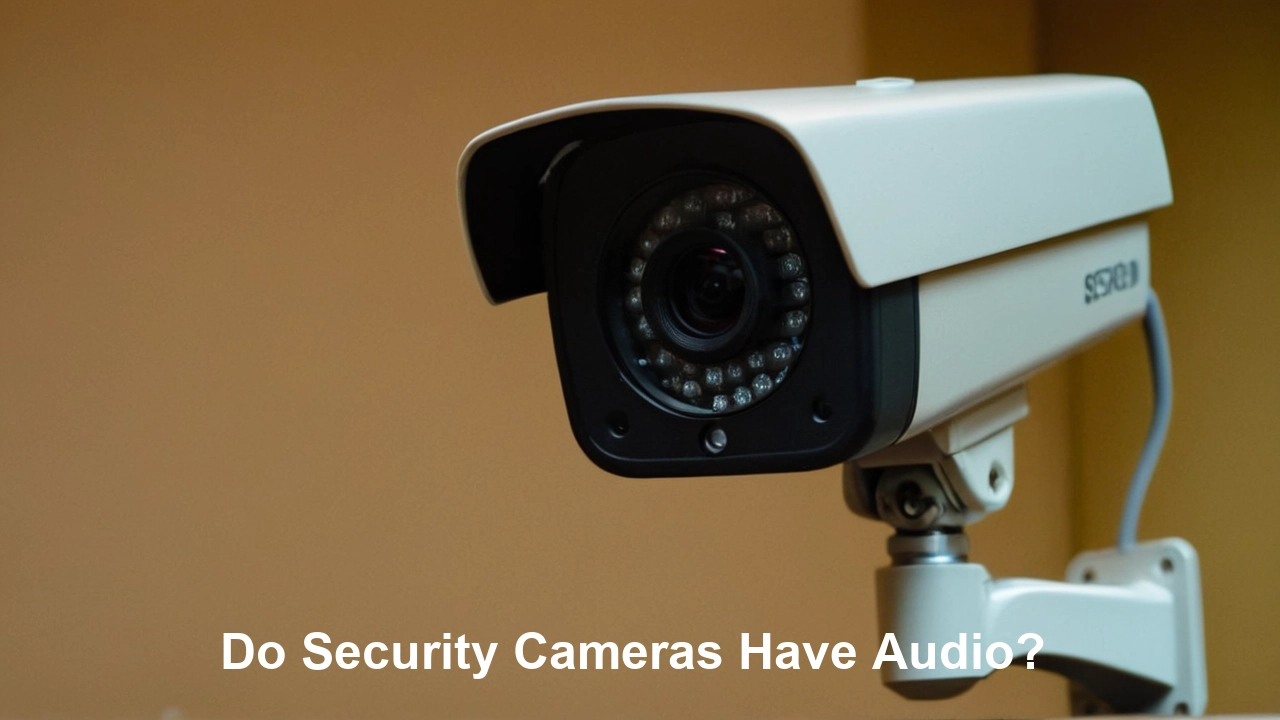
Yes, many modern security cameras do have audio recording capabilities, but it's not a universal feature. Understanding whether your chosen camera captures sound is crucial for privacy, legal compliance, and effective surveillance. This guide will explore the nuances of audio recording in security cameras, helping you make informed decisions.
Understanding Audio Recording in Security Cameras
The question "Do security cameras have audio?" is one of the most frequently asked by individuals and businesses looking to enhance their surveillance systems. The answer, while often a simple "yes," is nuanced and depends heavily on the specific model, its intended use, and the regulations governing its deployment. In 2025 and 2026, the market is saturated with a wide array of security cameras, from basic indoor monitors to sophisticated outdoor surveillance units, each with varying feature sets. While video recording has been the standard for decades, the inclusion of audio has become increasingly common, driven by consumer demand for more comprehensive monitoring and by advancements in technology that make integrated microphones more affordable and effective.
However, the presence of audio is not always a given. Many cameras are designed with video-only functionality, either due to cost-saving measures, to comply with specific privacy regulations, or because the application doesn't require sound. Furthermore, even when a camera is equipped with a microphone, the audio recording feature might be disabled by default, requiring user activation. Understanding the technical specifications and the legal implications is paramount before making a purchase or deploying a system. This guide aims to demystify the world of security camera audio, providing you with the knowledge to make informed decisions that align with your needs and legal obligations. We will delve into the types of cameras that typically include audio, the legal frameworks surrounding audio surveillance, and practical advice for selecting and using such devices responsibly.
Legal and Privacy Considerations
The integration of audio recording into security cameras brings forth significant legal and privacy considerations that cannot be overlooked. In 2025-26, awareness of these issues is at an all-time high, with evolving legislation and public scrutiny demanding responsible implementation. The core of the legal debate revolves around consent and the expectation of privacy. Recording conversations without the knowledge or consent of at least one party can be illegal in many jurisdictions, leading to severe penalties.
Wiretapping Laws and Consent Requirements
Many countries and regions have laws that govern the interception of private communications. These laws, often referred to as wiretapping laws or eavesdropping laws, dictate when and how audio can be recorded. The critical distinction often lies in whether the jurisdiction follows "one-party consent" or "two-party consent" (or "all-party consent").
- One-Party Consent: In states or countries with one-party consent laws, only one person involved in a conversation needs to be aware of and consent to the recording. This means if you are part of a conversation, you can legally record it without informing the other participants. However, this generally applies to conversations where you are a participant. Recording conversations of others without their knowledge, even if you are present, might still be illegal.
- Two-Party/All-Party Consent: In jurisdictions with two-party or all-party consent laws, all individuals involved in a conversation must consent to the recording. This is a much stricter standard and means that recording any conversation where not everyone agrees is unlawful. Many US states, such as California, Florida, and Illinois, adhere to all-party consent laws.
It is crucial to research the specific laws applicable to your location and the locations where your cameras will be deployed. Ignorance of the law is not a valid defense. For businesses, this extends to employee monitoring and customer interactions.
Expectation of Privacy
The legal framework also considers the "reasonable expectation of privacy." In areas where individuals have a legitimate expectation of privacy (e.g., bathrooms, bedrooms, private offices), audio recording is generally prohibited, even if the camera is legally placed for security purposes. Public spaces, such as streets, parks, or retail store entrances, typically have a lower expectation of privacy, but recording sensitive conversations in these areas can still be problematic.
For example, while an outdoor security camera might be legally placed to monitor your property, if its microphone is sensitive enough to pick up conversations happening on a public sidewalk or a neighbor's yard, you could be violating privacy laws. Many modern security cameras are designed with limited audio pickup range to mitigate this.
Business Implications and Employee Monitoring
Businesses using security cameras with audio face additional complexities. Employee monitoring laws vary significantly. In many places, employers must inform employees that they are being monitored, including audio monitoring, and obtain their consent. This often involves clear signage and written policies. Recording sensitive employee discussions, union organizing activities, or HR-related matters without proper consent can lead to significant legal challenges and financial penalties.
A 2025 survey by the Global Privacy Institute found that 78% of employees believe audio surveillance in the workplace is an invasion of privacy, highlighting the importance of transparency and consent.
Data Protection Regulations (e.g., GDPR, CCPA)
Data protection regulations like the General Data Protection Regulation (GDPR) in Europe and the California Consumer Privacy Act (CCPA) in the United States have implications for audio data collected by security cameras. Audio recordings can be considered personal data, and their collection, storage, and processing must comply with these regulations. This includes:
- Purpose Limitation: Audio should only be collected for specific, legitimate purposes (e.g., security, incident investigation).
- Data Minimization: Collect only the audio data necessary for the stated purpose.
- Transparency: Individuals should be informed that audio is being recorded.
- Security: Audio data must be stored securely to prevent unauthorized access.
- Individual Rights: Individuals may have rights to access, rectify, or erase their audio data.
Failure to comply with these regulations can result in substantial fines. Therefore, a thorough understanding of applicable data protection laws is essential.
Best Practices for Legal and Ethical Audio Recording
To navigate these complexities, consider the following best practices:
- Consult Legal Counsel: Always seek advice from a legal professional specializing in privacy and surveillance law in your jurisdiction.
- Obtain Consent: Where required, ensure you have explicit consent from all parties.
- Provide Clear Notice: Post visible signs informing individuals that audio is being recorded.
- Limit Recording Scope: Configure cameras to record audio only when necessary and within areas where there is no reasonable expectation of privacy.
- Secure Data: Implement robust security measures to protect recorded audio data.
- Review Policies Regularly: Stay updated on evolving laws and adjust your policies accordingly.
By prioritizing legal compliance and ethical considerations, you can effectively utilize security cameras with audio while respecting individuals' rights and avoiding potential legal repercussions.
Types of Security Cameras and Their Audio Capabilities
The landscape of security cameras is vast, with different types designed for various applications. Understanding these distinctions is key to knowing whether a particular camera is likely to have audio capabilities. As of 2025-26, manufacturers are increasingly integrating microphones into a wider range of products, but certain categories are more prone to having audio than others.
Indoor Security Cameras
Indoor cameras, often used for home monitoring, baby monitoring, or pet surveillance, are frequently equipped with audio recording. This is largely driven by consumer demand for a more comprehensive view of what's happening inside the home.
- Features: Many indoor cameras include two-way audio, allowing users not only to listen in but also to speak through the camera. This is invaluable for communicating with family members, pets, or even deterring intruders.
- Examples: Popular brands like Google Nest Cam, Arlo, Ring Stick Up Cam (indoor versions), and Wyze Cam typically offer audio.
- Considerations: Privacy is a major concern with indoor cameras. Users must be mindful of recording private conversations and ensure the camera is positioned appropriately. Many models allow users to disable audio recording if desired.
Outdoor Security Cameras
Outdoor security cameras are designed to monitor perimeters, driveways, yards, and entryways. While video is the primary function, audio capabilities are becoming more common, especially in higher-end models.
- Features: Outdoor cameras may feature microphones for listening to ambient sounds (e.g., breaking glass, unusual noises) or for two-way communication, allowing homeowners to speak with visitors or delivery personnel. Some advanced models offer audio analytics that can detect specific sounds like alarms or gunshots.
- Examples: Hikvision, Dahua, Reolink, and some higher-tier Arlo and Ring models often include audio.
- Considerations: Legal implications are more pronounced outdoors due to potential recording of public spaces or neighboring properties. Manufacturers often emphasize limited audio pickup ranges or the ability to disable audio.
Doorbell Cameras
Doorbell cameras are a specialized type of outdoor camera that have almost universally adopted audio features. Their primary function is to allow homeowners to see, hear, and speak to visitors at their front door.
- Features: Two-way audio is standard. Users receive notifications on their smartphones when someone approaches the door and can initiate a conversation through the app.
- Examples: Ring Video Doorbell, Google Nest Doorbell, Arlo Video Doorbell, and Eufy Video Doorbell are prime examples.
- Considerations: While designed for interaction, recording conversations at the doorstep can still fall under privacy laws depending on the proximity to public areas and the nature of the conversation. Clear signage is often recommended.
IP Cameras (Network Cameras)
IP cameras are network-connected devices that transmit data over Ethernet or Wi-Fi. This category is broad and includes many indoor, outdoor, and specialized cameras.
- Features: Audio capabilities vary widely within the IP camera segment. Many professional-grade IP cameras designed for business surveillance include microphones and speakers for two-way communication or ambient audio monitoring. Some advanced IP cameras offer audio detection capabilities.
- Examples: Brands like Axis Communications, Bosch, and Hanwha Techwin offer professional IP cameras with robust audio options, often integrated into comprehensive surveillance systems.
- Considerations: These cameras are often used in environments where audio recording is legally permissible and operationally necessary, such as retail loss prevention or industrial monitoring.
Analog vs. Digital (IP) Cameras
Historically, analog CCTV cameras were less likely to have integrated audio. Audio transmission often required separate cabling and equipment. Modern IP cameras, however, are far more likely to have built-in microphones and speakers as standard or optional features, simplifying installation and integration.
Specialized Cameras
Certain specialized cameras might also have audio:
- Dashcams: Some dashcams include microphones to record audio inside the vehicle, which can be useful for documenting interactions or events.
- Body Cameras: Law enforcement body cameras almost always include audio recording for evidential purposes.
- Webcams: While not strictly security cameras, webcams used for remote monitoring or communication inherently have microphones.
Cameras That Typically Do NOT Have Audio
Conversely, some cameras are intentionally designed without audio:
- Basic, Low-Cost Cameras: To reduce manufacturing costs, entry-level cameras might omit microphones.
- Certain High-Resolution/Long-Range Cameras: Cameras focused purely on long-distance video capture might prioritize optics and processing power over audio components.
- Cameras in Highly Sensitive Areas: In environments where audio recording is strictly prohibited by policy or law (e.g., certain research labs, secure government facilities), cameras will be audio-disabled.
- Some DIY or Older Systems: Older analog systems or very basic DIY kits might lack audio integration.
When selecting a security camera, always check the product specifications carefully. Look for terms like "built-in microphone," "two-way audio," "audio recording," or "sound detection." If audio is a critical feature for your application, verify its presence before purchasing.
How Audio Recording Works in Security Cameras
The process of audio recording in a security camera involves several key components and steps, from capturing sound waves to storing and retrieving the audio data. Understanding this mechanism helps in appreciating the technology and its limitations. As of 2025-26, the integration is typically seamless, but the underlying principles remain consistent.
Microphone Placement and Type
Most security cameras with audio capabilities feature a small, built-in microphone. The quality and type of microphone can vary significantly between models.
- Omnidirectional Microphones: These are common in many consumer-grade cameras. They pick up sound from all directions, providing a general ambient audio feed. Their range is typically limited, focusing on sounds within a few meters of the camera.
- Directional Microphones: Less common in basic cameras but found in some professional models, these microphones are designed to focus on sound coming from a specific direction, reducing background noise.
- Noise Reduction Technology: Many modern cameras incorporate digital signal processing (DSP) to reduce background noise (e.g., wind, traffic) and enhance the clarity of speech or important sounds.
The placement of the microphone is also critical. It's usually integrated into the camera's housing, often near the lens or speaker. For cameras with two-way audio, a separate speaker is also included.
Audio Signal Processing
Once the microphone captures sound waves, it converts them into an electrical analog signal. This analog signal is then processed by the camera's internal circuitry.
- Analog-to-Digital Conversion (ADC): The analog signal is converted into a digital format that the camera's processor can understand and manipulate. This involves sampling the analog signal at a specific rate (e.g., 8 kHz, 16 kHz, 44.1 kHz) and quantizing the amplitude of each sample.
- Compression: Raw digital audio data can be very large. To make it manageable for storage and transmission, audio is typically compressed using codecs (coder-decoder). Common audio codecs include G.711, G.726, AAC, and MP3. The choice of codec affects the audio quality and the file size. Higher compression means smaller files but potentially lower quality.
Integration with Video Stream
In most modern security cameras, audio is synchronized with the video feed. This means the audio is captured and processed concurrently with the video frames.
- Multiplexing: The compressed audio data is often multiplexed (combined) with the video data into a single data stream. This stream is then transmitted over the network (for IP cameras) or recorded onto storage media.
- Synchronization: Ensuring that the audio and video are perfectly synchronized is crucial for effective surveillance and playback. Any delay between the visual and auditory components can render the recording less useful. Advanced systems use timestamps and buffering techniques to maintain synchronization.
Storage and Retrieval
The method of storing audio data depends on the camera system.
- On-Camera Storage: Many cameras feature a microSD card slot, allowing audio and video to be recorded directly onto the card.
- Network Video Recorder (NVR) / Digital Video Recorder (DVR): For more robust systems, audio is often sent to a central NVR (for IP cameras) or DVR (for analog cameras) where it is stored on hard drives.
- Cloud Storage: Cloud-based security systems record audio and video to remote servers. This offers convenience and accessibility but often involves subscription fees and raises data privacy concerns.
When retrieving footage, the synchronized audio track is played back alongside the video, allowing users to experience the event as it happened.
Two-Way Audio Functionality
Cameras with two-way audio have an additional layer of complexity. They require both a microphone to capture incoming sound and a speaker to play outgoing sound.
- Full-Duplex vs. Half-Duplex:
- Full-Duplex: Allows for simultaneous two-way conversation, like a phone call. Both parties can speak and listen at the same time. This requires more sophisticated audio hardware and network bandwidth.
- Half-Duplex: Requires users to take turns speaking and listening, similar to a walkie-talkie. This is simpler to implement and more common in lower-cost devices.
- App Integration: Two-way audio is typically controlled through a mobile app or web interface. Users can activate the microphone to listen and then press a button to speak through the camera's speaker.
Factors Affecting Audio Quality
Several factors can influence the quality of audio recorded by security cameras:
- Microphone Quality: Higher-quality microphones capture clearer sound.
- Background Noise: Ambient noise from traffic, wind, or machinery can obscure important sounds.
- Distance: The further away a sound source is, the fainter and less clear it will be.
- Audio Compression: Aggressive compression can reduce audio fidelity.
- Network Bandwidth (for IP cameras): Insufficient bandwidth can lead to audio dropouts or poor quality.
- Environmental Factors: Weather (rain, wind) can significantly impact outdoor audio recording.
By understanding these technical aspects, users can better assess the capabilities of their security cameras and troubleshoot any audio-related issues.
Choosing a Security Camera with Audio Features
Selecting a security camera that meets your needs, especially when audio is a consideration, requires careful evaluation. With the market flooded with options in 2025-26, a systematic approach is essential. Here’s a guide to help you choose wisely.
1. Define Your Needs and Purpose
Before looking at specific models, clearly articulate why you need audio recording.
- What do you want to capture? Ambient sounds, specific conversations, or two-way communication?
- Where will the camera be installed? Indoor or outdoor? This impacts environmental resilience and privacy concerns.
- What is the primary goal? Deterrence, evidence gathering, communication, or monitoring specific activities (e.g., children, pets)?
- What is your budget? Cameras with advanced audio features tend to be more expensive.
2. Check Specifications Carefully
Don't assume a camera has audio. Always verify the technical specifications.
- Microphone: Look for confirmation of a built-in microphone.
- Audio Recording: Does it explicitly state "audio recording" or "sound recording"?
- Two-Way Audio: If you need to speak through the camera, ensure it supports two-way audio. Check if it's full-duplex or half-duplex.
- Audio Range and Quality: Some manufacturers provide details on the effective audio range or mention noise-reduction technologies. Read reviews for real-world performance.
- Audio Codec: For advanced users, the audio codec (e.g., AAC, G.711) can indicate the potential quality and file size.
3. Consider Legal and Privacy Implications
As discussed earlier, this is paramount.
- Jurisdiction: Understand the laws in your area regarding audio recording and consent.
- Installation Location: Will the camera capture audio in areas where individuals have a reasonable expectation of privacy?
- Notice Requirements: Are you legally required to post signs informing people about audio recording?
If you are unsure, opt for a camera where audio recording can be easily disabled or choose a video-only model.
4. Evaluate Storage Options
How will the audio and video be stored?
- MicroSD Card: Convenient for single cameras, but storage is limited.
- NVR/DVR: Suitable for multi-camera systems, offering larger storage capacity. Ensure the NVR/DVR supports audio recording from the cameras.
- Cloud Storage: Offers remote access and off-site backup but usually involves recurring fees and potential privacy concerns. Check the cloud plan's data retention policies and security measures.
5. Read Reviews and Testimonials
Manufacturer specifications are one thing; real-world performance is another.
- Audio Clarity: Look for reviews that specifically comment on the audio quality, clarity, and range.
- Two-Way Audio Performance: How responsive and clear is the two-way audio?
- Reliability: Does the audio recording function reliably, or are there frequent dropouts?
- Ease of Use: How easy is it to enable/disable audio, access recordings, and use two-way audio features?
Websites like CNET, TechRadar, and specialized security camera review sites often provide in-depth analyses.
6. Compare Features and Pricing
Create a comparison table to weigh different options.
| Feature | Camera Model A (e.g., Budget Indoor) | Camera Model B (e.g., Mid-Range Outdoor) | Camera Model C (e.g., Premium Professional) |
|---|---|---|---|
| Audio Recording | Yes (basic) | Yes (enhanced) | Yes (high-fidelity) |
| Two-Way Audio | Yes (half-duplex) | Yes (full-duplex) | Yes (full-duplex, advanced echo cancellation) |
| Microphone Type | Omnidirectional | Omnidirectional with noise reduction | Directional options, advanced DSP |
| Storage | MicroSD | MicroSD, NVR compatible | NVR/DVR, NAS, Cloud |
| Price Range (2025 Est.) | $30 - $70 | $100 - $250 | $250+ |
| Legal Considerations | Requires careful placement | Requires clear signage/consent | Requires strict policy/compliance |
7. Consider Integration with Existing Systems
If you already have a security system (e.g., smart home hub, alarm system), ensure the new camera with audio is compatible. Check for support for protocols like ONVIF (for IP cameras) if you're building a custom system.
8. Test Before Full Deployment
Once you've purchased a camera, test its audio features thoroughly in the intended environment before relying on it for critical surveillance. Check audio clarity, recording reliability, and two-way communication effectiveness.
By following these steps, you can confidently select a security camera with audio capabilities that best suits your specific requirements while remaining mindful of legal and ethical responsibilities.
Alternatives and Further Considerations
While security cameras with built-in audio offer a comprehensive solution, there are alternative approaches and additional factors to consider, especially when dealing with complex environments or strict privacy regulations. As of 2025-26, the market offers a variety of options beyond simple integrated audio.
Dedicated Audio Recording Devices
In situations where audio is the primary concern, or where existing cameras lack audio capabilities, dedicated audio recording devices can be employed.
- Digital Voice Recorders: These are portable devices capable of recording hours of high-quality audio. They can be placed strategically in areas where sound is critical.
- Networked Microphones: Professional surveillance systems might utilize networked microphones that can be integrated into the broader security infrastructure, sending audio streams to a central server for analysis and storage, independent of video cameras.
- Smart Speakers/Hubs: Devices like Amazon Echo or Google Home can record voice commands and interactions, though their use for continuous surveillance is generally not intended and raises significant privacy issues.
These alternatives offer flexibility but require separate management and synchronization with video feeds if used in conjunction with cameras.
Audio Analytics and AI
Beyond simple recording, advanced security systems in 2025-26 are increasingly leveraging Artificial Intelligence (AI) for audio analytics.
- Sound Detection: Cameras or dedicated sensors can be programmed to detect specific sounds like glass breaking, gunshots, alarms, or even aggressive shouting. This allows for immediate alerts without continuous audio monitoring.
- Speech Analytics: In highly specialized applications (e.g., call centers, compliance monitoring), AI can analyze spoken words for keywords, sentiment, or compliance adherence. This is typically done in controlled environments with explicit consent.
- Anomaly Detection: AI can learn normal sound patterns in an environment and flag unusual or suspicious noises.
These technologies can enhance security by providing actionable intelligence from audio data without necessarily storing raw conversations, thereby mitigating some privacy concerns.
Disabling Audio Features
For many users, the primary consideration is not whether a camera *has* audio, but whether they *should use* it.
- Privacy by Design: If privacy is a major concern, or if you operate in a strict legal environment, choosing cameras where audio can be easily and permanently disabled is the safest approach. Most reputable manufacturers provide this option through their software interface or physical settings.
- Compliance: Disabling audio is often the simplest way to ensure compliance with privacy regulations, especially in public-facing businesses or shared workspaces.
- Bandwidth and Storage Savings: Audio recording requires additional bandwidth and storage space. Disabling it can reduce these demands, which can be significant for large-scale deployments.
The Importance of Clear Signage
Regardless of whether you are recording audio, clear and conspicuous signage is often a legal requirement and always a best practice. Signs should inform individuals that they are entering a monitored area and, if applicable, that audio is being recorded. This serves as a crucial element of informed consent and transparency. A 2025 study by the Center for Security Studies indicated that visible signage can act as a significant deterrent and also preemptively address privacy concerns.
Ethical Use and Responsibility
Beyond legalities, ethical considerations are vital. Using audio recording to eavesdrop on private conversations, monitor employees without proper justification, or invade the privacy of neighbors is unethical and can damage trust and reputation. Responsible use involves:
- Necessity: Only record audio when it is genuinely necessary for security or operational purposes.
- Proportionality: The scope of audio recording should be proportionate to the identified risk or need.
- Transparency: Be open about audio recording practices.
- Data Security: Protect recorded audio data rigorously.
Future Trends in Security Camera Audio
Looking ahead, we can expect further advancements:
- Enhanced AI Audio Analysis: More sophisticated AI will enable cameras to not just record but intelligently interpret and act upon sounds.
- Improved Noise Cancellation: Better algorithms and hardware will lead to clearer audio even in noisy environments.
- Privacy-Preserving Audio: Technologies that anonymize or selectively process audio to protect privacy while still providing security benefits may emerge.
- Seamless Integration: Audio features will become even more tightly integrated with smart home and business management platforms.
By considering these alternatives and broader implications, individuals and organizations can implement security camera systems that are not only effective but also legally compliant and ethically sound.
Conclusion
In summary, the answer to "Do security cameras have audio?" is a resounding "often, but not always." As of 2025-26, a significant portion of modern security cameras, particularly those designed for indoor use, doorbell applications, and higher-end outdoor surveillance, are equipped with microphones. This feature significantly enhances their utility, offering richer context, improved deterrence, and communication capabilities. However, the decision to utilize audio recording is complex, demanding careful consideration of legal statutes, privacy expectations, and ethical responsibilities.
Navigating the legal landscape, which varies by jurisdiction regarding consent and wiretapping, is paramount. Businesses must be particularly diligent in informing employees and customers, while homeowners should be mindful of recording private conversations. Furthermore, the technical aspects of audio capture, processing, and storage, alongside the choice of appropriate storage solutions and the potential benefits of AI-driven audio analytics, all play a role in deploying an effective system.
Ultimately, the best approach is to clearly define your surveillance needs, meticulously review camera specifications, and prioritize legal compliance and ethical conduct. If audio is a desired feature, choose cameras that offer granular control, allowing you to enable or disable it as needed. When in doubt, consulting legal counsel and opting for transparency through clear signage are indispensable steps. By balancing technological capabilities with responsible implementation, you can leverage the power of audio in your security camera system effectively and ethically.





