
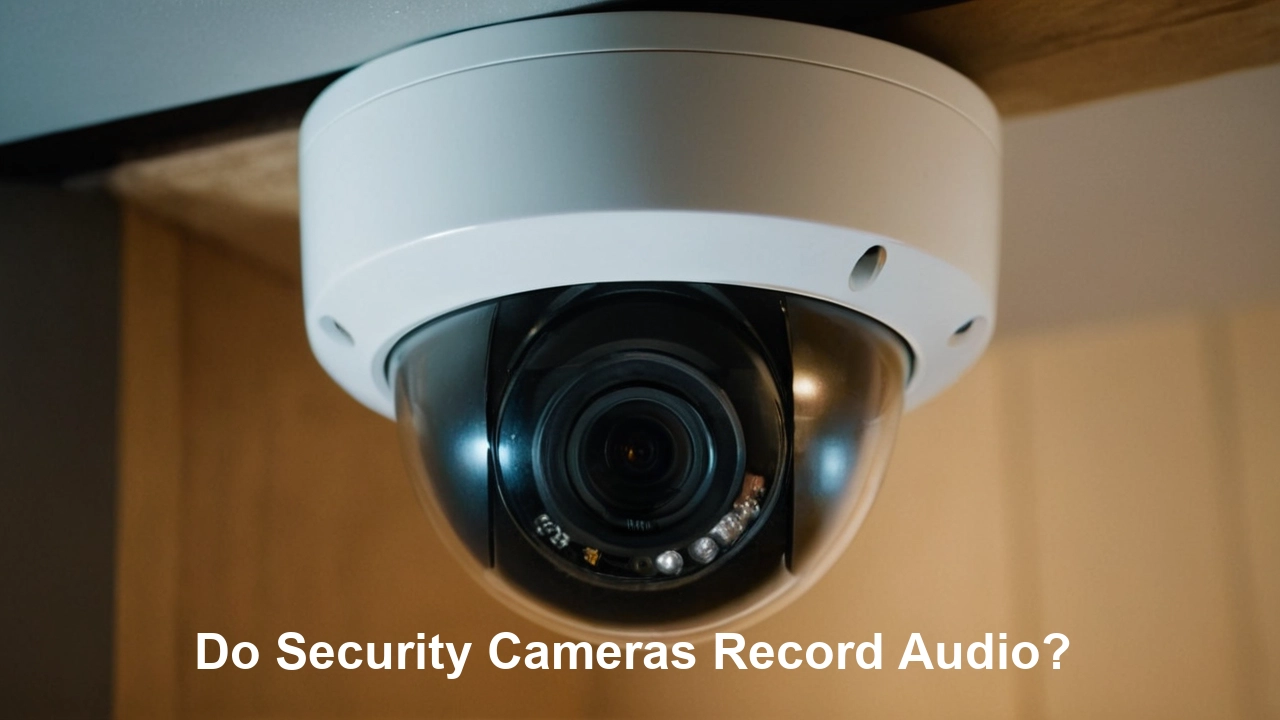
Security cameras are a cornerstone of modern surveillance, but a common question arises: do they capture sound? This guide delves into the intricacies of audio recording with security cameras, exploring legalities, technical capabilities, and practical considerations for 2025-26.
What Are Security Cameras?
Security cameras, also known as closed-circuit television (CCTV) cameras or surveillance cameras, are essential tools for monitoring and recording activities within a specific area. They serve a dual purpose: acting as a deterrent to potential criminals and providing valuable evidence in the event of an incident. In 2025-26, the landscape of security camera technology has evolved significantly, offering advanced features beyond mere visual recording, including sophisticated audio capture capabilities.
Do Security Cameras Record Audio? The Direct Answer
The direct answer to whether security cameras record audio is: it depends. Not all security cameras are equipped with microphones, and even those that are may have audio recording disabled by default due to legal and privacy concerns. However, a significant and growing number of modern security cameras, particularly IP-based and Wi-Fi cameras, do come with built-in microphones and the capability to record audio alongside video. For analog CCTV systems, audio recording is less common and often requires separate audio input devices.
Types of Security Cameras and Audio Capabilities
The presence and quality of audio recording capabilities vary greatly depending on the type of security camera system you are using. Understanding these differences is crucial for making informed decisions about your surveillance needs.
Standalone IP Cameras
Internet Protocol (IP) cameras are a popular choice for both home and business security in 2025-26. Many IP cameras feature integrated microphones, allowing them to capture audio directly. These cameras transmit data over a network, and the audio stream can be recorded alongside the video feed. Higher-end IP cameras often boast superior audio quality, with features like noise cancellation and wider pickup ranges. Some IP cameras also offer the option to connect external microphones for enhanced audio surveillance in larger or more complex environments. The ability to stream and record audio remotely via network access makes them highly versatile.
Analog CCTV Cameras
Traditional analog CCTV cameras, while still in use, are generally less sophisticated in their audio capabilities. Most standard analog cameras are designed purely for video capture. If audio recording is desired with an analog system, it typically requires the installation of separate, dedicated microphones that are wired into the Digital Video Recorder (DVR). The DVR then synchronizes the audio and video streams. This setup is often more complex and costly than using modern IP cameras with built-in audio.
Wireless Security Cameras
Wireless security cameras, which often connect via Wi-Fi, frequently include built-in microphones. This is a significant advantage for ease of installation, as it reduces the need for extensive cabling. The audio data is transmitted wirelessly along with the video. Similar to IP cameras, the quality of audio recording can vary, with premium models offering better clarity and range. Users can typically enable or disable audio recording through the camera's mobile app or web interface. For 2025-26, the trend towards integrated audio in wireless cameras continues to grow, driven by consumer demand for comprehensive home security solutions.
Doorbell Cameras
Doorbell cameras have become ubiquitous for home security. Almost universally, doorbell cameras are equipped with two-way audio functionality. This means they not only record audio but also allow for real-time conversation between the person at the door and the homeowner, often through a smartphone app. While primarily designed for communication, the recording aspect of the audio is a standard feature, capturing conversations and ambient sounds around the entrance. This makes them excellent for monitoring package deliveries, visitor interactions, and potential security breaches at the front door.
DIY Security Systems
Do-It-Yourself (DIY) security systems, popular for their affordability and ease of setup, often include cameras with audio capabilities. Manufacturers are increasingly integrating microphones into their camera units to offer a more complete surveillance package. However, it's essential to check the specifications of individual components within a DIY kit, as not all cameras in a system may have audio recording enabled or even present. Some DIY systems might offer optional audio add-ons or require specific camera models to achieve audio capture.
Factors Influencing Audio Recording
Several technical and practical factors determine whether a security camera can record audio and the quality of that recording. Understanding these elements is key to selecting the right equipment for your needs.
Built-in Microphones
The most straightforward way a security camera records audio is through an integrated microphone. These microphones are typically small and discreetly placed on the camera unit. The quality of these built-in microphones varies significantly. Entry-level cameras might have microphones that capture only basic ambient noise, while high-end models can offer advanced features like directional audio pickup, noise reduction, and echo cancellation for clearer sound. In 2025-26, the prevalence of built-in microphones in consumer-grade security cameras is exceptionally high.
External Microphone Support
For situations where the built-in microphone is insufficient, some security cameras offer support for external microphones. This is particularly common in professional-grade IP cameras and CCTV systems. An external microphone can be placed strategically to capture sound from a specific area, providing better audio quality and coverage than a camera-mounted mic. Connecting an external microphone usually involves a dedicated audio input port on the camera or recorder. This offers greater flexibility in tailoring audio surveillance to specific environments.
Camera Resolution and Audio Quality
While camera resolution (e.g., 1080p, 4K) primarily relates to video clarity, it can indirectly influence the perception of audio quality. Higher resolution video often accompanies more advanced firmware and processing capabilities, which can also lead to better audio processing. However, there is no direct correlation; a high-resolution camera might have poor audio, and a lower-resolution camera might have decent audio. The audio codec used, sampling rate, and bit depth are more direct determinants of audio quality than video resolution.
Storage and Bandwidth
Recording audio alongside video significantly increases the amount of data that needs to be stored and transmitted. Audio data, even when compressed, adds to the overall file size. This means that systems with audio recording will require more storage space on NVRs, DVRs, or cloud storage. Similarly, if you are streaming live video with audio, it will consume more internet bandwidth. For 2025-26, with the rise of 4K video and continuous recording, managing storage and bandwidth for audio-enabled cameras is a critical consideration for users.
Software and Firmware
The camera's software and firmware play a crucial role in managing audio recording. This includes settings for enabling/disabling audio, adjusting microphone sensitivity, selecting audio codecs, and processing audio streams. Many modern security cameras allow users to control audio recording through mobile apps or web interfaces. It's essential to ensure that the software is up-to-date and that the audio features are configured correctly to meet your surveillance objectives and comply with local regulations.
Legal and Ethical Considerations
The ability of security cameras to record audio brings with it significant legal and ethical responsibilities. Ignorance of these laws can lead to severe penalties. It is paramount to understand the regulations in your specific jurisdiction before enabling audio recording.
One-Party Consent vs. Two-Party Consent
Laws regarding audio recording vary significantly by state and country. A key distinction is between "one-party consent" and "two-party consent" (or "all-party consent") jurisdictions. In one-party consent states, it is legal to record a conversation if at least one participant is aware of and consents to the recording. In two-party consent states, all parties involved in a conversation must consent to the recording. As of 2025-26, the majority of US states follow one-party consent, but a substantial minority, including California, Florida, and Illinois, require two-party consent for non-public conversations.
Privacy Laws and Regulations
Beyond consent laws, various privacy regulations govern the use of surveillance technology. These can include laws related to data protection (like GDPR in Europe or CCPA in California), trespass, and the right to privacy. Recording audio in areas where individuals have a reasonable expectation of privacy (e.g., bathrooms, private offices without consent) is generally illegal and unethical, regardless of consent laws. Businesses must be particularly aware of employee privacy rights.
Informed Consent and Notification
The most ethical and legally safest approach is to ensure informed consent. This means clearly notifying individuals that they are being recorded, both visually and audibly. For businesses, this can be achieved through prominent signage stating that audio and video surveillance is in operation. For private residences, it's more complex, especially for visitors. If recording audio in private areas, obtaining explicit consent from individuals before they enter or engage in conversations is advisable. In 2025-26, transparency is increasingly emphasized in privacy-related legislation.
Exceptions and Public Spaces
Generally, there is a lower expectation of privacy in public spaces. Security cameras recording audio in areas accessible to the public (e.g., street-facing cameras, public entrances to businesses) may be permissible without explicit consent, provided the recording is for legitimate security purposes and does not intrude on private conversations occurring in public. However, the legal landscape is nuanced, and it's always best to err on the side of caution. Recording audio in private homes or businesses where individuals expect privacy is where most legal challenges arise.
Consequences of Illegal Recording
Illegally recording audio can lead to severe consequences, including hefty fines, civil lawsuits for damages, and even criminal charges. These penalties can be imposed on individuals and businesses alike. For businesses, a violation can also result in significant reputational damage. Therefore, thoroughly researching and adhering to all applicable local, state, and federal laws is not just a recommendation but a legal necessity.
Benefits of Audio Recording with Security Cameras
Despite the legal complexities, incorporating audio recording into your security camera system can offer substantial benefits for monitoring, investigation, and overall security management.
Enhanced Incident Investigation
Audio recordings provide a crucial layer of detail that video alone cannot capture. In the event of a crime, dispute, or accident, hearing the conversations, exclamations, or even background noises can significantly aid in understanding the sequence of events, identifying individuals, and corroborating witness testimonies. For example, hearing an intruder's voice or a specific phrase can be as vital as seeing their face. This is particularly relevant for investigations in 2025-26, where comprehensive evidence is often required.
Deterrent Effect
Visible security cameras are known to deter criminal activity. The presence of cameras that are also known to record audio can further enhance this deterrent effect. Potential wrongdoers may be less inclined to act if they know their conversations and any incriminating statements could be captured and used as evidence. This psychological impact can contribute to a safer environment.
Verification of Events
Audio can help verify the nature of an incident. For instance, a noise complaint might be investigated by reviewing audio recordings to determine if a disturbance actually occurred and its severity. Similarly, in a business setting, audio can help resolve disputes between employees or between employees and customers by providing an objective record of interactions. This can be invaluable for internal investigations and conflict resolution.
Remote Monitoring and Communication
Many modern security cameras with audio capabilities allow for remote listening and two-way communication through smartphone apps. This means you can not only see what's happening but also hear it in real-time and even speak to individuals on-site, such as a delivery person or a potential intruder. This feature adds a significant layer of control and responsiveness to your security system, making it more dynamic and interactive for 2025-26 users.
How to Determine if Your Camera Records Audio
Identifying whether your security camera system is capable of recording audio is a straightforward process that involves a few key steps. It's important to be certain before relying on audio as part of your surveillance strategy.
Check Product Specifications
The most reliable method is to consult the product's official specifications. This information is usually found on the manufacturer's website, the product packaging, or in the user manual. Look for terms like "audio recording," "built-in microphone," "two-way audio," or specific audio codecs supported. If the specifications do not mention audio capabilities, it's highly probable that the camera does not record sound.
Examine the Camera Hardware
Visually inspect the camera unit itself. Many cameras with built-in microphones have a small, circular grille or opening where the microphone is housed. This is often located near the lens or on the body of the camera. If you see such an opening, it's a strong indicator of an integrated microphone. However, the absence of a visible grille doesn't definitively mean no audio; some microphones are more discreetly integrated.
Review Software Settings
Access the camera's management software or mobile app. Navigate through the settings menus, looking for options related to audio. You might find toggles to enable or disable audio recording, adjust microphone sensitivity, or select audio channels. If you find these settings, your camera is equipped for audio recording. If there are no audio-related settings, it's likely that the camera does not support audio capture.
Consult the Manual or Manufacturer
If you are still unsure after checking specifications and settings, refer to the user manual. The manual will provide detailed information about the camera's features, including any audio capabilities. If the manual is unclear or unavailable, contact the manufacturer's customer support. They can provide definitive information about your specific camera model.
Choosing Security Cameras with Audio for 2025-26
Selecting the right security camera with audio capabilities in 2025-26 involves considering various features, understanding market trends, and aligning with your budget. A well-chosen system enhances your security posture significantly.
Key Features to Look For
When shopping for security cameras with audio for 2025-26, prioritize the following:
- Microphone Quality: Look for clear audio capture, noise reduction, and a decent pickup range. Consider directional microphones for specific areas.
- Two-Way Audio: Essential for doorbell cameras and for interacting with visitors or deterring intruders remotely.
- Audio Encryption: For enhanced privacy and security, ensure audio streams are encrypted, especially if using cloud storage or remote access.
- Storage Options: Assess whether local storage (SD card, NVR/DVR) or cloud storage is more suitable, considering the increased data from audio.
- Ease of Use: Intuitive mobile apps and web interfaces for managing audio settings and playback are crucial.
- Durability and Weatherproofing: For outdoor cameras, ensure they can withstand environmental conditions while still capturing clear audio.
- Legal Compliance Features: Some advanced systems may offer features to help manage consent or anonymization, though manual adherence to laws is primary.
Top-Rated Models in 2025-26
The market in 2025-26 offers a wide array of excellent options. Some leading brands known for robust audio features in their security cameras include:
- Reolink: Often praised for offering good value with built-in microphones and two-way audio across many of its IP and Wi-Fi camera lines.
- Arlo: Known for its high-quality wireless cameras, many of which feature excellent two-way audio and clear sound recording.
- Google Nest Cam: Offers integrated audio and two-way talk, seamlessly connecting with the Google Home ecosystem.
- Ring: A leader in video doorbells, all models feature two-way audio, and their security cameras also include microphone capabilities.
- Amcrest: Provides a broad range of IP cameras, many with advanced audio features suitable for professional and advanced home use.
It is always recommended to check the latest reviews and model-specific features for the most current information.
Budget Considerations
Security cameras with audio capabilities range in price. Basic doorbell cameras with two-way audio can be found for under $100, while high-end professional IP cameras with superior audio quality and advanced features can cost several hundred dollars or more. When budgeting, consider not only the initial hardware cost but also potential subscription fees for cloud storage or advanced features. For 2025-26, the price-to-performance ratio for audio-enabled cameras continues to improve, making them more accessible.
Alternatives and Add-ons for Audio Capture
If your existing security cameras do not support audio, or if you need to enhance audio capture in specific areas, several alternatives and add-on solutions are available.
Dedicated Audio Recorders
For situations requiring high-fidelity audio recording or when cameras lack audio capabilities, dedicated audio recorders can be used. These devices are specifically designed for capturing sound and can often record for extended periods with excellent quality. They can be placed strategically to capture conversations or ambient sounds and then synchronized with video footage during an investigation, though this requires manual effort.
Smart Speakers with Voice Assistants
Devices like Amazon Echo or Google Nest Hub are equipped with microphones and can record voice commands and ambient sound. While not primarily security devices, their audio recording capabilities can sometimes be leveraged. However, privacy concerns and the lack of direct integration with security camera feeds make them a less ideal solution for dedicated surveillance. Their use for audio evidence would be highly contextual and potentially problematic legally.
Integrating with Existing Systems
For older analog CCTV systems, it's possible to add external microphones and connect them to the DVR. This allows for audio recording to be integrated with the existing video infrastructure. For IP-based systems, some NVRs (Network Video Recorders) may have audio inputs that can accommodate external microphones, effectively adding audio recording capabilities to cameras that might not have them built-in. This requires careful compatibility checks.
Conclusion: Making Informed Decisions About Security Camera Audio
The question of whether security cameras record audio is complex, with the answer being a definitive "sometimes." As of 2025-26, many modern cameras, particularly IP and wireless models, are equipped with microphones and offer audio recording. However, the decision to enable and utilize this feature must be approached with careful consideration of legal requirements, ethical implications, and practical benefits. Prioritizing transparency, obtaining consent where necessary, and understanding the nuances of privacy laws are paramount. By thoroughly researching your camera's capabilities, adhering to regulations, and strategically implementing audio recording, you can significantly enhance your surveillance system's effectiveness, providing a more comprehensive layer of security and invaluable evidence when needed.





