Do Wireless Security Cameras Need the Internet
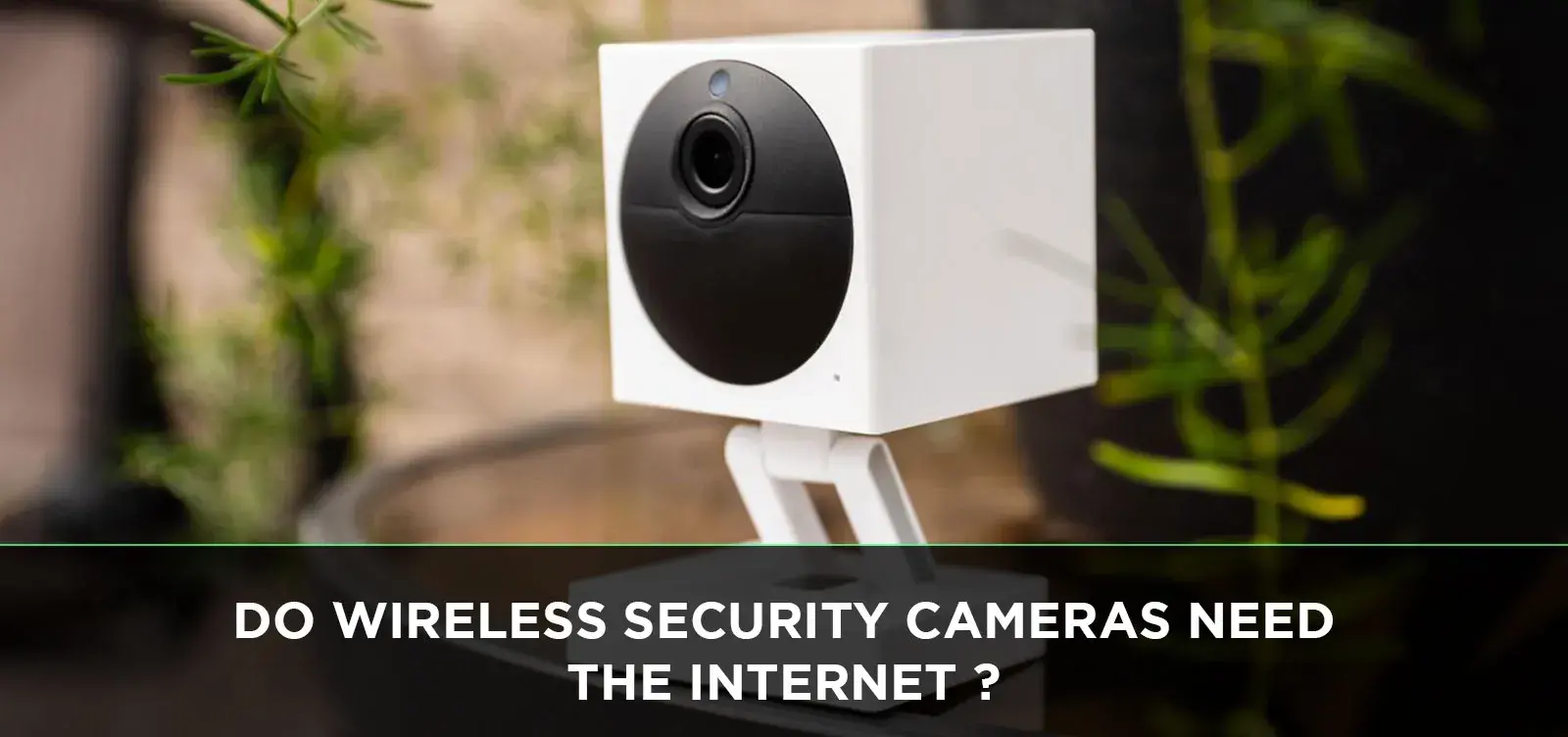
Wireless security cameras offer convenience, but a common question arises: Do they truly require an internet connection to function? This guide clarifies the necessity of Wi-Fi for various wireless camera types, explores their standalone capabilities, and outlines the benefits and drawbacks of internet-dependent versus independent systems for comprehensive home security in 2025-26.
Understanding Wireless Security Cameras
In the evolving landscape of home security, wireless cameras have become a popular choice for their ease of installation and flexibility. Unlike their wired counterparts, which require drilling holes and running cables through walls, wireless cameras communicate with their base station or network wirelessly. This can significantly simplify the setup process, making them an attractive option for renters, DIY enthusiasts, and those who prefer a less invasive installation. The term "wireless" itself, however, can sometimes be a source of confusion. It's crucial to distinguish between cameras that are truly wire-free (requiring no power cables) and those that are wireless in terms of data transmission but still need to be plugged into a power source. Understanding these distinctions is the first step in demystifying their operational requirements, particularly concerning internet connectivity.
The primary function of any security camera, wireless or otherwise, is to capture and record visual data. This data can then be used for monitoring, evidence collection, or simply peace of mind. The method by which this data is stored and accessed is where the internet connection often plays a pivotal role. Many modern wireless security systems are designed with cloud integration in mind, allowing users to view live feeds, access recorded footage, and receive alerts remotely via a smartphone app or web portal. This seamless integration is a significant advantage, but it hinges on a stable internet connection. However, this doesn't mean all wireless cameras are rendered useless without one. The market offers a spectrum of solutions, catering to different needs and technical environments.
The Internet Connection Debate: Do They Need It?
The short answer to "Do wireless security cameras need the internet?" is: it depends on the specific type of camera and its intended functionality. While many advanced features and remote access capabilities rely heavily on an internet connection, some wireless cameras can operate locally without one, albeit with limitations. The internet connection is primarily used for transmitting data beyond the local network. This includes sending video streams to cloud storage, pushing motion alerts to your smartphone, and enabling remote viewing from anywhere in the world. Without it, the camera's functionality is typically confined to its immediate vicinity.
For a camera to send notifications to your phone or allow you to watch a live feed from your office, it needs to connect to the internet. This connection allows the camera to upload data to a remote server (the cloud) or directly to your device. If the camera's sole purpose is local recording to an SD card and you only need to access that footage by physically retrieving the card, then an internet connection might not be strictly necessary. However, this scenario is becoming less common as users increasingly expect the convenience and enhanced security features that internet connectivity provides. The 2025-26 security landscape emphasizes proactive monitoring and immediate response, which are intrinsically linked to internet-enabled systems.
It's a common misconception that "wireless" automatically implies "internet-free." Wireless simply refers to the method of communication between the camera and its base or network – typically via Wi-Fi or a proprietary radio frequency. The internet connection is a separate layer of connectivity that enables external access and advanced features. Therefore, understanding the specific features you need and how a particular camera model operates is crucial before making a purchase. This guide will delve into the nuances to help you make an informed decision for your home or business security needs.
Types of Wireless Cameras and Their Internet Needs
The functionality and internet requirements of wireless security cameras vary significantly based on their design and intended use. Broadly, they can be categorized into several types, each with distinct dependencies on an internet connection.
Wi-Fi Security Cameras
These are the most common type of wireless security cameras today. As the name suggests, they connect to your home's Wi-Fi network. This connection is essential for several reasons:
- Remote Access: To view live feeds or recorded footage from your smartphone, tablet, or computer when you're away from home.
- Notifications: To receive alerts (e.g., motion detection, person detection) pushed to your mobile device.
- Cloud Storage: Many Wi-Fi cameras offer cloud storage plans for backing up footage, which requires an internet connection to upload.
- Firmware Updates: Manufacturers often push firmware updates over the internet to improve performance, add features, or patch security vulnerabilities.
Without an internet connection, a Wi-Fi camera might still be able to record locally to an SD card (if equipped), but you will lose all remote access, notification capabilities, and cloud storage features. They essentially become a local recording device.
Wire-Free Cameras (Often Wi-Fi Dependent)
These cameras are "wire-free" in that they are battery-powered and do not require a power cable. However, they almost universally rely on a Wi-Fi connection to transmit their data. The battery power eliminates the need for a power outlet, but not the need for internet connectivity to send footage or alerts. Some wire-free systems use a base station that connects to your router via Ethernet, and the cameras communicate wirelessly with this base station. In this setup, the base station needs internet access for the same reasons as a standalone Wi-Fi camera.
IP Cameras (Internet Protocol Cameras)
IP cameras are network-connected cameras that transmit data over an IP network. This typically means they connect to your router, either via Wi-Fi or an Ethernet cable. If they connect via Wi-Fi, their internet needs are the same as described for Wi-Fi cameras. If an IP camera is connected directly to your router via Ethernet, it still requires the router to have an internet connection for remote access and cloud features. Local recording to an SD card is often possible without internet, but remote access is lost.
Analog Cameras with Wireless Transmitters
While less common in new installations, some older analog CCTV systems can be retrofitted with wireless transmitters. These transmitters convert the analog signal to a digital one and send it wirelessly to a receiver. The receiver then typically connects to a Digital Video Recorder (DVR). If the DVR is connected to the internet, then remote access to the cameras is possible. However, the cameras themselves and their wireless transmitters do not directly require internet access to function and record locally to the DVR.
Local-Only Wireless Security Systems
These systems are designed specifically to operate without an internet connection. They often consist of cameras that communicate wirelessly with a dedicated base station or DVR. Recording is typically done on local storage (e.g., an internal hard drive in the DVR or an SD card in the camera). Access to footage is usually limited to viewing it on a monitor connected directly to the DVR or by physically removing the storage media. These systems are ideal for locations with unreliable internet or for users who prioritize privacy and do not need remote access. However, they miss out on the convenience of mobile alerts and remote monitoring, which are significant security advantages in 2025-26.
The key takeaway is that while the "wireless" aspect refers to data transmission, the "internet" aspect refers to external connectivity. Most modern wireless security cameras are designed to leverage the internet for enhanced functionality. If your primary goal is local recording and you don't need remote access, then an internet-free setup might be feasible with specific types of cameras.
How Wireless Cameras Work Without Internet
Even without an active internet connection, many wireless security cameras can still perform their core function: capturing and recording video. The method of operation in an internet-free scenario typically relies on local storage and direct monitoring capabilities.
Local Recording to SD Cards
A significant number of wireless security cameras, especially those designed for flexibility, come equipped with a microSD card slot. When an internet connection is unavailable, these cameras can continue to record footage directly onto the inserted SD card. This recording can be triggered by continuous recording modes or by motion detection events. The footage is stored locally on the card, preserving it even if the camera loses its connection to the internet or your home network.
Process:
- Motion Detection or Continuous Recording: The camera detects movement or is set to record constantly.
- Video Capture: The camera captures video data.
- Local Storage: The captured video is compressed and saved directly onto the microSD card inserted into the camera.
To access this footage, you would need to physically remove the SD card from the camera and insert it into a computer or a compatible card reader. This is a straightforward process but lacks the immediacy and convenience of remote access.
Dedicated Base Stations or Hubs
Some wireless security camera systems utilize a proprietary base station or hub that connects to your router (often via Ethernet). The cameras then communicate wirelessly with this base station. In an internet-free setup, the cameras would still transmit their video feeds to the base station. The base station, if equipped with local storage (like an internal hard drive or an SD card slot), would record the footage. This offers a centralized recording solution. However, for features like remote viewing or receiving alerts on your smartphone, the base station itself would need an internet connection to communicate with the manufacturer's servers or your mobile device.
Direct Wi-Fi Connection (Ad-Hoc Mode)
Some cameras can create their own Wi-Fi network, allowing you to connect your smartphone or tablet directly to the camera when you are within its range (e.g., in the same room or house). This is sometimes referred to as an ad-hoc connection. In this mode, you can often view the live feed and sometimes access recorded footage from the camera's internal storage or SD card. This is a form of local access that doesn't require your home router or an internet connection. However, this connection is limited to the camera's proximity and is not a substitute for true remote monitoring.
Standalone Operation Limitations
It's crucial to understand the limitations of operating wireless cameras without an internet connection:
- No Remote Viewing: You cannot check on your property from work, vacation, or anywhere outside your local network.
- No Mobile Alerts: You will not receive real-time notifications for motion detection or other events. This significantly reduces the proactive security benefits.
- No Cloud Backup: Footage stored locally is vulnerable to theft or damage to the camera or storage device.
- Limited Firmware Updates: Cameras may not receive critical security patches or feature enhancements.
- Potential for Signal Interference: While wireless, the camera's signal might still rely on a router for local network communication, which could be affected by other devices.
In essence, operating without the internet transforms a smart security device into a basic local surveillance system. For most users in 2025-26, the benefits of internet connectivity—remote access, instant alerts, and cloud storage—are considered essential for effective modern security. However, for niche applications where privacy is paramount, internet access is unavailable, or only local recording is needed, these internet-free functionalities can still be valuable.
Benefits of Internet-Connected Cameras
The integration of internet connectivity into wireless security cameras unlocks a suite of advanced features that significantly enhance their utility and effectiveness. For homeowners and businesses in 2025-26, these benefits are often the primary drivers for choosing internet-enabled systems.
Remote Monitoring and Access
This is arguably the most significant benefit. An internet connection allows you to access your camera's live feed and recorded footage from virtually anywhere in the world using a smartphone, tablet, or computer. Whether you're at the office, on vacation, or just in another room, you can quickly check in on your property, ensuring everything is as it should be. This provides unparalleled peace of mind and immediate situational awareness.
Real-Time Alerts and Notifications
Internet-connected cameras can send instant notifications to your mobile device when specific events are detected. This includes motion detection, sound detection, or more advanced features like person detection, package detection, or facial recognition (depending on the camera's capabilities). These alerts allow for a proactive response to potential security threats, rather than simply reviewing footage after an incident has occurred. For example, receiving an alert about someone approaching your door while you're away can allow you to remotely engage with them via two-way audio or alert authorities.
Cloud Storage and Backup
Many internet-connected cameras offer cloud storage solutions. This means your video footage is automatically uploaded and stored securely on remote servers. Cloud storage provides a vital backup in case the camera is stolen, damaged, or its local storage (like an SD card) is compromised. It also allows for easy access to historical footage without needing to physically retrieve any storage media. As of 2025, cloud storage plans are becoming more affordable and offer higher capacities, making them a practical option for most users.
Two-Way Audio Communication
A common feature in internet-connected cameras is built-in two-way audio. This allows you to not only hear what's happening around the camera but also to speak through the camera's speaker. This is incredibly useful for deterring intruders, communicating with delivery personnel, or speaking to family members or pets remotely.
Integration with Smart Home Ecosystems
Internet connectivity enables wireless security cameras to integrate seamlessly with broader smart home ecosystems. They can often work with voice assistants like Amazon Alexa or Google Assistant, allowing you to view camera feeds on smart displays or control certain functions with voice commands. They can also be integrated into routines, such as turning on lights when motion is detected by the camera.
Advanced Features and AI Capabilities
The internet connection is often the conduit for advanced analytics and artificial intelligence (AI) features. These can include:
- Person Detection: Distinguishing between people and other moving objects (like pets or swaying trees) to reduce false alarms.
- Package Detection: Alerting you when a package is delivered or removed from your doorstep.
- Facial Recognition: Identifying known individuals versus strangers.
- Activity Zones: Allowing you to define specific areas within the camera's view to monitor for motion.
These AI-powered features rely on processing power that is often located in the cloud, making an internet connection indispensable.
Remote Configuration and Updates
Manufacturers can push firmware updates and software enhancements over the internet. This allows for continuous improvement of camera performance, security, and features without requiring physical interaction. You can also often remotely adjust camera settings, such as motion sensitivity or recording schedules, through the associated mobile app.
In summary, while local recording is possible without the internet, the true power and convenience of modern wireless security cameras are unlocked through their internet connectivity. These benefits provide a more robust, responsive, and integrated security solution, aligning with the demands of contemporary home and business protection strategies in 2025-26.
Drawbacks of Internet-Dependent Cameras
While internet connectivity offers significant advantages for wireless security cameras, it also introduces a set of potential drawbacks that users should consider. Understanding these limitations is crucial for making an informed decision about your security system.
Reliance on Internet Stability and Speed
The most significant drawback is the absolute dependence on a stable and sufficiently fast internet connection. If your internet goes down, or if the connection is slow and intermittent, the camera's functionality will be severely compromised. This means:
- Loss of Remote Access: You won't be able to view live feeds or recorded footage.
- Delayed or Missed Alerts: Notifications may not be sent or received in real-time, negating the proactive security benefits.
- Interrupted Recording: If cloud recording is the primary method, footage may be lost during an outage. Even local recording might be affected if the camera relies on the router for its local network.
In areas with unreliable internet service, an internet-dependent camera system can become a source of frustration rather than security.
Privacy and Security Concerns
Transmitting video data over the internet, especially to cloud servers, raises privacy and security concerns. While reputable manufacturers employ robust encryption and security protocols, the risk of data breaches or unauthorized access, however small, cannot be entirely eliminated. Users must trust the manufacturer's security practices and ensure they use strong, unique passwords for their accounts. The increasing sophistication of cyber threats in 2025-26 means this is a factor that requires careful consideration.
Subscription Costs for Cloud Services
While many cameras offer free basic functionality, advanced features like extended cloud storage, higher resolution recording, or AI-powered analytics often come with recurring subscription fees. These costs can add up over time, making the overall ownership more expensive than initially anticipated. For users who need to store a large amount of footage or access features like continuous recording, these monthly or annual fees can be a significant ongoing expense.
Bandwidth Consumption
Streaming video, especially in high definition, consumes a considerable amount of internet bandwidth. If you have a limited data plan or a slower internet connection, multiple cameras streaming simultaneously can significantly impact your overall internet performance, potentially slowing down other online activities like browsing, streaming movies, or online gaming. This is a particularly relevant consideration for households with multiple connected devices.
Limited Functionality Without Internet
As discussed previously, if the internet connection is lost, the camera's capabilities are drastically reduced. It may revert to basic local recording (if it has SD card support), but all smart features—remote viewing, alerts, two-way audio, cloud access—become unavailable. This means the device essentially becomes a passive recorder, losing its "smart" functionality.
Power Dependency (for non-battery models)
While the "wireless" aspect refers to data transmission, many Wi-Fi cameras still require a constant power source. If the power goes out, the camera will stop functioning, regardless of whether the internet is still available. Battery-powered "wire-free" cameras mitigate this, but they have their own limitations regarding battery life and recharging/replacement.
Potential for Manufacturer Obsolescence or Service Discontinuation
If a manufacturer discontinues a product line or goes out of business, the cloud services and app support for your cameras might cease to function. This could render your cameras useless for remote access or even basic functionality if they are heavily reliant on proprietary servers. This is a longer-term risk that users should be aware of.
While the benefits of internet connectivity are compelling, these drawbacks highlight the importance of assessing your specific needs, internet reliability, budget, and privacy concerns before committing to an internet-dependent wireless security camera system.
Choosing the Right Wireless Camera for Your Needs
Selecting the ideal wireless security camera involves carefully balancing features, functionality, and your specific environmental and personal requirements. The question of whether it needs the internet is central to this decision. Here’s a structured approach to help you choose:
1. Define Your Primary Security Goals
What do you want the camera to achieve?
- Deterrence: Visible cameras can deter potential intruders.
- Monitoring: Keeping an eye on children, pets, or elderly family members.
- Evidence Collection: Recording events for potential legal or insurance purposes.
- Remote Awareness: Checking in on your property while away.
- Package/Delivery Monitoring: Ensuring deliveries are safe.
Your goals will dictate the necessary features and, consequently, the internet dependency.
2. Assess Your Internet Infrastructure
Be honest about your internet connection:
- Reliability: Is your internet service consistently stable, or does it frequently drop?
- Speed: Do you have sufficient upload and download speeds to handle video streaming without impacting other devices? Check the manufacturer's recommendations for upload speed, especially for cloud recording.
- Data Caps: Are you subject to data limits on your internet plan?
If your internet is unreliable or has strict data caps, a camera that can operate effectively offline or with minimal internet reliance might be a better choice.
3. Evaluate Camera Types and Their Internet Needs
Consider the categories discussed earlier:
- Wi-Fi Cameras: Best for users with reliable internet who want remote access, alerts, and cloud features.
- Wire-Free Cameras: Offer installation flexibility but still typically require Wi-Fi for functionality.
- Local-Only Systems: Suitable for those prioritizing privacy, with no internet, or where remote access is not a requirement. These often use dedicated base stations or DVRs.
4. Prioritize Essential Features
Beyond internet connectivity, consider these features:
- Resolution: Higher resolution (1080p, 2K, 4K) offers clearer images.
- Field of View (FOV): A wider FOV covers more area.
- Night Vision: Crucial for low-light conditions. Check the range and quality (color vs. black and white).
- Motion Detection: Basic motion detection versus advanced AI features (person, package, etc.).
- Two-Way Audio: For communication.
- Weather Resistance: If the camera will be placed outdoors (IP rating).
- Power Source: Battery-powered (wire-free) versus plug-in.
- Storage Options: SD card, NVR/DVR, or cloud.
5. Compare Storage Solutions
Local Storage (SD Card/NVR/DVR):
- Pros: No ongoing fees, data remains on-site.
- Cons: Footage vulnerable if device is stolen/damaged, requires manual retrieval for remote viewing (if not connected to internet).
Cloud Storage:
- Pros: Secure backup, accessible from anywhere, often includes advanced features.
- Cons: Recurring subscription costs, relies heavily on internet connection, potential privacy concerns.
Many systems offer a hybrid approach, allowing both local and cloud storage.
6. Consider Budget and Ongoing Costs
Factor in the initial purchase price, potential installation costs, and any recurring subscription fees for cloud services or advanced features. A camera that seems inexpensive upfront might become costly over time due to subscription requirements.
7. Read Reviews and Check Manufacturer Reputation
Research user reviews for reliability, ease of use, and customer support. Look for reputable brands known for security and privacy practices. Check for recent firmware updates and active development, especially for cloud-dependent features.
Example Scenarios:
Scenario A: Urban Apartment with Reliable High-Speed Internet
- Recommendation: A Wi-Fi security camera with cloud storage and person detection.
- Rationale: Reliable internet supports remote access, instant alerts, and cloud backup. Advanced detection reduces false alarms.
Scenario B: Rural Home with Intermittent Internet Service
- Recommendation: A wireless camera system with a dedicated NVR/DVR for local recording, possibly with optional cloud backup when internet is available.
- Rationale: Prioritizes local recording to ensure footage is captured even during internet outages. Remote access might be limited or unavailable.
Scenario C: User Highly Concerned About Privacy, No Need for Remote Access
- Recommendation: A local-only wireless camera system that records to an SD card or a base station with local storage.
- Rationale: Eliminates reliance on the internet and cloud services, maximizing privacy. Access is strictly local.
By systematically evaluating these factors, you can confidently choose a wireless security camera that meets your specific needs, whether it requires an internet connection or not.
Installation and Setup Considerations
The installation and setup process for wireless security cameras can range from simple to moderately complex, depending on the type of camera and your existing network infrastructure. Understanding these steps can help ensure a smooth and effective deployment.
1. Planning Your Camera Placement
Before you begin installing, strategic placement is key:
- Identify Vulnerable Areas: Entry points (doors, windows), driveways, backyards, and dimly lit areas are primary targets.
- Consider Field of View: Ensure the camera's angle covers the desired area without significant blind spots.
- Power Source: For plug-in cameras, ensure proximity to an electrical outlet. For battery-powered cameras, consider accessibility for charging or battery replacement.
- Wi-Fi Signal Strength: For Wi-Fi cameras, check the signal strength at the intended mounting location. You may need Wi-Fi extenders or a mesh network if the signal is weak.
- Environmental Factors: Protect outdoor cameras from direct, harsh weather elements where possible, even if they are weather-resistant. Avoid pointing cameras directly at the sun.
2. Connecting to Your Network (If Internet-Dependent)
This is a critical step for Wi-Fi cameras:
- Download the App: Most manufacturers require you to download a dedicated mobile app to your smartphone or tablet.
- Create an Account: You'll typically need to create a user account with the manufacturer.
- Add the Camera: Follow the app's instructions to add your new camera. This usually involves scanning a QR code on the camera or its packaging.
- Connect to Wi-Fi: The app will guide you through connecting the camera to your home's Wi-Fi network. You'll need your Wi-Fi network name (SSID) and password. Ensure you are connecting to a 2.4GHz network, as many cameras do not support 5GHz bands.
- Network Security: Use a strong, unique password for your Wi-Fi network and your camera account. Consider enabling two-factor authentication if available.
3. Local Setup (For Internet-Free or Hybrid Systems)
If your system doesn't rely on the internet for initial setup or operation:
- Base Station/NVR Connection: For systems with a base station or NVR, connect it to your router via an Ethernet cable (if local network access is needed) or set it up as a standalone unit.
- Camera Pairing: Follow the manufacturer's instructions to pair the wireless cameras with the base station or NVR. This often involves pressing buttons on both devices.
- Local Storage Setup: If using an SD card, insert it into the camera. If using an NVR/DVR, ensure the hard drive is installed and formatted.
4. Mounting the Camera
- Secure Mounting: Use the provided mounting hardware to securely attach the camera to a wall, ceiling, or other surface. Ensure it's stable and won't easily be dislodged.
- Adjusting the Angle: Once mounted, adjust the camera's angle to achieve the desired view. Many cameras have adjustable mounts or pan/tilt features.
- Cable Management: For plug-in cameras, neatly manage the power cable to prevent tripping hazards or unsightly appearances. Use cable clips or raceways if necessary.
5. Testing and Configuration
- Live View Test: Open the mobile app or monitoring software to confirm you can see a clear live feed from the camera.
- Motion Detection Settings: Configure motion detection sensitivity, zones, and alert schedules to minimize false alarms and ensure important events are captured.
- Recording Settings: Set up your preferred recording method (continuous, motion-triggered) and storage destination (SD card, cloud, NVR).
- Firmware Updates: Check for and install any available firmware updates to ensure optimal performance and security. This is especially important for internet-connected cameras.
- Two-Way Audio Test: If applicable, test the two-way audio functionality.
Common Installation Challenges and Solutions
- Weak Wi-Fi Signal:
- Solution: Relocate the router, install a Wi-Fi extender, or upgrade to a mesh Wi-Fi system. Consider cameras that connect to a base station with a stronger signal.
- Power Outlet Accessibility:
- Solution: Use extension cords (safely and discreetly), consider battery-powered cameras, or explore solar panel add-ons for outdoor cameras.
- Difficulty Pairing Cameras:
- Solution: Ensure cameras and base stations are within close range during pairing. Restart devices and try again. Consult the manual or manufacturer support.
- False Motion Alerts:
- Solution: Adjust sensitivity, define activity zones, utilize AI features like person detection, or reposition the camera to avoid triggering objects like trees or busy streets.
By carefully planning and executing these installation and setup steps, you can ensure your wireless security camera system, whether internet-dependent or not, operates effectively and provides the security coverage you need.
Future Trends in Wireless Security (2025-26)
The wireless security camera market is dynamic, with rapid advancements shaping its future. As we move through 2025 and into 2026, several key trends are set to define the next generation of these devices, further blurring the lines between necessity and convenience regarding internet connectivity.
Enhanced AI and Machine Learning Capabilities
Artificial intelligence will become even more sophisticated. Expect cameras to offer more accurate and nuanced detection, such as distinguishing between different types of vehicles, identifying specific individuals with greater reliability, and even predicting potential threats based on behavioral patterns. These advanced AI features will continue to rely heavily on cloud processing power, making robust internet connectivity increasingly beneficial, if not essential, for unlocking their full potential.
Improved Low-Light and Night Vision Technology
Innovations in sensor technology and image processing will lead to significantly better performance in low-light and nighttime conditions. This includes more effective color night vision, higher infrared ranges, and better detail capture in challenging lighting. These improvements will enhance the reliability of cameras, whether they are used with or without internet, but the ability to stream and store this high-quality footage remotely will remain a key advantage of connected systems.
Greater Integration with Smart Home and IoT Ecosystems
Wireless security cameras will become even more deeply embedded within the broader smart home ecosystem. Expect tighter integration with smart locks, lighting systems, voice assistants, and even home automation platforms. This interconnectedness will enable more complex and automated security routines, such as lights turning on and doors locking when a camera detects an unrecognized person. This level of integration is inherently dependent on internet connectivity for communication between devices and platforms.
Advancements in Battery Technology and Power Efficiency
For wire-free cameras, advancements in battery technology and power management will lead to longer operational times between charges. This could include more efficient processors, improved battery chemistries, and smarter power-saving modes. While this enhances the convenience of wire-free options, it doesn't negate the need for internet for data transmission and remote access.
Increased Focus on Privacy and Local Processing
In response to growing privacy concerns, manufacturers are exploring ways to perform more data processing locally on the camera or a dedicated hub, rather than relying solely on the cloud. This "edge computing" approach can enhance privacy by reducing the amount of sensitive data transmitted over the internet. Cameras might still connect to the internet for alerts or firmware updates, but core analysis could happen offline. This trend offers a compelling middle ground for users who want smart features without complete cloud reliance.
5G Connectivity and Enhanced Wireless Protocols
The rollout of 5G technology promises faster speeds and lower latency, which could benefit wireless cameras by enabling higher-resolution streaming and quicker response times for alerts, even over cellular connections. Additionally, ongoing development of Wi-Fi standards (like Wi-Fi 7) will offer improved performance, capacity, and reliability for Wi-Fi-dependent cameras.
Subscription Model Evolution
The subscription model for cloud storage and advanced features will continue to evolve. We may see more tiered offerings, bundled services with other smart home devices, and potentially more flexible payment options. The value proposition of these subscriptions will need to remain strong to justify the ongoing costs for consumers.
Increased Durability and Weather Resistance
Outdoor cameras will continue to see improvements in durability, with enhanced resistance to extreme temperatures, moisture, and physical impact. This ensures reliable operation in a wider range of environmental conditions, making them more dependable for all-weather surveillance.
In conclusion, while the fundamental question of whether wireless security cameras *need* the internet remains nuanced, future trends suggest that internet connectivity will become even more integral to unlocking the most advanced and convenient features. However, the growing emphasis on edge computing and local processing also indicates that effective offline or hybrid solutions will continue to be relevant for specific user needs and privacy preferences in the evolving landscape of 2025-26.
Conclusion
In summary, the necessity of an internet connection for wireless security cameras hinges on their intended functionality and the features you wish to utilize. While many cameras can record locally to an SD card or a dedicated base station without an internet connection, they forfeit crucial capabilities like remote viewing, real-time mobile alerts, and cloud storage. For the vast majority of users in 2025-26 seeking comprehensive security and convenience, an internet connection is highly beneficial, enabling a proactive and accessible monitoring experience.
If your priority is basic local recording and you have unreliable internet or strong privacy concerns, cameras designed for offline operation are viable. However, to leverage the full potential of smart security—receiving instant notifications, checking in on your property from anywhere, and benefiting from cloud backups—a stable internet connection is indispensable. Carefully assess your internet infrastructure, security goals, and budget to choose the system that best aligns with your needs, ensuring you make an informed decision for robust and reliable home protection.