Do You Need A Doorbell For A Ring Camera?
Discover whether a traditional doorbell is truly necessary when you have a Ring camera. This guide breaks down the functionality, benefits, and alternatives, helping you make the smartest decision for your home security setup in 2025-26.
Understanding Ring Cameras and Their Doorbell Functionality
The advent of smart home technology has revolutionized how we approach home security and convenience. Ring, a prominent player in this space, offers a range of devices designed to enhance your awareness and control over your property. At the core of many Ring systems are their video doorbells, which have become synonymous with modern home entry monitoring. However, a common question arises for homeowners considering a Ring camera: "Do you need a doorbell for a Ring camera?" The answer, as is often the case with technology, is nuanced and depends heavily on the specific Ring device you choose and your desired functionality.
Ring's product ecosystem is diverse. It includes standalone security cameras (like the Stick Up Cam or Spotlight Cam) and dedicated video doorbells (such as the Video Doorbell Pro 2 or the Battery Doorbell Plus). The key distinction lies in their primary purpose. A traditional doorbell's sole function is to alert someone inside the house that a visitor is at the door, typically via an audible chime. Ring video doorbells, on the other hand, integrate this alerting function with advanced surveillance capabilities. They offer live video streaming, motion detection alerts, two-way talk, and recorded event history, all accessible through a smartphone app.
For a Ring video doorbell, the "doorbell" aspect is built-in. When someone presses the button on a Ring Video Doorbell, it triggers an alert on your smartphone and, if you have a compatible Ring Chime or existing doorbell wiring, an audible notification within your home. Therefore, if you are installing a Ring Video Doorbell, you are inherently installing a doorbell system. The question then shifts to whether you need a *separate*, traditional doorbell chime system to work *with* your Ring Video Doorbell, or if a Ring camera *without* a doorbell button can adequately serve your needs.
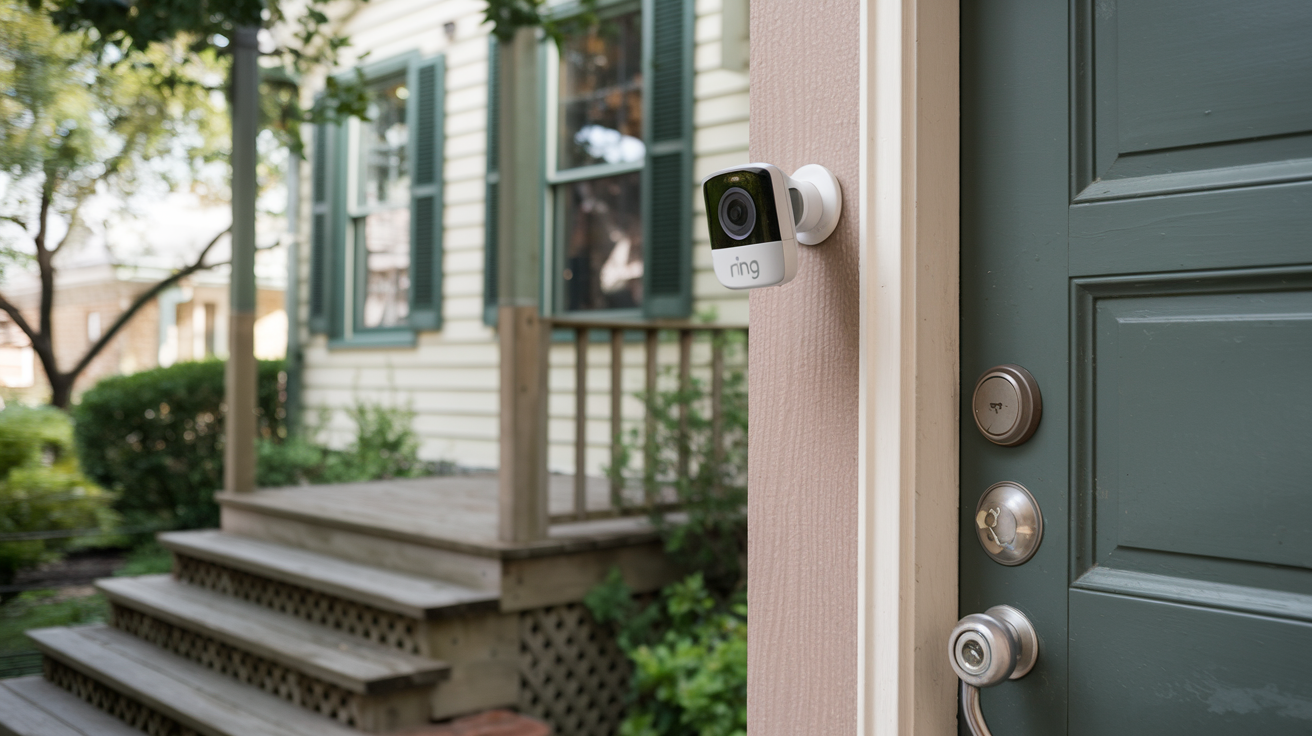
Standalone Ring cameras, such as the Ring Spotlight Cam or Stick Up Cam, do not have a physical doorbell button. Their primary function is motion detection and video surveillance. While they can alert you when motion is detected in their field of view, they don't inherently signal a visitor's intent to communicate in the way a doorbell button does. This is where the confusion often stems from. If you have a Ring Spotlight Cam mounted near your front door, it will record someone approaching, but it won't produce the distinct "someone is at the door" alert that a doorbell provides.
In essence, if your goal is to have a device that signals a visitor's presence at your door and allows for immediate two-way communication, a Ring Video Doorbell *is* the doorbell. If you are considering a Ring camera for general surveillance and don't necessarily need a dedicated "doorbell" function, then no, you don't need a doorbell for that specific camera. However, for comprehensive front-door security and visitor management, a Ring Video Doorbell is designed to replace or augment your existing doorbell system, not to be used in conjunction with a separate, non-smart doorbell. Let's delve deeper into the specifics of how these systems work and what options are available.
Ring Doorbells vs. Traditional Doorbells: A Functional Comparison
To definitively answer whether you need a doorbell for a Ring camera, it's crucial to understand the fundamental differences and overlapping functionalities between Ring video doorbells and traditional, non-smart doorbells. This comparison will highlight why a Ring Video Doorbell often serves as a complete replacement for a traditional setup.
Traditional Doorbells
A traditional doorbell system typically consists of three main components:
- The Button: Mounted outside your front door, this is the physical interface a visitor presses.
- The Chime: Located inside the house, this is the audible device that rings (often a "ding-dong" sound) when the button is pressed. It's usually connected via low-voltage wiring.
- The Transformer: Provides the necessary low voltage power for the button and chime.
The primary function is simple: alert the occupants of a visitor's presence. There is no video, no audio recording, and no remote access. If the button is pressed and no one is home, or if the occupants don't hear the chime, the visitor's presence goes unnoticed.
Ring Video Doorbells
Ring video doorbells integrate the functionality of a traditional doorbell with advanced smart technology. They typically include:
- Video Camera: High-definition video allows you to see who is at your door, day or night (thanks to infrared night vision).
- Microphone and Speaker: Enables two-way audio communication, allowing you to speak with visitors remotely via the Ring app.
- Motion Detection: Alerts you to any movement within the camera's field of view, even if the doorbell button isn't pressed. This is a significant upgrade over traditional systems.
- Doorbell Button: The physical button still exists, triggering a notification and chime sequence.
- Connectivity: Connects to your home's Wi-Fi network, enabling remote access and notifications.
- Power Source: Can be hardwired to existing doorbell wiring or powered by a rechargeable battery pack, depending on the model.
When a visitor presses the button on a Ring Video Doorbell, it initiates a sequence:
- Notification: You receive an instant alert on your smartphone, tablet, or computer via the Ring app.
- Live View: You can immediately access a live video feed of your doorstep.
- Two-Way Talk: You can speak to the visitor in real-time.
- Chime (Optional/Configurable): If wired or connected to a Ring Chime, an audible alert will sound inside your home.
Key Differentiating Features
The most significant difference is the visual and communication aspect. A traditional doorbell is purely an auditory signal. A Ring video doorbell provides a visual confirmation, remote communication, and a broader security net through motion detection.
Another critical distinction is the power source and installation. Traditional doorbells are almost exclusively hardwired. Many Ring video doorbells offer battery-powered options, offering greater flexibility in placement and installation, especially for renters or those with older homes lacking existing doorbell wiring.
Finally, the intelligence and connectivity are paramount. Ring doorbells are part of a smart ecosystem. They integrate with other Ring devices and can be controlled via voice assistants. Traditional doorbells are standalone, analog devices.
Therefore, if you are installing a Ring Video Doorbell, you are effectively installing a smart doorbell system. The question of needing a "doorbell" for a Ring camera is only relevant if you are considering a Ring camera *without* a doorbell button, or if you want to understand how a Ring Video Doorbell interacts with existing doorbell infrastructure.
Do You Need a Wired Doorbell for Ring? Exploring the Options
The question of whether you need a wired doorbell for a Ring camera is a common point of confusion, primarily because Ring offers a variety of devices with different power and connectivity requirements. The answer hinges on two main factors: the specific Ring device you choose and your desired functionality for internal chimes.
Ring Video Doorbells and Wiring
Many of Ring's most popular video doorbell models are designed to be hardwired into your existing doorbell system. These include models like the Ring Video Doorbell Pro, Video Doorbell Pro 2, and the Video Doorbell Elite.
When you hardwire a Ring Video Doorbell:
- Continuous Power: The device receives constant power from your home's electrical system, eliminating the need to recharge batteries. This is ideal for high-traffic areas.
- Existing Chime Compatibility: Hardwired Ring Video Doorbells are typically designed to work with your existing indoor doorbell chime. When the button is pressed, it will trigger both the digital notification on your app and the traditional "ding-dong" sound from your existing chime. This offers a familiar auditory cue for those inside the home.
- Enhanced Features: Some hardwired models can support higher power requirements, potentially enabling features like wider field-of-view cameras or more advanced motion detection.
In this scenario, you don't need a *new* wired doorbell, but you do need existing doorbell wiring to power the Ring Video Doorbell and potentially connect it to your existing chime. If you don't have existing wiring, you would need to have it installed, which can be an additional cost.
Battery-Powered Ring Video Doorbells
Ring also offers excellent battery-powered video doorbell options, such as the Ring Video Doorbell (2nd Gen), the Ring Battery Doorbell Plus, and the Ring Video Doorbell 3/4. These models offer significant installation flexibility.
For battery-powered Ring Video Doorbells:
- No Existing Wiring Required: These are perfect for renters, older homes without wiring, or situations where running new wires is impractical.
- Rechargeable Batteries: They come with rechargeable battery packs. Depending on usage and environmental factors, these may need to be recharged every few months. Some models offer the option to purchase additional batteries for continuous operation (swap one out while the other charges).
- Internal Chime Options: This is where the question of "needing a doorbell" becomes most relevant for battery models.
- Ring Chime / Chime Pro: The most common solution is to purchase a Ring Chime or Chime Pro. These are wireless, plug-in devices that connect to your Wi-Fi network and Ring app. When the battery-powered doorbell button is pressed, the Ring Chime will sound an audible alert inside your home. You can place multiple Chimes in different rooms.
- No Existing Chime: If you opt *not* to purchase a Ring Chime, your only notification will be via the Ring app on your smartphone or tablet. This is a viable option if you are always near your phone or prefer silent alerts. However, it means there's no audible cue for visitors when you're not actively monitoring your phone.
So, for battery-powered Ring Video Doorbells, you do not need a *wired* doorbell system. However, you might *need* a separate wireless chime (like a Ring Chime) if you want an audible alert inside your home, in addition to or instead of smartphone notifications.
Standalone Ring Cameras (No Doorbell Button)
It's important to reiterate that standalone Ring cameras (e.g., Stick Up Cam, Spotlight Cam, Floodlight Cam) do not have a doorbell button. If you install one of these cameras near your front door for general surveillance, you absolutely do not need a doorbell for it. Its function is motion detection and video recording, not visitor signaling. If you want a doorbell function, you need a Ring Video Doorbell.
Summary of Wiring Needs:
To directly address "Do you need a wired doorbell for Ring?":
- For Hardwired Ring Video Doorbells: You need existing doorbell wiring. This wiring powers the device and can often connect to your existing chime.
- For Battery-Powered Ring Video Doorbells: You do NOT need existing doorbell wiring. However, you may *need* a separate wireless Ring Chime if you want an audible alert inside your home, as they don't connect to traditional wired chimes.
- For Standalone Ring Cameras: You do NOT need any doorbell system.
The decision often comes down to installation convenience versus the desire for an integrated indoor chime. Many users find the battery-powered options with a Ring Chime to be the most flexible and cost-effective solution, especially when avoiding complex wiring.
Benefits of Integrating Ring with Your Doorbell System
Integrating a Ring Video Doorbell into your home security strategy offers a significant upgrade over traditional doorbell systems. This integration isn't just about adding a camera; it's about creating a smarter, more responsive, and more secure entryway. Here are the key benefits of choosing a Ring Video Doorbell over or in conjunction with a traditional setup.
Enhanced Security and Deterrence
The visible presence of a Ring Video Doorbell acts as a deterrent to potential intruders. Unlike a plain doorbell button, the camera signifies that the property is monitored. This visual cue can make opportunistic criminals think twice. Furthermore, the ability to see and speak to anyone at your door, even when you're not home, adds a powerful layer of security. You can greet expected guests, ward off unwanted solicitors, or even communicate with delivery drivers to leave packages in a secure location.
Remote Monitoring and Communication
This is arguably the most significant benefit. With a Ring Video Doorbell, your doorstep is no longer a blind spot when you're away. The Ring app provides live video feeds, allowing you to check on your home from anywhere with an internet connection. If someone rings the bell or triggers the motion sensor, you receive an instant notification. You can then engage in two-way audio communication, speaking directly to the visitor through your smartphone. This is invaluable for receiving packages, directing visitors, or simply verifying who is at your door before opening it.
Motion Detection Alerts
Ring Video Doorbells go beyond just alerting you when the button is pressed. Their advanced motion detection capabilities can be customized to alert you to any movement within a defined zone. This means you can be notified of someone loitering near your door, a package being delivered, or even unexpected activity on your porch, even if they don't press the doorbell. This proactive alert system provides an extra layer of situational awareness.
Recorded Event History
With a Ring Protect Plan subscription (which is necessary for storing video recordings), your Ring Video Doorbell captures and stores footage of events. This recorded history is invaluable for several reasons:
- Reviewing Incidents: If a package is stolen or there's an incident at your door, you have video evidence to review.
- Identifying Visitors: You can see who has visited your home, even if you weren't home when they arrived or left.
- Peace of Mind: Knowing that events are being recorded provides a sense of security and accountability.
Integration with Smart Home Ecosystems
Ring devices are part of the broader Amazon Alexa ecosystem. This allows for seamless integration with other smart home devices. For example, you can ask Alexa to show you the feed from your Ring Video Doorbell on an Echo Show device, or trigger smart lights to turn on when motion is detected. This interconnectedness enhances convenience and automation within your smart home.
Flexibility in Installation and Chime Options
As discussed previously, Ring offers both hardwired and battery-powered video doorbells. This flexibility means you can choose the installation method that best suits your home and preferences. For those who want an audible chime, Ring provides wireless Ring Chimes that can be placed anywhere in the house, offering more flexibility than traditional wired chimes. This means you can have an audible alert even if your existing doorbell wiring is faulty or non-existent.
Cost-Effectiveness (Long-Term)
While the initial purchase price of a Ring Video Doorbell is higher than a traditional doorbell button, the long-term benefits often make it more cost-effective. You gain a comprehensive security system that includes video surveillance, two-way communication, and remote access, rather than just a simple alert. When you factor in the potential to reduce or eliminate the need for separate security cameras at the front door, the value proposition becomes even stronger.
In summary, integrating a Ring Video Doorbell transforms your front door from a simple point of entry into a secure, intelligent hub. It provides unparalleled awareness, communication, and security features that far surpass the capabilities of a traditional doorbell.
Alternatives to a Traditional Doorbell with Your Ring Camera
When considering a Ring camera, the concept of needing a "doorbell" can be interpreted in different ways. If you're using a standalone Ring camera (like a Stick Up Cam or Spotlight Cam) for general surveillance near your front door, you don't need a doorbell at all for that camera's function. However, if you're looking for a way to signal a visitor's presence or communicate with them, and you're either not using a Ring Video Doorbell or want additional notification methods, there are alternatives to a traditional wired doorbell.
1. Ring Video Doorbell as the Primary Solution
The most straightforward "alternative" to a traditional doorbell is, in fact, a Ring Video Doorbell itself. As detailed earlier, these devices are designed to replace or augment your existing doorbell.
- Hardwired Ring Video Doorbells: These connect to your existing doorbell wiring, powering the Ring device and often triggering your existing indoor chime.
- Battery-Powered Ring Video Doorbells: These don't require wiring but can be paired with Ring Chimes for audible alerts.
In this context, the Ring Video Doorbell *is* your doorbell solution, eliminating the need for a separate traditional button.
2. Ring Chime / Chime Pro (for Battery Doorbells)
If you've opted for a battery-powered Ring Video Doorbell and want an audible alert inside your home, the Ring Chime or Chime Pro is the primary alternative to a traditional wired chime.
- Ring Chime: This is a plug-in device that connects to your Wi-Fi. When the Ring Video Doorbell button is pressed, the Chime will sound a notification. You can have multiple Chimes throughout your home.
- Ring Chime Pro: This is similar to the Chime but also acts as a Wi-Fi extender for your Ring devices, potentially improving signal strength for the doorbell.
These devices are not traditional doorbells; they are notification devices that work wirelessly with your Ring Video Doorbell.
3. Smartphone/Tablet Notifications Only
For any Ring Video Doorbell (especially battery-powered ones), you can choose to rely solely on smartphone and tablet notifications.
- How it Works: When the doorbell button is pressed, you receive an alert on your registered mobile devices. You can then view the live feed and communicate via two-way audio.
- Pros: This is the most discreet option, as there's no audible chime. It's also the simplest setup if you don't want additional hardware.
- Cons: If your phone is on silent, you're in another part of the house, or your phone battery dies, you will miss visitor alerts. This is not ideal for households with multiple people or those who frequently miss calls.
This is an alternative to a traditional *chime*, but you still need a Ring Video Doorbell button.
4. Standalone Ring Cameras with Motion Alerts
If your primary concern is general surveillance at your front door and you don't necessarily need a visitor to signal their presence by pressing a button, you can use standalone Ring cameras.
- How it Works: Mount a Ring Stick Up Cam, Spotlight Cam, or Floodlight Cam near your front door. Configure its motion detection zones. When motion is detected (e.g., someone approaching the door), you'll receive an alert on your Ring app.
- Pros: Provides surveillance coverage of the entire area, not just the immediate vicinity of a doorbell button. Can detect activity even if no one intends to ring the bell.
- Cons: Does not provide a distinct "visitor at the door" alert. A person could walk by without triggering motion, or motion could be triggered by non-human activity (e.g., swaying branches, passing cars). You cannot communicate with someone at the door unless you also have a Ring Intercom or similar device.
This is an alternative to a doorbell *function* altogether, focusing purely on surveillance.
5. Third-Party Smart Chimes and Systems
While Ring's ecosystem is designed for seamless integration, some users might explore third-party smart chimes or systems that can be triggered by doorbell events. However, compatibility can be a significant issue.
- Compatibility Challenges: Most smart home ecosystems are proprietary. A traditional wired doorbell can trigger a Ring device, but getting a Ring Video Doorbell to trigger a non-Ring smart chime directly can be complex or impossible without intermediary smart home hubs (like SmartThings or Hubitat) and advanced configurations.
- Focus on Ring's Ecosystem: For the most reliable and user-friendly experience, it's generally recommended to stick within the Ring ecosystem for chimes and notifications when using a Ring Video Doorbell.
6. Smart Locks with Entry Notifications
Some smart locks offer features that can indirectly alert you to someone at the door. For instance, if a family member uses a code to enter, you'll receive a notification. However, this doesn't help with unexpected visitors.
In conclusion, the primary "alternative" to a traditional doorbell when using a Ring camera is a Ring Video Doorbell itself, potentially paired with a Ring Chime for audible notifications if it's a battery model. Standalone Ring cameras offer surveillance but lack the direct visitor signaling function. The choice depends on whether you prioritize visitor notification, continuous surveillance, or both.
Installation Considerations and Compatibility
When deciding whether you need a doorbell for a Ring camera, or more specifically, how to install your Ring device, several factors related to installation and compatibility come into play. These considerations can significantly impact your user experience and the overall effectiveness of your system.
Powering Your Ring Device
This is the most critical installation consideration. Ring devices have different power requirements:
- Hardwired Ring Video Doorbells: These models (e.g., Ring Video Doorbell Pro 2) require existing doorbell wiring. The standard transformer for most traditional doorbells is 16-24V AC, which is usually sufficient. However, it's crucial to check your transformer's output. If it's too low, the Ring device may not function correctly or reliably. You might need to upgrade your transformer. If you don't have existing wiring, you'll need to have it installed by an electrician, which adds to the cost and complexity.
- Battery-Powered Ring Video Doorbells: These models (e.g., Ring Battery Doorbell Plus) come with rechargeable battery packs. Installation is much simpler as no wiring is needed. You can mount the doorbell, insert the charged battery, and connect it to your Wi-Fi. However, you must factor in the need to recharge the batteries periodically. Some users opt for a "quick-release" battery pack system, purchasing an extra battery to swap in while the other charges, minimizing downtime.
- Standalone Ring Cameras: These can be battery-powered, plug-in (requiring a nearby power outlet), or hardwired (like the Floodlight Cam). Compatibility here refers to power availability at the desired mounting location.
Wi-Fi Connectivity
All Ring devices rely on a stable Wi-Fi connection to send alerts, stream video, and communicate.
- Signal Strength: The location where you mount your Ring device must have a strong Wi-Fi signal from your router. Thick walls, distance, and interference from other electronic devices can weaken the signal.
- Ring App Tools: The Ring app includes a "Ring Wi-Fi Signal" tool (often called "Signal Strength" or "Network Speed") that helps you test the Wi-Fi strength at your intended mounting location *before* permanent installation.
- Wi-Fi Extenders/Mesh Systems: If signal strength is poor, consider using a Wi-Fi extender or a mesh Wi-Fi system to boost coverage to your front door area. The Ring Chime Pro also functions as a Wi-Fi extender for Ring devices.
Compatibility with Existing Doorbell Chimes
If you are hardwiring a Ring Video Doorbell, its compatibility with your existing indoor chime is important.
- Mechanical vs. Digital Chimes: Most Ring Video Doorbells are compatible with both mechanical (traditional "ding-dong") and digital (electronic chime boxes) systems. However, there can be exceptions or specific wiring configurations required for optimal performance. Always check the compatibility list for your specific Ring model.
- Wiring Adapters: Ring often provides wiring adapters or specific instructions to ensure compatibility with different chime types. Incorrect wiring can lead to the chime not sounding, sounding incorrectly, or even damaging the Ring device or your chime.
- No Existing Chime: If you hardwire a Ring Video Doorbell but do not have an existing chime, or choose not to connect to it, you will rely solely on app notifications and potentially a Ring Chime.
Physical Mounting and Environment
Consider the physical location where you want to mount your Ring device.
- Angle and Field of View: Ensure the mounting location provides an optimal angle to capture visitors. Most Ring Video Doorbells come with wedge kits to adjust the viewing angle if the door is recessed or if you want to prioritize seeing faces over feet.
- Weather Protection: While Ring devices are designed to be weather-resistant, extreme conditions (direct, prolonged sunlight, heavy ice, or snow accumulation) can affect performance or longevity. Consider the mounting location's exposure.
- Accessibility for Maintenance: If you're using a battery-powered device, ensure you can easily access it to remove and recharge the battery pack.
Smart Home Integration Compatibility
If you plan to integrate your Ring device with other smart home systems (like Amazon Alexa or Google Assistant), check for compatibility.
- Alexa: Ring is owned by Amazon, so integration with Alexa is typically seamless. You can use voice commands to view feeds, arm/disarm, and more.
- Google Assistant: Compatibility with Google Assistant can vary by device and may require specific setup or may not be fully supported for all features.
Installation Process
Ring provides detailed installation guides and video tutorials for each of their products.
- DIY vs. Professional: For battery-powered devices and simple plug-in cameras, DIY installation is usually straightforward. Hardwiring a Ring Video Doorbell can be more complex, especially if you need to install new wiring. In such cases, hiring a qualified electrician is recommended.
- Tools Required: Ensure you have the necessary tools (drill, screwdriver, level, wire strippers if applicable) before starting.
By carefully considering these installation and compatibility factors, you can ensure your Ring camera or video doorbell is set up for optimal performance and security, making the decision about whether you "need" a doorbell for your Ring camera much clearer based on your chosen device and setup.
Cost Analysis: Ring vs. Traditional Doorbell Systems (2025-26)
When evaluating whether you need a doorbell for a Ring camera, understanding the cost implications is crucial. This analysis breaks down the typical expenses associated with both Ring doorbell systems and traditional doorbell setups, considering current market trends for 2025-26.
Traditional Doorbell System Costs
A traditional doorbell system is relatively inexpensive upfront, but offers limited functionality.
- Doorbell Button: A basic, wired doorbell button can cost anywhere from $10 to $50.
- Doorbell Chime: A simple wired chime unit typically ranges from $20 to $70. Digital chimes with multiple melodies can be more expensive.
- Transformer: If an existing transformer is faulty or needs replacement, a new one might cost $15 to $30.
- Wiring: If new wiring needs to be run (e.g., for a second door), this adds labor costs, potentially $100-$300 depending on complexity and electrician rates.
- Installation: For most homeowners with existing wiring, installation is a simple DIY task. If professional installation is required for wiring, expect to pay $100-$300 for a basic setup.
Total Estimated Upfront Cost for Traditional System: $40 - $200 (DIY, assuming existing wiring) to $200 - $600 (professional installation, new wiring).
Ongoing Costs: None. Traditional doorbells require no subscriptions or ongoing fees.
Ring Video Doorbell System Costs (2025-26)
Ring systems involve a higher initial investment but offer significantly more features and ongoing value. Costs vary by model and whether a subscription is included.
- Ring Video Doorbell Hardware:
- Entry-Level (e.g., Ring Video Doorbell Wired, 2nd Gen): $60 - $100
- Mid-Range Battery/Wired (e.g., Battery Doorbell Plus, Video Doorbell Pro): $150 - $250
- Premium (e.g., Video Doorbell Pro 2, Elite): $250 - $400
- Ring Chime / Chime Pro:
- Ring Chime: $30 - $40
- Ring Chime Pro: $50 - $60
- Installation:
- DIY (Battery-powered, or replacing existing wired): Free.
- Professional Installation (New wiring, complex setup): $100 - $300+ (via Ring's recommended installers or an independent electrician).
Total Estimated Upfront Cost for Ring System:
- Basic Setup (Entry-level doorbell + Chime, DIY): $90 - $140
- Mid-Range Setup (Mid-tier doorbell + Chime, DIY): $180 - $310
- Premium Setup (Premium doorbell, potentially with professional installation): $350 - $700+
Ring Protect Plan (Subscription Costs)
This is a crucial ongoing cost for Ring systems if you want to store video recordings and access advanced features.
- Ring Protect Basic (Covers one Ring device):
- $3.99/month or $39.99/year (as of late 2025 pricing).
- Ring Protect Plus (Covers all Ring devices at one location):
- $10/month or $100/year.
Estimated Annual Subscription Cost: $40 - $100 per year, depending on the plan chosen. Over 5 years, this adds $200 - $500 to the total cost.
Comparative Cost Over Time (Example: 5 Years)
Let's compare a mid-range Ring setup (DIY installation, with Chime) versus a traditional system (DIY installation, assuming existing wiring).
- Traditional System (5 Years): $40 - $200 (upfront) + $0 (ongoing) = $40 - $200
- Ring System (5 Years):
- Upfront (Mid-range doorbell + Chime): $180 - $310
- Subscription (Basic plan @ $40/year): $200
- Total: $380 - $510
As you can see, the Ring system has a significantly higher upfront and ongoing cost. However, this cost is for a vastly more capable system.
Value Proposition and ROI
The "need" for a doorbell for a Ring camera is often tied to the value proposition. While a traditional doorbell offers minimal return on investment beyond basic notification, a Ring system offers:
- Enhanced Security: Potential to deter crime, provide evidence.
- Peace of Mind: Remote monitoring capabilities.
- Convenience: Package delivery management, visitor screening.
- Integration: Part of a broader smart home ecosystem.
For many users, the added security, convenience, and peace of mind provided by a Ring Video Doorbell justify the higher cost compared to a traditional doorbell. The decision isn't just about the cost of a doorbell, but the cost of the entire smart security solution it enables.
User Scenarios and Recommendations
To definitively answer "Do you need a doorbell for a Ring camera?" and provide actionable advice, let's explore common user scenarios and offer tailored recommendations. The core of the decision lies in understanding your primary needs and the specific Ring device you intend to use.
Scenario 1: You are installing a Ring Video Doorbell (e.g., Video Doorbell Pro 2, Battery Doorbell Plus)
Analysis: In this case, the Ring Video Doorbell *is* your doorbell. You don't need a separate, traditional doorbell button. The question then becomes about the indoor notification.
Recommendations:
- If you have existing doorbell wiring: Opt for a hardwired Ring Video Doorbell. This will power the device and can often connect to your existing chime, providing both app alerts and an audible alert inside your home. You won't need a separate doorbell.
- If you do NOT have existing doorbell wiring: Choose a battery-powered Ring Video Doorbell.
- For audible alerts: Purchase a Ring Chime or Chime Pro to place inside your home. This wirelessly connects to your doorbell and provides the "ding-dong" sound.
- For silent alerts: Rely solely on smartphone notifications via the Ring app. This is suitable if you are always near your phone or prefer discreet alerts.
Conclusion for Scenario 1: No, you do not need a *traditional* doorbell. Your Ring Video Doorbell serves this function. You may need a Ring Chime for audible alerts if using a battery model without existing wiring.
Scenario 2: You are installing a standalone Ring Camera (e.g., Stick Up Cam, Spotlight Cam) near your front door for general surveillance.
Analysis: These cameras do not have a doorbell button. Their primary function is motion detection and video recording.
Recommendations:
- Do you need a doorbell? No, you do not need a doorbell for these cameras. Their purpose is surveillance, not visitor signaling.
- What you DO need: Ensure the camera is properly powered (battery, plug-in, or hardwired) and has a strong Wi-Fi connection. Configure motion detection zones to effectively monitor the area.
- If you *also* want a doorbell function: You would need to purchase and install a separate Ring Video Doorbell in addition to your standalone camera.
Conclusion for Scenario 2: A doorbell is irrelevant to the function of a standalone Ring camera. If you want visitor notification, you need a dedicated Ring Video Doorbell.
Scenario 3: You want enhanced security at your front door but are unsure about Ring's capabilities.
Analysis: You're looking for more than a traditional doorbell but might be hesitant about the technology.
Recommendations:
- Start with a mid-range battery-powered Ring Video Doorbell and a Ring Chime. This offers the most flexibility for installation and provides both remote viewing/communication and an audible indoor alert. It's a great entry point into smart home security.
- Consider the Ring Protect Plan. While an ongoing cost, it's essential for accessing recorded video, which is a core benefit of the system.
- Utilize motion detection. Configure motion zones to be alerted to activity even if the doorbell isn't pressed.
Conclusion for Scenario 3: Yes, a Ring Video Doorbell is highly recommended for enhanced security. It effectively replaces and vastly improves upon a traditional doorbell.
Scenario 4: You are a renter and want a doorbell solution.
Analysis: Permanent wiring modifications are usually not an option.
Recommendations:
- Choose a battery-powered Ring Video Doorbell. These are designed for easy, non-permanent installation.
- Pair it with a Ring Chime. This plug-in device provides an audible alert without needing any wiring.
- Ensure you have landlord permission if mounting requires drilling small holes, although most Ring doorbells can be mounted using adhesive strips or existing screw holes.
Conclusion for Scenario 4: A battery-powered Ring Video Doorbell with a Ring Chime is an excellent solution, eliminating the need for a traditional wired doorbell.
General Recommendations for 2025-26:
- Prioritize Video: For front-door security, video is paramount. A Ring Video Doorbell provides this essential visual component.
- Consider Audible Alerts: Unless you exclusively rely on your phone, an indoor chime (either traditional or a Ring Chime) is highly recommended for ensuring you don't miss visitors.
- Wi-Fi is Key: Ensure you have robust Wi-Fi coverage at your front door before purchasing any Ring device.
- Subscription Value: Factor in the Ring Protect Plan for video recording. Without it, the value proposition is significantly diminished.
- Standalone Cameras for Surveillance: Use standalone Ring cameras to supplement a video doorbell for broader surveillance, not as a replacement for the doorbell function itself.
In summary, for the vast majority of users looking to enhance their front door security and communication, a Ring Video Doorbell is the modern solution that effectively replaces the need for a traditional doorbell. The question shifts from "Do I need a doorbell for my Ring camera?" to "How do I best implement my Ring Video Doorbell system for optimal notification and security?"
Conclusion
The question, "Do you need a doorbell for a Ring camera?" is best answered by understanding the device in question. If you are installing a Ring Video Doorbell, then no, you do not need a separate, traditional doorbell. The Ring Video Doorbell itself is your advanced doorbell solution, integrating a camera, microphone, speaker, and button into one smart device. For standalone Ring cameras without a doorbell button, the concept of needing a doorbell is irrelevant to their function; they are purely surveillance devices.
The decision then pivots to how you want to be notified when someone arrives. Hardwired Ring Video Doorbells can often leverage your existing indoor chime, providing a familiar audible alert. Battery-powered models offer installation flexibility but typically require a wireless Ring Chime for an indoor sound notification, unless you prefer to rely solely on smartphone alerts.
In 2025-26, the benefits of a Ring Video Doorbell—enhanced security, remote communication, motion detection, and recorded history—far outweigh the capabilities of a traditional doorbell. While the initial and ongoing costs are higher, the value derived from peace of mind, convenience, and integrated smart home functionality makes it a worthwhile investment for most homeowners. Ultimately, a Ring Video Doorbell is not just a replacement for your old doorbell; it's the foundation of a smarter, more secure home entryway.