
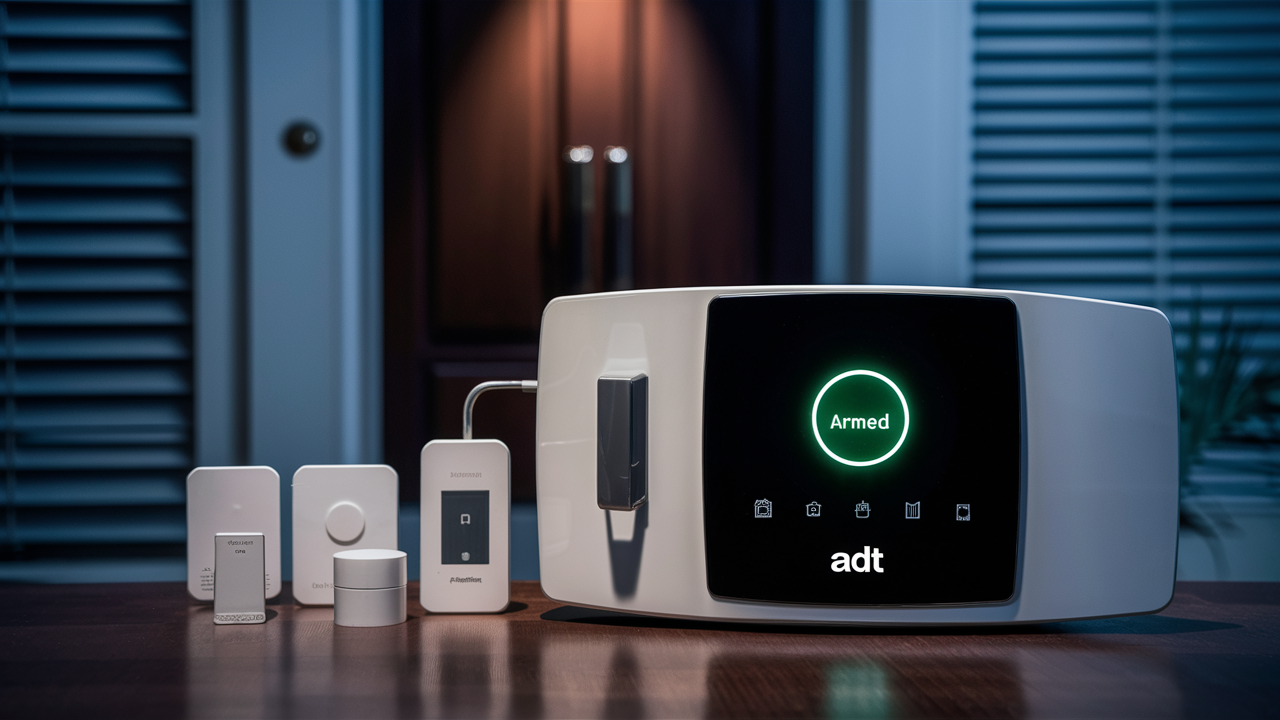
Understanding whether your ADT alarm system requires an internet connection is crucial for optimal security and functionality. This post clarifies the connectivity needs of modern ADT systems, exploring the benefits of internet integration and the implications for users in 2025-26.
Understanding ADT Connectivity Options
ADT, a long-standing leader in home security, offers a range of alarm systems designed to protect homes and businesses. Over the years, the methods these systems use to communicate with ADT's monitoring centers have evolved significantly. Historically, traditional phone lines (landlines) were the primary means of communication. However, with the widespread adoption of digital technologies, internet connectivity and cellular networks have become increasingly prevalent. This evolution has introduced new functionalities and considerations for homeowners regarding how their ADT system stays connected and operational. Understanding these different connectivity options is the first step in determining whether your specific ADT alarm system necessitates an internet connection.
ADT's systems are designed with flexibility in mind, allowing for various communication pathways. This adaptability ensures that even in areas with limited traditional infrastructure, robust security can be maintained. The choice of communication method often depends on the specific ADT package, the age of the equipment, and the homeowner's existing utility services. For instance, older systems might be configured for landline communication, while newer, more advanced systems often leverage internet or cellular capabilities for enhanced features and reliability. The core function of any ADT system remains the same: to detect security breaches and alert both the homeowner and a professional monitoring center. The method by which this alert is transmitted is where the connectivity options diverge.
In 2025-26, the landscape of home connectivity is dominated by high-speed internet access, including Wi-Fi, Ethernet, and cellular data. ADT has integrated these technologies into its offerings to provide faster, more reliable, and feature-rich security solutions. This includes features like remote access via smartphone apps, video surveillance streaming, and instant notifications. These advanced capabilities are often directly tied to the system's ability to connect to the internet. Therefore, for users seeking the full suite of modern security features, an internet connection becomes not just beneficial, but often essential.
How ADT Systems Communicate
At its heart, an ADT alarm system is designed to transmit signals to a central monitoring station when an event is triggered, such as a door or window sensor being opened, a motion detector being activated, or a panic button being pressed. The method of transmission is key to how quickly and reliably this information reaches ADT's trained professionals. The primary communication pathways available for ADT systems include:
- Landline Telephone Lines: This is the traditional method. The alarm panel connects to a standard analog phone jack. When an alarm event occurs, the system dials ADT's monitoring center using the phone line to send a coded signal. This method is reliable as long as the phone line is active and not cut.
- Broadband Internet (IP/Ethernet/Wi-Fi): Newer ADT systems can connect to your home's internet router, either via an Ethernet cable or Wi-Fi. This offers faster communication speeds and allows for richer data transmission, including video feeds and system status updates.
- Cellular Networks: Some ADT systems utilize cellular modems to communicate. This is particularly useful for homes without landlines or for added redundancy. Cellular communication is independent of your home's internet connection and can be a robust backup.
- Dual-Path Communication: Many modern ADT systems offer dual-path communication, which combines two or more of the above methods (e.g., internet and cellular). This provides the highest level of redundancy and security. If one communication path fails, the system can automatically switch to the other, ensuring continuous monitoring.
The specific communication method employed by your ADT system depends on the model of the control panel and the services you have subscribed to. For instance, the ADT Command and Control systems are designed to leverage internet and cellular connectivity for advanced features. Older systems, like the ADT Safewatch Pro 3000, might primarily rely on landlines but can sometimes be upgraded with cellular or IP modules.
The choice of communication method has direct implications for system functionality. While a landline system can effectively send basic alarm signals, it typically lacks the ability to support features like remote smartphone control, live video streaming, or interactive alerts. These features are largely dependent on a stable internet connection. Therefore, when asking "Do you need internet for ADT alarm system?", the answer often hinges on the specific features and level of integration you desire.
Internet vs. Traditional Communication Methods
The shift from traditional communication methods like landlines to internet-based communication for ADT alarm systems represents a significant leap in security technology. Understanding the differences is key to appreciating the role of internet connectivity.
Landline Communication
Pros:
- Established Reliability: For decades, landlines were the backbone of alarm system communication. They are generally reliable as long as the phone line is intact.
- Cost-Effective (Historically): If a landline was already in place for other purposes, it added minimal extra cost for alarm monitoring.
- Less Susceptible to Wi-Fi Issues: Not dependent on home Wi-Fi network stability.
Cons:
- Vulnerability to Tampering: A determined intruder can cut a phone line, disabling communication.
- Declining Landline Usage: Many households are "cutting the cord" and relying solely on mobile phones, making landline installation an added expense or impractical.
- Limited Functionality: Cannot support advanced features like remote app control, video streaming, or instant mobile notifications.
- Slower Transmission: Generally slower to transmit signals compared to internet or cellular.
- Obsolescence: Many telecommunication companies are phasing out traditional copper landlines in favor of VoIP or fiber optics, which may not be directly compatible with older alarm panels without adapters.
Internet (Broadband IP) Communication
Pros:
- Faster Signal Transmission: Internet protocols allow for near-instantaneous transmission of alarm signals.
- Enhanced Functionality: Enables remote access via smartphone apps (e.g., ADT Control app), allowing users to arm/disarm their system, view camera feeds, and receive real-time alerts.
- Video Integration: Seamlessly integrates with ADT's video surveillance services, allowing for live streaming and recorded footage access.
- System Updates: Facilitates over-the-air software updates for the alarm panel, ensuring it always has the latest features and security patches.
- Cost Savings (for some): If you already have robust broadband internet, it can be more cost-effective than maintaining a separate landline.
Cons:
- Dependency on Home Network: If your Wi-Fi goes down or your internet service is interrupted, the primary communication path is lost.
- Power Outages: Requires a functioning modem and router, which are dependent on household power. Backup power for these devices is crucial.
- Security Concerns (if not properly configured): While ADT employs robust security measures, any internet-connected device needs proper network security practices.
Cellular Communication
Pros:
- Independence from Home Infrastructure: Not affected by landline cuts or internet outages.
- High Reliability: Utilizes cellular networks, which are designed for broad coverage and resilience.
- Fast Transmission: Cellular data transmission is typically very fast.
- Ideal for No-Landline Homes: A perfect solution for homes that have completely abandoned landlines.
Cons:
- Monthly Service Fee: Typically involves a recurring monthly fee for the cellular data service.
- Signal Strength: Performance can be affected by cellular signal strength in the specific location.
- Power Dependency: The cellular modem within the alarm panel requires power.
In 2025-26, the trend strongly favors internet and cellular communication due to their superior functionality and reliability, especially when used in a dual-path configuration. For a comprehensive answer to "Do you need internet for ADT alarm system?", it's important to consider what features you value most. If you're looking for basic monitoring and have a landline, you might be able to get by. However, for smart home integration, remote control, and enhanced peace of mind, internet connectivity is increasingly becoming the standard.
Benefits of Internet Connectivity for ADT Systems
Integrating your ADT alarm system with your home's internet connection unlocks a world of advanced features and enhanced security capabilities that go far beyond basic intrusion detection. In the current technological landscape of 2025-26, these benefits are not just conveniences but often essential components of a modern, comprehensive home security strategy.
One of the most significant advantages is remote access and control. Through the ADT Control app or other compatible platforms, users can interact with their security system from virtually anywhere in the world. This includes the ability to:
- Arm and disarm the system remotely: Forgot to arm your system when leaving? No problem. You can do it from your smartphone.
- Receive real-time alerts and notifications: Get instant notifications on your phone for alarm events, system arming/disarming, and even low battery warnings.
- Check system status: Know at a glance whether your system is armed, disarmed, or if there are any open zones.
- View event history: Access a log of all system activities, providing a detailed record of who armed/disarmed the system and when.
Furthermore, internet connectivity is the backbone of video surveillance integration. ADT offers various security cameras that can be linked to your alarm system. With an internet connection, you can:
- Live stream video: View live feeds from your security cameras directly through the ADT app.
- Access recorded footage: Review recorded video clips triggered by motion or alarm events.
- Two-way audio: In some camera models, communicate with individuals on your property through the app.
The speed and reliability of internet communication also contribute to faster response times. When an alarm is triggered, signals are transmitted almost instantaneously over the internet, allowing ADT's monitoring center to be alerted and begin their response protocol much quicker than with older communication methods. This speed can be critical in emergency situations.
System updates and maintenance are also streamlined. Internet-connected ADT systems can receive over-the-air software updates. This means your system's firmware can be updated remotely by ADT, ensuring it always has the latest features, security patches, and performance enhancements without requiring a technician visit.
For homeowners looking to build a truly "smart home," internet connectivity allows for integration with other smart devices. While ADT systems are primarily focused on security, they can often be integrated with other smart home platforms and devices (like smart locks, lighting, and thermostats) to create automated routines that enhance both convenience and security. For example, you could set your lights to turn on automatically when the alarm is disarmed.
Finally, and perhaps most importantly for many, internet connectivity, especially when combined with cellular backup (dual-path), offers enhanced redundancy and security. By having multiple communication pathways, your system remains connected even if one path is compromised. This significantly reduces the risk of your system becoming "silent" due to a cut phone line or an internet outage.
In summary, the benefits of internet connectivity for an ADT alarm system in 2025-26 are substantial, encompassing remote control, video integration, faster response, seamless updates, smart home compatibility, and improved reliability.
Do You Need Internet for ADT Alarm System in 2025-26?
The direct answer to "Do you need internet for ADT alarm system?" in 2025-26 is: it depends on the specific ADT system you have and the features you want to utilize. However, for the full experience and optimal security, an internet connection is highly recommended and often essential.
Let's break down the scenarios:
Scenario 1: Basic Monitoring (Landline or Cellular Only)
If you have an older ADT system that is configured to communicate solely via a traditional landline telephone line, or if you have a system with a cellular-only backup that you rely on as your primary connection (without an internet module), then you do not *strictly* need an internet connection for the system to function and report basic alarm events to the monitoring center. In this setup:
- The system will still detect intrusions and trigger audible alarms.
- It will use the landline or cellular network to dial ADT's monitoring station.
- You will receive professional monitoring and dispatch services.
However, you will be missing out on a significant number of modern features. You won't be able to control your system remotely via a smartphone app, receive instant push notifications, view live video feeds from connected cameras, or benefit from the speed and rich data transmission that internet connectivity provides.
Important Note for Landlines: With the ongoing transition away from traditional copper landlines to VoIP or digital phone services, relying solely on a landline for alarm communication can become problematic. Many VoIP services may not be fully compatible with older alarm panels, and the reliability of the connection can be affected by internet quality. ADT often recommends upgrading to a system that uses internet or cellular for this reason.
Scenario 2: Modern ADT Systems (ADT Command, ADT Control, etc.)
For most current ADT systems, such as those powered by the ADT Command and Control platforms, an internet connection is either required or highly beneficial for full functionality. These systems are designed from the ground up to leverage IP (Internet Protocol) communication.
If your ADT system is designed for internet connectivity (often via Wi-Fi or Ethernet), then you do need an internet connection to:
- Access the ADT Control app: This is the primary interface for remote control, monitoring, and notifications. Without internet, the app cannot communicate with your system.
- Receive smart alerts: Instant notifications about events are sent over the internet.
- Integrate with smart home devices: Many smart home integrations rely on cloud-based communication, which requires internet.
- Stream video: Live and recorded video from ADT cameras is transmitted over the internet.
- Benefit from faster communication: IP communication is generally faster and more robust than traditional methods.
Many modern ADT installations utilize dual-path communication, which means they use both internet and cellular as primary and backup pathways. In this case, while the system can function if the internet goes down (using cellular), it is designed to prioritize and benefit from the internet connection for its full feature set.
Summary for 2025-26:
You do not NEED internet if: You have an older system, are content with basic landline or cellular monitoring only, and do not require remote access, app control, or video streaming.
You DO NEED internet if: You have a modern ADT system (like ADT Command/Control), want to use the ADT Control app for remote management, wish to receive instant notifications, plan to integrate video surveillance, or desire the fastest and most feature-rich security experience.
Given the declining use of landlines and the widespread availability of reliable internet, most new ADT installations in 2025-26 are configured with internet connectivity as a primary or dual-path communication method. It’s the gateway to a smarter, more connected, and more responsive security system.
Factors Influencing Connectivity Choices
When deciding on the communication method for your ADT alarm system, several factors come into play. These considerations help ensure you select the most appropriate and cost-effective solution for your specific needs and circumstances.
1. Existing Infrastructure:
Landline Availability: Do you currently have a functional landline telephone service? If so, and if your ADT system is compatible, it might be an option. However, as mentioned, the future of landlines is uncertain, and ADT often advises against relying solely on them for critical security communications.
Internet Service: What is the reliability and speed of your home's internet connection (Wi-Fi or Ethernet)? If you have a stable, high-speed connection, it's an excellent candidate for primary communication. If your internet is spotty or frequently goes down, you'll need to consider a backup.
Cellular Coverage: Check the cellular signal strength in your home for major carriers. If cellular reception is poor, a cellular backup might be less reliable.
2. Desired Features and Functionality:
As discussed, if you want remote access, smartphone control, video streaming, and smart home integrations, an internet connection is virtually mandatory. If you only need basic alarm monitoring and dispatch, a landline or cellular-only system might suffice, but with significant limitations.
3. Budget and Cost Considerations:
Landline: If you already have a landline, the incremental cost for alarm monitoring might be low. However, if you need to install a new landline, it can be expensive.
Internet: If you already have broadband internet, the cost is primarily associated with the ADT monitoring package that utilizes IP communication. There are usually no additional monthly fees for the internet itself from ADT.
Cellular: Cellular backup typically involves a recurring monthly fee from ADT for the data service. This fee is in addition to your base monitoring package.
Dual-Path: This offers the most robust security but may come with a slightly higher monitoring fee due to the inclusion of cellular service.
4. Reliability and Redundancy Needs:
How critical is uninterrupted communication for you? If you live in an area prone to power outages or severe weather that might affect internet service, investing in dual-path communication (internet + cellular) provides the highest level of redundancy. For most users in 2025-26, dual-path is the recommended standard for maximum peace of mind.
5. System Age and Compatibility:
Older ADT systems might not be equipped to handle IP or cellular communication without add-on modules. Newer systems, like ADT Command, are designed with these technologies integrated. ADT technicians will assess your current equipment and recommend the best upgrade path if necessary.
6. Future-Proofing:
Considering the trajectory of technology, systems that leverage internet and cellular are more future-proof. Landlines are being phased out, and cellular technology continues to advance. Choosing an internet-capable system ensures your security investment remains relevant and functional for years to come.
By carefully evaluating these factors, you can make an informed decision about the connectivity options for your ADT alarm system, ensuring it meets your security requirements, budget, and desired level of convenience.
Installation and Setup Considerations
Proper installation and setup are paramount for ensuring your ADT alarm system functions reliably, regardless of its communication method. Whether you're connecting via landline, internet, or cellular, several key considerations apply. For systems relying on internet connectivity, the setup process involves specific steps to integrate with your home network.
For Internet-Connected Systems (Wi-Fi/Ethernet):
Network Name (SSID) and Password: You will need to provide your home Wi-Fi network name and password to the ADT technician during installation. Ensure these are correct and that your Wi-Fi signal is strong in the location where the ADT panel will be installed. If your Wi-Fi signal is weak, consider a Wi-Fi extender or using an Ethernet connection if feasible.
Router Placement: The location of your internet router can impact Wi-Fi signal strength. Ideally, the ADT panel should be within a reasonable range of the router.
Ethernet Connection: If possible, an Ethernet cable connection directly from your router to the ADT panel generally offers the most stable and secure internet connection. This bypasses potential Wi-Fi interference.
Network Security: ADT systems employ strong encryption protocols. However, it's good practice to ensure your home Wi-Fi network itself is secured with a strong password and WPA2/WPA3 encryption.
Power Outages: Internet-connected systems rely on your modem and router functioning. Ensure these devices have battery backup (UPS - Uninterruptible Power Supply) to maintain internet connectivity during short power outages. ADT's cellular backup is crucial for longer outages.
For Cellular-Connected Systems:
Signal Strength Verification: The ADT technician will test the cellular signal strength at the installation site to ensure reliable communication. If signal strength is marginal, they may recommend a cellular signal booster.
Activation Process: Cellular modules require activation with the cellular carrier. ADT handles this process during installation.
For Landline-Connected Systems:
Phone Jack Location: The ADT panel needs to be within reach of a functional landline phone jack.
Line Quality: Ensure the landline service is active and of good quality. ADT may perform tests to confirm the line is clear.
VoIP Compatibility: If you use VoIP, confirm with ADT that your specific service is compatible or if an adapter is needed. As noted, this is often a less recommended path for new installations.
General Installation Best Practices:
Professional Installation: For most ADT systems, professional installation by a certified ADT technician is highly recommended. They have the expertise to ensure all components are correctly installed, configured, and tested.
System Testing: After installation, the technician will perform a comprehensive system test. This includes testing all sensors, the control panel, and crucially, the communication pathway(s) to the ADT monitoring center. They will likely simulate an alarm event to confirm it's received.
Understanding Your System: Take the time to understand how your system works, including how to arm/disarm it, what different sensor lights mean, and how to bypass zones if necessary.
User Manuals: Keep all user manuals and documentation provided by ADT for future reference.
For systems that require internet, the setup is generally straightforward, especially if you have a robust home network. The ADT technician will guide you through the process, ensuring your system is securely and effectively connected. This initial setup is critical for unlocking the full potential of your ADT security solution.
Troubleshooting Connectivity Issues
Even with the most advanced systems, occasional connectivity issues can arise. Knowing how to troubleshoot common problems can save you time and ensure your ADT alarm system remains operational. The approach to troubleshooting often depends on the communication method.
Common Internet Connectivity Issues:
"No Communication" or "Network Error" on Panel:
- Check Your Internet Service: Is your home internet down? Try browsing the web on another device. If your internet is out, this is the likely cause. Wait for your ISP to restore service.
- Check Your Modem and Router: Power cycle your modem and router. Unplug them, wait 30 seconds, and plug them back in. Allow them a few minutes to fully boot up.
- Check Wi-Fi Signal: If using Wi-Fi, ensure the ADT panel is within range and the signal is strong. You might need to move your router or consider a Wi-Fi extender.
- Check Ethernet Cable: If using Ethernet, ensure the cable is securely plugged into both the panel and the router, and that the cable isn't damaged. Try a different Ethernet cable.
- Router Settings: Occasionally, router firmware updates or changes in settings can affect connectivity. Consult your router's manual or ISP for assistance.
- ADT Server Issues: While rare, ADT's servers could be experiencing temporary issues. Contact ADT support to check.
Common Cellular Connectivity Issues:
"No Cellular Signal" or "Communication Failure":
- Check Signal Strength: Some panels display a cellular signal strength indicator. If it's low or zero, there might be a coverage issue.
- Environmental Factors: Extreme weather or new construction nearby can sometimes interfere with cellular signals.
- Carrier Issues: The cellular network itself might be experiencing an outage in your area.
- Module Malfunction: The cellular module in the panel could be faulty.
- Contact ADT: Cellular issues often require ADT technician intervention for diagnosis and potential module replacement or signal booster installation.
Common Landline Connectivity Issues:
"Line Fault" or "No Phone Line":
- Check Phone Service: Is your landline working for making and receiving calls? If not, contact your phone service provider.
- Phone Jack: Ensure the phone cord is securely plugged into both the panel and the wall jack. Try a different phone cord.
- Line Cuts: While less common for internal lines, ensure the external phone line hasn't been accidentally damaged.
- VoIP Issues: If using VoIP, check your internet connection and the VoIP service itself.
General Troubleshooting Steps:
Reboot the Panel: Sometimes, simply rebooting the ADT control panel can resolve temporary communication glitches. Follow the manufacturer's instructions for rebooting your specific model.
Check for System Updates: If your system is internet-connected, ensure it has the latest firmware. Updates can sometimes resolve connectivity bugs.
Bypass Zones: If a specific sensor is causing issues, you might be able to bypass it temporarily to allow the rest of the system to communicate. Consult your user manual.
Contact ADT Support: If you've tried basic troubleshooting and the issue persists, it's time to contact ADT's customer support or your local ADT dealer. They have diagnostic tools and can dispatch a technician if necessary. When you call, be prepared to describe the error message you're seeing and the steps you've already taken.
Maintaining a reliable connection is crucial for your ADT system's effectiveness. Regular checks and prompt troubleshooting of any connectivity warnings will ensure your home remains protected.
The Future of ADT Connectivity
The trajectory of home security technology is undeniably towards greater connectivity, intelligence, and integration. ADT, as a market leader, is at the forefront of these advancements, continually evolving its systems to meet the demands of modern homeowners. In the coming years, we can expect ADT's connectivity strategies to focus on several key areas, further solidifying the importance of internet and cellular integration.
Enhanced AI and Machine Learning: Future ADT systems will likely leverage artificial intelligence and machine learning to provide more sophisticated threat detection and false alarm reduction. This will require robust data transmission capabilities, primarily through high-speed internet and cellular networks, to process complex algorithms and sensor data in real-time. AI-powered video analytics, for instance, will become more prevalent, distinguishing between pets, people, and vehicles with greater accuracy.
Seamless Smart Home Integration: The concept of a "smart home" is no longer a novelty but a growing expectation. ADT will continue to deepen its integration with other smart home ecosystems (like Google Home, Amazon Alexa, Apple HomeKit) and a wider array of smart devices. This requires a stable and fast internet connection as the central hub for communication between all these devices. Future systems may offer more proactive automation, such as automatically adjusting thermostats or locking doors based on security status or detected presence.
5G and Beyond: The rollout of 5G cellular technology offers significantly faster speeds, lower latency, and greater capacity. ADT is well-positioned to capitalize on this, enhancing the reliability and performance of its cellular backup systems. This will enable even richer data streams, such as higher-resolution video feeds and more responsive remote control, even in areas with less robust traditional internet infrastructure. Future iterations may also explore emerging communication standards.
Advanced Cybersecurity Measures: As systems become more connected, cybersecurity becomes paramount. ADT will continue to invest heavily in robust encryption, secure authentication protocols, and regular software updates to protect against cyber threats. The reliance on internet and cellular networks necessitates a constant focus on securing these communication channels.
Proactive Maintenance and Diagnostics: With advanced connectivity, ADT can offer more proactive maintenance. Systems will be able to self-diagnose potential issues and report them to ADT before they become critical failures. This predictive maintenance, enabled by constant communication, will reduce downtime and ensure systems are always ready.
Increased Use of IoT Devices: The Internet of Things (IoT) continues to expand, bringing more devices online. ADT's future offerings will likely include integration with a broader range of IoT sensors beyond traditional security devices, such as environmental sensors (water leaks, smoke, carbon monoxide) and smart appliance monitors, all communicating via the internet.
In essence, the future of ADT connectivity is intrinsically linked to the internet and advanced cellular networks. While basic monitoring might still be possible through legacy systems, the full spectrum of security, convenience, and smart home integration that ADT aims to provide will increasingly depend on these robust, high-speed communication pathways. Therefore, for any homeowner looking to invest in a modern, future-proof security solution, ensuring their ADT system is internet-connected is not just a recommendation, but a necessity.
Conclusion: Making the Right Choice for Your ADT System
In 2025-26, the question "Do you need internet for ADT alarm system?" has a clear, albeit nuanced, answer. While basic monitoring can function without it, the full capabilities, enhanced security features, and modern convenience that ADT offers are overwhelmingly tied to internet connectivity. For most users, especially those with newer ADT systems like those powered by ADT Command and Control, an internet connection is not just beneficial—it's essential for leveraging remote access, smartphone control, video surveillance, and rapid notifications.
Traditional landline communication, once the standard, is becoming increasingly obsolete and vulnerable. Relying solely on it in today's connected world means sacrificing significant advantages in speed, functionality, and reliability. Cellular communication offers a strong alternative and is vital for dual-path redundancy, but internet connectivity unlocks the most comprehensive and integrated smart security experience.
When making your decision, carefully consider your existing infrastructure, your budget, and most importantly, the features you desire. If you aim for a truly smart, responsive, and remotely manageable security system, prioritize an ADT setup that includes robust internet connectivity, ideally with cellular backup for ultimate peace of mind. Consult with an ADT professional to assess your home and recommend the best connectivity solution tailored to your specific needs, ensuring your ADT alarm system provides the maximum level of protection and convenience for years to come.





