
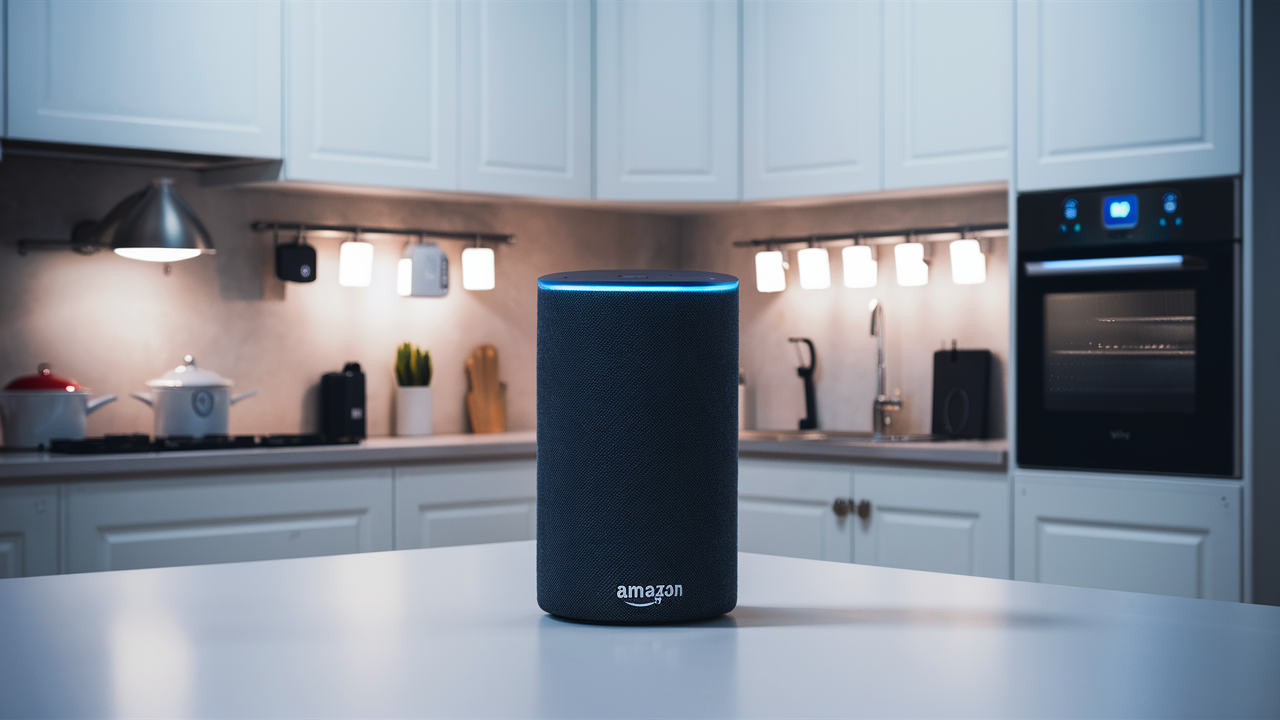
Yes, Vivint systems seamlessly integrate with Amazon Alexa, allowing you to control your smart home devices with simple voice commands. This powerful combination enhances convenience and security, offering a unified smart home experience for users. Discover how to connect them and unlock their full potential.
Vivint and Alexa: A Powerful Smart Home Duo
The quest for a truly integrated smart home experience often leads consumers to explore the compatibility between their security systems and popular voice assistants. For Vivint customers, the question "Does Vivint work with Alexa?" is a common one, and the answer is a resounding yes. This integration isn't just a superficial add-on; it's a fundamental aspect of Vivint's commitment to providing a comprehensive and user-friendly smart home ecosystem. By bridging the gap between Vivint's robust security features and Alexa's intuitive voice control, users gain an unprecedented level of convenience and command over their living spaces.
In the rapidly evolving landscape of home automation, the ability to control various devices and systems through a single interface is paramount. Vivint, a leading provider of smart home security systems, has recognized this need and has invested significantly in ensuring its platform plays well with others, most notably with Amazon's ubiquitous Alexa. This synergy allows users to arm or disarm their security system, lock or unlock doors, adjust thermostats, control lighting, and even view live camera feeds, all with simple spoken commands. This not only simplifies daily routines but also adds an extra layer of accessibility, especially for individuals with mobility challenges or those who simply prefer hands-free operation.
The benefits extend beyond mere convenience. The integration enhances the overall security posture of a home. Imagine being able to quickly check if your doors are locked from another room, or arm your system as you're heading out the door without fumbling for your phone. In emergency situations, the ability to quickly communicate with your home's systems via voice could be invaluable. As we delve deeper into this topic, we will explore the mechanics of this integration, the specific commands you can use, and how it stacks up against other smart home solutions available in 2025 and 2026.
Understanding the nuances of how Vivint and Alexa interact is key to maximizing the value of both services. This article aims to provide a comprehensive guide, addressing everything from the initial setup to advanced usage and potential troubleshooting, ensuring that Vivint users can confidently leverage the power of voice control for their connected homes.
Connecting Vivint to Alexa: A Step-by-Step Guide
Setting up the integration between your Vivint system and Amazon Alexa is a straightforward process designed to be accessible to users of all technical skill levels. The primary method involves linking your Vivint account to your Amazon Alexa account through the Alexa mobile app. This process establishes a secure connection, allowing Alexa to recognize and control your Vivint devices.
Before you begin, ensure you have the following prerequisites in place:
- A functioning Vivint smart home system, with devices like door locks, thermostats, and smart lights already installed and configured.
- An active Amazon Alexa account with at least one Echo device (or another Alexa-enabled device) set up and connected to your Wi-Fi network.
- The latest version of the Vivint app installed on your smartphone or tablet.
- The latest version of the Amazon Alexa app installed on your smartphone or tablet.
- Your Vivint account credentials (username and password).
- Your Amazon account credentials (username and password).
Here’s a detailed breakdown of the connection process:
- Open the Amazon Alexa App: Launch the Alexa app on your mobile device.
- Navigate to Skills & Games: Tap on the "More" icon (usually three horizontal lines or dots) in the bottom right corner, then select "Skills & Games."
- Search for the Vivint Skill: In the search bar at the top, type "Vivint" and press enter.
- Select the Vivint Skill: Look for the official Vivint skill (it should have the Vivint logo) and tap on it.
- Enable the Skill: On the Vivint skill page, tap the "Enable to Use" button.
- Link Your Vivint Account: You will be redirected to a Vivint login page. Enter your Vivint account username and password to authorize the connection. This step securely links your Vivint account to your Amazon Alexa account.
- Grant Permissions: Alexa will request permission to access and control your Vivint devices. Review the permissions and tap "Allow."
- Discover Devices: Once the accounts are linked, Alexa will prompt you to discover devices. You can either say "Alexa, discover devices" or tap the "Discover Devices" button within the app. Alexa will then scan your connected Vivint devices and make them available for voice control.
- Assign Devices to Rooms (Optional but Recommended): For better organization and control, assign your discovered Vivint devices to specific rooms within the Alexa app. This allows you to say commands like "Alexa, turn off the living room lights" or "Alexa, lock the front door."
Troubleshooting Initial Connection: If Alexa fails to discover your devices, try disabling and re-enabling the Vivint skill, or ensure your Vivint account credentials are correct. Sometimes, simply restarting your Echo device and checking your Wi-Fi connection can resolve minor glitches.
This guided process ensures that your Vivint security and smart home devices are recognized by Alexa, paving the way for seamless voice control and automation. The security of this link is maintained through Amazon's and Vivint's robust authentication protocols, ensuring that only authorized users can control the connected devices.
Voice Control Setup and Verification
After successfully linking your accounts and discovering devices, it’s crucial to verify that voice control is functioning as expected. This involves testing a few basic commands to ensure Alexa can communicate effectively with your Vivint system.
Basic Verification Steps:
- Arming/Disarming: Try commands like "Alexa, arm Vivint system" or "Alexa, disarm Vivint system." For disarming, Alexa will typically prompt you for a voice code (which you can set up in the Alexa app under the Vivint skill settings) for security purposes. This voice code is distinct from your Vivint security panel code.
- Locking/Unlocking Doors: If you have a Vivint smart lock, test commands such as "Alexa, lock the front door" or "Alexa, is the back door locked?" Unlocking doors will also require a voice code for security.
- Thermostat Control: Adjusting your home's temperature is easy. Say, "Alexa, set the thermostat to 72 degrees" or "Alexa, what is the temperature inside?"
- Lighting Control: For connected smart lights, try "Alexa, turn on the kitchen lights" or "Alexa, dim the living room lights to 50%."
- Camera Feeds: If you have Vivint cameras, you can ask, "Alexa, show me the front door camera" (this requires an Echo Show or other screen-enabled Alexa device).
Setting Up Voice Codes: To enhance security, especially for sensitive actions like disarming the system or unlocking doors, it's highly recommended to set up a unique voice code within the Alexa app. Navigate to the Vivint skill settings in the Alexa app and follow the prompts to create your voice code. This code will be required by Alexa before executing these specific commands, adding a critical security layer.
By following these verification steps, you can confirm that your Vivint system is fully integrated with Alexa and ready to be controlled by your voice. This initial setup is the foundation for unlocking the full potential of your smart home automation.
Unlocking the Potential: Voice Commands and Capabilities
The integration of Vivint with Amazon Alexa unlocks a wide array of functionalities, transforming how you interact with your home's security and smart devices. Beyond basic commands, the synergy allows for efficient management of your environment, enhancing both convenience and peace of mind. As of 2025-26, the capabilities continue to expand, offering users more granular control and sophisticated automation options.
The core of this integration lies in its ability to translate natural language into actions performed by your Vivint system. This means you can control various aspects of your home without needing to physically interact with control panels, smartphones, or even physical switches. The following sections detail the primary capabilities:
Security System Control
The most fundamental aspect of the Vivint-Alexa integration is the control over your home security system. This includes:
- Arming the System: You can arm your Vivint system in various modes. Common commands include:
- "Alexa, arm Vivint system." (This typically arms in 'Stay' mode, meaning interior sensors are deactivated while perimeter sensors remain active.)
- "Alexa, arm Vivint system away." (This arms all sensors, including interior ones, for when no one is home.)
- Disarming the System: For security reasons, disarming requires a voice code that you set up in the Alexa app.
- "Alexa, disarm Vivint system." (Alexa will then prompt for your voice code.)
- Checking System Status: You can inquire about the current state of your security system.
- "Alexa, is the Vivint system armed?"
- "Alexa, what is the status of the Vivint system?"
Important Note: For security, Vivint does not allow direct voice commands to disarm the system without a voice code. This is a critical security feature to prevent unauthorized access.
Smart Lock Management
If your Vivint system includes smart locks, Alexa provides convenient control over your home's entry points:
- Locking Doors: This is a straightforward command.
- "Alexa, lock the front door."
- "Alexa, lock all doors."
- Unlocking Doors: Similar to disarming the security system, unlocking doors requires a voice code for security.
- "Alexa, unlock the front door." (Alexa will prompt for your voice code.)
- Checking Lock Status: You can easily verify if your doors are secured.
- "Alexa, is the front door locked?"
- "Alexa, what is the status of the back door lock?"
The ability to lock or unlock doors remotely via voice command adds a significant layer of convenience, especially when your hands are full or you're away from home and need to grant temporary access.
Thermostat and Climate Control
Vivint's integration with smart thermostats, like the Vivint Smart Thermostat, allows for easy climate management:
- Adjusting Temperature:
- "Alexa, set the thermostat to 72 degrees."
- "Alexa, increase the temperature by 2 degrees."
- "Alexa, decrease the temperature to 68 degrees."
- Checking Temperature:
- "Alexa, what is the temperature inside?"
- "Alexa, what is the thermostat set to?"
- Setting Modes:
- "Alexa, set the thermostat to heat."
- "Alexa, set the thermostat to cool."
- "Alexa, set the thermostat to auto."
This feature is particularly useful for adjusting your home's comfort levels without having to get up or find your phone, contributing to energy efficiency and a more comfortable living environment.
Lighting Control
For homes equipped with Vivint smart lighting, Alexa offers comprehensive control:
- Turning Lights On/Off:
- "Alexa, turn on the living room lights."
- "Alexa, turn off all lights."
- "Alexa, turn on the bedroom lamp."
- Adjusting Brightness:
- "Alexa, dim the kitchen lights to 50%."
- "Alexa, brighten the hallway light."
- "Alexa, set the porch light to 75% brightness."
- Changing Colors (for compatible bulbs):
- "Alexa, set the living room lights to blue."
- "Alexa, change the bedroom lamp to warm white."
Smart lighting controlled via voice command enhances ambiance, provides convenience, and can contribute to home security by simulating occupancy when you're away.
Camera and Doorbell Monitoring
With compatible Vivint cameras and video doorbells, Alexa-enabled devices with screens (like Echo Show) can display live feeds:
- Viewing Live Feeds:
- "Alexa, show me the front door camera."
- "Alexa, show me the backyard camera."
- "Alexa, show me the driveway camera."
- Stopping Feeds:
- "Alexa, stop showing the front door camera."
This feature is incredibly useful for quickly checking who is at the door, monitoring package deliveries, or keeping an eye on pets or children without needing to access your phone or computer.
Garage Door Control
If you have a Vivint-connected smart garage door opener, Alexa can provide convenient access:
- Opening/Closing Garage Doors: This function requires a voice code for security.
- "Alexa, open the garage door." (Requires voice code.)
- "Alexa, close the garage door." (Requires voice code.)
- Checking Garage Door Status:
- "Alexa, is the garage door open?"
The voice code requirement is essential here to prevent unauthorized opening of your garage, which could compromise home security.
The breadth of these capabilities underscores the power of integrating Vivint with Alexa. It moves beyond simple command-and-response to create a truly interactive and responsive smart home environment. As technology advances, we can expect even more sophisticated integrations and voice-activated features to emerge.
Mastering Your Smart Home: Advanced Alexa Routines with Vivint
While basic voice commands are highly convenient, the true power of the Vivint-Alexa integration is unleashed through the creation of custom Alexa Routines. These routines allow you to automate a series of actions triggered by a single voice command, a specific time, or even the status of another smart device. By leveraging Vivint devices within these routines, you can build sophisticated automations that enhance security, convenience, and energy efficiency.
What Are Alexa Routines?
Alexa Routines are user-defined sequences of actions. You can think of them as "if this, then that" scenarios for your smart home. For example, a "Good Morning" routine could turn on your lights, adjust your thermostat, and play the news, all initiated by saying "Alexa, good morning."
Integrating Vivint into Routines
The Vivint skill enables your Vivint devices to be included as either triggers or actions within Alexa Routines. This opens up a world of possibilities for personalized home automation.
Routines Triggered by Vivint Events
While Alexa Routines are primarily triggered by voice, time, or other Alexa-compatible devices, Vivint devices themselves don't directly act as triggers within the Alexa app's routine creation interface (as of 2025-26). However, you can indirectly use Vivint events to trigger routines by leveraging other smart home devices that are linked to both Vivint and Alexa. For instance, if a Vivint motion sensor triggers an action on a smart plug that Alexa can monitor, that could indirectly initiate a routine. The primary way to use Vivint in routines is through actions.
Routines with Vivint Actions
This is where the integration truly shines. You can set up routines where Vivint devices perform specific actions:
- "Leaving Home" Routine:
- Trigger: "Alexa, I'm leaving."
- Actions:
- Arm Vivint system (Away mode).
- Lock all Vivint doors.
- Turn off all Vivint lights.
- Set Vivint thermostat to an energy-saving temperature.
- "Goodnight" Routine:
- Trigger: "Alexa, goodnight."
- Actions:
- Arm Vivint system (Stay mode).
- Lock all Vivint doors.
- Turn off all lights.
- Set Vivint thermostat to a comfortable sleeping temperature.
- (Optional) Turn on a Vivint smart plug connected to a night light.
- "Movie Time" Routine:
- Trigger: "Alexa, it's movie time."
- Actions:
- Dim Vivint lights in the living room to 20%.
- (If integrated) Adjust Vivint thermostat for comfort.
- (If integrated) Lock the front door.
- "Welcome Home" Routine:
- Trigger: "Alexa, I'm home."
- Actions:
- Disarm Vivint system (requires voice code, so this might be better as a manual trigger or a routine that prompts you for the code). A more practical approach might be to have lights turn on and thermostat adjust, and then you manually disarm.
- Turn on entryway Vivint lights.
- Set Vivint thermostat to a comfortable temperature.
- Unlock the front door (requires voice code).
- Security-Focused Routine:
- Trigger: "Alexa, activate security mode."
- Actions:
- Arm Vivint system (Away mode).
- Lock all doors.
- Turn off all lights.
- (If integrated) Activate motion alerts on Vivint cameras.
Setting Up Custom Routines in the Alexa App
Creating these routines is done within the Amazon Alexa app:
- Open the Alexa app.
- Tap "More" in the bottom right corner.
- Select "Routines."
- Tap the "+" icon in the top right corner to create a new routine.
- Enter Routine Name (Optional): Give your routine a descriptive name.
- Add Trigger ("When this happens"): Choose your trigger – voice command, schedule, or another device.
- Add Actions ("Add action"): This is where you select your Vivint devices and the actions they should perform. Search for "Vivint" under smart home devices, and you'll see your connected locks, lights, thermostats, and security system options.
- Add More Actions: You can add multiple actions from different device categories (e.g., Vivint lights and a music playback).
- Save the Routine: Once configured, tap "Save."
Tips for Advanced Routines:
- Use Specific Device Names: Ensure your Vivint devices are named clearly in both the Vivint and Alexa apps (e.g., "Front Door Lock," "Living Room Lamp").
- Consider Voice Codes: For actions like disarming or unlocking, remember that Alexa will prompt for a voice code. Plan your routines accordingly. You might have routines that set the stage (like turning on lights) and then prompt you to manually disarm.
- Combine with Other Smart Devices: The real magic happens when you combine Vivint actions with those of other Alexa-compatible devices (e.g., smart plugs, smart speakers playing music, smart TVs).
- Test Thoroughly: After creating a routine, test it multiple times to ensure all actions execute correctly and in the desired order.
By mastering Alexa Routines, Vivint users can transform their homes into truly intelligent environments, where complex tasks are simplified into single voice commands, enhancing both lifestyle and security.
Troubleshooting Common Vivint-Alexa Connection Issues
While the Vivint and Alexa integration is generally robust, users may occasionally encounter issues. These problems can range from devices not being discovered to commands not being recognized. Fortunately, most common issues can be resolved with a systematic troubleshooting approach. The key is to address potential problems at the account, device, and network levels.
Devices Not Discovered or Unresponsive
This is one of the most frequent problems. If Alexa cannot find your Vivint devices after linking accounts, or if previously discovered devices suddenly become unresponsive, consider the following:
- Check Vivint Account Linkage:
- Go to the Alexa app, navigate to Skills & Games, find the Vivint skill, and ensure it's enabled.
- If it is enabled, try disabling and re-enabling the skill. You will need to log in to your Vivint account again to re-link.
- Verify that your Vivint account credentials are correct.
- Run Device Discovery:
- In the Alexa app, go to Devices, tap the "+" icon, select "Add Device," and then choose "Other."
- Alternatively, simply say, "Alexa, discover devices."
- Allow a minute or two for the discovery process to complete.
- Check Vivint App:
- Ensure your Vivint devices are online and functioning correctly within the Vivint app itself. If a device isn't working in the Vivint app, it won't work with Alexa.
- Verify that the devices you expect to control via Alexa are actually enabled for smart home control within your Vivint system settings.
- Network Connectivity:
- Ensure both your Alexa-enabled device (e.g., Echo) and your Vivint hub/devices are connected to the same Wi-Fi network.
- Restart your Wi-Fi router and modem.
- Check for any network interference or signal strength issues that might affect communication between devices.
- Device Limits: While less common, ensure you haven't exceeded any device limits imposed by either Vivint or Amazon for linked accounts.
Commands Not Recognized or Misinterpreted
If Alexa understands your command but performs the wrong action, or doesn't understand at all:
- Check Device Naming:
- In the Alexa app, go to Devices and check the names of your Vivint devices. Ensure they are clear, unique, and easy to pronounce. For example, instead of "Lock 1," use "Front Door Lock."
- If you've recently renamed a device in the Vivint app, you may need to re-run device discovery in the Alexa app for the changes to take effect.
- Speak Clearly and Naturally:
- Ensure you are speaking clearly into your Alexa device.
- Avoid background noise as much as possible.
- Use the exact phrasing that Alexa expects. You can often find example commands in the Vivint skill's description in the Alexa app.
- Verify Command Syntax:
- For security-related commands (disarming, unlocking, opening garage), ensure you are using the correct syntax and are prepared to provide your voice code when prompted.
- If you are trying to control specific lights or devices, make sure you are referencing them correctly by name and room (e.g., "Alexa, turn off the kitchen light" vs. "Alexa, turn off the kitchen").
- Check for Skill Updates: Ensure both the Vivint app and the Alexa app are updated to their latest versions, as updates often include bug fixes and performance improvements.
Voice Code Issues
Problems with voice codes for disarming or unlocking can be frustrating but are usually fixable:
- Confirm Voice Code Setup:
- In the Alexa app, go to Skills & Games, select the Vivint skill, and check the settings for your voice code.
- Ensure a voice code is actually set and that you are entering it correctly when prompted.
- Re-enter Voice Code:
- Try disabling and re-enabling the Vivint skill, which will prompt you to set up your voice code again.
- Ensure the voice code you are using is the one configured for Alexa, not your Vivint panel code.
- Speak the Code Clearly: Alexa needs to accurately hear your voice code. Speak slowly and distinctly.
General Tips for Troubleshooting
- Restart Devices: A simple restart of your Alexa device (unplug and plug back in) and your Vivint hub can often resolve temporary glitches.
- Check Internet Connection: A stable internet connection is crucial for both Vivint and Alexa to communicate.
- Consult Support: If you've tried these steps and are still experiencing issues, contact Vivint customer support or Amazon Alexa support for further assistance. They can often diagnose deeper technical problems.
By systematically working through these troubleshooting steps, most users can restore full functionality to their Vivint-Alexa integrated smart home system.
Vivint's Alexa Integration in the Smart Home Landscape (2025-26)
As the smart home market matures, the integration capabilities of security systems with voice assistants like Alexa have become a key differentiator. Vivint has consistently been a strong player in this arena, offering a robust and user-friendly integration. However, how does it stack up against competitors in the 2025-26 landscape? Let's analyze Vivint's offering in comparison to other major smart home security providers.
Comparison of Alexa Integration Features
The core functionality of controlling security systems, locks, lights, and thermostats via Alexa is now a standard expectation. Vivint excels in providing a comprehensive set of these features, often with a more polished user experience than some DIY systems. Here's a comparative look:
| Feature | Vivint (2025-26) | Competitor A (e.g., ADT Command/Control with Alexa) | Competitor B (e.g., SimpliSafe with Alexa) | Competitor C (e.g., Ring Alarm Pro with Alexa) |
|---|---|---|---|---|
| Security System Arm/Disarm | Yes (Voice code for disarm) | Yes (Voice code for disarm) | Yes (Voice code for disarm) | Yes (Voice code for disarm) |
| Smart Lock Control | Yes (Voice code for unlock) | Yes (Voice code for unlock) | Yes (Voice code for unlock) | Yes (Voice code for unlock) |
| Thermostat Control | Yes | Yes | Yes (with compatible third-party thermostats) | Yes (with compatible third-party thermostats) |
| Smart Lighting Control | Yes | Yes | Yes (with compatible third-party lights) | Yes (with compatible third-party lights) |
| Live Camera Feed on Echo Show | Yes (for Vivint cameras) | Yes (for compatible cameras) | Yes (for compatible cameras) | Yes (for Ring cameras) |
| Garage Door Control | Yes (Voice code required) | Yes (Voice code required) | Limited/Third-party dependent | Yes (with compatible openers, voice code required) |
| Routine Integration | Excellent (Vivint devices as actions) | Good | Good (relies more on third-party integrations) | Excellent (deeply integrated with Ring ecosystem) |
| Ease of Setup | Professional installation, guided setup | Professional installation, guided setup | DIY, straightforward | DIY, straightforward |
| Ecosystem Integration | Strong within Vivint's own hardware | Strong within ADT's ecosystem | Relies on broad third-party compatibility | Very strong within Amazon/Ring ecosystem |
Vivint's Strengths in Alexa Integration
- Professional Installation and Support: Vivint's model includes professional installation and 24/7 customer support. This means the initial setup of the Vivint system and its integration with Alexa is handled by experts, reducing user frustration. When issues arise, dedicated support is available.
- Seamless Ecosystem: Vivint's proprietary smart home devices (cameras, locks, thermostats, lighting) are designed to work harmoniously with their security platform. This often leads to a more reliable and consistent experience when controlling these devices via Alexa compared to piecing together a system from various third-party manufacturers.
- Robust Security Features: The emphasis on voice codes for sensitive actions like disarming the system or unlocking doors demonstrates Vivint's commitment to security, which is paramount for a home security provider.
- Comprehensive Control: Vivint offers control over a wide range of its own branded devices, providing a unified experience.
Areas Where Competitors Might Excel
- DIY Flexibility: Systems like SimpliSafe and Ring Alarm Pro cater to the DIY market, offering lower upfront costs and greater flexibility for users who prefer to set up their own systems and integrate a wider array of third-party smart home devices.
- Deeper Amazon Integration (Ring): Ring Alarm Pro, being an Amazon product, often boasts the most seamless integration with Alexa, including features like using Ring cameras as Alexa Show cameras and potentially more advanced routine capabilities within the Amazon ecosystem.
- Broader Third-Party Compatibility: Some systems might offer broader compatibility with a wider range of niche smart home devices from various manufacturers, appealing to users with highly customized smart home setups.
Current Trends (2025-26)
In 2025-26, the trend is towards deeper, more intuitive integrations. This includes:
- Proactive AI: Voice assistants are becoming more proactive, offering suggestions or automating tasks based on learned user behavior. Vivint's integration will likely benefit from these advancements, potentially offering more intelligent routine suggestions.
- Enhanced Security Protocols: As smart home hacking threats evolve, both Vivint and Amazon are continuously updating their security protocols. Expect stronger encryption and more sophisticated authentication methods for linked devices.
- Matter Protocol: While not directly tied to Alexa's proprietary skill, the growing adoption of the Matter standard could eventually lead to more universal compatibility across different smart home brands, potentially simplifying integrations for all systems, including Vivint. Vivint's future integrations may leverage Matter for broader device compatibility.
Overall, Vivint offers a highly competitive and reliable Alexa integration, particularly for users who value a professionally installed, cohesive smart home security system. While DIY systems offer flexibility and Ring provides deep Amazon ecosystem integration, Vivint strikes a strong balance between advanced features, security, and user-friendliness for those seeking a premium smart home experience.
Security and Privacy: Protecting Your Connected Home
Integrating a home security system like Vivint with a voice assistant like Amazon Alexa introduces powerful convenience but also necessitates a keen focus on security and privacy. As these systems become more interconnected, understanding the potential risks and implementing robust protective measures is paramount. Vivint and Amazon both invest heavily in security, but user vigilance plays a critical role.
Understanding the Data Flow
When you link your Vivint account to Alexa, you are essentially granting Alexa permission to communicate with your Vivint system. This involves sending commands from Alexa to Vivint and receiving status updates from Vivint back to Alexa. Key data points that can be accessed include:
- Device Status: Whether doors are locked/unlocked, lights are on/off, thermostat settings, and the arming status of your security system.
- Control Commands: Instructions to lock/unlock doors, arm/disarm the system, adjust thermostats, or control lights.
- Video Feeds: For users with screen-enabled Alexa devices, live video streams from Vivint cameras can be accessed.
The data is transmitted over the internet, and both Vivint and Amazon employ encryption protocols (like TLS/SSL) to protect this data in transit. However, the security of your home network and the security of your individual accounts are crucial layers of defense.
Key Security Measures to Implement
To ensure your Vivint-Alexa integration remains secure, follow these best practices:
- Strong, Unique Passwords:
- Vivint Account: Use a strong, unique password for your Vivint account. Avoid reusing passwords from other services. Enable two-factor authentication (2FA) if Vivint offers it for account logins.
- Amazon Account: Similarly, use a strong, unique password for your Amazon account and enable 2FA. This is critical as it's the gateway to your Alexa devices and linked skills.
- Voice Codes for Sensitive Actions:
- As detailed previously, always set up and use voice codes for commands that unlock doors, disarm the security system, or open garage doors. This adds a vital layer of security, preventing unauthorized voice commands from compromising your home.
- Choose voice codes that are easy for you to remember but difficult for others to guess. Avoid simple sequences or words easily associated with you.
- Secure Your Wi-Fi Network:
- Your home Wi-Fi network is the backbone of your smart home. Ensure it's secured with a strong WPA2 or WPA3 password.
- Change the default router login credentials.
- Consider setting up a guest network for visitors to keep your main network more secure.
- Review Linked Devices and Skills Regularly:
- Periodically check your Amazon Alexa app to see which skills are enabled and which devices are linked. Remove any skills or devices you no longer use or recognize.
- In the Vivint app, review connected services and ensure you are aware of all integrations.
- Manage Camera Access:
- Be mindful of who has access to your Alexa account and devices that can view camera feeds.
- If you have Vivint cameras, ensure you understand Vivint's privacy settings regarding video storage and access.
- Be Wary of "Smart" Devices from Unknown Brands: While Vivint provides a vetted ecosystem, if you integrate third-party devices, ensure they come from reputable manufacturers with good security track records.
Privacy Considerations with Voice Assistants
Voice assistants like Alexa are always listening for their wake word. While they are designed to process audio only after the wake word is detected, concerns about accidental recordings or data misuse persist.
- Review Alexa's Privacy Settings:
- Amazon provides tools within the Alexa app to review and delete your voice recordings. You can also opt-out of having your voice recordings used to improve Alexa's services.
- Understand Amazon's privacy policy regarding how your data is used.
- Physical Mute Button: Most Alexa devices have a physical microphone mute button. Use this when you want to ensure Alexa is not listening.
- Limit Sensitive Conversations: While convenient, avoid having highly sensitive personal or financial discussions within earshot of an active voice assistant.
Vivint's Commitment to Security
Vivint, as a security company, places a high priority on the security and privacy of its customers' data. Their systems are designed with multiple layers of security, including:
- End-to-End Encryption: For data transmitted between Vivint devices, the cloud, and the mobile app.
- Secure Cloud Infrastructure: Protecting customer data stored on their servers.
- Regular Security Audits: To identify and address potential vulnerabilities.
- Professional Monitoring: Their 24/7 professional monitoring service adds an essential human layer of security oversight.
By combining Vivint's robust security infrastructure with proactive measures taken by the user, the integration with Alexa can be enjoyed safely and securely, providing peace of mind alongside enhanced convenience.
The Evolving Future of Vivint and Alexa Integration
The relationship between smart home security systems and voice assistants is not static; it's a dynamic space characterized by continuous innovation. As we look towards the future, the integration between Vivint and Amazon Alexa is poised for further enhancements, driven by advancements in artificial intelligence, connectivity standards, and user expectations. Understanding these trends can help users anticipate and leverage future capabilities.
AI-Driven Automation and Proactive Assistance
The most significant evolution will likely come from artificial intelligence. We can expect Alexa, powered by increasingly sophisticated AI, to become more proactive and predictive:
- Contextual Awareness: Alexa will likely gain a deeper understanding of your daily routines and home environment. This could lead to more intelligent automation, such as automatically adjusting security settings based on your usual departure times or anticipating your need to unlock the door as you approach home.
- Personalized Recommendations: AI could analyze your usage patterns and suggest new routines or optimizations for your Vivint system. For example, if you frequently adjust your thermostat at certain times, Alexa might suggest creating a routine for it.
- Enhanced Natural Language Processing: Future iterations of Alexa will understand more complex and nuanced voice commands, reducing the need for rigid phrasing. This will make interacting with your Vivint system even more natural and intuitive.
Deeper Ecosystem Integration and Matter
The smart home industry is moving towards greater interoperability, with standards like Matter playing a crucial role. While Vivint and Amazon have their proprietary integrations, the widespread adoption of Matter could:
- Simplify Cross-Platform Compatibility: Matter aims to make devices from different manufacturers work together seamlessly. While Vivint's core security functions will likely remain proprietary, other Vivint-connected devices (like smart plugs or lights) could potentially benefit from Matter, allowing for more flexible integrations with Alexa and other ecosystems.
- Enhanced Device Discovery: Matter could streamline the process of discovering and adding new smart home devices to your network, including those that work with Vivint and Alexa.
- Vivint's Role in the Matter Ecosystem: It remains to be seen how deeply Vivint will integrate Matter into its core security offerings, but it's a strong possibility for expanding the reach of its smart home accessories.
Advanced Security and Privacy Features
As smart home technology becomes more pervasive, so do the concerns around security and privacy. Future developments will likely focus on:
- Enhanced Biometric Authentication: Beyond voice codes, we might see integrations with facial recognition or fingerprint scanning (if supported by future Alexa devices or Vivint hardware) for even more secure access to sensitive functions.
- Zero-Trust Security Models: Implementing more rigorous verification for every device and command, ensuring that only authenticated and authorized entities can interact with your system.
- Greater User Control Over Data: Increased transparency and granular control over how voice data and device usage data are collected, stored, and utilized by both Vivint and Amazon.
Integration with Other IoT Devices
The future will see Vivint and Alexa working in concert with an even wider array of Internet of Things (IoT) devices:
- Smart Appliances: Imagine your Vivint system informing your smart refrigerator to order more milk when it detects you're running low, or your oven preheating automatically when you arm your system for "home cooking."
- Wearable Technology: Integration with smartwatches or fitness trackers could enable even more seamless transitions, like automatically arming your system when your wearable indicates you've left a certain geofenced area.
- Automotive Integration: Connecting your car's smart features with your home system could allow for automated actions as you arrive or depart.
Vivint's Strategic Positioning
Vivint's commitment to providing a premium, integrated smart home security experience positions it well for these future advancements. Their focus on a cohesive ecosystem, professional installation, and robust security infrastructure means they are likely to be at the forefront of implementing new AI capabilities and connectivity standards. Users can expect Vivint to continue leveraging its partnership with Amazon to offer cutting-edge voice control and automation features that enhance both convenience and security.
The journey of Vivint and Alexa integration is far from over. As technology evolves, the synergy between these platforms will undoubtedly deepen, offering users an increasingly intelligent, responsive, and secure connected home experience.
Conclusion
The question "Does Vivint work with Alexa?" is definitively answered with a resounding yes. This integration offers a powerful synergy, blending Vivint's robust home security and smart home capabilities with the intuitive voice control of Amazon Alexa. From the ease of arming your system with a simple phrase to managing your lights, locks, and thermostat, the convenience is undeniable. The step-by-step guide provided demonstrates how straightforward it is to link your accounts and begin enjoying hands-free control. Furthermore, the ability to create custom Alexa Routines elevates this integration, allowing for sophisticated automation that streamlines daily life and enhances home security.
In the competitive smart home landscape of 2025-26, Vivint stands out with its professionally installed, cohesive ecosystem and strong emphasis on security features like voice codes for sensitive actions. While competitors offer various strengths, Vivint's integration provides a reliable and comprehensive experience for those seeking a premium, unified smart home. Security and privacy are paramount, and by implementing strong passwords, utilizing voice codes, and securing your home network, users can confidently enjoy the benefits of this connected technology. The future promises even deeper AI-driven automation and broader interoperability, ensuring that the Vivint-Alexa partnership will continue to evolve, offering users an increasingly intelligent and secure home experience.
For Vivint customers, embracing Alexa integration is not just about adding a feature; it's about unlocking the full potential of their smart home, making everyday life more convenient, efficient, and secure.





