
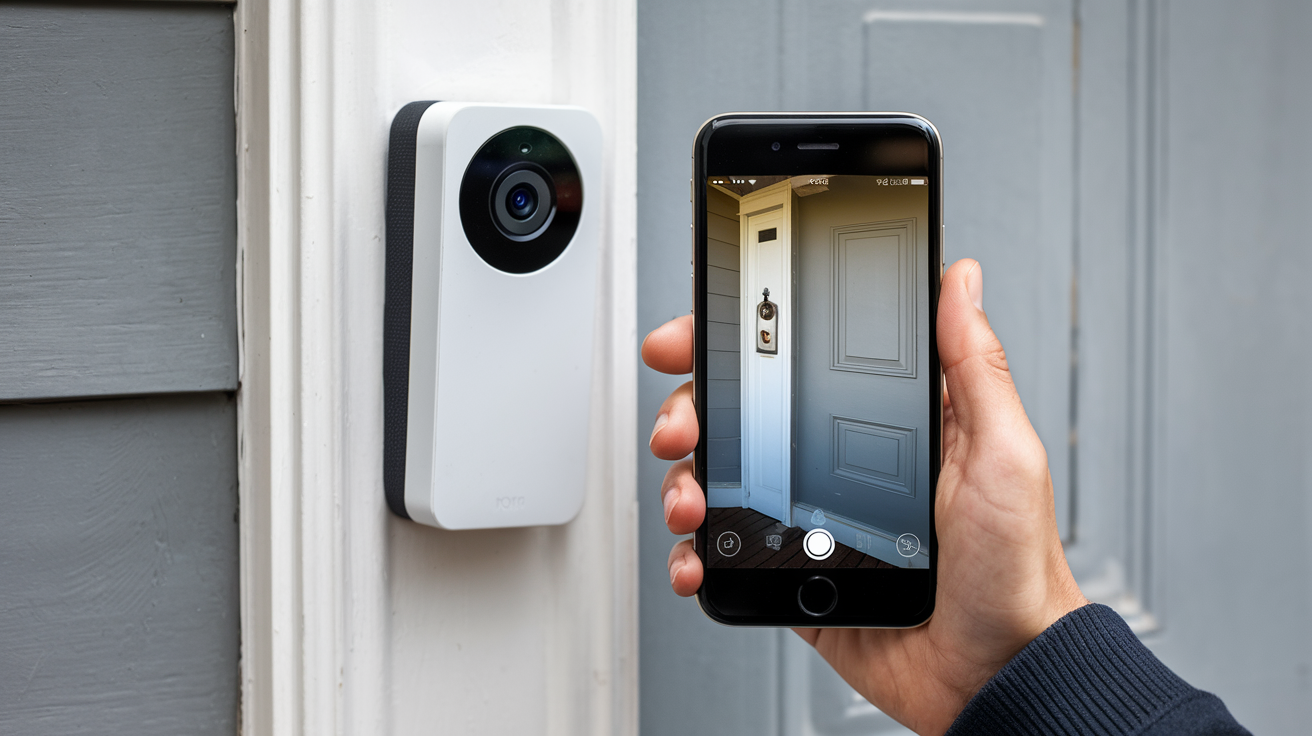
Doorbell cameras blend security and convenience, offering real-time alerts and video feeds of your doorstep. Understanding how these smart devices function demystifies their operation, empowering you to choose and utilize them effectively for enhanced home protection and peace of mind.
Understanding the Basics: How Doorbell Cameras Work
Doorbell cameras, often referred to as video doorbells, are sophisticated surveillance devices that have revolutionized home security and visitor management. At their core, they combine the functionality of a traditional doorbell with a high-definition video camera, a microphone, a speaker, and internet connectivity. This integration allows homeowners to see, hear, and speak to anyone at their front door, whether they are home or away, directly from their smartphone or tablet. The primary objective is to enhance security by deterring potential intruders, providing evidence in case of incidents, and offering the convenience of never missing a visitor or delivery. In 2025, the adoption rate of smart home security devices, including doorbell cameras, is projected to reach over 40% of households in developed nations, highlighting their growing importance.
Key Components and Technology
To fully grasp how doorbell cameras work, it's essential to understand the individual components that make up these smart devices and the technologies they employ. Each part plays a crucial role in delivering the seamless experience users expect.
The Camera Module
The heart of any doorbell camera is its camera module. This typically features a wide-angle lens to capture a broad field of view, ensuring that not only the person at the door but also the surrounding area is visible. High-definition resolution, commonly 1080p or even 2K and 4K in newer models, is standard, providing clear and detailed video footage. The lens aperture and sensor size are critical for low-light performance. Advanced models often include features like HDR (High Dynamic Range) to balance bright and dark areas in the image, preventing blown-out highlights or underexposed shadows. The field of view can range from 130 degrees to over 180 degrees, with some offering a "head-to-toe" view to capture packages left at the doorstep.
Motion Detection Sensors
Doorbell cameras don't just record constantly; they are triggered by activity. This is primarily achieved through motion detection sensors. Most devices use Passive Infrared (PIR) sensors, which detect changes in infrared radiation emitted by warm bodies (people and animals). More advanced cameras utilize pixel-based motion detection, analyzing changes in the video feed itself. This allows for more sophisticated features like customizable motion zones, where users can define specific areas within the camera's view to monitor for movement, and ignore others (like passing cars). The sensitivity of these sensors can usually be adjusted to prevent false alarms from wind-blown leaves or passing pets. By 2025, AI-powered motion detection, capable of distinguishing between people, vehicles, and animals, is becoming increasingly common, significantly reducing nuisance alerts.
Microphone and Speaker
Integrated microphones and speakers are vital for the two-way communication feature. The microphone captures audio from the visitor at the door, transmitting it to the user's connected device. Simultaneously, the speaker allows the user to speak back, enabling a conversation as if they were standing at the door. The quality of these components varies, with higher-end models offering noise cancellation and clearer audio transmission, making conversations more natural and understandable. This feature is invaluable for instructing delivery drivers, answering unexpected visitors, or even deterring potential intruders by making your presence known.
Connectivity: Wi-Fi and Ethernet
For a doorbell camera to function remotely and send alerts, it needs to be connected to the internet. The vast majority of modern doorbell cameras rely on Wi-Fi connectivity, typically supporting 2.4 GHz or dual-band (2.4 GHz and 5 GHz) networks. A stable Wi-Fi signal at the front door is crucial for reliable operation. Some high-end or professional-grade systems might offer an Ethernet option for a more robust and secure wired connection, though this is less common for typical consumer doorbell cameras due to installation complexity. The internet connection is what enables the streaming of live video, sending of motion alerts, and two-way audio communication to your smartphone, regardless of your location.
Power Source: Wired vs. Battery
Doorbell cameras are powered in two primary ways: wired or battery-operated.
- Wired: These models connect to your home's existing doorbell wiring, which typically provides a constant power supply. This is the most reliable option, ensuring continuous operation and eliminating the need for frequent battery changes. However, it requires existing doorbell wiring and may necessitate some electrical work if the wiring is old or incompatible.
- Battery-Powered: These are easier to install as they don't rely on existing wiring. They are powered by rechargeable lithium-ion batteries. While convenient for renters or those without existing wiring, battery life can vary significantly depending on usage, Wi-Fi signal strength, and temperature. Users will need to periodically recharge or replace the batteries, which can be an inconvenience. Many battery-powered models offer optional solar charging accessories to mitigate this.
Cloud Storage and Local Options
Recorded video footage needs to be stored somewhere. Doorbell cameras typically offer one or both of the following storage methods:
- Cloud Storage: Most manufacturers offer subscription-based cloud storage plans. When motion is detected or the doorbell is pressed, the video is uploaded to secure servers in the cloud. This allows users to access recordings from anywhere via the app. Cloud storage often comes with tiered plans offering different recording durations (e.g., 7, 30, or 60 days) and features. While convenient and offering off-site backup, it incurs a recurring cost.
- Local Storage: Some models support local storage via a microSD card inserted directly into the device. This is a one-time purchase and offers more privacy as footage is not sent to external servers. However, if the device is stolen, the footage is lost. Some systems might also offer a Network Attached Storage (NAS) option for more robust local storage.
The Step-by-Step Process: From Visitor to Alert
Understanding the workflow of a doorbell camera reveals its intelligent operation. When a visitor approaches or the doorbell button is pressed, a series of events is triggered:
- Trigger Event: This can be initiated in several ways:
- The visitor presses the physical doorbell button.
- The motion sensor detects movement within its configured zones.
- (On advanced models) AI algorithms detect a person or package within the camera's view.
- Recording Initiation: Upon detecting a trigger event, the doorbell camera begins recording video and audio. Many devices use pre-roll recording, capturing a few seconds of footage *before* the trigger event occurred, ensuring you don't miss the initial moments of activity.
- Data Processing: The captured video and audio data are processed by the device. This might include compression for efficient transmission.
- Connectivity and Transmission: The doorbell camera uses its Wi-Fi connection to send the recorded data to the manufacturer's servers (for cloud storage) or to your local network (for local storage).
- Alert Generation: Simultaneously, the doorbell camera sends a push notification to your smartphone or tablet via the associated mobile app. This alert typically includes a snapshot image and a link to view the live feed or recorded event.
- User Interaction: You receive the alert and can then open the app to:
- View the live video feed of your doorstep.
- Listen to the audio.
- Use the two-way audio feature to speak to the visitor.
- Review recorded footage if the event has already been captured and stored.
- Storage and Retrieval: The recorded footage is saved to your chosen storage location (cloud or local). You can typically access past recordings through the app, often with search and playback functionalities.
Installation and Setup
The installation process for doorbell cameras varies depending on whether you choose a wired or battery-powered model. While generally designed for DIY installation, understanding the steps ensures a smooth setup.
Wired Installation
This method leverages your existing doorbell wiring.
- Safety First: Turn off the power to your existing doorbell at the circuit breaker. This is crucial to avoid electrical shock.
- Remove Old Doorbell: Unscrew and remove your old doorbell button. Disconnect the wires.
- Install Mounting Bracket: Secure the doorbell camera's mounting bracket to the wall using the provided screws. Many kits include angle wedges to adjust the camera's view.
- Connect Wires: Connect the existing doorbell wires to the terminals on the back of the new doorbell camera or its mounting bracket, following the manufacturer's instructions. Ensure a secure connection.
- Attach Doorbell Camera: Mount the doorbell camera onto the bracket. It usually clicks or screws into place.
- Restore Power: Turn the power back on at the circuit breaker. The doorbell camera should power up.
Battery-Powered Installation
These are simpler and more flexible.
- Charge the Battery: Ensure the rechargeable battery is fully charged using the provided USB cable or charging station.
- Install Mounting Bracket: Attach the mounting bracket to your wall or doorframe at the desired location using the provided screws. Angle wedges can also be used here.
- Insert Battery: Slide the charged battery into the doorbell camera unit.
- Attach Doorbell Camera: Mount the doorbell camera onto the bracket.
App Configuration
Once the hardware is installed and powered on, the next critical step is setting up the associated mobile app.
- Download the App: Download the manufacturer's dedicated app from your smartphone's app store (iOS or Android).
- Create an Account: Sign up for an account with the manufacturer.
- Add Device: Follow the app's instructions to add your new doorbell camera. This usually involves scanning a QR code on the device or its packaging, or manually entering a serial number.
- Connect to Wi-Fi: The app will guide you through connecting the doorbell camera to your home Wi-Fi network. You'll need your Wi-Fi password.
- Configure Settings: Once connected, you can customize various settings within the app, including:
- Motion detection sensitivity and zones.
- Notification preferences.
- Video quality.
- Audio settings.
- Integration with other smart home devices.
- Setting up cloud storage subscriptions, if applicable.
Advanced Features and Capabilities
Beyond basic video and audio, modern doorbell cameras offer a suite of advanced features designed to enhance security, convenience, and user experience. These capabilities leverage sophisticated technology to provide more intelligent and proactive home monitoring.
Night Vision
Essential for round-the-clock security, night vision allows the camera to capture clear images in low-light or complete darkness. Most doorbell cameras use infrared (IR) LEDs that emit invisible light. The camera's sensor detects this IR light, rendering a black-and-white image. The range and clarity of night vision vary by model, with premium devices offering better illumination and sharper detail in the dark. Some newer models are starting to incorporate color night vision, which uses ambient light sensors to produce color images even at night, offering more detail and easier identification.
Two-Way Audio
This feature, enabled by the built-in microphone and speaker, allows for real-time conversations. Users can speak to visitors from their smartphone app, and the visitor can hear and respond through the doorbell camera. This is incredibly useful for:
- Instructing delivery drivers where to leave packages.
- Answering unexpected visitors without opening the door.
- Communicating with friends and family.
- Deterring potential intruders by making your presence known.
Customizable Motion Zones
To reduce false alerts, many doorbell cameras allow users to define specific areas within the camera's field of view where motion should be monitored. For instance, you might want to ignore movement from a busy street or a neighbor's property but be alerted to any activity on your porch or driveway. This feature significantly improves the accuracy of motion detection and reduces the number of unnecessary notifications received. By 2025, AI integration further refines this, allowing the system to differentiate between types of motion within these zones.
Person Detection and Package Detection
Leveraging artificial intelligence (AI) and machine learning, advanced doorbell cameras can now distinguish between different types of motion.
- Person Detection: Instead of simply alerting you to any movement, these cameras can identify if the detected motion is caused by a human. This drastically cuts down on false alarms from pets, swaying branches, or passing vehicles.
- Package Detection: A growing feature, package detection allows the camera to specifically alert you when a package is delivered or removed from your doorstep. This is particularly useful for ensuring you don't miss deliveries and for monitoring the security of your packages.
Integration with Smart Home Ecosystems
Doorbell cameras are increasingly becoming a central part of a larger smart home setup. They can integrate with popular smart home platforms like Amazon Alexa, Google Assistant, and Apple HomeKit. This integration allows for:
- Voice Control: "Alexa, show me the front door."
- Automation: Triggering other smart devices, such as turning on porch lights when motion is detected, or locking smart locks when someone rings the doorbell.
- Unified Control: Managing your doorbell camera alongside other smart devices through a single app or voice assistant.
Security and Privacy Considerations
While doorbell cameras offer enhanced security, it's crucial to address the inherent security and privacy implications. Protecting your data and respecting the privacy of others is paramount.
Data Encryption
When video footage and personal data are transmitted and stored, encryption is vital. Reputable manufacturers use end-to-end encryption (E2EE) or strong transport layer security (TLS) protocols to protect data from unauthorized access during transit and at rest. This ensures that even if data is intercepted, it remains unreadable. Always check the manufacturer's security policies regarding data encryption. In 2025, E2EE is becoming a more expected standard for cloud-based services.
User Authentication
Secure login procedures are essential to prevent unauthorized access to your doorbell camera feed. This includes strong password requirements and, increasingly, two-factor authentication (2FA). 2FA adds an extra layer of security by requiring a second form of verification (e.g., a code sent to your phone) in addition to your password. Always enable 2FA if it's offered by the manufacturer.
Privacy Settings and Zones
Most doorbell cameras offer privacy settings to manage what is recorded and by whom.
- Privacy Zones: Similar to motion zones, these allow you to black out specific areas of the camera's view that you do not want to record, such as a neighbor's window or a public sidewalk.
- Recording Schedules: You can often set specific times when the camera is active or when notifications are sent.
- Data Deletion Policies: Understand how long your data is stored and how you can request its deletion.
Choosing the Right Doorbell Camera
With a plethora of options available, selecting the best doorbell camera for your needs requires careful consideration of various factors. The market in 2025 offers more sophisticated features and diverse price points than ever before.
Factors to Consider
When making your choice, evaluate the following:
| Factor | Considerations |
|---|---|
| Power Source | Do you have existing doorbell wiring (wired) or prefer the flexibility of battery power? Wired offers continuous power; battery offers easier installation but requires charging. |
| Video Quality & Field of View | Look for HD resolution (1080p minimum, 2K/4K preferred) and a wide field of view (150°+ for comprehensive coverage). |
| Night Vision | Check the range and clarity of the night vision. Color night vision is a premium feature offering better detail. |
| Motion Detection & AI Features | Prioritize customizable motion zones, person detection, and package detection to reduce false alerts. |
| Audio Quality | Ensure clear two-way audio for effective communication. Noise cancellation is a plus. |
| Connectivity | Reliable Wi-Fi is essential. Consider dual-band support for better performance. |
| Storage Options | Decide between cloud storage (subscription-based) or local storage (microSD card). Hybrid options offer flexibility. |
| Smart Home Integration | Check compatibility with your existing smart home ecosystem (Alexa, Google Assistant, HomeKit). |
| Durability & Weather Resistance | Ensure the device has an appropriate IP rating (e.g., IP65 or higher) for outdoor use. |
| Price & Subscription Costs | Factor in the upfront cost of the device and any ongoing subscription fees for cloud storage or advanced features. |
Comparison of Popular Models (2025-26)
As of late 2025, several brands consistently rank high for their performance, features, and reliability. Here’s a comparative look at some leading contenders:
- Ring Video Doorbells: Known for their wide range of models catering to different budgets, user-friendly app, and strong integration with Amazon Alexa. Newer models in 2025 offer advanced AI detection and improved battery life. Subscription plans are common for cloud storage.
- Google Nest Doorbell: Offers excellent video quality, intelligent AI features like familiar face detection (with subscription), and seamless integration with Google Assistant and the Google Home ecosystem. Typically wired, though battery options are available.
- Arlo Video Doorbells: Often praised for their sharp video quality, wide-angle lenses, and robust build. Arlo's cloud service provides comprehensive recording history, but subscription fees can add up. They offer both wired and battery-powered options.
- Eufy Video Doorbells: A popular choice for those prioritizing local storage and no monthly fees. Eufy offers good video quality and AI features, with many models supporting microSD card storage. Battery life is generally competitive.
- SimpliSafe Video Doorbell: Often chosen by users who also utilize SimpliSafe's broader security system, offering integrated monitoring. It provides good video quality and motion detection.
The Future of Doorbell Cameras
The evolution of doorbell cameras shows no signs of slowing down. Looking ahead to 2026 and beyond, we can anticipate several key advancements. AI will become even more sophisticated, enabling more nuanced detection of events, potentially identifying specific individuals or even predicting suspicious behavior. Integration with broader smart city initiatives and community watch programs could emerge, allowing for shared threat intelligence. Improved battery technology and energy harvesting methods (like advanced solar integration) will likely reduce the reliance on wired connections and frequent charging. Furthermore, enhanced privacy controls and on-device processing for AI features will address growing concerns about data security and surveillance. We may also see more specialized designs, such as doorbell cameras with integrated package delivery compartments or advanced sensors for environmental monitoring. The doorbell camera is set to become an even more indispensable component of the connected, secure home.
Conclusion
Doorbell cameras have evolved from simple video callers to sophisticated home security hubs. By understanding their core components—from the camera lens and motion sensors to the connectivity and power sources—users can appreciate the intricate technology that brings convenience and peace of mind. The step-by-step process, from a visitor's arrival to receiving an alert on your smartphone, is a testament to modern engineering. Installation is increasingly accessible, whether you opt for a wired or battery-powered solution, and app configuration unlocks a world of advanced features like AI-powered person detection, customizable zones, and seamless smart home integration. As you navigate your options, consider the critical aspects of security, privacy, and the specific features that align with your lifestyle. The future promises even smarter, more integrated devices, making the doorbell camera an ever more vital tool for modern home protection. For robust security and enhanced connectivity, investing in a quality doorbell camera is a wise decision for any homeowner.





