
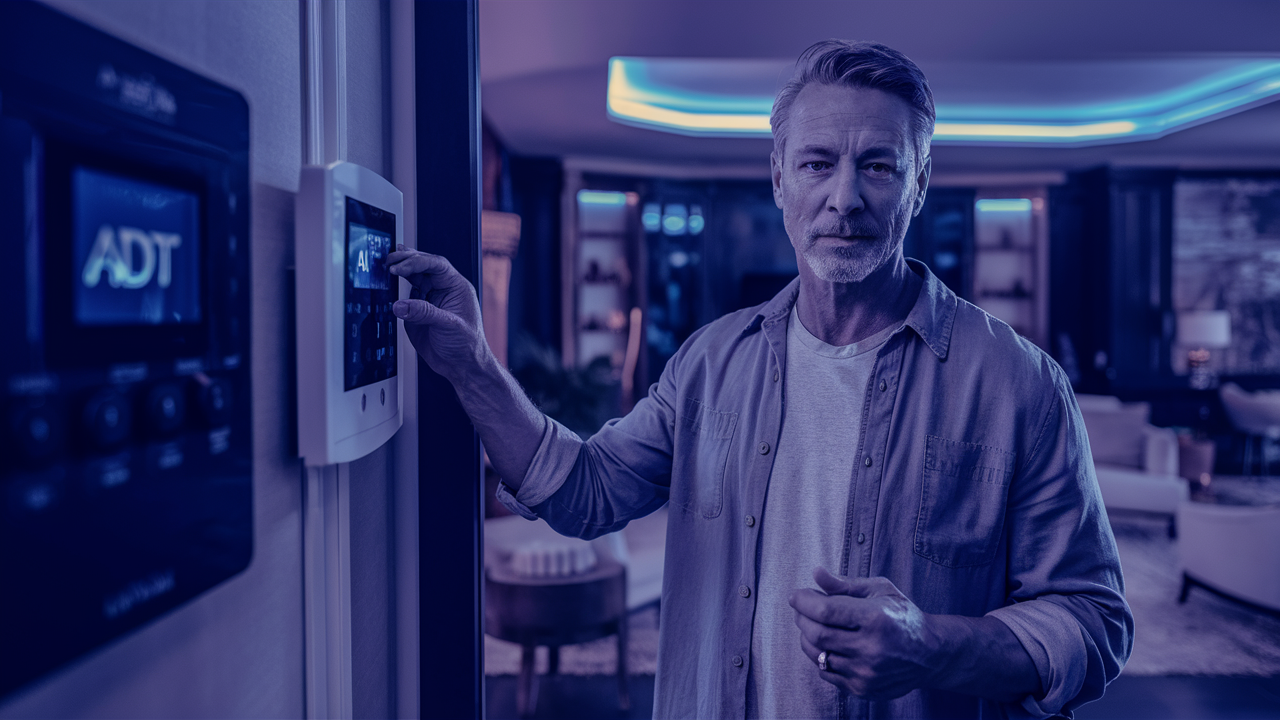
Are you struggling with an ADT alarm system that's too loud? This comprehensive guide provides immediate, actionable steps on how to lower the volume on your ADT alarm, addressing common issues and offering solutions for a more comfortable home environment without compromising security.
Understanding ADT Alarm Volume Controls
ADT alarm systems are designed with user safety and security as paramount concerns. Part of this design involves audible alerts, which are crucial for notifying occupants of potential threats, system malfunctions, or when the alarm is armed or disarmed. The volume of these alerts is a critical feature, balancing the need for clear notification with the desire for a less intrusive experience in daily life. Understanding how these volume controls work, or in some cases, *why* they might seem fixed, is the first step to managing your system's sound output.
The Role of Audible Alerts
Audible alerts from your ADT alarm system serve several vital functions:
- Intrusion Detection: The primary function is to alert you and your household to unauthorized entry. A loud siren is designed to deter intruders and immediately notify residents.
- System Status: Beeps and chimes often indicate when the system is armed, disarmed, or if a sensor has been triggered. These are usually less intense than the full alarm siren.
- System Malfunctions: Some alerts signal low battery in sensors, communication failures, or other technical issues that require attention.
- Entry/Exit Delays: A series of beeps during entry or exit delays provides a countdown, reminding you to disarm or arm the system within the allotted time.
Are ADT Alarm Volumes User-Adjustable?
This is a common question, and the answer can be nuanced. Historically, and in many current installations, the primary siren volume on ADT alarm systems is not directly adjustable by the end-user through a simple dial or setting on the control panel. This is often a deliberate design choice by ADT and its manufacturers to ensure that the alarm's deterrent effect is maximized during a genuine emergency. The loud siren is a key component of its effectiveness in scaring away intruders and alerting neighbors.
However, this doesn't mean there are no options for managing sound. Some systems may have adjustable volumes for specific components like keypads or internal chimes, while the main siren remains at a fixed, high decibel level. The ability to adjust volume often depends on the specific ADT control panel model, the type of sensors installed, and the configuration set by the ADT technician during installation. Newer smart home integrated systems or specific ADT Command and Control panels might offer more granular control over certain audible alerts.
Understanding Decibel Levels
To put the volume into perspective, ADT alarm sirens are typically designed to operate at decibel (dB) levels that are effective for their purpose. While specific figures can vary, a typical home security siren can range from 100 dB to over 120 dB. For comparison:
- A normal conversation is around 60 dB.
- A vacuum cleaner is around 70 dB.
- A lawnmower is around 90 dB.
- A rock concert can reach 110-120 dB.
- A jet engine at takeoff can be 140 dB.
Exposure to sounds above 85 dB can cause hearing damage over time, and sounds above 120 dB can cause immediate damage. This highlights why the siren's volume is a critical safety feature, but also why users might seek to reduce it if it's perceived as excessively loud for routine notifications.
Common Reasons for High ADT Alarm Volume
Even if the primary siren volume is fixed, users often perceive their ADT alarm system as "too loud" due to a variety of factors. Understanding these reasons can help in identifying potential solutions or workarounds.
1. Standard Siren Design for Deterrence
As mentioned, the primary siren is engineered to be loud. This is its core function in an emergency. If you're accustomed to quieter home environments, the sheer volume of a security siren can be startling and feel excessive, especially for non-emergency sounds like arming/disarming chimes.
2. Placement of the Siren
The location where the main siren is installed significantly impacts how its volume is perceived within the home. If the siren is located in a central area, or in a room where you spend a lot of time, its sound will be more pronounced. Conversely, if it's in a basement or attic, its impact might be less direct, though still audible throughout the house. The proximity of the siren to your living spaces can make it seem louder than it might be in a different installation.
3. Type of Audible Alert
ADT systems often utilize different types of audible alerts. There's the piercing siren for a full alarm event, but there are also:
- Keypad Beeps: These are usually softer and indicate button presses or system status.
- Chimes: Many systems offer door/window chimes that sound when a sensor is opened. These are typically much quieter than the main siren.
- Voice Prompts: Newer systems, like ADT Command, may use voice prompts for notifications, which can be adjusted in volume.
If the "loudness" you're experiencing is from these less intense alerts, there might be more straightforward adjustments available.
4. System Configuration and Sensor Types
The way your ADT system is configured can also influence audible alerts. For instance, some systems allow for different chime sounds or volumes for different types of sensors (e.g., a front door chime versus a window chime). The specific model of your control panel and the types of sensors connected can dictate the available sound options.
5. Unintended System Triggers
False alarms or accidental triggers can lead to frequent exposure to the siren, making it feel like it's always too loud. If your system is prone to false alarms, the perceived volume might be amplified by the frequency of its activation. This is less about the inherent volume and more about the user's experience with it.
6. Lack of Familiarity with the System
For new ADT customers, or those who have recently had a system installed or upgraded, the sounds of the alarm system can be jarring simply because they are unfamiliar. With time and experience, users often become more accustomed to the system's alerts, and their perceived loudness may decrease.
Methods to Lower ADT Alarm Volume
Directly lowering the volume of the main ADT alarm siren is often not a user-configurable setting. However, there are several strategies and potential adjustments that can help manage the audible output of your ADT system, depending on your specific equipment and setup.
Method 1: Adjusting Keypad and Chime Volumes (If Available)
Many ADT control panels offer some level of volume control for non-siren sounds. This typically applies to keypad beeps and door/window chimes.
Step-by-Step Guide:
- Access the Control Panel: Locate your ADT control panel. This is usually a wall-mounted unit with a keypad.
- Enter Programming Mode: You will likely need to enter a master code or installer code to access system settings. Consult your ADT user manual or contact ADT for the correct procedure for your specific panel model. For example, on some panels, you might press "Menu" then enter your master code.
- Navigate to Sound Settings: Look for options related to "Sound," "Chimes," "Volume," or "Audible Alerts." This might be under a "System Settings" or "Preferences" menu.
- Adjust Volume Levels: If adjustable, you should see options to increase or decrease the volume for different alert types. Some systems allow you to set a "low," "medium," or "high" volume for chimes, or even turn them off entirely.
- Save Changes: Ensure you save any changes you make. This is often done by pressing an "End," "Exit," or "Save" button.
Example: For an ADT Safewatch Pro 3000, you might navigate through installer programming (requiring installer code) to adjust chime volumes. For newer ADT Command systems, volume adjustments for chimes and voice prompts are often found in the main system settings menu accessible via the touchscreen.
Method 2: Utilizing Different Alert Tones/Sounds
Some systems allow you to select different audible alert tones. While this doesn't change the decibel level, some tones might be perceived as less jarring or intrusive than others.
Steps:
- Follow steps 1-3 from Method 1 to access system settings.
- Look for an option like "Chime Tone," "Alert Sound," or "Melody Selection."
- Browse through the available options and select a tone that you find less bothersome.
- Save your changes.
Method 3: Disabling Chimes or Specific Sensor Alerts
If the primary concern is the chime that sounds every time a door or window is opened, you can often disable this feature entirely for specific sensors or for the entire system.
Steps:
- Access the control panel's programming mode as described in Method 1.
- Locate the section for "Zone Settings" or "Sensor Configuration."
- Select the specific zone (sensor) you want to modify.
- Find the option for "Chime" or "Audible Alert" for that zone and disable it.
- Alternatively, some systems have a global setting to disable all chimes.
- Save your changes.
Note: Disabling chimes means you won't get an audible notification when doors or windows are opened while the system is disarmed. This might be a trade-off you're willing to make for a quieter environment.
Method 4: Adjusting Volume on ADT Command and Newer Smart Systems
ADT's more modern systems, such as the ADT Command and Control platform, often integrate with smart home technology and offer more intuitive user interfaces.
Steps:
- Access the Touchscreen Panel: Navigate to the main menu on your ADT Command touchscreen.
- Go to Settings: Look for a "Settings" or "Gear" icon.
- Find Sound/Audio Options: Within settings, you should find options for "Sound," "Audio," or "Alerts."
- Adjust Volume Sliders: These systems often feature volume sliders for different alert types, including keypad beeps, chimes, and potentially even voice prompts. You can drag the slider to your desired level.
- Save: Confirm your changes.
These systems are designed for greater user control, making it easier to fine-tune audible alerts.
Method 5: Professional Installation Adjustments (Main Siren)
For the main siren, direct user adjustment is rarely possible. However, during the initial installation or a service call, an ADT technician can:
- Relocate the Siren: If the siren is in an inconveniently loud spot, the technician might be able to relocate it to a less intrusive area, provided it still meets security requirements.
- Install a Different Siren Type: In some specific circumstances, ADT might offer alternative siren models with slightly different sound profiles or directional capabilities, though the primary deterrent volume is usually maintained. This is uncommon for standard residential installations.
- Ensure Proper System Function: Sometimes, what appears to be an overly loud alarm is actually a symptom of a system malfunction or incorrect installation. A technician can diagnose and fix these issues.
Method 6: Using Smart Home Integrations (for compatible systems)
If your ADT system is integrated with a smart home hub (like Google Home or Amazon Alexa), you might be able to control certain aspects of the system's audio through those platforms. For instance, if ADT Command is linked, you might be able to adjust notification volumes through the associated mobile app or voice assistant.
Important Consideration: Always remember that reducing the volume of critical alerts, especially the main siren, can compromise your security. ADT's default settings are designed for maximum effectiveness. Any adjustments should be made with caution and a full understanding of the potential security implications.
Troubleshooting ADT Alarm Volume Issues
If you're experiencing unexpected or excessively loud volumes from your ADT alarm system, it's important to troubleshoot systematically. This section covers common issues and how to address them.
Issue 1: Keypad Beeps are Too Loud
Cause: Default setting or incorrect adjustment.
Solution:
- Refer to Method 1: Adjusting Keypad and Chime Volumes in the previous section.
- Access your control panel's programming menu (you may need your master code).
- Navigate to sound settings and lower the keypad beep volume.
- If your system doesn't have specific keypad beep volume control, you might need to accept this as a standard system sound or explore if there's an option to mute keypad tones entirely (though this is rare and not recommended).
Issue 2: Door/Window Chimes are Too Frequent or Loud
Cause: Chime feature is enabled and set to a high volume.
Solution:
- Follow Method 3: Disabling Chimes or Specific Sensor Alerts.
- You can disable chimes for all sensors or for specific zones.
- If you wish to keep chimes but reduce their volume, use Method 1 to adjust the chime volume setting if your panel supports it.
Issue 3: Siren Activates Unexpectedly and is Extremely Loud
Cause: False alarm, system malfunction, or a genuine security event.
Solution:
- Disarm the System: Immediately disarm your system using your keypad or mobile app.
- Identify the Cause: Check your system's event log (if available) or the control panel display for any zone or sensor that triggered the alarm. This can help pinpoint a faulty sensor, an open door/window, or a pet triggering motion detection.
- Check Sensor Batteries: Low battery in a sensor can sometimes cause erratic behavior or false alarms. Replace batteries as needed.
- Review Entry/Exit Delays: Ensure your entry and exit delays are set correctly to avoid accidentally triggering the alarm.
- Contact ADT Support: If false alarms persist or you cannot identify the cause, contact ADT. They can remotely diagnose your system or schedule a technician visit to identify and fix the underlying issue. The siren volume itself is unlikely to be the problem here, but rather the frequency of its activation.
Issue 4: No Audible Alerts at All (or very faint)
Cause: Volume set too low, siren malfunction, or system fault.
Solution:
- Check Volume Settings: Review settings as per Method 1 and Method 4 to ensure volumes for chimes and keypads are not set too low.
- Test the System: Most ADT systems have a "Test Mode" or can be put into test mode by contacting ADT. This allows you to trigger the alarm and verify the siren and other alerts are functioning correctly without dispatching authorities.
- Inspect the Siren: Visually inspect the siren unit for any obvious damage. Ensure it's not obstructed.
- Contact ADT Support: If testing reveals the siren is not working or is too quiet, contact ADT. This could indicate a faulty siren unit or a wiring issue that requires professional attention.
Issue 5: Voice Prompts are Too Loud (ADT Command)
Cause: Default voice prompt volume.
Solution:
- Follow Method 4: Adjusting Volume on ADT Command and Newer Smart Systems.
- Within the touchscreen settings, find the audio options and adjust the slider for voice prompts to a comfortable level.
Comparison of Troubleshooting Approaches
Here's a quick comparison of how different ADT systems might be troubleshooted for volume issues:
| System Type | Keypad Volume | Chime Volume | Main Siren Volume | Voice Prompts | Troubleshooting Method |
|---|---|---|---|---|---|
| Older Analog Systems (e.g., Ademco/Honeywell panels used by ADT) | Often fixed or via installer programming | Often fixed or via installer programming | Fixed (not user-adjustable) | N/A | Installer programming, ADT service call |
| ADT Safewatch Series (e.g., 3000) | Limited adjustment via installer programming | Limited adjustment via installer programming | Fixed (not user-adjustable) | N/A | Installer programming, ADT service call |
| ADT Command & Control (Smart Systems) | Adjustable via touchscreen | Adjustable via touchscreen | Fixed (not user-adjustable) | Adjustable via touchscreen | User-accessible settings menu, ADT app |
Note: "Fixed" for main siren volume means it's not intended for user adjustment and is set to meet safety standards.
Preventative Measures for Volume Control
Proactive steps can help manage the perceived volume of your ADT alarm system from the outset and prevent issues down the line.
1. Discuss Volume Preferences During Installation
When your ADT system is being installed, communicate your concerns about alarm volume to the technician. While they may not be able to adjust the main siren, they can:
- Advise on Siren Placement: Discuss where the siren will be installed and if there are alternative locations that might be less intrusive for your daily life, while still being effective for security.
- Explain System Features: Ask the technician to thoroughly explain all audible alerts, including chimes, keypads, and any voice prompts, and how to adjust them.
- Configure Chimes: Request that chimes be set to a lower volume or disabled for certain zones if that's your preference, right from the start.
2. Understand Your System's Capabilities
Familiarize yourself with your specific ADT control panel model. Knowing whether your system has adjustable chime volumes or voice prompt controls will save you time and frustration. ADT's website or your user manual are excellent resources for this.
3. Regular System Maintenance
Ensure your system is regularly maintained. A well-maintained system is less likely to experience malfunctions that could lead to unexpected or excessively loud alarms. This includes:
- Battery Replacement: Keep sensor batteries fresh.
- Software Updates: For smart systems, ensure they are up-to-date with the latest software.
- Professional Check-ups: Consider scheduling periodic professional check-ups with ADT to ensure everything is functioning optimally.
4. Educate Household Members
Ensure everyone in your household knows how to properly arm and disarm the system, and understands the different types of alerts. This reduces the likelihood of accidental triggers and the associated loud alarms.
5. Leverage ADT's Mobile App
For systems compatible with the ADT mobile app, utilize its features. The app often provides status updates, event logs, and sometimes even control over certain system sounds or notifications, offering a convenient way to manage your system remotely.
When to Call ADT Support
While many common volume-related issues can be addressed through user settings, there are specific scenarios where contacting ADT support is the most appropriate and necessary course of action.
1. Persistent False Alarms
If your alarm system is triggering the loud siren frequently without any apparent cause, it's crucial to contact ADT. False alarms can be disruptive, annoying, and may even lead to fines from local authorities. ADT technicians can diagnose the root cause, which might involve faulty sensors, wiring issues, or even environmental factors.
2. Suspected System Malfunction
If you notice any unusual behavior from your alarm system beyond just volume, such as intermittent beeping, error messages on the panel, or the siren sounding at odd times, it's time to call for professional help. These could indicate underlying hardware or software problems that need expert attention.
3. Inability to Adjust Settings
If you've consulted your user manual and followed the steps to adjust volume settings (for chimes, keypads, etc.) but are unable to make any changes, or if the option simply doesn't exist on your panel, ADT support can guide you. They can confirm if your system model allows for such adjustments or if installer-level programming is required.
4. Concerns About Siren Effectiveness or Placement
If you have significant concerns about the placement of your main siren or its overall effectiveness (e.g., you believe it's too muffled or positioned poorly), ADT can send a technician to assess the situation. While they are unlikely to reduce the siren's decibel output, they might offer solutions related to its installation or configuration.
5. After a System Update or Change
If you've recently had a system update, added new components, or experienced any service from ADT, and you notice a change in audible alerts that you're unhappy with, contact them. They can help revert settings or troubleshoot any new issues that may have arisen.
6. If You're Unsure About Any Aspect of Your System
ADT support is there to help you understand and operate your security system safely and effectively. If you are ever unsure about how a particular sound works, what an alert means, or how to manage your system's settings, don't hesitate to reach out. Their expertise ensures you can utilize your ADT system to its full potential while maintaining a comfortable living environment.
Contacting ADT: You can typically reach ADT customer support through the phone number provided on your monthly bill, through the ADT mobile app, or via the ADT website. Have your account number ready to expedite the process.
Conclusion
Effectively managing the volume of your ADT alarm system is achievable by understanding its components and utilizing available settings. While the main siren's volume is designed for maximum security and typically remains fixed, you often have control over keypad beeps, chimes, and voice prompts, especially with newer smart systems like ADT Command. Always prioritize safety; adjust volumes cautiously, ensuring critical alerts remain effective. If you encounter persistent issues or are unsure about system settings, contacting ADT support is the most reliable way to ensure your system functions correctly and meets your needs for both security and comfort.





