
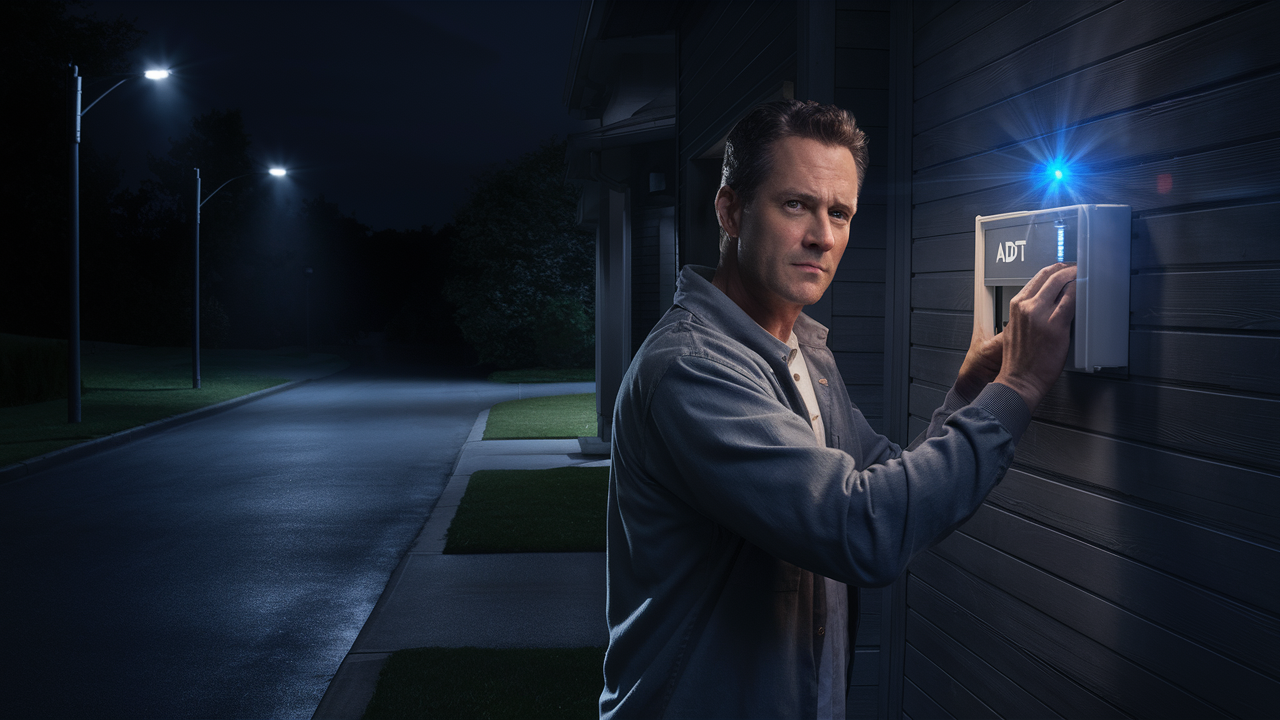
Setting Your ADT Alarm at Night: A Comprehensive Guide
Securing your home at night is paramount, and knowing how to effectively set your ADT alarm system for overnight protection is crucial. This guide provides a detailed, step-by-step approach to ensure your ADT system is armed correctly for nighttime security, addressing common questions and offering expert insights for optimal peace of mind.
Understanding Your ADT System Modes
ADT alarm systems are designed with flexibility in mind, offering various modes to suit different security needs. For nighttime use, the primary modes you'll interact with are typically "Stay" or "Home" and "Away." Understanding the distinction is the first step to correctly arming your system.
The "Stay" or "Home" Mode Explained
The "Stay" or "Home" mode is specifically designed for when you are present in your home but want to secure entry points. When you arm your system in this mode, exterior doors and window sensors are typically activated, while interior motion detectors are usually bypassed. This allows you to move freely within your home without triggering the alarm, while still protecting against unauthorized entry from the outside. This is the most common and recommended mode for overnight security.
The "Away" Mode Explained
The "Away" mode is intended for when your home is completely unoccupied. In this mode, all sensors, including interior motion detectors, are armed. This provides the highest level of security but is not suitable for nighttime use if you plan to move around your house. Setting the system to "Away" at night would mean any movement inside could trigger an alarm, which is counterproductive to a peaceful night's sleep.
Other System Modes (Less Common for Nighttime)
Some ADT systems may offer additional modes or custom configurations, such as "Night," "Vacation," or specific zone arming. While "Night" mode, if available, is self-explanatory, it's essential to consult your specific system's manual to understand its functionality. Generally, "Stay" or "Home" is the universally applicable mode for nighttime arming.
Basic Night Mode Setup: Step-by-Step
Arming your ADT alarm system for the night is a straightforward process that typically involves a few key steps. The exact sequence might vary slightly depending on your specific ADT control panel model, but the general principles remain consistent.
Step 1: Ensure All Entry Points are Secured
Before you arm the system, it's critical to perform a quick sweep of your home.
- Check that all exterior doors are closed and locked.
- Verify that all accessible windows are closed and latched.
- Ensure any connected garage doors are properly shut.
Failing to secure these entry points means the corresponding sensors will not be armed, creating a potential security vulnerability.
Step 2: Identify Your Control Panel
Locate your ADT control panel. This is usually a wall-mounted keypad, often found near a main entry door. Familiarize yourself with its layout and the function of each button.
Step 3: Initiate the Arming Process
On your ADT keypad, you will typically see buttons labeled "Stay," "Away," "Disarm," and a numerical keypad.
- Press the "Stay" or "Home" button.
This action signals your intent to arm the system in the mode that bypasses interior motion detectors.
Step 4: Enter Your User Code
After pressing "Stay," the system will prompt you for your user code. This is a unique four-digit (or sometimes longer) code assigned to you or your household members.
- Enter your personal user code using the numerical keypad.
For example, if your code is 1234, you would press 1, then 2, then 3, then 4.
Step 5: Confirm System Status
Once your code is entered, the keypad will typically display the system's status. You should see an indication that the system is "Arming Stay" or "Ready to Arm Stay." There will usually be a brief exit delay (e.g., 30-60 seconds) during which you can still leave the house through a designated exit door without triggering the alarm. During this delay, you may hear beeping from the keypad.
- Once the exit delay has passed, the system will indicate "System Armed Stay."
The keypad might also display which zones are armed (e.g., "Doors Armed," "Windows Armed").
Step 6: Disarming in the Morning
When you wake up and need to disarm the system to move freely, you will use the "Disarm" button.
- Press the "Disarm" button.
- Enter your user code.
The system should then indicate "System Disarmed."
Advanced Night Mode Customization
While the basic "Stay" mode offers robust protection, ADT systems often provide options for further customization to tailor your nighttime security precisely to your needs. These advanced features can significantly enhance your comfort and security.
Bypassing Specific Zones
There might be instances where you want to arm the system in "Stay" mode but temporarily disable a specific sensor. For example, if you have a pet that roams freely at night and tends to trigger motion detectors, or if you have a window that is occasionally left slightly ajar for ventilation.
How to Bypass a Zone:
- Initiate the arming process by pressing "Stay."
- Before entering your user code, look for a "Bypass" or "Zone Bypass" button on your keypad.
- Press the "Bypass" button.
- The system will likely prompt you to enter the zone number you wish to bypass. Refer to your system's manual or a sticker on the panel for zone numbers corresponding to specific sensors.
- Enter the zone number (e.g., "03" for a specific window).
- Confirm the bypass. The keypad may display the bypassed zone (e.g., "Zone 03 Bypassed").
- Now, enter your user code to arm the system in "Stay" mode.
Important Note: Any bypassed zones will NOT be monitored. Ensure you only bypass zones when absolutely necessary and remember to re-enable them once the situation is resolved. Forgetting to re-enable a bypassed zone is a common oversight that can compromise security.
Customizing Entry and Exit Delays
ADT systems come with pre-set entry and exit delays, typically 30 or 60 seconds. These delays are crucial: the exit delay gives you time to leave after arming, and the entry delay gives you time to disarm the system upon entering.
Adjusting Delays:
Modifying these delays usually requires access to the system's installer or master codes and is often best performed by an ADT technician. However, some advanced user interfaces might allow for minor adjustments.
- Consult your ADT manual: Check if your specific panel allows for user-level adjustments to delays.
- Contact ADT Support: If you need to change these delays for specific reasons (e.g., a longer exit route), contact ADT customer service. They can guide you or schedule a technician.
Be cautious when altering delays. Too short an exit delay might cause you to accidentally trigger the alarm if you forget something, while too long an entry delay could give an intruder more time to operate undetected if they gain entry before you can disarm.
Setting Up "Night" Mode (If Available)
Some ADT systems, particularly newer or higher-end models, may have a dedicated "Night" mode. This mode is often a variation of "Stay" mode but might offer specific configurations, such as arming only downstairs sensors while leaving upstairs sensors disarmed, or vice-versa, depending on your sleeping arrangements.
Activating "Night" Mode:
- Look for a dedicated "Night" button on your keypad.
- If present, press it and follow the prompts, which may include entering your user code.
- If there isn't a dedicated button, check your system's programming options via the keypad or a connected app.
If your system does not have a distinct "Night" mode, the "Stay" mode is your primary and most effective option for overnight security.
Using ADT Mobile App for Arming/Disarming
For ADT Pulse and other connected systems, the mobile app offers a convenient way to manage your alarm.
- Open the ADT app on your smartphone or tablet.
- Log in with your ADT credentials.
- Navigate to the security system status.
- Select "Arm Stay" or "Arm Home."
- You may need to confirm the action or enter a PIN within the app.
This is particularly useful if you're already in bed and realize you forgot to arm the system, or if you need to disarm it remotely for a trusted visitor.
Common ADT Keypad Types and Night Mode Operations
ADT utilizes a variety of keypad models, and while the core functionality remains similar, the interface and specific button labels can differ. Understanding your specific keypad type will make the process of setting your alarm at night even smoother.
ADT Safewatch / Ademco Vista Keypads (e.g., 6160, 6150)
These are among the most common keypads. They typically feature a numerical keypad, function keys, and a display screen.
Night Mode Operation:
- Press "Stay": This button is clearly labeled.
- Enter User Code: The system will prompt for your code.
- Confirmation: The display will show "System Armed Stay" or similar. You will hear beeping during the exit delay.
These keypads often allow for zone bypassing by pressing "Bypass" then the zone number.
ADT Command / Honeywell Lyric Keypads (e.g., LYNX Touch, ADT Command Panel)
These modern keypads often feature touchscreens and a more intuitive graphical interface.
Night Mode Operation:
- Tap "Security" or "Arm": On the touchscreen, select the security option.
- Select "Stay" or "Home": Choose the appropriate arming mode.
- Enter User Code: Input your code when prompted.
- Confirmation: The screen will update to show "System Armed Stay."
Touchscreen interfaces usually make bypassing zones very visual – you might see a list of zones and tap the one you wish to bypass before arming.
ADT Pulse Interactive Keypads
These are integrated with the ADT Pulse platform, offering advanced features and often a sleek design.
Night Mode Operation:
- Press "Stay" or "Home": Similar to older keypads, a dedicated button is common.
- Enter User Code: Standard procedure.
- App Integration: These systems are heavily reliant on the mobile app. You can arm in "Stay" mode via the app as well.
The app provides a clear visual confirmation of the system's armed status.
Comparison Table: Keypad Types and Night Mode
The following table summarizes the typical operation for setting your ADT alarm at night across common keypad types.
| Keypad Type | Primary Night Mode Button/Action | User Code Entry | Confirmation Display | Bypass Zone Method |
|---|---|---|---|---|
| ADT Safewatch / Ademco Vista | "Stay" Button | Numerical keypad | Text on LCD screen | "Bypass" + Zone Number |
| ADT Command / Honeywell Lyric | Touchscreen: "Security" -> "Stay" | Touchscreen numerical input | Visual on touchscreen | Touchscreen zone selection |
| ADT Pulse Interactive | "Stay" Button or Mobile App | Numerical keypad or App PIN | Text on LCD or App status | Keypad or App interface |
Troubleshooting Common Night Mode Issues
While setting your ADT alarm at night is usually straightforward, occasional issues can arise. Understanding common problems and their solutions can save you time and stress.
Issue 1: System Won't Arm in "Stay" Mode
This is often due to an open zone. The system is designed to prevent arming if a door or window is not properly closed.
Possible Causes and Solutions:
- Open Door or Window: Check all entry points. The keypad will usually indicate which zone is open (e.g., "Zone 5 Open"). Close the indicated door or window.
- Faulty Sensor: If a zone consistently shows as open even when secured, the sensor might be faulty or have a loose connection. You may need to bypass the zone temporarily or contact ADT for service.
- Motion Detector Triggered (in some systems): While "Stay" mode bypasses motion detectors, some advanced configurations might still monitor them if they are in a critical area. Ensure no one is near a motion detector during the exit delay.
- Low Battery in Sensor: Some sensors have batteries that can fail. A low battery warning might appear on the keypad or app. Replace the battery as per ADT instructions.
Issue 2: False Alarms During the Night
A false alarm can be disruptive and, in some areas, may incur fines from local authorities.
Possible Causes and Solutions:
- Pet Movement: If you have pets, motion detectors can be triggered. Consider using pet-immune motion detectors or ensuring they are bypassed in "Stay" mode if your system allows.
- Environmental Factors: Strong drafts from vents, curtains moving near sensors, or even insects can sometimes trigger motion detectors.
- Incorrect Arming: Accidentally arming in "Away" mode instead of "Stay" mode will cause interior motion detectors to trigger if you move. Always double-check the mode.
- System Malfunction: While rare, a system malfunction or faulty sensor can cause false alarms. Contact ADT if this is a recurring problem.
- User Error: Forgetting to disarm the system promptly upon waking up can lead to an alarm if you move into a monitored area.
Issue 3: Keypad Not Responding
A completely unresponsive keypad can be frustrating.
Possible Causes and Solutions:
- Power Outage: Check if the keypad has power. If it's battery-powered, the battery might be dead. If it's wired, check your home's circuit breaker.
- System Error: Sometimes, a system reboot can resolve minor glitches. Try disarming and re-arming, or if possible, power cycling the main control panel (consult ADT first before doing this).
- Hardware Failure: The keypad itself may be faulty and require replacement. Contact ADT.
Issue 4: Mobile App Not Syncing with System
If your app isn't reflecting the correct system status, it can cause confusion.
Possible Causes and Solutions:
- Internet Connectivity: Ensure your home's internet is working and that the ADT hub/gateway has a stable connection.
- App Glitch: Try closing and reopening the app, or restarting your smartphone.
- ADT Server Issues: Occasionally, ADT's servers might experience temporary issues. Check ADT's status page or contact support.
- Account Synchronization: Ensure your app account is properly linked to your ADT system.
When to Contact ADT Support
For persistent issues, error messages you don't understand, or any problem that compromises your security, it's always best to contact ADT professional support. They have the tools and expertise to diagnose complex problems remotely or schedule a technician visit.
Integrating ADT with Smart Home for Enhanced Night Security
In 2025-26, smart home integration is no longer a luxury but a key component of comprehensive security. ADT systems can be seamlessly integrated with other smart devices to create a more robust and convenient nighttime security ecosystem.
Smart Lighting and ADT
Automated lighting can be a powerful deterrent and enhance safety.
- Motion-Activated Lights: Integrate ADT with smart lights (e.g., Philips Hue, Lutron Caséta) so that if a motion sensor is triggered outside, specific exterior lights turn on. This can startle potential intruders and alert you.
- "Welcome Home" Scenes: Program lights to turn on to a low level when you disarm the system at night, providing a safe path into your home.
- Simulated Occupancy: Use smart plugs and lights to create schedules that turn lights on and off in different rooms, making it appear as if someone is home, even when you're asleep or away.
Smart Locks and ADT
Smart locks offer advanced control over your entry points.
- Automatic Locking: Configure smart locks (e.g., August, Schlage) to automatically lock all doors at a set time each night, or when the ADT system is armed in "Stay" mode.
- Remote Access: Grant temporary access to trusted individuals (e.g., family members, pet sitters) remotely via the app, eliminating the need for physical keys.
- Activity Logs: Receive notifications when doors are locked or unlocked, providing an extra layer of awareness.
Smart Cameras and ADT
Visual monitoring is crucial for verification and evidence.
- Event-Triggered Recording: Link ADT alarm events (e.g., an alarm triggered) to start recording on your smart cameras (e.g., Nest Cam, Ring). This provides immediate visual context for any security alerts.
- Live Viewing: Access live feeds from your cameras through the ADT app or their native apps to visually check on your property at any time.
- Two-Way Audio: Use cameras with two-way audio to communicate with anyone near the camera, whether it's a delivery person or a potential intruder.
Voice Assistants (Alexa, Google Assistant)
Voice control adds another layer of convenience.
- Arming/Disarming (with voice PIN): For enhanced security, ADT systems integrated with voice assistants often require a voice PIN for disarming or even arming, preventing accidental commands from triggering the system.
- Status Checks: Ask your voice assistant, "Is my ADT alarm armed?" for a quick status update.
- Scene Activation: Trigger pre-set smart home scenes that might include arming the alarm, turning off lights, and locking doors.
Integration Platforms (IFTTT, SmartThings)
For more complex automation, platforms like IFTTT (If This Then That) or Samsung SmartThings can bridge the gap between different smart devices and your ADT system.
- Custom Automations: Create custom applets or routines. For example, "If my ADT alarm arms in Stay mode, then turn on all exterior lights to 50% brightness."
- Cross-Brand Compatibility: These platforms help ensure devices from different manufacturers can communicate effectively with your ADT system.
Security Considerations for Smart Home Integration
While integration offers benefits, security is paramount.
- Strong Passwords: Use unique, strong passwords for all smart home accounts and your ADT account. Enable two-factor authentication wherever possible.
- Network Security: Secure your home Wi-Fi network with a strong password and WPA2/WPA3 encryption. Consider a separate guest network for visitors.
- Firmware Updates: Regularly update the firmware for all your smart devices and your ADT system to patch security vulnerabilities.
- Privacy Settings: Review the privacy settings for each smart device and app to understand what data is being collected and how it's used.
ADT Night Mode Best Practices and Tips
Maximizing the effectiveness of your ADT alarm system at night involves more than just pressing a button. Implementing best practices ensures you get the most out of your security investment.
1. Test Your System Regularly
A security system is only as good as its reliability.
- Schedule Tests: Contact ADT to put your system in "Test Mode" before performing tests. This prevents accidental dispatches to emergency services.
- Test All Zones: Arm in "Stay" mode, then deliberately open a door or window to ensure the alarm triggers as expected. Test motion detectors if you suspect they might be active.
- Check Sensor Batteries: Pay attention to low battery warnings and replace batteries promptly.
2. Educate All Household Members
Everyone who lives in your home should know how to operate the alarm system.
- User Codes: Ensure each adult has their own user code and knows how to arm/disarm the system.
- Night Mode Procedure: Clearly explain the "Stay" mode procedure and the importance of securing all entry points.
- Emergency Procedures: Discuss what to do in case of an alarm trigger.
3. Maintain Clear Pathways
Especially important for motion detectors, but also for general safety.
- Avoid Obstructions: Ensure furniture or decor doesn't block motion detectors or door/window sensors.
- Clear Exit Routes: Make sure your exit path is clear during the exit delay.
4. Be Mindful of Pets
As mentioned, pets are a common cause of false alarms.
- Pet-Immune Sensors: If you have pets, ensure your motion detectors are rated as "pet-immune" for the weight of your pets.
- Strategic Placement: Position motion detectors so pets are less likely to trigger them (e.g., avoid placing them directly in their usual paths).
- Bypass When Necessary: If pet-immune sensors are still problematic, consider bypassing them in "Stay" mode if your system allows.
5. Utilize ADT's Advanced Features
Don't overlook the potential of your system.
- Mobile App: Leverage the ADT app for remote arming/disarming, checking status, and receiving alerts.
- Customization: Explore options for custom zones, delays, or "Night" modes if your system supports them.
6. Review Your ADT Contract and Services
Ensure your system is up-to-date and meets your current needs.
- System Upgrades: If your system is old, consider upgrading to newer technology that offers better smart home integration and features.
- Monitoring Services: Understand what your ADT monitoring service includes and ensure it aligns with your security goals.
7. Keep Your User Manual Handy
The user manual is your ultimate guide.
- Reference Guide: Keep a copy of your system's user manual in a safe place. It contains specific instructions for your model, including troubleshooting and advanced features.
- Digital Copies: Many manuals are available online on the ADT website.
The Importance of ADT Night Security in 2025-26
In today's evolving security landscape, robust nighttime protection is more critical than ever. As we navigate 2025 and 2026, the reliance on home security systems like ADT for overnight safety continues to grow. The perceived risks, coupled with advancements in technology, make a well-configured ADT system an indispensable asset for homeowners.
Statistics on Home Invasions and Burglary
While specific real-time statistics for 2025-26 are still emerging, historical trends and expert projections highlight the ongoing need for vigilance. According to recent FBI data and security industry reports, a significant percentage of burglaries occur during daylight hours when homes are often empty. However, nighttime burglaries, while potentially less frequent, can be more dangerous due to the presence of occupants.
- Nighttime Vulnerability: Homes are most vulnerable when residents are asleep and less aware of their surroundings. An activated alarm system provides a crucial first line of defense, alerting occupants and potentially deterring intruders before they can cause harm.
- Deterrent Effect: Visible ADT yard signs and window stickers are known deterrents. The audible alarm itself, when triggered, is designed to scare off intruders and attract attention from neighbors or law enforcement.
- Peace of Mind: Beyond statistics, the psychological benefit of knowing your home is secured overnight is invaluable. It allows residents to sleep soundly, free from the constant worry of potential threats.
Technological Advancements and ADT
The security technology landscape is rapidly advancing. ADT is at the forefront of integrating these innovations into their systems.
- AI and Machine Learning: Newer ADT systems are beginning to incorporate AI for more intelligent threat detection, distinguishing between genuine threats and false alarms with greater accuracy.
- Enhanced Connectivity: The continued rollout of 5G and improved IoT infrastructure means ADT systems can communicate alerts and data faster and more reliably than ever before. This ensures quicker response times from monitoring centers and emergency services.
- Integrated Smart Home Ecosystems: As detailed earlier, the seamless integration of ADT with smart lighting, locks, and cameras creates a layered defense that is far more effective than standalone security measures. This interconnectedness allows for proactive security measures, such as lights turning on when a perimeter is breached.
The Evolving Threat Landscape
Criminal tactics also evolve. Sophisticated criminals may attempt to bypass simpler security measures.
- Advanced Entry Techniques: While rare for typical residential burglaries, some criminals may attempt more advanced entry methods. A comprehensive ADT system, with multiple sensor types and professional monitoring, is designed to counter these.
- Targeted Break-ins: In some cases, homes may be targeted for specific valuables. A well-armed alarm system acts as a significant barrier to such operations.
ADT's Role in 2025-26 Security
ADT's commitment to professional monitoring remains a key differentiator. In an emergency, trained professionals are alerted, who can verify the alarm and dispatch appropriate authorities. This human element is critical and cannot be replicated by DIY systems alone.
By understanding and correctly implementing the "Stay" or "Home" mode for nighttime arming, utilizing advanced customization options, and integrating with smart home technology, homeowners can significantly enhance their security posture. The ADT system, when used correctly, provides a vital layer of protection, ensuring that your home remains a safe sanctuary throughout the night.
In conclusion, mastering how to set your ADT alarm at night is a fundamental aspect of home security. By following the step-by-step guides, understanding your system's modes, and leveraging advanced features, you can ensure optimal protection. Regular testing, educating household members, and staying informed about technological advancements are key to maintaining a secure environment. ADT's robust system, coupled with smart home integration and professional monitoring, offers unparalleled peace of mind for your family's safety. Always refer to your specific ADT system manual for detailed instructions tailored to your equipment.





