
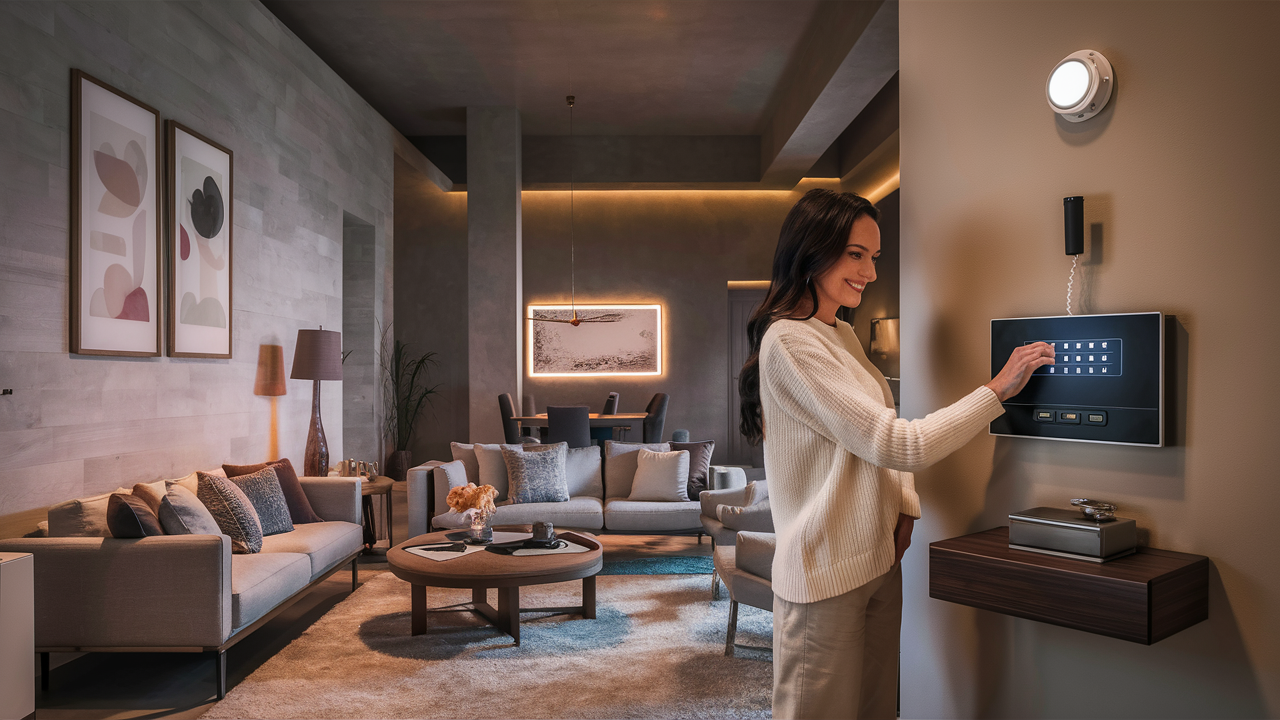
Wondering how to set the chime on your ADT alarm system? This guide provides a clear, step-by-step solution to customize your ADT chime settings, enhancing your home security awareness and system usability. Learn to personalize audible alerts for door and window entries with ease.
Understanding the ADT Chime Feature
The chime feature on your ADT alarm system is a valuable tool designed to provide immediate audible notifications whenever a protected door or window is opened. Unlike a full alarm trigger, which signals a potential security breach and initiates a response from ADT, the chime offers a more subtle alert. It's akin to a doorbell for your entry points, allowing you to be aware of who or what is entering your home, even when the system is disarmed. This functionality is particularly useful for families with young children, pet owners, or for general awareness of household activity. In 2025, ADT continues to refine this feature, offering greater customization and integration possibilities than ever before, making it an essential component of a modern smart home security setup. Understanding how this feature works is the first step to effectively utilizing it to your benefit. The chime is typically activated by a magnetic contact sensor installed on doors and windows. When the circuit is broken (i.e., the door or window is opened), the sensor communicates this to the main control panel, which then emits the chosen chime sound. The sophistication of modern ADT systems means that not only can you choose *if* a chime sounds, but often *what* sound it makes and for *which* specific sensors.
The Role of Sensors in Chime Activation
At the heart of the chime functionality are the contact sensors. These are typically two-part devices: a magnet and a sensor. When the door or window is closed, the magnet is aligned with the sensor, completing an electrical circuit. When the door or window is opened, the magnet is moved away from the sensor, breaking the circuit. This change is what signals the control panel. ADT offers various types of sensors, including standard magnetic contacts, recessed contacts (which are hidden within the door or window frame for a cleaner look), and even glass break sensors that can be configured to chime upon detecting the sound of breaking glass. The type of sensor installed will not affect the chime's sound but is crucial for its activation. The reliability of these sensors is paramount for the chime feature to work as intended. Regular checks, especially after significant weather events or home renovations, are recommended to ensure they remain securely in place and functional.
Distinguishing Chime from Alarm
It's crucial to differentiate the chime function from the alarm itself. The chime is an informational alert, designed to be heard by those within the home. It does not notify ADT monitoring centers or trigger a siren. The alarm, on the other hand, is a security event. When the system is armed and a sensor is triggered, the alarm sequence is initiated, which typically involves a loud siren and a notification sent to the ADT monitoring station. This distinction is vital for understanding how to use the chime effectively without causing unnecessary alarm activations. For instance, you might want the chime to sound when a front door is opened during the day while you are home, but you would want the full alarm to sound if the system is armed and the same door is opened at night. The ability to toggle the chime on and off for specific sensors or at specific times is a key aspect of its utility.
Benefits of Audible Alerts
The primary benefit of the chime feature is enhanced awareness. For parents, it can alert them when a child opens a door to the outside or a potentially dangerous area like a basement or garage. For elderly individuals or those with mobility issues, it can signal when a caregiver or visitor arrives. Pet owners can use it to monitor when their pets are using a pet door or when a door is left ajar, potentially allowing a pet to escape. Beyond these specific use cases, the chime provides a general sense of security and control. Knowing that you'll be alerted to any entry into your home, even when the system is disarmed, adds an extra layer of peace of mind. In 2025, with increased focus on smart home integration, the chime can also be a gateway to more sophisticated automation, such as turning on lights when a door is opened at night.
Why Customize Your ADT Chime Settings?
Customizing your ADT chime settings allows you to tailor your security system to your specific lifestyle and needs. This personalization goes beyond mere convenience; it enhances the practical utility of your ADT system, making it a more intuitive and effective tool for home awareness. By adjusting chime sounds, volumes, and sensor assignments, you can ensure that the alerts are informative without being intrusive, and that they provide the right information at the right time. In the evolving landscape of smart home technology in 2025, the ability to fine-tune these settings is more important than ever for a seamless user experience.
Tailoring Alerts to Your Lifestyle
Your daily routine and household dynamics are unique, and your ADT chime should reflect that. For a busy family, a distinct chime for the front door might signal a visitor, while a different chime for a back door might alert parents to a child's activity. For individuals who work from home, the chime can be a subtle notification that a package has been delivered or that someone has entered a specific area of the house without interrupting workflow. For those with hearing impairments, the ability to select a louder or more distinct chime sound can be critical for awareness. Customization ensures that the chime serves its purpose effectively, providing timely and relevant information without becoming a nuisance. For example, you might want a loud, attention-grabbing chime for the main entry points during the day, but a softer, more melodic tone for less critical areas like a pantry door.
Enhancing Security Awareness
Beyond simple notifications, customized chime settings can actively enhance your security awareness. By assigning specific sounds or tones to different sensors, you can instantly discern which entry point has been activated without even looking at your control panel. This is particularly beneficial in larger homes or during busy periods. Imagine being in the backyard and hearing a specific chime that you've assigned to the garage door; you immediately know someone has entered the garage, allowing you to investigate or take appropriate action. This granular control empowers you to be more proactive about your home's security. In 2025, with the rise of connected homes, this awareness can extend to triggering other smart devices. For instance, a chime on the front door could be programmed to turn on the porch light via smart home integration, acting as a deterrent and providing better visibility.
Optimizing System Usability
A system that is difficult to use or understand will likely be underutilized or even bypassed. Customizing your ADT chime makes the system more intuitive and user-friendly. When the chime sounds are familiar and their meanings are clear, you can respond more quickly and appropriately to any situation. This also applies to the process of setting up and managing these chimes. ADT's user interfaces, especially on newer panels and through their mobile apps, are designed for ease of use, allowing for quick adjustments to chime settings. This optimization ensures that the technology serves you, rather than the other way around. For instance, if a particular chime sound is annoying, you can easily switch it to a more pleasant one, increasing your likelihood of keeping the feature enabled and benefiting from it.
Reducing False Alarms and Nuisance Notifications
By carefully selecting which sensors trigger a chime and what sounds they produce, you can significantly reduce the chances of accidental nuisance notifications. For example, you might choose not to have a chime enabled for a frequently used interior door that leads to a less critical area, or you might opt for a very subtle chime for a garage door that is often opened for routine access. This thoughtful configuration ensures that the chime alerts you to genuinely important events, rather than every minor door movement. This is a key aspect of smart security in 2025, where systems are designed to be intelligent and minimize unnecessary interruptions. By controlling the chime, you help maintain the integrity of your system's notifications, ensuring that when an alert does sound, it's something you need to pay attention to.
How to Set the Chime on Your ADT Alarm Panel
Setting the chime on your ADT alarm system is a straightforward process, though the exact steps can vary slightly depending on your specific ADT control panel model. Generally, you will interact with the panel's touchscreen or keypad interface to access system settings and configure the chime feature for individual sensors. This section will guide you through the typical procedure, empowering you to customize your audible alerts effectively. By following these steps, you can ensure your ADT system provides the notifications you desire.
Accessing System Settings
The first step is to access the main menu or system settings on your ADT control panel. This is usually achieved by pressing a designated "Menu," "Settings," or "Tools" button on the touchscreen interface. For older keypad models, you might need to enter a specific installer or master code followed by a function key. It is crucial to use the correct code to avoid inadvertently changing critical system parameters. If you are unsure of your master code, you can usually find it in your ADT user manual or by contacting ADT customer support. Once in the settings menu, look for an option related to "Chime," "Audible Alerts," or "Sensor Settings."
Navigating to Chime Configuration
Within the system settings, you will typically find a dedicated section for managing the chime feature. This might be labeled as "Chime Settings," "Door Chime," or similar. Selecting this option will usually present you with a list of all the sensors currently programmed into your ADT system. Each sensor will likely be displayed with its name (e.g., "Front Door," "Living Room Window") and its current chime status. You may also see options to enable or disable the chime for each sensor, and in some cases, to select specific chime sounds or adjust the volume.
Enabling/Disabling Chime for Individual Sensors
Once you have located the list of sensors, you can proceed to configure the chime for each one. Typically, there will be a checkbox, toggle switch, or a simple "On/Off" option next to each sensor's name. To enable the chime for a specific sensor, ensure the option is set to "On" or checked. To disable it, set it to "Off" or uncheck the box. For example, if you want your front door to chime when opened, you would find "Front Door" in the list and ensure its chime setting is enabled. If you don't want your upstairs bedroom window to chime, you would disable the chime for that sensor. This granular control is key to effective customization.
Selecting Chime Sounds and Volume (if applicable)
More advanced ADT panels and systems offer the ability to select different chime sounds. This allows you to assign distinct audible alerts to different sensors, making it easier to identify which door or window has been opened. When configuring a sensor, you may see an option to "Select Chime Tone" or "Chime Sound." Tapping this will bring up a list of available sounds, which might include classic doorbell tones, melodic chimes, or even custom sounds on some systems. Choose the sound that best suits your preference and the sensor's importance.
Similarly, some systems allow you to adjust the volume of the chime. This is particularly useful if the default volume is too loud and disruptive or too quiet to be heard. Look for a "Chime Volume" or "Volume Control" option within the chime settings. You can usually adjust this using a slider or by selecting from predefined volume levels. Ensure the volume is set to a level that is audible throughout your home but not excessively loud.
Saving Your Changes
After making your desired adjustments to the chime settings, it is essential to save your changes. Most ADT panels will prompt you to "Save," "Apply," or "Exit and Save" to confirm your modifications. Failure to save your settings may result in them reverting to their previous state. Once saved, the new chime configurations will be active immediately. You can test your settings by opening and closing the doors and windows for which you have enabled chimes.
Example Scenario: Setting the Front Door Chime
Let's say you want your front door to chime with a classic doorbell sound whenever it's opened while the system is disarmed.
- On your ADT control panel, navigate to the main menu.
- Select "Settings" or "Tools."
- Enter your master code if prompted.
- Find and select "Chime Settings" or "Sensor Settings."
- Locate "Front Door" in the list of sensors.
- Ensure the "Chime" option is set to "On."
- If available, select "Chime Sound" and choose a "Doorbell" tone.
- If available, adjust "Chime Volume" to your preference.
- Select "Save" or "Apply" to confirm your changes.
Common ADT Panel Models and Chime Settings
ADT utilizes a variety of alarm panel models, each with its own interface and specific menu navigation for adjusting chime settings. Understanding the model you have can help you locate the relevant options more quickly. While the core functionality remains the same, the user experience can differ. This section outlines common ADT panel models and provides general guidance on where to find their chime configuration options, reflecting the technology available in 2025.
ADT Command and Control Panels
The ADT Command and ADT Control panels are modern, touchscreen-based systems that offer a highly intuitive user experience. These panels are designed with user-friendliness in mind, making it relatively simple to adjust chime settings.
ADT Command
On the ADT Command panel, chime settings are typically managed through the main touchscreen interface.
- Tap the "Menu" icon on the home screen.
- Select "Settings."
- You may need to enter your user code or master code.
- Navigate to "Device Settings" or "Sensors."
- Find the specific sensor you wish to configure.
- Tap on the sensor to view its details and options.
- Look for a "Chime" toggle or a "Chime Sound" selection.
- Enable the chime and select your desired sound from the available options.
- Tap "Save" or "Done" to apply your changes.
ADT Control (formerly Honeywell Lynx series)
The ADT Control panels, often based on Honeywell's Lynx series (e.g., Lynx L7000, Lynx L5210), also feature touchscreen interfaces. The navigation is similar to ADT Command.
- From the main screen, press the "Tools" icon.
- Enter your master code.
- Select "System Setup" or "Devices."
- Choose "Sensors" or "Zone List."
- Tap on the specific sensor you want to adjust.
- Look for the "Chime" option. You can typically enable or disable it here.
- Some models might allow you to select different chime tones from a dropdown menu or a separate "Chime Tones" section.
- Press "Save" or the back arrow to exit and save your settings.
Older ADT Panel Models (e.g., Vista Series)
ADT has also installed and continues to support older panel systems, such as the Honeywell Vista series (e.g., Vista 20P, Vista 15P). These systems often use alphanumeric keypads rather than full touchscreens.
Honeywell Vista Panels (e.g., Vista 20P)
Configuring chime settings on Vista panels requires using the keypad and installer or master codes. The process is more command-line oriented.
- Disarm the system.
- Press the " [ " key, then "8".
- Enter your master code (typically 4 digits).
- Press "0" to enter the zone programming menu.
- Enter the two-digit zone number for the sensor you wish to modify (e.g., "01" for Zone 1).
- You will see a series of programming options for that zone. Look for the chime option. This is often represented by a number. For example, "1" might mean chime disabled, "2" might mean chime enabled with a standard tone, and "3" might mean chime enabled with a different tone. Consult your specific Vista panel manual for the exact codes.
- Enter the desired number for the chime setting.
- Press " * " to save the changes and move to the next zone, or press " # " to exit programming.
ADT Mobile App and Web Portal
For many modern ADT systems, particularly those connected to the ADT Control platform, chime settings can also be managed remotely via the ADT mobile app or the ADT web portal. This offers unparalleled convenience.
- Log in to your ADT account via the mobile app or web portal.
- Navigate to the "Devices" or "Sensors" section.
- Select the specific sensor you wish to configure.
- Look for options related to "Chime," "Audible Alerts," or "Notifications."
- You should be able to enable/disable the chime and, in some cases, select specific sounds and adjust volume.
- Save your changes. These will sync with your control panel.
Key Considerations for Panel Differences
- User Manual: Always refer to your specific ADT panel's user manual for the most accurate and detailed instructions.
- Master Code: You will likely need your master code to access and modify system settings. If you don't know it, contact ADT.
- Installer Code: For advanced programming on older systems like Vista, the installer code might be required, which is typically only known by ADT technicians.
- System Updates: Ensure your ADT system is up-to-date, as software updates can sometimes alter menu layouts or add new features.
Troubleshooting Common ADT Chime Issues
While the ADT chime feature is generally reliable, you might occasionally encounter issues where it doesn't function as expected. This section provides solutions to common problems, helping you get your chime working correctly again. Addressing these issues promptly ensures you don't miss important alerts. In 2025, with integrated smart home systems, troubleshooting might also involve checking connectivity.
Chime Not Sounding When Door/Window Opens
This is the most frequent issue. Several factors could be at play:
Check System Arming Status
The chime feature typically only operates when the ADT system is disarmed. If your system is armed (either in Stay or Away mode), the sensor trigger will likely initiate a full alarm sequence rather than a chime. Verify that your system is disarmed.
Verify Chime is Enabled for the Sensor
It's possible that the chime was accidentally disabled for that specific sensor.
- Access your ADT panel's settings (refer to the previous section for your model).
- Navigate to the chime or sensor settings.
- Locate the specific door or window sensor.
- Ensure the chime option is set to "On" or enabled.
- Save your changes and test the sensor again.
Check Sensor Battery Life
Wireless sensors are battery-powered. A low battery can cause intermittent functionality or prevent the sensor from communicating with the panel, including triggering the chime.
- Most ADT panels will display a "Low Battery" warning for specific sensors. Check your panel for any such alerts.
- If a low battery is indicated, replace the battery in the sensor. Common battery types include CR2032 or CR123A lithium batteries. Consult your sensor's manual for the correct type.
- After replacing the battery, you may need to "re-enroll" or "reboot" the sensor through the panel's programming menu.
Inspect Sensor Alignment and Damage
The magnetic contact sensors must be properly aligned for the circuit to function correctly.
- Ensure the two parts of the sensor (the magnet and the sensor body) are close enough when the door or window is closed (typically within 1/2 inch).
- Check for any physical damage to the sensors or the door/window frame.
- Make sure the sensors are securely mounted and haven't shifted.
Panel Communication Issues
In rare cases, the issue might be with the control panel itself.
- Try rebooting the control panel. This usually involves unplugging the transformer and temporarily removing the backup battery. Refer to your panel's manual for the correct reboot procedure.
- If the problem persists, contact ADT customer support.
Chime Sounds Incorrect or Too Loud/Quiet
If the chime is sounding but the tone is wrong, or the volume is not to your liking:
Check Chime Sound Selection
If your panel allows for different chime sounds, ensure the correct sound has been selected for the sensor. Follow the steps in the "How to Set the Chime" section to re-select your preferred sound.
Adjust Chime Volume
Most systems have a volume setting for the chime.
- Access the chime settings menu on your panel.
- Look for a "Chime Volume" or "Volume Control" option.
- Adjust the slider or selection to your desired level.
- Save the changes.
Chime Sounds When System is Armed
This is usually not an issue but rather a misunderstanding of system settings.
- Default Behavior: On most ADT systems, the chime is designed to function *only* when the system is disarmed. When armed, sensor triggers result in an alarm.
- Exception: Some advanced systems or specific configurations might allow for a "chime" to occur even when armed (e.g., for specific zones or under certain conditions). If this is happening and you don't want it, you'll need to revisit the sensor programming and ensure it's set to function as a standard security zone when armed, not as a chime zone. Consult your panel's manual or ADT support.
Specific Sensor Not Chime-Enabled, But Others Are
If some sensors chime correctly, but one specific sensor does not, focus your troubleshooting on that individual sensor.
- Double-check the chime enablement and sound selection for that particular sensor in the panel's settings.
- Check the battery and physical condition of that specific sensor.
- If it's a wireless sensor, try re-enrolling it in the system.
When to Contact ADT Support
If you've tried the troubleshooting steps above and are still experiencing issues with your ADT chime, it's time to contact ADT customer support. They can remotely diagnose your system, guide you through more complex programming, or dispatch a technician if a hardware issue is suspected. Providing them with your panel model and a clear description of the problem will help expedite the resolution process.
Advanced Chime Customization and Integrations
In 2025, the ADT chime feature extends beyond simple audible alerts. Modern systems offer sophisticated customization options and can integrate with other smart home devices, transforming a basic notification system into a powerful component of your connected home. This section explores these advanced capabilities, demonstrating how to maximize the utility of your ADT chime.
Assigning Unique Chime Sounds
As mentioned, many ADT panels allow you to assign distinct chime sounds to different sensors. This is a powerful customization tool.
- Front Door: A distinct, perhaps slightly louder or more melodic chime.
- Back Door: A different tone to differentiate from the front.
- Garage Door: A unique sound, possibly a short beep, to signal entry/exit.
- Windows: A subtle, less intrusive chime.
Chime Scheduling and Conditional Chimes
Some advanced ADT systems, particularly those integrated with smart home platforms, may offer scheduling capabilities or conditional chime triggers.
- Daytime vs. Nighttime: You might configure the front door to chime loudly during the day but only emit a very soft tone or no chime at all at night, while still retaining full alarm functionality.
- Presence Detection: In conjunction with smart home hubs, the chime could potentially be linked to whether someone is home. For example, it might only chime for certain sensors when the system detects no one is present.
Integration with Smart Home Devices
This is where the ADT chime truly shines in the modern smart home ecosystem. By linking your ADT system to compatible smart home platforms, the chime can trigger a cascade of actions.
Triggering Lights
When a specific door chime sounds (e.g., the front door at night), you can program smart lights to turn on. This serves as a deterrent, illuminates the entryway for visitors, and enhances security.
- Example: If the front door sensor chimes between sunset and sunrise, trigger the porch light and a hallway light to turn on for 5 minutes.
Activating Smart Speakers
A chime event can be used to trigger announcements on smart speakers.
- Example: If the garage door chimes, a smart speaker in the kitchen could announce, "The garage door has been opened."
Sending Mobile Notifications
While the chime is an audible alert within the home, you can also configure your ADT system (especially via the ADT app) to send push notifications to your smartphone when a chime event occurs. This is useful if you are away from home but want to be aware of activity.
Integration with Cameras
A chime event can be programmed to trigger a short recording on your ADT-connected security cameras.
- Example: When the back door chimes, start recording video from the backyard camera for 30 seconds.
Setting Up Integrations
The process for setting up these integrations typically involves:
- Ensuring Compatibility: Verify that your ADT control panel and sensors are compatible with your chosen smart home platform (e.g., ADT Command with Alarm.com, or specific ADT systems with Alexa/Google Home).
- Linking Accounts: Connect your ADT account to your smart home platform account through their respective apps or websites.
- Creating Routines/Automations: Within the smart home platform's app (e.g., Alexa app, Google Home app), create "routines" or "automations." These are sets of "if this, then that" commands.
- Defining Triggers: Set the trigger for the routine to be the specific chime event from your ADT sensor.
- Defining Actions: Specify what actions you want to occur (e.g., turn on lights, play announcement).
Considerations for 2025
As smart home technology continues to advance, the capabilities for integrating alarm systems with other devices will only expand. Features like voice control for chime settings, more sophisticated geofencing for conditional chimes, and AI-powered anomaly detection that uses chime events to identify unusual activity are becoming more prevalent. Staying updated with ADT's offerings and smart home platform developments will allow you to leverage these cutting-edge features.
Best Practices for ADT Chime Usage
Effectively utilizing the chime feature on your ADT alarm system involves more than just enabling it. Strategic configuration and mindful usage can significantly enhance your home security and convenience. Here are some best practices to help you get the most out of your ADT chime in 2025 and beyond.
Regularly Review and Update Chime Settings
Your needs and lifestyle may change over time. It's advisable to periodically review your ADT chime settings.
- Seasonal Changes: You might want different chime settings during holidays or when you have guests.
- Family Changes: As children grow or family members move in or out, adjust settings accordingly.
- New Devices: If you add new smart home devices, explore how they can be integrated with your chime.
Assign Meaningful and Distinct Chime Sounds
To maximize the informational value of your chime, assign unique sounds to different sensors. This allows for instant recognition of where activity is occurring.
- Use a sound that is easily distinguishable from other household noises.
- Consider the importance of the sensor when choosing a sound. A more urgent or noticeable sound for the front door might be appropriate, while a softer tone could suffice for a less critical entry point.
Test Your Chime Regularly
Just like any other security feature, it's wise to test your chime periodically to ensure it's functioning correctly.
- Periodically open and close doors and windows for which you have enabled chimes.
- Listen for the expected sound.
- If you have integrated smart home actions (like lights turning on), ensure those are also working.
- This is especially important after battery changes or system updates.
Educate Household Members
Ensure everyone in your household understands what the different chime sounds mean and how the system works.
- Explain which sounds correspond to which entry points.
- Clarify that the chime is an alert, not an alarm, and when it's appropriate to investigate.
- Teach them how to arm and disarm the system correctly.
Leverage Chime for Convenience, Not Just Security
Beyond security, the chime can be a valuable convenience tool.
- Pet Monitoring: Use it to know when pets are entering or leaving through a pet door.
- Visitor Alerts: A distinct chime for the front door can act as a subtle doorbell when you're busy.
- Package Delivery: If you have a designated delivery area, a chime on that entry point can alert you to deliveries.
Be Mindful of Noise Levels
While you want the chime to be audible, avoid setting it so loud that it becomes disruptive or annoying, especially during quiet hours.
- Adjust volume settings to a comfortable level.
- Consider disabling chimes for less critical sensors if they become a nuisance.
Consider System Limitations and ADT Support
Understand that not all ADT panels or sensors offer the same level of customization. If you desire advanced features like complex scheduling or integrations, ensure your system supports them.
- Consult your ADT user manual for specific capabilities.
- If you're unsure about advanced configurations or troubleshooting, don't hesitate to contact ADT customer support. They are equipped to assist with system-specific questions and solutions.
Security and Privacy Considerations
When integrating with smart home devices, always be mindful of security and privacy.
- Use strong, unique passwords for all your connected accounts.
- Review the privacy policies of any smart home platforms you use.
- Ensure your Wi-Fi network is secured with WPA2 or WPA3 encryption.
By following these best practices, you can transform your ADT chime from a simple notification system into an intelligent, responsive feature that enhances both the security and convenience of your home.
Conclusion
Mastering how to set the chime on your ADT alarm system unlocks a layer of personalized awareness and convenience for your home security. Whether you're looking to be alerted to a child's movements, a visitor's arrival, or simply to keep track of household activity, understanding and configuring your ADT chime is a valuable skill. We've explored the core functionality, the reasons for customization, detailed step-by-step instructions for various panel types, troubleshooting common issues, and even delved into advanced integrations for 2025. By assigning distinct sounds, testing regularly, and educating your household, you can ensure your ADT system provides timely, relevant alerts that enhance your peace of mind. Don't underestimate the power of a well-configured chime to make your ADT system work smarter for you, providing both robust security and intuitive daily convenience.





