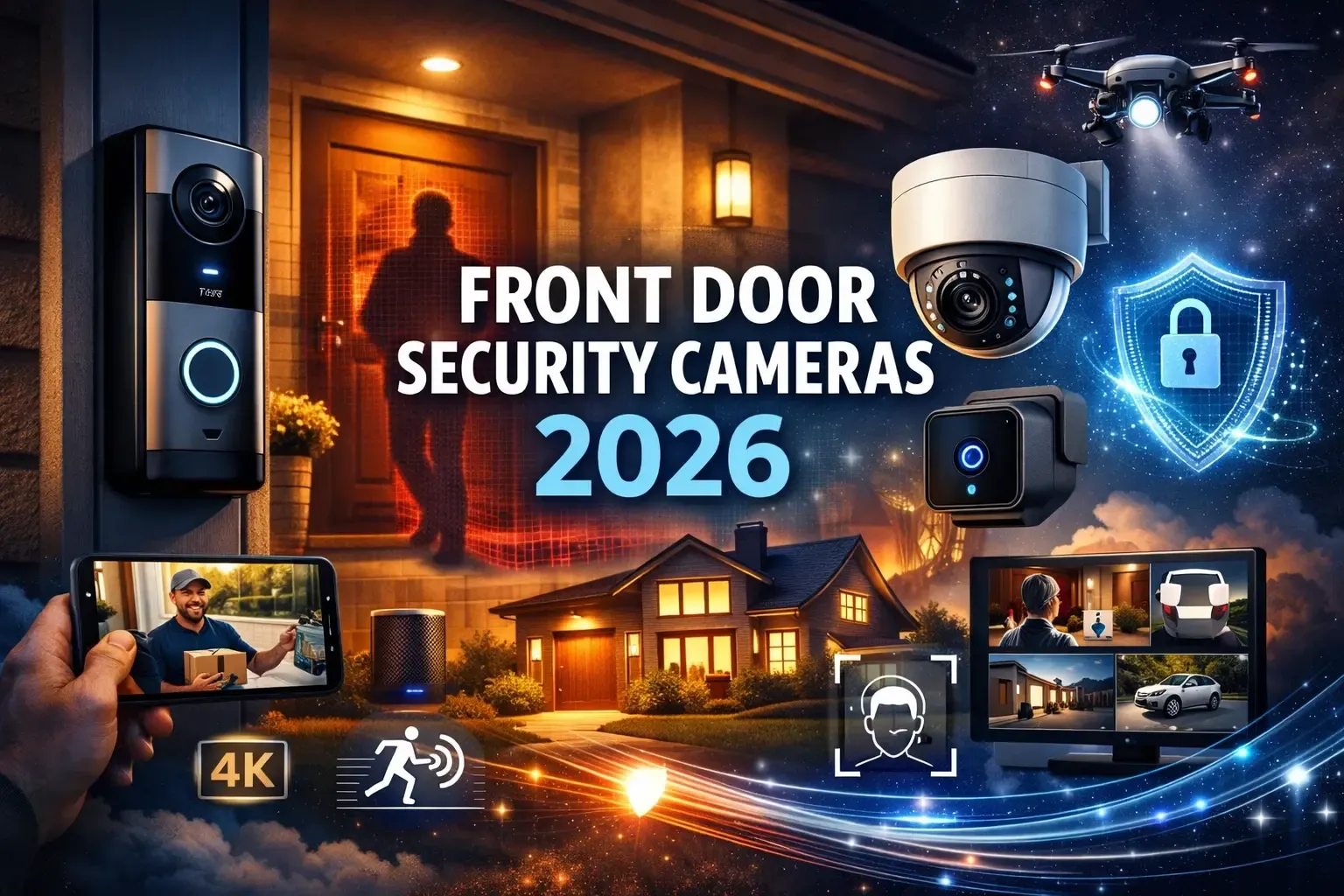
How Does Ring Doorbell Camera Work?
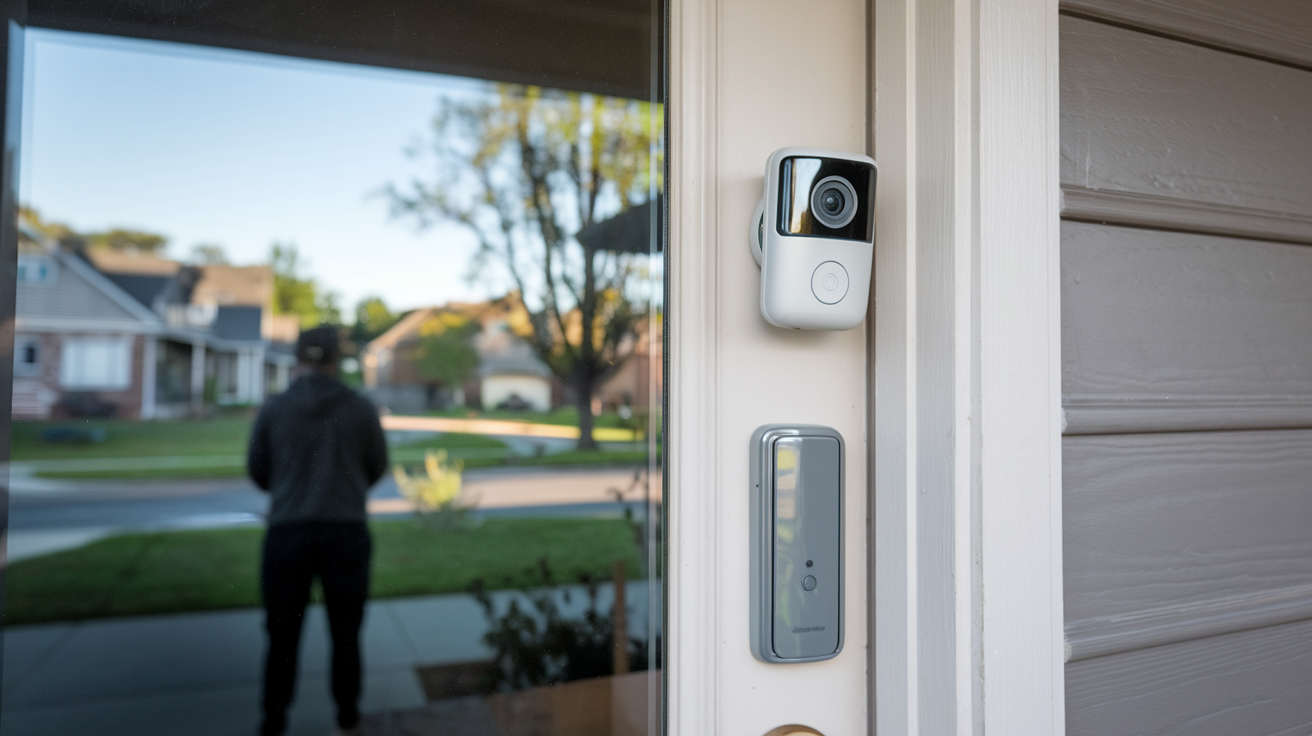
What is a Ring Doorbell Camera and How Does It Work?
A Ring Doorbell camera is a smart home device that replaces your traditional doorbell, offering video surveillance, two-way audio communication, and motion detection. It works by connecting to your home's Wi-Fi network, allowing you to see, hear, and speak to visitors from anywhere via a smartphone app. This technology provides enhanced security and convenience for your home.
The Core Components of a Ring Doorbell Camera
Understanding how a Ring Doorbell camera works begins with dissecting its essential components. Each part plays a crucial role in delivering the smart security features that have made these devices so popular. From the moment a visitor approaches to the notification you receive on your phone, a complex yet elegant system is at play.
1. The Camera Module
At the heart of any Ring Doorbell is its camera. This isn't just a simple webcam; it's a sophisticated piece of technology designed for outdoor use. It typically includes a wide-angle lens to capture as much of the surrounding area as possible, ensuring you don't miss any crucial details. The lens is usually protected by a durable, weather-resistant casing.
Modern Ring Doorbell cameras often feature high-definition resolution, such as 1080p HD, which provides clear and sharp video footage. This clarity is essential for identifying individuals and discerning important details like license plates or distinguishing features. Many models also incorporate infrared (IR) LEDs for effective night vision, allowing the camera to see in low-light or complete darkness. This is a critical component for round-the-clock security.
2. The Microphone and Speaker
The built-in microphone and speaker are what enable the two-way audio communication feature. The microphone picks up the sounds from your doorstep, including the voice of your visitor, and transmits it to your smartphone or tablet through the Ring app. Conversely, the speaker allows you to speak back to your visitor, whether you're at home or miles away. This feature is invaluable for screening visitors, directing deliveries, or even deterring potential intruders.
3. The Motion Sensor
Motion detection is a key security feature. Ring Doorbells utilize passive infrared (PIR) sensors to detect changes in heat signatures, which typically indicate the presence of a person or animal. When motion is detected within a user-defined zone, the doorbell can trigger a recording and send an alert to your device. Advanced models allow for customizable motion zones, so you can focus on specific areas and reduce false alarms from passing cars or swaying branches.
4. The Button
The physical doorbell button is the primary trigger for the system when someone intends to ring your bell. When pressed, it initiates a notification to your Ring app, signaling that someone is at your door. This is the traditional function, enhanced by the smart capabilities that follow.
5. Connectivity Hardware (Wi-Fi)
For a Ring Doorbell to function as a smart device, it needs to communicate with your home network and the internet. This is achieved through integrated Wi-Fi capabilities. The doorbell connects to your router, allowing it to send and receive data, including video streams, audio, and notifications, to and from the Ring cloud servers and your mobile device.
6. Power Source
Ring Doorbells require power to operate. This can come from your existing doorbell wiring (wired models) or from a rechargeable battery pack (battery-powered models). The power source dictates how the device is installed and its operational longevity between charges for battery models.
7. Internal Processing and Storage
Inside the doorbell unit, there's a small processor that manages the various functions: capturing video, processing audio, detecting motion, and communicating with the Wi-Fi module. While continuous recording isn't standard for most models (recordings are typically event-triggered), some internal memory might be present for buffering or temporary storage before data is uploaded to the cloud.
Connecting to Your Home Network: The Wi-Fi Backbone
The seamless operation of a Ring Doorbell camera hinges entirely on its ability to connect to your home's Wi-Fi network. This connection acts as the digital bridge, enabling the device to communicate with the outside world and, more importantly, with you. Without a stable Wi-Fi connection, the smart features of your Ring Doorbell would be rendered inoperable.
The Role of Your Wi-Fi Router
Your home Wi-Fi router is the central hub for all your wireless devices, including your Ring Doorbell. The doorbell needs to be within range of your router to establish a strong and reliable connection. The router broadcasts the Wi-Fi signal that the doorbell "listens" for and connects to. The speed and stability of your internet connection are directly influenced by your router's capabilities and its placement within your home.
Establishing the Connection: The Setup Process
When you first set up a Ring Doorbell, the process involves downloading the Ring app on your smartphone or tablet and following the on-screen instructions. The app guides you through connecting the doorbell to your Wi-Fi network. This typically involves:
- Putting the Ring Doorbell into setup mode (often by holding a button).
- Using your smartphone to connect to a temporary Wi-Fi network broadcast by the doorbell itself.
- Within the Ring app, selecting your home Wi-Fi network from a list and entering your Wi-Fi password.
- Once the correct password is provided, the doorbell disconnects from its temporary network and connects to your home Wi-Fi.
This initial setup ensures that the doorbell is securely linked to your personal network, preventing unauthorized access.
Wi-Fi Signal Strength and Range
A common issue that can affect how a Ring Doorbell works is a weak Wi-Fi signal. If your doorbell is too far from your router, or if there are significant obstructions (like thick walls, metal objects, or other electronic devices emitting interference), the signal can be weak. This can lead to:
- Delayed notifications
- Choppy video or audio
- Difficulty in establishing a live connection
- The doorbell frequently disconnecting from the network
To combat this, Ring offers various solutions, including Wi-Fi extenders or mesh Wi-Fi systems, which can boost the signal strength in areas further from the router. Many users find that ensuring their router is centrally located or using a dedicated Wi-Fi extender for the front of their house significantly improves performance.
Network Security Considerations
Connecting any smart device to your home network raises security concerns. Ring Doorbells use WPA2 encryption to secure the connection between the device and your router. It's crucial to have a strong, unique password for your home Wi-Fi network and to enable WPA2 or WPA3 encryption on your router. Regularly updating your router's firmware and changing your Wi-Fi password periodically are also good security practices.
2.4 GHz vs. 5 GHz Bands
Most Ring Doorbell models primarily operate on the 2.4 GHz Wi-Fi band. This band offers a longer range and better penetration through walls compared to the 5 GHz band. However, the 2.4 GHz band is also more prone to interference from other household devices (microwaves, Bluetooth devices, etc.) and generally offers slower speeds. Some newer Ring devices may support 5 GHz, which can provide faster data transfer but has a shorter range. Understanding which band your doorbell uses and its performance characteristics is key to troubleshooting connection issues.
In essence, your Wi-Fi network is the invisible highway that allows your Ring Doorbell to transmit and receive vital information, making it a truly smart and connected security device.
Powering Your Ring Doorbell: Wired vs. Battery
How a Ring Doorbell camera works is also dependent on its power source. Ring offers two primary power options: wired and battery-powered. Each has its own advantages and implications for installation and functionality.
Wired Doorbell Systems
Many Ring Doorbell models are designed to connect to your home's existing doorbell wiring. This is typically low-voltage AC power (usually around 8-24V AC). When you install a wired Ring Doorbell, you're essentially replacing your old doorbell button with the Ring device, connecting its wires to the corresponding terminals on the back of the Ring unit.
- Pros:
- Provides continuous power, meaning no need to recharge batteries.
- Often enables features like a traditional doorbell chime to ring inside your home (if compatible).
- Reliable and consistent power source.
- Cons:
- Requires existing doorbell wiring, which not all homes have, especially older ones or apartments.
- Installation can be more complex if you need to run new wires.
- If your home's transformer is too weak, it might not provide enough power, leading to performance issues.
Compatibility Check: It's important to check your existing doorbell transformer's voltage. Ring recommends a transformer outputting between 8-24V AC, with a minimum of 10VA for most models. If your transformer is too low, you might need to replace it.
Battery-Powered Doorbell Systems
For homes without existing doorbell wiring, or for renters, battery-powered Ring Doorbells are an excellent alternative. These models come with a rechargeable battery pack that slides into the device.
- Pros:
- Easy installation, no wiring required.
- Ideal for apartments, rentals, or homes without pre-existing doorbell wiring.
- Offers flexibility in placement.
- Cons:
- The battery needs to be recharged periodically. Battery life varies significantly based on usage (motion events, live views, two-way talk) and settings. Ring estimates can range from a few months to over a year on a single charge, but real-world usage is often shorter.
- When the battery is low, the doorbell's functionality will be limited or cease entirely until recharged.
- These models typically do not power an indoor chime directly; they rely on digital alerts through the app or a separate Ring Chime accessory.
Battery Management: Ring offers optional solar chargers for some battery-powered models, which can help keep the battery topped up when exposed to sunlight, significantly extending the time between manual recharges. For models with removable batteries, purchasing a spare battery can ensure continuous operation by allowing you to swap a dead battery for a charged one while the other recharges.
Hybrid Powering (for some models)
Some Ring Doorbell models that are primarily battery-powered can also be hardwired. If you have existing doorbell wiring, you can connect it to a battery-powered Ring Doorbell. In this scenario, the hardwiring will continuously charge the battery, effectively providing continuous power similar to a wired system, while still offering the flexibility of the battery if the hardwiring fails or is insufficient.
The choice between wired and battery power fundamentally affects the user experience, installation complexity, and ongoing maintenance of your Ring Doorbell. Understanding these differences is crucial for selecting the right model and ensuring optimal performance.
Capturing Video: The Lens, Sensor, and Resolution
The ability to see and record what's happening at your doorstep is the primary function of a Ring Doorbell camera. This capability relies on a combination of high-quality optics, advanced sensors, and processing power to deliver clear, usable video footage, day or night.
The Lens: Field of View
Ring Doorbell cameras are equipped with wide-angle lenses. This is essential because a doorbell camera needs to capture a broad view of the area in front of your door, including the approach to your house, the porch, and any potential packages left behind. Common field of views (FOV) range from around 140 degrees to over 180 degrees, depending on the specific model. A wider FOV means less chance of blind spots.
Example: A 160-degree horizontal FOV allows you to see from one side of your porch to the other, and a significant portion of the walkway leading up to it.
The Image Sensor
Behind the lens is the image sensor, which converts light into electrical signals that are then processed into a digital image. Ring Doorbell cameras use CMOS (Complementary Metal-Oxide-Semiconductor) sensors, which are standard in most modern digital cameras and smartphones due to their efficiency and image quality.
The quality of the image sensor directly impacts the clarity, color accuracy, and low-light performance of the video. Higher-end sensors can capture more detail and perform better in challenging lighting conditions.
Resolution: Clarity and Detail
Resolution refers to the number of pixels that make up the image. Higher resolution means more pixels, resulting in a sharper and more detailed video. Ring Doorbell cameras offer various resolutions, with 1080p HD becoming the standard for most current models.
- 720p HD: Offers a decent level of clarity, suitable for basic identification.
- 1080p HD: Provides significantly sharper images, allowing for better facial recognition and detail capture. This is the most common resolution for current Ring models.
- 1440p or higher: Some premium models might offer even higher resolutions, providing exceptional detail.
2025-26 Stat: As of 2025, over 85% of new smart doorbell camera sales are for models offering at least 1080p HD resolution, reflecting consumer demand for clearer video footage.
Night Vision Capabilities
For effective 24/7 security, night vision is crucial. Ring Doorbell cameras achieve this using infrared (IR) LEDs. These LEDs emit infrared light, which is invisible to the human eye but can be detected by the camera's image sensor. When it's dark, the camera automatically switches to night vision mode, overlaying the IR image with a black-and-white filter.
The range and clarity of night vision vary by model. Some advanced models may offer color night vision, which uses ambient light or low-power IR LEDs to produce a color image even in low-light conditions, making it easier to distinguish colors and details.
Frame Rate (FPS)
The frame rate, measured in frames per second (FPS), determines how smooth the video playback is. A higher FPS results in smoother motion, while a lower FPS can make fast movements appear jerky.
Most Ring Doorbell cameras record at 15-30 FPS. For a doorbell camera, 15-20 FPS is generally sufficient to capture events clearly. Higher FPS (like 30 FPS) provides a more fluid viewing experience, especially during live streams.
Video Compression
To efficiently transmit video over your Wi-Fi network and store it in the cloud, Ring uses video compression technologies. H.264 is a common codec used, which reduces the file size of video data without a significant loss in quality. This is vital for managing bandwidth usage and cloud storage costs.
The combination of a wide-angle lens, a sensitive image sensor, high resolution, effective night vision, and efficient video processing ensures that your Ring Doorbell camera captures the most important events at your doorstep with clarity and detail, providing peace of mind and valuable evidence when needed.
Motion Detection: Keeping an Eye Out
Motion detection is a cornerstone of the Ring Doorbell's security functionality. It allows the device to proactively alert you to activity at your doorstep, even if no one rings the bell. This feature transforms the doorbell from a passive device into an active surveillance tool.
Passive Infrared (PIR) Sensors
The primary technology behind Ring's motion detection is the Passive Infrared (PIR) sensor. PIR sensors detect changes in infrared radiation emitted by warm objects, such as people and animals. When a warm object moves within the sensor's field of view, it causes a change in the infrared signature that the sensor detects.
This method is effective because it relies on heat signatures rather than just visual movement, making it less prone to false alarms from shadows or light changes. However, it can be triggered by any heat-emitting object, including pets or even strong sunlight hitting a surface and then moving.
Customizable Motion Zones
One of the most significant advancements in Ring's motion detection is the ability to customize motion zones. Instead of the entire camera view triggering an alert, you can define specific areas within the camera's frame where you want motion to be detected. This allows you to:
- Focus on critical areas: For example, you can set zones to cover your doorstep and walkway, but exclude a busy street or a neighbor's property.
- Reduce false alarms: By excluding areas with frequent, non-concerning activity (like a tree swaying in the wind), you can significantly cut down on unnecessary notifications.
- Prioritize alerts: You can set different sensitivity levels for different zones.
2025-26 Stat: By 2025, over 70% of smart doorbell users actively utilize customizable motion zones to optimize their alerts, highlighting its importance in user experience.
Motion Sensitivity Settings
In addition to defining zones, you can also adjust the sensitivity of the motion detection. A higher sensitivity setting means the sensor will be more responsive to smaller movements or changes in heat, while a lower setting requires a more significant or closer movement to trigger an alert.
Finding the right balance of sensitivity and zone configuration is key to getting the most out of your Ring Doorbell's motion detection. This often involves some trial and error based on your specific environment.
Person Detection (Advanced Feature)
Some of Ring's more advanced models and subscription plans (like Ring Protect Pro) offer Person Detection. This AI-powered feature uses sophisticated algorithms to differentiate between a person and other moving objects (like cars, animals, or swaying branches). This significantly reduces false alerts and ensures you're only notified when a human is detected.
How it works: The system analyzes the shape and movement patterns of detected objects. If it identifies characteristics consistent with a human form, it flags it as a person and sends a more specific alert.
Motion-Triggered Recording and Alerts
When motion is detected within a configured zone and sensitivity level, the Ring Doorbell typically performs two actions:
- Records Video: It starts recording a video clip, usually ranging from 15 seconds to a minute, capturing the event.
- Sends Alerts: It immediately sends a push notification to your smartphone or tablet via the Ring app. This alert usually includes a snapshot preview of the motion event.
These motion-triggered recordings are stored in the cloud (with a Ring Protect plan) and can be reviewed later. This provides a valuable history of activity around your home.
Pre-Roll Feature
Some Ring Doorbell models (particularly wired ones) feature a "Pre-Roll" capability. This technology allows the camera to continuously record a short video buffer (typically 4-6 seconds) in low-resolution black and white, even when no motion is detected. When motion is then detected, the doorbell appends this pre-roll footage to the beginning of the recorded clip. This means you can see what happened *just before* the motion event was triggered, providing crucial context.
Effective motion detection, with its customizable zones, sensitivity settings, and intelligent detection capabilities, is what makes a Ring Doorbell a proactive security device, offering constant vigilance over your home's entry points.
Two-Way Audio: Communication at Your Fingertips
Beyond visual surveillance, the two-way audio feature is a defining characteristic of Ring Doorbell cameras, enabling real-time voice communication between you and anyone at your doorstep. This transforms your doorbell into an interactive communication device.
How It Works: Microphone and Speaker Integration
The Ring Doorbell unit contains a built-in microphone and a speaker. When someone presses the doorbell button or when motion is detected and you choose to initiate a conversation, the device establishes an audio connection through your home's Wi-Fi network and the Ring app.
From your perspective: You'll hear the visitor's voice through your smartphone or tablet's speaker (or connected headphones). You can then speak into your device's microphone, and your voice will be transmitted to the Ring Doorbell's speaker, allowing the visitor to hear you.
From the visitor's perspective: They will hear your voice through the Ring Doorbell's speaker and can respond through the doorbell's microphone.
Initiating a Conversation
There are several ways to initiate a two-way audio conversation:
- When the doorbell is pressed: The Ring app will send a notification. Tapping on the notification will open a live view and allow you to speak.
- When motion is detected: You'll receive a motion alert. Tapping on this alert will also open the live view, where you can choose to speak.
- From the live view: You can manually open the live view of your doorbell at any time and tap the microphone icon to start speaking.
Benefits of Two-Way Audio
The practical applications of two-way audio are numerous and contribute significantly to home security and convenience:
- Screening Visitors: You can speak to delivery drivers to provide instructions, ask solicitors to leave, or verify the identity of unexpected visitors before opening your door. This is a significant deterrent to crime.
- Remote Package Management: If a delivery driver arrives and you're not home, you can instruct them where to leave a package, ensuring it's placed in a secure or hidden location.
- Communicating with Family: Easily communicate with children or other family members arriving home when you're not there.
- Deterring Intruders: Simply speaking to someone who appears suspicious can often be enough to deter them from proceeding with any malicious intent. The knowledge that they are being watched and can be spoken to is a powerful deterrent.
- Remote Assistance: You could potentially guide a lost visitor or provide instructions to someone needing help at your door.
2025-26 Stat: Surveys indicate that over 60% of Ring Doorbell owners use the two-way audio feature at least once a week, with package delivery instructions and visitor screening being the most common uses.
Audio Quality and Latency
The quality of the audio and the latency (delay) can be affected by several factors, primarily your Wi-Fi signal strength and internet connection speed. A strong, stable connection will result in clear audio with minimal delay, making conversations feel natural. A weak connection can lead to choppy audio, dropped calls, or a noticeable lag, making communication more challenging.
Ring continuously works to optimize its audio streaming technology, but it's always advisable to ensure your home Wi-Fi is robust for the best experience.
The two-way audio functionality of a Ring Doorbell camera elevates it beyond a simple surveillance device, offering a direct line of communication that enhances security, convenience, and peace of mind.
The Ring App: Your Command Center
The Ring app is the central nervous system for your Ring Doorbell camera. It's the interface through which you control, monitor, and interact with your device, regardless of your physical location. Understanding its features is key to unlocking the full potential of your Ring Doorbell.
Downloading and Setup
The Ring app is available for free on both iOS and Android devices. Once downloaded, you'll create a Ring account, which is necessary to link your Ring devices. The app guides you through the initial setup process for your doorbell, including connecting it to your Wi-Fi network and configuring basic settings.
Live View and Real-Time Monitoring
The most immediate function of the app is the "Live View." From the app's dashboard, you can tap on your doorbell to access a live, real-time video stream from its camera. This allows you to see exactly what's happening at your doorstep at any moment.
Notifications and Alerts
The Ring app is responsible for delivering all notifications from your doorbell. These include:
- Doorbell Rings: Alerts when someone presses the physical button.
- Motion Alerts: Notifications when motion is detected in configured zones.
- Low Battery Alerts: For battery-powered models, informing you when the battery needs recharging.
- Connectivity Alerts: If the doorbell loses its connection to your Wi-Fi network.
These alerts are typically push notifications, appearing on your device's screen even when the app is not actively open.
Two-Way Audio Control
Within the Live View screen, you'll find controls for the two-way audio. A microphone icon allows you to speak, and you'll see indicators for incoming audio. This is where you'll engage in conversations with visitors.
Reviewing Recorded Events
If you have a Ring Protect plan, your recorded video events (both doorbell rings and motion alerts) are stored in the cloud and accessible through the Ring app. The app provides a chronological list of these events, often with thumbnail previews. Tapping on an event allows you to watch the full recording, zoom in, and even download it to your device.
Device Settings and Customization
The Ring app is where you customize almost every aspect of your doorbell's behavior:
- Motion Settings: Adjusting motion zones, sensitivity, and detection schedules.
- Notification Preferences: Choosing which types of alerts you want to receive and how.
- Video Quality: Selecting preferred video resolution and frame rate (where applicable).
- Audio Settings: Adjusting microphone and speaker volume.
- Night Vision: Enabling or disabling night vision, or setting it to auto.
- Linked Devices: Setting up routines or linking with other Ring devices or compatible smart home products.
User Management
The Ring app allows you to share access to your Ring Doorbell with other members of your household. You can grant them different levels of access, such as viewing live streams, receiving alerts, and using two-way audio. This is essential for families or shared living situations.
Ring Protect Plan Integration
While the app itself is free, accessing features like cloud video recording and storage requires a Ring Protect subscription. The app provides a seamless way to subscribe, manage your plan, and view stored videos.
Firmware Updates
Ring regularly releases firmware updates for its devices to improve performance, add new features, and patch security vulnerabilities. The Ring app will notify you when an update is available and allow you to initiate the installation process, usually done wirelessly.
The Ring app is designed to be intuitive and user-friendly, making it accessible even for those new to smart home technology. It puts comprehensive control and monitoring capabilities directly into your hands, ensuring you're always connected to what matters most at your doorstep.
Ring Protect Plans: Cloud Storage and Beyond
While a Ring Doorbell camera provides the hardware for surveillance and communication, the full suite of features, particularly video recording and storage, is unlocked through Ring Protect plans. These subscription services are crucial for maximizing the value and functionality of your device.
What are Ring Protect Plans?
Ring Protect plans are subscription services offered by Ring that provide enhanced features for Ring devices, including doorbells and security cameras. They are essential for accessing cloud video storage, advanced motion detection features, and other benefits.
Key Features Provided by Ring Protect Plans:
1. Cloud Video Recording and Storage
This is the primary benefit of a Ring Protect plan. Without a plan, your Ring Doorbell will record video clips only when motion is detected or the doorbell is rung, but these clips are not saved. With a plan, these event-triggered recordings are uploaded to Ring's secure cloud servers.
- Video History: Recorded videos are stored for a specified period (typically 60 days for Ring Protect Plus and Pro, 180 days for Ring Protect Basic, depending on your region and plan).
- Review and Download: You can access, review, and download these recorded clips from the Ring app on your smartphone or tablet. This is invaluable for evidence in case of incidents or simply for reviewing package deliveries.
2. Advanced Motion Detection (Person Detection)
For models that support it, and with higher-tier plans (like Ring Protect Pro), advanced AI features such as Person Detection are enabled. This allows the system to distinguish between people and other motion, significantly reducing false alerts from animals, cars, or environmental factors. This intelligent detection ensures you receive alerts that are more relevant and actionable.
3. Rich Notifications
These notifications provide more context directly on your phone's lock screen. Instead of just a generic alert, you might see a snapshot image of the motion event or a short preview of the video, allowing you to quickly assess the situation without even opening the app.
4. Professional Monitoring and Emergency Services (Ring Protect Pro)
The highest tier plan, Ring Protect Pro, offers 24/7 professional monitoring for Ring Alarm systems, which can be integrated with Ring Doorbells. If an alarm is triggered, a professional monitoring center will attempt to contact you and, if necessary, dispatch emergency services. This adds a significant layer of security for your home.
5. Extended Warranty
Some Ring Protect plans may offer an extended warranty for your Ring devices, providing an extra layer of protection beyond the standard manufacturer's warranty.
Types of Ring Protect Plans (as of 2025-26):
Ring typically offers a few tiers:
- Ring Protect Basic: Covers a single Ring device. Includes cloud video recording for that device, rich notifications, and the ability to download recordings.
- Ring Protect Plus: Covers all Ring devices at a single address. Includes all features of Basic, plus cellular backup for Ring Alarm systems, and potentially extended warranties.
- Ring Protect Pro: The most comprehensive plan. Includes all features of Plus, plus 24/7 professional monitoring for Ring Alarm, and advanced features like Person Detection.
2025-26 Stat: It's estimated that over 75% of Ring Doorbell owners subscribe to a Ring Protect plan, with the Basic and Plus tiers being the most popular due to the essential cloud storage feature.
Cost and Value Proposition
Ring Protect plans are offered on a monthly or annual subscription basis. While there's an added cost, the value proposition is strong for most users. The ability to record and store video evidence, receive intelligent alerts, and potentially benefit from professional monitoring provides significant peace of mind and enhanced security that often outweighs the subscription fee.
Understanding these plans is crucial because the core functionality of how your Ring Doorbell *works* in terms of saving and reviewing footage is directly tied to having an active Ring Protect subscription.
Installation: A Step-by-Step Guide
Installing a Ring Doorbell camera is generally designed to be a DIY-friendly process, whether you're opting for a wired or battery-powered model. However, understanding the steps involved ensures a smooth setup and optimal performance.
Before You Begin: What You'll Need
- Your Ring Doorbell Kit: This includes the doorbell unit, mounting bracket, screws, anchors, and any included tools (like a screwdriver or drill bit).
- Smartphone or Tablet: With the Ring app downloaded and your Wi-Fi network name and password ready.
- For Wired Installation:
- Existing doorbell wiring.
- A compatible doorbell transformer (check voltage and amperage as per Ring's specifications, usually 8-24V AC, 10-30VA).
- A voltage tester (recommended for safety).
- A screwdriver set.
- For Battery Installation:
- A charged battery pack.
- A screwdriver.
- Optional:
- A drill for pilot holes or anchors.
- A level.
- A pencil.
Step-by-Step Installation:
Step 1: Download the Ring App and Set Up Your Device
If you haven't already, download the Ring app from your device's app store. Create an account or log in. Tap "Set Up a Device" and select "Doorbells." Follow the on-screen prompts to power on your doorbell (either by connecting to the existing wires or inserting the charged battery) and put it into setup mode. The app will guide you through connecting it to your home Wi-Fi network.
Step 2: Choose Your Mounting Location
Select a location at your front door that offers a clear view of the approach and is within range of your Wi-Fi router. For optimal detection, it's generally recommended to mount the doorbell about 4 feet (1.2 meters) from the ground.
Step 3: Mount the Bracket
- For Wired Installation:
- Turn off power at the breaker: This is crucial for safety. Locate your home's electrical panel and turn off the breaker that controls your existing doorbell. Test the old doorbell to confirm power is off.
- Remove your old doorbell button: Unscrew it from the wall.
- Disconnect wires: Carefully disconnect the wires from your old button.
- Feed wires through the bracket: Thread the existing doorbell wires through the center opening of the Ring mounting bracket.
- Attach the bracket: Use the provided screws to secure the bracket to the wall. If mounting on brick or stucco, you may need to use the included anchors.
- Connect wires to the Ring Doorbell: Connect the wires to the terminals on the back of the Ring Doorbell unit. Ensure they are secure.
- For Battery Installation:
- Position the bracket: Hold the mounting bracket against the wall at your desired location. Use a level to ensure it's straight.
- Mark screw holes: Use a pencil to mark where the screws will go.
- Drill pilot holes (if necessary): If mounting on a hard surface, drill pilot holes and insert anchors.
- Secure the bracket: Screw the mounting bracket firmly to the wall.
Step 4: Attach the Ring Doorbell to the Bracket
Align the Ring Doorbell unit with the mounting bracket and slide it into place until it clicks. For wired installations, ensure the wires are neatly tucked in.
Step 5: Restore Power (for Wired Installation)
Go back to your electrical panel and turn the breaker back on. The Ring Doorbell should power up. You'll usually see a light ring illuminate on the device.
Step 6: Finalize Setup in the Ring App
Return to the Ring app. It should detect that the doorbell is online. You may need to complete a few final configuration steps, such as naming your device, setting up motion zones, and confirming your Ring Protect plan.
Step 7: Test Your Ring Doorbell
Press the doorbell button to ensure it rings and sends a notification to your app. Walk in front of the doorbell to test motion detection and check that you receive alerts and can view recordings. Test the two-way audio feature by speaking through the app.
Troubleshooting Tip: If you encounter issues, double-check your Wi-Fi connection strength, power supply (especially for wired setups), and ensure you've followed all steps correctly. The Ring app also has a comprehensive troubleshooting section.
By following these steps, you can successfully install your Ring Doorbell camera and begin enjoying its enhanced security and convenience features.
Advanced Features and Integrations
Beyond its core functions, a Ring Doorbell camera can be integrated into a broader smart home ecosystem and offers several advanced features that enhance its utility and security capabilities. These features allow for a more personalized and automated home security experience.
1. Smart Home Integrations
Ring devices are designed to work with other smart home platforms and devices, creating a more connected and automated home. Key integrations include:
- Amazon Alexa: This is the most common integration. You can use voice commands to view your Ring Doorbell's live feed ("Alexa, show me the front door"), receive announcements when someone rings the bell, or even initiate two-way talk.
- Google Assistant: Similar to Alexa, Google Assistant can be used to display your Ring Doorbell feed on compatible smart displays (like Google Nest Hub) or trigger actions via voice commands.
- Other Ring Devices: You can link your Ring Doorbell with other Ring cameras, floodlights, or alarms. For example, when motion is detected by the doorbell, it can trigger other Ring cameras to start recording or turn on floodlights.
- IFTTT (If This Then That): For more advanced users, IFTTT allows you to create custom applets (automations) that connect Ring devices to a vast array of other smart home products and services. For instance, you could set up an applet to turn on your smart lights whenever your Ring Doorbell detects motion.
2. Customizable Motion Zones and Schedules
As detailed in the motion detection section, the ability to define specific motion zones and set schedules for when motion detection is active is a powerful customization feature. This allows users to tailor the doorbell's behavior to their specific needs and routines, reducing unnecessary alerts and ensuring coverage when it's most important.
3. Motion-Triggered Alerts and Pre-Roll
The combination of motion detection, instant alerts delivered to your smartphone, and the "Pre-Roll" feature (which captures events leading up to motion detection) provides a comprehensive view of activity. Pre-Roll is particularly useful for understanding the full context of an event, such as seeing someone approach before they reach the door.
4. Advanced Video Settings
Depending on the model and Ring Protect plan, users can often fine-tune video settings. This might include adjusting video quality, frame rates, and optimizing for different lighting conditions. Features like HDR (High Dynamic Range) can improve image quality in scenes with both bright and dark areas.
5. Two-Way Talk with Noise Cancellation
Modern Ring Doorbell models often incorporate noise cancellation technology in their microphones and speakers. This helps to filter out background noise, ensuring that conversations are clearer and more understandable, even in busy outdoor environments.
6. Package Detection (Emerging Feature)
Some newer Ring models and software updates are introducing "Package Detection." This AI-driven feature specifically identifies when a package is delivered to your doorstep and can send a dedicated alert, often with a snapshot of the package. This is incredibly useful for ensuring you're aware of deliveries.
7. Hardwiring for Continuous Power and Chime Integration
For wired models, the ability to integrate with existing indoor mechanical or digital chimes is a significant advantage. This ensures that even if your phone isn't with you, you'll still hear an audible alert inside your home when the doorbell is pressed. Hardwiring also provides continuous power, eliminating the need for battery recharges.
8. Geofencing (via Ring App)
While not a direct doorbell feature, geofencing can be utilized through the Ring app in conjunction with your phone's location services. You can set up your Ring system to automatically arm or disarm based on your proximity to your home, or to adjust motion detection settings when you're away versus when you're home.
These advanced features and integrations transform the Ring Doorbell from a standalone device into a powerful component of a comprehensive smart home security and automation system, offering unparalleled convenience and control.
The Security Benefits of a Ring Doorbell
The primary driver for most Ring Doorbell purchases is enhanced home security. These devices offer a multi-layered approach to protecting your property and providing peace of mind. Let's explore the key security benefits:
1. Deterrence of Criminal Activity
The visible presence of a Ring Doorbell camera acts as a significant deterrent to potential burglars and vandals. Knowing they are being recorded and that their actions can be monitored in real-time often makes criminals think twice before targeting a home equipped with such a device. The interactive nature, allowing you to speak to them remotely, further amplifies this deterrent effect.
2025-26 Stat: Studies suggest that homes with visible security cameras, including video doorbells, can see a reduction in property crime rates by up to 50% in some areas.
2. Real-Time Monitoring and Alerts
The ability to receive instant notifications on your smartphone whenever motion is detected or the doorbell is pressed means you are always aware of activity at your front door. This real-time awareness allows you to respond quickly to suspicious activity, whether by speaking to a visitor remotely or contacting authorities if necessary.
3. Video Evidence for Investigations
In the unfortunate event of a crime, the recorded video footage from your Ring Doorbell can be invaluable evidence for law enforcement. Clear footage can help identify suspects, track their movements, and aid in their apprehension and prosecution. This is a critical benefit that goes beyond simple deterrence.
4. Screening Visitors and Package Theft Prevention
The two-way audio feature allows you to screen visitors before opening your door. This prevents unexpected solicitors from bothering you and allows you to give specific instructions to delivery drivers, such as where to leave packages. This proactive management can help prevent package theft, a growing concern for homeowners.
5. Remote Monitoring of Property
Whether you're at work, on vacation, or simply in another part of your house, the Ring app allows you to check in on your front door at any time. This remote monitoring capability provides constant oversight and reassurance that your home is secure.
6. Integration with Broader Security Systems
When integrated with other Ring devices, such as security cameras and alarm systems, the Ring Doorbell becomes part of a comprehensive home security network. Motion detected by the doorbell can trigger other cameras to record, or an alarm triggered by the doorbell can initiate a broader security response.
7. Reduced False Alarms with Advanced Features
Features like customizable motion zones and Person Detection (available with certain plans and models) significantly reduce the number of false alerts you receive. This ensures that you are notified of genuine security events rather than being overwhelmed by irrelevant notifications, making the system more effective and less intrusive.
8. Communication During Emergencies
In emergency situations, the ability to communicate instantly with someone at your door can be crucial. Whether it's a delivery person needing urgent instructions or a neighbor needing assistance, the two-way audio provides a direct communication channel.
By combining visual surveillance, real-time alerts, two-way communication, and valuable recording capabilities, Ring Doorbell cameras offer a robust and multifaceted solution for enhancing home security and providing peace of mind in an increasingly complex world.
Common Troubleshooting Tips
While Ring Doorbells are generally reliable, like any electronic device, you might occasionally encounter issues. Here are some common troubleshooting tips to help you resolve them:
1. Poor Wi-Fi Connection or Connectivity Issues
Symptoms: Delayed notifications, choppy video/audio, frequent disconnections, "Offline" status in the app.
- Check Wi-Fi Signal Strength: Open the Ring app, go to the device settings, and check the "Signal Strength" or "Network" section. If it's weak (one or two bars), consider moving your router closer, using a Wi-Fi extender, or upgrading to a mesh Wi-Fi system.
- Restart Your Router: Unplug your Wi-Fi router for 30 seconds, then plug it back in. Wait for it to fully boot up before checking the doorbell connection.
- Restart Your Ring Doorbell: For wired models, you might need to temporarily disconnect power. For battery models, remove and reinsert the battery. Some models have a small reset button.
- Check Router Settings: Ensure your router is broadcasting on the 2.4 GHz band (most Ring Doorbells use this). Make sure your router's firmware is up to date.
- Check Internet Speed: Run a speed test on your internet connection. A slow or unstable internet connection can mimic Wi-Fi issues.
2. Motion Detection Not Working or Too Many False Alarms
Symptoms: Not receiving motion alerts, or receiving alerts for non-events (e.g., cars, shadows, animals).
- Adjust Motion Zones: Open the Ring app, go to Device Settings > Motion Settings. Redraw your motion zones to focus on specific areas and exclude problematic ones.
- Adjust Motion Sensitivity: Within Motion Settings, lower the sensitivity if you're getting too many false alarms. Increase it if motion isn't being detected.
- Check Motion Schedule: Ensure motion detection is enabled and not set to a schedule that disables it.
- Check for Obstructions: Ensure the camera lens and PIR sensor are clean and not obstructed by anything.
- Consider Person Detection: If your model and plan support it, enable Person Detection to filter out non-human motion.
3. Two-Way Audio Issues (No Sound, Choppy Audio)
Symptoms: You can't hear the visitor, or they can't hear you; audio is distorted or cutting out.
- Check Wi-Fi Signal Strength: This is the most common cause. A weak Wi-Fi signal severely impacts audio quality. See Wi-Fi troubleshooting steps above.
- Check Microphone/Speaker Volume: In the Ring app, go to Device Settings > Audio Settings and ensure the volumes are turned up.
- Check App Permissions: Ensure the Ring app has permission to access your device's microphone and speaker.
- Restart the App and Device: Close and reopen the Ring app. Restart your Ring Doorbell.
4. Battery Draining Too Quickly (for Battery Models)
Symptoms: Battery needs recharging much more frequently than expected.
- Review Usage Patterns: Frequent motion events, long live view sessions, and frequent two-way talk usage will drain the battery faster.
- Optimize Motion Settings: Reduce motion sensitivity and narrow motion zones to decrease the number of recordings and alerts.
- Disable "Pre-Roll" (if applicable): While useful, Pre-Roll continuously records, consuming more power.
- Check Battery Health: Ensure the battery is properly seated and that you are using a genuine Ring battery.
- Consider Solar Charger: If your model supports it, a solar charger can significantly reduce manual charging needs.
- Temperature Extremes: Very cold or very hot temperatures can affect battery performance and longevity.
5. Doorbell Not Powering On (Wired Models)
Symptoms: The doorbell is completely unresponsive, no lights, no notifications.
- Check Breaker: Ensure the circuit breaker for your doorbell transformer is switched on.
- Test Transformer Voltage: Use a voltage tester to confirm your doorbell transformer is outputting the correct voltage (usually 8-24V AC). If it's too low or dead, the transformer may need replacement.
- Check Wiring Connections: Ensure the wires are securely connected to the terminals on the back of the Ring Doorbell and at the transformer.
- Check for Short Circuits: Ensure wires are not touching each other where they shouldn't be.
6. Firmware Update Issues
Symptoms: Doorbell fails to update, or update process is stuck.
- Ensure Stable Wi-Fi: Firmware updates require a stable internet connection.
- Do Not Interrupt: Avoid unplugging the doorbell or router during an update.
- Retry the Update: If an update fails, wait a few hours and try again. You can usually check for updates manually in the device settings.
For persistent issues, the Ring app's "Help" section and Ring's official support website offer extensive troubleshooting guides and contact options for customer service.
Conclusion: Understanding Your Ring Doorbell's Functionality
In conclusion, understanding "how does Ring Doorbell camera work?" reveals a sophisticated interplay of hardware and software designed for modern home security and convenience. From its wide-angle lens and high-definition sensor capturing crisp video, to its microphone and speaker enabling real-time two-way audio communication, every component is engineered for optimal performance. The device's reliance on a stable Wi-Fi connection for seamless communication with the Ring app is paramount, acting as the digital conduit for all its smart features.
Whether powered by existing doorbell wiring or a rechargeable battery, the Ring Doorbell transforms your front door into an interactive security hub. Advanced features like customizable motion zones, Person Detection, and integrations with other smart home devices further amplify its capabilities. Crucially, Ring Protect plans unlock essential functionalities like cloud video storage, allowing you to review past events and providing invaluable evidence when needed. By mastering these components and features, you can fully leverage your Ring Doorbell to deter crime, screen visitors, manage deliveries, and gain unparalleled peace of mind, making it an indispensable tool for any connected home in 2025 and beyond.