
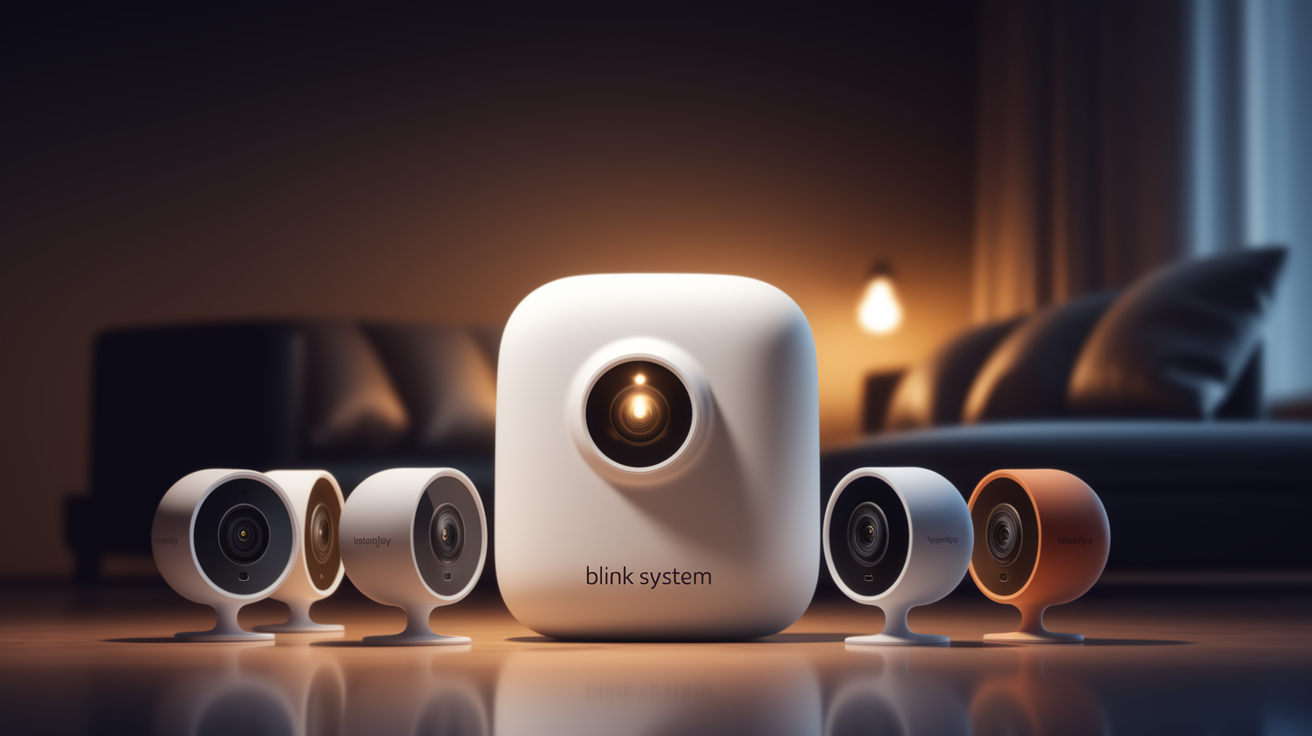
Wondering about the scalability of your Blink home security setup? This comprehensive guide answers precisely how many cameras you can have on a Blink system, detailing limits, considerations, and how to maximize your coverage for robust security in 2025-26.
Understanding Blink Camera System Limits
When investing in a home security system, scalability is a key consideration. For Blink users, understanding the limits on the number of cameras you can integrate into your network is paramount. This isn't just about how many devices you can physically purchase; it's about the technical architecture of the Blink ecosystem and how it manages connectivity, data, and power. As of 2025-26, Blink has made significant strides in offering flexibility, but there are still defined boundaries that users need to be aware of to ensure optimal performance and avoid potential issues. This guide will delve deep into these limits, explaining the underlying technology and providing actionable advice for expanding your Blink camera network effectively.
What Defines a Blink System?
A Blink system is fundamentally built around a central hub, known as the Sync Module, which acts as the bridge between your wireless Blink cameras and your home Wi-Fi network. Each Sync Module can manage a certain number of cameras. Therefore, the total number of cameras you can have on a Blink system is directly tied to the number of Sync Modules you deploy and the camera capacity of each module. It's not a single, monolithic limit imposed by Blink's cloud services alone, but rather a combination of hardware limitations at the Sync Module level and network management capabilities.
The Importance of System Architecture
Blink's approach to home security is designed for ease of use and wireless convenience. This means that each camera communicates wirelessly with a Sync Module, which then aggregates the data and sends it to the Blink cloud for storage and remote access. This architecture is efficient for battery-powered cameras, as it minimizes constant Wi-Fi transmissions. However, it also means that the Sync Module becomes a critical bottleneck. Understanding this architecture is the first step to grasping the camera limitations.
The Crucial Role of the Blink Sync Module
The Blink Sync Module is the heart of any Blink security system. Without it, your Blink cameras are essentially standalone devices incapable of connecting to your Wi-Fi network or the Blink cloud. Its role is multifaceted, encompassing communication, power management (for some models), and data relay. For anyone asking "How many cameras can you have on a Blink system?", understanding the Sync Module's capabilities is non-negotiable.
Sync Module as the Central Hub
Think of the Sync Module as a mini-router or a dedicated gateway for your Blink cameras. It establishes a secure, low-power wireless connection with each camera. This connection is distinct from your home Wi-Fi network. The Sync Module then connects to your home Wi-Fi network to send camera data (live streams, motion alerts, recorded clips) to the Blink cloud servers. This design choice is crucial for extending the battery life of Blink cameras, as they don't need to maintain a constant Wi-Fi connection themselves.
Power and Connectivity Management
For Blink cameras that utilize removable AA batteries, the Sync Module plays a role in managing their power states. It can send commands to cameras to wake up for motion detection or live view, and then instruct them to go back into a low-power standby mode. This efficient management is key to achieving the advertised multi-year battery life. Furthermore, the Sync Module handles the encryption and secure transmission of data, ensuring your footage remains private.
Different Sync Module Versions
It's important to note that there have been different versions of the Blink Sync Module. The original Sync Module (often referred to as Sync Module 1) and the newer Sync Module 2. While both serve the same core purpose, Sync Module 2 offers some enhancements, including the ability to locally store video clips on a USB flash drive (if you don't subscribe to Blink's cloud storage plans), which can be a significant advantage for users concerned about ongoing subscription fees or data privacy. The capacity for cameras per module, however, remains consistent across these versions.
How Many Cameras Can You Connect Per Sync Module?
This is the most direct answer to the core question. Blink systems are designed with a specific limit on the number of cameras that can be paired with a single Sync Module. This limit is a critical factor when planning your home security coverage and understanding the potential scale of your Blink setup.
The Official Limit
As of 2025-26, Blink officially supports connecting up to **ten (10) Blink wireless cameras** to a single Sync Module. This applies to both the original Sync Module and the Sync Module 2. This means that one Sync Module can manage and communicate with up to ten different Blink cameras simultaneously. This limit is a technical constraint imposed by the Sync Module's internal hardware and firmware, designed to ensure stable performance and reliable communication for each connected device.
Real-World Performance Considerations
While Blink states that you can connect up to 10 cameras per Sync Module, it's worth noting that performance can sometimes be influenced by various factors. These include the strength and stability of your home Wi-Fi network, the physical distance between the Sync Module and each camera, and the number of simultaneous events (e.g., multiple motion detections occurring at the exact same time). In most typical home environments, users will find the 10-camera limit per Sync Module to be reliable. However, if you are pushing the boundaries with many cameras in a large property or in areas with weaker signal strength, you might experience occasional delays or less consistent performance.
Impact of Camera Types
The 10-camera limit per Sync Module applies regardless of the specific Blink camera models you are using. Whether you have Blink Outdoor, Blink Indoor, Blink XT2, Blink Mini, or Blink Video Doorbell (when paired with a Sync Module), each counts towards the total of 10 cameras per Sync Module. The Blink Mini camera is an exception in that it does not require a Sync Module and connects directly to your Wi-Fi, but it is typically managed separately and not part of the Sync Module's camera count.
Testing Your Setup
If you are planning to deploy close to the maximum number of cameras per Sync Module, it's always a good practice to test your setup incrementally. Add cameras one by one and monitor their performance. This will help you identify any potential signal issues or performance degradation before you complete your installation. For instance, if you notice that the 8th or 9th camera is struggling to maintain a stable connection, you might need to reconsider your placement or investigate Wi-Fi signal boosters.
Expanding Your System with Multiple Sync Modules
The 10-camera limit per Sync Module might seem restrictive for larger homes or properties. Fortunately, Blink's system architecture is designed to be modular, allowing for significant expansion by simply adding more Sync Modules.
How Multiple Sync Modules Work
Each Sync Module operates independently in terms of managing its connected cameras. This means you can have multiple Sync Modules within your home, each connected to your home Wi-Fi network. Each Sync Module can then manage its own set of up to 10 cameras. The Blink app will display all cameras from all connected Sync Modules in a unified interface, making it easy to monitor your entire property. For example, if you have a large house with a detached garage, you could place one Sync Module in the main house and another in the garage, each managing cameras in their respective areas.
Maximum Total Cameras in a Blink System
Blink does not officially state a hard upper limit on the total number of Sync Modules you can have connected to a single Blink account. However, practical considerations and potential performance bottlenecks come into play. While technically you could potentially add dozens of Sync Modules, users generally find that a system with **up to 10 Sync Modules** (and therefore up to 100 cameras) is manageable and performs well. Beyond this number, you might start encountering issues related to the Blink app's ability to efficiently display and manage such a large number of devices, or potential strain on your home network's IP address allocation. Most residential users will never need to exceed this scale.
Strategic Placement of Sync Modules
To maximize the effectiveness of multiple Sync Modules, strategic placement is key. Each Sync Module should be placed in a central location relative to the cameras it will manage. Ideally, place a Sync Module within range of all 10 cameras it's intended to control. Also, ensure each Sync Module has a strong and stable Wi-Fi connection to your router. Poor Wi-Fi for a Sync Module will directly impact the performance of all cameras connected to it.
Sync Module 2 and Local Storage Benefits
If you are using Sync Module 2 and plan to utilize its local storage feature, each Sync Module with a USB drive will manage its own storage. This can be beneficial for distributing the storage load and ensuring that if one Sync Module or its USB drive experiences an issue, the others remain unaffected. It also provides a decentralized approach to recording, which can be advantageous for redundancy.
Example Scenario: Large Estate
Consider a large estate with a main house, a guest house, a detached garage, and extensive grounds. You could deploy a Sync Module in the main house managing 10 cameras for interior and immediate exterior coverage. Another Sync Module in the guest house could manage 5 cameras. A third Sync Module in the garage could manage 3 cameras. Finally, a fourth Sync Module strategically placed on the property could manage 7 cameras covering the perimeter and outbuildings. This setup utilizes 4 Sync Modules and a total of 25 cameras, well within the system's capabilities.
Factors Influencing Your Maximum Camera Count
While the stated limits are clear (10 cameras per Sync Module, and theoretically many Sync Modules), several real-world factors can influence how many cameras you can effectively and reliably operate within your Blink system.
Wi-Fi Network Strength and Stability
This is arguably the most critical factor beyond the Sync Module's direct capacity. Each Sync Module needs a robust Wi-Fi connection to your router. If your Wi-Fi signal is weak or intermittent in the location of a Sync Module, it will struggle to communicate reliably with its connected cameras. This can lead to dropped connections, delayed alerts, and failed recordings. For larger homes or properties with Wi-Fi dead zones, consider using Wi-Fi extenders or a mesh Wi-Fi system to ensure strong coverage for all Sync Modules.
Physical Distance and Obstructions
Blink cameras communicate wirelessly with their assigned Sync Module. While these are low-power, short-range communications, excessive distance or physical obstructions can degrade the signal. Thick walls (especially concrete or brick), large metal objects, and even dense foliage can interfere with the wireless signal. Ensure your cameras are placed within a reasonable range of their Sync Module. If you find a camera struggling, try moving the Sync Module closer or repositioning the camera.
Environmental Interference
Other wireless devices operating on similar frequencies can sometimes cause interference. While less common with modern Wi-Fi standards, it's a possibility. This could include other wireless security systems, older cordless phones, or even some microwave ovens operating nearby. While usually minor, in densely populated areas with many wireless devices, it's a factor to consider.
Power Source for Sync Modules
Sync Modules require a constant power source. While they don't consume a lot of power, ensuring they are plugged into a reliable outlet is crucial. If a Sync Module loses power, all cameras connected to it will go offline. Using a UPS (Uninterruptible Power Supply) for your Sync Module and router can provide backup power during short outages, ensuring your security system remains operational.
Simultaneous Activity and Bandwidth
While cameras communicate with the Sync Module wirelessly, the Sync Module itself uses your home Wi-Fi bandwidth to send data to the Blink cloud. If you have many cameras triggering motion events simultaneously, and you are also using your internet for high-bandwidth activities like streaming 4K video or large downloads, you could potentially saturate your internet connection. This is less about the number of cameras and more about the aggregate data being uploaded. Blink's cloud storage and adaptive streaming help mitigate this, but it's a factor in very high-demand scenarios.
Firmware and App Updates
Blink regularly releases firmware updates for their Sync Modules and cameras, as well as updates for their mobile app. These updates often include performance improvements, bug fixes, and enhancements to system stability. Keeping your devices and app up-to-date is essential for optimal performance, especially when running a larger system. Ensure your Sync Modules are set to auto-update or check for updates manually.
Blink Camera Models and Their Compatibility
Understanding which Blink cameras can be used with a Sync Module is crucial for planning your system's expansion. Blink offers a range of cameras, and their compatibility with Sync Modules varies slightly.
Cameras Requiring a Sync Module
The following Blink cameras are designed to connect to a Sync Module:
- Blink Outdoor (3rd Gen): This is Blink's flagship wireless outdoor camera, known for its battery life and weather resistance. It requires a Sync Module.
- Blink Indoor (3rd Gen): Similar to the Outdoor model but designed for indoor use, it also relies on a Sync Module for connectivity.
- Blink XT2: An older generation of the wireless outdoor camera, still functional and requiring a Sync Module.
- Blink XT: The original Blink wireless outdoor camera, also requiring a Sync Module.
These cameras connect wirelessly to the Sync Module using Blink's proprietary low-power protocol. Each of these cameras counts as one towards the 10-camera limit per Sync Module.
Cameras Connecting Directly to Wi-Fi
Some Blink cameras are designed to bypass the Sync Module and connect directly to your home Wi-Fi network. These cameras are often referred to as "Wi-Fi cameras" rather than "Sync Module cameras."
- Blink Mini: This compact, affordable indoor camera plugs into a wall outlet and connects directly to your Wi-Fi. It does not require a Sync Module and is not included in the 10-camera limit per Sync Module. You can have many Blink Mini cameras connected to your Blink account, each independently connecting to your Wi-Fi.
- Blink Video Doorbell: The Blink Video Doorbell can operate in two modes. It can be powered by batteries and connected directly to your Wi-Fi. Alternatively, it can be wired for continuous power and connected to a Sync Module. If connected to a Sync Module, it counts as one camera towards the 10-camera limit. If connected directly to Wi-Fi, it operates independently of the Sync Module's camera count.
Compatibility Notes and Recommendations
When expanding your system, it's crucial to understand which cameras require a Sync Module. If you are looking to add cameras beyond the 10-camera limit of a Sync Module, consider adding more Blink Mini cameras, as they offer a flexible way to increase your camera count without needing additional Sync Modules. However, remember that Blink Mini cameras are indoor-only and require a constant power source. For outdoor coverage, you will always need cameras that connect to a Sync Module.
Mixing Camera Types
You can mix and match different camera models within your Blink system, as long as they are compatible with the Sync Module you are using (for those that require one). For example, a single Sync Module could theoretically manage 5 Blink Outdoor cameras and 5 Blink XT2 cameras. The Blink app will present all your cameras, regardless of type or Sync Module, in a unified view.
Optimizing Your Blink System for More Cameras
If you're aiming to have a significant number of cameras on your Blink system, optimizing its performance is key to ensuring reliability and avoiding issues. This involves a combination of network adjustments, strategic placement, and smart system management.
Strengthening Your Wi-Fi Network
As mentioned, a robust Wi-Fi network is foundational. For systems with multiple Sync Modules and many cameras, consider these upgrades:
- Mesh Wi-Fi Systems: These systems use multiple nodes placed throughout your home to create a seamless, strong Wi-Fi network. This is ideal for larger homes or properties with dead zones.
- Wi-Fi Extenders/Boosters: While less sophisticated than mesh systems, these can help extend the range of your existing Wi-Fi signal to areas where Sync Modules or cameras might otherwise struggle.
- Router Placement: Ensure your primary router is centrally located in your home, away from obstructions and potential sources of interference.
- Channel Optimization: Some routers allow you to select different Wi-Fi channels. Experimenting with less congested channels can sometimes improve performance.
Strategic Sync Module Placement
Don't just plug in Sync Modules anywhere. Consider the following:
- Proximity to Cameras: Place each Sync Module within optimal wireless range of the cameras it will manage. Avoid placing it at the furthest edge of a camera's signal range if possible.
- Proximity to Router: Ensure each Sync Module has a strong Wi-Fi connection to your router.
- Power Availability: Ensure there is a reliable power outlet nearby.
Camera Placement and Signal Strength
When mounting cameras:
- Test Signal Before Mounting: Before permanently installing a camera, use the Blink app's signal strength indicator to test the connection to its assigned Sync Module.
- Minimize Obstructions: Position cameras so there are fewer walls or large objects between them and their Sync Module.
- Consider Battery Health: While Blink cameras are designed for long battery life, a weak signal can sometimes cause cameras to work harder to communicate, potentially draining batteries faster.
Managing Your Blink Account
With a large system, organization is key:
- Naming Conventions: Use clear, descriptive names for each camera and Sync Module in the Blink app (e.g., "Front Door Camera," "Backyard West," "Garage Sync Module").
- Firmware Updates: Regularly check for and install firmware updates for all your devices.
- Notification Settings: Customize motion detection sensitivity and notification settings for each camera to avoid being overwhelmed by alerts, especially if you have many cameras in high-traffic areas.
Utilizing Blink Subscription Plans
While not directly related to the number of cameras, Blink's subscription plans (Blink Subscription Plan) offer cloud storage for your video clips. This is often more convenient and reliable than managing local storage, especially with many cameras. The plan covers all cameras on your account, simplifying management.
Example: Optimizing a 100-Camera System
For a user aiming for the maximum theoretical 100 cameras (10 Sync Modules x 10 cameras each):
- Network: Invest in a high-end mesh Wi-Fi system covering the entire property.
- Sync Modules: Strategically place 10 Sync Modules, ensuring each has excellent Wi-Fi and is within range of its 10 cameras. Use UPS backups for each Sync Module and the main router.
- Cameras: Mount cameras, testing signal strength at each location before final installation. Prioritize line-of-sight where possible.
- Management: Implement a strict naming convention. Regularly update firmware. Configure motion zones and sensitivity to reduce false alerts.
- Subscription: Subscribe to the Blink Subscription Plan for seamless cloud storage.
Troubleshooting Camera Connection Issues with Multiple Devices
As your Blink system grows, the chances of encountering connection issues, however small, can increase. Having a systematic approach to troubleshooting is essential.
Common Symptoms of Connection Problems
You might notice one or more of the following:
- Camera is offline in the Blink app.
- Live view is slow to load or fails to connect.
- Motion alerts are delayed or not received.
- Recorded clips are missing or incomplete.
- Camera frequently shows a weak signal strength.
Step-by-Step Troubleshooting Guide
When a camera or Sync Module is having issues:
- Check the Blink App: The app is your first diagnostic tool. See the status of the camera and its Sync Module. Does the Sync Module show as online?
- Verify Sync Module Status: Ensure the Sync Module itself is powered on and connected to your Wi-Fi. Check its LED lights according to Blink's documentation (usually solid blue and green indicate a good connection).
- Restart the Sync Module: Unplug the Sync Module from power for 30 seconds, then plug it back in. Allow it a few minutes to reconnect.
- Restart the Camera: For battery-powered cameras, remove and reinsert the batteries. For wired cameras (like Blink Mini), unplug and replug them.
- Check Wi-Fi Signal Strength: Use the Blink app's signal strength indicator for the affected camera. If it's weak, consider moving the Sync Module closer or improving your Wi-Fi coverage in that area.
- Check Router Status: Ensure your home router is powered on and functioning correctly. Try restarting your router.
- Check for Interference: Temporarily turn off other wireless devices that might be causing interference.
- Re-pair the Camera: If the issue persists, you may need to remove the camera from your Blink account and then re-add it. Follow the "Add Device" process in the Blink app, selecting the correct Sync Module.
- Test with Another Camera: If possible, try pairing a known working camera to the problematic Sync Module, or the problematic camera to a different Sync Module, to help isolate whether the issue is with the camera, the Sync Module, or the network.
- Check Blink Service Status: Occasionally, Blink servers may experience temporary issues. Check Blink's official support channels or social media for any reported outages.
Troubleshooting Multiple Sync Modules
If you have multiple Sync Modules:
- Identify the Affected Module: Determine which Sync Module is causing problems for its connected cameras.
- Check Wi-Fi for Each Module: Ensure each Sync Module has a stable Wi-Fi connection. If one module's Wi-Fi is unstable, it will affect all cameras connected to it.
- Avoid Overlapping Ranges: While some overlap is acceptable, ensure cameras are clearly assigned to one Sync Module. Overlapping wireless signals from multiple Sync Modules could theoretically cause interference, though this is rare.
When to Contact Support
If you have followed these steps and are still experiencing persistent issues with a significant number of cameras or Sync Modules, it's time to contact Blink customer support. They can provide more in-depth diagnostics and assistance.
Cost Considerations for an Expanded Blink System
Expanding your Blink system to include more cameras and Sync Modules naturally involves additional costs. It's important to factor these into your budget.
Initial Hardware Costs
The primary cost is the purchase of additional Blink cameras and Sync Modules. Prices can vary depending on sales, bundles, and retailers. As of 2025-26, typical costs might look like this:
- Blink Outdoor/Indoor Camera: $70 - $100 per camera
- Blink Mini Camera: $30 - $40 per camera
- Blink Sync Module 2: $30 - $35 per module
If you are aiming for a system with 10 Sync Modules and 100 cameras (a very large system), the hardware costs alone could easily exceed $5,000 - $8,000, depending on the mix of camera types.
Ongoing Subscription Fees
Blink offers the Blink Subscription Plan, which provides cloud storage for video clips, live view recording, and other features. While you can use Blink cameras without a subscription by utilizing local storage on a USB drive with Sync Module 2, this can be less convenient for large systems.
- Blink Subscription Plan: Typically around $10 per month per account or $100 per year per account for unlimited cameras. This is often the most cost-effective option for extensive systems.
If you choose not to subscribe, you will need to manage local storage for each Sync Module 2, which requires purchasing and periodically replacing USB drives.
Potential Infrastructure Costs
Depending on your home's existing setup, you might incur additional costs:
- Wi-Fi Upgrades: Investing in a high-quality mesh Wi-Fi system can cost anywhere from $200 to $500+.
- Power Solutions: UPS units for routers and Sync Modules can add $50-$150 per unit.
- Installation: If you hire professionals for mounting cameras and running power, this will add to the overall cost.
Balancing Cost and Coverage
When planning your expanded Blink system, it's crucial to balance your security needs with your budget. Prioritize coverage in critical areas first. For instance, securing entry points and high-traffic zones might be more important than covering every inch of your property. Consider starting with a few Sync Modules and gradually expanding as your budget allows and your needs evolve.
Cost-Saving Strategies
- Buy in Bundles: Blink often offers multi-camera kits that can be more cost-effective than buying individual cameras.
- Wait for Sales: Keep an eye out for major sales events (e.g., Black Friday, Prime Day) where Blink products are frequently discounted.
- Utilize Local Storage: If you are comfortable managing USB drives, foregoing the subscription plan can save money long-term, though it requires more hands-on management.
The Future of Blink System Scalability
Blink, as a brand under Amazon, is continually evolving. While current limitations are well-defined, future updates and product releases could impact system scalability.
Potential Hardware Advancements
It's plausible that future iterations of the Sync Module could support a higher number of cameras per module, perhaps increasing the limit from 10 to 15 or even 20. This would streamline the setup for users with very large properties. Similarly, advancements in wireless communication technology could lead to cameras with better range and signal penetration, reducing the need for multiple Sync Modules in certain scenarios.
Software and Firmware Enhancements
Blink's software and cloud infrastructure are constantly being updated. Future firmware updates might optimize how Sync Modules manage multiple cameras, potentially improving performance even within the current limits. Enhanced cloud processing could also allow for more robust management of a larger number of connected devices under a single account.
Integration with Other Amazon Ecosystems
As Blink is part of Amazon, there's always potential for deeper integration with other Amazon smart home devices and services. This could lead to more intelligent system management, where cameras might be activated or deactivated based on other Alexa routines or Ring device activity, further enhancing the overall smart home security experience.
User Feedback and Product Development
Blink, like most consumer electronics companies, listens to user feedback. As more users deploy larger and more complex Blink systems, the demand for increased scalability will likely influence future product development. If there's a significant trend towards users hitting the 10-camera limit per Sync Module, Blink may prioritize solutions that address this.
Staying Informed
To stay ahead of potential changes, it's advisable to:
- Follow Official Blink Channels: Subscribe to Blink's newsletter, follow their social media accounts, and check their official blog for announcements.
- Read Tech Reviews: Keep an eye on reputable tech review sites for news on upcoming Blink products and features.
- Participate in Forums: Online forums and communities dedicated to smart home technology can be great places to hear about potential future developments and user experiences.
While the current limits are clear, the future of Blink's system scalability looks promising, with potential for even more robust and flexible solutions.
Conclusion: Maximizing Your Blink Camera Coverage
The question "How many cameras can you have on a Blink system?" has a clear, actionable answer: **up to 10 wireless cameras per Sync Module.** Furthermore, by strategically deploying multiple Sync Modules, users can expand their system to manage a substantial number of cameras, theoretically reaching up to 100 devices, though practical limits may arise sooner. Blink's architecture, centered around the Sync Module, is designed for efficient, battery-saving wireless communication. However, achieving optimal performance with a large number of cameras hinges on a strong Wi-Fi network, careful placement of Sync Modules and cameras, and consistent system management.
For users in 2025-26 looking to secure larger homes, multiple outbuildings, or extensive outdoor areas, the Blink system offers a scalable solution. By understanding the role of the Sync Module, the compatibility of different Blink camera models, and the factors that influence signal strength and performance, you can effectively plan and implement a comprehensive security network. Don't overlook the importance of robust Wi-Fi infrastructure, as it's the backbone that supports multiple Sync Modules and their connected cameras. While initial hardware costs and potential subscription fees are considerations, the flexibility and ease of use offered by Blink make it a compelling choice for expanding your home security coverage.
Ultimately, maximizing your Blink camera coverage is about smart planning, consistent maintenance, and leveraging the system's modular design. With the right approach, you can create a robust and reliable security system tailored to your specific needs, ensuring peace of mind across your entire property.





