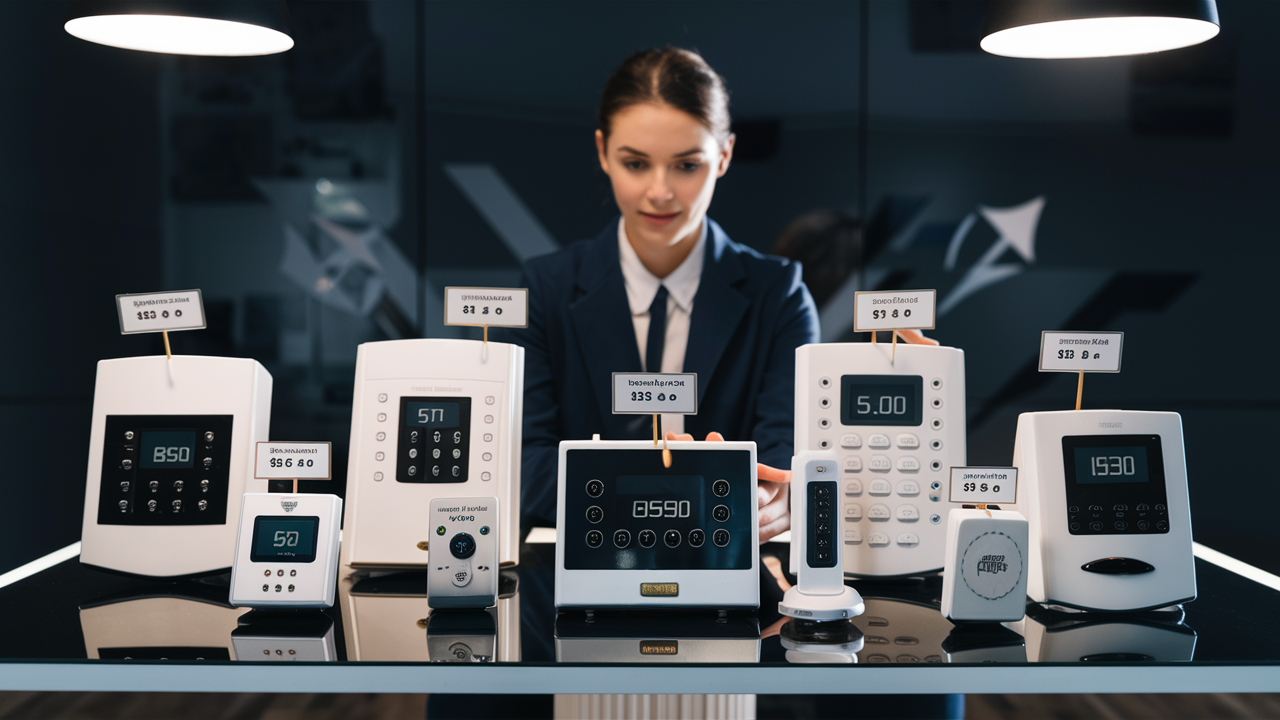
Wondering about the cost of home alarm systems? This comprehensive guide breaks down the average prices, factors influencing costs, and the long-term value of securing your home. Get the clarity you need to make an informed decision for your peace of mind and property protection in 2025-26.
Understanding the Core Costs of Home Alarm Systems
The question "How much are home alarm systems?" is multifaceted, with no single dollar figure fitting all situations. In 2025-26, the cost of a home alarm system is typically broken down into three main components: the initial equipment purchase, installation fees, and ongoing monthly monitoring services. Understanding these individual costs is crucial for accurately budgeting and making an informed decision. The total investment can range from a few hundred dollars for a basic DIY setup to several thousand for a professionally installed, feature-rich smart security system with continuous professional monitoring. This guide will delve into each of these cost areas, explore the variables that affect pricing, and help you determine the best value for your specific needs and budget.
Equipment Costs: The Foundation of Your System
The hardware you choose forms the backbone of your home alarm system, and its cost can vary significantly based on the brand, features, and the number of components you opt for. For 2025-26, expect to pay anywhere from $100 to over $1,000 for the initial equipment. This initial outlay is a one-time purchase, though some companies offer equipment financing or include it in a long-term contract.
Core Components and Their Pricing
At its most basic, a home alarm system requires a control panel, a few door/window sensors, and a motion detector.
- Control Panel/Hub: This is the brain of the system. Basic models can cost between $50 and $200. More advanced smart hubs with integrated touchscreens, Wi-Fi connectivity, and cellular backup can range from $150 to $400.
- Door and Window Sensors: These are small magnetic sensors that trigger an alarm when a door or window is opened. They typically cost $15 to $30 each. Most homes will need at least 4-8 sensors, bringing this cost to $60 to $240.
- Motion Detectors: These devices detect movement within a room. Standard passive infrared (PIR) sensors cost around $25 to $50 each. Pet-immune sensors, designed to avoid false alarms from small animals, can cost slightly more, around $40 to $70. A typical home might require 1-3 motion detectors.
- Keypads: While many modern systems are controlled via smartphone apps, some still include physical keypads for arming and disarming. These can range from $30 to $100.
Advanced Equipment Options
Beyond the core components, you can enhance your system's capabilities with additional devices, each adding to the overall equipment cost:
- Security Cameras (Indoor/Outdoor): Prices vary widely. Basic indoor cameras start around $50-$100, while advanced outdoor cameras with night vision, two-way audio, and high resolution can cost $150-$300+ each.
- Glass Break Sensors: These detect the sound of breaking glass, offering an extra layer of security. They typically cost $40 to $70.
- Environmental Sensors: These include smoke detectors, carbon monoxide detectors, and flood/water sensors. Expect to pay $40 to $80 each for these.
- Smart Locks: Integrating smart locks allows remote locking/unlocking and access control. These can range from $100 to $300.
- Yard Signs and Window Stickers: While seemingly minor, these deterrents are often included with systems and can psychologically reduce the risk of attempted break-ins.
Example Equipment Packages (2025-26 Estimates)
To give you a clearer picture, here are some estimated costs for common equipment packages:
| Package Type | Core Components | Estimated Cost (USD) | Notes |
|---|---|---|---|
| Basic DIY Kit | 1 Hub, 2 Door/Window Sensors, 1 Motion Detector | $150 - $300 | Self-installed, often no monthly fees required for basic alerts. |
| Standard Professional System | 1 Smart Hub, 4 Door/Window Sensors, 2 Motion Detectors, 1 Keypad | $300 - $600 | Often requires professional installation and monitoring contract. |
| Advanced Smart Home Security | 1 Smart Hub, 6 Door/Window Sensors, 2 Motion Detectors, 1 Indoor Camera, 1 Smart Lock | $600 - $1,200+ | Includes smart home integration features, typically requires professional setup and monitoring. |
When evaluating equipment costs, consider the size of your home, the number of entry points, and your specific security concerns. Investing in more sensors for all vulnerable entry points is generally a wise decision.
Installation Expenses: Professional vs. DIY
The way your alarm system is installed significantly impacts the overall cost. In 2025-26, you generally have two primary options: professional installation or DIY (Do-It-Yourself).
Professional Installation
Many security companies offer professional installation services. This involves a trained technician visiting your home to set up and configure your system.
- Cost Range: Professional installation fees typically range from $100 to $500. Some companies may waive this fee if you sign a long-term monitoring contract (e.g., 3-5 years).
- Benefits:
- Expertise: Technicians ensure optimal placement of sensors and detectors for maximum coverage and effectiveness.
- Convenience: Saves you time and effort, especially if you're not tech-savvy.
- System Optimization: They can properly integrate all components and ensure they communicate effectively.
- Warranty: Professional installation often comes with a warranty on the labor.
- Drawbacks:
- Higher Upfront Cost: Unless waived by a contract, this adds to the initial expense.
- Scheduling: You need to schedule an appointment, which might involve waiting.
DIY Installation
DIY systems are designed for easy self-installation, often with wireless components that simply stick onto surfaces.
- Cost Range: The cost here is effectively zero, as you are performing the labor yourself. The price you pay is solely for the equipment.
- Benefits:
- Cost Savings: Eliminates installation fees entirely.
- Flexibility: Install the system on your own schedule.
- Control: You have complete control over the installation process.
- Portability: Easier to move if you relocate.
- Drawbacks:
- Time and Effort: Requires your time and some technical aptitude.
- Potential for Errors: Incorrect placement or setup can lead to system malfunctions or reduced effectiveness.
- Troubleshooting: You are responsible for diagnosing and fixing any issues.
- Limited Support: While companies offer customer support, it's not the same as having a technician on-site.
Hybrid Approaches
Some companies offer a hybrid approach where basic components are pre-configured, and the user completes the final setup with guided instructions. This can offer a balance between cost and ease of use.
In 2025-26, the trend leans towards more user-friendly DIY systems, but professional installation remains a popular choice for those prioritizing convenience and guaranteed proper setup. When considering installation, think about your comfort level with technology and the complexity of the system you're choosing. A complex smart home system with numerous cameras and sensors might be better suited for professional installation.
Monthly Monitoring Fees: Ongoing Protection
Perhaps the most significant ongoing cost associated with home alarm systems is the monthly monitoring fee. This fee covers the service that connects your alarm system to a professional monitoring center.
Types of Monitoring
- Professional Monitoring: This is the most common and recommended type of monitoring. When your alarm is triggered, the signal is sent to a 24/7 monitoring center. Trained operators then verify the alarm (often by contacting you or your designated emergency contacts) and dispatch emergency services (police, fire department, ambulance) if necessary.
- Self-Monitoring: With DIY systems, you can opt out of professional monitoring. Instead, when an alarm is triggered, you receive alerts directly on your smartphone or through email. You are then responsible for contacting the authorities yourself.
Cost of Professional Monitoring (2025-26)
Professional monitoring fees vary based on the provider, the level of service, and whether you are tied to a long-term contract.
- Basic Professional Monitoring: This typically covers alarm dispatch and basic customer support. Costs range from $20 to $40 per month.
- Enhanced/Smart Home Monitoring: This level often includes features like mobile app control, video surveillance monitoring, smart home device integration, and sometimes even cellular backup for your internet connection. These packages can cost $40 to $60+ per month.
- Contractual vs. Month-to-Month: Companies often offer lower monthly rates if you commit to a 3-5 year contract. Month-to-month plans are usually more expensive but offer greater flexibility.
Cost of Self-Monitoring
Self-monitoring typically involves no monthly fee for the monitoring service itself. However, you might still pay a small monthly fee for cellular backup (if your internet goes down) or for cloud storage for camera footage.
- Free (with equipment purchase): Many DIY systems allow for basic self-monitoring with app alerts at no additional monthly cost.
- Optional Add-ons: Cloud storage for video recordings can cost $5 to $15 per month per camera. Cellular backup might add $5 to $10 per month.
Factors Affecting Monitoring Fees
- Provider Reputation and Service Level: Established companies with faster response times and more advanced monitoring centers may charge more.
- Included Features: The more features included (e.g., video verification, smart home integration), the higher the fee.
- Contract Length: Longer contracts usually mean lower monthly payments.
- Equipment Ownership: If you lease equipment, the monitoring fee might be bundled and higher. If you own the equipment, the monitoring fee is often lower.
The Value Proposition of Professional Monitoring
While self-monitoring saves money on monthly fees, professional monitoring offers significant peace of mind. In a real emergency, having trained professionals ready to respond can be invaluable. They can verify the situation, ensure the right authorities are dispatched, and even provide instructions to homeowners. For many, the added security and reduced stress are well worth the monthly expense.
Key Factors That Influence Your Home Alarm System Price
The total cost of a home alarm system is not static; it's a dynamic figure influenced by a variety of factors. Understanding these elements will help you better estimate your budget and identify potential areas for savings.
1. System Complexity and Features
As discussed, the more advanced the system and the more features it includes, the higher the cost. A basic system with just a few sensors will be significantly cheaper than a comprehensive smart home security setup with multiple cameras, smart locks, and environmental sensors.
- Number of Sensors: More entry points mean more sensors, increasing equipment costs.
- Type of Sensors: Specialized sensors (e.g., pet-immune motion detectors, glass break sensors) add to the price.
- Cameras: The number, type (indoor/outdoor, resolution, night vision), and features (two-way audio, AI detection) of cameras are major cost drivers.
- Smart Home Integration: Compatibility with and control over other smart devices (thermostats, lighting, locks) often comes at a premium.
- Connectivity: Systems relying solely on Wi-Fi are generally cheaper than those with cellular backup, which provides a more reliable connection in case of internet outages.
2. Brand and Manufacturer Reputation
Just like any other product, established brands with a long-standing reputation for reliability and customer service often command higher prices. While you might find cheaper, lesser-known brands, they may not offer the same level of quality, support, or longevity. For 2025-26, well-regarded companies like ADT, Vivint, and SimpliSafe often represent different price points and service models.
3. Installation Method
The choice between professional installation and DIY significantly impacts the upfront cost. Professional installation adds an expense that DIY systems avoid.
4. Monitoring Service Provider and Plan
The company you choose for professional monitoring and the specific plan you select will determine your monthly fees. Different providers offer varying pricing structures, contract lengths, and feature sets. Some companies bundle equipment costs into long-term contracts, which can make the monthly fee appear higher but spread out the initial investment.
5. Contract Length
Security companies often incentivize longer contracts (3-5 years) with lower monthly monitoring rates. Opting for a month-to-month plan usually results in higher monthly costs but offers greater flexibility.
6. Home Size and Layout
A larger home with more doors, windows, and rooms will naturally require more sensors and potentially more motion detectors, increasing the equipment cost. Complex layouts might also require more strategic placement of devices, potentially influencing installation complexity.
7. Existing Infrastructure
If your home already has some pre-wiring for security systems or existing smart home devices, it might reduce the complexity and cost of installation. Conversely, if extensive wiring is needed for a wired system, it can increase costs.
8. Additional Services
Some companies offer additional services like professional security system design consultations, home security assessments, or integration with home automation platforms, which might incur extra fees.
9. Location and Local Regulations
While less common, in some areas, there might be permit requirements or specific regulations for alarm systems that could add minor costs. Installation costs can also sometimes vary slightly by region due to labor rates.
10. Promotions and Discounts
Many security providers offer promotional deals, especially for new customers. These can include discounted equipment, waived installation fees, or reduced monthly rates for a limited time. Keeping an eye out for these can significantly lower your overall investment.
By carefully considering these factors, you can gain a more precise understanding of how much your chosen home alarm system will cost and identify opportunities to optimize your budget without compromising on essential security features.
Types of Home Alarm Systems and Their Price Points
The landscape of home security has evolved significantly, offering a diverse range of systems to suit different needs and budgets. In 2025-26, the primary categories of home alarm systems can be broadly classified by their technology and installation method, each with distinct pricing structures.
1. Traditional Hardwired Systems
These are the older, more established systems that rely on physical wires connecting all components (sensors, control panel, keypads) to a central hub.
- Equipment Cost: While the individual components might be less expensive than their wireless counterparts, the primary cost comes from installation.
- Installation Cost: Typically very high, ranging from $1,000 to $3,000+, as it involves running wires through walls and ceilings. This is usually only feasible during new home construction or major renovations.
- Monitoring Fees: Similar to other systems, ranging from $20 to $50+ per month for professional monitoring.
- Pros: Highly reliable, less prone to wireless interference, can be more aesthetically pleasing as wires are hidden.
- Cons: Expensive and difficult to install in existing homes, less flexible for adding new components.
2. Wireless (DIY) Systems
These systems have become incredibly popular due to their ease of installation and flexibility. Components communicate wirelessly with a central hub.
- Equipment Cost: Varies widely based on the brand and number of devices, typically $150 to $1,000+ for a complete package.
- Installation Cost: Minimal to none, as they are designed for self-installation.
- Monitoring Fees: Can range from $0 (for self-monitoring with app alerts) to $40+ per month for professional monitoring.
- Pros: Easy to install, flexible (easy to add or move components), often more affordable upfront.
- Cons: Relies on battery power for sensors, potential for wireless interference (though modern systems are robust), may require more frequent battery changes.
- Examples: SimpliSafe, Ring Alarm, Abode, Cove.
3. Professionally Installed Wireless Systems
These systems utilize wireless components but are installed and often serviced by professional security companies. They bridge the gap between the reliability of professional installation and the convenience of wireless technology.
- Equipment Cost: Often bundled into contracts, but the perceived value can be higher due to brand and integration.
- Installation Cost: Typically $100 to $500, often waived with a long-term contract.
- Monitoring Fees: Generally range from $30 to $60+ per month, often including advanced features and cellular backup.
- Pros: Professional setup ensures optimal performance, often integrated with advanced smart home features, reliable monitoring.
- Cons: Usually requires a long-term contract, can be more expensive overall than DIY options.
- Examples: Vivint, ADT (many of their systems are wireless), Brinks Home Security.
4. Smart Home Integrated Systems
These are often wireless systems designed to work seamlessly with other smart home devices like thermostats, lighting, and voice assistants (e.g., Alexa, Google Assistant).
- Equipment Cost: Can be higher due to the advanced technology and integration capabilities, often starting from $300 and going up to $1,500+ for comprehensive packages.
- Installation Cost: Varies; DIY is possible for some, while others recommend professional installation ($100-$400).
- Monitoring Fees: Typically range from $30 to $60+ per month, as these systems often leverage advanced features.
- Pros: Centralized control of home security and other smart devices, automation possibilities (e.g., lights turn on when alarm is triggered), enhanced convenience.
- Cons: Can be more complex to set up and manage, potentially higher cost.
- Examples: Systems from Vivint, Control4 (high-end), and even some DIY systems like Abode or Ring with broader smart home compatibility.
5. Security-Only vs. Integrated Systems
It's also worth noting the distinction between systems focused solely on security (alarms, sensors) and those that integrate security with other home functions (like smart thermostats or entertainment systems). Integrated systems are generally more expensive due to their broader functionality.
Pricing Considerations for 2025-26
For 2025-26, the trend continues towards wireless and smart home integrated systems. DIY options offer the lowest barrier to entry for basic security, while professionally installed systems provide a more hands-off, comprehensive solution. When choosing, consider not just the upfront cost but also the long-term value, the level of protection you need, and your comfort with technology.
Smart Home Integration and Its Cost Impact
The integration of home alarm systems with broader smart home ecosystems is no longer a niche feature; it's becoming a standard expectation for many homeowners in 2025-26. This convergence offers enhanced convenience, automation, and a more unified approach to home management, but it also impacts the overall cost.
What is Smart Home Integration?
Smart home integration means your security system can communicate and work in conjunction with other connected devices in your home. This includes:
- Smart Lighting: Lights can be programmed to turn on or off based on alarm status (e.g., lights turn on when motion is detected outside at night).
- Smart Thermostats: Your security system might adjust the thermostat when you arm the system to "Away" mode to save energy.
- Smart Locks: Remote locking/unlocking of doors, granting temporary access codes, and receiving notifications when doors are opened or closed.
- Voice Assistants: Controlling your alarm system (arming/disarming, checking status) using voice commands through devices like Amazon Alexa or Google Assistant.
- Smart Doorbells and Cameras: Seamlessly viewing camera feeds or answering the doorbell through your security system's app or control panel.
- Garage Door Openers: Remote operation and status monitoring of your garage door.
How Smart Home Integration Affects Cost
Integrating smart home features typically increases the cost of a home alarm system in several ways:
- Higher Equipment Costs: Smart hubs and control panels designed for integration are often more sophisticated and thus more expensive than basic security hubs. Individual smart devices like locks, thermostats, and cameras also add to the equipment budget.
- More Complex Installation: While many smart devices are DIY-friendly, integrating multiple devices and ensuring they communicate flawlessly can be complex. Professional installation, which is often recommended for these systems, adds to the upfront expense.
- Potentially Higher Monitoring Fees: Monitoring services for smart home integrated systems may cost more per month. This is because the monitoring center might be handling more complex events (e.g., verifying video clips, managing multiple device alerts) and the provider offers a more feature-rich service. Expect fees to be in the $40-$60+ per month range.
- Software and App Development: Companies invest heavily in developing robust apps and software platforms that allow for seamless integration and control. This investment is reflected in the overall pricing.
Estimated Cost Impact
For a comparable system without smart home integration, adding smart capabilities can increase the total cost by:
- Upfront Equipment: An additional $200 to $800+, depending on the number and type of smart devices added.
- Installation: If professional installation is chosen, it might be $50 to $200 more than a basic system due to the increased complexity.
- Monthly Fees: An increase of $10 to $20 per month for enhanced monitoring services.
Weighing the Benefits Against the Cost
The decision to invest in smart home integration depends on your lifestyle and priorities.
- For the Tech-Savvy: If you already have or plan to build a smart home ecosystem, integrated security offers unparalleled convenience and automation.
- For Enhanced Convenience: Features like remote control of locks, lights, and thermostats from a single app can significantly simplify daily routines.
- For Potential Energy Savings: Smart thermostats integrated with your security system can contribute to energy efficiency.
- For a Higher Overall Investment: If your primary concern is just basic intrusion detection, a non-integrated system will be more cost-effective.
In 2025-26, many security providers are offering bundled packages that include smart home integration at a more attractive price point than purchasing individual components and services separately. It's crucial to compare these packages and understand exactly what features are included and how they contribute to the overall cost.
DIY vs. Professional Installation: A Cost-Benefit Analysis
The choice between installing your home alarm system yourself (DIY) or hiring a professional is one of the most significant decisions you'll make, directly impacting both the immediate and long-term costs. In 2025-26, both options have their merits, and the "better" choice depends heavily on your individual circumstances, technical skills, and budget.
DIY Home Alarm Systems
DIY systems are designed for ease of installation, often featuring wireless components that adhere to walls and surfaces, and guided setup processes through mobile apps.
- Cost Breakdown:
- Equipment: You pay the full retail price for the components, typically ranging from $150 to $1,000+ depending on the package.
- Installation: $0. You are the installer.
- Monitoring: Can be $0 (self-monitoring) to $40+ per month for professional monitoring services offered by the DIY company.
- Benefits:
- Significant Cost Savings: Eliminates installation fees, which can be hundreds of dollars.
- Flexibility and Control: Install on your own schedule, at your own pace. You can easily add or remove components later.
- Portability: Easier to move with you if you relocate.
- No Long-Term Contracts (Often): Many DIY providers offer month-to-month monitoring options, giving you freedom.
- Drawbacks:
- Time Commitment: Requires your time and effort to set up.
- Technical Aptitude: While designed to be simple, some users may find troubleshooting or optimal placement challenging.
- Potential for Errors: Incorrect installation can lead to false alarms or missed detections.
- Limited On-Site Support: You rely on phone or chat support for installation issues.
- Who is it best for? Homeowners comfortable with technology, renters who need portability, budget-conscious individuals, and those who want full control over their system.
Professional Installation Home Alarm Systems
These systems are installed by trained technicians employed by the security company.
- Cost Breakdown:
- Equipment: Often bundled into contracts or leased, but the upfront cost might be lower if waived by a contract.
- Installation: Typically $100 to $500. This fee is often waived if you sign a 3-5 year monitoring contract.
- Monitoring: Usually requires a contract, with fees ranging from $30 to $60+ per month.
- Benefits:
- Expert Setup: Ensures optimal placement and function of all components.
- Convenience: Saves you time and the hassle of installation.
- System Warranty: Installation labor is typically guaranteed.
- Peace of Mind: Knowing the system is installed correctly by professionals.
- Drawbacks:
- Higher Upfront Costs: Unless installation is waived by a contract.
- Long-Term Contracts: Often required, limiting flexibility.
- Less Control: You have less say in the exact timing and method of installation.
- Less Portable: More difficult to move if you relocate.
- Who is it best for? Homeowners who prefer a hands-off approach, those who are not tech-savvy, individuals with complex home layouts, or those who want the assurance of a professionally managed system.
Cost-Benefit Analysis Summary (2025-26)
| Feature | DIY System | Professional System | | :------------------- | :------------------------------------------ | :---------------------------------------------- | | Upfront Cost | Lower (equipment only) | Higher (installation fee, potentially bundled) | | Installation Cost | $0 | $100 - $500 (often waived with contract) | | Monthly Fees | $0 - $40+ | $30 - $60+ | | Flexibility | High (add/remove components, portability) | Low (tied to contract, harder to modify) | | Time Commitment| High | Low | | Technical Skill | Moderate | Low | | Long-Term Contract | Often optional | Usually required | | Overall Value | Best for budget-conscious, tech-savvy | Best for convenience, assurance, complex needs |
Ultimately, the "cheaper" option depends on your perspective. DIY is cheaper upfront and offers more flexibility. Professional installation can be more expensive initially but provides convenience and expertise, potentially avoiding costly mistakes. Consider your personal comfort level with technology, your available time, and the long-term commitment you're willing to make.
Potential Hidden Costs and How to Avoid Them
While the core costs of equipment, installation, and monitoring are generally straightforward, there are several potential "hidden" or overlooked expenses associated with home alarm systems that can catch homeowners off guard in 2025-26. Being aware of these can help you budget more accurately and avoid surprises.
1. Battery Replacements
Most wireless sensors and devices are battery-powered. While batteries can last for several years (typically 2-5 years), they will eventually need replacing.
- Cost: A pack of batteries for multiple sensors can cost $20 to $50.
- Avoidance: Factor this into your long-term maintenance budget. Most systems will alert you when batteries are low.
2. Moving or Transferring Service
If you move to a new home, transferring your existing system and service can incur fees.
- Cost: This can range from $50 to $200+, depending on the provider and whether you need new installation at the new location.
- Avoidance: Check the provider's policy on moving service before signing a contract. Some may allow you to take your owned equipment with you and simply pay for activation at the new address.
3. Early Termination Fees
If you are under a long-term contract and decide to cancel your service before the contract term is up, you will likely face significant early termination fees.
- Cost: These fees can be substantial, sometimes amounting to hundreds of dollars, calculated based on the remaining term of your contract.
- Avoidance: Carefully read and understand the contract terms before signing. Only commit to a long-term contract if you are confident you will remain in your home and with the service provider for the duration.
4. Equipment Upgrades
Technology evolves rapidly. While your system might be state-of-the-art today, you might desire upgrades in a few years to incorporate newer features (e.g., higher resolution cameras, advanced AI detection).
- Cost: The cost of new equipment.
- Avoidance: Choose a system that offers a clear upgrade path or modular components that can be replaced individually. Consider the lifespan of the technology you're investing in.
5. False Alarm Fines
Many municipalities charge homeowners for excessive false alarms. If your system is triggered unintentionally and authorities are dispatched, you could be fined.
- Cost: Fines can range from $25 to $150+ per incident, depending on local ordinances and the number of false alarms within a period.
- Avoidance: Ensure proper installation and training for all household members on how to use the system correctly. Invest in pet-immune sensors if you have pets. Consider systems with video verification, which can help reduce false dispatches.
6. Extended Warranties or Service Plans
While some systems come with a standard warranty, companies may offer extended warranties or premium service plans for an additional monthly fee.
- Cost: Typically $5 to $15 per month.
- Avoidance: Evaluate whether the cost of the extended plan is justified by the potential repair costs and the age/complexity of your system. Many DIY systems have affordable replacement parts if needed.
7. Cellular Backup Fees
If your primary internet connection fails, a cellular backup ensures your alarm system can still communicate with the monitoring center. This is often an optional add-on.
- Cost: Can add $5 to $10 per month to your monitoring fees.
- Avoidance: Assess your internet reliability. If you have a very stable connection, you might forgo this. However, for comprehensive security, it's often a worthwhile investment.
8. Cloud Storage for Cameras
If your system includes security cameras, storing footage in the cloud for later access typically incurs a monthly fee per camera.
- Cost: $5 to $15 per month per camera.
- Avoidance: Consider systems with local storage options (e.g., SD card) if cloud storage costs are a concern, though this limits remote access. Compare pricing plans carefully.
By being proactive and asking detailed questions about all potential costs, reading contracts thoroughly, and understanding the maintenance requirements of your chosen system, you can effectively avoid these hidden expenses and ensure your home alarm system investment remains within your budget.
The Long-Term Value of Investing in a Home Alarm System
While the upfront and ongoing costs of home alarm systems are a significant consideration, focusing solely on the price tag overlooks the substantial long-term value they provide. In 2025-26, investing in a robust security system is about more than just preventing break-ins; it's about safeguarding your family, your possessions, and your peace of mind.
1. Enhanced Safety and Security
The most critical value is the protection of your loved ones. A functioning alarm system, especially one with professional monitoring, can deter criminals, alert you and authorities to intrusions, and even provide early warnings for fires or carbon monoxide leaks. This proactive safety measure is invaluable.
2. Deterrence of Crime
Visible security measures like yard signs, window stickers, and cameras act as powerful deterrents. Studies consistently show that homes with alarm systems are less likely to be targeted by burglars. This preventative aspect can save you the trauma and financial burden of a break-in.
3. Protection of Valuables and Property
Beyond personal safety, alarm systems protect your material possessions. The financial cost of replacing stolen items, repairing damage from a break-in, and dealing with the aftermath can far exceed the cost of the security system itself.
4. Peace of Mind
Perhaps the most intangible yet profound value is the peace of mind that comes with knowing your home is protected. Whether you're at work, on vacation, or even just sleeping soundly at night, the knowledge that your home is being monitored can significantly reduce anxiety and stress. This emotional benefit is difficult to quantify but is often cited as the primary reason homeowners invest in security.
5. Potential Insurance Discounts
Many home insurance providers offer discounts to homeowners who have professionally monitored alarm systems installed. These discounts can range from 5% to 20% annually, helping to offset the cost of your monitoring fees over time.
For example, a homeowner paying $50 per month ($600 annually) for monitoring might receive an insurance discount of $150-$300 per year, significantly reducing the net cost of their security service.
6. Smart Home Convenience and Efficiency
As discussed, integrated smart home security systems offer convenience that extends beyond security. Automating tasks, remote control of home functions, and seamless integration with other smart devices can simplify daily life and even lead to energy savings.
7. Increased Home Value
A modern, well-integrated security system can be an attractive selling point for potential buyers, potentially increasing your home's resale value and making it more competitive in the market.
8. Reduced Stress and Recovery Time
In the unfortunate event of an incident, having a security system can streamline the response process. For instance, if a fire is detected, the alarm can alert the fire department faster, potentially minimizing damage and recovery time.
Calculating Long-Term ROI
While a precise Return on Investment (ROI) is hard to calculate for intangible benefits like peace of mind, you can quantify some aspects:
- Cost Savings: Potential insurance discounts, avoidance of theft/damage costs.
- Deterrence Value: The cost of a break-in (financial and emotional) versus the cost of the system.
- Convenience Factor: The value of simplified home management and automation.
In conclusion, the long-term value of a home alarm system extends far beyond its monetary cost. It's an investment in safety, security, peace of mind, and potentially financial savings through insurance discounts and crime prevention. For most homeowners in 2025-26, the benefits far outweigh the expenses, making it a prudent and worthwhile addition to any home.
Budgeting for Your Home Alarm System: A Practical Approach
Determining "how much are home alarm systems?" is best approached with a structured budgeting plan. By understanding the cost components and employing smart strategies, you can secure your home without breaking the bank. Here’s a practical guide to budgeting for your security needs in 2025-26.
1. Assess Your Security Needs Honestly
Before looking at prices, determine what you actually need.
- Home Size and Layout: How many doors and windows need sensors? How many rooms require motion detectors?
- Specific Concerns: Are you more worried about intrusion, fire, or environmental hazards?
- Smart Home Goals: Do you want basic security or a fully integrated smart home system?
- Pets: Do you need pet-immune sensors?
A smaller apartment will require a much smaller investment than a large, multi-story house.
2. Understand the Three Main Cost Pillars
Always remember the core costs:
- Equipment: One-time purchase.
- Installation: One-time fee (or waived with contract).
- Monitoring: Recurring monthly fee.
Your budget needs to account for both upfront and ongoing expenses.
3. Compare DIY vs. Professional Installation Costs
DIY: Lower upfront cost (equipment only), no installation fee, flexible monitoring options (potentially $0/month). Best for those comfortable with tech and on a tighter budget.
Professional: Higher upfront cost (installation fee, often bundled), potentially higher monthly fees due to contracts and advanced services. Best for those prioritizing convenience and expertise.
Calculate the total cost over 3-5 years for both options to see the long-term financial picture.
4. Research Different Providers and Packages
Don't settle for the first quote you get.
- DIY Brands: Compare SimpliSafe, Ring Alarm, Abode, etc., for equipment costs and optional monitoring plans.
- Professional Providers: Look at ADT, Vivint, Brinks, etc., and compare their package deals, contract terms, and monthly fees.
Read reviews to understand customer service quality and reliability.
5. Look for Promotions and Discounts
Security companies frequently offer deals:
- New Customer Discounts: Reduced equipment prices or waived installation fees.
- Bundled Deals: Packages that include multiple devices at a lower combined price.
- Referral Programs: Discounts for referring friends or family.
- Insurance Discounts: Inquire with your homeowner's insurance provider about potential discounts for having a security system.
6. Negotiate (Especially with Professional Services)
Don't be afraid to negotiate with professional security companies. They often have room to offer better pricing, especially if you're comparing quotes from competitors. You might be able to get a lower monthly rate or have installation fees waived.
7. Factor in Long-Term Costs
Remember recurring costs like monthly monitoring fees, battery replacements, and potential cloud storage fees for cameras. A system that seems cheap upfront could become more expensive over time if monitoring fees are high.
8. Consider Financing Options
Some companies offer financing for equipment, allowing you to spread the cost over several months or years. This can make a more robust system more accessible, but ensure you understand the interest rates and total repayment amount.
9. Create a Realistic Budget Range
Based on your needs and research, establish a budget range. For example:
- Basic DIY: $150 - $400 upfront, $0 - $20/month.
- Standard Professional: $300 - $800 upfront (or waived), $30 - $50/month.
- Advanced Smart Home: $600 - $1,500+ upfront, $40 - $60+/month.
10. Prioritize Essential Features
If budget is a major constraint, prioritize the most critical security features. You can always add more components later. Start with essential door/window sensors and a motion detector, then expand as your budget allows.
By following these budgeting tips, you can approach the process of purchasing a home alarm system with confidence, ensuring you get the right level of protection for your home and family within a comfortable financial framework.
Making the Right Decision for Your Home Security Needs
Deciding "how much are home alarm systems?" is just the first step. The ultimate goal is to make an informed decision that provides the best security for your home and family. This involves synthesizing all the information about costs, features, and your personal circumstances.
Recap of Key Considerations:
We've explored the various facets of home alarm system costs, from initial equipment and installation to ongoing monitoring fees. Remember that the price is heavily influenced by:
- The complexity and features of the system (basic sensors vs. smart home integration, cameras, etc.).
- The installation method (DIY vs. professional).
- The provider and the monitoring plan chosen (contract length, included services).
- The size and specific needs of your home.
Your Personal Security Profile:
To make the right choice, consider your own profile:
- Budget: What is your upfront budget? What can you comfortably afford monthly?
- Technical Comfort: Are you comfortable setting up technology yourself, or do you prefer professional assistance?
- Time Availability: Do you have the time to dedicate to DIY installation and troubleshooting?
- Long-Term Commitment: Are you willing to sign a multi-year contract, or do you prefer month-to-month flexibility?
- Specific Security Needs: What are your primary concerns (intrusion, fire, environmental hazards)? Do you need smart home integration?
Actionable Steps for Decision Making:
- Define Your Needs: List the essential security features you require based on your home and concerns.
- Set Your Budget: Determine your maximum upfront spending and your comfortable monthly recurring cost.
- Research Options: Explore both DIY providers (e.g., SimpliSafe, Ring) and professional installation companies (e.g., ADT, Vivint).
- Get Multiple Quotes: For professional systems, obtain detailed quotes from at least 2-3 companies. For DIY, compare package prices and optional monitoring fees.
- Read the Fine Print: Carefully review all contracts, paying attention to term lengths, cancellation policies, and what is included in monitoring fees.
- Consider Long-Term Value: Think beyond the initial price. Factor in insurance discounts, potential crime deterrence, and the invaluable peace of mind.
Final Recommendation:
For homeowners prioritizing cost-effectiveness and flexibility, a well-chosen DIY system from a reputable provider like SimpliSafe or Ring Alarm offers excellent value in 2025-26. These systems provide robust security features, optional professional monitoring, and the freedom to avoid long-term contracts. They are ideal for renters or those comfortable with technology.
However, for those who value convenience, expert setup, and a comprehensive, integrated solution, professionally installed systems from providers like ADT or Vivint are strong contenders. While they often require a longer commitment and a higher monthly fee, they offer unparalleled peace of mind and professional support, especially for larger homes or complex security needs.
Ultimately, the "best" home alarm system is the one that aligns with your specific needs, budget, and comfort level. By thoroughly assessing your requirements and understanding the full cost picture, you can make an investment that provides lasting security and peace of mind for years to come.
Invest wisely in your home's security today for a safer tomorrow.