Understanding the cost of surveillance cameras involves more than just a sticker price. This guide breaks down the average expenses for various systems, from DIY kits to professional installations, empowering you to make an informed decision for your security needs in 2025-26.
Understanding the Spectrum of Surveillance Camera Costs
The question "How much are surveillance cameras?" is a broad one, with answers ranging from under $50 for a single, basic camera to tens of thousands for a comprehensive, professionally installed commercial security system. In 2025-26, the market offers an unprecedented variety of options, catering to every budget and security need. The cost is dictated by a complex interplay of features, system complexity, installation requirements, and ongoing service fees. Understanding this spectrum is the first step towards securing your property effectively without overspending. We'll explore the typical price points for DIY solutions, professional installations, and the myriad factors that contribute to the final figure.
DIY Home Surveillance Systems: Budget-Friendly Options
For homeowners and small business owners looking for a cost-effective way to enhance security, DIY surveillance systems are an excellent choice. These systems allow you to purchase components and install them yourself, significantly reducing labor costs. The price can vary widely depending on the number of cameras, their features, and the storage method employed.
Basic Single Camera Setup
The most affordable entry point into surveillance is a single, standalone camera. These are often Wi-Fi enabled and can be controlled via a smartphone app. They are ideal for monitoring a specific area, such as a front door, a driveway, or a small indoor space.
- Price Range: $30 - $150
- Features: Typically offer 1080p resolution, motion detection, night vision, and two-way audio. Some may include cloud storage options with a monthly fee.
- Installation: Extremely simple, often involving plugging in the camera, connecting it to Wi-Fi via an app, and mounting it.
- Examples: Wyze Cam v3, Blink Mini, Ring Indoor Cam.
These cameras are perfect for individuals who need basic visual monitoring and alerts for specific entry points. While they don't offer comprehensive coverage, they provide a significant security upgrade over having no cameras at all.
Entry-Level Kits (2-4 Cameras)
For more comprehensive coverage, entry-level kits typically include 2 to 4 cameras, a network video recorder (NVR) or a base station, and all necessary cables. These kits offer a more integrated solution for monitoring multiple areas around a property.
- Price Range: $150 - $500
- Features: Usually 1080p to 2K resolution, wired or wireless connectivity options, IR night vision, and local storage via an NVR or microSD card. Some may offer limited cloud storage.
- Installation: Requires more effort than a single camera, involving running cables (for wired systems), setting up the NVR, and configuring the cameras. However, it's still manageable for a DIY enthusiast.
- Examples: Reolink 4-Channel NVR Kit, Lorex 4-Channel Wired System, Arlo Essential Spotlight Camera 3-Pack.
These kits are a popular choice for homeowners who want to cover key areas like the front and back doors, garage, and yard. The inclusion of an NVR means footage is stored locally, avoiding recurring cloud storage fees for basic recording.
Advanced DIY Systems
For those seeking higher resolution, more advanced features, and greater scalability, advanced DIY systems offer a robust solution. These systems might include higher-megapixel cameras, advanced analytics, and larger storage capacities.
- Price Range: $500 - $1500+
- Features: 4K resolution, AI-powered person/vehicle detection, color night vision, wider field of view, weatherproof ratings, and larger NVRs with multi-terabyte hard drives.
- Installation: Can be more complex, especially for wired systems requiring careful cable management. However, many modern systems are designed with user-friendly interfaces for setup and configuration.
- Examples: Amcrest 4K NVR System, Hikvision 4MP IP Camera Kit, Eufy Security 2K Indoor Cam Kit.
These systems are suitable for larger homes, properties with multiple outbuildings, or for users who prioritize top-tier image quality and intelligent detection features. The initial investment is higher, but the long-term value comes from superior performance and fewer false alerts.
Professional Installation and Monitoring: Premium Security
When security needs are more complex, or when a professional touch is desired, opting for professionally installed and monitored surveillance systems becomes the standard. These systems are typically more robust, integrated, and come with the added benefit of ongoing support and monitoring services. The costs here are significantly higher due to labor, equipment quality, and service contracts.
Commercial Surveillance Systems
Businesses, regardless of size, often require more sophisticated surveillance solutions to protect assets, monitor employees, and ensure customer safety. Commercial systems are designed for reliability, scalability, and advanced features.
- Price Range: $1,000 - $10,000+ (initial setup)
- System Components: This can include anywhere from 4 to 64+ IP cameras, high-capacity NVRs or servers, specialized mounting hardware, and potentially network infrastructure upgrades.
- Features: High-resolution cameras (4K and above), wide dynamic range (WDR) for challenging lighting, advanced analytics (heat mapping, facial recognition), tamper detection, and integration with other security systems (access control, alarms).
- Installation: Requires professional site surveys, strategic camera placement, expert wiring, and configuration of the entire network. This is where a significant portion of the cost lies.
- Examples: Systems from brands like Axis Communications, Bosch, Hanwha Techwin, often installed by authorized security integrators.
The cost for commercial systems is highly variable, depending on the size of the premises, the number of cameras, and the complexity of the required features. For a small retail store with 4-8 cameras, the initial setup might be in the $1,500-$5,000 range. A large warehouse or office building could easily exceed $10,000 for the hardware and installation alone.
Enterprise-Level Security
For large corporations, government facilities, or critical infrastructure, enterprise-level security systems are paramount. These are highly customized, scalable, and integrated solutions that often involve complex network architectures and advanced video management software (VMS).
- Price Range: $10,000 - $100,000+ (initial setup)
- System Components: Hundreds or even thousands of high-end IP cameras, powerful servers for VMS, redundant storage solutions, advanced analytics modules, and integration with extensive IT infrastructure.
- Features: Cutting-edge AI analytics, real-time threat detection, sophisticated access control integration, long-term data retention policies, and centralized management platforms.
- Installation: Involves extensive planning, project management, specialized technicians, and often requires coordination with IT departments and building management.
These systems are bespoke and tailored to the unique security challenges of each organization. The cost is a reflection of the scale, technology, and the critical nature of the security provided. For context, a multi-site retail chain might invest upwards of $50,000 annually in such systems.
Monitoring Fees and Contracts
Beyond the initial purchase and installation, many professional systems include ongoing monitoring services. These services provide 24/7 oversight by a central station, which can dispatch authorities in case of an incident.
- Price Range: $20 - $100+ per month per location
- Services Included: Live video monitoring, alarm response, system health checks, and remote troubleshooting.
- Contract Lengths: Typically range from 1 to 5 years. Early termination fees may apply.
These recurring fees are a significant part of the total cost of ownership for professionally monitored systems. It's crucial to understand what is covered by the monitoring fee and to compare different service providers.
Factors Influencing Surveillance Camera Prices
Several key factors contribute to the overall cost of surveillance cameras, whether you're buying a single unit or a comprehensive system. Understanding these elements will help you make a more informed purchase decision.
Camera Type and Features
The physical design and the capabilities of a camera are primary cost drivers.
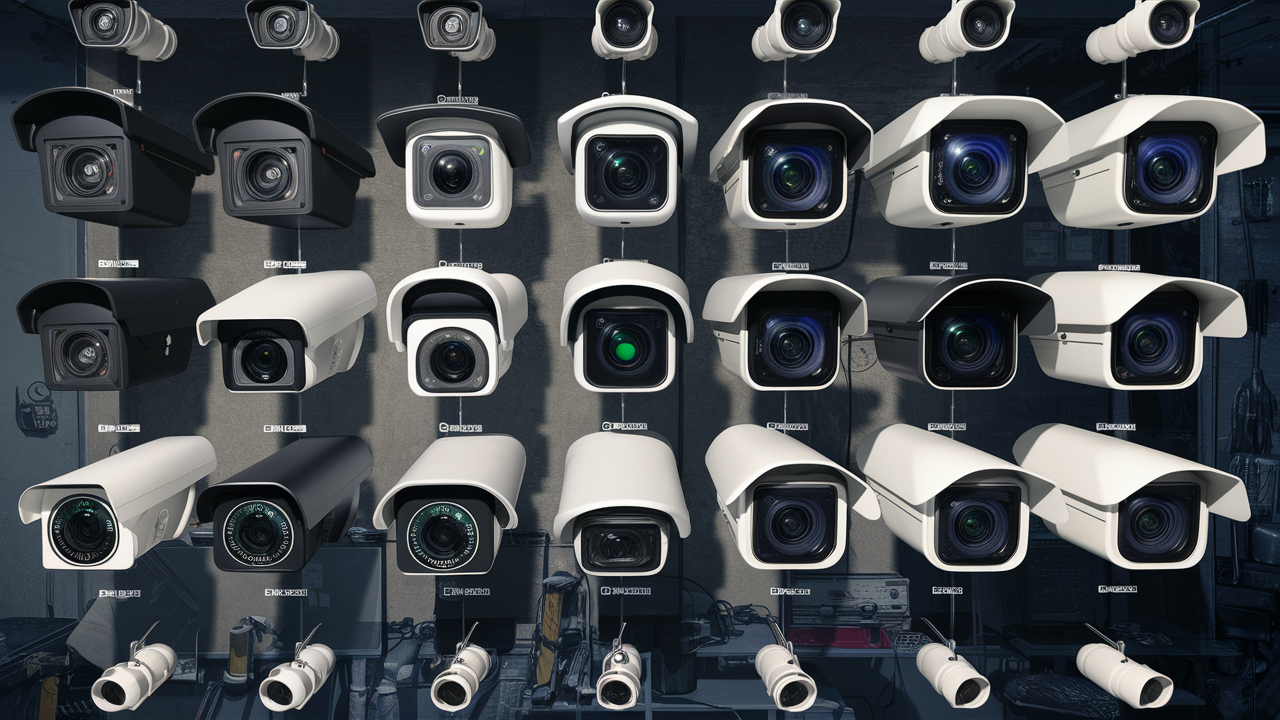
- Form Factor: Dome cameras, bullet cameras, PTZ (Pan-Tilt-Zoom) cameras, and discreet pinhole cameras all have different manufacturing costs. PTZ cameras, with their mechanical movement, are generally more expensive.
- Durability: Weatherproof (IP66/IP67 rated) and vandal-proof cameras designed for outdoor use or high-risk areas will cost more than indoor-only models.
- Connectivity: Wired (Ethernet) cameras often offer more stable connections and higher data throughput, which can be more expensive to install but are sometimes cheaper per unit than high-end wireless counterparts. Wireless cameras offer flexibility but can be subject to signal interference and may require more robust Wi-Fi infrastructure.
- Night Vision: Infrared (IR) night vision is standard, but advanced features like color night vision (using ambient light or built-in LEDs) or infrared illuminators with longer ranges increase the price.
- Audio: Built-in microphones and speakers for two-way audio communication add to the cost.
- Smart Features: AI-powered analytics like person detection, vehicle detection, facial recognition, or package detection are advanced features that significantly increase the price.
Resolution and Image Quality
Higher resolution means sharper images, allowing for better detail identification. This is crucial for facial recognition or license plate capture.
- HD (720p) / Full HD (1080p): Standard for most entry-level and mid-range cameras. Costs are lower.
- 2K/4MP: Offers a noticeable improvement in detail over 1080p.
- 4K/8MP: Provides exceptional clarity and detail, ideal for large areas or critical monitoring. These cameras are the most expensive.
- Frame Rate (FPS): Higher frame rates (e.g., 30 FPS vs. 15 FPS) result in smoother video playback, especially for capturing fast-moving objects. This can add to the cost.
- Field of View (FOV): Wider FOV cameras cover more area but may sacrifice detail at a distance. Specialized lenses for ultra-wide or narrow FOV can influence price.
Storage Solutions
How and where video footage is stored is a major determinant of cost, both upfront and ongoing.
- Local Storage (MicroSD Card): Cheapest option for single cameras, but limited capacity and susceptible to theft if the camera is stolen. Costs $10 - $50 for a suitable card.
- Network Video Recorder (NVR) / Digital Video Recorder (DVR): A dedicated device for storing footage from multiple cameras. The cost depends on the number of channels supported and the hard drive capacity.
- NVRs for 4-channel systems with 1-2TB storage: $100 - $300
- NVRs for 8-channel systems with 4TB storage: $300 - $700
- Larger NVRs or DVRs for commercial use: $500 - $2,000+
- Cloud Storage: Offers convenience and off-site backup but typically involves recurring monthly or annual fees.
- Basic plans (e.g., 7-day history for 1 camera): $3 - $10 per month
- Advanced plans (e.g., 30-day history for multiple cameras, AI features): $10 - $30+ per month
- Network Attached Storage (NAS) / Servers: For businesses requiring large-scale, long-term storage, dedicated NAS devices or servers can cost thousands of dollars, plus the cost of hard drives.
Connectivity and Power
How cameras connect to your network and receive power impacts both cost and installation complexity.
- Power over Ethernet (PoE): Cameras that receive both data and power over a single Ethernet cable simplify installation and reduce the need for nearby power outlets. PoE-enabled switches or injectors are required, adding to the cost.
- Wi-Fi: Offers flexibility but requires a strong Wi-Fi signal. Some wireless cameras are battery-powered, which eliminates wiring but requires battery recharging or replacement.
- Wired (Separate Power): Requires both an Ethernet cable for data and a separate power cable, increasing installation complexity.
Brand Reputation and Warranty
Established brands with a reputation for quality and reliability often command higher prices. These brands also tend to offer better warranties and customer support.
- Premium Brands (e.g., Axis, Bosch, Hikvision): Higher upfront cost, but often superior build quality, advanced features, and longer lifespans.
- Mid-Range Brands (e.g., Reolink, Lorex, Arlo): Offer a good balance of features, performance, and price.
- Budget Brands (e.g., Wyze, Blink): Lowest cost, but may compromise on features, build quality, or long-term support.
- Warranty: Most cameras come with a 1-year warranty, but premium brands might offer 2-3 years. Extended warranties can also be purchased.
Installation Complexity
The cost of installation is a significant factor, especially for professional systems.
- DIY: You save on labor costs. The primary expense is your time and any tools you might need.
- Professional Installation: Costs vary by region and the complexity of the job.
- Simple Setup (e.g., 2-4 cameras in a small home): $200 - $600
- Moderate Setup (e.g., 8 cameras in a larger home or small business): $500 - $1,500
- Complex Setup (e.g., large commercial building, extensive wiring, specialized mounts): $1,500 - $5,000+
- Additional Costs: May include running longer cables, drilling through difficult materials, installing conduit, or upgrading electrical wiring.
Cost Breakdown by System Type (2025-26)
To provide a clearer picture, here's a generalized cost breakdown for common surveillance camera system types in 2025-26. These figures are estimates and can fluctuate based on specific brands, retailers, and ongoing promotions.
| System Type | Typical Camera Count | Estimated Initial Cost (Hardware Only) | Estimated Installation Cost (DIY) | Estimated Installation Cost (Professional) | Estimated Monthly Recurring Costs (e.g., Cloud Storage, Monitoring) | Overall Value Proposition |
|---|---|---|---|---|---|---|
| Basic Single Camera (Wi-Fi) | 1 | $30 - $150 | $0 - $20 (mounting hardware) | $100 - $250 | $0 - $10 (optional cloud storage) | Low cost, easy setup, basic monitoring for a single point. |
| Entry-Level DIY Kit (NVR/DVR) | 2-4 | $150 - $500 | $50 - $150 (tools, cable management) | $200 - $600 | $0 - $20 (optional cloud storage for specific cameras) | Good value for home coverage, local storage eliminates fees. |
| Mid-Range DIY System (Higher Res, More Features) | 4-8 | $500 - $1,500 | $100 - $300 (more complex wiring) | $500 - $1,500 | $0 - $30 (optional cloud storage for advanced features) | Excellent image quality, advanced features, scalable for larger homes. |
| Small Business System (Professional Install) | 4-8 | $800 - $3,000 | N/A | $500 - $1,500 | $30 - $100 (monitoring, cloud backup) | Reliable security, professional installation, ongoing monitoring for peace of mind. |
| Medium Business/Large Home System (Professional Install) | 8-16 | $2,000 - $7,000 | N/A | $1,000 - $3,000 | $50 - $200 (monitoring, advanced VMS features) | Comprehensive coverage, advanced analytics, robust infrastructure. |
| Large Commercial/Enterprise System | 16+ | $5,000 - $50,000+ | N/A | $2,000 - $10,000+ (highly variable) | $100 - $500+ (comprehensive monitoring, VMS licenses, support) | Top-tier security, scalability, advanced analytics, mission-critical reliability. |
Hidden Costs to Consider
Beyond the initial purchase price and installation fees, several less obvious costs can impact the total investment in a surveillance system. Being aware of these can prevent budget overruns.
- Storage Upgrades: If you opt for local storage (NVR/DVR) and your needs grow, you may need to purchase larger hard drives or additional storage devices.
- Cloud Storage Fees: While convenient, these recurring fees can add up significantly over the lifespan of the system. Carefully evaluate the storage duration and number of cameras included in each plan.
- Bandwidth Usage: High-resolution cameras, especially wireless ones streaming to the cloud, can consume considerable internet bandwidth. If you have data caps or a slow connection, this could lead to overage charges or performance issues.
- Power Supply and Cabling: For wired systems, you might need to purchase additional Ethernet cables, PoE switches, or power adapters if the included ones are insufficient.
- Maintenance and Repairs: Like any electronic system, surveillance cameras may require occasional maintenance or repairs. This is particularly true for outdoor cameras exposed to the elements.
- Software Licenses and Updates: Professional Video Management Software (VMS) often comes with licensing fees, and updates or advanced features might incur additional costs.
- Professional Support: While DIY saves money, troubleshooting complex issues can be time-consuming. You might end up paying for technical support or hiring an IT professional.
- Mounting Hardware: While basic mounts are often included, specialized mounts for poles, corners, or difficult surfaces can add to the cost.
- Insurance Premiums: In some cases, installing a robust surveillance system might qualify you for lower home or business insurance premiums, which can offset some of the cost over time.
Maximizing Your Surveillance Camera Investment
To ensure you get the most value from your surveillance camera system, consider these strategies:
- Plan Thoroughly: Before purchasing, conduct a site survey to identify all critical areas that need coverage. Map out camera placement and consider potential blind spots.
- Prioritize Features: Don't pay for features you don't need. If you only need basic motion alerts, avoid cameras with advanced AI analytics. Conversely, if detailed identification is crucial, invest in higher resolution.
- Balance Local and Cloud Storage: A hybrid approach can be cost-effective. Use an NVR for continuous local recording and cloud storage for critical events or off-site backup.
- Consider Scalability: If you anticipate expanding your system later, choose a platform that supports additional cameras and storage.
- Read Reviews and Compare: Research different brands and models thoroughly. Look for reviews that focus on reliability, ease of use, and customer support.
- Take Advantage of Sales: Surveillance equipment often goes on sale, especially during major shopping holidays.
- Understand Your Warranty: Familiarize yourself with the warranty terms and keep your proof of purchase.
- Regular Maintenance: Clean camera lenses, check connections, and ensure firmware is up to date to maintain optimal performance.
- Optimize Camera Placement: Ensure cameras are positioned to capture the clearest possible images, avoiding direct sunlight or glare, and considering lighting conditions at night.
- Utilize Smart Features Wisely: If your system has AI detection, configure it to minimize false alerts and focus on genuine security events.
Making the Right Choice for Your Budget
The cost of surveillance cameras in 2025-26 is highly adaptable to different budgets. For individuals or small businesses on a tight budget, a single high-quality Wi-Fi camera or a basic 2-4 channel DIY kit can provide essential security for under $300-$500. These solutions are manageable to install and offer immediate peace of mind for monitoring key entry points or valuable assets.
For those with a moderate budget, aiming for a 4-8 channel DIY system with 2K or 4K resolution, local storage, and perhaps some AI features, would fall in the $500-$1,500 range. This offers a significant upgrade in coverage and image clarity, suitable for larger homes or small businesses needing more comprehensive surveillance.
When budget allows for professional installation and monitoring, the costs escalate, but so does the level of security and convenience. A professionally installed system for a small business might start around $1,500-$5,000 for initial setup, with ongoing monthly fees for monitoring and cloud services. For enterprise-level needs, the investment can easily reach tens or hundreds of thousands of dollars, reflecting the critical nature of the security provided.
Ultimately, the "right" choice depends on your specific needs, risk tolerance, and financial capacity. By understanding the factors that influence price and the different types of systems available, you can confidently select a surveillance camera solution that effectively protects your property without breaking the bank.
In conclusion, the price of surveillance cameras in 2025-26 is a dynamic figure influenced by a multitude of factors. From basic single cameras costing under $100 to comprehensive, professionally installed enterprise systems running into the tens of thousands, the market offers solutions for every scenario. The average cost for a DIY home system with 2-4 cameras typically ranges from $150 to $500, while professional installations for businesses can start from $1,000 and climb significantly based on scale and features. When making your decision, consider not only the upfront hardware costs but also potential expenses for storage, cloud services, monitoring fees, and professional installation. By carefully assessing your unique security requirements and budget, you can invest wisely in a system that provides the optimal balance of protection and value.