How Much Do Security Cameras Cost
Understanding the cost of security cameras involves more than just the sticker price. Factors like type, features, installation, and ongoing subscriptions significantly impact the overall investment. This guide breaks down the typical expenses for 2025-26 to help you make an informed decision.
Understanding Security Camera Costs
The question "How much do security cameras cost?" is a common one, and the answer is rarely a single figure. In 2025-26, the market offers a vast spectrum of options, from budget-friendly single cameras to comprehensive, professionally installed systems. The average homeowner or business owner can expect to spend anywhere from under $100 for a basic DIY camera to several thousand dollars for a high-end, multi-camera setup with professional monitoring. This wide range is driven by numerous variables, including the technology involved, brand reputation, required features, and the complexity of the installation. It's crucial to look beyond the initial purchase price and consider the total cost of ownership, which includes potential subscription fees, maintenance, and any necessary upgrades over time. For instance, a seemingly inexpensive camera might require a monthly fee for cloud storage, which can quickly add up. Conversely, a higher upfront cost for a system with local storage might offer better long-term value.
According to recent market analyses for 2025, the global video surveillance market is projected to continue its robust growth, with increasing adoption driven by enhanced security concerns and technological advancements. This expansion fuels innovation, leading to more competitive pricing across various segments. However, it also means a more complex landscape for consumers to navigate. Understanding the different tiers of security cameras – from basic standalone units to sophisticated networked systems – is the first step in accurately estimating costs. For example, a simple Wi-Fi camera for monitoring a front porch will have a vastly different price point than a 4K, AI-powered camera designed for extensive property surveillance.
Furthermore, the distinction between consumer-grade and professional-grade security cameras plays a significant role in pricing. Consumer-grade cameras are typically designed for easy DIY installation and often rely on Wi-Fi connectivity and cloud-based services. Professional-grade systems, on the other hand, are built for more robust performance, often utilizing wired connections (like Ethernet or coaxial cables) for greater reliability and security, and may involve Network Video Recorders (NVRs) or Digital Video Recorders (DVRs) for local storage. These systems are usually installed by trained professionals and come with a higher initial investment but often offer superior durability, image quality, and advanced features.
When considering "how much do security cameras cost," it's also important to factor in the intended application. Are you looking to monitor a single entry point, keep an eye on pets, secure a large commercial property, or integrate with a smart home ecosystem? Each scenario dictates different types of cameras and features, directly influencing the final price. For instance, a business might require features like facial recognition or license plate reading, which are typically found in more expensive, specialized cameras. A homeowner might prioritize night vision, motion detection, and two-way audio for a doorbell camera.
In summary, the cost of security cameras in 2025-26 is a multifaceted question. It's not just about the camera itself but the entire ecosystem it belongs to. By understanding the core components of cost – the hardware, installation, and ongoing services – consumers can better prepare their budget and select a solution that provides optimal security without breaking the bank. This comprehensive guide aims to demystify these costs, providing clarity and actionable insights for anyone looking to enhance their security.
Factors Influencing Security Camera Prices
Several key factors contribute to the final price tag of a security camera system. Understanding these elements is crucial for accurately estimating your budget and making informed purchasing decisions.
1. Camera Type and Technology
The fundamental technology and design of a security camera heavily influence its cost. Here’s a breakdown:
a. Resolution and Image Quality
Higher resolution cameras, such as those offering 1080p (Full HD), 2K, or 4K (Ultra HD) video, are more expensive than standard definition (SD) cameras. The clarity of the image is paramount for identifying details, making higher resolutions a desirable but costlier feature. In 2025-26, 1080p is considered the baseline for most reputable systems, while 2K and 4K are becoming increasingly common for applications requiring exceptional detail, such as monitoring large areas or capturing license plates. For example, a 4K camera can cost between $150 and $400 or more, whereas a 1080p camera might range from $50 to $150.
b. Field of View (FOV)
Cameras with a wider field of view can cover more area, reducing the number of cameras needed for a given space. Wide-angle lenses or pan-tilt-zoom (PTZ) capabilities increase the cost. A fixed lens camera with a standard FOV (around 90-110 degrees) is more affordable than a PTZ camera that can pan 360 degrees and tilt, costing upwards of $300-$1000+.
c. Night Vision Capabilities
The quality and range of night vision significantly impact price. Infrared (IR) LEDs are standard, but advanced features like color night vision (using ambient light sensors or built-in spotlights) or longer IR ranges (e.g., 100+ feet) add to the cost. Cameras with superior low-light performance and color night vision can add $30-$100 to the price compared to basic IR models.
d. Durability and Weatherproofing (IP Rating)
Cameras designed for outdoor use must be weather-resistant, typically indicated by an IP (Ingress Protection) rating. Higher IP ratings (e.g., IP66, IP67) signify greater protection against dust and water, making these cameras more expensive than indoor-only models. Outdoor-rated cameras often range from $70 to $250+, depending on other features.
e. Special Features
Advanced features like AI-powered object detection (person, vehicle, package detection), facial recognition, two-way audio, built-in sirens, spotlights, and smart home integration (e.g., compatibility with Alexa or Google Assistant) all contribute to a higher price point. AI features, in particular, can add $50-$150+ per camera.
2. Connectivity and Storage
How the camera connects and where its footage is stored are critical cost determinants.
a. Wired vs. Wireless (Wi-Fi)
Wired cameras (IP cameras connected via Ethernet, or analog cameras via coaxial cable to a DVR) often offer more stable connections and can be more secure, but installation can be more complex and costly. Wireless Wi-Fi cameras are easier to install but rely on a strong Wi-Fi signal and can be susceptible to interference. Generally, comparable Wi-Fi cameras might be slightly cheaper upfront than their wired counterparts, but the overall system cost can vary.
b. Local Storage (SD Card, NVR/DVR)
Cameras with built-in SD card slots offer a simple, low-cost local storage solution, typically adding $10-$50 to the camera's price for the card itself. For multi-camera systems, Network Video Recorders (NVRs) for IP cameras or Digital Video Recorders (DVRs) for analog cameras are used. The cost of an NVR/DVR unit varies significantly based on the number of channels supported and storage capacity, ranging from $150 to $800+ for the recorder itself, plus the cost of hard drives (which can be $100-$300+ depending on size).
c. Cloud Storage
Many modern cameras rely on cloud storage for footage backup. While this eliminates the need for local hardware, it incurs recurring subscription fees. These fees can range from $3 to $30+ per month per camera or per account, depending on the storage duration, number of cameras, and features offered. This is a significant ongoing cost to factor in.
3. Brand and Reputation
Established brands with a reputation for reliability, customer support, and advanced technology often command higher prices. While budget brands might offer lower upfront costs, they may compromise on build quality, software updates, or longevity. Premium brands like Axis, Bosch, or Hanwha Techwin are typically found in professional installations and can cost several hundred to over a thousand dollars per camera. Consumer brands like Arlo, Ring, Nest (Google), Wyze, and Eufy offer a range of options at different price points, with Wyze being at the lower end and Arlo at the higher end for consumer Wi-Fi cameras.
4. Number of Cameras and System Complexity
The more cameras you need, the higher the overall system cost. However, purchasing cameras in bundles or as part of a complete system often results in a lower per-camera price compared to buying individual units. The complexity of the installation (e.g., running wires through walls, mounting in difficult locations) also impacts the total cost, especially if professional installation is chosen.
In 2025-26, expect to see a continued trend towards integrated smart home security solutions, where cameras are part of a larger ecosystem. This can sometimes lead to bundled savings but also ties you into a specific brand's platform.
Types of Security Cameras and Their Costs
The vast array of security cameras available can be categorized by their design, intended use, and connectivity. Understanding these types will help you pinpoint which best suits your needs and budget.
1. Bullet Cameras
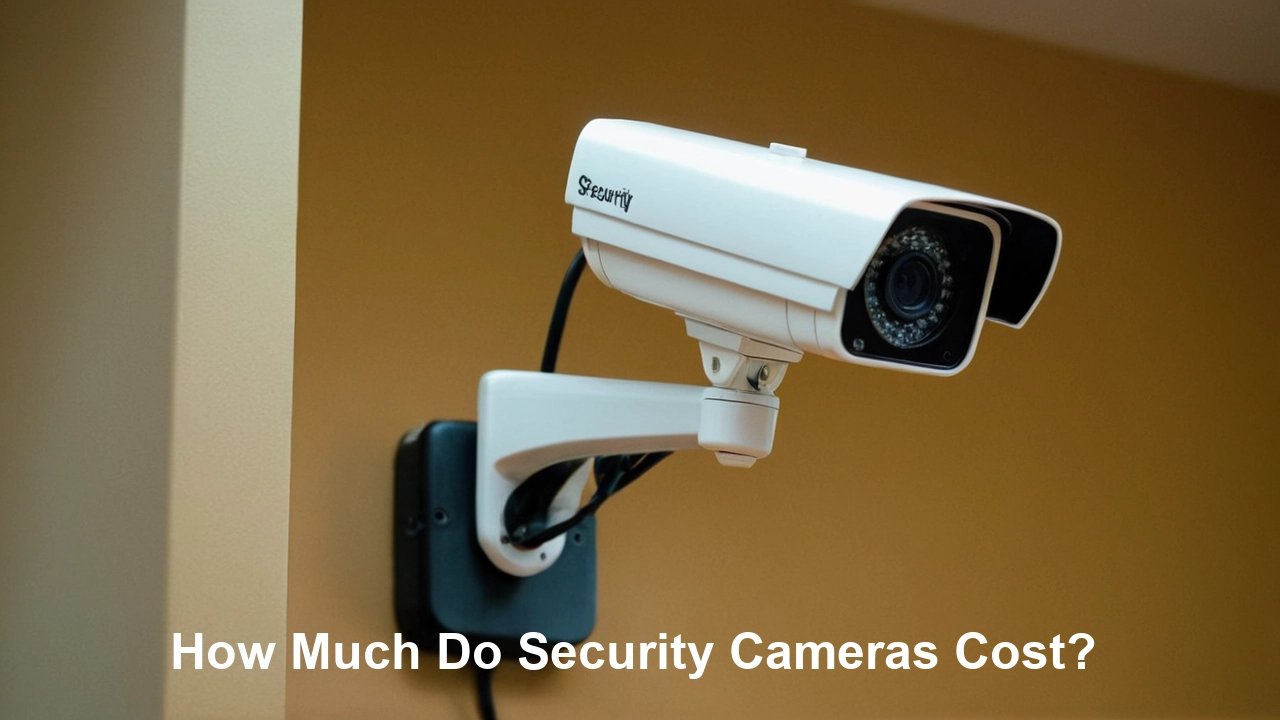
Description: These are the classic, cylindrical cameras often seen mounted on walls or ceilings. They are typically fixed-lens and are known for their visible presence, acting as a deterrent. Many outdoor bullet cameras are weather-resistant.
Typical Cost (2025-26):
- Basic Indoor/Outdoor (1080p): $50 - $120
- Advanced (4K, AI features, long-range night vision): $150 - $300+
Pros: Visible deterrent, often weather-resistant, good for fixed surveillance points.
Cons: Fixed field of view, can be bulky.
2. Dome Cameras
Description: Encased in a protective dome, these cameras are more discreet and vandal-resistant than bullet cameras. The dome housing makes it difficult to tell which way the camera is pointing. They are common in commercial settings and public spaces.
Typical Cost (2025-26):
- Basic Indoor (1080p): $60 - $150
- Outdoor/Vandal-Proof (1080p/2K): $100 - $250
- Advanced (4K, PTZ capabilities within a dome): $300 - $800+
Pros: Discreet, vandal-resistant, good for indoor and outdoor use.
Cons: Can have a more limited field of view than some bullet cameras, reflections on the dome can sometimes affect image quality.
3. Turret Cameras (Eyeball Cameras)
Description: Similar to dome cameras in their discreet nature and often vandal-resistant housing, turret cameras have a more exposed lens that can be adjusted without removing the cover. They offer a good balance of visibility and discreetness.
Typical Cost (2025-26):
- 1080p/2K: $70 - $180
- 4K with advanced features: $180 - $350+
Pros: Easy to adjust, discreet, good image quality, often weather-resistant.
Cons: Less vandal-resistant than fully enclosed dome cameras.
4. PTZ (Pan-Tilt-Zoom) Cameras
Description: These cameras offer the most flexibility, allowing users to remotely control their movement (pan left/right, tilt up/down) and zoom in on specific areas. They are ideal for monitoring large areas or tracking moving objects.
Typical Cost (2025-26):
- Consumer-grade Wi-Fi PTZ: $100 - $300
- Professional IP PTZ (higher resolution, faster movement, advanced tracking): $400 - $1,500+
Pros: Wide coverage, ability to track subjects, versatile.
Cons: Expensive, require stable connection, can be complex to set up.
5. Wireless/Wi-Fi Cameras
Description: These cameras connect to your home network via Wi-Fi, making installation simpler as they don't require Ethernet cables. They often rely on cloud storage or SD cards for footage. Many smart home cameras fall into this category.
Typical Cost (2025-26):
- Basic (1080p, motion detection): $40 - $100
- Mid-range (2K, color night vision, two-way audio): $100 - $200
- Premium (4K, advanced AI, battery-powered options): $200 - $400+
Pros: Easy installation, flexible placement, integration with smart home systems.
Cons: Reliant on Wi-Fi signal strength, potential for interference, often require cloud subscriptions for full functionality.
6. Wired Cameras (IP/Analog)
Description: These cameras connect via Ethernet (IP cameras) or coaxial cables (analog cameras) to a recorder (NVR or DVR). They offer more reliable and secure connections but require professional installation for optimal setup.
Typical Cost (2025-26):
- Individual IP Camera (1080p/2K): $80 - $250
- Individual Analog Camera (with DVR system): $50 - $150
- Professional Grade IP Camera (4K, advanced features): $250 - $1000+
Pros: Stable and reliable connection, generally more secure, can support higher resolutions and frame rates without Wi-Fi limitations.
Cons: Complex installation, requires running cables, higher upfront cost for NVR/DVR systems.
7. Doorbell Cameras
Description: These replace your existing doorbell and integrate a camera, microphone, speaker, and motion sensor. They are excellent for monitoring front porches and screening visitors.
Typical Cost (2025-26):
- Basic (1080p, motion detection): $70 - $150
- Advanced (2K/4K, pre-roll recording, AI detection, battery-powered): $150 - $300+
Pros: Convenient for package delivery monitoring and visitor identification, can deter package theft.
Cons: Often require cloud subscriptions for full features, battery-powered models need regular charging.
8. Nanny Cams/Hidden Cameras
Description: Designed to be discreet or disguised as everyday objects, these cameras are used for monitoring specific indoor areas without drawing attention.
Typical Cost (2025-26):
- Basic disguised cameras: $40 - $100
- More sophisticated hidden cameras: $100 - $250+
Pros: Discreet monitoring.
Cons: Ethical considerations, limited functionality compared to overt cameras, potential legal restrictions depending on use.
9. Smart Home Integrated Cameras
Description: These cameras are designed to work seamlessly with smart home ecosystems like Google Home, Amazon Alexa, or Apple HomeKit. They often offer voice control and integration with other smart devices.
Typical Cost (2025-26):
- Integration with existing smart home: $80 - $250 (often similar to mid-range Wi-Fi cameras)
Pros: Enhanced convenience, central control, automation possibilities.
Cons: May require specific hubs or subscriptions for full integration, vendor lock-in.
When evaluating "how much do security cameras cost," remember that these are just the hardware prices. The choice between these types often dictates the overall system architecture and associated costs. For example, a single Wi-Fi doorbell camera might be a few hundred dollars, while a full professional IP system with multiple PTZ and dome cameras could easily run into thousands.
| Camera Type | Typical Price Range (2025-26) | Best For |
|---|---|---|
| Bullet Camera | $50 - $300+ | Fixed surveillance, visible deterrence |
| Dome Camera | $60 - $800+ | Discreet monitoring, vandal resistance |
| Turret Camera | $70 - $350+ | Balance of discreetness and adjustability |
| PTZ Camera | $100 - $1,500+ | Large area monitoring, tracking |
| Wireless/Wi-Fi Camera | $40 - $400+ | Easy DIY installation, smart home integration |
| Wired (IP/Analog) Camera | $50 - $1000+ | Reliable, secure, professional installations |
| Doorbell Camera | $70 - $300+ | Front door monitoring, visitor screening |
Installation Costs: Professional vs. DIY
The decision to install your security cameras yourself or hire a professional has a significant impact on the total cost. This is often one of the largest variable expenses when determining "how much do security cameras cost."
1. DIY Installation
Description: For many wireless or simpler wired systems, DIY installation is a viable and cost-effective option. This involves setting up cameras, connecting them to your network, configuring software, and mounting them yourself.
Cost Factors:
- Time: Your personal time investment.
- Tools: Basic tools like drills, screwdrivers, ladders, and possibly fish tape for running wires.
- Complexity: Running cables through walls, attics, or crawl spaces can be challenging and time-consuming.
- Troubleshooting: Potential costs associated with fixing issues that arise during setup.
Typical Cost: Generally ranges from $0 (if you have tools and time) to $200+ for specialized tools or if you need to purchase additional mounting hardware or cables. For a few wireless cameras, the cost is primarily the hardware itself. For a more complex wired system, the DIY cost can be significantly lower than professional installation but requires considerable effort and technical skill.
Pros:
- Significant cost savings compared to professional installation.
- Full control over the installation process.
- Opportunity to learn about your system.
Cons:
- Can be time-consuming and frustrating.
- Requires technical aptitude and problem-solving skills.
- Potential for improper installation leading to performance issues or safety hazards.
- May void warranties if done incorrectly.
2. Professional Installation
Description: Hiring a security company or an independent contractor to install your system. This is often recommended for complex wired systems, large properties, or when specific aesthetic requirements need to be met.
Cost Factors:
- Labor Rates: Varies by region and company, typically charged hourly or per device.
- System Complexity: More cameras, longer cable runs, and difficult mounting locations increase costs.
- Type of System: IP systems often require more intricate network configuration than older analog systems.
- Site Survey: Some companies charge a fee for an initial assessment.
- Permits: In some commercial or specialized installations, permits may be required.
Typical Cost (2025-26):
- Per Camera Installation: $100 - $300+ per camera, depending on complexity and location.
- Full System Installation (e.g., 4-8 cameras): $500 - $2,500+
- Hourly Rates: $75 - $150+ per hour for technicians.
Example: A typical 4-camera wired IP system installation for a medium-sized home could cost between $800 and $1,800. A similar system for a small business might be $1,500 to $3,000+.
Pros:
- Expert installation ensures optimal performance and reliability.
- Saves you time and effort.
- Often comes with a warranty on the installation work.
- Can handle complex wiring and integration with other systems.
Cons:
- Significantly higher upfront cost.
- Less control over the exact placement and setup details.
- Requires scheduling and coordination.
Choosing the Right Installation Method
When deciding between DIY and professional installation, consider these questions:
- What type of system are you installing? Wireless systems are generally DIY-friendly, while complex wired systems benefit from professional expertise.
- What is your technical skill level? Be honest about your comfort with tools, wiring, and network setup.
- How much time do you have? Professional installation is faster if you're short on time.
- What is your budget? DIY saves money, but professional installation can prevent costly mistakes.
- What are the aesthetic requirements? Professionals can ensure cables are neatly hidden and cameras are positioned optimally.
For many homeowners in 2025-26, a hybrid approach is also common: purchasing a complete DIY kit but hiring an electrician or low-voltage technician for specific, difficult wiring runs. This can balance cost and complexity. Always get multiple quotes from reputable installers if you opt for professional services.
Ongoing Costs to Consider
Beyond the initial purchase and installation, several ongoing costs can affect the total "how much do security cameras cost" equation over the lifespan of your system. Neglecting these can lead to unexpected expenses.
1. Cloud Storage Subscriptions
Description: Many modern wireless cameras, especially those from brands like Ring, Arlo, Nest, and Wyze, require a monthly or annual subscription to access cloud storage for recorded footage. This is often the most significant recurring cost.
Cost Range (2025-26):
- Basic Plan (1 camera, limited storage): $3 - $7 per month
- Standard Plan (multiple cameras, longer storage): $10 - $20 per month
- Premium Plan (more cameras, advanced features like 24/7 recording, professional monitoring integration): $20 - $50+ per month
Considerations:
- Number of Cameras: Many plans are priced per camera or per account.
- Storage Duration: How long you need footage to be stored (e.g., 7 days, 30 days, 60 days).
- Features: Advanced analytics, continuous recording, or integration with other services may cost more.
Example: A household with 3 cameras on a plan offering 30 days of storage for $15/month will pay $180 annually. Over 5 years, this amounts to $900 in subscription fees alone.
2. Professional Monitoring Services
Description: Some security systems offer optional professional monitoring, where a third-party service watches for alerts (motion detection, alarm triggers) and can dispatch emergency services if needed. This is common with comprehensive home security systems that include cameras.
Cost Range (2025-26): $15 - $60+ per month, often bundled with other security features.
Considerations:
- Response Time: Different tiers of service offer varying response protocols.
- Integration: Ensure the monitoring service is compatible with your camera system.
- Contract Length: Many services require annual or multi-year contracts.
3. Internet Bandwidth
Description: If you are using Wi-Fi cameras that stream video to the cloud, they will consume your internet bandwidth. Multiple high-resolution cameras streaming continuously can significantly impact your internet usage.
Cost Impact:
- Data Caps: If your internet plan has data caps, streaming video can lead to overage charges or throttling.
- Need for Faster Speeds: You might need to upgrade to a higher-tier internet plan to accommodate the increased bandwidth demands, incurring higher monthly bills.
Recommendation: Ensure your internet plan can support the number and resolution of cameras you intend to use. For a system with 3-4 cameras streaming 1080p, consider an internet plan with at least 25-50 Mbps download and 5-10 Mbps upload speeds.
4. Maintenance and Repairs
Description: Like any electronic equipment, security cameras can require maintenance or repairs over time.
Cost Factors:
- Hardware Failure: Cameras can fail due to manufacturing defects, wear and tear, or environmental damage.
- Software Updates: While often free, some advanced software features might require paid updates or subscriptions.
- Cleaning: Lenses and housings may need occasional cleaning for optimal performance.
- Battery Replacement: For battery-powered cameras, the cost of replacement batteries or rechargeable battery packs.
Considerations:
- Warranty: Check the warranty period for your cameras. Most consumer cameras come with a 1-year warranty.
- Durability: Higher-quality, professional-grade cameras are built to last longer and withstand harsher conditions, potentially reducing long-term repair costs.
5. Electricity Costs
Description: Wired cameras and NVR/DVR systems consume electricity continuously. While individual cameras use minimal power, a large system can contribute slightly to your electricity bill.
Cost Impact: Typically negligible for most residential setups, but can be a minor consideration for large commercial installations. A typical IP camera might consume 5-10 watts.
6. Storage Media Replacement (SD Cards, Hard Drives)
Description: If you are using SD cards for local storage, they have a finite lifespan and may need replacement every few years. Similarly, hard drives in NVRs/DVRs can fail and require replacement.
Cost Range (2025-26):
- SD Cards (32GB-128GB): $10 - $40 each
- Hard Drives (1TB-4TB for NVR/DVR): $50 - $200+ each
Considerations: Using surveillance-grade hard drives designed for continuous recording can improve longevity and reliability.
When budgeting, it's essential to calculate the total cost of ownership over 3-5 years. A system that seems cheaper upfront might become more expensive due to recurring subscription fees or the need for frequent hardware replacements. For example, a $100 camera with a $10/month subscription will cost $220 in the first year and $120 in subsequent years. A $300 camera with local storage might be more cost-effective long-term.
Budgeting for Your Security Camera System
Accurately budgeting for a security camera system requires a clear understanding of your needs and the various cost components involved. Here’s a step-by-step approach to help you determine "how much do security cameras cost" for your specific situation.
1. Assess Your Security Needs
Before looking at prices, define what you want your security cameras to achieve.
- Coverage Area: How many entry points need monitoring? Do you need to cover the entire perimeter, specific vulnerable areas (e.g., back gate, garage), or indoor spaces?
- Key Features: What features are essential? (e.g., high resolution, night vision, motion detection, two-way audio, smart alerts, facial recognition, PTZ).
- Environment: Are cameras for indoor or outdoor use? Do they need to withstand extreme weather?
- Integration: Do you want cameras to integrate with an existing smart home system or a professional security alarm system?
- Storage Preference: Do you prefer cloud storage with subscriptions, local storage (SD card, NVR/DVR), or a hybrid approach?
2. Categorize Your Budget
Based on your needs, you can broadly categorize your budget into three tiers:
a. Budget-Friendly (Under $300 for a basic setup)
Focus: A few individual Wi-Fi cameras for basic monitoring of key areas (e.g., front door, backyard).
Typical Components:
- 1-3 Wi-Fi cameras (e.g., Wyze, Blink, Eufy basic models)
- SD cards for local storage (if available) or a basic cloud subscription.
- DIY installation.
Example Costs:
- Cameras: $30 - $80 each
- SD Cards: $10 - $30 each
- Cloud Subscription (optional): $3 - $10/month
- Total: $100 - $300 (excluding ongoing subscriptions)
b. Mid-Range ( $300 - $1,000 for a moderate setup)
Focus: A more comprehensive system with better features, possibly including a doorbell camera and more cameras for wider coverage.
Typical Components:
- 3-5 Wi-Fi cameras or a starter wired system (e.g., Arlo, Ring, Nest, Eufy mid-range models, entry-level wired kits).
- Higher resolution (1080p/2K), better night vision, two-way audio.
- Cloud storage plan or a basic NVR/DVR with limited storage.
- DIY installation or partial professional installation.
Example Costs:
- Cameras: $80 - $200 each
- Doorbell Camera: $100 - $200
- NVR/DVR (optional): $150 - $300
- Hard Drives (optional): $50 - $150
- Cloud Subscription (optional): $10 - $20/month
- Total: $400 - $1,200+ (excluding ongoing subscriptions)
c. High-End / Professional ($1,000+ for a comprehensive setup)
Focus: Complete property surveillance with high-resolution, advanced feature cameras, possibly including PTZ, and reliable local storage. Suitable for larger homes, businesses, or those prioritizing maximum security.
Typical Components:
- 4+ high-resolution (2K/4K) cameras (bullet, dome, turret, possibly PTZ).
- Professional-grade wired IP system or a robust wireless system.
- NVR/DVR with significant storage capacity.
- Professional installation often recommended.
- Optional professional monitoring.
Example Costs:
- Cameras: $150 - $500+ each
- NVR/DVR: $300 - $800+
- Hard Drives: $100 - $300+
- Professional Installation: $500 - $2,500+
- Cloud Subscription (optional): $20 - $50+/month
- Professional Monitoring (optional): $20 - $60+/month
- Total: $1,500 - $5,000+ (depending heavily on installation and monitoring)
3. Factor in Hidden Costs
Always add a buffer for potential hidden costs:
- Installation Tools: If you don't have them.
- Cables and Connectors: For wired systems, you might need more than what's included.
- Mounting Hardware: Special mounts for difficult surfaces.
- Wi-Fi Extenders/Mesh Systems: If your Wi-Fi signal is weak in certain areas.
- Extended Warranties: For peace of mind.
- Future Upgrades: Technology evolves rapidly.
4. Calculate Total Cost of Ownership (TCO)
For systems involving subscriptions, calculate the TCO over 3-5 years.
Formula: Initial Hardware Cost + (Monthly Subscription Fee x 12 x Number of Years) + Estimated Maintenance/Repair Costs = TCO
This calculation will reveal if a higher upfront cost for a system with local storage is more economical in the long run than a cheaper system with recurring fees.
5. Research and Compare
Don't settle for the first option you find. Compare prices, features, and reviews from different brands and retailers. Look for deals and bundles, especially during holiday seasons. For professional installations, get at least three quotes.
By following these steps, you can move from a general question of "how much do security cameras cost" to a precise understanding of the investment required for a system that meets your specific security needs and budget in 2025-26.
Making the Right Choice for Your Needs
Navigating the world of security cameras can be complex, but by understanding the costs associated with different types, installation methods, and ongoing services, you can make an informed decision. The "how much do security cameras cost" question is best answered by first defining your priorities.
For budget-conscious individuals or those needing to monitor a single entry point, a few standalone Wi-Fi cameras with SD card storage or a basic cloud plan offer a cost-effective solution. These systems are typically easy to install and can be expanded later if needed. Brands like Wyze and Blink often provide excellent value in this segment.
For homeowners seeking more comprehensive coverage and advanced features like two-way audio, better night vision, and smart alerts, mid-range Wi-Fi systems or entry-level wired kits are a good fit. Brands such as Arlo, Ring, and Eufy offer robust options that balance features with price. Consider the total cost of ownership, especially if cloud subscriptions are involved. A system with a higher upfront cost but local storage might be more economical over several years.
Businesses or individuals requiring maximum security, extensive coverage, and high reliability will likely invest in professional-grade wired IP systems. These systems, often installed by professionals, offer superior image quality, advanced analytics, and robust local storage via NVRs. While the initial investment is substantial, the long-term performance and security benefits are significant.
Ultimately, the "right" choice depends on your unique circumstances. Prioritize features that directly address your security concerns. If you need to identify faces or read license plates, invest in higher resolution. If you need to monitor a large area, consider PTZ cameras or a wider field of view. If reliability is paramount, wired systems often outperform wireless ones.
Remember to factor in all costs: the hardware, potential installation fees, and any recurring subscription services. By carefully assessing your needs and understanding the full financial picture, you can select a security camera system that provides peace of mind and effective protection without overspending. Investing in security is investing in your safety and property, and with the right planning, you can find a solution that perfectly balances cost and capability in 2025-26.
In conclusion, the cost of security cameras in 2025-26 is highly variable, ranging from under $100 for basic individual units to several thousand dollars for comprehensive, professionally installed systems. Key factors influencing price include camera resolution, field of view, night vision capabilities, durability, connectivity (wired vs. wireless), and storage solutions (local vs. cloud). Installation costs can add significantly, with DIY options saving money but requiring time and technical skill, while professional installation offers convenience and expertise at a higher price point. Ongoing expenses such as cloud subscription fees, professional monitoring, and potential maintenance should also be factored into the total cost of ownership. By thoroughly assessing your security needs, categorizing your budget, and comparing different options, you can confidently choose a system that offers the best value and protection for your specific requirements.