
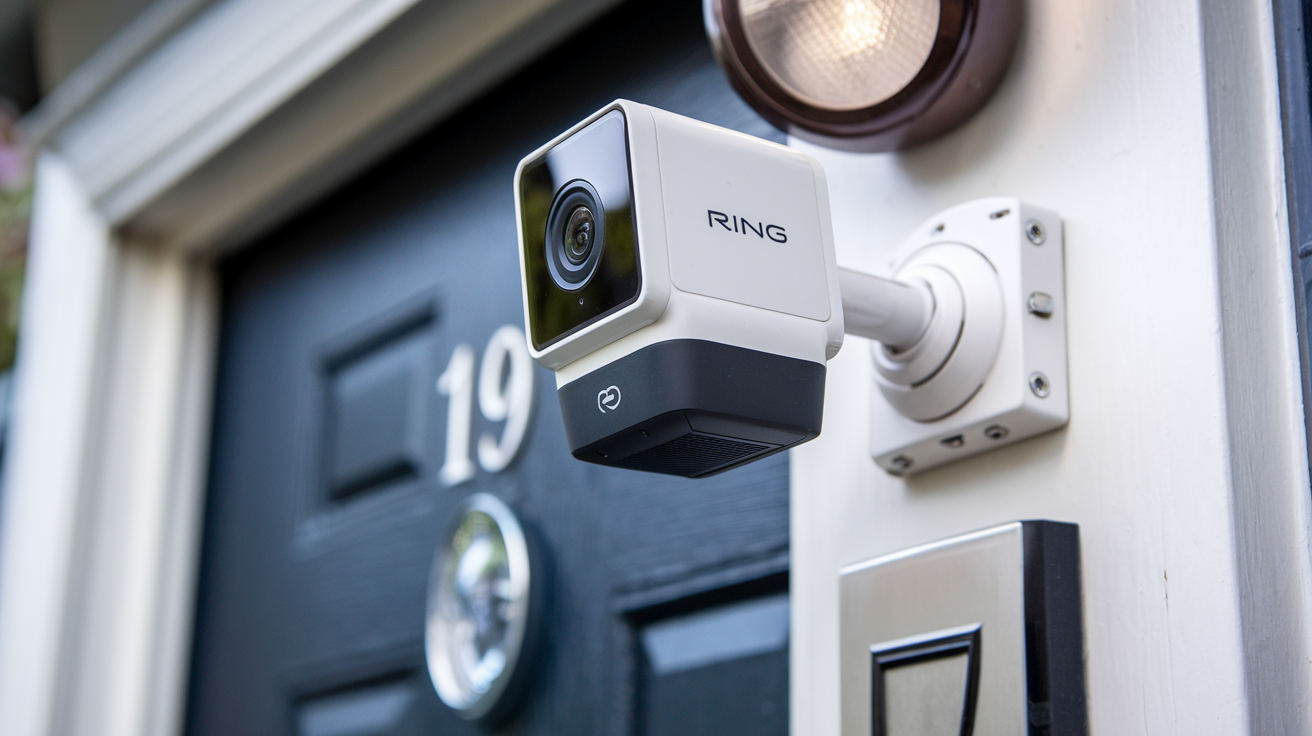
Understanding the cost of Ring cameras is crucial for homeowners seeking enhanced security. This guide breaks down the typical investment for Ring devices, factoring in hardware, subscriptions, and installation, helping you budget effectively for your peace of mind in 2025-26.
Ring Camera Cost Overview: What to Expect in 2025-26
When considering home security, Ring cameras have emerged as a popular and accessible choice for many households. The question "How much does a Ring camera cost?" is multifaceted, extending beyond the initial purchase price of the device itself. In 2025-26, homeowners can expect a range of costs influenced by the specific model chosen, whether a subscription plan is desired, and the method of installation. Generally, a single Ring camera can range from under $100 for basic models to upwards of $300 for advanced systems. However, the true cost of ownership involves recurring fees for cloud storage and advanced features through Ring Protect plans, which typically range from $3 to $20 per month per location or device. Installation can add another layer of expense, from zero for a DIY setup to potentially over $100 for professional installation, depending on the complexity. This comprehensive guide will delve into each of these components to provide a clear picture of the total investment required for a Ring camera system tailored to your security needs.
Factors Influencing Ring Camera Prices
The price tag on a Ring camera isn't a one-size-fits-all figure. Several key factors contribute to the variation in cost, making it essential to understand these elements before making a purchase. By dissecting these influences, consumers can better navigate the options and find a solution that aligns with their budget and security requirements.
1. Device Type and Features
Ring offers a diverse portfolio of cameras, each designed for different applications and equipped with varying feature sets. This directly impacts their price. The most basic models, like the Ring Video Doorbell Wired, are entry-level and cost-effective, while more sophisticated devices such as the Ring Spotlight Cam Pro or the Ring Floodlight Cam Wired Pro command higher prices due to their advanced capabilities.
- Resolution and Video Quality: Higher resolution cameras (e.g., 1080p HD or 2K) generally cost more than those with lower resolutions. Better clarity is crucial for identifying details, especially in low-light conditions.
- Field of View: Cameras with wider fields of view can cover more area, reducing the number of cameras needed. These premium features often come with a higher price.
- Night Vision Capabilities: Advanced night vision, including color night vision, enhances visibility after dark and is typically found in more expensive models.
- Two-Way Talk: While standard on most Ring cameras now, very basic older models might lack this feature or have it in a less refined form.
- Motion Detection Technology: Features like advanced motion detection zones, person detection, and package detection add significant value and increase the cost.
- Power Source: Battery-powered cameras offer flexibility but can sometimes be more expensive upfront than wired versions, although they avoid installation complexities. Wired cameras often require professional installation, adding to the overall cost.
- Built-in Features: Some cameras include integrated spotlights, sirens, or even advanced AI capabilities for smarter alerts. These integrated functionalities contribute to a higher price point.
2. Connectivity and Power Options
How a Ring camera connects to your network and receives power also plays a role in its cost and your overall installation expenses.
- Wi-Fi Connectivity: Most Ring cameras rely on Wi-Fi. The ability to connect to 2.4GHz or dual-band 5GHz networks can influence performance and, in some higher-end models, might be a premium feature.
- Wired vs. Battery-Powered: Battery-powered cameras offer ease of installation but require periodic recharging or battery replacement. Wired cameras offer continuous power but necessitate access to an electrical outlet or existing doorbell wiring. The cost difference between these two types can vary, with battery models sometimes being slightly more expensive upfront due to the battery technology.
- Solar Power: For battery-powered cameras, optional solar panels can be purchased separately or bundled. These add to the initial cost but reduce long-term reliance on battery charging.
3. Bundles and Promotions
Ring frequently offers bundles that combine multiple devices or include accessories at a discounted price. These can significantly reduce the overall cost if you plan to purchase several cameras or a doorbell and camera combination. Keep an eye out for seasonal sales (like Black Friday, Prime Day) and holiday promotions, as these are prime times to find Ring cameras at reduced prices. For instance, a bundle of two Spotlight Cams might be cheaper per unit than buying them individually.
4. Retailer and Region
Prices can also fluctuate slightly between different retailers (Amazon, Best Buy, Home Depot, etc.) and can be subject to regional pricing strategies and availability. It's always a good practice to compare prices across various vendors before committing to a purchase. Furthermore, import duties or local taxes can influence the final price in different countries.
5. Generation and Model Updates
Like most consumer electronics, Ring cameras have different generations. Newer models typically incorporate the latest technology and features, making them more expensive. Older, but still perfectly functional, models are often discounted, offering a more budget-friendly option. For example, a brand new Ring Video Doorbell (4th Gen) will likely cost more than a refurbished or previous-generation model.
Ring Camera Device Pricing Breakdown
To provide a concrete understanding of what to expect, let's break down the typical price ranges for popular Ring camera models available in 2025-26. These figures represent estimated retail prices and can vary based on sales, bundles, and specific retailers.
Video Doorbells
Video doorbells are often the entry point into the Ring ecosystem, offering front-door security and convenience.
- Ring Video Doorbell Wired: This is Ring's most affordable option, typically ranging from $64.99 to $79.99. It requires existing doorbell wiring and offers 1080p HD video, two-way talk, and motion detection.
- Ring Video Doorbell (2nd Gen): A step up, this battery-powered or plug-in option often falls between $99.99 to $119.99. It offers similar core features to the wired version but with more flexible power options.
- Ring Video Doorbell 3 / 3 Plus: These models, while older, might still be available and offer improved motion detection (including near motion zones) and dual-band Wi-Fi. Prices can range from $139.99 to $179.99, often found on sale.
- Ring Video Doorbell 4: This model introduces color pre-roll video, allowing you to see up to 4 seconds of video before motion is detected, enhancing context. Expect prices around $199.99 to $229.99.
- Ring Video Doorbell Pro / Pro 2: These are premium wired doorbells offering advanced features like 3D motion detection, voice command integration, and higher resolution (1536p HDR). Prices typically range from $249.99 to $279.99.
Security Cameras (Standalone)
These cameras are designed for broader surveillance around your property, such as on exterior walls or in gardens.
- Ring Stick Up Cam (Battery / Plug-In / Solar): Available in various configurations, these versatile cameras offer 1080p HD video and two-way talk. Prices generally range from $99.99 to $129.99 for battery/plug-in models, with solar versions costing slightly more.
- Ring Spotlight Cam (Battery / Plug-In / Solar): These models add a bright LED spotlight and a siren for enhanced deterrence. They typically cost between $199.99 to $229.99.
- Ring Spotlight Cam Pro (Battery / Plug-In / Solar): The "Pro" version enhances the Spotlight Cam with features like 3D motion detection and color pre-roll. Expect prices in the range of $229.99 to $259.99.
- Ring Floodlight Cam (Wired / Wired Pro): These are powerful, hardwired units that replace existing floodlights, offering integrated lighting, motion detection, and a siren. The standard Wired version is around $249.99, while the Wired Pro, with advanced motion detection, can cost up to $299.99.
Indoor Cameras
Designed for monitoring inside your home.
- Ring Indoor Cam (2nd Gen): A compact and affordable option for indoor monitoring, typically priced around $59.99 to $69.99. It offers 1080p HD video and two-way talk.
Other Devices
Ring also offers other security devices that may integrate with their camera systems.
- Ring Alarm Security System: While not a camera itself, the Ring Alarm system (starting around $199.99 for a base kit) can include cameras and offers professional monitoring.
It's important to note that these prices are estimates for new devices. Refurbished units or those purchased during major sales events can offer significant savings. For example, a common sale price for a Ring Video Doorbell (2nd Gen) might be closer to $70-$80.
Ring Protect Plans: Subscription Costs and Value
While the upfront cost of a Ring camera is a significant consideration, the recurring cost of a Ring Protect plan is equally important for unlocking the full potential of your device. These plans are essential for accessing video history, receiving rich notifications, and benefiting from advanced features. In 2025-26, Ring offers two main tiers of subscription plans: Basic and Plus.
Ring Protect Basic
This plan is designed for users who have a single Ring device or want to cover specific cameras individually.
- Cost: Approximately $3.99 per month or $39.99 per year per device.
- Features:
- Video recording and saving for up to 180 days (cloud storage).
- Rich notifications with snapshot previews.
- Ability to share videos with friends and family.
- Live View recording.
- Photo capture.
- Who it's for: Ideal for individuals with one or two Ring devices who want to review past events and receive enhanced alerts. If you have multiple Ring cameras at different locations, you would need to subscribe to a Basic plan for each device, which can become costly.
Ring Protect Plus
This plan offers comprehensive coverage for all Ring devices at a single location and includes additional benefits.
- Cost: Approximately $10 per month or $100 per year per location.
- Features:
- All features included in Ring Protect Basic.
- Unlimited Ring cameras at one location: This is the key advantage. All Ring doorbells and cameras at your home are covered under one subscription.
- 24/7 Professional Monitoring: For Ring Alarm systems, this plan provides professional monitoring services, dispatching emergency services when needed.
- Extended Warranty: Protects your Ring devices against theft and normal wear and tear.
- Ring App features: Access to advanced features within the Ring app.
- Who it's for: This plan is the most cost-effective for homeowners with multiple Ring cameras, doorbells, or those who also have a Ring Alarm system. It simplifies management and provides a broader security net.
Value Proposition of Ring Protect Plans
While some users might initially balk at the recurring subscription fees, it's important to consider the value they provide:
- Peace of Mind: The ability to review footage after an event (like a package theft or a break-in attempt) is invaluable for evidence and personal reassurance.
- Enhanced Security: Rich notifications and the ability to respond remotely via two-way talk allow for proactive security management.
- Device Longevity: The extended warranty offered with Ring Protect Plus can save significant money if a device fails or is stolen.
- System Integration: For those with Ring Alarm, the Plus plan is essential for comprehensive home security, linking cameras, sensors, and professional monitoring.
Example Scenario:
If you purchase a Ring Video Doorbell ($100) and a Ring Spotlight Cam ($200), your initial hardware cost is $300. If you opt for Ring Protect Basic for both devices, your annual subscription cost would be approximately $40 (doorbell) + $40 (camera) = $80 per year. Over three years, this amounts to $240 in subscription fees. However, if you choose Ring Protect Plus for $100 per year, you'd pay $300 in subscription fees over three years, but you'd have coverage for both devices plus the added benefits of professional monitoring and extended warranty if you had a Ring Alarm system.
For users with only one device, the Basic plan is straightforward. For those with multiple devices, the Plus plan quickly becomes the more economical and feature-rich choice.
Installation Costs: DIY vs. Professional
The way you install your Ring camera significantly impacts the total cost. Ring offers a range of installation options, from completely DIY to requiring professional assistance, each with its own associated expenses.
DIY Installation
Many Ring cameras are designed with DIY installation in mind, making it a cost-effective option for tech-savvy homeowners.
- Cost: $0 (for the installation itself).
- What it involves:
- Battery-powered cameras: Simply charge the battery, mount the camera using the provided bracket and screws, and connect it to your Wi-Fi network via the Ring app.
- Wired cameras (plug-in): Requires access to an indoor power outlet. You'll mount the camera and plug in the adapter.
- Wired cameras (doorbell wiring): If you have existing doorbell wiring, you can often replace your old doorbell with a Ring Video Doorbell. This usually involves removing the old unit, connecting the wires to the Ring doorbell, and mounting it. The Ring app provides step-by-step instructions.
- Tools required: Typically a screwdriver, a drill (for mounting holes), and possibly a ladder.
- Time commitment: Usually 30 minutes to 2 hours, depending on the complexity and your comfort level with basic tools.
- Pros: Significant cost savings, flexibility in placement, and the satisfaction of doing it yourself.
- Cons: Requires some technical aptitude and comfort with basic tools. May not be suitable for all home layouts (e.g., no easy access to power outlets or existing wiring).
Professional Installation
For those who prefer not to tackle installation themselves, or for more complex setups, professional installation is an option.
- Cost: Varies significantly. Ring partners with services like OnTech, and costs can range from $50 to $150+ per device, depending on the type of camera and the complexity of the installation. Some services might offer package deals for multiple devices.
- What it involves: A certified technician will come to your home, assess the best placement, mount the camera securely, connect it to power and your Wi-Fi network, and ensure it's properly configured in the Ring app.
- When it's recommended:
- Hardwired Floodlight Cams or Wired Doorbells: If you don't have existing wiring or are uncomfortable working with electrical connections.
- Difficult-to-Reach Locations: Mounting cameras in high eaves or areas requiring extensive ladder work.
- Complex Wi-Fi Issues: If your Wi-Fi signal is weak in certain areas, a professional might advise on signal boosters or optimal placement.
- Lack of Confidence: For individuals who want a guaranteed correct installation without the hassle.
- Pros: Ensures proper installation, saves you time and effort, and provides peace of mind that the job is done correctly, especially for electrical connections.
- Cons: Adds a significant cost to the overall investment.
Installation Considerations for Specific Devices
- Ring Video Doorbell Wired: Requires existing doorbell wiring. If you don't have it, you'll need to either run new wires (a more complex DIY or professional job) or use a battery-powered alternative.
- Ring Floodlight Cam Wired / Wired Pro: These are hardwired and replace existing outdoor light fixtures. This often requires working with electrical junctions and is a prime candidate for professional installation unless you have experience with electrical work.
- Battery-Powered Cameras: Easiest for DIY, offering maximum placement flexibility. However, consider the need for recharging or the additional cost of solar panels.
Cost Comparison Example:
Let's say you buy a Ring Spotlight Cam Pro for $230.
- DIY Installation: Total cost = $230.
- Professional Installation: Total cost = $230 (camera) + $75 (estimated installation fee) = $305.
Over three years, if you needed to install three cameras, DIY could save you $225 or more compared to professional services, assuming each professional installation costs $75.
The choice between DIY and professional installation hinges on your budget, technical skills, and the specific type of Ring camera you are installing. For most users, the battery-powered and plug-in models are straightforward to install themselves, making the DIY route the most economical.
Budgeting for Your Ring Camera System
Creating a realistic budget for your Ring camera system involves looking beyond the initial purchase price and factoring in all potential costs over the lifespan of your devices. By considering hardware, subscriptions, and potential installation fees, you can make an informed financial decision.
Step-by-Step Budgeting Guide
- Determine Your Security Needs:
- What areas do you want to monitor? Front door, backyard, driveway, specific rooms inside?
- How many cameras do you need? One for the front door? A doorbell and a backyard camera? Multiple cameras for comprehensive coverage?
- What features are essential? Night vision, motion detection, two-way talk, spotlight, siren, higher resolution?
- Select Your Devices:
- Based on your needs, identify the specific Ring camera models that fit.
- Research current prices for these models from various retailers.
- Look for bundles or sales that might offer savings.
- Example: You decide you need a Ring Video Doorbell (2nd Gen) and a Ring Spotlight Cam (Battery).
- Estimated Hardware Cost: $100 (Doorbell) + $200 (Spotlight Cam) = $300.
- Factor in Subscription Costs (Ring Protect Plan):
- Decide if you need Ring Protect Basic or Ring Protect Plus.
- If you have multiple devices at one location, Ring Protect Plus is usually the best value.
- Calculate annual subscription cost:
- Ring Protect Basic: $39.99/year per device.
- Ring Protect Plus: $100/year per location.
- Example (continued): With two devices at one location, Ring Protect Plus is the clear choice.
- Estimated Annual Subscription Cost: $100.
- Consider Installation Costs:
- Are you comfortable with DIY installation, or will you need professional help?
- If professional installation is needed, research local service costs or Ring's partner services.
- Example (continued): You are comfortable with DIY installation for both devices.
- Estimated Installation Cost: $0.
- Calculate Total Initial Investment:
- Hardware Cost + Installation Cost = Total Initial Investment.
- Example: $300 + $0 = $300.
- Calculate Total Cost Over Time (e.g., 3 Years):
- Initial Investment + (Annual Subscription Cost x Number of Years) = Total Cost Over Time.
- Example: $300 + ($100 x 3 years) = $300 + $300 = $600 over 3 years.
- Contingency Fund:
- It's wise to add a small buffer (e.g., 10-15%) for unexpected expenses, such as the need for a Wi-Fi extender, additional mounting hardware, or battery replacements for battery-powered devices (though Ring batteries are rechargeable).
Budgeting Scenarios
Let's look at a few common scenarios for 2025-26:
Scenario 1: The Budget-Conscious Single-Device User
- Needs: Basic front door security.
- Device: Ring Video Doorbell Wired.
- Hardware Cost: ~$70.
- Installation: DIY (requires existing wiring).
- Subscription: Ring Protect Basic (for one device).
- Initial Investment: ~$70.
- 3-Year Cost: $70 + ($40 x 3) = $70 + $120 = $190.
Scenario 2: The Average Homeowner
- Needs: Front door and backyard security.
- Devices: Ring Video Doorbell (2nd Gen) + Ring Spotlight Cam (Battery).
- Hardware Cost: ~$100 (Doorbell) + ~$200 (Spotlight Cam) = $300.
- Installation: DIY.
- Subscription: Ring Protect Plus (covers both devices at one location).
- Initial Investment: $300.
- 3-Year Cost: $300 + ($100 x 3) = $300 + $300 = $600.
Scenario 3: The Security-Focused Homeowner with Multiple Devices
- Needs: Front door, backyard, side gate, and indoor monitoring.
- Devices: Ring Video Doorbell Pro 2 + Ring Floodlight Cam Wired Pro + Ring Spotlight Cam (Battery) + Ring Indoor Cam.
- Hardware Cost: ~$250 (Doorbell Pro 2) + ~$300 (Floodlight Cam Pro) + ~$230 (Spotlight Cam) + ~$60 (Indoor Cam) = $840.
- Installation: Professional for Floodlight Cam and Doorbell Pro (assume $100 for each), DIY for others. Total installation cost = $200.
- Subscription: Ring Protect Plus (covers all devices at one location).
- Initial Investment: $840 (Hardware) + $200 (Installation) = $1040.
- 3-Year Cost: $1040 + ($100 x 3) = $1040 + $300 = $1340.
These scenarios illustrate how the number of devices, their complexity, and the installation method can significantly alter the total cost. When budgeting, always consider the long-term value and the peace of mind that a well-planned security system can provide.
Alternatives and Value Considerations
While Ring offers a compelling suite of home security products, it's wise to consider alternatives and weigh the overall value proposition before making a final decision. The "best" option often depends on individual needs, budget, and existing smart home ecosystems.
Competitor Analysis (2025-26 Landscape)
Several other brands offer similar video doorbell and security camera solutions. Understanding their pricing and features relative to Ring is crucial.
1. Google Nest (formerly Nest Cam)
- Device Pricing: Nest Cams and Doorbells are often priced comparably to Ring, with some models being slightly more expensive. For example, the Nest Cam (battery) might be around $180, and the Nest Doorbell (battery) around $180.
- Subscription (Nest Aware): Offers similar cloud storage and features. Nest Aware starts at $6/month per home for continuous recording (24/7) for all cameras, which is a key differentiator from Ring's per-device or per-home basic recording.
- Ecosystem: Integrates seamlessly with Google Assistant and other Google smart home devices.
- Value: Strong AI features and integration for Google users.
2. Arlo
- Device Pricing: Arlo cameras are often positioned as premium products and can be more expensive upfront, especially their wire-free models with higher resolutions and battery life. A single Arlo Essential Spotlight Camera might be around $150-$200.
- Subscription (Arlo Secure): Similar tiered plans. Arlo Secure starts at $4.99/month per camera or $12.99/month for unlimited cameras.
- Features: Known for excellent video quality, robust battery life, and advanced features like 2K/4K recording and local storage options (on some models).
- Value: Superior video quality and battery performance, but at a higher cost.
3. Wyze
- Device Pricing: Wyze is a budget-friendly option, offering incredibly low prices. Their Wyze Cam v3 is often under $40, and their video doorbells are also very affordable.
- Subscription (Cam Plus): Starts at $0.99/month per camera for basic features, with tiered plans for more advanced AI detection and longer cloud storage.
- Features: Offers good core functionality at a fraction of the cost of competitors. However, video quality, build materials, and advanced features may not match higher-end brands.
- Value: Unbeatable price for basic smart camera functionality.
4. Eufy
- Device Pricing: Eufy offers a range of cameras, often competitively priced with Ring. They also emphasize local storage options, which can reduce or eliminate subscription fees for some users.
- Subscription: Optional, for cloud storage and advanced AI features.
- Features: Strong focus on local storage (via HomeBase), good video quality, and often includes features like solar charging accessories.
- Value: Attractive for those who want to avoid recurring subscriptions and prefer local storage.
Ring's Unique Selling Propositions and Value
Despite the competition, Ring maintains a strong market position due to several factors:
- Ease of Use: The Ring app is generally intuitive and user-friendly, making setup and daily operation straightforward for most users.
- Ecosystem Integration: Ring is part of the Amazon ecosystem, offering integration with Alexa and other Amazon devices, which is a significant draw for many households.
- Device Variety: Ring offers a wide range of devices, from basic doorbells to advanced floodlight cameras and indoor cams, catering to diverse needs and budgets.
- Strong Brand Recognition: Ring has established itself as a leading name in the DIY home security market.
- Ring Protect Plan Value (for multi-device users): While the per-device Basic plan can add up, the Ring Protect Plus plan offers excellent value for homeowners with multiple Ring devices, especially when considering the included professional monitoring for Ring Alarm systems and extended warranties.
- Community Features: Features like Neighbors by Ring, while sometimes controversial, foster a sense of community and shared awareness of local safety issues.
When to Choose Ring Over Alternatives
- You are already invested in the Amazon/Alexa ecosystem.
- You prioritize ease of use and a straightforward app experience.
- You need a wide variety of camera types and form factors to suit different areas of your property.
- You have multiple Ring devices at one location and want a cost-effective subscription plan (Ring Protect Plus).
- You are looking for a balance of features, price, and brand reliability.
When Alternatives Might Be Better
- Budget is the absolute top priority: Wyze offers similar core features at a much lower price point.
- Superior Video Quality and Battery Life are paramount: Arlo often leads in these areas, though at a higher cost.
- Preference for 24/7 Continuous Recording on All Cameras: Google Nest Aware's home-based plan might be more appealing.
- Desire to Avoid Subscriptions: Eufy's emphasis on local storage makes it a strong contender.
- Deep integration with Google Assistant: Google Nest offers a more seamless experience for Google-centric smart homes.
Ultimately, the cost of a Ring camera system is a combination of the hardware purchase, ongoing subscription fees, and any installation expenses. By carefully assessing your needs, comparing prices, and understanding the value of subscription plans and installation options, you can determine the most suitable and cost-effective Ring camera solution for your home security in 2025-26.
Conclusion
The cost of a Ring camera in 2025-26 is not a single, fixed price but rather a spectrum influenced by device choice, subscription plans, and installation methods. While basic wired doorbells can be found for under $70, advanced models like the Floodlight Cam Pro can approach $300. The essential Ring Protect plans add a recurring cost, with the Basic plan at around $40/year per device and the comprehensive Plus plan at $100/year per location, unlocking crucial features like video history and advanced alerts. Installation can range from free for DIY setups to over $100 for professional services, especially for hardwired units. Therefore, a single Ring camera system could cost anywhere from approximately $110 (basic doorbell + basic plan + DIY install) to over $400 for a premium setup with professional installation and an annual subscription. By carefully evaluating your security needs and comparing the various cost components, you can invest wisely in a Ring camera system that provides robust protection and peace of mind without breaking the bank.





