Discover the true cost of home alarm systems in 2025-26. This comprehensive guide breaks down installation fees, monthly monitoring, equipment expenses, and hidden charges, empowering you to make an informed decision for your home security budget.
Understanding the Core Components of Home Alarm System Costs
When embarking on the journey to secure your home with an alarm system, understanding the various cost components is paramount. The question, "How much for a home alarm system?" rarely has a single, simple answer. Instead, it’s a mosaic of upfront expenses, recurring fees, and potential add-ons. In 2025-26, homeowners are looking for transparency and value, and that starts with dissecting these core elements. We’ll explore the typical expenses associated with purchasing and maintaining a home alarm system, providing a clear roadmap for your budgeting. From the initial hardware purchase to ongoing professional monitoring, each facet contributes to the overall investment in your peace of mind.
The primary cost drivers can be broadly categorized into three main areas:
- Equipment Costs: This refers to the physical devices you’ll need to protect your home, such as control panels, door/window sensors, motion detectors, and cameras.
- Installation Fees: Whether you opt for a professional installer or a DIY setup, there are often associated costs for getting the system up and running.
- Monitoring Fees: This is the recurring monthly charge for having a professional monitoring center keep an eye on your system and dispatch emergency services when needed.
Beyond these, other factors like smart home integration, advanced features, and contract lengths can significantly sway the final price. By understanding each of these components, you can better navigate the market and select a system that aligns with both your security needs and your financial comfort zone. Let’s delve deeper into each of these crucial aspects.
Installation Fees: The Upfront Investment
The installation phase is often the first significant financial hurdle when acquiring a home alarm system. This cost can vary dramatically based on the complexity of your home, the type of system you choose, and whether you opt for professional services or a do-it-yourself (DIY) approach. In 2025-26, the market offers a spectrum of installation options, each with its own price tag.
Professional Installation Costs
For many homeowners, the convenience and expertise offered by professional installers are well worth the investment. Professional installation typically involves a technician visiting your home to assess your security needs, strategically place sensors, connect the control panel, and ensure the entire system is functioning correctly. This often includes configuring wireless connections, testing all components, and providing a basic tutorial on system operation.
Average Costs (2025-26):
- Basic Systems: For a standard setup in a smaller home with essential components (control panel, a few door/window sensors, one motion detector), professional installation can range from $100 to $300. This often covers a few hours of labor and basic system setup.
- Complex Systems: Larger homes, homes with multiple entry points, or systems requiring extensive wiring (though less common with modern wireless systems) can see installation costs climb. For systems including multiple cameras, advanced sensors, smart home integration, and a more thorough site assessment, expect to pay between $300 and $700, sometimes even more for very large or intricate properties.
- Custom Installations: Bespoke security solutions designed for specific needs, such as multi-zone systems or integration with existing smart home ecosystems, can push professional installation costs upwards of $1,000.
Some companies may offer free installation as a promotional incentive, especially when you commit to a long-term monitoring contract. However, it’s crucial to read the fine print, as "free" installation might be bundled into a higher monthly fee or require a minimum contract duration.
DIY Installation Considerations
The rise of DIY home security systems has significantly altered the landscape of installation costs. These systems are designed for easy setup by the homeowner, often requiring no more than a screwdriver and a smartphone. While the upfront cost of the equipment might be higher in some DIY packages, the absence of professional installation fees can lead to substantial savings.
Average Costs (2025-26):
- Equipment Purchase: The cost here is primarily the price of the DIY kit itself. Basic kits can start around $200, while more comprehensive packages with multiple cameras and sensors might range from $400 to $800 or more.
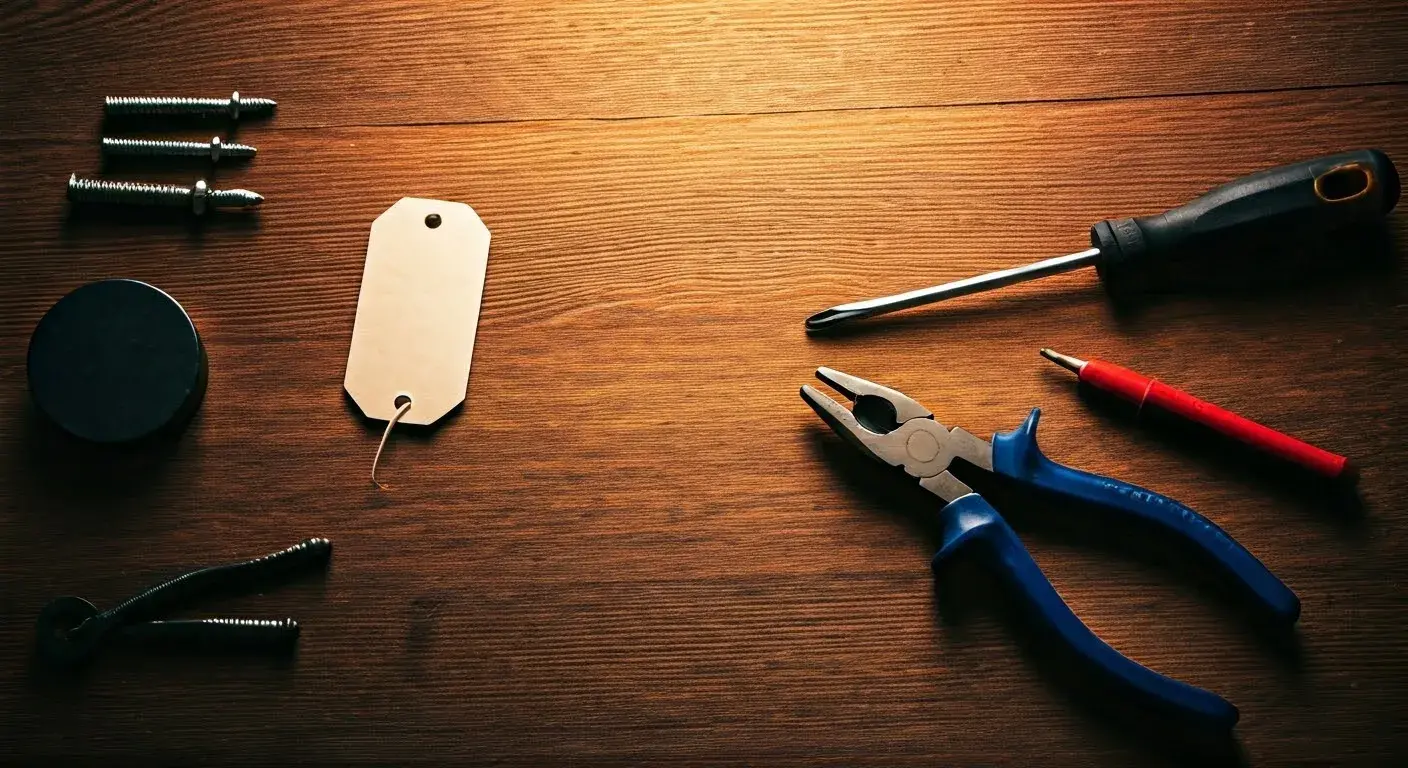
- Tools & Materials: Most DIY systems require minimal tools. You might need a drill for mounting certain sensors or cameras, but often, adhesive strips are sufficient. The cost for these is negligible, usually under $50.
- Time Investment: The primary "cost" of DIY installation is your time. A simple system might take 1-2 hours to set up, while a more complex one could take an afternoon.
It's important to note that even with DIY systems, some companies offer optional professional setup services for an additional fee, typically ranging from $100 to $200, for those who prefer a guided installation.
Factors Affecting Installation Fees
Several variables can influence the final installation cost:
- Home Size and Layout: Larger homes with more entry points and rooms will naturally require more sensors and potentially more complex wiring, increasing labor time and cost.
- System Complexity: The number and type of sensors, cameras, and smart home devices included in your system directly impact installation time and complexity.
- Existing Infrastructure: If your home already has some pre-wiring for security systems, it might reduce installation time and cost. Conversely, older homes with difficult-to-access wall cavities can increase labor.
- Geographic Location: Labor rates for professional installers can vary significantly by region.
- Company Policies: Different security providers have different pricing structures for installation. Some bundle it into equipment costs, others charge separately, and some offer it free with contracts.
When comparing quotes, always clarify what the installation fee includes. Is it just the physical setup, or does it also cover system configuration, testing, and a user tutorial? Understanding this can prevent unexpected charges later on. For a deeper dive into choosing the right installation method, see our section on DIY vs. Professional Installation: A Cost-Benefit Analysis.
Equipment Costs: Building Your Security Fortress
The heart of any home alarm system lies in its equipment. This is the tangible hardware that provides the physical layer of your security. The cost of this equipment can vary significantly based on the brand, the number of components, the sophistication of the technology, and whether you purchase it outright or lease it as part of a service package. In 2025-26, the market offers a wide array of devices, from basic sensors to advanced smart home integrated cameras.
Core Components and Their Pricing
Most home alarm systems consist of a central control panel, various types of sensors, and potentially additional devices like keypads, sirens, and cameras.
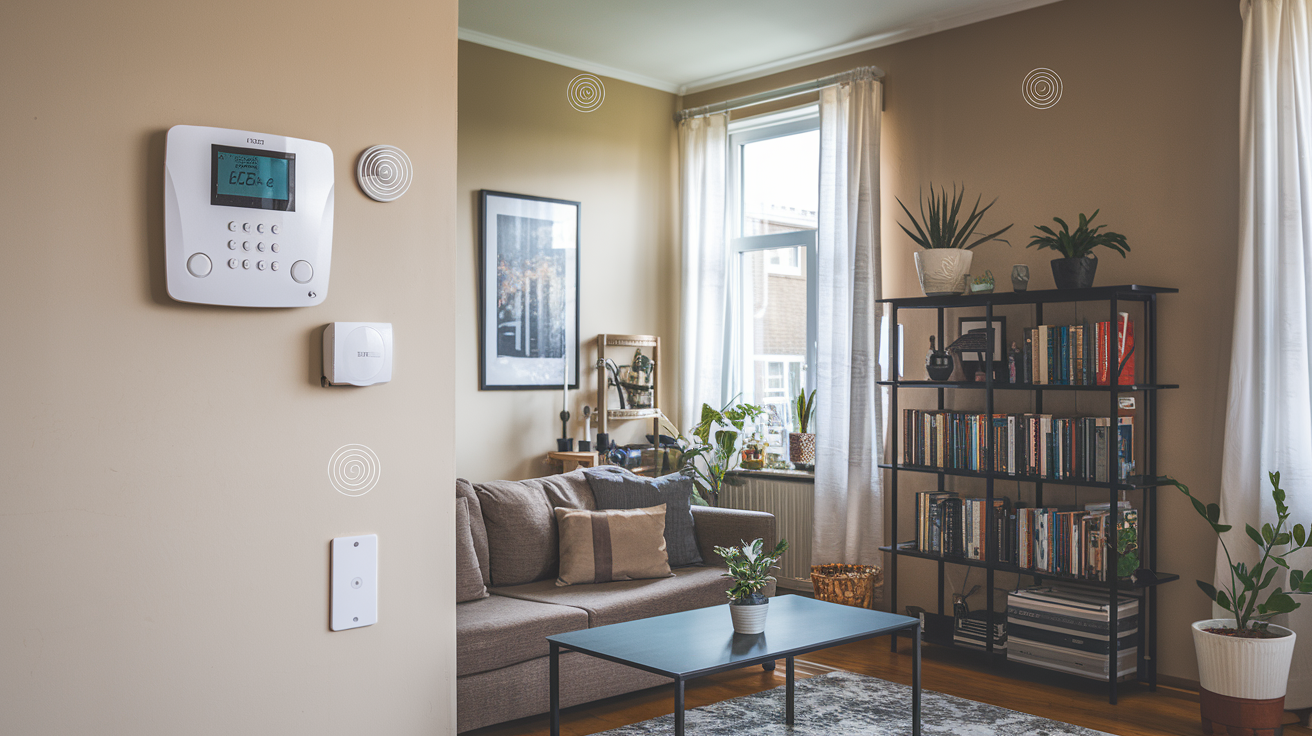
- Control Panel/Hub: This is the brain of the system. Prices typically range from $100 to $300 for basic models. Advanced hubs with integrated touchscreens, Wi-Fi connectivity, and cellular backup can cost between $250 and $500. Some systems include this as part of a starter kit.
- Door and Window Sensors: These are essential for detecting unauthorized entry. They are usually sold in packs. A single sensor might cost $15 to $30. A pack of 5-10 sensors can range from $75 to $250.
- Motion Detectors: These cover larger areas and detect movement. Standard passive infrared (PIR) motion detectors cost between $30 and $60. Pet-immune or dual-technology detectors can be more expensive, ranging from $50 to $100.
- Keypads: For arming and disarming the system. Basic keypads are often included in starter kits. Standalone units can cost $50 to $150.
- Siren/Alarm: To alert occupants and deter intruders. Internal sirens are often integrated into the control panel or can be purchased separately for $40 to $100. Outdoor sirens can range from $70 to $150.
Advanced and Smart Home Equipment
The trend towards integrated smart homes means that alarm systems are increasingly offering advanced features and compatibility with other smart devices.
- Security Cameras (Indoor/Outdoor):
- Basic Wi-Fi Cameras: $50 - $150 each.
- High-Definition (HD) Cameras with Night Vision: $100 - $250 each.
- Smart Cameras with Two-Way Audio, Motion Detection, and Cloud Storage: $150 - $300 each.
- Video Doorbells: $150 - $250.
- Environmental Sensors:
- Smoke/CO Detectors: $40 - $80 each. Often integrated with the alarm system for central monitoring.
- Water Leak Sensors: $30 - $60 each.
- Freeze Sensors: $30 - $60 each.
- Smart Home Integration Modules: Devices that allow your alarm system to communicate with smart locks, thermostats, and lighting systems. Costs can range from $50 to $200 depending on the functionality.
- Glass Break Sensors: These detect the sound frequency of breaking glass, costing around $40 to $70.
Purchasing Models: Outright Purchase vs. Leasing
How you acquire the equipment significantly impacts the overall cost.
- Outright Purchase: This is common with DIY systems. You pay the full price for the equipment upfront. While the initial outlay is higher, you own the equipment and are not tied to monthly lease payments. This can be more cost-effective in the long run if you plan to keep the system for many years.
- Leasing/Bundled Equipment: Many professional security companies offer equipment as part of a package, often with a lower upfront cost or even "free" equipment. However, the cost of the equipment is typically amortized over the contract period, leading to higher monthly fees. If you cancel the contract early, you may be required to pay off the remaining balance of the leased equipment.
Average Total Equipment Costs
For a typical mid-sized home (e.g., 3 bedrooms, 2 bathrooms), a reasonable equipment package might include:
- 1 Control Panel/Hub
- 8-10 Door/Window Sensors
- 2 Motion Detectors
- 1 Keypad
- 1 Indoor Camera
- 1 Video Doorbell
Estimated Total Equipment Cost (2025-26):
- DIY System (Purchased Outright): $500 - $1,200
- Professional System (Bundled/Leased): The upfront cost might be $0 - $300, but this is offset by higher monthly fees.
When evaluating equipment costs, consider the warranty offered by the manufacturer or provider. A longer warranty can protect you from unexpected repair or replacement expenses. For a detailed comparison of how to acquire equipment, explore our DIY vs. Professional Installation: A Cost-Benefit Analysis.
Monthly Monitoring Plans: Ongoing Protection
Once your home alarm system is installed and equipped, the ongoing cost of monitoring is a crucial consideration. This is the service that ensures your system is actively supervised, and help is dispatched in the event of an alarm. In 2025-26, monitoring plans have evolved to offer various levels of service, from basic cellular monitoring to comprehensive smart home integration and video surveillance. The monthly fee is a significant part of the total cost of ownership for most alarm systems.
Types of Monitoring
The method by which your alarm system communicates with a monitoring center dictates the reliability and cost of the service.
- Landline Monitoring: This is the oldest form of monitoring, where the alarm system uses your home's traditional phone line to send signals. It's generally the least expensive but also the least secure, as phone lines can be cut. Many providers are phasing this out.
- Average Cost (2025-26): $15 - $25 per month.
- Broadband/Internet Monitoring: The system uses your home's internet connection (Wi-Fi or Ethernet) to transmit signals. This is more common and generally reliable, but it can be vulnerable to internet outages or hacking.
- Average Cost (2025-26): $20 - $35 per month.
- Cellular Monitoring: The system uses its own dedicated cellular connection (like a mobile phone) to communicate with the monitoring center. This is considered the most reliable method as it's independent of your home's internet or phone lines. It’s the industry standard for professional systems.
- Average Cost (2025-26): $30 - $50 per month.
- Dual-Path Monitoring: This is the most secure option, combining two or more communication methods (e.g., cellular and broadband). If one path fails, the other ensures the signal gets through.
- Average Cost (2025-26): $40 - $60 per month.
Monitoring Service Tiers and Features
Beyond the communication method, monitoring plans are often tiered, offering different levels of service and features:
- Basic Monitoring: This typically includes 24/7 professional monitoring of intrusion alarms (doors, windows, motion) and dispatch of emergency services (police, fire, medical). This is the most affordable tier.
- Enhanced Monitoring: Often includes basic monitoring plus features like environmental hazard detection (smoke, CO, flood), remote arming/disarming via a mobile app, and system status notifications.
- Video Monitoring: For systems with cameras, this tier includes live video feeds, recorded clips upon alarm events, and sometimes continuous video recording. This is usually the most expensive tier.
- Smart Home Integration: Plans that support integration with other smart home devices (lights, thermostats, locks) and offer automation features.
Factors Affecting Monthly Monitoring Costs
Several factors influence the monthly price you'll pay for monitoring services:
- Type of Communication: As discussed, cellular and dual-path monitoring are generally more expensive than landline or broadband.
- Number of Monitoring Points: Some providers might charge based on the number of sensors or zones being monitored, though this is less common for standard residential plans.
- Features and Services: Advanced features like video verification, mobile app control, smart home integration, and personalized response protocols will increase the monthly cost.
- Contract Length: Many companies offer discounts for longer contract commitments (e.g., 3-year or 5-year contracts). Shorter contracts or month-to-month options are often more expensive.
- Company Reputation and Support: Premium monitoring services from well-established companies with excellent customer support may command higher prices.
- Bundling with Equipment: If equipment is leased, the monthly fee will be higher to cover the cost of the hardware over time.
Average Monthly Monitoring Costs (2025-26)
For a typical homeowner seeking reliable security, a cellular or dual-path monitoring plan with basic to enhanced features is common.
- Basic Cellular Monitoring: $30 - $40 per month.
- Enhanced Cellular Monitoring with App Control: $35 - $50 per month.
- Video Monitoring (including cloud storage for clips): $45 - $70+ per month.
DIY Systems and Monitoring
For DIY systems, monitoring is often optional. You can choose to self-monitor (receive alerts on your phone and decide whether to call authorities) or subscribe to a professional monitoring service.
- Self-Monitoring: No monthly fee, but you are solely responsible for responding to alarms.
- Professional Monitoring for DIY: Many DIY providers partner with monitoring centers, offering plans that are often more affordable than traditional providers, typically ranging from $15 to $30 per month for cellular monitoring.
It's crucial to understand what happens during an alarm event. Does the monitoring center verify the alarm before dispatching? What is their response time? These details can significantly impact your safety and are worth inquiring about. For a comparative look at choosing between DIY and professional services, refer to our DIY vs. Professional Installation: A Cost-Benefit Analysis.
DIY vs. Professional Installation: A Cost-Benefit Analysis
The decision between a Do-It-Yourself (DIY) home alarm system and a professionally installed and monitored one is one of the most significant cost-influencing choices a homeowner faces. In 2025-26, both options offer compelling advantages, but they cater to different needs, budgets, and technical proficiencies. Understanding the trade-offs is key to making the right decision for your home security.
DIY Home Alarm Systems
DIY systems, often sold by companies like SimpliSafe, Ring Alarm, and Abode, are designed for user-friendly installation. They typically consist of wireless components that communicate with a central hub, which is then connected to your home's Wi-Fi.
Pros of DIY Systems:
- Lower Upfront Costs: While you purchase the equipment outright, there are no professional installation fees, which can save hundreds of dollars. Starter kits are often competitively priced.
- Flexibility and Scalability: You can easily add or remove components as your needs change. You're not tied to a specific provider's equipment limitations.
- No Long-Term Contracts (Usually): Most DIY systems offer month-to-month monitoring plans or the option to self-monitor, giving you freedom and avoiding long-term commitments.
- Control Over Installation: You can install the system at your convenience and place components exactly where you want them.
- Potential for Lower Monthly Fees: Optional professional monitoring for DIY systems is often more affordable than traditional services.
Cons of DIY Systems:
- Requires User Effort: You are responsible for installation, troubleshooting, and system maintenance.
- Potential for Installation Errors: Improper placement of sensors or incorrect setup can lead to false alarms or security gaps.
- Limited Support for Complex Needs: While generally user-friendly, very large or uniquely structured homes might present installation challenges.
- Self-Monitoring Responsibility: If you choose to self-monitor, you must be vigilant and respond to every alert.
Typical Cost Breakdown for DIY (2025-26):
- Equipment Purchase: $200 - $800+ (for a starter kit and a few additional sensors/cameras).
- Installation: $0 (your time).
- Monthly Monitoring: $0 (self-monitoring) to $15 - $30 (professional monitoring).
- Total First-Year Cost: $200 - $1,100+.
Professional Installation and Monitoring Systems
These are the traditional alarm companies like ADT, Vivint, and Brinks Home Security. They send trained technicians to install the system and typically require a long-term contract for professional monitoring.
Pros of Professional Systems:
- Expert Installation: Technicians ensure the system is installed correctly, optimally placed, and fully functional.
- Comprehensive Support: Companies offer ongoing customer support, maintenance, and troubleshooting.
- Advanced Features and Integration: Often provide more robust smart home integration and advanced security features.
- Peace of Mind: Professional monitoring means trained personnel are always watching your system.
- Potentially Lower Upfront Equipment Costs: Equipment may be bundled or offered at a subsidized price with a contract.
Cons of Professional Systems:
- Higher Upfront Costs (Potentially): While equipment might seem cheaper, installation fees can be significant if not waived.
- Long-Term Contracts: Typically require 2-5 year contracts, with penalties for early termination.
- Less Flexibility: Adding or changing equipment might be more complex and costly.
- Higher Monthly Fees: The cost of equipment, installation, and professional monitoring is often rolled into a higher monthly payment.
Typical Cost Breakdown for Professional (2025-26):
- Equipment Purchase: $0 - $500 (often subsidized or leased).
- Installation Fee: $0 - $700 (can be waived with promotions).
- Monthly Monitoring: $35 - $70+ (depending on features and contract).
- Total First-Year Cost: $350 - $1,500+ (highly variable based on initial fees and contract terms).
Making the Choice
To decide which is best for you, consider these questions:
- What is your budget? DIY generally offers lower long-term costs if you avoid monthly monitoring, or competitive costs if you opt for their professional monitoring. Professional systems often have higher recurring monthly costs.
- Are you comfortable with technology? If you're tech-savvy and enjoy setting things up yourself, DIY is a great option. If you prefer to have experts handle it, professional installation is better.
- What level of support do you need? If you want constant access to customer support and maintenance, professional systems excel.
- What are your long-term plans? If you move frequently, a contract-free DIY system offers more flexibility.
Ultimately, both DIY and professional systems can provide excellent home security. The "best" choice depends on your individual circumstances and priorities. For a detailed breakdown of equipment options, see Equipment Costs: Building Your Security Fortress.
Key Factors Influencing Your Home Alarm System Price
The final price tag of a home alarm system is not a one-size-fits-all figure. Numerous variables interact to determine the total cost, from the size and complexity of your home to the specific features and services you choose. In 2025-26, understanding these influencing factors is crucial for accurately budgeting and making informed comparisons between different providers and systems.
Home Size and Layout
Larger homes naturally require more sensors to cover all entry points and key areas. A sprawling house with numerous windows and doors will necessitate a more extensive equipment package than a compact apartment. The layout also plays a role; homes with multiple levels, basements, or detached garages might require additional motion detectors or specialized sensors, increasing both equipment and potentially installation costs.
Type and Quantity of Equipment
This is perhaps the most direct cost driver.
- Basic Components: A system with just a control panel, a few door/window sensors, and a motion detector will be significantly cheaper than one equipped with multiple indoor/outdoor cameras, video doorbells, glass break sensors, and environmental detectors.
- Advanced Technology: High-definition cameras with night vision and AI-powered motion detection, smart locks, and integrated smart home hubs will naturally command higher prices than their simpler counterparts.
- Brand Reputation: Premium brands known for reliability and advanced features may charge a premium for their equipment.
Installation Method (DIY vs. Professional)
As detailed in the DIY vs. Professional Installation: A Cost-Benefit Analysis section, this is a major fork in the road for pricing.
- DIY: Lower upfront installation costs (zero if you do it yourself), but you bear the full equipment cost.
- Professional: Can have significant installation fees (though often waived with contracts) and potentially higher monthly costs to amortize equipment.
Monitoring Service Level and Type
The ongoing monthly cost is heavily influenced by the monitoring service.
- Communication Method: Cellular and dual-path monitoring are more expensive than broadband or landline.
- Features: Plans that include video verification, remote access via mobile apps, smart home integration, and priority dispatch will cost more.
- Self-Monitoring vs. Professional: Self-monitoring is free but shifts the responsibility to you. Professional monitoring adds a recurring fee.
Contract Length and Terms
Many professional security providers require long-term contracts (typically 2-5 years).
- Longer Contracts: Often come with discounted monthly rates or waived installation fees.
- Shorter Contracts/Month-to-Month: Usually have higher monthly fees or require a larger upfront payment for equipment.
- Early Termination Fees: Breaking a contract can incur significant penalties, adding to the overall cost if your circumstances change.
Smart Home Integration
The desire to integrate your alarm system with other smart home devices (lights, thermostats, locks, voice assistants) can increase costs.
- Compatibility: Ensuring your system works seamlessly with your existing smart home ecosystem might require purchasing specific hubs or modules.
- Advanced Features: Automation rules and remote control of multiple devices add to the service package's complexity and price.
Additional Services and Warranties
Some companies offer optional add-on services:
- Extended Warranties: Beyond the standard manufacturer's warranty, these can add to the cost but provide long-term peace of mind.
- Moving Protection: Services that assist with relocating your system if you move house.
- Professional Maintenance Plans: For an extra fee, some companies offer regular system check-ups.
Promotions and Discounts
Security companies frequently run promotions to attract new customers. These can include:
- Free Installation: A common incentive for signing a long-term contract.
- Discounted Equipment: Reduced prices on starter kits or specific components.
- Bundled Services: Discounts for signing up for multiple services (e.g., security and home automation).
- Referral Bonuses: Discounts for referring new customers.
Always inquire about current promotions and negotiate where possible. For strategies to manage your security spending effectively, see our Smart Budgeting Strategies for Your Home Security System.
Smart Budgeting Strategies for Your Home Security System
Investing in a home alarm system is a significant decision that impacts both your safety and your finances. To ensure you get the best value for your money in 2025-26, employing smart budgeting strategies is essential. This involves understanding your needs, comparing options thoroughly, and being aware of potential cost-saving measures.
1. Assess Your Actual Security Needs
Before looking at prices, determine what you truly need.
- Home Size and Layout: A small apartment needs fewer sensors than a large, multi-story house.
- Location and Risk: Are you in a high-crime area? Do you have valuable assets? This might justify more advanced equipment.
- Occupancy: Do you have pets? Are you often away from home? This influences the type of motion sensors or cameras needed.
- Desired Features: Do you want basic intrusion detection, or are you interested in smart home integration, video surveillance, or environmental monitoring?
Avoid overspending on features you won't use. A basic system might be sufficient for many households.
2. Compare Multiple Providers and System Types
Never settle for the first quote you receive.
- Get Quotes: Contact at least 3-5 different companies, including both traditional providers and DIY options.
- Compare Apples to Apples: Ensure you are comparing similar equipment packages, monitoring levels, and contract terms.
- Read Reviews: Look for customer feedback on installation quality, customer service, and system reliability.
3. Understand the Total Cost of Ownership
Don't just focus on the upfront price. Consider the long-term costs.
- Upfront Costs: Equipment purchase, installation fees.
- Recurring Costs: Monthly monitoring fees, potential cloud storage fees for cameras, maintenance.
- Contractual Obligations: Early termination fees, potential price increases after an initial promotional period.
A system with a higher upfront cost but no monthly fees (self-monitored DIY) might be cheaper over several years than a system with low upfront costs but high monthly fees and a long contract.
4. Leverage Promotions and Discounts
Security companies frequently offer deals.
- Ask About Current Offers: Always inquire about any ongoing promotions, discounts, or bundled deals.
- Negotiate: Don't be afraid to negotiate, especially if you have competing quotes. Companies may be willing to waive installation fees or offer discounts to secure your business.
- Bundle Services: If you're also considering other home services (like internet or home insurance), check if bundling with a security system offers savings. Some insurance companies offer discounts for monitored alarm systems.
5. Consider DIY Installation
If you are comfortable with basic technology and installation, a DIY system can offer significant savings.
- Reduced Installation Fees: This is the primary saving.
- Flexible Monitoring: You can choose to self-monitor for free or opt for affordable professional monitoring plans from the DIY provider.
- No Long-Term Contracts: Most DIY systems offer month-to-month or no-contract monitoring, giving you flexibility.
For a detailed comparison, see DIY vs. Professional Installation: A Cost-Benefit Analysis.
6. Plan for Future Upgrades
Technology evolves. Choose a system that allows for future expansion or upgrades without requiring a complete replacement. This can save money in the long run. For example, a modular DIY system makes it easy to add a new camera or sensor later.
7. Factor in Potential Insurance Discounts
Many home insurance providers offer discounts for homes equipped with monitored alarm systems. While this doesn't reduce the initial cost, it can lower your overall homeownership expenses. Get a quote from your insurance provider to see the potential savings.
8. Avoid Unnecessary Add-ons
Be wary of sales pitches for features or services you don't truly need. Stick to your pre-determined list of essential components and features. For instance, if you never plan to use smart home automation, don't pay extra for it.
Example Budgeting Scenario (2025-26):
Scenario: A 3-bedroom home, moderate security needs, preference for professional monitoring but budget-conscious.
- Option A (Professional Install):
- Equipment: $100 (promotional offer)
- Installation: $0 (waived with contract)
- Monitoring: $45/month (cellular, 3-year contract)
- First-Year Cost: $640
- Three-Year Cost: $1,720
- Option B (DIY with Pro Monitoring):
- Equipment: $400 (starter kit + 5 sensors)
- Installation: $0 (DIY)
- Monitoring: $20/month (cellular, month-to-month)
- First-Year Cost: $640
- Three-Year Cost: $1,120
In this example, the DIY option with professional monitoring is more cost-effective over three years due to the lack of long-term contract fees and lower monthly monitoring costs. Careful planning and comparison are key to finding the most economical solution for your home security. For a deeper understanding of equipment choices, refer to Equipment Costs: Building Your Security Fortress.
The Long-Term Value of a Well-Chosen Home Alarm System
The initial question, "How much for a home alarm system?" often focuses on immediate financial outlay. However, the true value of a home alarm system extends far beyond its purchase price and monthly fees. In 2025-26, investing in a well-chosen system provides enduring benefits that contribute to your family's safety, your property's protection, and your overall peace of mind. Understanding this long-term value proposition is crucial for justifying the investment.
Enhanced Safety and Security
The most profound value of a home alarm system is the protection it offers to your loved ones.
- Deterrence: Visible signs of an alarm system (stickers, yard signs, cameras) can deter potential burglars. Studies consistently show that alarmed homes are less likely to be targeted.
- Early Detection and Response: In the event of an intrusion, fire, or medical emergency, the system provides rapid detection. Professional monitoring ensures that emergency services are dispatched quickly, potentially minimizing damage, injury, or loss.
- Protection Against Various Threats: Modern systems go beyond burglary detection, offering protection against fire, carbon monoxide, water leaks, and other household hazards.
Protection of Property and Assets
Your home and its contents represent a significant investment. An alarm system helps safeguard this investment.
- Reduced Risk of Burglary: By deterring criminals and enabling swift police response, the system significantly reduces the likelihood of a successful burglary and the associated loss of valuable items.
- Mitigation of Damage: For events like fires or floods, early detection by the alarm system can significantly limit the extent of damage, saving you substantial repair costs.
- Insurance Benefits: As mentioned, many home insurance providers offer discounts for homes with monitored alarm systems, lowering your ongoing insurance premiums. This provides a tangible financial return on your security investment.
Peace of Mind and Reduced Stress
Perhaps the most intangible yet valuable benefit is the peace of mind that comes with knowing your home is protected.
- Reduced Anxiety: Whether you are at home, at work, or on vacation, you can feel more secure knowing your property is monitored. This reduces stress and worry.
- Improved Sleep: For many, especially those in areas with higher crime rates, an alarm system contributes to better sleep and a greater sense of security within their own homes.
- Sense of Control: In an unpredictable world, a home alarm system provides a sense of control over your immediate environment and personal safety.
Smart Home Integration and Convenience
Modern alarm systems are increasingly integrated into smart home ecosystems, adding layers of convenience and functionality.
- Remote Access and Control: Arm or disarm your system, check camera feeds, and receive alerts from anywhere in the world via a smartphone app.
- Automation: Integrate your security system with lighting, thermostats, and smart locks for automated routines (e.g., lights turn on when motion is detected, or the system arms when you leave).
- Enhanced Lifestyle: Smart features can streamline daily routines and add a level of modern convenience to your home management.
Potential Increase in Home Value
While not a primary reason for purchasing an alarm system, a professionally installed and maintained security system can be an attractive feature for potential buyers when you decide to sell your home. It can be seen as an added value, potentially making your home more appealing and even contributing to a quicker sale.
Choosing Wisely for Long-Term Benefits
To maximize the long-term value, it's essential to:
- Select a Reliable System: Choose reputable brands and providers known for quality and customer support.
- Opt for Appropriate Monitoring: Ensure your monitoring plan meets your needs for reliability and responsiveness.
- Maintain Your System: Regularly test your equipment and ensure batteries are replaced as needed.
- Stay Informed: Keep up with system updates and security best practices.
While the initial cost of a home alarm system is a necessary consideration, viewing it as an investment in safety, security, and peace of mind reveals its true, lasting value. The protection it offers to your family, property, and the serenity it brings to your daily life are benefits that far outweigh the financial expenditure over time.
Conclusion
The question of "How much for a home alarm system?" is multifaceted, with costs ranging from a few hundred dollars for basic DIY equipment to several thousand over a few years for professionally installed and monitored systems. In 2025-26, homeowners can expect to invest anywhere from $200 to $1,500+ for the first year, with ongoing monthly monitoring fees typically between $15 and $70+. Key drivers include equipment selection, installation method (DIY vs. professional), monitoring type (cellular, broadband, dual-path), contract length, and desired smart home features.
Ultimately, the best approach is to carefully assess your specific security needs, compare quotes from multiple reputable providers, and understand the total cost of ownership beyond the initial purchase. Whether you opt for the flexibility and cost-effectiveness of a DIY system or the comprehensive support of a professional service, the long-term value of enhanced safety, property protection, and invaluable peace of mind makes a well-chosen home alarm system a worthwhile investment for virtually any homeowner.