Understanding the cost of a home alarm system is crucial for homeowners seeking to enhance security. This guide breaks down the average expenses, from basic DIY setups to professionally installed, monitored systems, equipping you with the knowledge to make an informed decision for your peace of mind in 2025-26.
Understanding the Factors Influencing Home Alarm System Costs
The question "How much does a home alarm system cost?" doesn't have a single, straightforward answer. The price tag is a mosaic of various components, each contributing to the overall investment. In 2025-26, homeowners are faced with a spectrum of options, from budget-friendly DIY kits to comprehensive, professionally managed security solutions. Several key factors dictate where your expenditure will fall. These include the type of system you choose (DIY versus professional installation), the quantity and type of equipment needed, whether you opt for professional monitoring, the complexity of your home's layout, and any additional smart home integrations you desire. Understanding these elements is the first step to accurately estimating your home alarm system cost.
The size and layout of your home are significant determinants. A sprawling mansion will naturally require more sensors, cameras, and potentially more complex wiring than a compact apartment. The number of entry points – doors and windows – directly correlates with the number of contact sensors you'll need. Furthermore, the presence of multiple floors, detached garages, or large yards can influence the number and placement of devices, thereby increasing the total cost. Security needs also vary. A home in a low-crime area might opt for a more basic setup, while a property in a high-risk neighborhood might justify a more robust, feature-rich system, including advanced motion detectors, glass break sensors, and high-definition surveillance cameras.
The technology incorporated into the system also plays a pivotal role. Older, wired systems might have lower upfront equipment costs but can be more expensive and intrusive to install, especially in existing homes. Modern wireless systems offer greater flexibility and easier installation, but the upfront cost of the hardware can be higher. The integration with smart home ecosystems, such as voice assistants or smart lighting, adds another layer of potential expense. While these integrations offer convenience and enhanced functionality, they often come with a premium price tag. Finally, the reputation and service offerings of the security provider are critical. Established companies with extensive customer support networks and advanced monitoring centers may charge more for their services compared to smaller, local providers or DIY brands.
Types of Home Alarm Systems
Broadly, home alarm systems can be categorized into three main types, each with its own cost implications:
- DIY (Do-It-Yourself) Systems: These are designed for homeowners who are comfortable with basic installation and maintenance. You purchase the equipment upfront and set it up yourself. Monitoring is often optional, with many users opting for self-monitoring via smartphone apps.
- Professionally Installed Systems: These systems are installed by trained technicians from a security company. They typically involve a higher upfront cost for installation but ensure the system is set up correctly and optimally.
- Hybrid Systems: Some companies offer a middle ground, where you might purchase equipment upfront (sometimes with financing options) and then pay a monthly fee for professional monitoring and support. Installation might be done by the homeowner or a professional, depending on the package.
Impact of Home Size and Layout
The physical characteristics of your home are direct cost drivers. Consider these points:
- Square Footage: Larger homes require more sensors to cover all entry points and key areas.
- Number of Entry Points: Each door and accessible window typically needs a contact sensor.
- Number of Floors: Multiple levels might necessitate additional motion detectors or cameras to ensure comprehensive coverage.
- Detached Structures: Garages, sheds, or guest houses may require separate sensor installations.
- Obstructions: Walls, furniture, and landscaping can affect wireless signal strength and camera visibility, potentially requiring more devices or strategic placement.
Assessing Your Specific Security Needs
Your personal security concerns and lifestyle will shape the system's complexity and, consequently, its cost. Are you primarily concerned with intrusion detection, or do you also want to monitor for environmental hazards like smoke, carbon monoxide, or water leaks? Do you have pets that might trigger motion sensors? Do you need video surveillance for monitoring deliveries or activity around your property? Answering these questions helps tailor the system and avoid unnecessary expenses on features you won't use.
DIY vs. Professional Installation: A Cost Comparison
The choice between a DIY home alarm system and a professionally installed one is one of the most significant decisions impacting the overall cost. Each approach offers distinct advantages and disadvantages, primarily revolving around upfront investment, ongoing fees, and the level of convenience and expertise involved.
DIY Installation: Lower Upfront, Higher Flexibility
DIY home alarm systems, popularised by brands like SimpliSafe, Ring Alarm, and Abode, typically involve purchasing the hardware outright. The initial investment can range from $200 to $600 for a basic starter kit, which usually includes a base station, a few door/window sensors, and a motion detector. As you expand the system with additional sensors, cameras, or environmental detectors, the cost can climb. For a medium-sized home with comprehensive coverage, a DIY system could cost anywhere from $500 to $1,500 or more for the equipment alone.
The primary advantage of DIY is the absence of installation fees, which can typically range from $100 to $500 for professional installation. Furthermore, many DIY systems offer flexible monitoring plans. You can often choose to self-monitor for free via smartphone apps, which is ideal for budget-conscious individuals. If professional monitoring is desired, these systems usually offer affordable monthly plans, often ranging from $10 to $30 per month. Some DIY systems also allow you to integrate with third-party smart home devices, offering a customizable ecosystem without being locked into a single provider's offerings.
However, the responsibility for proper installation and troubleshooting falls entirely on the homeowner. While most DIY systems are designed for user-friendly setup, incorrect placement of sensors or base stations can lead to false alarms or compromised security. If you're not tech-savvy or prefer not to spend your time on installation, this might not be the best route. The long-term cost can also increase if you frequently upgrade components or add more devices as your needs evolve.
Professional Installation: Higher Upfront, Greater Peace of Mind
Companies like ADT, Vivint, and Brinks offer professionally installed and monitored systems. The upfront cost for these systems can vary significantly, often ranging from $500 to $2,000+, depending on the system's complexity and the number of components. This price typically includes the installation service, which is performed by trained technicians who ensure optimal placement and functionality of all devices. The advantage here is that you can be confident the system is set up correctly, minimizing the risk of errors and maximizing its effectiveness.
The monthly monitoring fees for professionally installed systems are generally higher than those for DIY options, often falling between $30 to $60 per month. These fees cover 24/7 professional monitoring by a central station, which dispatches emergency services (police, fire, medical) in case of an alarm. Many of these providers also bundle their systems with smart home technology, offering integrated control of lighting, thermostats, and door locks, which can add to the overall monthly cost but provide a seamless smart home experience.
A significant consideration with professionally installed systems is often the contract length. Many providers require a multi-year contract (e.g., 3-5 years), and early termination can incur substantial penalties. While the upfront cost might seem high, some companies offer equipment financing or bundle it into the monthly fee, making the initial outlay more manageable. The primary benefit is the convenience and assurance that your security system is professionally managed and maintained.
DIY vs. Professional Installation Comparison (2025-26 Estimates)
| Feature | DIY Systems | Professional Systems |
|---|---|---|
| Upfront Equipment Cost | $200 - $1,500+ | $500 - $2,000+ (often financed) |
| Installation Cost | $0 (self-installed) | $100 - $500+ (included or separate) |
| Monthly Monitoring Fee | $0 (self-monitored) to $10 - $30 | $30 - $60+ |
| Contract Requirements | Typically no long-term contracts | Often 3-5 year contracts |
| Flexibility & Customization | High | Moderate to High (provider dependent) |
| Expertise Required | Basic to Moderate | Minimal (handled by professionals) |
Home Alarm System Equipment Costs in 2025-26
The core of any home alarm system lies in its equipment. The type, quantity, and brand of these components significantly influence the initial purchase price. In 2025-26, homeowners have a wide array of options, from essential sensors to advanced cameras and smart home hubs. Understanding the cost of individual components is key to budgeting accurately.
Base Station/Hub
This is the brain of the system, connecting all other devices and communicating with the monitoring center or your smartphone. DIY systems often have a base station that costs between $100 to $250. Professionally installed systems might integrate this functionality into a more advanced control panel, which can be part of a larger package cost.
Door and Window Sensors
These are the most fundamental components, detecting when an entry point is opened. Each sensor typically costs between $15 to $30. A typical home might require 5-10 sensors, bringing the total to $75 to $300 for this category alone.
Motion Detectors
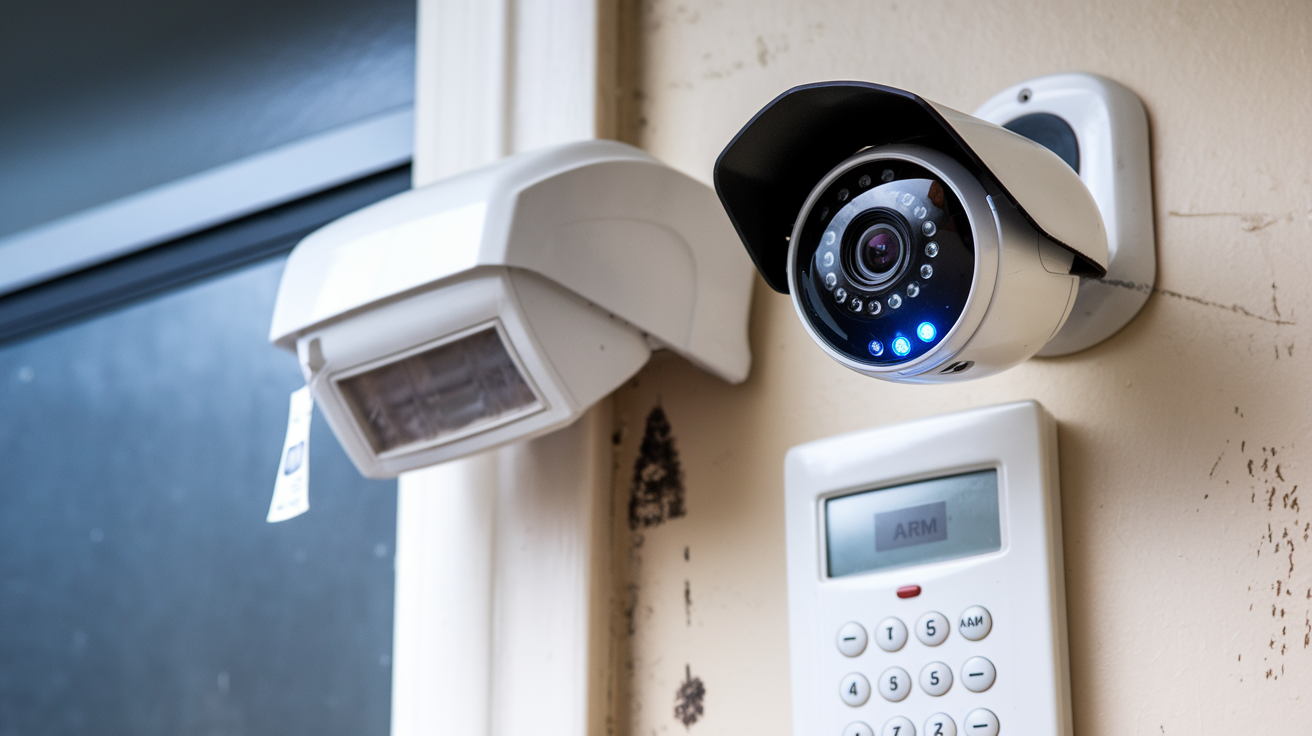
These sensors detect movement within a room, often covering a wider area than door/window sensors. They are crucial for detecting intruders who bypass entry points. Standard motion detectors cost between $30 to $50. Pet-friendly models, designed to avoid false alarms from animals, may cost slightly more.
Glass Break Sensors
These specialized sensors detect the sound frequency of breaking glass, providing an early warning if an intruder attempts to smash a window. They typically range from $30 to $50 each.
Security Cameras
The cost of security cameras varies dramatically based on features like resolution, night vision, two-way audio, and indoor/outdoor suitability.
- Indoor Cameras: Basic models can be found for $50 to $150.
- Outdoor Cameras: Weatherproof and more robust outdoor cameras typically range from $100 to $300.
- Video Doorbells: These smart devices offer front-door monitoring and two-way communication, costing between $100 to $250.
- High-Definition/4K Cameras: Advanced cameras with superior image quality can cost upwards of $200 to $500+.
Environmental Sensors
These are crucial for comprehensive home safety, detecting hazards beyond intrusion.
- Smoke Detectors: Smart smoke detectors that integrate with your alarm system typically cost $40 to $70.
- Carbon Monoxide Detectors: Similar to smoke detectors, these range from $40 to $70.
- Water/Flood Sensors: These can alert you to leaks or flooding in basements or near appliances, costing around $30 to $50.
- Freeze Sensors: Useful for detecting dangerously low temperatures that could lead to pipe bursts, costing approximately $30 to $50.
Keypads and Sirens
While many systems rely on the base station for alerts and smartphone apps for arming/disarming, some users opt for additional keypads for convenience or more powerful sirens to deter intruders and alert neighbors. Keypads can cost $50 to $100, and external sirens can range from $40 to $80.
Sample Equipment Package Costs (2025-26)
Here are some estimated costs for typical equipment packages:
- Basic DIY Kit (Starter): Base station, 2 door/window sensors, 1 motion detector: $200 - $350
- Medium DIY Kit (Expanded): Base station, 5 door/window sensors, 2 motion detectors, 1 keypad: $400 - $700
- Comprehensive DIY Kit: Base station, 10 door/window sensors, 2 motion detectors, 1 glass break sensor, 1 smoke detector, 1 video doorbell: $800 - $1,500+
- Professional System Package (Example): Often includes a control panel, multiple sensors, and potentially a camera, with the equipment cost bundled into a higher upfront fee or monthly payment plan. The perceived value of the equipment in these packages can range from $600 to $2,000+.
Monthly Monitoring Fees: What to Expect
Beyond the initial equipment and installation costs, the recurring monthly monitoring fee is a significant aspect of the total home alarm system expense. This fee covers the continuous service that ensures your system is always active and ready to respond to emergencies. The cost of monitoring varies based on the type of service, the provider, and the features included.
Professional Monitoring
This is the most common type of monitoring offered by security companies. In this model, a central monitoring station staffed by trained professionals is alerted when your alarm is triggered. They will then verify the alarm (often by contacting you or your designated contacts) and dispatch the appropriate emergency services (police, fire department, or medical responders) if necessary. This service provides the highest level of security and peace of mind.
Monthly fees for professional monitoring typically range from $30 to $60 per month. Some premium packages, which might include advanced features like video verification (where monitoring staff can view live camera feeds during an alarm event) or priority dispatch, can cost upwards of $60 to $100+ per month.
Factors influencing the cost of professional monitoring include:
- Response Time Guarantees: Some providers offer faster response times for higher fees.
- Number of Monitoring Centers: Companies with multiple, redundant monitoring centers may charge more.
- Integration with Emergency Services: Direct integration with local dispatch can sometimes affect pricing.
- Bundled Services: If monitoring is bundled with other smart home services or cellular backup, the price will be higher.
Self-Monitoring
Self-monitoring is a more budget-friendly alternative, predominantly offered with DIY alarm systems. In this scenario, when an alarm is triggered, you receive notifications directly to your smartphone or other connected devices via a mobile app. You are then responsible for assessing the situation and contacting emergency services yourself if needed. This model eliminates the monthly fee associated with professional monitoring, making it a zero-cost option for basic alerts.
The primary advantage of self-monitoring is the cost savings. However, it requires you to be readily available to receive and act on alerts. If you are in an area with poor cell service, or if your phone is off or unavailable, you might miss critical notifications. There's also the added responsibility of making the correct assessment and contacting the right authorities, which can be stressful during an emergency.
Some DIY systems offer a hybrid approach where you can opt for professional monitoring on a month-to-month basis, allowing you to switch between self-monitoring and professional monitoring as your needs or budget change. These plans typically cost between $10 to $30 per month.
Video Storage Fees
If your home alarm system includes security cameras, you will likely incur additional costs for video storage, especially if you want to access recorded footage. Most cloud-based video storage services require a monthly or annual subscription.
- Basic Cloud Storage: For one or a few cameras, storing footage for a limited time (e.g., 7-30 days), costs can range from $5 to $15 per camera per month.
- Premium Cloud Storage: For multiple cameras, longer storage durations, or advanced features like person detection, costs can rise to $20 to $50+ per month for a household.
Cellular Backup Fees
Most modern alarm systems use Wi-Fi to communicate with monitoring centers or your smartphone. However, if your internet connection is cut (either intentionally by an intruder or due to an outage), your system might lose its connection. To prevent this, many systems offer cellular backup, which uses a cellular signal to maintain communication. This is often included in professional monitoring plans but can sometimes be an add-on service.
If it's an add-on, cellular backup can cost an additional $5 to $15 per month. For professional systems, it's almost always included in the standard monthly fee.
Average Monthly Costs Summary (2025-26)
| Service Type | Estimated Monthly Cost |
|---|---|
| Self-Monitoring (DIY) | $0 |
| Basic Professional Monitoring (DIY-friendly) | $10 - $30 |
| Standard Professional Monitoring | $30 - $60 |
| Premium Professional Monitoring (with video verification) | $60 - $100+ |
| Cloud Video Storage (per camera) | $5 - $15+ |
| Cellular Backup (if separate) | $5 - $15 |
Professional Installation Costs
For homeowners opting for professionally installed security systems, the installation fee is a direct cost that needs to be factored into the overall budget. While some companies may waive or reduce installation fees as part of promotional offers or with longer contract commitments, it's generally an additional expense. The cost of professional installation is influenced by several factors, including the complexity of the system, the size and layout of the home, and the specific security provider.
Factors Affecting Installation Fees
- System Complexity: A basic system with a few sensors will be less expensive to install than a comprehensive setup including multiple cameras, smart locks, and environmental sensors.
- Home Size and Layout: Installing sensors and running wires (if applicable) in a large, multi-story home with many entry points will naturally take more time and effort, leading to higher installation costs.
- Type of Installation: Wireless systems are generally quicker and easier to install than wired systems, which may require drilling through walls and running cables. This can impact the labor cost.
- Geographic Location: Installation costs can vary by region due to differences in labor rates and the cost of living.
- Promotional Offers: Many security companies offer incentives such as free installation, discounted installation, or installation bundled into the monthly fee to attract new customers. These offers can significantly reduce the upfront cost.
Average Installation Costs (2025-26)
In 2025-26, homeowners can expect professional installation fees to range from approximately $100 to $500. Some providers may charge a flat rate for installation, while others might base it on the number of devices installed or the estimated time required.
It's common for companies like ADT, Vivint, and Brinks to include installation in their package pricing, but this cost is often reflected in a higher upfront payment or a slightly elevated monthly monitoring fee over the contract term. For instance, a system that might cost $1,000 upfront with installation included could have a separate equipment cost of $700 and an installation fee of $300 if purchased à la carte.
Example Scenarios:
- Scenario 1: Basic System with Promotion
A homeowner opts for a basic wireless system and takes advantage of a "free installation" promotion. The upfront cost is primarily for the equipment, ranging from $200 to $500. - Scenario 2: Standard System without Promotion
A medium-sized home requires a more comprehensive system. The equipment costs $700, and professional installation adds another $250. Total upfront cost: $950. - Scenario 3: High-End System with Advanced Installation
A large custom home with existing wiring and a desire for extensive camera coverage might incur installation costs ranging from $400 to $600+, in addition to the equipment cost, which could be $1,500 or more.
Installation vs. DIY Savings
The decision to pay for professional installation is essentially a trade-off between cost and convenience/expertise. By choosing DIY installation, homeowners can save the installation fee, which can be a significant portion of the upfront cost. For example, saving a $250 installation fee can substantially reduce the initial investment. However, this saving comes at the cost of the homeowner's time and effort, and potentially the risk of suboptimal installation that could compromise security effectiveness.
When comparing the total cost of ownership, it's important to consider the long-term implications. A professionally installed system, while potentially having higher upfront costs, might offer greater reliability and fewer issues down the line, potentially saving on future repair or upgrade costs. Conversely, a DIY system, with its lower initial outlay and no mandatory installation fees, can be more cost-effective for those comfortable with the setup process and willing to handle any troubleshooting themselves.
Ultimately, the "cost" of professional installation is subjective and depends on individual priorities. For many, the assurance that the system is installed correctly by experts is well worth the additional expense, providing peace of mind that a DIY installation might not offer.
The Price of Advanced Features and Integrations
The baseline cost of a home alarm system covers essential security functions. However, many homeowners today seek to integrate their security systems with other smart home devices and leverage advanced features for enhanced convenience, automation, and control. These additions, while offering significant benefits, invariably increase the overall cost of the system.
Smart Home Integration
The trend towards interconnected homes means that security systems are increasingly designed to work seamlessly with other smart devices. This integration can elevate the functionality of your home but comes with associated costs:
- Smart Locks: Keyless entry systems that can be controlled remotely or integrated with your alarm system. Costs range from $150 to $300 per lock.
- Smart Lights: Automated lighting that can be programmed to turn on/off based on alarm status or presence. Smart bulbs or switches can cost $20 to $100 each.
- Smart Thermostats: Remote temperature control and energy savings, often integrated with security apps. Prices are typically $150 to $250.
- Voice Assistant Compatibility: Systems compatible with Amazon Alexa, Google Assistant, or Apple HomeKit often come at a premium, but the integration itself doesn't always add a direct cost beyond the device. However, the security system's hardware might be more expensive.
Video Analytics and AI Features
Modern security cameras are moving beyond simple motion detection. Advanced features leverage artificial intelligence to provide more intelligent alerts and insights:
- Person Detection: Alerts you specifically when a person is detected, reducing false alarms from pets or moving branches. This feature is often part of a subscription service.
- Facial Recognition: Some high-end systems can identify familiar faces, differentiating between family members and strangers. This is a premium feature, often found in enterprise-level solutions but slowly trickling down to consumer markets, potentially adding $10 to $20+ per month to monitoring fees.
- Package Detection: Alerts you when a package is delivered or removed from your doorstep.
- Activity Zones: Allows you to define specific areas within a camera's view to monitor for motion, further refining alerts.
Advanced Professional Monitoring Tiers
Beyond basic intrusion detection, professional monitoring services are evolving:
- Video Verification: Monitoring agents can view live camera feeds during an alarm event to verify the threat before dispatching authorities. This can reduce false alarm dispatches and potentially lead to faster police response. This service typically adds $10 to $20 per month to the monitoring fee.
- Cellular Backup and Redundancy: While basic cellular backup is becoming standard, some providers offer dual-path communication (e.g., Wi-Fi and cellular) for enhanced reliability, which might be included in higher-tier plans.
- Remote Temperature and Humidity Monitoring: Alerts for extreme conditions that could damage property or affect health.
Enhanced Mobile App Features
The mobile app is the primary interface for managing and controlling many modern alarm systems. Advanced apps offer more than just arming/disarming:
- Live Camera Streaming: Accessing real-time video feeds from your security cameras.
- Two-Way Audio: Communicating with individuals at your door or within your home through integrated cameras or base stations.
- Customizable Notifications: Setting up specific alerts for different events (e.g., door opening, motion detected, specific times).
- System Health Monitoring: Receiving alerts for low battery levels in sensors or connectivity issues.
Estimated Costs for Additional Features (2025-26)
| Feature | Estimated Cost |
|---|---|
| Smart Lock (each) | $150 - $300 (upfront) |
| Smart Light Bulb/Switch (each) | $20 - $100 (upfront) |
| Smart Thermostat (each) | $150 - $250 (upfront) |
| Video Verification (monthly add-on) | $10 - $20 |
| AI Features (e.g., Person Detection - monthly add-on) | $5 - $20 |
| Premium Cloud Storage (multiple cameras - monthly) | $20 - $50+ |
Calculating the Long-Term Value of a Home Alarm System
When asking "How much does a home alarm system cost?", it's essential to look beyond the initial purchase price and consider the long-term value proposition. A home alarm system is not just an expense; it's an investment in safety, security, and peace of mind. Evaluating its worth involves considering potential savings, risk mitigation, and intangible benefits.
Potential Homeowners Insurance Discounts
Many insurance providers offer discounts on homeowners insurance premiums for properties equipped with a monitored alarm system. These discounts can range from 5% to 20%, depending on the insurer and the type of system installed. A professionally monitored system, especially one that includes fire and carbon monoxide detection, is often more likely to qualify for significant discounts.
Over the lifespan of the system (typically 5-10 years), these annual savings can add up, partially offsetting the ongoing costs of monitoring. For example, a $100 annual discount on a $1,200 annual premium can save you $500 to $1,000 over five years. It's always advisable to check with your insurance provider to understand the specific discounts available for your security system.
Risk Mitigation and Property Protection
The primary value of a home alarm system lies in its ability to deter criminals and alert homeowners and authorities to potential threats. By reducing the likelihood of burglaries, home invasions, and other property crimes, an alarm system helps protect your belongings and, more importantly, your family's safety.
The cost of replacing stolen items, repairing property damage, and the emotional toll of a home invasion can far outweigh the cost of an alarm system. While difficult to quantify precisely, the preventative value of a security system is immense. Statistics from the U.S. Department of Justice consistently show that homes with security systems are less likely to be targeted by burglars.
Furthermore, systems with integrated fire and carbon monoxide detectors provide critical early warnings for these life-threatening hazards. The ability to detect a fire or CO leak in its early stages can prevent catastrophic damage and save lives, offering an invaluable return on investment.
Intangible Benefits: Peace of Mind
Perhaps the most significant, yet least quantifiable, benefit of a home alarm system is the peace of mind it provides. Knowing that your home is protected, whether you are present or away, can significantly reduce stress and anxiety. This is particularly true for:
- Frequent Travelers: Ensuring your home is secure while you are on vacation or business trips.
- Families with Children: Providing an extra layer of security for loved ones.
- Elderly Residents: Offering a sense of security and a quick way to call for help in emergencies.
- Residents in High-Crime Areas: Mitigating concerns about neighborhood safety.
Total Cost of Ownership (TCO) Example
Let's consider a hypothetical 5-year TCO for a mid-range system:
Scenario: DIY System with Professional Monitoring
- Upfront Equipment Cost: $600
- Monthly Monitoring Fee: $25
- Annual Monitoring Cost: $25 x 12 = $300
- Total Monitoring Cost (5 years): $300 x 5 = $1,500
- Total 5-Year Cost: $600 (equipment) + $1,500 (monitoring) = $2,100
- Estimated Insurance Discount (5 years): $100/year x 5 years = $500
- Net 5-Year Cost: $2,100 - $500 = $1,600
Scenario: Professionally Installed System with Contract
- Upfront Equipment & Installation: $1,000
- Monthly Monitoring Fee: $45
- Annual Monitoring Cost: $45 x 12 = $540
- Total Monitoring Cost (5 years): $540 x 5 = $2,700
- Total 5-Year Cost: $1,000 (upfront) + $2,700 (monitoring) = $3,700
- Estimated Insurance Discount (5 years): $120/year x 5 years = $600
- Net 5-Year Cost: $3,700 - $600 = $3,100
System Lifespan and Obsolescence
Home alarm systems, especially the electronic components, have a finite lifespan. While well-maintained systems can last 7-10 years or more, technology advances rapidly. In 5-10 years, current systems might be considered outdated, lacking the latest features or compatibility with newer smart home devices. This potential for obsolescence should be considered when evaluating the long-term value. Newer systems might require replacement or significant upgrades, adding to the total cost of ownership beyond the initial purchase and monitoring fees.
Tips for Budgeting Your Home Alarm System Purchase
Navigating the costs of home alarm systems can seem daunting, but with careful planning and strategic choices, you can find a solution that fits your budget without compromising on essential security. Here are some effective tips for budgeting your home alarm system purchase in 2025-26:
1. Assess Your Actual Security Needs
Before you start looking at systems, conduct a thorough assessment of your home's vulnerabilities and your personal security concerns.
- Walk your property: Identify all potential entry points (doors, windows, garage).
- Consider your lifestyle: Do you have pets? Do you travel frequently? Do you have valuable items that need extra protection?
- Prioritize features: What are the absolute must-haves (e.g., intrusion detection, fire monitoring) versus nice-to-haves (e.g., video doorbells, smart home integration)?
2. Compare DIY vs. Professional Installation
As discussed, this is a major cost differentiator.
- DIY: Lower upfront equipment cost, no installation fees, flexible monitoring options (including free self-monitoring). Ideal for those comfortable with technology and installation.
- Professional: Higher upfront cost (installation fees, potentially bundled equipment), higher monthly monitoring fees, but offers convenience and expert setup.
3. Research Different Providers and Packages
Don't settle for the first company you encounter. The home security market is competitive, with many reputable providers offering various packages.
- Get multiple quotes: Contact at least 3-4 companies (both DIY and professional) to compare pricing, equipment options, and contract terms.
- Read reviews: Look for customer feedback on installation quality, customer service, and system reliability.
- Understand contract terms: Pay close attention to contract length, cancellation policies, and any hidden fees. DIY systems often offer month-to-month or no-contract options, providing more flexibility.
4. Look for Promotions and Discounts
Security companies frequently offer special deals to attract new customers.
- Installation Discounts: Many companies offer free or heavily discounted professional installation.
- Bundled Deals: Packages that include multiple devices or smart home integrations might offer better value than purchasing components separately.
- Seasonal Sales: Keep an eye out for deals around holidays like Black Friday, Cyber Monday, or major home improvement seasons.
- Insurance Discounts: Inquire about potential homeowners insurance discounts for installing a security system.
5. Consider Financing Options (Cautiously)
Some professional security companies offer financing plans to spread the cost of equipment and installation over time. While this can make a higher-end system more accessible upfront, be sure to understand the interest rates and total repayment amount. For DIY systems, using a credit card with a 0% introductory APR can be a way to finance the purchase and pay it off interest-free if managed responsibly.
6. Evaluate Monthly Fees Carefully
The ongoing cost of monitoring can significantly impact your budget.
- Compare monitoring plans: Understand what is included in each tier (e.g., cellular backup, video verification, smart home integration).
- Self-monitoring option: If budget is a primary concern, consider a DIY system with a self-monitoring option to avoid monthly fees altogether.
- Factor in potential add-ons: If you plan to add cameras or other smart devices later, research the associated subscription costs for cloud storage or advanced features.
7. Buy in Stages If Possible
If a comprehensive system is too expensive upfront, consider starting with a basic kit and adding more components over time as your budget allows. This is particularly feasible with DIY systems, which are designed for modular expansion. For example, start with a base station and a few sensors, and add more sensors or a camera in a few months.
8. Understand the Total Cost of Ownership (TCO)
Always calculate the TCO over a realistic period (e.g., 3-5 years). This includes the upfront equipment cost, installation fees (if any), and cumulative monthly monitoring fees, minus any potential insurance discounts. This holistic view provides a more accurate picture of the true financial commitment.
By following these budgeting tips, you can make a well-informed decision about purchasing a home alarm system that provides the security you need without breaking the bank. Remember that investing in home security is an investment in your safety and peace of mind.
Making an Informed Decision for Your Home Security
The cost of a home alarm system in 2025-26 is a multifaceted consideration, ranging from a few hundred dollars for a basic DIY setup to several thousand for a professionally installed, feature-rich solution. By carefully evaluating the factors discussed – including installation type, equipment needs, monitoring services, and advanced features – you can arrive at a figure that aligns with your budget and security requirements. Remember that the cheapest option isn't always the best; prioritize reliability, adequate coverage, and peace of mind.
Ultimately, the "how much" question is best answered by understanding the value a system brings. Consider potential insurance savings, the immeasurable benefit of enhanced safety for your family and property, and the intangible peace of mind that comes with knowing your home is protected. Whether you opt for the cost-effectiveness of a DIY system or the convenience of professional installation, investing in a home alarm system is a prudent step towards safeguarding what matters most. Take the time to research, compare, and choose a system that offers the right balance of security, features, and affordability for your unique needs.