
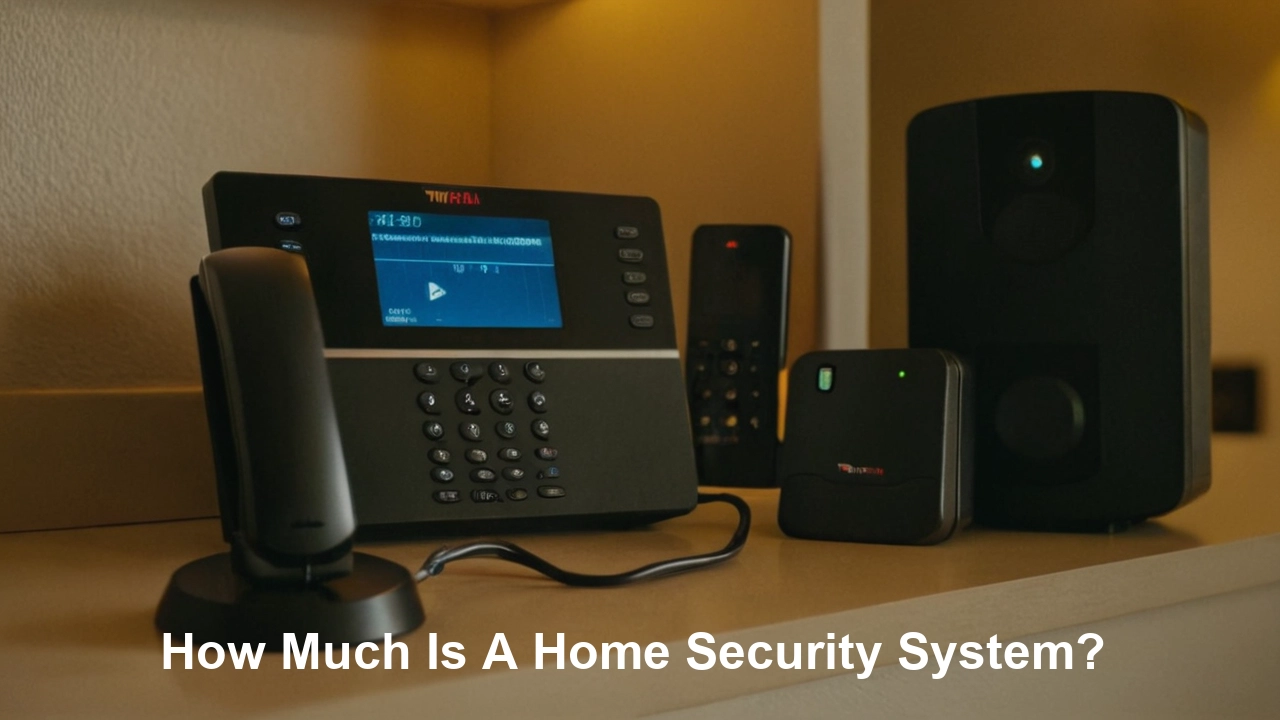
Understanding the cost of a home security system is crucial for protecting your property and loved ones. This comprehensive guide breaks down the various factors influencing price, from basic setups to advanced smart home integrations, helping you make an informed decision for your budget and security needs in 2025-2026.
Understanding the Core Costs of Home Security Systems
When asking "How much is a home security system?", it's essential to recognize that the answer isn't a single number. The total investment typically comprises several key components: the initial cost of the equipment, any installation fees, and ongoing monthly monitoring charges. In 2025-2026, the average homeowner can expect to spend anywhere from $200 to $1,500 or more upfront for equipment, with monthly fees ranging from $10 to $60, depending on the provider and the services selected. Understanding these distinct cost pillars is the first step toward making an informed decision that balances your security needs with your financial comfort zone.
DIY vs. Professionally Installed Systems: A Cost Comparison
One of the most significant decision points affecting the overall cost of a home security system is whether you opt for a do-it-yourself (DIY) installation or a professionally installed setup. Each approach comes with its own set of advantages and disadvantages, particularly concerning the initial investment and long-term commitment.
DIY Home Security Systems
DIY systems have surged in popularity due to their generally lower upfront costs and greater flexibility. These systems are designed for easy self-installation, often involving wireless components that can be mounted and connected with minimal technical expertise. The primary advantage here is the elimination of professional installation fees, which can range from $100 to $500 or more.
Upfront Costs: For DIY systems, the bulk of the expense lies in purchasing the starter kit and any additional sensors or cameras you might need. A basic DIY kit, typically including a hub, a few door/window sensors, and a motion detector, can cost between $150 and $400. Expanding this with additional sensors, a video doorbell, or indoor/outdoor cameras can easily push the total equipment cost to $500-$1,000+.
Monthly Fees: Many DIY providers offer optional professional monitoring services, which are usually more affordable than those for professionally installed systems. These can range from $10 to $30 per month. Some DIY systems also offer self-monitoring options, where alerts are sent directly to your smartphone, eliminating monthly fees altogether, though this requires you to be vigilant and responsive.
Examples of DIY Providers (2025-2026): Companies like SimpliSafe, Ring Alarm, and Wyze Home Security are prominent players in the DIY market, offering a range of packages to suit different budgets and needs.
Professionally Installed Home Security Systems
Professionally installed systems, often offered by larger, established security companies, involve expert technicians who handle the entire setup process. This ensures that all components are optimally placed and configured for maximum effectiveness. While the initial investment is typically higher, many homeowners find the convenience and assurance of a professional setup worthwhile.
Upfront Costs: The cost of equipment for professionally installed systems can vary widely. Some companies offer free or heavily subsidized equipment when you sign a long-term monitoring contract (e.g., 2-3 years). However, if you prefer to purchase the equipment outright or choose premium components, you might be looking at an upfront cost of $500 to $1,500 or more. Installation fees, if not bundled, can add another $100 to $500.
Monthly Fees: Professionally installed systems almost always come with mandatory professional monitoring, which is reflected in higher monthly fees. These typically range from $30 to $60 per month. These fees cover 24/7 monitoring by a central station that dispatches emergency services when an alarm is triggered.
Examples of Professional Providers (2025-2026):Vivintng> ADT, Vivint, and Brinks Home Security are well-known providers that offer professionally installed and monitored solutions.
Cost Comparison Table
Here's a simplified comparison to illustrate the typical cost differences:
| Feature | DIY Systems (Average) | Professionally Installed Systems (Average) |
|---|---|---|
| Upfront Equipment Cost | $150 - $1,000+ | $0 - $1,500+ (often bundled with contracts) |
| Installation Fee | $0 (self-installed) | $0 - $500+ (if not bundled) |
| Monthly Monitoring Fee | $0 - $30 | $30 - $60+ |
| Contract Length | Often no contract or month-to-month | Typically 2-3 years |
| Flexibility | High | Lower |
| Ease of Setup | Moderate (user-dependent) | High (professional) |
Breaking Down Equipment Costs
The hardware you choose is a fundamental driver of the initial investment in your home security system. The price of each component can vary significantly based on brand, features, and technological sophistication. Understanding the typical costs associated with common security devices will help you budget more effectively.
Core Components and Their Prices (2025-2026 Estimates)
- Base Station/Hub: This is the brain of your system, connecting all devices and communicating with the monitoring center. Costs generally range from $50 to $200.
- Door and Window Sensors: These detect when a door or window is opened. They are typically sold in packs. A pack of 2-4 sensors can cost between $30 and $100.
- Motion Detectors: These sense movement within a room. Prices usually fall between $25 and $75. Pet-immune models may cost slightly more.
- Keypads/Key Fobs: For arming and disarming the system. Keypads can range from $30 to $100, while key fobs are usually $20 to $50.
- Security Cameras:
- Indoor Cameras: Basic indoor cameras start around $40-$80, while advanced models with features like night vision, two-way audio, and higher resolution can cost $100-$250.
- Outdoor Cameras: These are generally more expensive due to weatherproofing and advanced features. Expect to pay $100-$300 per camera. Wireless, solar-powered, or 4K models can push prices higher.
- Video Doorbells: These combine a doorbell with a camera. Prices range from $100 to $250, with premium models offering wider fields of view and advanced motion detection.
- Environmental Sensors:
- Smoke and Carbon Monoxide Detectors: Integrated detectors can cost $50-$100 each.
- Water Leak Sensors: These are relatively inexpensive, typically $20-$40.
- Glass Break Sensors: These detect the sound of breaking glass and usually cost $30-$60.
- Yard Signs and Window Stickers: While seemingly minor, these are crucial deterrents and are often included with systems, or can be purchased for $10-$30.
Bundles and Packages
Most security companies offer pre-packaged kits that provide a cost-effective way to get started. These bundles often include a base station, a few door/window sensors, and a motion detector. The price of these starter kits can range from $150 for basic DIY options to $500+ for more comprehensive packages from professional installers.
When evaluating bundles, consider the number of sensors included and whether they meet your home's specific needs. It's often more economical to purchase a bundle and add individual components later if required, rather than buying all components separately.
The Impact of Brand and Technology
Premium brands and cutting-edge technology will naturally command higher prices. For instance, systems with advanced AI-powered analytics for cameras, higher resolution video, or seamless integration with a wide array of smart home devices will be more expensive than simpler, standalone systems. Similarly, brands with a long-standing reputation for reliability and customer service might charge a premium.
For example, a basic Wi-Fi security camera from an emerging brand might cost $50, while a professional-grade, weatherproof 4K camera from a well-established security manufacturer could be $300 or more. The decision often comes down to balancing budget constraints with the desired level of security, features, and brand trust.
The Price of Peace of Mind: Monitoring Fees
Beyond the initial equipment purchase, the ongoing cost of professional monitoring is a significant factor in the total price of a home security system. This monthly fee covers the service that keeps watch over your home 24/7, ready to respond to alarms.
Types of Monitoring
- Professional Monitoring: This is the standard for most security systems. When an alarm is triggered, a signal is sent to a central monitoring station staffed by trained professionals. They will verify the alarm (often by calling you or using two-way audio through cameras) and, if necessary, dispatch local emergency services (police, fire department, or ambulance). This service typically costs between $30 and $60 per month.
- Self-Monitoring: With self-monitoring, your security system sends alerts directly to your smartphone or other designated devices when an alarm is triggered. You are then responsible for assessing the situation and contacting emergency services yourself. This option is common with DIY systems and often comes with no monthly fee or a very low fee for app access. While it saves money, it requires constant vigilance and immediate action from the homeowner.
Factors Influencing Monitoring Fees
- Level of Service: Basic alarm monitoring is generally cheaper than systems that include video verification, cellular backup (in case your internet goes down), or integration with smart home assistants.
- Contract Length: Many companies offer lower monthly rates for customers who sign longer monitoring contracts (e.g., 2-3 years). Shorter contracts or month-to-month options may have slightly higher monthly fees.
- Bundled Services: If your monitoring fee includes features like cloud storage for camera footage, remote access to your system, or smart home automation, the monthly cost will be higher.
- Provider Reputation and Infrastructure: Larger, established companies with extensive monitoring networks and advanced technology may charge more for their services.
Comparing Monitoring Costs
The difference in monthly costs between DIY and professionally installed systems is often stark. A DIY system with professional monitoring might cost $10-$30 per month, while a comparable service from a traditional provider could be $40-$60 or more. Over several years, this difference can add up significantly.
For example, a $20 per month difference ($40 vs. $60) amounts to $240 per year, or $720 over a three-year contract. This highlights the importance of factoring in the long-term cost of monitoring when comparing different security solutions.
The Value Proposition of Professional Monitoring
While self-monitoring saves money, professional monitoring offers a crucial layer of security, especially for those who are frequently away from home or have families. The peace of mind that comes from knowing trained professionals are watching your home and can dispatch help immediately is often considered well worth the monthly expense. In 2025-2026, with increasing concerns about home security, many homeowners are prioritizing this reliable, hands-off approach.
Installation and Setup Expenses
The process of getting your home security system up and running can incur costs beyond the equipment and monitoring fees. These expenses are primarily related to the labor involved in installing the system, though some DIY setups might have minor associated costs.
Professional Installation
For professionally installed systems, this is often a significant part of the initial outlay. Technicians will visit your home, assess the best locations for sensors and cameras, run wires if necessary (though most modern systems are wireless), and configure the entire system. The cost of professional installation can vary widely based on:
- Company Pricing Structure: Some companies include installation in the overall package price or offer it for free with a long-term contract. Others charge a separate fee.
- Complexity of the Installation: A larger home with many entry points and the need for extensive wiring might incur higher installation costs than a smaller apartment with a simple wireless setup.
- Geographic Location: Labor costs can differ based on the region.
Typical Costs: Professionally installed systems can incur installation fees ranging from $100 to $500 or more. In some cases, particularly with premium systems like Vivint, the installation is often bundled into a larger financing package for the equipment, making the upfront fee seem lower but spread over time.
DIY Installation
The primary advantage of DIY systems is the elimination of professional installation fees. These systems are designed for homeowners to set up themselves, often in under an hour for basic configurations. However, there might be minor costs associated with DIY installation:
- Tools: While most DIY systems require only basic tools like a screwdriver and a drill, you might need to purchase these if you don't already own them.
- Mounting Hardware: While most sensors come with adhesive strips, some users might prefer to purchase additional mounting brackets or screws for added security or specific placement needs.
- Time Investment: While not a direct monetary cost, the time you spend installing the system is a factor to consider.
Cost Savings: By opting for DIY installation, homeowners can save anywhere from $100 to $500 or more compared to professional installation.
System Activation Fees
Some security companies, both DIY and professional, may charge a one-time activation fee to set up your account and connect your system to their network. These fees are typically in the range of $25 to $100. It's essential to clarify this fee during the sales process.
Relocation and Reinstallation
If you move, you'll need to consider the cost of either transferring your existing system to your new home or purchasing a new one. Some companies offer moving services, which may involve a fee. If you're moving a DIY system, you'll save on installation but might need to purchase additional sensors for your new home.
The Trade-off: Cost vs. Convenience
The decision between professional and DIY installation often boils down to a trade-off between cost and convenience. If you're comfortable with technology and have the time, a DIY system can save you a significant amount of money. If you prefer a hands-off approach and want the assurance of expert setup, professional installation is the way to go, but be prepared for the associated costs.
Smart Home Integration: Adding Value and Cost
In 2025-2026, home security systems are increasingly becoming integrated with broader smart home ecosystems. This convergence offers enhanced convenience, automation, and a more connected living experience, but it also adds to the overall cost of the system.
What is Smart Home Integration?
Smart home integration refers to the ability of your security system to communicate and work in conjunction with other smart devices in your home. This can include smart lights, thermostats, door locks, voice assistants (like Amazon Alexa or Google Assistant), and more. The goal is to create a seamless, automated environment where devices can trigger actions in one another.
Benefits of Smart Home Integration
- Enhanced Automation: Imagine your security system disarming automatically when you unlock your smart door with your fingerprint, or your lights turning on when motion is detected outside.
- Remote Control: Control your entire smart home, including your security system, from a single app on your smartphone.
- Voice Control: Use voice commands to arm/disarm your system, check camera feeds, or control connected smart devices.
- Energy Savings: Integrate your thermostat to adjust temperature settings when you leave the house or arm the system.
- Increased Convenience: Simplify daily routines through interconnected devices.
Components That Enable Smart Home Integration
- Smart Hubs: Many security systems come with a central hub that acts as the bridge between your security devices and other smart home gadgets. These hubs often support various communication protocols like Wi-Fi, Z-Wave, and Zigbee, ensuring compatibility with a wide range of devices.
- Smart Locks: Integrated smart locks allow you to remotely lock/unlock doors and grant temporary access to guests.
- Smart Lights: Connect your security system to smart bulbs to have lights turn on when motion is detected or when the alarm is triggered, deterring potential intruders.
- Smart Thermostats: Integrate your thermostat to optimize energy usage based on your home's security status.
- Voice Assistants: Compatibility with Amazon Alexa, Google Assistant, or Apple HomeKit allows for voice control of your security system and other connected devices.
The Cost Implications of Smart Home Integration
Adding smart home capabilities typically increases the cost of a security system in several ways:
- Higher Equipment Costs: Smart devices themselves are generally more expensive than their non-smart counterparts. A smart lock will cost more than a standard deadbolt, and smart lights are pricier than traditional bulbs.
- More Advanced Hubs: Security system hubs that support extensive smart home integration often have more sophisticated hardware and software, leading to a higher base cost.
- Subscription Tiers: Some security providers offer tiered subscription plans where advanced smart home integration features are locked behind higher monthly fees. For example, cloud storage for multiple cameras or advanced automation rules might require a premium plan.
- Compatibility Issues: While many systems aim for broad compatibility, sometimes specific devices or protocols might require additional adapters or bridges, adding to the overall expense.
Example: A basic security system with no smart home features might cost $500 upfront and $30/month. A comparable system with full smart home integration, including a smart lock and compatibility with Alexa, might cost $800 upfront and $45/month. The additional $15/month covers the convenience and advanced features of the integrated ecosystem.
Choosing the Right Level of Integration
When considering smart home integration, it's important to assess your actual needs. Do you plan to use voice control? Do you want your lights to interact with your security system? Prioritize the smart features that will genuinely enhance your life and security, rather than paying for features you won't use. Many providers offer modular systems, allowing you to start with a basic setup and add smart components later as your budget and needs evolve.
Long-Term Cost Considerations and ROI
When evaluating "How much is a home security system?", it's crucial to look beyond the initial purchase and monthly fees. The long-term cost and the return on investment (ROI) are vital aspects that can significantly impact your overall financial commitment and the value you derive from your system.
Total Cost of Ownership
The total cost of ownership (TCO) encompasses all expenses over the lifespan of the security system. This includes:
- Upfront Equipment Costs
- Installation Fees (if applicable)
- Monthly Monitoring Fees
- Potential Repair or Replacement Costs
- Subscription Fees for Additional Features (e.g., cloud storage)
For a typical professionally installed system with a 3-year contract, the TCO could easily range from $1,500 to $3,000 or more. A DIY system, while having a potentially higher upfront equipment cost, might have a lower TCO over the same period if monthly fees are minimal or non-existent.
System Lifespan and Obsolescence
Home security technology evolves rapidly. A system purchased today might feel outdated in 5-7 years. Consider the lifespan of the equipment and the provider's upgrade policies. Some companies offer upgrade programs, allowing you to trade in older equipment for newer models, though this usually comes with a fee or a new contract.
Example: A basic wireless sensor might have a battery life of 3-5 years, requiring replacement costs. More advanced cameras may become obsolete as higher resolution or AI-powered models become standard.
Return on Investment (ROI)
The ROI of a home security system isn't solely measured in dollars saved. It's a multifaceted concept that includes:
- Deterrence of Crime: Visible security measures like cameras and yard signs can deter potential burglars. Studies have shown that homes with security systems are less likely to be targeted. According to the Bureau of Justice Statistics, in 2023, households with security systems reported lower rates of burglary.
- Reduced Insurance Premiums: Many home insurance providers offer discounts for homes equipped with security systems. These discounts can range from 5% to 20% annually, helping to offset the cost of the system. It's always advisable to check with your insurance provider.
- Protection of Valuables: The primary ROI is the protection of your belongings, sentimental items, and, most importantly, your family's safety. The cost of replacing stolen items or the emotional toll of a break-in far outweighs the cost of a security system for many.
- Peace of Mind: This intangible benefit is invaluable. Knowing your home is protected, whether you're at home or away, contributes significantly to your overall well-being.
Hidden Costs to Watch For
- Cancellation Fees: If you break a long-term contract early, you could face substantial cancellation fees.
- Equipment Upgrade Fees: Some providers charge extra for upgrading to newer technology.
- Service Call Fees: If a technician needs to visit your home for repairs or adjustments outside of warranty, you might incur a service call fee.
- Battery Replacement: Wireless sensors and cameras require battery replacements, which are typically the homeowner's responsibility.
Making a Financially Sound Decision
To maximize your ROI, choose a system that aligns with your budget and provides the features you truly need. Consider the long-term costs, including monitoring fees and potential maintenance. For many, the peace of mind and potential insurance savings make a home security system a worthwhile investment that pays dividends in safety and security over time.
Key Factors Influencing Your Home Security System's Price
When you're trying to answer "How much is a home security system?", several critical factors come into play that will ultimately determine the final cost. Understanding these variables will empower you to make a more informed decision and avoid unexpected expenses.
1. Type of System: DIY vs. Professionally Installed
As discussed earlier, this is a primary cost differentiator. DIY systems generally have lower upfront installation costs but may require you to purchase all equipment outright. Professionally installed systems often bundle equipment and installation, sometimes with free or subsidized hardware in exchange for a long-term contract and higher monthly fees.
2. Equipment Selection
The number and type of devices you choose will significantly impact the initial price. A basic kit might include a hub, a couple of door/window sensors, and a motion detector. Expanding with multiple cameras, video doorbells, glass break sensors, and environmental sensors will naturally increase the cost.
- Cameras: Indoor, outdoor, wired, wireless, resolution (HD, 4K), night vision capabilities, and field of view all affect price.
- Sensors: Standard door/window sensors are cheaper than advanced ones with features like tilt detection or vibration sensors.
- Smart Devices: Integrated smart locks, thermostats, and lighting control add to the overall equipment cost.
3. Monitoring Services
The core differentiator here is professional monitoring versus self-monitoring.
- Professional Monitoring: 24/7 oversight by a central station, dispatching emergency services. This is the most expensive option, typically $30-$60+ per month.
- Self-Monitoring: Alerts sent to your smartphone; you are responsible for contacting authorities. Often free or very low cost ($0-$10/month).
Some systems offer hybrid models, allowing for both.
4. Contract Length and Terms
Many professional security companies require a contract, typically lasting 2 to 3 years. Signing a longer contract often results in lower monthly monitoring fees or subsidized equipment costs. Conversely, month-to-month plans or shorter contracts may have higher recurring costs.
Beware of: Early termination fees, which can be substantial if you need to break a contract prematurely.
5. Smart Home Integration Capabilities
Systems designed to integrate with smart home platforms (e.g., Amazon Alexa, Google Assistant, Apple HomeKit) and control other smart devices (lights, thermostats, locks) often come at a premium. The cost can increase due to more advanced hubs, compatible devices, and potentially higher subscription tiers for advanced automation features.
6. Brand Reputation and Technology
Established brands with a long history in the security industry may charge more for their products and services, reflecting their reputation for reliability and customer support. Similarly, systems featuring cutting-edge technology, such as advanced AI video analytics, high-resolution cameras, or proprietary wireless protocols, will likely be more expensive.
7. Installation Complexity
For professionally installed systems, the complexity of the installation can influence the price. Factors like the size of your home, the number of access points, and whether any wiring is required can affect the labor costs. Wireless systems are generally quicker and cheaper to install.
8. Geographic Location
The cost of living and labor rates can vary significantly by region. Installation fees and even monthly monitoring costs might be higher in metropolitan areas compared to rural locations.
9. Additional Features and Services
Beyond basic intrusion detection, systems may offer add-ons that increase the price:
- Video Storage: Cloud storage for camera footage often requires a monthly subscription fee.
- Cellular Backup: Ensures your system can still communicate with the monitoring center if your internet connection fails.
- Environmental Monitoring: Integrated smoke, CO, flood, and freeze sensors.
- Mobile App Features: Advanced features within the mobile app might be part of a premium subscription.
By carefully considering each of these factors, you can better estimate the cost of a home security system that truly fits your needs and budget.
Budgeting for Your Home Security System
Determining "How much is a home security system?" is best approached with a clear budget in mind. A well-planned budget will help you navigate the various cost components and select a system that offers the best value for your specific circumstances. Here’s a step-by-step guide to budgeting effectively:
1. Assess Your Security Needs
Before looking at prices, identify what you need to protect and what threats you're most concerned about. Consider:
- Home Size and Layout: A larger home will require more sensors and potentially cameras.
- Entry Points: Count all doors and accessible windows.
- Vulnerable Areas: Are there secluded areas, detached garages, or large glass panes?
- Specific Concerns: Are you more worried about break-ins, package theft, or environmental hazards like fire or water leaks?
- Occupancy: How often is the home occupied?
This assessment will help you determine the essential components you'll need, preventing you from overspending on unnecessary features.
2. Differentiate Between Upfront and Ongoing Costs
It's crucial to separate the initial investment from the recurring monthly expenses. Create two distinct budget categories:
- Upfront Costs: This includes the price of the equipment, installation fees, and any activation fees.
- Ongoing Costs: This primarily consists of monthly monitoring fees, potential cloud storage subscriptions, and battery replacements.
3. Research Different System Types
Based on your needs and budget, decide whether a DIY or professionally installed system is a better fit. Research providers in each category and get quotes. Remember to compare not just the sticker price but also the contract terms and what's included.
- DIY Systems: Focus on the total equipment cost and compare the optional monthly monitoring fees.
- Professional Systems: Look at the total contract cost over its duration, including equipment, installation, and all monthly fees.
4. Factor in Optional Add-ons
Consider any extra features you might want, such as additional cameras, smart home devices, or enhanced monitoring services. Add these to your upfront and ongoing cost calculations. For example, if you want a video doorbell, add its price to your upfront budget and consider if it requires a separate subscription for cloud storage.
5. Calculate the Total Cost of Ownership (TCO)
For a more accurate picture, calculate the TCO for at least a 3-year period. This will help you compare systems with different contract lengths and fee structures.
TCO Formula: (Upfront Equipment Cost + Installation Fee) + (Monthly Fee * 36 months)
Remember to also factor in potential costs for battery replacements or future upgrades.
6. Look for Discounts and Promotions
Many security companies offer seasonal promotions, discounts for bundling services (e.g., with internet or TV packages), or referral bonuses. Also, inquire about potential discounts from your homeowner's insurance provider for having a security system installed.
7. Set a Realistic Budget Range
Based on your research and calculations, establish a realistic budget range. For instance:
- Basic Security (DIY): $200 - $600 upfront, $0 - $20/month.
- Mid-Range Security (DIY or Pro): $500 - $1,200 upfront, $20 - $45/month.
- Comprehensive Security (Pro): $800 - $2,000+ upfront (often financed), $40 - $60+/month.
These are general estimates for 2025-2026 and can vary significantly.
8. Prioritize and Compromise
If your ideal system exceeds your budget, identify which features are most critical and which you can live without. Perhaps you can start with fewer cameras and add more later, or opt for self-monitoring initially and upgrade to professional monitoring if needed.
By following these steps, you can create a well-informed budget that ensures you invest in a home security system that provides the protection you need without breaking the bank.
Making the Right Investment in Home Security
The question of "How much is a home security system?" is multifaceted, with costs ranging from a few hundred dollars for basic DIY setups to several thousand for comprehensive, professionally installed solutions over several years. In 2025-2026, the average homeowner can expect an initial outlay of $200-$1,500 for equipment and installation, followed by monthly monitoring fees of $10-$60. The key to making the right investment lies in understanding the distinct cost components—equipment, installation, and ongoing monitoring—and how factors like DIY versus professional installation, the number and type of devices, contract length, and smart home integration influence the final price. By carefully assessing your security needs, researching thoroughly, and budgeting effectively, you can find a system that offers robust protection and peace of mind without exceeding your financial comfort zone.



