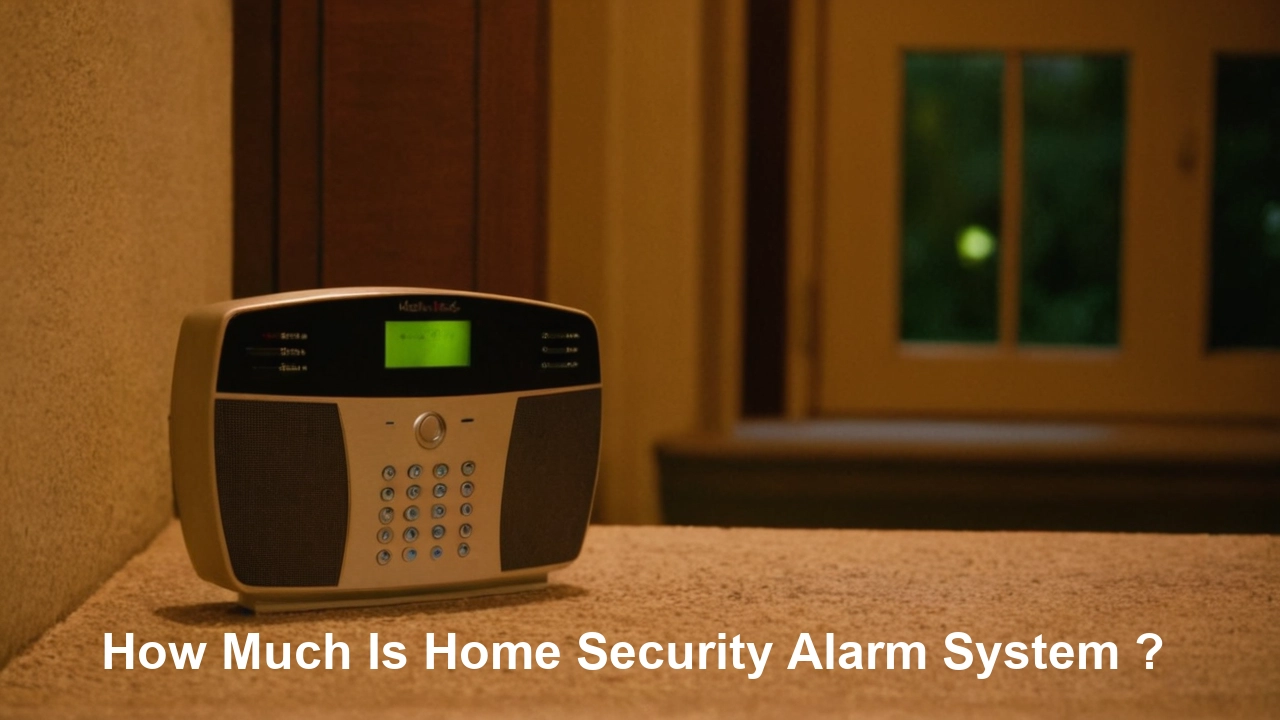
Understanding the cost of a home security alarm system is crucial for homeowners seeking peace of mind. Prices vary significantly based on features, installation, and monitoring services, ranging from a few hundred dollars for basic DIY kits to several thousand for professionally installed, comprehensive systems. This guide breaks down the factors influencing cost and provides current 2025-26 pricing insights.
Understanding the Core Costs of Home Security Alarm Systems
The question "How much is a home security alarm system?" doesn't have a single, simple answer because the market offers a vast spectrum of solutions. To truly understand the investment, you need to dissect the costs into their fundamental components: the initial equipment purchase, installation expenses, and ongoing monitoring fees. These three pillars form the backbone of any home security system's pricing structure. In 2025-26, homeowners are increasingly looking for integrated smart home solutions, which can sometimes influence these core costs, often leading to higher upfront investments but potentially greater long-term value and convenience.
The initial outlay for equipment is often the most significant upfront expense. This can range from a few basic sensors and a control panel for a DIY system to a comprehensive suite of cameras, motion detectors, door/window sensors, and smart home integrations for a professionally installed package. Following the equipment, installation presents another decision point: do you opt for the potentially lower cost of a do-it-yourself (DIY) approach, or do you pay a premium for the expertise and convenience of professional installation? Finally, the ongoing cost of professional monitoring is a critical consideration for many, providing 24/7 oversight and rapid response in case of an alarm event. The monthly fees for this service can vary widely based on the provider and the level of service offered.
Understanding these core costs is the first step towards making an informed decision. We'll delve into each of these areas in detail, providing 2025-26 pricing estimates and highlighting the factors that can drive costs up or down. By the end of this guide, you'll have a clear picture of what to expect when investing in a home security alarm system.
Equipment Costs: The Foundation of Your System
The price of a home security alarm system's equipment is highly variable, dictated by the type of components, their sophistication, brand reputation, and whether they are part of a bundled package or purchased à la carte. For 2025-26, the market is characterized by a strong trend towards smart, connected devices, which often come with a higher price tag but offer enhanced functionality.
Basic Starter Kits
For budget-conscious homeowners or those with smaller residences, basic starter kits offer a foundational level of security. These typically include:
- Control Panel/Hub: The central brain of the system. Basic models might cost between $100 - $300. Smart hubs with advanced features like voice control integration can range from $200 - $500.
- Door/Window Sensors: These detect when an entry point is opened. A pack of 2-4 sensors can cost $30 - $100.
- Motion Detectors: These sense movement within a room. A single motion detector typically costs $20 - $60.
- Key Fob or Basic Keypad: For arming and disarming the system. Often included in starter kits, but individual purchase can be $20 - $50.
A typical DIY basic starter kit in 2025-26 might range from $200 to $600.
Mid-Range Systems
Mid-range systems offer more comprehensive coverage and often include smarter components. These might add:
- Additional Sensors: More door/window sensors for all entry points, or specialized sensors like glass break detectors ($40 - $70 each).
- Indoor Security Cameras: For monitoring activity inside the home. Basic HD cameras can cost $50 - $150 each.
- Smart Home Integration: Compatibility with smart locks, thermostats, or lighting systems. This often comes with a more advanced hub.
The equipment cost for a mid-range system can typically fall between $500 and $1,500.
High-End and Smart Home Integrated Systems
These systems are designed for maximum coverage, advanced features, and seamless integration with the broader smart home ecosystem. They often include:
- Outdoor Security Cameras: Weatherproof cameras with advanced features like night vision, two-way audio, and AI-powered person detection. These can range from $100 to $300+ each.
- Video Doorbells: Allowing remote viewing and communication with visitors. Expect to pay $100 - $250.
- Environmental Sensors: Smoke detectors, carbon monoxide detectors, and flood sensors that integrate with the security system. These can cost $30 - $100 each.
- Smart Locks: For keyless entry and remote access control. Prices range from $150 - $300.
- Professional-Grade Control Panels: With touchscreens, advanced connectivity, and more robust features.
- Yard Signs and Window Decals: Often included, serving as a visual deterrent.
For a comprehensive, high-end system with multiple cameras and smart home devices, equipment costs in 2025-26 can easily range from $1,000 to $3,000 or more. Some premium packages from major providers can even exceed $5,000 for extensive installations.
DIY vs. Professionally Supplied Equipment
DIY systems (e.g., SimpliSafe, Ring Alarm, Abode) often allow you to purchase components individually or in customizable packages, potentially offering more flexibility and lower upfront costs for basic setups. Professionally installedVivintms (e.g., ADT, Vivint) typically bundle equipment into their packages, and the cost is often amortized over a contract period or included in a higher monthly fee. While the upfront equipment cost might seem lower with some professional services, the total cost over several years can be higher.
Example Scenario (2025-26): A homeowner wants a system for a 3-bedroom house. They opt for a DIY kit including a hub, 4 door/window sensors, 2 motion detectors, and 1 video doorbell. This might cost around $600 - $900. If they instead choose a professional installer for a similar setup, the equipment might be bundled, with an upfront cost of $300 - $700, but with higher monthly monitoring fees.
Installation: DIY vs. Professional
The method of installation is a significant factor in the overall cost of a home security alarm system. Homeowners in 2025-26 have two primary choices: do-it-yourself (DIY) installation or professional installation. Each comes with its own set of advantages, disadvantages, and associated costs.
DIY Installation
DIY installation is increasingly popular due to the user-friendly design of modern security systems. Most DIY systems are wireless, meaning they don't require extensive wiring through walls. Components are designed to be easily mounted with adhesive strips or simple screws, and setup is typically guided by mobile apps.
- Cost: The primary benefit of DIY installation is the elimination of labor costs. You are essentially paying only for your time and effort. This can save anywhere from $100 to $1,000+ compared to professional installation, depending on the complexity of the system.
- Time Commitment: Setting up a basic DIY system can take anywhere from 1 to 4 hours. More complex systems with multiple cameras and sensors might require a full day.
- Skill Level: Requires basic comfort with technology, following instructions, and using simple tools like a screwdriver or drill.
- Pros: Significant cost savings, flexibility in placement of devices, no scheduling required, sense of accomplishment.
- Cons: Requires personal time and effort, potential for errors if instructions aren't followed precisely, no expert advice during setup.
Professional Installation
Professional installation involves hiring technicians from the security company to install and configure the entire system. This is often the standard for traditional security providers.
- Cost: Professional installation fees can vary widely.
- One-time Fees: Many companies charge a one-time installation fee, which can range from $100 to $500 for standard systems. For more complex, hardwired systems or extensive smart home integrations, this fee can climb to $1,000 or more.
- Bundled Costs: Some companies bundle installation costs into monthly monitoring fees or require a longer contract to amortize the installation expense. In these cases, there might be no separate upfront installation fee, but the overall cost over the contract term will be higher. Vivint, for instance, often includes installation in their service packages.
- Time Commitment: Technicians handle the entire process, which can take anywhere from 2 hours to a full day, depending on the system's size and complexity.
- Skill Level: No technical skill is required from the homeowner.
- Pros: Ensures correct setup and optimal placement of devices, expert advice and system configuration, saves homeowner time and effort, often includes system testing and demonstration.
- Cons: Higher upfront cost, requires scheduling appointments, less flexibility in device placement once installed by professionals.
Hybrid Approaches
Some systems offer a hybrid approach where basic components are DIY-friendly, but more complex elements like hardwired sensors or advanced camera installations might be offered as professional add-ons. This can provide a balance between cost savings and expert setup for critical components.
Example Scenario (2025-26): A homeowner chooses a system with a base station, 5 door/window sensors, and 2 indoor cameras.
- DIY Route: Total cost = Equipment cost (e.g., $500) + $0 installation = $500.
- Professional Route: Total cost = Equipment cost (e.g., $400, potentially bundled) + Installation fee (e.g., $250) = $650. Alternatively, if installation is rolled into a monthly fee, the upfront might be lower, but the total cost over 3 years could be higher.
Monitoring Fees: Ongoing Protection and Support
While equipment and installation are significant upfront costs, the ongoing expense of professional monitoring is a crucial consideration for the long-term cost of a home security alarm system. In 2025-26, monitoring services have evolved to include not just alarm dispatch but also smart home integration, video surveillance, and advanced customer support.
Types of Monitoring
There are two primary types of monitoring:
- Professional Monitoring: This is the most common and recommended service for comprehensive security. A central monitoring station, staffed 24/7 by trained professionals, receives alerts from your alarm system. Upon receiving an alert, they verify the alarm (often by calling you or designated contacts) and then dispatch emergency services (police, fire department, or medical responders) if necessary.
- Self-Monitoring: With self-monitoring, your system sends alerts directly to your smartphone or email. You are then responsible for contacting emergency services yourself. This is typically offered with DIY systems and incurs no monthly fee, but it requires you to be constantly vigilant and available to respond.
Average Monthly Costs for Professional Monitoring (2025-26)
The monthly fees for professional monitoring vary based on the provider, the level of service, and contract terms. Here's a general breakdown:
- Basic Professional Monitoring: Covers standard alarm dispatch. Costs typically range from $20 to $40 per month. Companies like SimpliSafe offer this at competitive rates.
- Enhanced Monitoring with Smart Features: This tier often includes features like mobile app control, remote arming/disarming, and basic video event notifications. Prices can range from $30 to $50 per month.
- Comprehensive Smart Home Integration & Video Monitoring: This is the premium tier, offering advanced features such as continuous video recording, live streaming access to cameras, integration with smart locks and other home automation devices, and sometimes even cellular backup for internet outages. These plans can cost $40 to $70+ per month. Companies like Vivint and ADT often fall into this higher bracket, especially when their proprietary smart home ecosystems are involved.
Factors Influencing Monitoring Fees
- Contract Length: Many companies offer lower monthly rates for longer contract commitments (e.g., 3-5 years). Month-to-month options are usually more expensive.
- Number of Connected Devices: Systems with more cameras or sensors that require monitoring may incur slightly higher fees, though this is less common for basic alarm events.
- Cellular Backup: Systems that use cellular communication as a backup to Wi-Fi (highly recommended for reliability) often have a slightly higher monthly fee to cover the cellular service.
- Video Storage: Cloud storage for video footage from security cameras is a common add-on that increases monthly costs. Plans might offer storage for a certain number of days or a specific number of cameras.
- Customer Service and Support: Premium support packages or dedicated account managers can also influence the monthly price.
Cellular vs. Wi-Fi Backup
For reliable monitoring, a system that uses both Wi-Fi and cellular backup is ideal. If your home internet goes down, the cellular connection ensures your system can still communicate with the monitoring center. This feature is a key differentiator in pricing, with cellular backup typically adding $5-$15 per month to the service cost.
Example Scenario (2025-26): A homeowner chooses a system with professional monitoring.
- Basic Monitoring: $25/month. Total annual cost: $300.
- Monitoring with Smart Features & Cellular Backup: $45/month. Total annual cost: $540.
- Premium Smart Home Integration & Video Storage: $60/month. Total annual cost: $720.
It's crucial to read the fine print regarding contract terms, cancellation policies, and what is included in each monitoring tier. For instance, some providers might require you to purchase their equipment outright, while others lease it as part of the monthly fee, which can affect the total cost over time.
Home Security System Types and Their Associated Costs
The overall cost of a home security alarm system is heavily influenced by the type of system chosen. In 2025-26, homeowners have a variety of options, each with its own pricing structure, features, and target audience. Understanding these distinctions is key to finding a solution that fits your needs and budget.
1. DIY Wireless Systems
These systems are designed for easy installation by the homeowner, typically using wireless sensors that communicate with a central hub. They are popular for their flexibility, affordability, and lack of long-term contracts.
- Key Features: Wireless sensors, easy setup via mobile app, often expandable, self-monitoring or optional professional monitoring.
- Equipment Costs: $200 - $800 for a starter kit (hub, 2-4 sensors, motion detector). Additional sensors are $20-$50 each. Cameras range from $50-$200.
- Installation Costs: $0 (DIY).
- Monitoring Costs: Optional professional monitoring typically $15 - $40 per month. Self-monitoring is free.
- Total Estimated Cost (First Year): $200 - $1,500 (depending on equipment and monitoring choice).
- Examples: SimpliSafe, Ring Alarm, Abode, Wyze Home Monitoring.
2. Professionally Installed & Monitored Systems
These are traditional security systems installed and monitored by a professional security company. They often involve more robust equipment, professional installation, and mandatory long-term contracts for monitoring.
- Key Features: Professional installation, 24/7 professional monitoring, often integrated with landlines or cellular backup, comprehensive sensor packages, sometimes bundled with smart home devices.
- Equipment Costs: Often bundled into monthly fees or amortized over a contract. Upfront costs can range from $0 - $1,000+, depending on the provider and package.
- Installation Costs: $100 - $500+ one-time fee, or included in monthly payments.
- Monitoring Costs: $30 - $60+ per month, usually requiring a 2-5 year contract.
- Total Estimated Cost (First Year): $500 - $2,500+ (including installation and first year of monitoring).
- Examples: ADT, Vivint, Brinks Home Security.
3. Smart Home Integrated Systems
These systems go beyond basic security, integrating with smart home devices like thermostats, lighting, door locks, and voice assistants. They offer convenience and automation alongside security.
- Key Features: Advanced connectivity, app control for all devices, automation routines, often include high-definition cameras and video doorbells.
- Equipment Costs: $500 - $3,000+, as these systems typically include multiple smart devices.
- Installation Costs: Can be DIY ($0) for some platforms, or professional ($100-$500+) for more complex integrations.
- Monitoring Costs: $30 - $70+ per month, often including video storage and smart home management.
- Total Estimated Cost (First Year): $800 - $4,000+ (depending on equipment, installation, and monitoring).
- Examples: Vivint, Control4 (more custom integration), some higher-tier packages from ADT.
4. Wired (Hardwired) Systems
These systems use physical wires to connect sensors and components to a central control panel. They are generally considered more reliable and less susceptible to interference than wireless systems but are more complex and expensive to install, especially in existing homes.
- Key Features: High reliability, no battery changes for sensors, robust and secure connection.
- Equipment Costs: Can be comparable to wireless systems for the components themselves, but the installation cost is significantly higher.
- Installation Costs: $500 - $2,500+, as it often requires running wires through walls, ceilings, and floors. Best suited for new construction or major renovations.
- Monitoring Costs: $25 - $50 per month.
- Total Estimated Cost (First Year): $1,000 - $3,500+ (heavily dependent on installation complexity).
- Examples: Often custom-installed or older systems from traditional providers.
5. Hybrid Systems
These systems combine elements of both wired and wireless technology, allowing for flexibility in installation and leveraging the benefits of both approaches.
- Key Features: Mix of wired and wireless components, offering a balance of reliability and ease of installation.
- Equipment Costs: Varies based on the mix of wired and wireless components.
- Installation Costs: Can be a mix of DIY and professional, or entirely professional, with costs ranging from $200 - $1,000+.
- Monitoring Costs: $25 - $50 per month.
- Total Estimated Cost (First Year): $600 - $2,000+.
Pricing Comparison Table (Estimated First Year Costs for a Medium-Sized Home):
| System Type | Typical Equipment Cost | Typical Installation Cost | Typical First Year Monitoring Cost | Estimated First Year Total |
|---|---|---|---|---|
| DIY Wireless | $300 - $800 | $0 | $180 - $480 | $480 - $1,280 |
| Professional Install & Monitor | $0 - $500 (often bundled) | $100 - $500 | $360 - $720 | $460 - $1,720 |
| Smart Home Integrated | $500 - $2,000 | $0 - $300 | $360 - $840 | $860 - $3,140 |
| Wired (New Construction) | $300 - $1,000 | $500 - $2,500+ | $300 - $600 | $1,100 - $4,100+ |
These figures are estimates for 2025-26 and can vary significantly based on specific providers, promotions, and the exact configuration of the system. It's essential to get personalized quotes.
Key Factors That Influence the Final Price
Beyond the basic system type, several other factors can significantly influence the final price you pay for a home security alarm system in 2025-26. Understanding these variables will help you anticipate costs and negotiate the best possible deal.
1. Number and Type of Sensors
The more entry points you need to protect and the more specialized sensors you require, the higher the equipment cost will be. A basic system might only include a few door/window sensors and one motion detector. A larger home or one with multiple vulnerable access points will necessitate more sensors. Specialized sensors like glass break detectors, flood sensors, or freeze sensors add to the cost.
- Standard Door/Window Sensor: $20 - $40
- Motion Detector: $20 - $60
- Glass Break Sensor: $40 - $70
- Environmental Sensors (Smoke, CO, Flood): $30 - $100 each
2. Cameras and Video Doorbells
The inclusion of security cameras and video doorbells is a major cost driver. The number of cameras, their resolution (HD, 4K), features (night vision, two-way audio, AI detection), and whether they are indoor or outdoor rated all affect the price.
- Indoor Camera: $50 - $150
- Outdoor Camera: $100 - $300+
- Video Doorbell: $100 - $250
Furthermore, the cost of cloud storage for video footage is often a recurring monthly expense, ranging from $5 to $20 per camera per month, depending on the storage duration and features.
3. Smart Home Integration Capabilities
Systems that offer deep integration with other smart home devices (lights, locks, thermostats, voice assistants) often come with a higher price tag. This is because they require more advanced hubs and software capabilities. The cost of compatible smart devices themselves can also add up.
4. Brand Reputation and Quality
Established security brands with a long history and strong reputation for reliability and customer service often command premium prices. While budget-friendly options exist, investing in a reputable brand can sometimes translate to better product quality, longer warranties, and more dependable support.
5. Contract Length and Terms
As mentioned, professional monitoring services often incentivize longer contracts (3-5 years) with lower monthly rates. Conversely, month-to-month contracts are typically more expensive. Some companies may also require equipment purchase upfront, while others lease equipment as part of the contract, impacting the total cost over time.
6. Installation Complexity
The complexity of installation is a significant differentiator. DIY systems have no installation cost. Professionally installed wireless systems are generally less expensive to install than hardwired systems, which require extensive wiring and can be very costly, especially in existing homes.
7. Geographic Location
Labor costs for professional installation can vary by region. Areas with a higher cost of living may see higher installation fees. Additionally, some security providers may have different pricing structures or service availability based on location.
8. Promotions and Discounts
Security companies frequently offer promotions, especially for new customers. These can include discounted equipment, waived installation fees, or a period of free monitoring. Keeping an eye out for these deals can significantly reduce the overall cost.
9. Cellular Backup
Systems that include cellular backup for communication with the monitoring center (in case of internet outages) often have a slightly higher monthly fee to cover the cellular data plan. This is a critical feature for ensuring continuous protection.
Example Scenario (2025-26): Consider two homeowners installing a similar number of sensors:
- Homeowner A: Chooses a basic DIY system with 5 sensors and no cameras. Equipment cost: $300. Installation: $0. Monitoring: $25/month ($300/year). Total First Year: $600.
- Homeowner B: Chooses a professional system with 5 sensors, 2 cameras, and a video doorbell, with cellular backup. Equipment: Bundled, but estimated $800 value. Installation: $250. Monitoring: $50/month ($600/year). Total First Year: $1,650.
The difference in cost is driven by the inclusion of cameras, professional installation, and advanced features like cellular backup.
Budgeting for Your Home Security Alarm System
Creating a realistic budget for a home security alarm system involves looking beyond just the initial purchase price. In 2025-26, a comprehensive budget should account for upfront costs, ongoing fees, and potential future upgrades. Here's a structured approach to budgeting:
1. Assess Your Security Needs
Before setting a budget, determine what level of security you truly need. Consider:
- Home Size and Layout: Number of doors, windows, and rooms.
- Location: Urban, suburban, or rural setting; perceived crime rates in your area.
- Assets to Protect: Valuables, art, sensitive documents.
- Occupants: Presence of children, elderly individuals, or pets (influences sensor choice and placement).
- Desired Features: Basic intrusion detection, video surveillance, smart home integration, environmental monitoring.
Your needs will directly inform the type of system and the number of components required, thus influencing the cost.
2. Understand the Cost Components
Break down the potential expenses into three main categories:
- Upfront Costs:
- Equipment purchase (DIY systems)
- Installation fees (professional systems)
- Initial setup fees
- Ongoing Costs:
- Monthly monitoring fees
- Cloud storage fees for video footage
- Potential battery replacements (for wireless sensors, though often long-lasting)
- Maintenance or service plan fees (less common for DIY)
- Future Costs:
- System upgrades (e.g., adding more cameras, integrating new smart home devices)
- Potential relocation costs if you move
3. Research and Compare Providers
Gather quotes from multiple security companies, both DIY and professional. Pay close attention to:
- Equipment Pricing: Is it a one-time purchase or leased?
- Installation Fees: Are they waived with certain packages or contracts?
- Monitoring Plans: What features are included in each tier? What is the contract length?
- Hidden Fees: Look for activation fees, moving fees, or early termination penalties.
- Warranty and Support: What is covered, and for how long?
Use comparison tables like the one provided earlier to organize this information.
4. Create a Budget Range
Based on your research and needs assessment, establish a budget range. It's wise to have a minimum and a maximum figure in mind.
- Budget-Friendly ($300 - $800 upfront, $15 - $30/month): Likely a DIY system with basic monitoring and limited cameras.
- Mid-Range ($800 - $2,000 upfront, $30 - $50/month): Could be a more robust DIY system with several cameras, or a professionally installed system with a contract.
- Premium ($2,000+ upfront, $50 - $70+/month): Comprehensive smart home integration, multiple high-definition cameras, professional installation, and advanced monitoring features.
5. Consider Long-Term Value
Don't just focus on the lowest upfront cost. A system with higher upfront equipment costs but no monthly fees (if self-monitored) might be cheaper in the long run than a system with low upfront costs but high monthly monitoring fees over several years. Calculate the total cost of ownership over 3-5 years for each option you consider.
6. Factor in Potential Discounts
Check for discounts you might be eligible for:
- Homeowners Insurance: Many insurance companies offer discounts for homes with monitored security systems.
- Bundling Services: Some providers offer discounts if you bundle security with other services like internet or home automation.
- Promotional Offers: Keep an eye out for seasonal sales or new customer specials.
- Military/First Responder Discounts: Some companies offer these.
7. Build in a Contingency
It's always a good idea to add a small buffer (e.g., 10-15%) to your budget for unforeseen expenses or to accommodate a slightly better feature you discover during the selection process.
Example Budgeting Scenario (2025-26):
- Needs: Medium-sized home, 2 entry points, 1 garage, 2 children, desire for video monitoring.
- Research: Found a DIY system ($500 equipment, $30/month monitoring with video) and a professional system ($200 equipment, $200 installation, $45/month monitoring with video, 3-year contract).
- Calculations:
- DIY Total (Year 1): $500 + ($30 * 12) = $860
- Professional Total (Year 1): $200 + $200 + ($45 * 12) = $940
- DIY Total (3 Years): $500 + ($30 * 36) = $1,580
- Professional Total (3 Years): $200 + $200 + ($45 * 36) = $1,820
- Budget Decision: The homeowner decides to budget around $1,000 for the first year and $1,600 for three years, making both options feasible. They might lean towards the DIY for more flexibility or the professional for the added peace of mind of expert installation and monitoring.
By following these steps, homeowners can approach the decision of purchasing a security system with confidence, knowing they have a clear financial plan in place.
Making the Right Choice: Value vs. Cost
The question of "How much is a home security alarm system?" often leads homeowners to focus primarily on the monetary cost. However, the most effective approach to selecting a security system in 2025-26 is to prioritize value over mere cost. Value encompasses not just the price tag but also the level of protection, reliability, features, ease of use, and long-term support you receive.
Understanding True Value
True value in a home security system means achieving the desired level of safety and peace of mind without overpaying or compromising on essential features. It's about finding the optimal balance between your budget and the system's capabilities.
1. Prioritize Core Security Needs
Before getting swayed by bells and whistles, ensure the system effectively addresses your primary security concerns. For most, this means reliable intrusion detection. A system that is inexpensive but frequently false alarms or fails to detect an intrusion offers very poor value.
2. Consider the Long-Term Investment
A cheap upfront cost can be misleading if it leads to higher monthly fees or requires frequent replacements. Calculate the total cost of ownership over several years. A slightly more expensive system with a longer lifespan, lower monitoring fees, or better warranty might offer superior long-term value.
3. Evaluate Features Against Your Lifestyle
Smart home integration, remote access, and video monitoring are valuable for many, but not all. If you're not tech-savvy or don't anticipate using these features, paying extra for them diminishes the value. Conversely, if you travel frequently or have a busy schedule, the convenience of remote control and video access is invaluable.
4. Reliability is Paramount
A security system's primary function is to protect your home and family. A system that is unreliable, prone to technical glitches, or has poor customer support offers minimal value, regardless of its price. Look for systems with good reviews regarding uptime, sensor accuracy, and responsiveness of the monitoring center.
5. DIY vs. Professional: A Value Decision
- DIY Value: Offers significant cost savings on installation and often lower monthly fees. The value here lies in empowering the homeowner with control and affordability, provided they are comfortable with setup and troubleshooting.
- Professional Value: Provides convenience, expertise, and often more robust system management. The value is in the peace of mind that comes from knowing the system is installed correctly and monitored by experts, saving you time and potential setup headaches.
6. Reading Between the Lines of Contracts
Be wary of long-term contracts that lock you into a system. While they might offer lower monthly rates, they reduce flexibility. If the service or technology doesn't meet your needs, you could be penalized for leaving. Month-to-month options, though often pricier per month, offer greater value in terms of flexibility.
7. Future-Proofing Your Investment
Consider systems that are expandable and compatible with emerging technologies. A system that can grow with your needs or integrate with future smart home purchases offers better long-term value than a system that quickly becomes obsolete.
Making the Final Choice
When comparing options, ask yourself:
- Does this system meet my core security needs reliably?
- Is the total cost over 3-5 years within my budget and reasonable for the features offered?
- Are the features included actually beneficial to my lifestyle?
- What is the reputation of the company for customer service and technical support?
- Does the contract offer flexibility if my needs change?
For example, a $500 DIY system with optional $25/month monitoring and good reviews might offer better value than a $1,000 professionally installed system with $50/month monitoring and a 3-year contract, especially if the DIY system meets all essential needs and the homeowner prefers flexibility.
Ultimately, the "best" home security alarm system isn't necessarily the cheapest or the most expensive. It's the one that provides the most comprehensive and reliable protection for your specific circumstances, fitting within a budget that allows for long-term satisfaction and peace of mind. By focusing on value, you ensure your investment truly enhances your home's safety and your family's security.
Conclusion
Navigating the costs of a home security alarm system in 2025-26 reveals a landscape of diverse options, from budget-friendly DIY kits to comprehensive, professionally installed smart home solutions. Understanding that the price is a composite of equipment, installation, and ongoing monitoring fees is paramount. While basic DIY systems might start at around $200-$600 for equipment and offer free self-monitoring or optional professional plans for $15-$40 monthly, professionally installed systems can range from $500-$2,500+ for the first year, including installation and monitoring fees of $30-$60+ monthly, often tied to contracts. Smart home integrated systems represent a higher investment, potentially costing $800-$4,000+ in the first year due to advanced equipment and features.
The key takeaway is that value, not just cost, should drive your decision. Prioritize reliability, features that genuinely enhance your security and lifestyle, and long-term affordability. Carefully assess your home's specific needs, research multiple providers, and calculate the total cost of ownership over several years. Don't overlook potential discounts from insurance providers or promotional offers. By making an informed choice that balances your budget with your security requirements, you can invest in a system that provides lasting peace of mind and robust protection for your home and loved ones.