
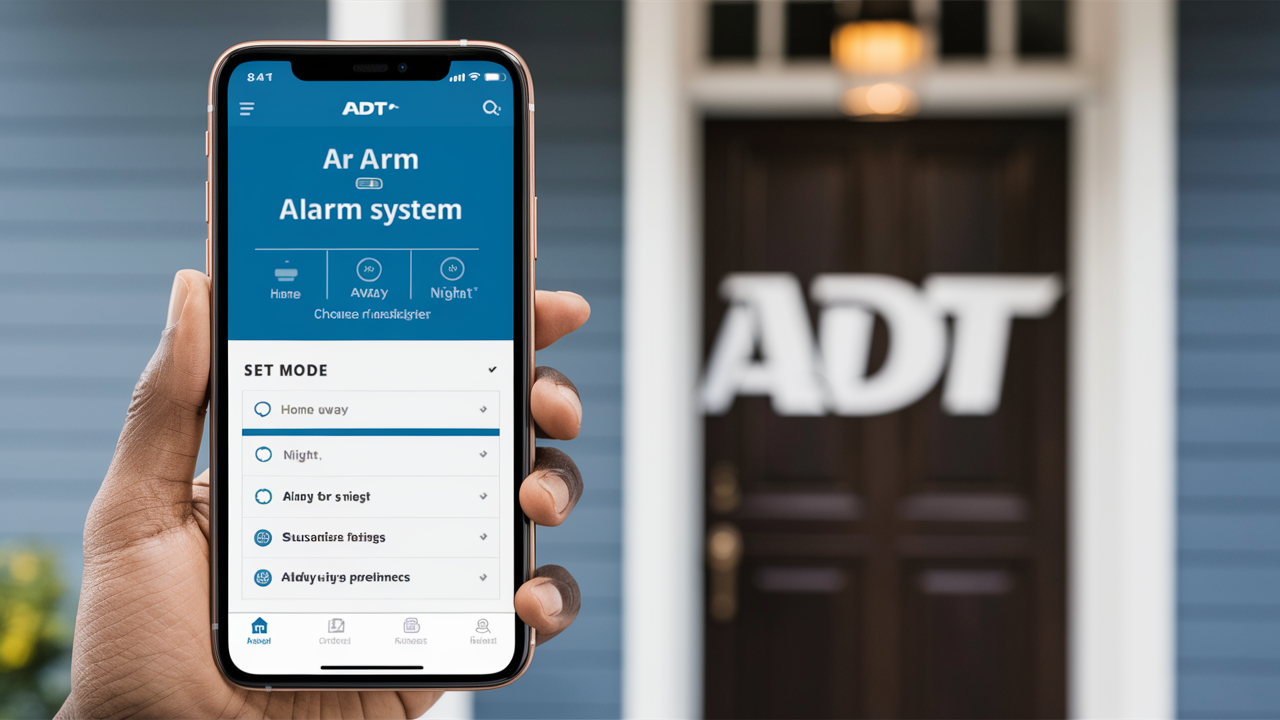
Unlock ultimate peace of mind by learning how to arm your ADT alarm system directly from your smartphone. This comprehensive guide will walk you through the simple steps, offering unparalleled convenience and control over your home security, ensuring you can protect your property anytime, anywhere.
Understanding ADT Remote Access and Mobile Control
In today's fast-paced world, the ability to manage your home security from anywhere is no longer a luxury but a necessity. ADT, a leader in home security solutions, has embraced this evolution by offering robust mobile control capabilities. The core of this functionality lies in the ADT Control app, which acts as a digital bridge between you and your ADT alarm system. This app allows for a range of actions, from arming and disarming your system to receiving real-time alerts and even controlling smart home devices.
Remote access to your ADT system empowers you with unprecedented control. Imagine leaving your home and realizing you forgot to arm the system; instead of turning back or worrying, you can simply pull out your smartphone and do it in seconds. Similarly, if a child arrives home before you, they can disarm the system with a code or via the app, and you'll be notified. This level of connectivity not only enhances convenience but significantly boosts your home's security posture. ADT's commitment to integrating advanced technology ensures that users can maintain a vigilant watch over their property, even when they are miles away.
The underlying technology relies on a secure internet connection between your ADT control panel, ADT's secure servers, and your mobile device. This connection is encrypted to protect your data and ensure that only authorized users can access and control the system. Understanding this infrastructure is key to appreciating the reliability and security of arming your ADT alarm from your phone. For 2025-26, ADT continues to invest heavily in its digital infrastructure, aiming to provide seamless and secure remote management experiences for its growing customer base. Statistics from industry reports indicate that over 70% of new home security system installations in 2025 are expected to include some form of mobile app control, highlighting the widespread demand for such features.
Getting Started with the ADT Control App
To arm your ADT alarm from your phone, the first and most crucial step is to ensure you have access to and are proficient with the ADT Control app. This application is the central hub for all your remote security management needs. If you are a new ADT customer, your installation technician will typically guide you through the initial setup of the app. For existing customers, or if you haven't set it up yet, the process is straightforward.
Downloading and Installing the ADT Control App
The ADT Control app is available for both iOS and Android devices.
- For iOS users: Navigate to the Apple App Store, search for "ADT Control," and download the official application.
- For Android users: Visit the Google Play Store, search for "ADT Control," and install the app.
Ensure you are downloading the official ADT Control app to avoid any security risks associated with third-party applications.
Account Setup and Login
Once the app is installed, you'll need to set up your account. This usually involves:
- Entering your ADT Customer ID: This unique identifier can be found on your ADT billing statements or by contacting ADT customer support.
- Creating a Username and Password: Choose a strong, unique password that you do not use for any other online accounts.
- Setting up Security Questions: These are vital for account recovery and verification.
- Enabling Two-Factor Authentication (2FA): This is a critical security layer that requires a second form of verification (e.g., a code sent to your phone) in addition to your password when logging in from a new device. ADT strongly recommends enabling 2FA for all users.
After completing the setup, you can log in to the ADT Control app using your newly created credentials.
Pairing Your ADT System with the App
In most modern ADT installations, the control panel is pre-configured to connect with the ADT Control app. However, if you encounter issues or are setting up an older system, you might need to pair your panel. This process typically involves:
- Ensuring your ADT panel has an active internet connection: This is usually via Wi-Fi or an Ethernet cable.
- Accessing the panel's network settings: Your ADT technician can assist with this, or you can refer to your panel's manual.
- Following on-screen prompts in the app: The app will guide you through the discovery and connection process.
If your ADT system uses the older Total Connect 2.0 platform, the app is named "Total Connect 2.0" and the setup process is similar, though the interface and some features may differ. For the purposes of this guide, we will focus on the ADT Control app, which is the current standard for most new ADT installations.
Navigating the ADT Control App Interface
Upon successful login, you'll be greeted with the app's dashboard. Familiarize yourself with the main sections:
- Home/Dashboard: This typically shows the current status of your system (armed, disarmed, specific zones), recent events, and quick access to arming functions.
- Arm/Disarm: The primary area for controlling your system's security state.
- Events: A log of all system activity, including arming/disarming events, sensor triggers, and alarms.
- Devices: Lists all connected ADT devices, including cameras, smart locks, and thermostats, allowing for individual control and monitoring.
- Settings: Where you can manage user profiles, notification preferences, account details, and security settings.
Taking a few minutes to explore these sections will make operating the app, including arming your system, much more intuitive.
How to Arm Your ADT System Via Phone: Step-by-Step
Arming your ADT alarm system from your phone using the ADT Control app is designed to be a quick and intuitive process. Whether you're at work, on vacation, or simply on your way home, you can ensure your property is protected with just a few taps.
Step 1: Open the ADT Control App
Locate the ADT Control app icon on your smartphone's home screen or app drawer and tap it to open. If you have Face ID or fingerprint unlock enabled for the app, you may be prompted to authenticate before proceeding. Otherwise, you will enter your username and password.
Step 2: Navigate to the Arm/Disarm Section
Once logged in, you will typically see the main dashboard. Look for a prominent button or tab labeled "Arm," "Arm System," or a similar designation. This is usually located at the bottom of the screen or in a primary navigation menu. Tap on this option.
Step 3: Select Your Desired Arming Mode
After tapping the arming option, the app will present you with the different arming modes available for your ADT system. The most common modes are "Stay" and "Away."
- Stay Mode: This mode arms the perimeter sensors (doors and windows) but leaves interior motion detectors disarmed. It's ideal for when you are home and want to secure the exterior of your property.
- Away Mode: This mode arms all sensors, including both perimeter and interior motion detectors. It's designed for when the house is empty.
Some systems may offer additional modes, such as "Night" mode, which might arm specific zones or sensors based on your customized settings. Select the mode that best suits your current situation.
Step 4: Confirm and Arm
Once you have selected your desired arming mode, you will usually be presented with a confirmation screen. This screen might display a summary of which sensors will be active. There will be a final button to "Arm," "Confirm," or "Arm Now." Tap this button to initiate the arming process.
Step 5: System Arming Sequence
Your ADT system will now begin its arming sequence. You will typically hear audible chimes or voice prompts from your ADT control panel indicating that the system is arming and the exit delay has begun. The ADT Control app will also update its status to reflect that the system is arming and then will show "Armed Stay" or "Armed Away" once the process is complete. The exit delay is a pre-set period (usually 30-60 seconds) that allows you to leave the premises without triggering an alarm.
Step 6: Verification
After the exit delay has passed, your system is fully armed. The ADT Control app will display the "Armed" status. You can also check the event history within the app to confirm the arming event. ADT typically sends push notifications to your phone for significant events, including when the system is armed or disarmed. Ensure your notification settings are configured correctly within the app to receive these alerts.
Example Scenario: You're leaving for work. You open the ADT Control app, tap "Arm," select "Away," and then tap "Arm Now." You hear your panel beep as you leave. Within seconds, the app shows "Armed Away," and you receive a push notification confirming the action.
ADT Arming Modes Explained: Choosing the Right Setting
Understanding the different arming modes is crucial for effective use of your ADT alarm system, especially when arming remotely via your phone. Each mode is designed for specific scenarios to maximize security while minimizing false alarms. The ADT Control app simplifies the selection process, but knowing the purpose behind each mode ensures you're always choosing the right one.
"Away" Mode: Maximum Security for an Empty Home
When to Use: This is the most comprehensive arming mode and should be used whenever no one is present in the home. This includes when you're leaving for work, going on vacation, or when children are at school.
What it Does: In "Away" mode, all sensors are activated. This includes:
- Perimeter Sensors: All door and window contact sensors.
- Interior Motion Detectors: These sensors detect movement within the house.
- Glass Break Sensors: If installed, these detect the sound of breaking glass.
- Other Specialized Sensors: Such as flood or smoke detectors, which remain active regardless of arming mode.
Key Consideration: If you arm the system in "Away" mode while someone is still inside, the interior motion detectors will trigger an alarm once movement is detected. This is why it's essential to ensure everyone has exited the premises before activating "Away" mode. The system provides an exit delay to allow occupants to leave safely.
"Stay" Mode: Securing Your Home While You're Inside
When to Use: This mode is perfect for when you are at home, especially at night, or when you have guests. It secures the exterior of your home while allowing for free movement within.
What it Does: In "Stay" mode, the system arms the perimeter sensors (doors and windows) but keeps the interior motion detectors disarmed. This means you can walk around freely inside your home without triggering the alarm. However, if a door or window is opened, the alarm will be activated.
Key Consideration: Ensure that all doors and windows are properly closed before arming in "Stay" mode. If a window is left ajar, the sensor will remain active, and opening it further will trigger the alarm. Some ADT systems offer a "Custom" or "Night" mode which can be programmed to arm specific interior zones while leaving others open, offering more flexibility than standard "Stay" mode.
Other Potential Modes (System Dependent)
Depending on your specific ADT system and its configuration, you might have access to additional modes:
- Custom/Home Mode: This mode allows you to pre-select which interior zones or sensors are active. For instance, you might want to arm all downstairs sensors but leave upstairs motion detectors off if your bedrooms are upstairs. This is often configurable through the ADT Control app or the main panel.
- Vacation Mode: Some systems may have a specific "Vacation" mode that can be set for extended periods away, potentially with different delay times or sensor activation patterns.
- Test Mode: This mode is used when testing the system to prevent accidental dispatch of emergency services. You can arm and disarm the system, and trigger sensors without initiating a full alarm response. It's recommended to use this mode when testing new sensor installations or after system maintenance.
Choosing the Right Mode via the ADT Control App
When you access the arming function in the ADT Control app, you will typically see clear icons or labels for "Stay" and "Away." Tapping on one of these will select that mode. If your system supports custom modes, they might be listed under a "Custom" or "More Options" menu. Always double-check the status displayed in the app after arming to ensure it reflects the mode you intended to select. For example, if you meant to arm in "Stay" mode but accidentally tapped "Away," you would see the system status change to "Armed Away." You can then immediately disarm and re-arm in the correct mode.
Example Scenario: It's 10 PM, and you're settling in for the night. You open the ADT Control app, tap "Arm," select "Stay," and then tap "Arm Now." The app confirms "Armed Stay," and you can move freely through your home knowing the exterior is secured.
Troubleshooting Common Issues with Remote Arming
While arming your ADT system from your phone is generally seamless, occasional issues can arise. Understanding common problems and their solutions can save you time and frustration, ensuring your home remains protected.
Issue 1: App Not Connecting or Showing "Offline"
Possible Causes:
- Internet Connectivity Issues: Your smartphone may not have a stable Wi-Fi or cellular data connection.
- ADT System Offline: The ADT control panel itself might be offline due to a power outage, Wi-Fi disruption, or a problem with its cellular backup.
- Server Issues: Although rare, ADT's servers might be experiencing temporary downtime.
- App Glitch: The ADT Control app on your phone might be experiencing a temporary bug.
Solutions:
- Check Your Phone's Connection: Ensure your Wi-Fi or cellular data is active and has a strong signal. Try opening another app that requires internet access.
- Check Your Home's Internet: If possible, check if your home Wi-Fi is working.
- Check ADT Panel Status: Look at your ADT control panel. If it shows an "AC" or "Power" light, it's receiving power. If it has a Wi-Fi or cellular signal indicator, check its strength. Some panels have a "System Status" or "Connectivity" display.
- Restart the App: Close the ADT Control app completely (force quit) and reopen it.
- Restart Your Phone: A simple phone reboot can resolve many temporary app issues.
- Contact ADT Support: If the system itself appears offline, or if the app consistently fails to connect, contact ADT customer support for assistance.
Issue 2: Unable to Arm the System (e.g., "System Fault" or "Sensor Open")
Possible Causes:
- Open Door or Window: The most common reason. A sensor on a door or window is not detecting that it is closed.
- Motion Detector Issue: A motion detector might be obstructed or malfunctioning.
- System Fault: There could be a more general issue with the control panel or a connected device.
- Low Battery: Wireless sensors may have low batteries, leading to intermittent issues or reporting as "open."
Solutions:
- Check All Sensors: The ADT Control app will usually indicate which specific sensor is causing the problem (e.g., "Front Door Open," "Living Room Motion"). Visually inspect all doors and windows to ensure they are securely closed and latched.
- Bypass the Sensor (Temporary): If you absolutely need to arm the system and cannot resolve the sensor issue immediately (e.g., a window is stuck open but you are leaving), you can often "bypass" that specific sensor. This tells the system to ignore that sensor for the current arming cycle. This is typically done within the app before confirming the arming command. Note: Bypassing a sensor significantly reduces security.
- Check Motion Detectors: Ensure nothing is blocking the view of motion detectors.
- Check for System Faults: If the app or panel indicates a general system fault, consult your system's manual or contact ADT.
- Battery Replacement: If you suspect a low battery, especially for wireless sensors, contact ADT to schedule a battery replacement.
Issue 3: Arming Takes Too Long or Fails to Complete
Possible Causes:
- Slow Network Connection: A weak Wi-Fi or cellular signal for either your phone or the ADT panel can slow down communication.
- System Congestion: In rare cases, if many commands are being sent simultaneously, there might be a slight delay.
- Software Lag: The app or the panel's firmware might be experiencing temporary lag.
Solutions:
- Improve Network Signal: Try arming when you have a stronger signal. If the panel's Wi-Fi is weak, consider a Wi-Fi extender or a wired Ethernet connection.
- Wait and Retry: Give the system a moment and try arming again.
- Update the App: Ensure you have the latest version of the ADT Control app installed.
- Firmware Updates: ADT periodically pushes firmware updates to control panels. Ensure your system is up-to-date.
Issue 4: Incorrect Arming Mode Selected
Possible Causes:
- Accidental Tap: In the haste of arming, you might have tapped the wrong mode.
- Misunderstanding Modes: Not fully understanding the difference between "Stay" and "Away."
Solutions:
- Disarm Immediately: If you realize you've armed in the wrong mode, immediately use the app to disarm the system.
- Re-arm Correctly: Once disarmed, go through the arming process again and carefully select the intended mode ("Stay" or "Away").
- Review Mode Explanations: Revisit the section on ADT arming modes to ensure clarity.
When to Contact ADT: If you consistently face issues, if the system repeatedly shows faults, or if you are unsure about troubleshooting steps, it's always best to contact ADT's professional support. They can remotely diagnose many issues and schedule a technician visit if necessary.
Advanced Features and Integrations for Enhanced Security
ADT's commitment to home security extends beyond basic alarm functions. The ADT Control app and compatible ADT systems offer a suite of advanced features and integrations that significantly enhance your security and convenience, allowing for a truly smart home experience.
Video Surveillance Integration
One of the most powerful integrations is with ADT's range of security cameras. When linked to your ADT Control app, you can:
- View Live Feeds: Access real-time video streams from your cameras directly within the app, whether your alarm is armed or disarmed.
- Receive Video Alerts: Configure your system to send you notifications with short video clips when motion is detected by a camera or when a specific event occurs (e.g., doorbell ring).
- Review Recorded Footage: Access recorded video clips stored in the cloud, allowing you to see what happened before, during, and after an event. This is invaluable for identifying potential threats or understanding incidents.
Example: If your system detects motion while armed "Away," you can receive a push notification with a video snippet from your front door camera, allowing you to assess the situation without needing to be physically present.
Smart Home Device Control
ADT systems can often integrate with popular smart home devices, creating a unified control platform. This includes:
- Smart Locks: Lock or unlock your doors remotely via the app. You can even set up automated actions, such as unlocking the door when you disarm the system or locking it when you arm in "Stay" mode.
- Smart Lights: Control your home's lighting. You can turn lights on or off, schedule them to turn on at certain times, or even have them flash if an alarm is triggered.
- Smart Thermostats: Adjust your home's temperature remotely, saving energy when you're away and ensuring comfort upon your return.
- Voice Assistant Integration: Many ADT systems can be linked with voice assistants like Amazon Alexa or Google Assistant, allowing you to arm/disarm your system (with voice PIN protection) or control connected smart devices using voice commands.
Example: You can create a "Goodnight" scene that, with a single tap or voice command, locks your doors, arms your system in "Stay" mode, and turns off all lights downstairs.
Customizable Notifications and Alerts
The ADT Control app offers granular control over the types of notifications you receive. You can customize alerts for:
- System Arming/Disarming: Get notified every time the system is armed or disarmed, and by whom (if multiple users are set up).
- Sensor Activity: Receive alerts when specific sensors are triggered (e.g., a garage door opening).
- System Faults and Troubles: Be informed of any issues with your system, such as low batteries or communication problems.
- Video Events: Get notified for motion detection or other specific events captured by your cameras.
- Critical Alerts: ADT can also push critical alerts for emergencies like smoke or carbon monoxide detection directly to your phone.
These customizable alerts ensure you are always informed about what's happening at your property, providing peace of mind and enabling quick responses.
User Management and Access Control
For households with multiple members, the ADT Control app allows for the creation of different user profiles. Each user can be assigned specific permissions, and their actions are logged in the event history.
- Primary User: Typically has full control over the system, including adding or removing other users and changing system settings.
- Secondary Users: Can arm/disarm the system and control connected devices but may not have access to all system settings or user management features.
- Guest Access: You can grant temporary access to specific users, such as a pet sitter or a cleaner, with defined access times.
This feature is crucial for maintaining security and accountability within your home.
Remote Diagnostics and Support
ADT technicians can often perform remote diagnostics on your system through the ADT Control platform. This allows them to identify and sometimes resolve issues without requiring an in-person visit, saving you time and potential service fees.
These advanced features transform your ADT system from a simple alarm into a comprehensive smart home security ecosystem, offering unparalleled control and protection right from your smartphone.
Security Best Practices for Mobile Control
While the convenience of arming your ADT alarm from your phone is undeniable, it's crucial to implement robust security practices to protect your account and your home. The digital nature of mobile control introduces potential vulnerabilities that can be mitigated with proper precautions.
1. Secure Your Smartphone
Your smartphone is the gateway to your ADT system. If your phone is compromised, your alarm system could be at risk.
- Use a Strong Screen Lock: Always use a PIN, pattern, fingerprint, or facial recognition to lock your phone. Avoid easily guessable codes like birthdays or simple sequences.
- Enable Remote Wipe: If your phone is lost or stolen, you should be able to remotely erase all data, including the ADT Control app and login credentials. This is often a feature of your phone's operating system (e.g., Find My iPhone for iOS, Find My Device for Android).
- Keep Your Phone's OS Updated: Mobile operating system updates often include critical security patches. Ensure your phone is always running the latest version.
- Be Wary of Public Wi-Fi: Avoid accessing sensitive apps like your ADT Control app when connected to unsecured public Wi-Fi networks, as these can be more susceptible to interception.
2. Protect Your ADT Account Credentials
Your ADT account login is the key to controlling your system.
- Strong, Unique Password: Use a complex password that includes a mix of uppercase and lowercase letters, numbers, and symbols. Never reuse passwords from other websites or services. Consider using a password manager.
- Enable Two-Factor Authentication (2FA): This is arguably the most important security measure. 2FA requires a second form of verification (like a code sent to your phone via SMS or an authenticator app) in addition to your password. This makes it extremely difficult for unauthorized users to gain access even if they somehow obtain your password. ADT strongly recommends enabling this feature.
- Never Share Your Login Details: Do not share your ADT Control app username and password with anyone, not even family members if they have their own accounts.
- Regularly Review Account Activity: Check the event history in the ADT Control app periodically for any suspicious or unauthorized arming/disarming events.
3. Secure the ADT Control App Itself
Beyond your phone's security, the app itself needs protection.
- App-Specific Passcodes/Biometrics: If the ADT Control app offers its own in-app passcode or biometric (fingerprint/face ID) login, enable it. This adds an extra layer of security.
- Log Out When Not in Use: While convenient, leaving the app logged in indefinitely can be a risk if your phone is accessed. Consider logging out after each session, especially if you are in a shared environment.
4. Manage User Access Carefully
If you have multiple users on your ADT account, manage their access responsibly.
- Grant Least Privilege: Only give users the access and permissions they absolutely need. For example, a teenager might need to arm/disarm, but not change system settings.
- Remove Access Promptly: If someone moves out or no longer requires access, promptly remove their user profile from the ADT Control app.
- Educate Users: Ensure all users understand the importance of their own account security and the best practices for using the app.
5. Be Aware of Phishing and Social Engineering
Cybercriminals may try to trick you into revealing your login information.
- Be Skeptical of Communications: ADT will typically not ask for your password via email, text message, or phone call. Be wary of any unsolicited requests for your login credentials.
- Verify Caller Identity: If you receive a suspicious call claiming to be from ADT, hang up and call ADT's official customer service number yourself to verify the request.
6. Keep Your ADT System Updated
Ensure your ADT control panel and any connected devices have the latest firmware installed. Updates often include security patches that protect against emerging threats. ADT usually manages these updates remotely, but it's good to be aware of them.
By adhering to these security best practices, you can significantly enhance the safety and security of your ADT alarm system when using mobile control, ensuring that your home remains protected against both physical intruders and digital threats.
ADT Mobile Arming: A Comparison with Competitors (2025-26)
In the competitive landscape of home security, ADT's mobile arming capabilities are a cornerstone of its modern offerings. As of 2025-26, the market features a diverse range of providers, each with varying levels of app functionality and integration. ADT, with its established reputation and continued investment in technology, holds a strong position, though some newer or more tech-focused companies offer compelling alternatives.
ADT's Strengths in Mobile Arming
ADT's primary advantage lies in its robust infrastructure and integration with professional monitoring.
- Reliability and Uptime: ADT's systems are known for their stability. The ADT Control app generally offers reliable performance, ensuring you can arm/disarm your system when needed.
- Professional Monitoring Integration: The seamless link between app control and ADT's 24/7 professional monitoring is a key differentiator. When an alarm is triggered, the system instantly alerts ADT's monitoring center, regardless of whether it was armed via the app or the panel.
- Comprehensive Features: The ADT Control app provides a full suite of features, including remote arming/disarming, event history, sensor status, live video feeds from integrated cameras, and smart home device control.
- User Management: The ability to create multiple user profiles with varying access levels is a significant plus for families and shared living spaces.
Comparison with Key Competitors (2025-26 Landscape)
Let's look at how ADT stacks up against some other major players:
1. Vivint
MobileVivint/strong> Vivint's mobile app is highly regarded for its user-friendly interface and extensive smart home integration capabilities. It offers remote arming/disarming, video surveillance, smart locks, lighting, and thermostat control.
Comparison: Vivint often rivals ADT in terms of smart home integration and app sophistication. Both offer professional monitoring. Vivint's pricing structure can be more upfront for equipment, whereas ADT's can involve leasing. ADT's monitoring network is historically larger.
2. SimpliSafe
Mobile App: SimpliSafe offers a straightforward mobile app that allows for remote arming/disarming, system status checks, and notifications. It is known for its DIY installation and no-contract options.
Comparison: SimpliSafe excels in its DIY and flexible model. Its app is functional for basic remote control but may not offer the same depth of smart home integration or advanced features as ADT's Control app. SimpliSafe's optional professional monitoring is managed through a subscription service. ADT's integrated professional monitoring is a core offering.
3. Ring Alarm (Amazon)
Mobile App: The Ring app is central to its ecosystem, allowing users to arm/disarm, view camera feeds, and receive alerts. It's tightly integrated with other Ring devices like video doorbells and cameras.
Comparison: Ring offers a very accessible and often more affordable entry point, especially for those already invested in the Ring ecosystem. Its mobile arming is robust. However, its professional monitoring (Ring Protect Pro) is an add-on subscription, and some may prefer ADT's dedicated, long-standing monitoring infrastructure. The integration with a broader range of smart home devices might be more seamless within the Ring ecosystem.
4. Brinks Home Security
Mobile App: Brinks offers a mobile app that provides remote control, live video streaming, and smart home automation features, similar to ADT.
Comparison: Brinks is a direct competitor to ADT, also offering professional monitoring. Their app capabilities are often comparable, focusing on core security functions and smart home integration. The choice between Brinks and ADT might come down to specific package deals, local service availability, and individual customer service experiences.
Key Differentiating Factors for Mobile Arming (2025-26)
When choosing a system based on mobile arming, consider:
- Depth of Smart Home Integration: How well does the app control third-party devices beyond security?
- User Interface and Experience: Is the app intuitive and easy to navigate?
- Reliability and Uptime: How consistently does the app perform?
- Video Integration: The quality and ease of accessing live and recorded video feeds.
- Notification Customization: The ability to tailor alerts to your specific needs.
- Professional Monitoring: The seamless integration of app control with a reliable monitoring service.
In conclusion, while competitors like Vivint and Ring offer strong mobile control and integration, ADT remains a top-tier choice for its reliable infrastructure, comprehensive feature set in the ADT Control app, and the unparalleled trust associated with its professional monitoring services. The ability to arm your ADT alarm from your phone is a well-executed feature that is central to the modern ADT experience.
The Future of ADT Remote Security and Mobile Arming
The evolution of home security is intrinsically linked to technological advancements, particularly in mobile connectivity and artificial intelligence. ADT, as a market leader, is continually innovating to enhance its remote security offerings, with mobile arming and control at the forefront. The future promises even more sophisticated, intuitive, and integrated solutions.
Enhanced AI and Predictive Security
We can expect ADT's systems to leverage artificial intelligence more deeply. This could translate to:
- Smarter Threat Detection: AI algorithms will become more adept at distinguishing between genuine threats and false alarms, potentially analyzing patterns of activity, sound, and even facial recognition (with user consent and privacy safeguards).
- Proactive Alerts: Instead of just reacting to events, future systems might predict potential risks. For example, if unusual activity is detected near your home during off-peak hours, the system might alert you to check your cameras or arm your system proactively.
- Personalized Security Profiles: AI could learn your household's routines and preferences, automatically adjusting security settings or suggesting optimal arming modes based on your typical schedule.
Seamless Integration with the Smart Home Ecosystem
The trend towards a fully integrated smart home will only accelerate. ADT's mobile platform will likely become an even more central hub for managing a wider array of connected devices.
- Advanced Automation: Expect more complex "if-then" scenarios. For instance, if a smoke detector is triggered while the system is armed, the system could automatically unlock doors for escape, turn on all lights, and send video clips to your phone.
- Cross-Platform Compatibility: While ADT has its ecosystem, future integrations might extend to a broader range of smart home brands and platforms, offering users more choice and flexibility.
- Energy Management: Security systems could play a greater role in energy efficiency, optimizing heating and cooling based on occupancy detected by security sensors.
Augmented Reality (AR) and Virtual Reality (VR) Interfaces
While still nascent for widespread home security, AR and VR could offer new ways to interact with your system.
- AR Overlays: Imagine pointing your phone at your house and seeing the status of each sensor, or receiving AR-based instructions for troubleshooting.
- VR System Walkthroughs: For complex installations or advanced settings, VR could offer immersive tutorials and control interfaces.
Biometric and Advanced Authentication Methods
Beyond current fingerprint and facial recognition, future authentication methods might include:
- Behavioral Biometrics: Analyzing unique user patterns like typing speed or gait to authenticate access, adding another layer of security.
- Voice Biometrics: More sophisticated voice recognition that can distinguish individuals based on their unique vocal characteristics.
Focus on Data Privacy and Security
As systems become more interconnected and collect more data, ADT will undoubtedly continue to prioritize data privacy and cybersecurity. Expect enhanced encryption protocols, transparent data usage policies, and robust defenses against cyber threats. Users will likely have more granular control over their data and how it is used.
Continued Evolution of the ADT Control App
The ADT Control app will remain the primary interface for mobile control. Its evolution will focus on:
- Intuitive Design: Continuously refining the user interface for even greater ease of use.
- Personalization: Allowing users to customize dashboards and shortcuts based on their most frequent actions.
- Faster Performance: Optimizing the app for speed and responsiveness, ensuring that arming your system is always instantaneous.
The future of ADT remote security and mobile arming is bright, promising a more integrated, intelligent, and secure living environment. The ability to arm your ADT alarm from your phone is not just a convenience; it's a glimpse into a future where your home security is seamlessly woven into the fabric of your digital life, offering unparalleled peace of mind and control.
In conclusion, mastering how to arm your ADT alarm from your phone using the ADT Control app is a fundamental skill for modern homeowners. This capability offers immediate convenience and enhances your overall security by providing constant oversight. By understanding the app's features, selecting the correct arming modes, and adhering to essential security best practices, you can leverage this powerful tool effectively. ADT's commitment to integrating advanced technology ensures that mobile control is not just a feature, but a core component of a secure, connected home. Stay informed about new updates and features to maximize the benefits of your ADT system.





