How To Arm Adt Alarm When Leaving ?
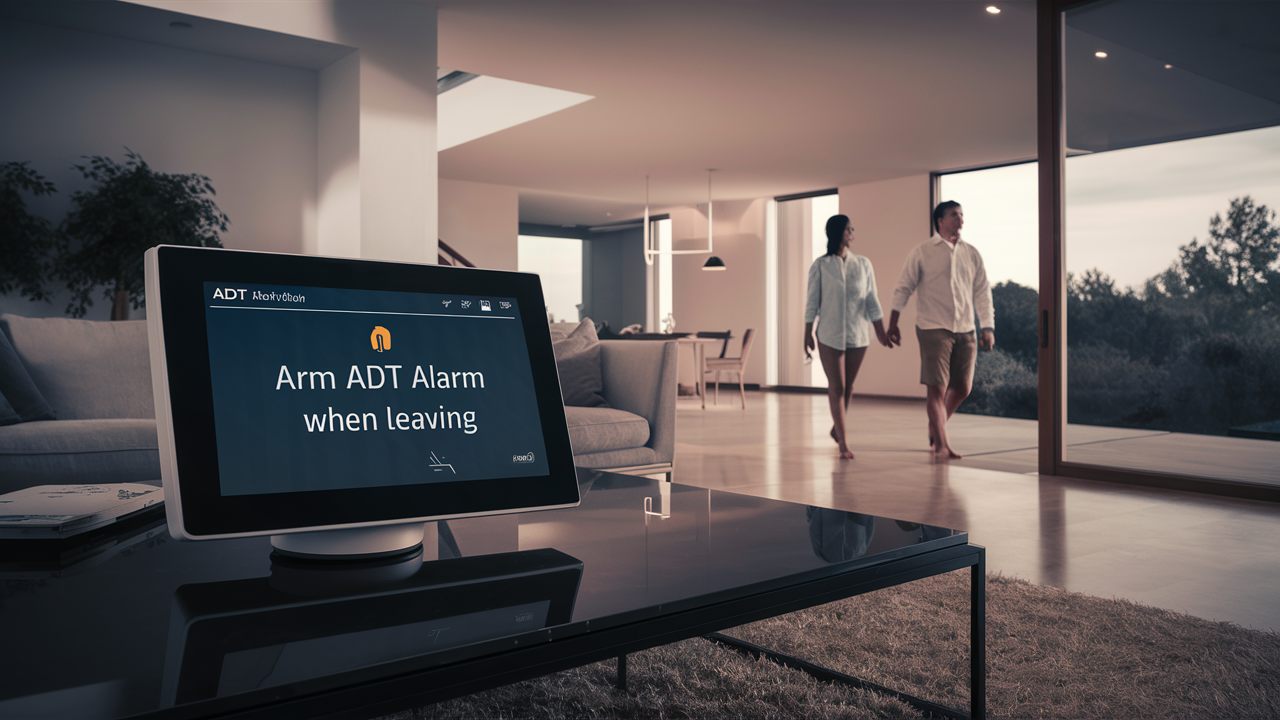
Arming your ADT alarm system when leaving is a crucial step for ensuring home security. This guide provides a clear, step-by-step process for efficiently activating your ADT system, covering various methods and offering practical tips for a seamless experience, so you can leave with confidence.
Understanding ADT Alarm Arming Modes
ADT alarm systems offer different arming modes to suit various situations, primarily categorized into "Stay" and "Away" modes. Understanding these modes is fundamental to effectively arming your system when leaving your home. This ensures your security protocols are correctly engaged, providing optimal protection without unnecessary false alarms.
The "Away" Mode Explained
The "Away" mode is designed for when all occupants are leaving the premises. When you arm your system in "Away" mode, all sensors, including motion detectors and door/window contacts, are fully activated. This means that any attempt to breach your home while the system is armed will trigger an alarm. It's the most comprehensive security setting and is essential when you're not present to monitor for potential intrusions.
The "Stay" Mode Explained
The "Stay" mode is intended for when you are at home but want to secure your property. In this mode, perimeter sensors (doors and windows) are typically armed, but interior motion detectors are usually deactivated. This allows you to move freely within your home without triggering the alarm, while still providing protection against entry from the outside. While not directly related to arming when leaving, understanding "Stay" mode helps differentiate its purpose from the "Away" mode, reinforcing the correct choice for departure.
Customizable Zones and Settings
Modern ADT systems often allow for customization of zones. This means you can designate specific sensors to be active or inactive in certain arming modes. For instance, you might choose to leave a basement motion detector off even in "Away" mode if pets frequently access that area, or if you have a specific reason to bypass a particular sensor temporarily. Familiarizing yourself with your system's zone configuration is key to effective and personalized security. You can usually access and manage these settings through your ADT control panel or the ADT mobile app.
Entry and Exit Delays
A critical component of arming your ADT system is understanding entry and exit delays. When you arm the system in "Away" mode, an exit delay begins. This provides you with a set amount of time (typically 30-120 seconds, configurable by your installer) to leave the premises without triggering the alarm. Similarly, when you return home, an entry delay starts once a perimeter sensor is triggered, giving you time to disarm the system before the alarm sounds. Knowing these delays is crucial for correctly arming and disarming your system without causing accidental alarms.
Arming Your ADT System Via Keypad
The ADT control panel keypad is the most traditional and widely used method for arming your security system. It offers a direct and reliable way to manage your home's protection. Following these steps will ensure your system is armed correctly before you depart.
Step-by-Step Guide to Keypad Arming
- Ensure All Doors and Windows Are Closed: Before you begin the arming process, conduct a quick check to confirm that all entry points are securely closed and latched. This is a critical first step to prevent "system faults" or "zone faults" that can prevent the system from arming.
- Approach the Keypad: Walk up to your ADT control panel keypad. The screen will typically display the current status of your system (e.g., "Ready to Arm," "System Armed," or "Fault").
- Enter Your Master Code: Most ADT systems require a unique user code to operate. Enter your 4-digit master code or a designated user code. This code is personal to you and should be kept confidential.
- Select "Arm Away": Once your code is entered, the keypad will likely present options. Navigate to and select the "Arm Away" option. This is the mode you'll use when leaving the house. If you were just securing your home while staying inside, you would select "Arm Stay."
- Confirm Exit Delay: After selecting "Arm Away," the keypad will typically display "Exit Delay" followed by a countdown timer. This is your window to leave. Make sure you exit the premises before the timer expires.
- Verify System Status: Once you have left the house, the keypad inside will usually indicate "System Armed" or a similar confirmation. You can also often check the status remotely via the ADT mobile app.
Understanding Keypad Indicators and Alerts
ADT keypads use various visual and auditory cues to communicate system status. Familiarize yourself with these:
- "Ready to Arm": This message indicates that all zones are secure (doors and windows closed, no motion detected if motion sensors are active in the current mode).
- "Fault" or "Zone Fault": This means a sensor is not reporting as closed or is experiencing an issue. The system may prevent arming until the fault is resolved. The keypad will usually indicate which zone has the fault.
- "System Armed": This confirms that the alarm system is active.
- Audible Beeps: The keypad typically emits beeps during the exit delay and may beep periodically while armed to confirm its status. A different series of beeps or a continuous tone will signal an alarm event.
Example Scenario: Arming with a Fault
Imagine you're rushing out the door and forget to close the back patio door completely. As you enter your code and select "Arm Away," the keypad might display "Fault: Patio Door" and prevent the system from arming. You would then need to return, secure the door, and re-initiate the arming process. This highlights the importance of the "Ready to Arm" status.
Arming Your ADT System Via Mobile App
The ADT mobile app, often referred to as ADT Control or ADT Pulse (depending on your system generation), offers a modern and convenient way to manage your home security. Arming your system remotely or from the convenience of your smartphone is a key feature for many users in 2025-26.
Connecting Your System to the App
Before you can arm your system via the app, it needs to be properly connected and linked to your ADT account. This typically involves:
- Downloading the App: Search for "ADT Control" or "ADT Pulse" in your smartphone's app store (iOS or Android) and download the official application.
- Account Creation/Login: You'll need to create an account or log in using your ADT customer credentials.
- System Pairing: Follow the in-app instructions to pair your ADT security system with your mobile device. This often involves entering a serial number or using a QR code provided by ADT. Ensure your home's Wi-Fi network is stable for a smooth connection.
Step-by-Step Guide to App Arming
- Open the ADT App: Launch the ADT Control or ADT Pulse app on your smartphone.
- Log In: Enter your username and password. You may have the option to enable biometric login (fingerprint or facial recognition) for quicker access.
- Navigate to the System Status Screen: The app's main dashboard typically displays the current status of your security system. Look for options like "Arm Away," "Arm Stay," or "Disarm."
- Select "Arm Away": Tap on the "Arm Away" button.
- Confirm Arming: The app may prompt you to confirm your action. Once confirmed, you'll see the system status update to "Armed Away" or similar. The app will also often provide a visual indicator of the exit delay countdown if applicable.
- Receive Notifications: Configure your app settings to receive push notifications for arming/disarming events, alarm triggers, and other system alerts. This provides real-time awareness of your home's security status.
Benefits of Mobile App Arming
Using the ADT mobile app for arming offers several advantages:
- Convenience: Arm or disarm your system from anywhere, whether you're on your way out, already in your car, or even if you forgot to arm it before leaving.
- Remote Monitoring: Check the status of your system, view event history, and receive alerts in real-time.
- System Control: Manage user codes, bypass zones, and even control smart home devices integrated with your ADT system (e.g., smart locks, lights).
- Peace of Mind: A quick glance at your phone can confirm your home is secure, providing significant peace of mind.
Example Scenario: Arming from the Car
You've just driven away from your house and realized you forgot to arm the system. Instead of turning back, you pull over safely, open the ADT app, tap "Arm Away," and confirm. Within seconds, your home is protected, saving you time and hassle.
Arming Your ADT System Via Voice Command (If Applicable)
For users with integrated smart home assistants like Amazon Alexa or Google Assistant, arming your ADT system via voice command can be an incredibly convenient option. This feature leverages the power of natural language to control your security. It's important to note that not all ADT systems or smart home integrations support voice arming, so check your specific setup.
Compatibility and Setup Requirements
Voice command arming requires a compatible ADT system and a connected smart home assistant. The typical setup involves:
- ADT System with Smart Home Integration: Your ADT system (often ADT Pulse or newer ADT Command & Control systems) must be configured for smart home connectivity.
- Smart Home Assistant: You need an active Amazon Echo device (Alexa) or Google Home/Nest device.
- Linking ADT to Your Assistant: You'll need to link your ADT account to your chosen smart home assistant through their respective apps (e.g., enabling the ADT skill in the Alexa app or linking ADT in the Google Home app). This process usually involves authenticating your ADT credentials.
- Enabling Voice Arming: Within the ADT app or the smart home assistant's app, you may need to explicitly enable voice arming and set up a voice PIN for security.
Common Voice Commands for Arming
Once set up, you can use simple voice commands to arm your system. The exact phrasing might vary slightly depending on the assistant and your ADT integration, but common examples include:
- For Alexa: "Alexa, tell ADT to arm away." or "Alexa, arm ADT away."
- For Google Assistant: "Hey Google, tell ADT to arm away." or "Okay Google, arm ADT away."
If your system is set up with a voice PIN, the assistant will likely prompt you to state it after you issue the arming command.
Security Considerations for Voice Arming
While convenient, voice arming introduces specific security considerations:
- Voice PIN: Always use a voice PIN for arming. This prevents unauthorized individuals within earshot from arming your system. The voice PIN is separate from your keypad code.
- Accidental Triggers: Be mindful of where your smart speaker is located and avoid discussing arming commands casually when the system is disarmed, to prevent accidental activation.
- Privacy: Understand the privacy policies of both ADT and your smart home assistant provider regarding voice recordings and data usage.
Example Scenario: Hands-Free Arming
You're carrying groceries into the house and realize you haven't armed the system. As you place the bags down, you can say, "Alexa, tell ADT to arm away," and provide your voice PIN when prompted, all without needing to find your phone or go to the keypad.
Troubleshooting Common Arming Issues
Even with the best intentions, you might occasionally encounter issues when trying to arm your ADT alarm system. Understanding common problems and their solutions can save you time and frustration. The most frequent culprits involve sensor faults, power interruptions, and incorrect code usage.
"System Fault" or "Zone Fault" Messages
Problem: The system refuses to arm, displaying a "Fault" or "Zone Fault" message, often indicating a specific sensor (e.g., "Front Door Fault").
Cause: This almost always means a sensor is not registering as "closed" or is experiencing a malfunction. Common reasons include:
- A door or window is not fully closed or latched.
- A sensor battery is low or depleted.
- A sensor has become dislodged or damaged.
- The magnetic contact between a door/window and its sensor is misaligned.
Solution:
- Check All Entry Points: Visually inspect every door and window that has a sensor. Ensure they are firmly closed and latched.
- Bypass the Zone (Temporary): If you need to arm the system urgently and cannot resolve the fault immediately, you can often bypass the problematic zone. This is done via the keypad or mobile app. However, remember that bypassing a zone means that specific sensor will not be monitored, leaving that entry point vulnerable.
- Replace Batteries: If the fault persists and it's not an obvious door/window issue, check the batteries in the relevant sensors. Your ADT app or keypad may provide low battery warnings.
- Contact ADT Support: If the problem continues after checking these basic steps, there might be a more significant issue with the sensor or wiring, requiring professional attention from ADT.
Power Issues
Problem: The keypad is blank, or the system behaves erratically, failing to arm.
Cause: This could be due to a power outage, a tripped breaker, or an issue with the system's backup battery.
Solution:
- Check Main Power: Ensure the circuit breaker that powers your ADT control panel is not tripped.
- Verify Transformer: Check if the power transformer for the ADT system is plugged in and functioning.
- Backup Battery: ADT systems have a backup battery that kicks in during power outages. If the main power is out for an extended period, or if the battery is old, it may fail. The system will typically alert you to a "low battery" or "power failure" if this is the case. A failing backup battery will need to be replaced by an ADT technician.
Incorrect Code Entry
Problem: The system rejects your code or locks you out.
Cause: Entering the wrong code too many times can cause the system to temporarily lock you out for security reasons.
Solution:
- Wait and Retry: Most systems will automatically reset after a short period (e.g., 5-15 minutes). Wait for the lockout period to expire and try entering your code again carefully.
- Verify Your Code: Ensure you are using the correct master code or user code. If you have multiple codes, double-check which one you are trying to use.
- Contact ADT: If you consistently have trouble with your code or suspect it has been compromised, contact ADT customer service to reset or reassign codes.
Communication Errors
Problem: The system indicates it cannot communicate with the ADT monitoring center.
Cause: This can happen due to issues with your home's internet connection (for IP-based systems), cellular signal interruption, or telephone line problems (for older systems).
Solution:
- Check Internet/Cellular: If your system uses Wi-Fi or cellular for communication, ensure your home internet is working or that there is a strong cellular signal.
- Reboot System (if instructed): In some cases, a system reboot might resolve temporary communication glitches. Follow ADT's guidance for rebooting your specific system.
- Contact ADT: Persistent communication errors require ADT intervention to diagnose and fix the connection.
Best Practices for ADT Arming
To maximize the effectiveness of your ADT alarm system and ensure smooth operation, adopting a few key best practices for arming is essential. These practices go beyond simply knowing the steps and focus on consistent, secure habits that prevent issues and enhance your overall security posture.
Regularly Test Your System
Importance: Your alarm system is only effective if it works when you need it to. Regular testing ensures all components are functioning correctly and that the system communicates with the ADT monitoring center.
How to Test:
- Notify ADT: Before testing, always call ADT's customer service or use their online portal to put your system in "test mode." This prevents accidental dispatch of emergency services.
- Arm and Trigger: Arm your system in "Away" mode. Wait for the exit delay to expire. Then, open a door or window (or trigger a motion sensor if you've bypassed pets) to initiate an alarm.
- Disarm: Disarm the system using your code.
- Verify: Confirm with ADT that they received the alarm signal and that your system is functioning as expected.
- End Test Mode: Remember to call ADT back to take your system out of test mode.
Frequency: It's recommended to test your system at least quarterly, or after any significant changes to your home's setup (e.g., renovations, new pets).
Maintain Accurate User Codes
Importance: User codes are the primary way you interact with and control your system. Keeping them accurate and secure is paramount.
Best Practices:
- Use Strong, Unique Codes: Avoid easily guessable codes like birthdays or sequential numbers (e.g., 1234).
- Assign Codes Appropriately: If multiple people need access, assign them unique user codes rather than sharing the master code. This allows you to track who arms/disarms the system and to easily revoke access for former residents or service providers.
- Change Codes Regularly: Update your master code and any user codes periodically, especially if you suspect a code may have been compromised.
- Remove Old Codes: Promptly delete user codes for individuals who no longer require access to your home.
Keep Sensor Batteries Fresh
Importance: Many ADT sensors, particularly wireless ones, rely on batteries. Low batteries can lead to "zone faults" and prevent arming, or worse, cause a sensor to fail during an actual event.
Best Practices:
- Respond to Low Battery Alerts: Pay attention to low battery notifications from your ADT app or keypad and replace batteries promptly.
- Use Quality Batteries: Opt for reputable brands of batteries to ensure longevity and reliability.
- Proactive Replacement: Consider replacing batteries proactively every 1-2 years, even if no low battery alert has been issued, as part of your regular system maintenance.
Understand Your System's Capabilities
Importance: ADT offers a range of systems with varying features. Knowing what your specific system can do will help you use it more effectively.
Key Areas to Understand:
- Arming Modes: Reiterate the difference between "Arm Away" and "Arm Stay" and when to use each.
- Zone Bypass: Know how to bypass specific zones if needed, but understand the security implications.
- Event History: Familiarize yourself with how to access and interpret your system's event log, which records arming/disarming, alarms, and other activities.
- Mobile App Features: Explore all the functionalities of your ADT mobile app, from arming and disarming to receiving alerts and managing devices.
Secure Your Codes and Credentials
Importance: Your ADT codes and app login credentials are the keys to your security system. Protecting them is non-negotiable.
Best Practices:
- Never Share Master Codes: Only share specific user codes with trusted individuals.
- Secure Your Smartphone: Use a strong passcode, fingerprint, or facial recognition on your smartphone to prevent unauthorized access to the ADT app.
- Be Wary of Phishing: Never provide your ADT login details or codes in response to unsolicited emails, texts, or phone calls. ADT will not ask for this information outside of a verified login process.
ADT System Updates and Features (2025-26)
The landscape of home security is constantly evolving, and ADT is at the forefront of innovation. As of 2025-26, ADT continues to enhance its systems with advanced features focused on user experience, smarter automation, and robust security protocols. Understanding these updates can help you leverage your system to its fullest potential and stay informed about the latest in home protection.
Enhanced Mobile App Functionality
ADT's mobile applications (ADT Control and ADT Pulse) are consistently updated to provide a more intuitive and powerful user experience. In 2025-26, expect to see:
- AI-Powered Alerts: More sophisticated AI algorithms are being integrated to differentiate between genuine threats and false alarms (e.g., distinguishing between a pet and an intruder, or a delivery person and an unauthorized visitor). This leads to fewer nuisance notifications and faster response to critical events.
- Predictive Maintenance: The app may offer more proactive alerts regarding potential system issues, such as impending battery failures or network connectivity problems, allowing for preventative action before an issue impacts security.
- Seamless Smart Home Integration: Deeper integration with a wider range of smart home devices (thermostats, lighting, locks, cameras) is a key focus. Users can create more complex custom automation rules, such as lights turning on and doors locking automatically when the system is armed away.
- Advanced Video Analytics: For users with ADT video services, expect enhanced video analytics directly within the app, allowing for smarter motion detection zones, person detection, and package detection.
Smarter Automation and AI Integration
Artificial intelligence is playing an increasingly significant role in home security. ADT is leveraging AI to make systems more intelligent and responsive:
- Behavioral Analysis: Systems are becoming better at learning typical household patterns. Deviations from these patterns can trigger alerts or specific actions, providing an additional layer of security beyond traditional sensor triggers.
- Voice Assistant Enhancements: While voice arming is already available, expect further refinements in natural language processing, allowing for more complex voice commands and better understanding of user intent. Integration with multiple voice platforms may also expand.
- Automated Response Protocols: In certain high-risk scenarios detected by advanced analytics, the system might initiate automated responses, such as activating internal sirens or floodlights, even before a human operator fully assesses the situation.
Cybersecurity and Data Protection
With the increasing connectivity of smart home devices, cybersecurity remains a top priority. ADT is continually investing in:
- End-to-End Encryption: Ensuring that all data transmitted between your system, the app, and ADT's monitoring centers is encrypted to prevent interception.
- Secure Authentication: Implementing multi-factor authentication (MFA) for app access and account management to protect against unauthorized logins.
- Regular Security Audits: Conducting frequent security audits and penetration testing to identify and address potential vulnerabilities in their hardware, software, and cloud infrastructure.
New Hardware and Sensor Technologies
While core functionalities remain, ADT periodically introduces new hardware and sensor technologies:
- Advanced Wireless Sensors: Improved wireless protocols offer longer battery life, greater range, and enhanced reliability for sensors.
- Integrated Security Devices: Look for devices that combine multiple functions, such as smart doorbells with integrated cameras and two-way audio, or smoke detectors that also monitor for carbon monoxide and air quality.
- Professional Monitoring Enhancements: ADT's professional monitoring centers are also being upgraded with better tools and AI-assisted analytics to help dispatchers make faster, more informed decisions during emergencies.
Focus on User-Friendly Interfaces
Beyond advanced features, a significant push is being made to simplify the user experience. This includes:
- Intuitive Control Panels: Newer ADT control panels feature touchscreens with simplified menus and customizable dashboards, making it easier for users of all technical abilities to manage their systems.
- Guided Setup Processes: Both app-based and professional installation processes are being streamlined with guided walkthroughs and clear instructions.
Staying informed about these ongoing developments ensures you are utilizing the most effective and up-to-date security solutions available from ADT.
In conclusion, arming your ADT alarm system when leaving is a straightforward process when you understand the available methods and best practices. Whether you prefer the familiar ADT keypad, the convenience of the mobile app, or the hands-free ease of voice commands, ADT provides flexible options to suit your lifestyle. Always ensure your system is in "Ready to Arm" status, use your correct codes, and regularly test your system to guarantee its reliability. By incorporating these habits, you can confidently leave your home protected, knowing your ADT system is actively safeguarding your property. For any persistent issues or complex setup needs, don't hesitate to reach out to ADT's professional support team.



