
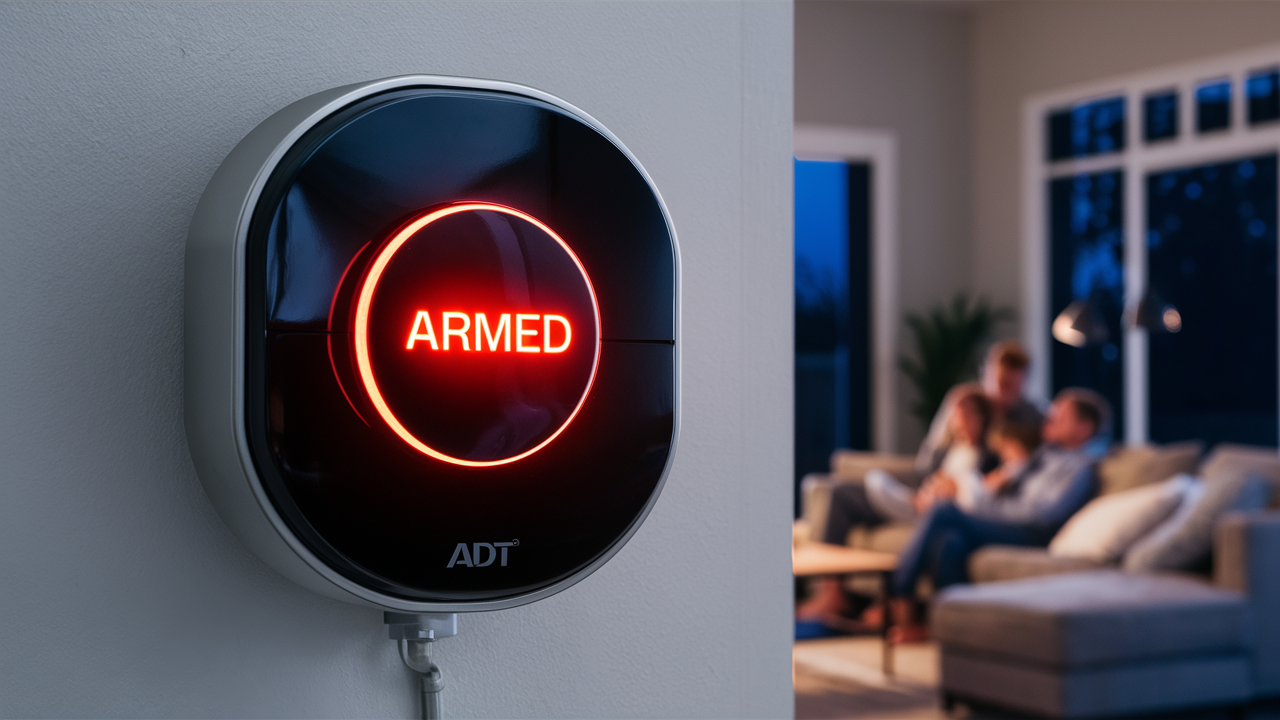
Arming your ADT alarm system is a straightforward process designed for ease of use, ensuring your home's security is activated with minimal effort. This guide will walk you through the essential steps and considerations for effectively arming your ADT system, providing peace of mind whether you're leaving for the day or heading out of town.
Understanding ADT Alarm Arming Modes
ADT alarm systems offer different arming modes to suit various security needs. Understanding these modes is the first crucial step in effectively arming your system. The primary modes typically include "Stay" and "Away." The "Stay" mode is designed for when you are home, arming perimeter sensors like doors and windows, but bypassing interior motion detectors. This allows you to move freely within your home while still being protected against unauthorized entry. The "Away" mode, conversely, arms all sensors, including interior motion detectors, making it suitable for when your home is empty. Some systems may also feature a "Night" mode, which is a variation of "Stay" that may activate specific interior sensors or pathways for nighttime security. Familiarizing yourself with which sensors are active in each mode will prevent accidental alarms and ensure comprehensive protection.
In 2025, ADT continues to refine its systems, offering more intuitive interfaces and customizable options. For instance, advanced systems might allow users to define custom arming profiles, specifying which zones are active in each mode. This level of personalization enhances the system's adaptability to individual lifestyles and home layouts. The core principle remains: choose the mode that best reflects your presence and activity within the home at the time of arming.
Preparing to Arm Your ADT System
Before you arm your ADT alarm system, a few preparatory steps can ensure a smooth and effective activation. The most important is ensuring all entry points are secured. This means closing and locking all doors and windows that are protected by sensors. If a window or door is left ajar, the system will typically detect this as an open zone and may prevent you from arming, or it will trigger an immediate alarm if armed in a mode that includes that sensor. Check that all sensors are properly attached to their frames and that no obstructions are preventing them from closing fully.
Another critical preparation step involves informing other household members or guests about the arming procedure and the expected exit delay. ADT systems are programmed with exit delays, which provide a grace period after arming to allow occupants to leave the premises without triggering the alarm. Understanding this delay is vital. For example, if your exit delay is 60 seconds, you have one minute to leave after pressing the arming button. If you fail to exit within this timeframe, the alarm will sound. Similarly, when returning home, you have a specific entry delay to disarm the system before the alarm is triggered.
Consider the specific needs of your household. If you have pets, you might need to ensure that motion detectors are either bypassed or set to pet-immune sensitivity levels, especially when using the "Away" mode. This prevents pets from triggering false alarms. For those with elderly family members or young children who might need to exit unexpectedly, understanding how to temporarily disable specific sensors or zones can be a lifesaver. Regular system checks are also part of preparation. Ensure your system is not displaying any error messages or fault indicators on the control panel before attempting to arm.
Arming Your ADT System: Step-by-Step
Arming your ADT alarm system is typically a simple process performed at the main control panel. The exact steps might vary slightly depending on your specific ADT model (e.g., ADT Command, ADT Pulse), but the general procedure is consistent.
- Approach the Control Panel: Locate your ADT alarm system's main control panel. This is usually mounted on a wall near an entry/exit point, such as the front door or garage.
- Enter Your User Code: Most ADT systems require a unique user code for arming and disarming. Type in your personal four-digit (or longer, depending on the system) code using the keypad.
- Select the Arming Mode: After entering your code, the panel will prompt you to select an arming mode. You will typically see options like:
- Stay: Press the "Stay" or "Home" button/option.
- Away: Press the "Away" or "Off" button/option (note: "Off" usually disarms, "Away" arms).
- Night: If available, select the "Night" option.
- Confirm and Exit: Once you've selected your desired mode, the system will typically confirm your selection and begin the exit delay countdown. The panel will usually display the remaining exit time. Ensure all doors and windows are closed and locked, and then exit the premises within the allotted time.
Example: Arming in "Away" Mode
Let's say you're leaving your house for the day. You approach the ADT panel, enter your code (e.g., 1234), and then press the "Away" button. The panel might display "Arming Away" and then "Exit in 60 seconds." You have 60 seconds to leave through your designated exit door. Once you've left and closed the door, the system will arm itself fully.
Example: Arming in "Stay" Mode
If you are staying home for the night and want to secure the perimeter, you would enter your code (e.g., 1234) and press the "Stay" button. The panel will indicate "Arming Stay." In this mode, interior motion sensors are typically bypassed, allowing you to move around inside without triggering the alarm, while doors and windows remain protected.
Arming Modes Explained in Detail
ADT's arming modes are the backbone of its security functionality, providing flexibility for different scenarios. Understanding the nuances of each mode ensures you're using your system to its full potential.
Stay Mode
The "Stay" mode is designed for situations where you are present in your home but want to secure the perimeter. When you arm in "Stay" mode:
- Perimeter Sensors Activated: All door and window sensors are armed. If any of these are opened, the alarm will trigger.
- Interior Motion Sensors Bypassed: Motion detectors located inside your home are typically deactivated. This is crucial because it allows you to walk around your house without setting off the alarm.
- When to Use: This mode is ideal for nighttime when you are sleeping, or during the day when you are home but want to ensure that no one can enter through doors or windows undetected.
2025 Context: Modern ADT systems often allow for customization within "Stay" mode. For instance, you might be able to designate specific interior zones to remain active, offering a layered security approach even when you're home. This could be useful if you have a specific area of the house you want extra protection for, like a home office.
Away Mode
The "Away" mode provides the highest level of security and is intended for when your home is unoccupied. When you arm in "Away" mode:
- All Sensors Activated: This includes perimeter sensors (doors, windows) and all interior motion detectors.
- Comprehensive Protection: Any movement or entry detected anywhere in the home will trigger the alarm.
- When to Use: This is the mode you should select when leaving your home for an extended period, such as going to work, running errands, or taking a vacation.
2025 Context: With increasing smart home integration, "Away" mode can often be linked to other smart devices. For example, arming in "Away" might automatically turn off lights, adjust the thermostat, and lock smart locks, creating a truly secure and energy-efficient home environment.
Night Mode
Some ADT systems offer a "Night" mode, which is essentially a specialized version of "Stay" mode. The specifics can vary:
- Customizable Zones: It often allows you to select which interior motion sensors are active. For example, you might want motion detectors in hallways or common areas active, but not in bedrooms.
- Enhanced Perimeter Security: Like "Stay" mode, perimeter sensors are always active.
- When to Use: This mode is perfect for nighttime use when you want to be protected against intruders while still being able to move between your bedroom and bathroom, for instance.
2025 Context: The "Night" mode is becoming more sophisticated, with some systems allowing users to schedule when this mode is automatically activated or deactivated, furthhome securityg home security management.
Bypassing Sensors
ADT systems also allow you to "bypass" specific sensors. Bypassing a sensor means temporarily deactivating it for a single arming cycle. This is useful if a sensor is faulty or if you need to leave a particular window open for ventilation while arming the rest of the system.
- How it Works: Typically, you would select the sensors you wish to bypass after entering your code and before selecting the arming mode. The system will then confirm which sensors have been bypassed.
- Important Note: Bypassed sensors are not active. Once the system is disarmed and re-armed, bypassed sensors are usually reactivated unless you bypass them again.
Example Scenario: You're arming in "Stay" mode for the night, but you want to leave your bathroom window slightly open for fresh air. You would bypass the bathroom window sensor before arming. The rest of your perimeter sensors would still be active.
Troubleshooting Common Arming Issues
Occasionally, you might encounter issues when trying to arm your ADT system. Understanding common problems and their solutions can save you time and frustration.
"System Not Ready" or "Open Zone" Message
This is the most frequent issue. It means that at least one sensor is indicating an open state, preventing the system from arming.
- Cause: A door or window is not fully closed and latched, or a motion detector has been triggered.
- Solution:
- Check all Doors and Windows: Systematically walk around your home and ensure every door and window is firmly closed and locked. Pay close attention to basement windows, patio doors, and garage doors.
- Check Motion Detectors: If you suspect a motion detector is the issue, check if anything is obstructing its view or if it has been accidentally triggered.
- Identify the Specific Zone: Your ADT control panel should indicate which zone is open. For example, it might display "Zone 5 Open." Refer to your system's manual to identify which sensor corresponds to Zone 5.
- Bypass the Zone (Temporary Fix): If you cannot immediately resolve the open zone (e.g., you need to leave urgently and the open zone is a non-critical window), you can bypass it. This is usually done by entering your code, pressing "Bypass," and then entering the zone number. Remember to address the underlying issue later.
Keypad Malfunction
If the keypad is unresponsive or displaying errors.
- Cause: Power issues, internal fault, or physical damage.
- Solution:
- Check Power: Ensure the control panel is receiving power. Look for any indicator lights. If it's a wireless keypad, check its batteries.
- Reboot the System: Sometimes, a simple reboot can resolve temporary glitches. This usually involves disconnecting the main power to the control panel and then removing the backup battery. Wait a minute, then reconnect the battery and power. Consult your ADT manual for the exact procedure for your model.
- Contact ADT Support: If the keypad remains unresponsive, it may require professional service.
False Alarms During Arming
If the alarm triggers immediately after you arm the system.
- Cause: Incorrect arming procedure, an open zone that was missed, or a sensor malfunction.
- Solution:
- Verify Arming Steps: Double-check that you are following the correct sequence for your chosen arming mode.
- Ensure Exit Delay is Used: When arming in "Away" mode, make sure you are exiting within the allotted exit delay.
- Check for Open Zones: Re-confirm all doors and windows are closed.
- Review Sensor Sensitivity: If motion detectors are frequently the cause, consult your manual or ADT support about adjusting their sensitivity or using pet-immune settings.
System Error Codes
Your ADT panel may display specific error codes.
- Cause: Various system faults, communication issues, or low battery warnings.
- Solution:
- Consult Your Manual: Most ADT manuals provide a comprehensive list of error codes and their meanings.
- Contact ADT Support: If you cannot decipher the error code or resolve the issue, ADT's customer support is equipped to diagnose and guide you through the solution.
Statistics for 2025: According to industry reports, approximately 70% of false alarms are due to user error, such as forgetting to disarm the system on time or leaving a door open. Proper training and understanding of the system's modes are key to minimizing these occurrences.
Advanced Arming Features and Tips
Beyond the basic "Stay" and "Away" modes, ADT systems offer advanced features that can significantly enhance your security and convenience. Leveraging these can make your system more robust and user-friendly.
Customizable Zones and Schedules
Modern ADT systems, especially those integrated with smart home technology, allow for advanced customization of zones and arming schedules.
- Zone Definition: You can often define specific zones with custom names (e.g., "Front Door," "Master Bedroom Window"). This makes identifying issues much easier.
- Scheduled Arming/Disarming: Some systems can be programmed to automatically arm or disarm at specific times. For example, you could schedule the system to arm in "Stay" mode every night at 11 PM and disarm at 7 AM. This is particularly useful for ensuring consistent security protocols.
- Geofencing: With app integration, some systems utilize geofencing. This means the system can automatically arm or disarm based on your smartphone's location. For instance, it could arm when the last person leaves a designated radius around your home and disarm when the first person returns.
User Codes and Permissions
ADT systems allow you to set up multiple user codes, each with different access levels.
- Individual Codes: Assign a unique code to each family member, cleaner, or trusted visitor. This allows you to track who arms or disarms the system and when.
- Master vs. Standard Codes: Master codes typically have full access, including the ability to change system settings and add/delete user codes. Standard codes are for basic arming and disarming.
- Temporary Codes: For guests or service providers, you can create temporary codes that expire after a set period or a certain number of uses.
Smart Home Integration
The integration of ADT systems with other smart home devices offers powerful new ways to manage your security.
- Voice Control: Systems like ADT Command with Google Assistant or Amazon Alexa integration allow you to arm your system using voice commands (e.g., "Hey Google, arm ADT in Stay mode").
- Automation Rules: Create "if-then" scenarios. For example, "If the alarm is armed in Away mode, then turn off all smart lights and set the thermostat to eco mode."
- Smart Lock Integration: When you arm in "Away" mode, your smart locks can automatically engage. When you disarm, they can unlock.
Arming Delay Customization
While ADT sets default exit and entry delays, some systems allow for adjustments.
- Exit Delay: The time you have to leave after arming. If you have multiple entry/exit points or a large property, you might need a slightly longer exit delay.
- Entry Delay: The time you have to disarm the system upon entering. This is crucial for preventing false alarms when you arrive home.
Important Note: Any changes to delay times should be made cautiously and ideally with guidance from ADT support to ensure you don't compromise your security.
ADT App and Remote Arming
In the era of smart homes, remote access and control are paramount, and ADT's mobile application plays a pivotal role in this. The ADT Control app (or similar depending on your system) allows you to interact with your security system from virtually anywhere, offering unparalleled convenience and peace of mind.
Key Features of the ADT App
- Remote Arming/Disarming: The most fundamental feature. You can arm or disarm your system directly from your smartphone or tablet, whether you're at the office, on vacation, or just in another room of your house.
- System Status Monitoring: Check the real-time status of your alarm system. See if it's armed (and in which mode), disarmed, or if there are any open zones or system alerts.
- Event History: Access a log of all system events, including arming/disarming times, sensor activations, and alarm events. This provides valuable insight into your home's security activity.
- Notifications and Alerts: Receive instant push notifications on your mobile device for critical events, such as alarm activations, system arming/disarming, or sensor tampering.
- Video Surveillance Integration: If you have ADT-connected cameras, the app allows you to view live video feeds and recorded clips directly from your mobile device.
- Smart Home Device Control: Manage integrated smart home devices (lights, locks, thermostats) directly through the app.
How to Use the ADT App for Arming
- Download and Install: Download the ADT Control app from your device's app store (iOS or Android).
- Log In: Use your ADT account credentials to log in. If you haven't set up an account, you'll need to do so through ADT's website or by contacting customer support.
- Navigate to Arming Controls: Once logged in, you'll typically see a dashboard or main screen displaying your system's status. Look for buttons or options related to arming.
- Select Arming Mode: Tap on the desired arming mode (e.g., "Arm Stay," "Arm Away").
- Confirm Action: The app will usually ask for confirmation. You might need to enter your user code within the app or use biometric authentication (fingerprint/face ID) for added security.
- Receive Confirmation: The app will confirm that the system has been armed and will display the current status. You'll also receive a notification confirming the action.
Example Scenario: You're heading home from work and realize you forgot to arm your ADT system. You pull out your phone, open the ADT Control app, log in, tap "Arm Away," enter your code, and your home is now secured, all before you even arrive.
2025 Trends: Mobile app functionality continues to evolve. Expect more intuitive interfaces, AI-powered insights into security patterns, and seamless integration with a wider range of smart home ecosystems. Remote arming is no longer a luxury but a standard expectation for modern security systems.
Security Best Practices When Arming
Arming your ADT system effectively goes beyond simply pressing a button. Implementing best practices ensures your system provides the maximum level of security and reliability.
1. Know Your System Inside and Out
Understand Modes: Be absolutely clear on the difference between "Stay," "Away," and "Night" modes and when to use each. Misunderstanding these is a primary cause of false alarms.
Familiarize Yourself with Delays: Know your exit and entry delay times. Practice exiting and entering within these windows to build muscle memory.
2. Regular System Maintenance
Test Your System: ADT recommends regular system testing. Many systems have a "Test Mode" that you can enable through the control panel or by calling ADT. This allows you to trigger sensors without dispatching the authorities.
Check Batteries: Wireless sensors and keypads have batteries that need periodic replacement. Your system will usually provide a low-battery warning, but it's good practice to be aware of their typical lifespan.
Keep Sensors Clean: Dust and debris can interfere with motion detectors and door/window sensors. Gently clean them as part of your routine home maintenance.
3. Secure Your Codes
Don't Share Master Codes: Treat your master user code like a PIN for your bank account. Only share standard user codes with trusted individuals.
Change Codes Periodically: For enhanced security, consider changing your user codes every few months, especially if multiple people have had access to them.
Avoid Obvious Codes: Never use easily guessable codes like "1234," your birthdate, or your house number.
4. Be Mindful of Entry and Exit Points
Designated Entry/Exit: Use the same door for exiting when arming and entering when disarming whenever possible. This simplifies the process and reduces the chance of error.
Secure All Points: Before arming, do a quick mental or physical check of all doors and windows. Even a small, overlooked opening can be a vulnerability.
5. Leverage Technology Wisely
Use the App: The ADT Control app is a powerful tool. Use it to arm/disarm remotely, check status, and receive alerts. This adds a layer of control and awareness.
Smart Home Integration: If you have integrated smart devices, ensure your automation rules are set up correctly to complement your arming routines.
6. What to Do in Case of an Alarm
Stay Calm: If an alarm triggers, remain calm. Your first priority is your safety.
Disarm Immediately: If you know the cause (e.g., you forgot to disarm upon entry), enter your code immediately.
Communicate with ADT: If the alarm is genuine, ADT will contact you. Provide your safe word or code to confirm your identity. If you cannot be reached or there's suspicion of a real threat, ADT will dispatch authorities.
2025 Security Landscape: With the rise of sophisticated intrusion techniques, maintaining vigilance and adhering to best practices is more critical than ever. ADT's systems are designed to be robust, but user diligence is the ultimate security measure.
Conclusion: Your ADT Security Mastery
Mastering how to arm your ADT alarm system is fundamental to leveraging its full protective capabilities. By understanding the distinct arming modes—Stay, Away, and Night—and knowing when to deploy each, you ensure your home is secured appropriately for your presence or absence. The step-by-step process, from preparing your entry points to confirming activation at the control panel or via the ADT app, is designed for user-friendliness, yet requires attention to detail.
Troubleshooting common issues like "System Not Ready" messages by systematically checking all zones and understanding sensor bypass functions empowers you to overcome minor hurdles. Advanced features, including customizable zones, user permissions, and smart home integrations, offer enhanced control and convenience, making your ADT system a truly intelligent guardian. Furthermore, utilizing the ADT Control app provides remote access and real-time monitoring, extending your security oversight beyond your physical location.
Adhering to security best practices—regular system testing, code management, and mindful entry/exit—solidifies your defense. By internalizing these principles, you transform your ADT system from a mere device into an active partner in safeguarding your home and loved ones. Embrace this knowledge, and rest assured that your ADT alarm system is armed effectively, providing the peace of mind you deserve in 2025 and beyond.





