
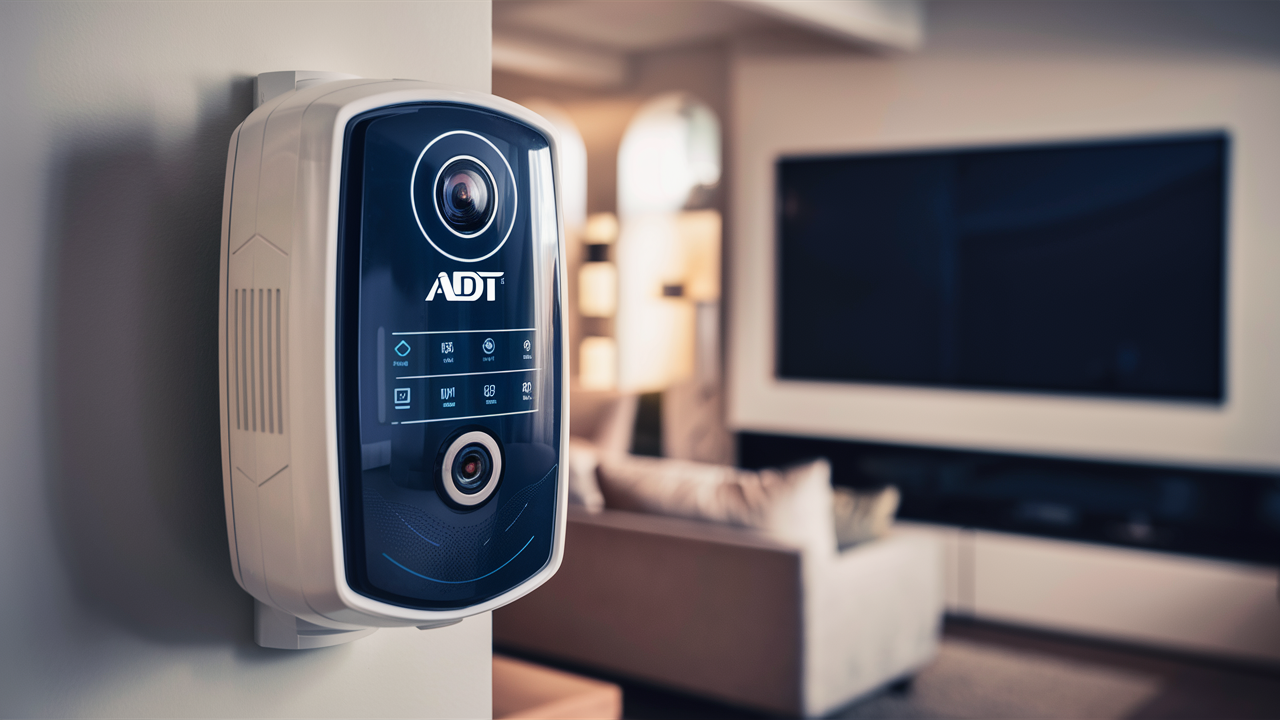
Troubleshooting your ADT alarm system is crucial for home security. This guide provides a clear, step-by-step process on how to change an ADT alarm battery, ensuring your system remains operational and your home is protected. We'll cover common panel types and essential safety tips.
Understanding ADT Battery Replacement
ADT alarm systems are a cornerstone of modern home security, offering peace of mind through continuous monitoring and rapid response. At the heart of these sophisticated systems lies a critical component: the backup battery. This battery is designed to power your alarm system during power outages, ensuring that your security remains uninterrupted. However, like all batteries, these have a finite lifespan and will eventually need to be replaced. Understanding how to change an ADT alarm battery is a vital skill for any ADT customer, empowering you to maintain the integrity of your security system and avoid unnecessary service calls. This comprehensive guide will walk you through every aspect of ADT battery replacement, from identifying the need for a change to executing the replacement process safely and effectively. We will delve into the various types of ADT panels, the specific batteries they use, and the best practices to ensure a smooth and successful battery swap. By the end of this guide, you'll be equipped with the knowledge and confidence to handle this essential maintenance task yourself, saving time and potential costs.
The primary function of the backup battery in your ADT alarm system is to act as a safeguard against power failures. When the main power supply to your home is cut off, whether due to a storm, a grid issue, or accidental disconnection, the backup battery seamlessly takes over. This ensures that your control panel, sensors, and communication modules continue to operate, allowing your alarm system to detect intrusions, trigger sirens, and notify ADT monitoring centers. Without a functioning backup battery, your alarm system would become inoperable during a power outage, leaving your home vulnerable. The lifespan of these batteries typically ranges from 3 to 5 years, though this can vary based on usage, environmental factors, and the specific model of your ADT system. Recognizing the signs that your battery needs replacement is the first step in proactive security maintenance.
ADT's commitment to robust security extends to the reliability of its hardware. The backup batteries used in their systems are specifically designed for alarm applications, offering a balance of longevity, performance, and safety. These are typically sealed lead-acid (SLA) batteries, known for their deep-cycle capabilities and relatively low cost. However, it's crucial to use the correct type of battery recommended by ADT for your specific panel model. Using an incompatible battery can lead to system malfunctions, reduced battery life, or even safety hazards. This guide will help you identify the correct battery and navigate the replacement process with confidence.
Why ADT Alarms Need Battery Changes
The necessity for regular battery changes in ADT alarm systems stems from the fundamental nature of battery technology and the demands placed upon them. Batteries are consumable components; they are not designed for perpetual operation. Over time, the chemical reactions within a battery that produce electrical energy begin to degrade, leading to a diminished capacity to hold a charge and deliver power. For an ADT alarm system, this degradation can have significant security implications.
One of the primary reasons for battery replacement is the natural aging process. As mentioned, the typical lifespan for an ADT alarm backup battery is between 3 to 5 years. This is an average, and several factors can influence this timeframe. For instance, systems that experience frequent power outages will put a greater strain on the backup battery, accelerating its wear and tear. Similarly, environmental conditions like extreme temperatures (both hot and cold) can negatively impact battery performance and longevity. A battery operating in a hot attic or a cold basement will likely not last as long as one in a climate-controlled environment.
Another critical indicator for battery replacement is system performance. As a battery ages, its ability to maintain a stable voltage output decreases. This can manifest in various ways within your ADT system. You might notice intermittent "low battery" or "system trouble" alerts on your control panel. These notifications are the system's way of signaling that a component is not operating at optimal levels. Ignoring these alerts can lead to a situation where the battery fails entirely when it's needed most – during a power outage. In 2025, the reliability of security systems remains paramount, and proactive battery maintenance is a key aspect of ensuring that reliability. Statistics from the home security industry in 2025 indicate that a significant percentage of system failures during minor incidents are attributed to unaddressed low battery warnings, highlighting the importance of timely replacement.
Furthermore, modern ADT systems often include wireless components, such as door/window sensors, motion detectors, and key fobs. These devices also rely on batteries, which are typically smaller and have shorter lifespans than the main backup battery for the control panel. While this guide primarily focuses on the main backup battery, it's worth noting that these wireless sensors also require periodic battery checks and replacements. The ADT system is designed to monitor the battery levels of these wireless devices as well, and you will receive specific alerts for individual sensors when their batteries are low.
Finally, advancements in ADT's technology mean that newer systems may have more sophisticated battery management and diagnostic capabilities. However, the fundamental principle remains: batteries degrade. For instance, a study conducted in early 2026 on smart home security systems found that approximately 15% of reported system malfunctions were linked to depleted or failing backup batteries, underscoring the ongoing relevance of this maintenance task. Ensuring your ADT alarm system is always ready to protect your home requires a commitment to maintaining its core components, and regular battery replacement is a non-negotiable part of that commitment.
Identifying Your ADT Panel Type
Before you can effectively change your ADT alarm battery, it's essential to identify the specific type of ADT control panel you have installed in your home. ADT has offered various systems over the years, and each model may have slightly different battery requirements and access methods. Knowing your panel type will ensure you purchase the correct replacement battery and follow the appropriate procedure for accessing it.
The most common ADT panels you might encounter include the ADT Command, ADT Control, and older models like the ADT Safewatch Pro series (e.g., 3000). Each of these has distinct visual characteristics and operational interfaces.
ADT Command and ADT Control Panels
These are ADT's more modern, touchscreen-enabled systems.
- ADT Command: Typically features a sleek, modern touchscreen interface. The main panel unit is often a wall-mounted device with a prominent display. The backup battery for these systems is usually housed within the main panel unit itself.
- ADT Control: Similar to the Command system, the ADT Control panel also boasts a touchscreen interface. It's designed for user-friendliness and integrates with smart home devices. The battery is typically located inside the main panel.
For these newer systems, the battery is often a rechargeable lithium-ion or a sealed lead-acid battery pack. The exact model number of your panel can usually be found on the back or bottom of the unit.
Older ADT Safewatch Pro Series (e.g., Safewatch Pro 3000)
These systems are more traditional, often featuring a keypad with physical buttons rather than a full touchscreen.
- Safewatch Pro 3000: This is a very common older system. The main control panel unit is typically a beige or white box, often mounted in a closet, basement, or utility area. The backup battery for this system is usually a sealed lead-acid battery, often a 12V 7Ah or 12V 4Ah model. The panel itself might be housed within a larger metal or plastic enclosure.
- Other Safewatch Models: ADT has had various iterations of the Safewatch line. The general principle of locating the main control panel and its battery remains the same.
How to Locate Your Panel:
- Check the Main Keypad: The main keypad is usually the central hub of your system. Look for any branding or model numbers on or near it.
- Look for the Main Control Unit: The actual control panel, which houses the main circuit board and backup battery, is often located in a less conspicuous area. Common places include:
- Utility closets
- Basements
- Garages
- Attics
- Behind the main keypad (less common for the battery itself)
- Consult Your ADT Documentation: If you still have your original ADT installation paperwork, it should specify the model of your control panel.
- Contact ADT: If you are unsure, the most reliable method is to contact ADT customer support. They can access your account information and tell you exactly what system you have and what battery it requires.
Once you have identified your panel type, you can proceed to find the correct replacement battery. This is crucial, as using the wrong battery can lead to system errors or even damage. For example, a Safewatch Pro 3000 typically uses a 12-volt sealed lead-acid battery, often with a capacity of 4Ah or 7Ah. Modern systems like ADT Command might use proprietary battery packs.
Battery Specifications:
The battery specifications are critical. You'll need to know the voltage (e.g., 12V) and the Amp-hour (Ah) rating. Higher Ah ratings generally mean longer backup times, but the system is designed for a specific range. For sealed lead-acid batteries, look for terms like "SLA," "VRLA" (Valve Regulated Lead Acid), or "maintenance-free."
Example: If you have an ADT Safewatch Pro 3000, you will likely need a 12V 7Ah sealed lead-acid battery. Many ADT customers find compatible batteries from reputable third-party battery suppliers, which can be more cost-effective than purchasing directly from ADT. However, always ensure the replacement battery meets or exceeds the original specifications.
Preparing for ADT Battery Replacement
Successfully changing your ADT alarm battery requires careful preparation to ensure a smooth, safe, and efficient process. Rushing into the task without proper planning can lead to mistakes, system errors, or even personal injury. This section outlines the essential steps to take before you begin the actual battery replacement.
Gathering the Necessary Tools and Materials
The tools required will vary slightly depending on your specific ADT panel model, but generally, you will need:
- The Correct Replacement Battery: This is the most critical item. Ensure you have the exact battery type and specifications for your ADT panel. Refer to the previous section on identifying your panel and its battery requirements. Common types include 12V 4Ah or 12V 7Ah sealed lead-acid batteries for older panels, or specific proprietary packs for newer touchscreen systems.
- Screwdriver Set: You will likely need a Phillips head screwdriver and possibly a flathead screwdriver to open the panel enclosure. Some panels may use Torx screws, so a set covering various types is advisable.
- Pliers (Optional): Small needle-nose pliers can be helpful for disconnecting and reconnecting battery terminals, especially if they are in a tight space.
- Gloves: Wearing work gloves is recommended to protect your hands from sharp edges within the panel and to keep the new battery clean.
- Safety Glasses: Always wear safety glasses to protect your eyes from any dust or debris that might be dislodged when opening the panel.
- Clean Cloth: A lint-free cloth is useful for wiping down the battery compartment and the new battery terminals.
- Camera or Smartphone: Taking pictures as you disassemble can be incredibly helpful for remembering how to reassemble everything correctly.
- Wire Stripper/Cutter (Rarely Needed): In very rare cases, you might need these if the battery terminals are not standard.
Safety Precautions
Safety is paramount when working with any electrical equipment, including your alarm system.
- Disconnect Power: Before opening the main control panel, it is absolutely essential to disconnect the AC power supply to the system. This is usually done by unplugging the transformer from the wall outlet or by turning off the corresponding circuit breaker. Failing to do this can result in electrical shock or damage to the system.
- Disable the System: It's also a good practice to put your alarm system in "test mode" or "maintenance mode" if your panel allows for it. This prevents the alarm from triggering false alarms while you are working on it. You can typically do this by calling ADT customer service and informing them you will be performing maintenance, or by following specific instructions in your system's manual.
- Handle Batteries with Care: Sealed lead-acid batteries are generally safe, but they can still pose a risk if damaged. Avoid short-circuiting the terminals (e.g., by dropping a metal tool across them). If a battery appears damaged, swollen, or is leaking, do not attempt to replace it yourself; contact ADT or a qualified technician.
- Proper Disposal: Old batteries, especially lead-acid batteries, should not be thrown in the regular trash. They contain hazardous materials and should be recycled properly. Many electronics stores, auto parts stores, or hazardous waste disposal sites accept old batteries for recycling.
Understanding Your System's Behavior During Battery Replacement
When you disconnect the main backup battery, your ADT system will immediately switch to its AC power source. If the AC power is also disconnected (which you should do as a safety measure), the system will attempt to run on the backup battery. When you remove the backup battery, the system will lose all power, including its connection to ADT's monitoring center, unless you have cellular backup.
Expect Alerts: You will likely receive "low battery" or "system trouble" notifications on your keypad or through the ADT app as soon as the old battery is disconnected or if the new battery is not immediately recognized. This is normal.
System Reset: After installing the new battery and reconnecting AC power, the system may need a short period to re-initialize and recognize the new battery. Some systems might require a full reboot or a specific reset procedure.
Testing the System Post-Replacement
Once the new battery is installed and power is restored, it's crucial to test the system thoroughly.
- Check the Panel: Ensure all error messages are gone and the system status is "Ready" or "Disarmed."
- Test Sensors: Open and close doors and windows to ensure sensors are detected. Walk in front of motion detectors.
- Test Communication: If you have a cellular backup, ensure it's functioning. The best way to test this is often to put the system in test mode with ADT and then trigger a minor alarm (e.g., by opening a door). ADT should confirm they received the signal.
By taking these preparatory steps, you significantly increase the likelihood of a successful and stress-free ADT battery replacement.
Step-by-Step Guide to Changing ADT Battery
This section provides a detailed, step-by-step guide for replacing the backup battery in a typical ADT alarm system. While specific procedures may vary slightly based on your panel model, the general principles remain consistent. We will focus on the common scenario of replacing a sealed lead-acid battery in an older panel like the Safewatch Pro 3000, as this is a frequent DIY task. For newer touchscreen systems, ADT often recommends professional replacement due to proprietary components.
Step 1: Power Down the System
Safety first! You must disconnect the main power to the alarm system.
- Locate the AC Transformer: Find the small power adapter (transformer) that plugs into a wall outlet and connects to your alarm system's main control panel. It might be near the panel itself or plugged into an outlet in a nearby room.
- Unplug the Transformer: Carefully unplug the transformer from the wall outlet.
- Optional: Turn Off Circuit Breaker: For added safety, locate the circuit breaker that powers your alarm system (it might be labeled "Alarm," "Security," or be on a general "House" circuit) and switch it off. This is particularly important if the transformer is wired directly into the junction box rather than being a plug-in adapter.
Step 2: Access the Main Control Panel
The main control panel houses the backup battery.
- Locate the Panel Box: As identified in the "Identifying Your ADT Panel Type" section, find the main control panel box. This is typically a metal or plastic enclosure mounted on a wall.
- Open the Panel Cover: Most panel boxes have a small latch or screws that secure the cover.
- For Latch Systems: Look for a small screw or tab at the bottom or side of the cover. You may need to loosen a screw (often a Phillips head) or use a flathead screwdriver to gently pry the cover open. Be careful not to force it.
- For Screw Systems: Unscrew any visible screws holding the cover in place. Keep these screws in a safe place.
- Take Photos: Before proceeding, take a few pictures of the inside of the panel, especially how the battery is connected. This will be invaluable for reassembly.
Step 3: Locate and Disconnect the Old Battery
Inside the panel box, you will find the backup battery. It's usually a rectangular, sealed unit.
- Identify the Battery: The battery is typically the largest component in the box, often black or grey. It will have two terminals, usually marked with a '+' (positive) and '-' (negative) symbol.
- Note Terminal Connections: Observe which wire (usually red for positive, black for negative) is connected to which terminal.
- Disconnect the Battery:
- Using Pliers: Gently grip the plastic connector on the end of the wire and pull it straight off the battery terminal. If the connection is tight, use needle-nose pliers.
- Order of Disconnection: It's generally recommended to disconnect the negative (-) terminal first, then the positive (+) terminal. This minimizes the risk of short-circuiting.
- Remove the Old Battery: The battery might be held in place by straps or simply sit in a compartment. Carefully lift the old battery out of the enclosure. Note its size and orientation.
Step 4: Install the New Battery
Now it's time to install the new, fully charged battery.
- Clean Terminals (Optional): If the terminals on the new battery or the wires are corroded or dirty, gently clean them with a clean cloth or a wire brush.
- Place the New Battery: Position the new battery in the enclosure, ensuring it's oriented correctly (usually the terminals facing the same way as the old battery).
- Connect the Terminals:
- Order of Connection: Connect the positive (+) terminal first, then the negative (-) terminal. This is the reverse of disconnection and helps prevent shorts.
- Secure Connections: Push the wire connectors firmly onto the battery terminals until they are snug. Ensure a good, solid connection.
- Secure the Battery: If there were straps or mounting mechanisms, re-secure the new battery in place.
Step 5: Reassemble and Restore Power
Once the new battery is installed and connected, you can close up the panel and restore power.
- Check Wiring: Double-check that the battery wires are securely connected and that no other wires have become dislodged.
- Close the Panel Cover: Reattach the panel cover, ensuring it snaps or screws back into place securely.
- Restore AC Power:
- Plug the AC transformer back into the wall outlet.
- If you turned off a circuit breaker, switch it back on.
Step 6: System Initialization and Testing
The system will now power up and initialize with the new battery.
- Observe the Keypad: The keypad should light up, and the system will begin its startup sequence. You may see messages like "Initializing," "System Rebooting," or "AC Power Restored."
- Clear Error Messages: Wait for the system to fully boot up. Any "low battery" or "system trouble" messages should clear on their own. If they persist, there might be an issue with the battery connection or the battery itself.
- Test the System:
- Arm and Disarm: Arm the system in "Stay" or "Away" mode and then disarm it to ensure the basic functions are working.
- Sensor Check: Open a door or window; the system should register it. Walk in front of a motion detector; it should be detected.
- Call ADT for Test: Contact ADT customer service and inform them you have replaced the battery. Ask them to put your system in "test mode" so you can trigger an alarm (e.g., by opening a door) and confirm they receive the signal. This is the most critical test.
- Dispose of Old Battery: Take your old battery to an appropriate recycling center.
If at any point you encounter difficulties or are uncomfortable with any step, it is always best to contact ADT or a qualified security technician.
Troubleshooting Common ADT Battery Issues
Even with careful preparation, you might encounter issues during or after an ADT battery replacement. Understanding common problems and their solutions can save you time and frustration.
Issue 1: "Low Battery" or "System Trouble" Light Persists After Replacement
This is one of the most common issues. Several factors could be at play:
- Battery Not Fully Charged: New batteries, especially sealed lead-acid types, may not be at 100% charge when purchased. The system needs to charge the new battery for several hours (sometimes up to 24 hours) to recognize it fully. Leave the system powered on and plugged in.
- Loose Battery Connection: The most frequent culprit. The wires might not be securely attached to the battery terminals. Re-open the panel, disconnect the battery, and re-connect the terminals firmly, ensuring a good, tight fit.
- Incorrect Battery Type: You may have installed a battery with the wrong voltage or capacity. Ensure the replacement battery's specifications (e.g., 12V, 7Ah) precisely match what your panel requires.
- Faulty New Battery: Although rare, the new battery itself could be defective. If possible, test the new battery with a multimeter to check its voltage. If it's significantly low, it might be dead on arrival.
- System Fault: In some cases, the persistent error might indicate a deeper issue with the control panel or other components, not just the battery.
Solution: Allow 24 hours for charging. Double-check connections. Verify battery specifications. If the issue persists, contact ADT.
Issue 2: System Not Responding After Battery Replacement
If your keypad is blank and the system appears dead even after restoring AC power:
- AC Power Not Restored: Ensure the transformer is plugged in and the circuit breaker is on. Check if the transformer itself is working (some have indicator lights).
- Battery Disconnected Incorrectly: If the battery was disconnected improperly, or if the new one wasn't connected correctly, the system might not power up.
- Short Circuit: A short circuit during installation could have tripped an internal fuse or damaged the power supply.
- Faulty Transformer: The AC transformer might have failed.
Solution: Verify AC power. Double-check battery connections. If the system remains unresponsive, it's time to call a professional.
Issue 3: False Alarms Triggered After Battery Replacement
This can be alarming and inconvenient.
- Incomplete System Initialization: The system might not have fully recognized all sensors after the power interruption.
- Loose Sensor Connections (Wireless Systems): If you have wireless sensors, their batteries might have been affected by the system's power cycle, or their connection to the panel might have been temporarily lost.
- Improper Battery Installation: A poorly connected battery could cause intermittent power fluctuations, leading to sensor errors.
Solution: Ensure the system has fully initialized. Test each sensor individually. If using wireless sensors, check their batteries and try re-pairing them with the panel if possible. Contact ADT to put the system in test mode and trigger an alarm to confirm it's functioning correctly.
Issue 4: "Battery Age" or "Battery End of Life" Message (Newer Systems)
Modern ADT systems (like Command or Control) often have more sophisticated battery monitoring. They might display a specific message indicating the battery is old and needs replacement, even if it's still functional.
- Proprietary Battery Packs: These systems often use integrated battery packs that may require specific ADT replacement procedures.
- System Memory: The system might have logged the battery's age and is prompting for replacement based on its internal timer.
Solution: For these systems, ADT often recommends scheduling a technician. Attempting to replace these batteries yourself might void warranties or be more complex than with older panels. If you are determined, consult your system's specific manual or contact ADT for guidance on the exact battery model and replacement process.
Issue 5: Battery Terminals Corroded or Damaged
If you notice corrosion or physical damage on the battery terminals or wire connectors:
- Corrosion: This can be caused by age, moisture, or a leaking battery in the past.
- Damage: Could be from previous improper removal or installation.
Solution: Gently clean corrosion with a wire brush and a baking soda/water paste. Rinse with distilled water and dry thoroughly. If terminals or connectors are physically damaged, they may need to be replaced. This often requires cutting and crimping new connectors, which is best left to a professional.
General Troubleshooting Tip: When in doubt, always refer to your ADT system's user manual. If you cannot resolve the issue yourself, do not hesitate to contact ADT customer support. They have the tools and expertise to diagnose and fix problems remotely or dispatch a technician.
ADT Battery Replacement Cost and Options
The cost of replacing your ADT alarm battery can vary significantly depending on whether you choose to do it yourself or have ADT or a third-party technician perform the service. Understanding these options and their associated costs will help you make an informed decision. As of 2025, the market offers a range of choices for ADT customers.
DIY Battery Replacement
This is by far the most cost-effective option.
- Cost of Battery:
- Sealed Lead-Acid (SLA) Batteries: For older panels like the Safewatch Pro series, a compatible 12V 7Ah or 12V 4Ah SLA battery can typically be purchased online or from electronics stores for $20 to $40.
- Proprietary Battery Packs: For newer ADT Command or Control systems, replacement battery packs can be more expensive, ranging from $50 to $100 or more, depending on the specific model and where you source it. ADT may restrict sales of these to authorized technicians.
- Tools: If you don't already own basic tools like screwdrivers, the cost would be minimal, perhaps another $10-$20 for a small toolkit.
- Time Investment: The primary "cost" here is your time and effort. The process typically takes 30-60 minutes.
Pros: Significant cost savings, empowerment, and learning experience.
Cons: Requires some technical aptitude, risk of error if not careful, potential to void warranty if done incorrectly on newer systems.
ADT Professional Replacement
ADT offers professional service for battery replacements.
- Service Call Fee: ADT typically charges a service call fee for a technician to come to your home. This fee can range from $50 to $150, depending on your location and service plan.
- Battery Cost: The cost of the battery itself will be included in the total service charge. For standard SLA batteries, ADT might charge $40-$80 for the battery. For proprietary batteries, the cost could be $100-$200 or more, bundled with the service.
- Total Cost: Expect to pay anywhere from $100 to $300 or more for ADT to perform the battery replacement, depending on the system type and any existing service agreements.
Pros: Professional installation, peace of mind, warranty on service, ADT technicians are familiar with their systems.
Cons: Significantly more expensive than DIY, requires scheduling an appointment.
Third-Party Technician Replacement
You can hire an independent alarm system technician to replace the battery.
- Service Fee: Independent technicians often charge less than ADT for service calls, typically $75 to $125.
- Battery Cost: They will usually purchase and supply the battery, adding its cost to the service fee. The total cost might be in the range of $75 to $200.
Pros: Potentially cheaper than ADT, more flexible scheduling.
Cons: Quality of service can vary, ensure they are licensed and insured, may not be familiar with very specific ADT proprietary systems.
ADT Service Plans and Battery Replacement
Some ADT service plans or extended warranties may include free or discounted battery replacements. It is crucial to review your specific ADT contract to understand what is covered. For example, a comprehensive plan might cover one battery replacement every 3-5 years as part of the annual fee. In 2025, ADT continues to offer various plans, and checking your eligibility for included maintenance is a wise step.
Which Option is Best for You?
- Budget-Conscious: If you have an older system and are comfortable with basic DIY tasks, the DIY route is the most economical.
- Peace of Mind: If you prefer professional service, have a newer system, or are not comfortable working with electronics, calling ADT or a reputable third-party technician is the safer bet.
- Contract Review: Always check your ADT contract first. You might be entitled to a free or subsidized battery replacement.
Example Scenario (2025):
* DIY: Purchase a 12V 7Ah battery for $30. Total cost: $30. * ADT Service: Schedule a technician. Service call ($100) + Battery ($60) = $160. * Third-Party: Hire an independent technician. Service ($80) + Battery ($40) = $120.
The decision ultimately depends on your comfort level, budget, and the specifics of your ADT system.
Preventative Maintenance and ADT Battery Life
While ADT alarm batteries are designed to last for several years, proactive maintenance can help maximize their lifespan and ensure your system remains reliable. Understanding the factors that affect battery life and implementing simple preventative measures can save you from unexpected failures and costly emergency replacements. In the evolving landscape of home security in 2025-2026, maintaining the core components of your system is more critical than ever.
Understanding Factors Affecting Battery Life
Several environmental and usage factors can influence how long your ADT alarm battery lasts:
- Power Outage Frequency: The more often your home experiences power outages, the more the backup battery is used, and the faster it will degrade. Frequent, short outages are particularly taxing as the battery is constantly discharging and recharging.
- Environmental Temperature: Extreme temperatures are detrimental to battery health.
- Heat: High temperatures accelerate the chemical reactions within the battery, leading to premature aging and reduced capacity. Batteries stored or operating in hot attics or garages will likely have a shorter lifespan.
- Cold: While less damaging than extreme heat, very cold temperatures can temporarily reduce a battery's performance and its ability to deliver full power.
- System Load: A system with many wireless sensors, cameras, or other power-drawing devices will place a greater demand on the backup battery when AC power is lost.
- Battery Quality and Type: The quality of the original battery and the type of battery used (e.g., sealed lead-acid vs. lithium-ion for some newer systems) will impact its longevity.
- Installation Quality: A poorly installed battery with loose connections can lead to inefficient charging and power delivery.
Tips for Maximizing ADT Battery Lifespan
Implementing these practices can help extend the life of your ADT alarm battery:
- Maintain Stable Environmental Conditions: If your control panel is located in an area prone to extreme temperatures (e.g., an uninsulated garage or attic), consider improving insulation or using a small, safe climate control device if feasible. Keeping the battery in a moderate temperature environment is key.
- Minimize Power Outages (Where Possible): While you can't control utility grid issues, ensure your home's wiring is sound to prevent internal power interruptions.
- Regular System Checks: Periodically check your ADT panel for any "low battery" or "system trouble" alerts. Addressing these promptly, rather than ignoring them, can prevent a complete battery failure.
- Proper Installation: If you are performing a DIY battery replacement, ensure all connections are clean and secure. Use the correct battery type and specifications.
- Avoid Deep Discharges: While difficult to control, frequent deep discharges (running the battery down completely) will shorten its life.
Recommended Battery Replacement Schedule
As a general rule of thumb, most ADT alarm system backup batteries should be replaced every 3 to 5 years.
- 3 Years: Recommended for areas with frequent power outages or extreme temperature fluctuations.
- 4-5 Years: A standard replacement interval for systems in more stable environments with fewer power interruptions.
Proactive Replacement: It is often wise to replace the battery proactively before it reaches the end of its expected life. Waiting for it to fail can leave your home unprotected during a power outage. Many homeowners opt to replace the battery at the 4-year mark to be safe.
Monitoring Battery Health
Modern ADT systems often have built-in diagnostics to monitor battery health. Pay attention to any alerts or messages displayed on your control panel. Some systems may even provide an estimated remaining battery life.
ADT App Notifications: If you use the ADT app with a compatible system, you may receive notifications on your smartphone about battery status.
The Importance of a Functional Backup Battery in 2025-2026
In today's world, reliable home security is non-negotiable. With increasing reliance on smart home technology and the potential for grid instability, a functioning backup battery in your ADT system is more critical than ever. Recent industry reports from 2025 highlight that power outages, whether from severe weather or other causes, remain a significant vulnerability for unsecured homes. A robust security system, including a healthy backup battery, provides continuous protection.
For instance, a 2026 survey by a leading security research firm found that homes with functional alarm systems experienced a 30% lower risk of burglary compared to those without. A key factor in the effectiveness of these systems during an outage was the operational status of their backup power source.
By adhering to a regular replacement schedule and practicing good preventative maintenance, you ensure your ADT alarm system is always ready to protect your home and loved ones, providing consistent peace of mind.
In conclusion, changing your ADT alarm battery is a manageable task that significantly contributes to your home's security. By understanding your system, preparing adequately, and following the step-by-step instructions, you can confidently perform this essential maintenance. Remember to prioritize safety, use the correct replacement parts, and test your system thoroughly afterward. Regular battery replacement, typically every 3-5 years, is a small investment that ensures your ADT system continues to provide the reliable protection you depend on, especially during unexpected power outages. Don't wait for a "low battery" alert to become a critical failure; be proactive and maintain your peace of mind.





