
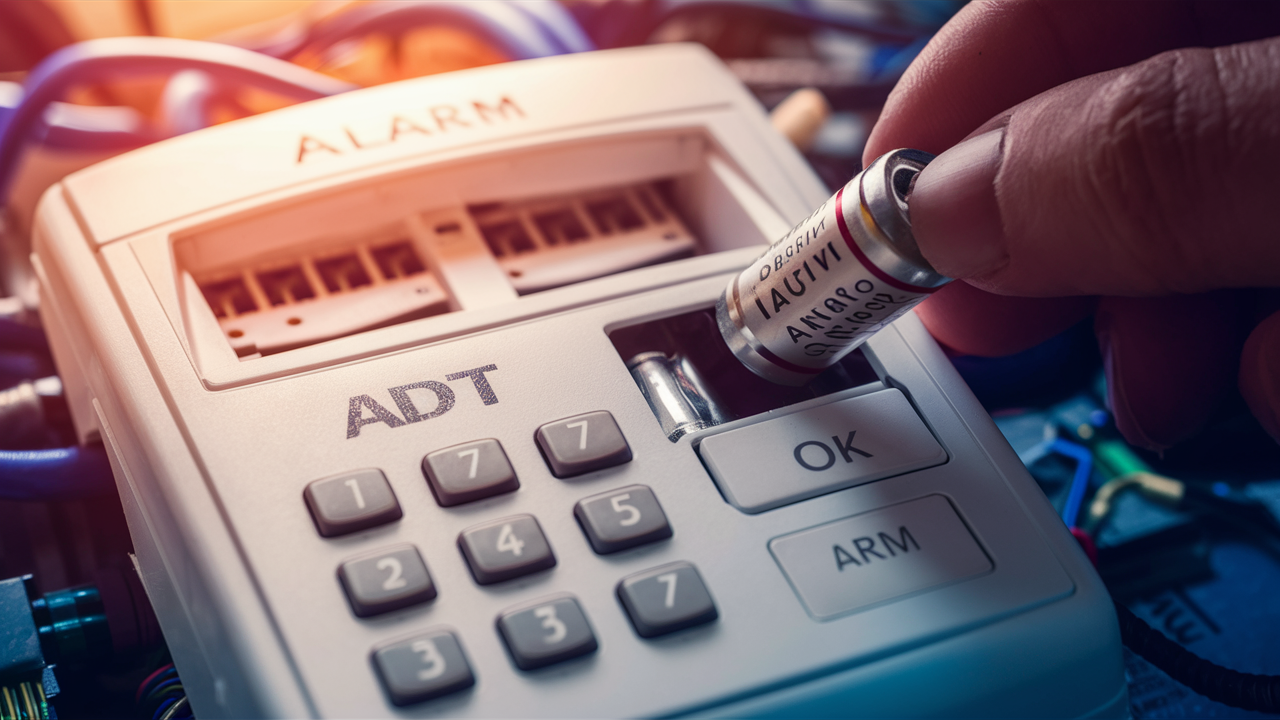
Discover the straightforward guide on how to change the battery in your ADT alarm keypad. This comprehensive tutorial ensures you can maintain your home security system's efficiency with minimal disruption, keeping your property protected and your mind at ease.
Understanding ADT Keypad Batteries
ADT alarm keypads, the central interface for your home security system, rely on batteries to function reliably. These batteries are not just a backup; they are essential for the keypad's operation, especially during power outages. Understanding the types of batteries used, their lifespan, and the indicators of a failing battery is the first step in ensuring your ADT system remains operational. Most ADT keypads utilize standard alkaline or lithium coin-cell batteries, though specific models might vary. The lifespan of these batteries typically ranges from 1 to 3 years, influenced by usage patterns, environmental factors, and the specific battery quality. Recognizing the signs of a low battery, such as intermittent beeping, error messages on the keypad display, or the system status indicating a low battery, is paramount for timely replacement.
In 2025 and 2026, the trend continues towards more energy-efficient keypad designs, potentially extending battery life even further. However, proactive maintenance remains the most reliable strategy. ADT systems are designed to alert users well in advance of a complete battery failure, providing a crucial window for replacement. Ignoring these alerts can lead to a system malfunction, leaving your home vulnerable. Therefore, familiarizing yourself with your specific ADT keypad model and its battery requirements is a fundamental aspect of home security management.
Types of Batteries Used in ADT Keypads
ADT has employed a variety of keypad models over the years, and consequently, different battery types have been used. The most common are:
- 9V Alkaline Batteries: These are frequently found in older ADT keypad models. They offer a good balance of power and longevity for standard security system operations.
- CR2032 Lithium Coin Cell Batteries: Many newer, more compact ADT keypads utilize these coin-cell batteries. They are known for their long shelf life and consistent power output, making them ideal for low-drain devices.
- AA or AAA Alkaline Batteries: Some specific ADT wireless sensors or older keypad variations might use standard AA or AAA batteries.
It's crucial to consult your ADT user manual or visually inspect your current battery to confirm the exact type required for your specific keypad model. Using the incorrect battery type can lead to system errors or damage. For instance, attempting to use a rechargeable battery where a primary alkaline is specified can result in inconsistent voltage and performance issues.
Average Battery Lifespan and Factors Affecting It
The average lifespan of an ADT keypad battery is generally between 1 to 3 years. However, this is a broad estimate, and several factors can significantly influence how long your battery will last:
- Usage Frequency: Keypads that are frequently used for arming, disarming, or accessing system menus will drain batteries faster than those with less activity. Each interaction, while seemingly minor, contributes to the overall power consumption.
- Environmental Conditions: Extreme temperatures, both hot and cold, can degrade battery performance and shorten its lifespan. High humidity can also be detrimental. Keypads installed in unconditioned spaces like garages or attics are more susceptible to these effects.
- Battery Quality: Not all batteries are created equal. High-quality alkaline or lithium batteries from reputable brands tend to last longer and perform more reliably than cheaper, generic alternatives. Investing in premium batteries can save you the hassle of frequent replacements.
- System Configuration: The specific features and settings of your ADT system can also play a role. For example, keypads with backlit displays that are always on or frequently activated will consume more power.
- Signal Strength: In wireless keypads, maintaining a strong connection to the main control panel requires consistent power. Weak signal strength can lead to increased power draw as the keypad attempts to communicate.
As of 2025, advancements in battery technology are leading to even more durable and long-lasting options. However, these factors remain the primary determinants of battery life in ADT systems.
Warning Signs of a Dying Battery
ADT systems are designed to provide ample warning before a battery fails completely. Recognizing these signs is critical for preventing system interruptions:
- Audible Beeping: Many ADT keypads emit a series of short beeps at regular intervals (e.g., every minute) to signal a low battery. This is often the most noticeable indicator.
- Keypad Display Messages: The LCD screen on your keypad may display specific error codes or messages such as "Low Battery," "Batt," or a battery icon with a low charge indicator.
- System Status Lights: Some keypads have indicator lights that may change color or flash to signify a problem, including a low battery.
- Intermittent Functionality: You might notice the keypad becoming unresponsive at times, keys not registering presses, or the display flickering.
- False Alarms: In rare cases, a critically low battery can cause the system to behave erratically, potentially leading to false alarms.
It's important to note that the specific warning signals can vary depending on the ADT keypad model. Always refer to your user manual for model-specific information.
Why Battery Replacement is Crucial
The battery in your ADT alarm keypad is more than just a power source; it's a critical component ensuring the continuous operation and reliability of your entire home security system. Failing to replace a dying battery can have significant consequences, compromising your safety and peace of mind. In the event of a power outage, the keypad's battery becomes the sole power source, allowing you to arm, disarm, and interact with your system. Without a functional battery, your security system effectively becomes useless during these critical moments.
Beyond power outages, a low battery can lead to system malfunctions, false alarms, or the inability to arm your system when leaving home. The financial implications can also be considerable, ranging from potential false alarm fines to the cost of repairing damage if a security breach occurs due to a non-functional system. Furthermore, ADT's monitoring services rely on a fully operational system. A compromised keypad due to a dead battery could mean that your alarm signals are not transmitted to the monitoring center, leaving you unprotected. Proactive battery replacement is a small effort that guarantees significant security benefits.
Ensuring Continuous System Operation
Your ADT alarm system is designed to protect your home 24/7. The keypad battery plays a vital role in this continuous operation. When the main power to your home is interrupted, whether due to a storm, a power grid issue, or scheduled maintenance, your ADT system automatically switches to its backup power. The keypad battery is a key part of this backup power mechanism. If this battery is depleted, the keypad will cease to function. This means you won't be able to disarm the alarm when you return home, potentially triggering a costly false alarm response, or you might not be able to arm the system when you leave, leaving your property vulnerable.
In 2025, with the increasing reliance on smart home integration, the keypad often serves as the primary interface for managing various security features, including remote access codes, sensor status checks, and system arming/disarming via mobile apps. A dead keypad battery can disrupt these functionalities, limiting your ability to control and monitor your home's security effectively.
Preventing System Malfunctions and False Alarms
A failing battery can cause erratic behavior in electronic devices, and alarm keypads are no exception. As the battery voltage drops, the keypad's internal components may not receive a stable power supply, leading to unpredictable operation. This can manifest as:
- Unresponsive Buttons: You might press a button, and nothing happens, or it takes multiple presses to register.
- Garbled Display: The LCD screen might show strange characters or become unreadable.
- System Errors: The keypad could display error messages unrelated to the actual system status, prompting unnecessary service calls.
- False Alarms: The most concerning malfunction is a false alarm. A system experiencing power fluctuations due to a weak battery might erroneously trigger the alarm, leading to unnecessary dispatch of emergency services and potential fines from local authorities.
By replacing the battery proactively, you eliminate these risks, ensuring your system operates smoothly and reliably, providing the security it's intended to deliver without causing undue stress or expense.
Maintaining ADT Monitoring Service Effectiveness
ADT's core value proposition lies in its professional monitoring services. When your alarm is triggered, a signal is sent to ADT's monitoring center, where trained professionals assess the situation and dispatch emergency services if necessary. This entire process relies on a fully functional communication link between your alarm system and the monitoring center. If your keypad battery is dead, and the system loses main power, the communication link can be severed.
In 2025, ADT systems often utilize dual-path communication, meaning they can send signals via both a landline or cellular connection. However, the keypad is often the initial point of contact for triggering these signals. A compromised keypad due to a dead battery can prevent the system from initiating these crucial alerts. This means that even if an intrusion occurs, ADT might not be notified, leaving your home unprotected. Regular battery maintenance ensures that your ADT monitoring service remains effective and that you receive the protection you pay for.
Identifying Your ADT Keypad Model
Before you can change the battery in your ADT alarm keypad, it's essential to know which model you have. ADT has partnered with various manufacturers and offered different keypad designs over the years. Identifying your specific model will ensure you purchase the correct replacement battery and follow the appropriate procedure for your device. This section will guide you through the common methods for identifying your ADT keypad model.
Knowing your model is also crucial for accessing the correct user manual, which often contains detailed instructions and diagrams specific to your device. Without this information, you risk purchasing the wrong battery or attempting to open the keypad incorrectly, potentially causing damage.
Physical Inspection of the Keypad
The most straightforward way to identify your ADT keypad model is through physical inspection. Look for any labels, serial numbers, or manufacturer names printed on the front, back, or sides of the unit.
- Front Panel: Often, the brand name (e.g., ADT, Honeywell, DSC) might be subtly displayed.
- Back of the Unit: This is the most common location for model numbers and serial numbers. You may need to carefully detach the keypad from its wall mount to access this information. Look for labels that typically include "Model:", "Part No.:", or a series of alphanumeric characters.
- Inside the Battery Compartment: Once you open the battery compartment (which we'll cover later), there might be additional labels or stickers inside that specify the model number or the exact battery type required.
Common ADT keypad brands include Honeywell (now Resideo), DSC (Digital Security Controls), and GE/Interlogix. If you see one of these names, it's a good starting point for your search.
Checking Your ADT Account or Documentation
If you have access to your ADT account online or still possess the original contract and documentation, this information should be readily available.
- Online Account Portal: Log in to your ADT customer portal. Your account details usually list the equipment installed at your home, including the specific model numbers of your keypads and control panel.
- Original Contract/Welcome Kit: The paperwork you received when you first had ADT installed should contain a detailed inventory of your system's components. Look for sections describing the "Keypad" or "Control Panel."
- Previous Service Records: If you've had service calls in the past, the technician's reports might also mention your system's model numbers.
This method is highly reliable as it directly reflects the equipment ADT installed for you.
Using ADT Customer Support
If you're unable to find the model number through physical inspection or documentation, ADT customer support is your next best resource.
- Contact ADT: Call the official ADT customer service number. Be prepared to provide your account number or address to verify your identity.
- Describe Your Keypad: If you can't find a model number, describe the appearance of your keypad to the representative. Mention its color, size, button layout, and any visible brand names. They may be able to identify it based on your description.
- Request a Technician: In some cases, if you're unable to identify the model or are uncomfortable performing the replacement yourself, ADT can schedule a technician to visit your home and perform the battery change. While this offers convenience, it typically incurs a service fee.
As of 2025, ADT's customer support channels are well-equipped to assist with equipment identification.
Common ADT Keypad Models and Their Batteries
While specific models can vary, here are some common ADT keypad families and the typical batteries they use:
| Keypad Model Family (Example) | Typical Battery Type | Notes |
|---|---|---|
| Honeywell Ademco Vista Series (e.g., 6160, 6150) | 9V Alkaline | Often requires a single 9V battery. |
| DSC PowerSeries Neo (e.g., HS2032, HS2128) | 9V Alkaline | May use a 9V battery for the keypad itself. |
| ADT Command & Control (Proprietary) | CR2032 Lithium Coin Cell | Newer systems often use compact keypads with coin cells. |
| ADT Safewatch Pro Series (Often re-branded DSC or Honeywell) | 9V Alkaline or CR2032 | Depends on the specific sub-model. |
Disclaimer: This table provides general information. Always confirm the exact battery type for your specific model by checking the device or its manual.
Gathering Your Tools and Supplies
Successfully changing the battery in your ADT alarm keypad requires a few basic tools and the correct replacement battery. Having everything ready before you begin will make the process smoother and prevent unnecessary interruptions to your security system. This section details what you'll need.
While the process is generally straightforward, having the right tools ensures you can open the keypad without damaging it and properly install the new battery. The specific tools might vary slightly depending on your keypad model, but the following list covers the most common requirements.
The Correct Replacement Battery
This is the most critical supply. As identified in the previous section, you need to know the exact battery type required for your ADT keypad.
- Type: Ensure it's the correct chemistry (e.g., Alkaline, Lithium) and form factor (e.g., 9V, CR2032 coin cell, AA).
- Brand Quality: Opt for reputable brands like Duracell, Energizer, Panasonic, or Maxell. Higher quality batteries offer better performance and longevity.
- Quantity: Most keypads use only one battery, but double-check your model's requirements.
- Freshness: Use batteries that are well within their expiration date. Old batteries, even if unused, can lose their charge over time.
Purchasing batteries from authorized retailers ensures you get genuine products. Beware of counterfeit batteries, especially when buying online from unverified sellers.
Screwdriver Set
Many ADT keypads are secured with small screws. You'll likely need a small Phillips head screwdriver. Some models might use Torx screws, so having a small set with various bits is advisable.
- Phillips Head: The most common type. Ensure the size matches the screw head on your keypad (often #1 or #0).
- Flathead: Less common, but a small flathead screwdriver might be needed for prying or specific screw types.
- Torx: Some modern electronics use Torx screws (star-shaped). If your keypad has these, you'll need a Torx screwdriver set (e.g., T6, T8).
Using the correct size screwdriver prevents stripping the screw heads, which can make removal very difficult.
Plastic Pry Tool or Flathead Screwdriver
Some keypad covers are held in place by clips rather than screws. In such cases, you'll need a tool to gently pry open the casing.
- Plastic Pry Tool (Spudger): These are ideal as they are less likely to scratch or damage the plastic casing of your keypad. They are commonly found in electronics repair kits.
- Small Flathead Screwdriver: If you don't have a plastic pry tool, a small, thin flathead screwdriver can be used carefully. Insert it into the seam between the two halves of the casing and gently twist or lever to release the clips. Be cautious not to apply excessive force.
The goal is to release the clips holding the cover without bending or breaking the plastic.
Clean Cloth or Paper Towel
A clean cloth or paper towel is useful for several purposes:
- Cleaning the Battery Contacts: Before installing the new battery, you can use the cloth to gently wipe any dust or corrosion from the battery terminals and the contacts inside the keypad.
- Handling the New Battery: While not strictly necessary for alkaline batteries, it's good practice to handle lithium coin cells with a clean cloth to avoid transferring oils from your fingers, which could potentially affect conductivity over time.
- Cleaning the Keypad Exterior: You might want to wipe down the keypad casing after replacement.
Ensure the cloth is lint-free to avoid leaving debris behind.
Optional: Anti-Static Wrist Strap
While not typically required for simple battery replacements in most ADT keypads, if you are working in a particularly dry environment or are concerned about static discharge, an anti-static wrist strap can provide an extra layer of protection for the electronic components.
- Purpose: Prevents electrostatic discharge (ESD), which can damage sensitive electronic components.
- Usage: Attach the strap to your wrist and clip the other end to a grounded metal object (like the metal casing of a plugged-in appliance that is switched off).
For most users and standard ADT keypads, this is likely overkill, but it's a consideration for those working with sensitive electronics.
Step-by-Step Battery Replacement Guide
Replacing the battery in your ADT alarm keypad is a manageable task that most homeowners can accomplish with a little guidance. This section provides a detailed, step-by-step process to ensure a successful battery change. Remember to always consult your specific keypad's user manual if available, as procedures can vary slightly between models.
The key to a smooth replacement is to work methodically and ensure the system is in a state where it won't trigger an alarm during the process. This usually involves putting the system in a "test mode" or temporarily disabling certain zones.
Step 1: Put Your System in Test Mode
This is a crucial step to avoid accidentally triggering a full alarm and dispatching emergency services.
- Contact ADT: Call ADT's central monitoring station. Inform them that you will be performing routine maintenance (battery replacement) on your keypad and wish to put your system in "Test Mode."
- Provide Information: You will likely need to provide your account number, name, and a security password or passphrase.
- Confirmation: The ADT representative will confirm that your system is now in test mode. This means that any alarm signals generated during the test period will be logged but will not trigger a dispatch.
- Duration: Ask how long the test mode will be active or if you need to call back to deactivate it. Some systems automatically exit test mode after a set period (e.g., 1-2 hours), while others require you to call back.
Note: If you cannot reach ADT or are uncomfortable with this step, you can try to bypass the alarm by entering your code and then quickly opening the keypad. However, this carries a higher risk of triggering an alarm. Test mode is highly recommended.
Step 2: Open the Keypad Casing
This step involves physically accessing the battery compartment.
- Locate Fasteners: Examine your keypad for screws. They are often located on the bottom edge or the sides. If you see screws, use the appropriate screwdriver from your toolkit to remove them. Keep the screws in a safe place (e.g., a small bowl or magnetic tray).
- Pry Open (if no screws): If there are no visible screws, the casing is likely held together by clips. Look for a small seam around the edge of the keypad. Insert your plastic pry tool or a thin flathead screwdriver into this seam. Gently twist or lever to release the clips. Work your way around the perimeter of the keypad, releasing each clip.
- Separate the Casing: Once all screws are removed or clips are released, gently pull the front cover away from the backplate (which is usually mounted to the wall). The cover should detach. Be mindful of any wires connecting the cover to the backplate (though this is less common for battery access).
Important: Do not force the casing open. If it feels stuck, double-check for any missed screws or clips.
Step 3: Remove the Old Battery
With the casing open, you can now access the battery.
- Identify the Battery: Locate the battery within the compartment. It will be either a 9V battery or a coin cell.
- Disconnect (if necessary): For 9V batteries, there will be a connector (snap terminal) attached to the battery terminals. Gently pull this connector off the old battery. For coin cells, there might be a small metal clip holding it in place.
- Remove the Battery:
- 9V Battery: Simply lift the old 9V battery out of its compartment.
- Coin Cell: If there's a clip, you may need to gently push the battery sideways or slightly upwards with a non-metallic tool (like a plastic spudger) to release it from its holder.
- Dispose of Old Battery: Dispose of the old battery responsibly according to local regulations for electronic waste. Do not throw it in the regular trash.
Take a moment to observe the orientation of the old battery (positive and negative terminals) to ensure correct installation of the new one.
Step 4: Install the New Battery
This is where you install the fresh power source.
- Prepare the New Battery: Remove the new battery from its packaging. If it's a coin cell, handle it by the edges.
- Orient Correctly: Note the markings on the battery and inside the compartment indicating the positive (+) and negative (-) terminals. Install the battery with the correct polarity. For a 9V battery, the smaller terminal is positive, and the larger terminal is negative. For coin cells, the positive side (often marked with a "+") usually faces upwards or outwards.
- Connect the Terminals:
- 9V Battery: Align the snap connector with the terminals on the new 9V battery and press firmly until it clicks into place.
- Coin Cell: Slide the coin cell into its holder, ensuring it's seated correctly. If there's a retaining clip, ensure it snaps over the edge of the battery.
- Check Seating: Ensure the battery is securely seated and making good contact with the terminals.
If your keypad has battery contacts, use a clean cloth to gently wipe them before installing the new battery.
Step 5: Re-assemble the Keypad and Test
Now, put everything back together and verify the system is working.
- Align the Casing: Carefully align the front cover with the backplate. Ensure no wires are pinched.
- Secure the Casing: Press the two halves of the casing together until the clips snap into place, or re-insert and tighten the screws you removed earlier.
- Check for Power: The keypad should immediately light up or indicate that it has power. You might hear a beep or see the display activate.
- Enter Your Code: Enter your user code followed by the "OFF" or "Disarm" button. The system should disarm successfully.
- Check System Status: Look for any error messages on the keypad. The "Low Battery" warning should be gone.
- Exit Test Mode: If you put your system in test mode, call ADT back to confirm the battery replacement and have them take your system out of test mode.
- Arm the System: Arm your system in "Stay" or "Away" mode to ensure it functions correctly.
If the keypad does not power on, double-check the battery installation, polarity, and ensure the battery connector is secure.
Troubleshooting Common Issues
Even with careful execution, you might encounter minor issues during or after the battery replacement process. This section addresses common problems and provides solutions to get your ADT keypad back to full functionality.
It's important to remain calm if something doesn't work as expected. Most issues are easily resolved with a systematic approach.
Keypad Does Not Power On
This is one of the most common concerns after replacing a battery.
- Check Battery Polarity: The most frequent cause is installing the battery backward. Ensure the positive (+) and negative (-) terminals are correctly aligned.
- Verify Battery Contact: Make sure the battery is making firm contact with the terminals. For 9V batteries, ensure the snap connector is fully attached. For coin cells, confirm they are seated properly in their holder.
- Inspect Battery Terminals: Check the battery terminals and the contacts inside the keypad for any dirt, corrosion, or damage. Clean them gently with a pencil eraser or a clean cloth.
- Try a Different Battery: The new battery itself might be faulty (though rare). Try a brand-new battery from a different pack or brand.
- Loose Connection: If your keypad has wires connecting to the main board, ensure these are securely plugged in.
If none of these steps work, there might be an issue with the keypad itself, and you may need to contact ADT for service.
Low Battery Warning Persists
If the "Low Battery" message doesn't disappear after replacing the battery, consider these possibilities:
- Incorrect Battery Type: You might have installed a battery with insufficient voltage or capacity for the keypad. Verify the exact battery specifications.
- Battery Not Fully Seated: The new battery might not be making proper contact. Re-seat it firmly.
- System Reset Required: Some systems require a system reset or power cycle to clear old error messages. This often involves disconnecting the main power to the control panel and removing the backup battery from the panel itself for a minute, then reconnecting everything. Consult your ADT manual or ADT support for the correct procedure for your control panel.
- Faulty Keypad: In rare cases, the keypad's internal circuitry may be malfunctioning, falsely reporting a low battery.
If the warning persists after trying these steps, it's advisable to contact ADT.
Keypad is Unresponsive or Erratic
If buttons don't work, the display is garbled, or the keypad behaves strangely:
- Check Battery Connection: An intermittent connection can cause erratic behavior. Ensure the battery is securely installed.
- System Power Cycle: As mentioned above, a full power cycle of the entire alarm system (disconnecting main power and backup battery from the control panel, then reconnecting) can sometimes resolve software glitches.
- Environmental Factors: Extreme temperatures or humidity can affect performance. Ensure the keypad is in a suitable environment.
- Damage to Keypad: Inspect the keypad for any physical damage that might have occurred during installation or previously.
If the problem continues, it may indicate a more significant issue with the keypad or the control panel, requiring professional attention from ADT.
Alarm Triggers After Battery Replacement
This is a serious concern, but usually resolvable.
- Did You Exit Test Mode?: Ensure you properly exited test mode with ADT. If not, the alarm is real.
- Incorrect Battery Installation: If the battery was installed incorrectly, it might not be providing stable power, leading to system errors. Re-check the installation.
- System Not Fully Reset: Sometimes, after a battery change, the system needs a full reset to recognize the new power source correctly. This might involve the control panel power cycle.
- Other System Issues: The alarm might be unrelated to the battery change. A sensor could have been accidentally triggered, or there might be another underlying issue with your system.
If an alarm triggers, stay calm, enter your code to disarm it. If it continues or you suspect a system fault, contact ADT immediately.
What If I Can't Open the Keypad?
Some keypads can be tricky to open.
- Consult the Manual: Search online for the user manual of your specific ADT keypad model. It will have detailed instructions on how to open it.
- Look for Hidden Screws/Clips: Sometimes screws are hidden under rubber feet or labels. Clips might be in less obvious locations.
- Gentle Force: Use only gentle force. If you're struggling, stop and reassess. Forcing it can break the plastic.
- Contact ADT: If you've exhausted all options and cannot safely open the keypad, it's best to contact ADT. They can either guide you through it or send a technician.
Remember, damaging the keypad during a DIY battery change could lead to more expensive repairs.
Preventative Maintenance and Best Practices
Proactive maintenance is key to ensuring your ADT alarm system functions optimally and reliably. Regularly tending to your keypad's battery is a simple yet highly effective way to prevent security lapses. This section outlines best practices and preventative measures to keep your system in top condition.
By adopting these habits, you can extend the life of your batteries, avoid unexpected system failures, and maintain the peace of mind that comes with a well-functioning security system.
Regular Battery Testing and Replacement Schedule
Don't wait for your ADT keypad to start beeping or displaying error messages. Implement a proactive schedule.
- Annual Check: At least once a year, check your keypad's status for any low battery indicators. Many ADT systems allow you to check battery status via the control panel menu or a mobile app.
- Scheduled Replacement: Based on the typical lifespan (1-3 years), consider replacing the battery every 18-24 months. This provides a buffer and reduces the risk of failure between checks.
- Keep Records: Note the date you replaced the battery. This helps you track its age and plan for the next replacement. You can write it on the new battery itself or keep a log.
- Consider Battery Type: If your system uses long-life lithium batteries, you might extend the replacement interval, but still, regular checks are recommended.
As of 2025, many ADT systems offer advanced diagnostics that can alert you to potential battery issues before they become critical, but a manual schedule is still a good backup.
Using High-Quality Batteries
The adage "you get what you pay for" often holds true for batteries.
- Reputable Brands: Always choose batteries from well-known manufacturers like Duracell, Energizer, Panasonic, or Sony. These brands invest in quality control and use better materials.
- Avoid Cheap Alternatives: Discount or unbranded batteries may have a lower initial cost but often perform poorly, have a shorter lifespan, and are more prone to leakage or failure.
- Check Expiration Dates: Ensure you are purchasing batteries with a current or future expiration date.
Investing a few extra dollars in quality batteries can save you the hassle and potential security risks associated with premature battery failure.
Environmental Considerations
The environment where your keypad is located can significantly impact battery life.
- Temperature Extremes: Avoid installing keypads in areas that experience extreme heat (e.g., direct sunlight, uninsulated attics) or cold (e.g., unheated garages). Batteries perform optimally within a moderate temperature range (typically 15°C to 25°C or 60°F to 77°F).
- Humidity: High humidity can lead to corrosion of battery terminals and internal components. Ensure the keypad is installed in a dry area.
- Power Surges/Outages: While the battery is a backup for power outages, frequent power fluctuations can sometimes stress electronic components. Ensure your main electrical system is sound.
If your keypad is in a challenging environment, you may need to replace the battery more frequently.
Understanding System Diagnostics
Modern ADT systems often come with built-in diagnostic tools.
- Check System Status: Regularly navigate through your keypad's menu to check the system's status. Look for any indicators related to battery levels or system health.
- ADT App Features: If you use the ADT mobile app, explore its features. Many apps provide real-time system status updates, including battery levels for various components.
- Trouble Codes: Familiarize yourself with common "trouble" codes displayed on your keypad. These codes often provide specific information about system issues, including low batteries.
Leveraging these diagnostic tools can provide early warnings and allow for timely intervention.
FAQ About ADT Keypad Batteries
Here are answers to some frequently asked questions regarding ADT alarm keypad batteries.
Q: How often should I replace my ADT keypad battery?
A: Typically, ADT keypad batteries need replacement every 1 to 3 years. However, this can vary based on usage, battery quality, and environmental factors. It's best to check your system's status regularly and replace the battery proactively every 18-24 months.
Q: What happens if I don't replace the battery?
A: If the battery dies and there's a power outage, your keypad will become inoperable. This means you won't be able to arm or disarm your system, potentially leading to false alarms or leaving your home unsecured. Your ADT monitoring service may also be compromised.
Q: Can I use any battery for my ADT keypad?
A: No, you must use the specific type of battery recommended for your ADT keypad model. Using the wrong type can cause system errors, damage the keypad, or lead to premature failure. Always check your user manual or the battery compartment for the correct specifications.
Q: Do I need to call ADT before changing the battery?
A: It is highly recommended to put your system in "Test Mode" by calling ADT's monitoring center before changing the battery. This prevents your system from triggering a full alarm and dispatching emergency services unnecessarily.
Q: How do I know which battery my keypad uses?
A: You can identify the battery type by checking the label on the old battery, consulting your ADT keypad's user manual, or looking for information on the keypad itself (often on the back or inside the battery compartment). If unsure, contact ADT customer support.
Q: Can I replace the battery myself?
A: Yes, for most ADT keypad models, battery replacement is a straightforward DIY task. You'll typically need a small screwdriver and the correct replacement battery. Follow the step-by-step guide provided in this article or your user manual.
Q: What if the keypad still shows low battery after replacement?
A: Ensure the new battery is installed correctly with the proper polarity and is making good contact. If the issue persists, the system might need a reset, or there could be a fault with the keypad itself. Contact ADT for further assistance.
Q: Where can I buy replacement batteries?
A: Replacement batteries can be purchased at most electronics stores, supermarkets, drugstores, and online retailers like Amazon. Always opt for reputable brands to ensure quality and reliability.
Conclusion
Maintaining the battery in your ADT alarm keypad is a fundamental aspect of ensuring your home security system functions reliably. By understanding the types of batteries used, recognizing the warning signs of a failing unit, and following the straightforward steps for replacement, you can prevent potential security gaps and costly false alarms. Identifying your specific keypad model is the crucial first step, followed by gathering the correct tools and, most importantly, the appropriate replacement battery.
Remember to always place your system in test mode by contacting ADT before proceeding with the battery change. This simple precaution ensures uninterrupted service and avoids unnecessary emergency dispatches. Whether you're dealing with a 9V alkaline or a CR2032 coin cell, the process is generally manageable for most homeowners. Should you encounter any troubleshooting issues, such as the keypad not powering on or the low battery warning persisting, revisit the troubleshooting steps or consult your ADT user manual. Proactive maintenance, including regular checks and using high-quality batteries, will guarantee the longevity and effectiveness of your ADT system, providing you with continued peace of mind and robust protection for your home and loved ones throughout 2025 and beyond.





