How To Change Battery In Adt Fire Alarm ?
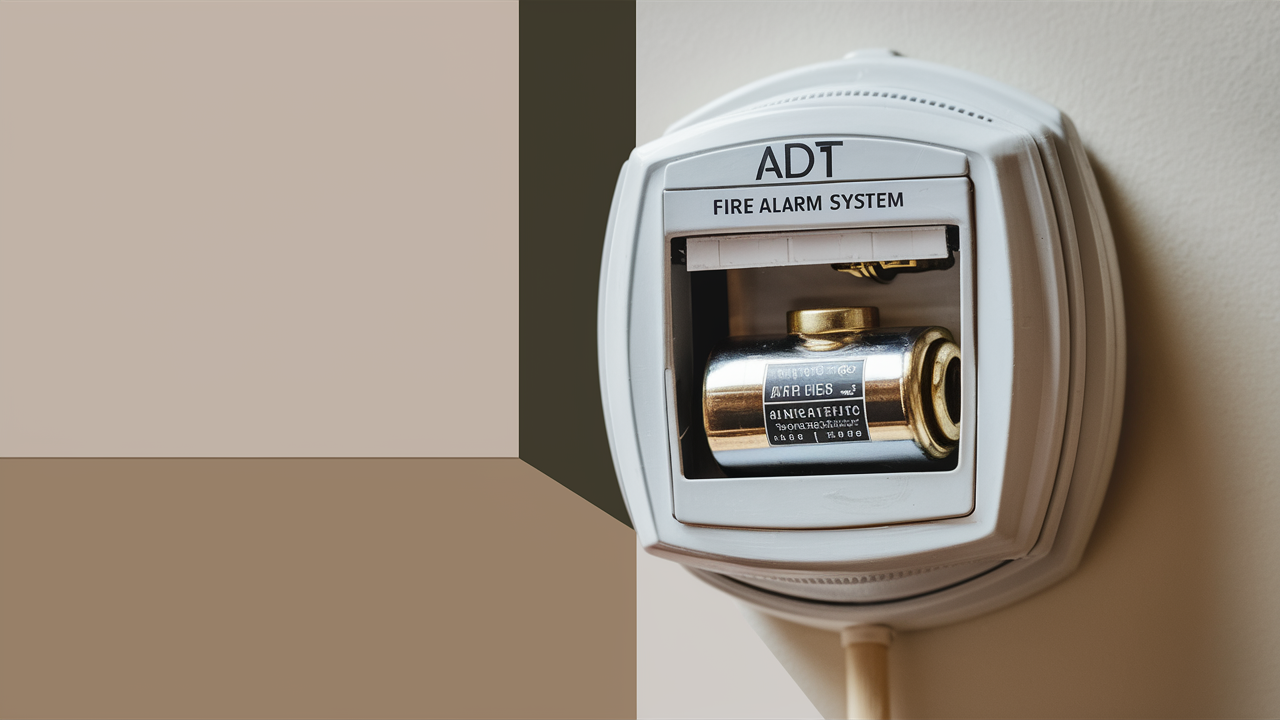
Wondering how to change the battery in your ADT fire alarm? This comprehensive guide provides step-by-step instructions, essential safety tips, and crucial information to ensure your home's safety. We'll cover everything from identifying the right battery to proper disposal, empowering you to maintain your ADT system with confidence.
Understanding Your ADT Fire Alarm System
ADT is a leading provider of home security and fire alarm systems, offering a wide range of solutions designed to protect families and property. Their fire alarm systems are a critical component of home safety, designed to detect smoke and fire early, alerting occupants and, in many cases, the ADT monitoring center. These systems typically consist of interconnected smoke detectors, carbon monoxide detectors, and a central control panel. Understanding how your specific ADT fire alarm system works is the first step towards effective maintenance, including battery replacement.
Most ADT fire alarm devices, especially the wireless smoke and CO detectors, rely on battery power as a primary or backup source. This ensures functionality even during power outages, a crucial feature for life-saving devices. The longevity of these batteries can vary significantly depending on the device type, usage, and environmental factors. Regular checks and timely battery replacements are not just recommended; they are essential for the continuous operation of your ADT fire alarm system. Ignoring low battery warnings can leave your home vulnerable.
ADT systems are designed with user-friendliness in mind, and while professional installation is common, many maintenance tasks, like battery changes, are intended to be manageable by homeowners. This guide aims to demystify the process of changing the battery in your ADT fire alarm, ensuring you can perform this vital task correctly and safely. We will delve into the specifics of identifying your device, selecting the correct battery, and executing the replacement with minimal disruption to your system's functionality.
Why Battery Replacement is Crucial
The primary function of a fire alarm is to alert you to danger. Without a reliable power source, this crucial function is compromised. Batteries in ADT fire alarm devices serve as the primary power source for wireless components and as a critical backup for hardwired units during power outages. Statistics from the National Fire Protection Association (NFPA) consistently highlight the importance of working smoke alarms. In 2023, it was reported that in reported fires where the smoke alarm status was known, over half of the home fire deaths occurred in homes without working smoke alarms. This underscores the life-saving role of these devices.
A low or dead battery in your ADT fire alarm system can lead to several critical failures:
- Failure to Detect: The most significant risk is the alarm's inability to detect smoke or carbon monoxide, leaving occupants unaware of a developing hazard.
- Failure to Alert: Even if a hazard is detected, a weak battery might not have enough power to sound the alarm horn, preventing timely evacuation.
- False Alarms: In some instances, a dying battery can cause erratic behavior, leading to nuisance or false alarms, which can desensitize occupants to real threats.
- Loss of Monitoring: For systems monitored by ADT, a loss of power or a malfunctioning device due to a dead battery can result in the system not communicating with the monitoring center, delaying emergency response.
ADT typically provides audible chirps or visual indicators (like flashing LEDs) to signal a low battery. However, these warnings can sometimes be subtle and easily overlooked, especially if the device is in a less frequented area. Proactive replacement, based on manufacturer recommendations or a regular schedule, is always the safest approach. For instance, many manufacturers recommend replacing batteries at least once a year, or whenever the low-battery chirp is heard. This simple maintenance task is one of the most effective ways to ensure your ADT fire alarm system remains operational and continues to provide the protection you rely on.
Identifying Your ADT Fire Alarm Model
Before you can change the battery, you need to know which ADT fire alarm device you have. ADT utilizes a variety of devices from different manufacturers, often branded with the ADT logo. The model number and type of device are usually found on the back or side of the unit.
Common types of ADT fire alarm devices that require battery replacement include:
- Wireless Smoke Detectors: These are standalone units that communicate wirelessly with the ADT control panel. They often have a battery compartment accessible from the back or side.
- Wireless Carbon Monoxide Detectors: Similar to smoke detectors, these also rely on batteries for their operation and wireless communication.
- Keypads/Sensors with Battery Backup: Some ADT control panels and wireless sensors may have internal batteries that need periodic replacement.
To identify your specific model, carefully remove the device from its mounting bracket (if applicable and safe to do so – see safety precautions below). Look for a label that contains:
- Manufacturer Name: This could be Honeywell, First Alert, or another partner.
- Model Number: This is crucial for determining the exact battery type. It might look something like "HWP-224," "FS1200," or a specific ADT part number.
- Device Type: Clearly stating if it's a smoke detector, CO detector, or combination unit.
If you cannot find a model number or are unsure, consult your ADT installation paperwork or contact ADT customer support. They can often identify your system components based on your account information. Having the correct model number will ensure you purchase the compatible battery, preventing potential damage or malfunction. For example, a common smoke detector might use a 9V battery, while a more advanced CO detector might use two AA or AAA batteries. Incorrect battery types can lead to improper fit, poor contact, or even damage to the device.
Gathering Your Supplies
Once you've identified your ADT fire alarm model and understand the importance of battery replacement, it's time to gather the necessary supplies. Having everything ready before you start will make the process smoother and quicker, minimizing the time your system might be without a fully functional detector.
Here's what you'll typically need:
- The Correct Replacement Battery: This is the most critical item. Based on your device's model number, determine the exact type and brand of battery required. Common types include:
- 9-Volt Batteries: Often used in older or simpler smoke detectors. Look for reputable brands like Duracell, Energizer, or Eveready.
- AA Batteries: Frequently found in newer wireless smoke and CO detectors.
- AAA Batteries: Also common in smaller wireless sensors or some combination detectors.
- A Sturdy Ladder or Step Stool: Most fire alarm devices are mounted on ceilings or high on walls. Ensure you have a stable platform to reach the device safely. Never overreach.
- A Small Phillips Head Screwdriver (Possibly): Some battery compartments are secured with a small screw. Check your device before you start.
- A Clean, Dry Cloth: For wiping down the battery contacts and the inside of the battery compartment if there's any dust or corrosion.
- Gloves (Optional): To keep fingerprints off new batteries and contacts, and for a better grip.
- A Small Container or Bag: For safely transporting the old battery for disposal.
Important Safety Note: Before attempting to remove any ADT fire alarm device, especially if it's hardwired, it's wise to check your system's manual or contact ADT. For wireless devices, ensure you are comfortable and stable on your ladder. If you have any doubts about your ability to safely access or service the device, it's best to call a qualified technician.
Step-by-Step Guide to Changing the Battery
This section provides a general guide for changing the battery in most ADT wireless smoke and carbon monoxide detectors. Always refer to your specific device's manual for exact instructions.
1. Safety First: Prepare Your Workspace
Ensure you have a clear area below the alarm device. Place your ladder or step stool on a stable, level surface. Turn off the main power to your home at the breaker box if you are working on a hardwired unit that also has a battery backup. For most wireless units, this step is not necessary, but always be cautious.
2. Remove the Detector from its Mounting Bracket
Most wireless ADT smoke and CO detectors twist off their mounting brackets.
- Gently grip the detector.
- Twist it counter-clockwise (usually) until it releases from the bracket.
- Carefully lower the detector.
Some models may have a small tab or clip that needs to be pressed while twisting. If it doesn't budge, check for any release mechanisms.
3. Open the Battery Compartment
Once the detector is in your hand, locate the battery compartment.
- Sliding Cover: Many detectors have a battery cover that slides open. Look for a small notch or indentation to grip and slide the cover.
- Hinged Door: Some have a small door that opens, often secured by a small screw or a clip. If there's a screw, use your Phillips head screwdriver to remove it.
- Battery Drawer: Some models have a pull-out drawer for the battery.
If you encounter resistance, double-check for any hidden screws or clips.
4. Remove the Old Battery
Carefully disconnect the old battery from its terminals. If it's a 9V battery, it will have snap connectors. If it's AA or AAA, they will be in a compartment.
- For 9V batteries, pull the connectors straight off the terminals.
- For AA/AAA batteries, gently push them out of their slots or pull them out with your fingers.
Note the orientation of the battery (+ and - terminals) as you remove it.
5. Clean Battery Contacts (Optional but Recommended)
Using your dry cloth, gently wipe the metal battery terminals inside the compartment and on the battery itself (if you're reusing the compartment). This removes any dust, dirt, or slight corrosion that could impede a good connection.
6. Insert the New Battery
Take your new, fresh battery and insert it, ensuring the polarity is correct.
- Match the + and - symbols on the battery with the corresponding symbols in the compartment.
- For 9V batteries, snap the connectors firmly onto the terminals.
- For AA/AAA batteries, slide them into place.
The detector may beep or its indicator light might flash to confirm the battery is installed correctly.
7. Close the Battery Compartment
Securely close the battery compartment. If you removed a screw, reinsert and tighten it gently. Ensure the cover or door is fully closed and latched.
8. Reattach the Detector to its Mounting Bracket
Align the detector with its mounting bracket.
- Gently push the detector onto the bracket.
- Twist it clockwise until it locks into place. You should feel or hear a click.
9. Test the Detector
This is the most crucial step. Most ADT fire alarms have a test button.
- Locate the test button (usually a prominent button on the front or side of the unit).
- Press and hold the test button for at least 5-10 seconds.
- The alarm should emit a loud, continuous siren sound.
If the alarm sounds, congratulations! You have successfully replaced the battery and tested the unit. If it does not sound, or if you hear a weak chirp, recheck the battery installation, ensure you have the correct battery type, and consult the troubleshooting section.
10. Restore Power (If Applicable)
If you turned off the main power at the breaker, now is the time to turn it back on.
11. System Re-acknowledgement (If Necessary)
Some ADT systems may require you to acknowledge the battery change on the main control panel. Check your panel for any prompts or messages. If your system was in a "trouble" state due to the low battery, it should clear automatically once the new battery is installed and the unit is tested.
Battery Replacement for ADT Control Panels
Some ADT control panels also have a backup battery. This is typically a sealed lead-acid battery located within the main panel enclosure. Replacing this is a more involved process and often requires a technician. If your panel indicates a "backup battery fault" or "low battery," it's best to contact ADT for service. Attempting to replace this yourself without proper knowledge can damage the system or void your warranty.
Troubleshooting Common Issues
Even with careful adherence to instructions, you might encounter issues during or after battery replacement. Here are some common problems and their solutions:
Issue: Alarm Chirps Continuously or Intermittently
Cause: This is the most common indicator of a low battery.
Solution:
- Ensure you have installed a fresh, new battery.
- Verify that the battery is the correct type and brand recommended for your model.
- Check that the battery is inserted with the correct polarity (+/-).
- Make sure the battery compartment is securely closed. A loose cover can sometimes trigger a chirp.
- If the chirping persists after trying a new, correct battery, the battery itself might be faulty, or there could be an issue with the detector. Try another new battery.
Issue: Alarm Does Not Sound When Test Button is Pressed
Cause: Incorrect battery installation, faulty battery, or a malfunctioning detector.
Solution:
- Re-open the battery compartment and ensure the battery is seated correctly and the terminals are making good contact.
- Try a different brand-new battery.
- Ensure the detector is properly reattached to its mounting bracket. Some models have a tamper switch that prevents operation if not fully secured.
- Clean the battery contacts with a dry cloth.
- If the problem persists, the detector itself may be faulty and require replacement.
Issue: Alarm System Shows a "Trouble" Light or Message
Cause: This can indicate various issues, including a low battery in a specific sensor, a communication problem, or a fault within the device.
Solution:
- Check the main ADT control panel for specific error messages. It might pinpoint which sensor is reporting the trouble.
- If the message relates to a smoke or CO detector, follow the battery replacement steps for that specific device.
- After replacing the battery and testing the device, the "trouble" indicator on the main panel should clear. If it doesn't, you may need to reset the system or call ADT.
Issue: Detector Beeps Rapidly or Constantly After Battery Change
Cause: This could indicate a fault or that the detector is not properly seated.
Solution:
- Ensure the battery compartment is fully closed and latched.
- Re-mount the detector to its bracket, ensuring it clicks securely into place.
- If the rapid beeping continues, try removing the battery for a minute, then reinserting it.
Issue: New Battery Doesn't Seem to Fit
Cause: You are likely using the wrong battery type or size.
Solution:
- Double-check the model number of your detector and consult its manual or ADT's specifications for the exact battery requirements.
- Purchase the correct battery type (e.g., 9V vs. AA, alkaline vs. lithium).
If you've tried these solutions and are still experiencing problems, it's time to consider contacting ADT support. They can provide model-specific advice or dispatch a technician.
When to Call ADT Professionals
While changing batteries in most wireless ADT fire alarm devices is a DIY task, there are several situations where it's best to call ADT professionals:
- Backup Battery Replacement for Control Panels: As mentioned, the backup battery in the main ADT control panel is usually a sealed unit that requires professional replacement. Attempting this yourself can be dangerous and may void your warranty.
- Hardwired Smoke Detectors with Battery Backup: If your smoke detectors are hardwired into your home's electrical system but also have a battery backup, replacing the battery might require shutting off power at the breaker and working with electrical wiring. If you are not comfortable with this, call a professional.
- System Malfunctions Not Resolved by Battery Change: If you've replaced the battery correctly and tested the device, but the alarm still doesn't function, shows a persistent trouble light, or behaves erratically, there might be a deeper issue with the device or the system.
- Frequent False Alarms: If you're experiencing recurring false alarms even after battery replacement and ensuring the detector is clean, it could indicate a faulty sensor or an environmental issue that a professional can diagnose.
- System Upgrades or Replacements: If your ADT fire alarm system is old, or if you're looking to upgrade to a more advanced system (e.g., adding interconnected alarms, smart features), ADT professionals can advise on the best options and perform the installation.
- Uncertainty or Lack of Confidence: If at any point you feel unsure, uncomfortable, or unsafe performing the battery replacement, do not hesitate to call ADT. Your safety and the proper functioning of your alarm system are paramount.
ADT offers service plans that can cover maintenance and professional assistance. It's worth checking if your ADT contract includes such services. When calling ADT, have your account information ready and be prepared to describe the issue clearly.
Battery Disposal and Environmental Considerations
Proper disposal of used batteries is crucial for environmental protection. Batteries, especially older types, can contain heavy metals and chemicals that can leach into the soil and water if disposed of improperly in landfills.
Here's how to dispose of batteries from your ADT fire alarm responsibly:
- Alkaline Batteries (AA, AAA, 9V): In many regions, standard alkaline batteries are considered safe for regular household trash disposal. However, regulations vary by state and municipality. It's always best to check your local waste management guidelines. Some areas still encourage or require their collection at designated drop-off points.
- Lithium Batteries: Lithium batteries, whether in AA, AAA, or 9V form, should generally not be thrown in the regular trash. They can pose a fire risk if damaged. Look for specialized battery recycling programs or drop-off locations.
- Rechargeable Batteries: If your ADT device uses rechargeable batteries (less common for smoke detectors but possible for other sensors), these should always be recycled.
- Sealed Lead-Acid Batteries (Control Panel Backup): These batteries contain lead and acid and are considered hazardous waste. They must be taken to a designated hazardous waste collection site or a battery retailer that accepts them for recycling.
Where to Find Recycling Options:
- Local Recycling Centers: Many municipal recycling centers have specific bins for batteries.
- Retail Stores: Large electronics retailers, home improvement stores, and even some supermarkets often have battery recycling drop-off points.
- Call2Recycle: This is a North American program that partners with retailers to offer free battery recycling. You can find drop-off locations on their website.
- Household Hazardous Waste (HHW) Events: Your local government may host periodic HHW collection events where you can drop off batteries and other hazardous materials.
By taking a few extra moments to dispose of your old batteries correctly, you contribute to a healthier environment and prevent potential hazards. Always store old batteries in a cool, dry place away from flammable materials until you can dispose of them properly.
Preventative Maintenance Tips
Regular preventative maintenance is key to ensuring your ADT fire alarm system functions reliably. Beyond just changing batteries, consider these tips:
- Monthly Testing: Press the test button on each smoke and CO detector at least once a month. This is the most effective way to ensure the siren is working and the unit is communicating with the system.
- Annual Battery Replacement: Even if your detectors haven't started chirping, it's a good practice to replace all batteries annually. Many people choose to do this in the spring or fall, coinciding with daylight saving time changes, as a reminder.
- Regular Cleaning: Dust, insects, and cobwebs can accumulate inside smoke detectors, potentially triggering false alarms or hindering performance. Gently vacuum the exterior vents of the detector with a soft brush attachment monthly. For a deeper clean, you can carefully remove the cover (if possible) and use a can of compressed air to blow out any dust from the sensor chamber. Ensure the device is powered off or the battery is removed before cleaning.
- Check Indicator Lights: Most ADT fire alarm devices have an LED indicator light that flashes periodically to show they are powered and functioning. Familiarize yourself with what the normal flashing pattern is for your devices and investigate if the pattern changes or stops.
- Keep Detectors Clear: Ensure that nothing is obstructing the vents of your smoke and CO detectors. This includes paint, wallpaper, or other materials. Do not spray cleaning agents or insecticides directly onto or near the detectors.
- Know Your System: Understand what different beeps and lights mean for your specific ADT system. Consult your ADT user manual or contact ADT for clarification on any unusual sounds or indicators.
- Document Battery Changes: Keep a simple log of when you replace batteries. This helps you track their lifespan and ensures you're replacing them proactively.
- Test Interconnectivity: If you have interconnected alarms, test them to ensure they all sound when one is triggered. This confirms that the communication between them is working correctly.
Proactive maintenance not only ensures your ADT system is always ready to protect you but can also prevent costly emergency service calls. A well-maintained system is a reliable system.
Conclusion: Maintaining Your ADT Safety System
Ensuring your ADT fire alarm system is always operational is a critical aspect of home safety. The process of changing a battery in your ADT fire alarm, particularly for wireless smoke and CO detectors, is straightforward and can be managed by most homeowners. By following the step-by-step guide, identifying your specific model, gathering the correct supplies, and prioritizing safety, you can confidently perform this essential maintenance task.
Remember, the low-battery chirp is a warning, not a suggestion. Acting promptly on these alerts, or better yet, adopting an annual battery replacement schedule, significantly reduces the risk of your alarm failing when you need it most. Furthermore, understanding when to call ADT professionals for more complex issues, such as control panel battery replacement or system malfunctions, ensures that your entire ADT security ecosystem remains robust and reliable.
Proper disposal of old batteries and consistent preventative maintenance, including monthly testing and regular cleaning, are equally vital components of a comprehensive safety strategy. By investing a small amount of time and effort into maintaining your ADT fire alarm system, you are investing in the safety and security of your home and loved ones. Don't wait for an emergency; be proactive and keep your ADT system in optimal working condition.



