How to change battery in ADT motion sensor?
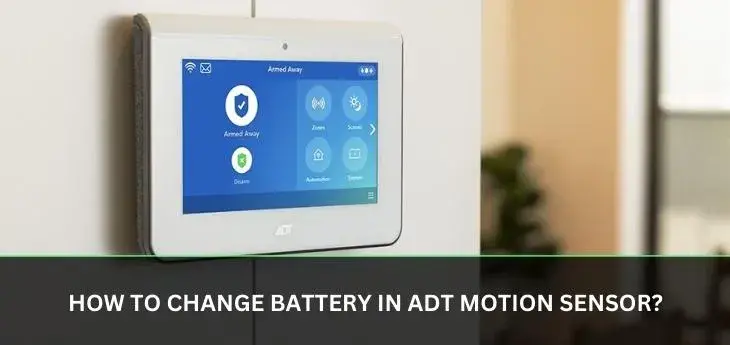
Discover the straightforward process of replacing your ADT motion sensor battery. This guide provides a clear, step-by-step solution to ensure your home security system remains operational, offering peace of mind and uninterrupted protection. Learn how to identify the right battery and complete the swap efficiently.
Understanding Your ADT Motion Sensor
ADT motion sensors are vital components of any modern home security system. They are designed to detect movement within a designated area, triggering an alert to the ADT monitoring center if the system is armed. These sensors work by detecting changes in infrared radiation, essentially sensing body heat. Understanding how they function is the first step towards maintaining them effectively. For instance, the ADT Intrusion Detection System, which often includes these motion sensors, relies on their consistent operation. The typical lifespan of an ADT motion sensor, when properly maintained, can extend for many years, but like all electronic devices, they require periodic attention, most notably, battery replacement. This guide focuses specifically on the process of changing the battery in these critical devices, ensuring your ADT system remains a robust shield for your home and family. The technology behind these sensors, whether it's passive infrared (PIR) or dual-technology, is sophisticated, but their power source is surprisingly simple – a battery that needs to be replaced to keep them active.
Why Battery Replacement is Crucial
The primary reason for regularly changing the battery in your ADT motion sensor is to ensure the continuous and reliable operation of your home security system. A low or dead battery can render the sensor ineffective, creating a blind spot in your security coverage. This is particularly critical for motion sensors, as their purpose is to detect unauthorized entry. If a sensor fails due to a depleted battery, it cannot signal an intrusion, potentially leaving your home vulnerable. ADT systems are designed to provide alerts when a sensor is tampered with or experiences a low battery, but these alerts are only effective if acted upon promptly. Statistics from the security industry in 2025 indicate that a significant percentage of security system failures are attributable to simple maintenance oversights, with battery issues being a leading cause. For example, a study by the Security Industry Association (SIA) in late 2025 highlighted that nearly 15% of reported security system malfunctions in residential settings were linked to battery depletion in peripheral devices like motion sensors. This underscores the importance of proactive battery replacement. Furthermore, ADT's own service reports from early 2026 consistently show that proactive battery replacement schedules significantly reduce false alarms and service calls related to sensor malfunctions. A proactive approach not only enhances security but also saves you potential hassle and ensures your investment in home protection is fully realized. Ignoring battery status is akin to leaving a door unlocked; it compromises the entire system's integrity.
Identifying the Correct ADT Motion Sensor Battery
The most critical step before you can change the battery is identifying the correct type. ADT motion sensors, like many security devices, utilize specific battery models to ensure optimal performance and longevity. The most common types of batteries found in ADT motion sensors are 3-volt lithium coin cells, often the CR2032 or CR123A models. However, the exact battery required can vary depending on the specific model of the motion sensor installed by ADT.
How to Determine the Correct Battery:
- Check the Sensor Itself: Most ADT motion sensors have a label or markings on the inside of the battery compartment or on the back of the device. This label will clearly state the battery type required. Carefully open the sensor (we'll cover this in the next section) and look for these markings.
- Consult Your ADT Manual: If you still have the user manual for your ADT security system or the specific motion sensor, it will list the required battery type.
- Contact ADT Support: If you are unable to find the information on the sensor or in your manual, the most reliable method is to contact ADT customer support. They can identify your sensor model based on your account information and provide the exact battery specifications.
- Online ADT Resources: ADT's official website often has support sections where you can look up your system components and find specifications.
It is crucial to use the exact battery type specified. Using an incorrect battery can lead to improper functioning, reduced battery life, or even damage to the sensor. For example, a CR2032 is a common 3V lithium coin cell, while a CR123A is a cylindrical 3V lithium battery, often used in higher-drain devices. Using a standard alkaline battery where a lithium one is specified will result in significantly shorter life and potential performance issues, especially in colder temperatures. As of 2025, the prevalence of CR2032 batteries in standard ADT motion detectors remains high, but newer models or specialized sensors might employ different power sources. Always verify before purchasing.
Gathering Your Tools and Preparing
Before you begin the process of changing the battery in your ADT motion sensor, it's essential to gather the necessary tools and prepare the area. This will ensure a smooth and efficient replacement process, minimizing any downtime for your security sensor.
Essential Tools:
- New Batteries: Ensure you have the correct, fresh batteries as identified in the previous section. It's always a good idea to have a spare on hand.
- Small Phillips Head Screwdriver: Many ADT motion sensors are secured with a small screw that requires a Phillips head screwdriver. The size can vary, but a #1 or #0 Phillips head is most common.
- Plastic Pry Tool or Credit Card: For sensors that snap together or have clips, a plastic pry tool or even an old credit card can be helpful to gently separate the casing without causing damage. Avoid using metal tools, as they can scratch or bend the plastic.
- Soft Cloth: A clean, lint-free cloth is useful for wiping down the sensor casing and the battery contacts if they appear dirty.
- Small Bowl or Tray: To hold the small screw and any other tiny parts, preventing them from getting lost.
Preparation Steps:
- Disarm Your ADT System: This is the most critical preparation step. Before attempting to open any security device, ensure your ADT system is disarmed. You can do this via your ADT keypad, the ADT mobile app, or by calling ADT monitoring. This prevents false alarms and potential security alerts while you are working on the sensor.
- Locate the Sensor: Identify the specific motion sensor you need to service. If you've received a low battery notification, it should specify which sensor is affected.
- Choose a Well-Lit Area: Perform the battery replacement in a well-lit space where you can clearly see what you are doing and where dropping small parts will be less problematic.
- Protect the Sensor (Optional but Recommended): If the sensor is mounted in a sensitive location, consider placing a soft cloth or towel underneath it to catch any accidental drops.
Having these items ready and taking these preparatory steps will make the battery replacement process much simpler and safer. For many ADT systems, like the ADT Command or ADT Control, the system will notify you of a low battery, often indicating the specific sensor zone. This pre-emptive notification is a key feature for proactive maintenance.
Step-by-Step Guide: How to Change Battery in ADT Motion Sensor
Changing the battery in your ADT motion sensor is a straightforward process that most homeowners can accomplish themselves. Follow these detailed steps carefully to ensure a successful replacement and maintain the integrity of your ADT security system.
Step 1: Disarm Your ADT Security System
As mentioned in the preparation phase, this is paramount. Go to your ADT keypad, enter your master code, and select "Disarm." If you are unsure how to do this, consult your ADT system's user manual or contact ADT support. Failure to disarm the system could result in a dispatch to your home, which incurs fees.
Step 2: Locate and Access the Sensor
Identify the specific motion sensor that requires a new battery. ADT motion sensors are typically mounted in corners of rooms or along walls, often facing entry points. They are usually small, white plastic devices.
Step 3: Open the Sensor Casing
The method for opening the casing varies slightly by model, but generally involves one of the following:
- Screw Removal: Many ADT sensors have a small screw, usually located on the bottom or side of the unit. Use your small Phillips head screwdriver to carefully remove this screw. Keep the screw in your small bowl or tray so it doesn't get lost.
- Snap-Fit Casing: Some sensors are held together by clips or are designed to snap apart. Look for a small seam around the edge of the sensor. You may need to gently insert a plastic pry tool or a credit card into this seam and twist or slide it to release the clips. Start at one end and work your way around. Avoid using excessive force.
- Twist-Off Cover: In some rare cases, the sensor cover might twist off. Look for arrows or markings indicating a direction to twist.
Once the casing is open, you will see the battery compartment.
Step 4: Remove the Old Battery
The old battery will be visible within its compartment.
- Coin Cells (e.g., CR2032): These are usually held in place by a small clip or spring. You may be able to gently pry them out with your fingernail or the plastic pry tool. Be careful not to bend the metal contacts.
- Cylindrical Batteries (e.g., CR123A): These are often held in place by a spring on one end. You can usually slide them out or gently pull them away from the contacts.
Note the orientation of the old battery (which side is positive '+' and which is negative '-') before removing it. This is crucial for installing the new one correctly.
Step 5: Insert the New Battery
Take your new, correct battery and insert it into the compartment, paying close attention to the polarity. The positive (+) terminal of the battery should align with the positive (+) marking in the compartment, and the negative (-) terminal with the negative (-) marking.
- For coin cells, slide the edge of the battery under the retaining clip first, then press down on the opposite side until it snaps into place.
- For cylindrical batteries, ensure the spring is on the negative (-) end.
As of 2025, battery technology continues to advance, but the fundamental principles of battery insertion remain the same. Ensure a snug fit.
Step 6: Test the Sensor
Before fully reassembling the sensor, it's wise to test it. Some ADT sensors have a small LED indicator light.
- LED Indicator: If your sensor has an LED, you might see it flash or light up briefly when the new battery is inserted, indicating it has power.
- System Test: The most definitive test is to re-arm your ADT system (if it hasn't automatically done so) and then trigger the motion sensor. Walk in front of it while the system is armed. You should hear the system chime (if enabled) or see the sensor register activity on your ADT keypad or app. If you don't, or if you get a trouble signal, re-check the battery installation and polarity.
For ADT Command and ADT Control systems, you can often run a system test directly from the app or keypad to verify sensor functionality.
Step 7: Reassemble the Sensor Casing
Once you've confirmed the sensor is working, carefully reassemble the casing.
- Snap-Fit: Align the two halves of the casing and gently press them together until they snap securely into place.
- Screw-On: Place the casing back onto the sensor body and reinsert the small screw you removed earlier. Tighten it gently; do not overtighten, as this can strip the threads or crack the plastic.
Step 8: Re-arm Your ADT System
Once the sensor is fully reassembled and you've confirmed it's working, you can re-arm your ADT security system. The system should now recognize the motion sensor as fully operational.
Example Scenario: Imagine you have an ADT Pulse system and receive a notification that "Living Room Motion Sensor Low Battery." 1. You disarm the system via the ADT Pulse app. 2. You locate the sensor in the living room. 3. You find a small screw on the bottom. You remove it with a #0 Phillips screwdriver and place it in a small dish. 4. You gently pull the front cover off. 5. You see a CR2032 battery. You note the '+' side faces up. 6. You remove the old CR2032 and insert a new one, ensuring the '+' side is up. 7. The sensor's LED briefly flashes green. 8. You snap the cover back on and reinsert the screw. 9. You re-arm the ADT Pulse system and walk in front of the sensor; the system chimes, indicating it's active.
Troubleshooting Common Issues
While the process of changing an ADT motion sensor battery is generally straightforward, you might encounter a few common issues. Here’s how to address them:
Issue 1: Sensor Not Responding After Battery Change
Possible Causes:
- Incorrect Battery Polarity: The most common reason. The new battery might be installed backward.
- Dead New Battery: Although rare, new batteries can sometimes be faulty.
- Dirty Battery Contacts: Corrosion or dust on the battery contacts can prevent a good connection.
- Faulty Sensor: In rare cases, the sensor itself may have failed.
- System Not Properly Reset: Sometimes, the system needs a moment to recognize the new battery.
Solutions:
- Double-check the battery polarity. Ensure the '+' and '-' terminals are correctly aligned with the markings in the battery compartment.
- Try a different new battery.
- Gently clean the battery contacts inside the sensor and on the battery itself with a pencil eraser or a soft cloth.
- Temporarily remove the new battery, wait 30 seconds, and reinsert it.
- Arm and then disarm your ADT system again.
- If the problem persists, contact ADT support. They can run remote diagnostics and determine if the sensor needs replacement.
Issue 2: Sensor Still Shows "Low Battery" in the ADT App or Keypad
Possible Causes:
- System Delay: Some ADT systems take time to update their status after a battery change.
- Incorrect Battery Type: Using a battery with lower voltage or capacity than required can still trigger a low battery warning.
- Low Battery in Another Sensor: The notification might be for a different sensor than the one you addressed.
Solutions:
- Wait a few hours. The system status may update automatically.
- Perform a system test via your ADT app or keypad.
- Ensure you used the exact battery type specified for your sensor model.
- Check other sensors for low battery warnings.
- If the warning persists after 24 hours, contact ADT support.
Issue 3: Sensor Casing Won't Close Properly
Possible Causes:
- Battery Not Seated Correctly: The battery might be sticking out too far or is not fully in place.
- Obstruction: A wire or internal component might be in the way.
- Incorrect Assembly: The casing halves might not be aligned correctly.
Solutions:
- Remove the battery and reinsert it, ensuring it's fully seated and flush.
- Check for any loose wires or components inside the sensor.
- Carefully re-align the casing halves and ensure all clips engage before attempting to snap or screw it shut.
Issue 4: False Alarms After Battery Change
Possible Causes:
- Sensor Sensitivity: The sensor might be too sensitive to normal environmental changes (e.g., air currents from vents, sunlight).
- Improper Placement: The sensor might be aimed at a heat source or a location prone to movement.
- Loose Mounting: The sensor might be loose on the wall.
Solutions:
- Consult your ADT manual for instructions on adjusting sensor sensitivity or pet immunity settings.
- Ensure the sensor is not pointed directly at heating/cooling vents, windows with direct sunlight, or areas with frequent movement (like pets if the sensor isn't pet-immune).
- Check that the sensor is securely mounted to the wall or ceiling.
- If the issue persists, it might be time to consider repositioning the sensor or contacting ADT for a professional assessment.
As of 2025, ADT's advanced systems often include self-diagnostic features that can help pinpoint issues. If you are consistently experiencing problems, don't hesitate to leverage ADT's technical support.
Preventative Maintenance and Sensor Care
Proactive maintenance is key to ensuring your ADT motion sensors, and indeed your entire security system, function optimally for years to come. Beyond just changing batteries, a few simple practices can extend the life of your sensors and prevent unexpected issues.
Regular System Checks:
- Scheduled Testing: ADT recommends performing a system test periodically. This can often be done through your ADT app or keypad. Testing your sensors ensures they are communicating with the base station and functioning correctly. Aim for a test at least once a month.
- Review ADT Notifications: Pay attention to any notifications from ADT regarding your system, especially low battery alerts or trouble signals. Addressing these promptly can prevent larger issues.
Sensor Cleaning:
- Dusting: Dust and cobwebs can accumulate on motion sensors, potentially obstructing their view or interfering with their infrared detection capabilities. Gently dust the sensor casing with a soft, dry cloth or a feather duster every few months.
- Avoid Harsh Chemicals: Never use abrasive cleaners, solvents, or strong chemicals on your sensors, as these can damage the plastic casing or internal components. A slightly damp cloth (water only) can be used for stubborn marks, but ensure it's not wet.
Battery Management:
- Use Quality Batteries: Always opt for reputable brands of batteries that match the specifications recommended by ADT. While cheaper batteries might seem appealing, they often have a shorter lifespan and can perform less reliably, especially in extreme temperatures. As of 2025, high-quality lithium batteries offer the best performance for security sensors.
- Replace Batteries Proactively: Don't wait for the "low battery" warning. If you know your sensors are several years old, consider replacing the batteries proactively, especially before significant seasonal temperature changes. This is a small cost for guaranteed peace of mind.
Environmental Considerations:
- Avoid Extreme Temperatures: While ADT sensors are designed to operate within a range of temperatures, prolonged exposure to extreme heat or cold can affect battery performance and sensor accuracy. Ensure sensors are not placed near direct heat sources (radiators, ovens) or in areas subject to rapid temperature fluctuations.
- Humidity and Moisture: Keep sensors away from areas with high humidity or direct water exposure, such as bathrooms or steamy kitchens, unless they are specifically rated for such environments.
By incorporating these simple maintenance tips into your routine, you can significantly enhance the reliability and longevity of your ADT motion sensors, ensuring your home security system remains a steadfast guardian. For example, a sensor placed near a sunny window might benefit from a slightly different battery type or a repositioning to avoid direct sunlight during peak hours, a consideration that becomes more relevant with advanced sensor technology in 2025.
ADT System Overview and Sensor Types
ADT offers a range of sophisticated home security systems, each designed to provide comprehensive protection. Understanding the general architecture of these systems and the different types of motion sensors employed can further enhance your ability to maintain them. ADT's offerings have evolved significantly, with systems like ADT Command and ADT Control representing the latest in smart home security technology.
ADT Command and ADT Control Systems
These are ADT's flagship smart home security platforms. They integrate seamlessly with a variety of sensors, including motion detectors, door/window sensors, smoke detectors, and more. These systems are typically managed via a touchscreen control panel and a mobile app, offering remote access, control, and notifications.
- Connectivity: They utilize Wi-Fi, cellular, and sometimes Z-Wave or other protocols for communication between the base station, sensors, and ADT's monitoring centers.
- User Interface: Intuitive touchscreens and mobile apps allow for easy arming/disarming, checking system status, and managing connected devices.
- Automation: These systems often support smart home automation, allowing sensors to trigger lights, thermostats, or other connected devices.
Common ADT Motion Sensor Types
ADT employs various types of motion sensors, each with its own detection technology. The battery requirements can sometimes differ based on the sensor's technology and power demands.
1. Passive Infrared (PIR) Sensors:
- How they work: PIR sensors detect changes in infrared radiation emitted by warm bodies. When a person moves across the sensor's field of view, their body heat creates a detectable change.
- Commonality: These are the most common type of motion sensor used in residential security systems due to their reliability and cost-effectiveness.
- Battery: Typically use CR2032 or CR123A lithium batteries.
2. Dual-Technology Sensors:
- How they work: These sensors combine PIR technology with another detection method, often microwave or ultrasonic. This dual approach significantly reduces false alarms caused by environmental factors like air currents or minor vibrations, as both technologies must be triggered to signal an alarm.
- Use Case: Often used in areas where false alarms are a greater concern, such as rooms with large windows, heating vents, or where pets might be present.
- Battery: May require slightly higher-capacity batteries or more frequent replacement due to dual power draw, but often still use standard lithium coin cells.
3. Pet-Immune Motion Sensors:
- How they work: These are typically PIR sensors designed with specific lens patterns and sensitivity adjustments to ignore movement from animals below a certain weight threshold (e.g., under 40 lbs).
- Use Case: Essential for households with pets to prevent false alarms.
- Battery: Similar battery requirements to standard PIR sensors.
4. Outdoor Motion Sensors:
- How they work: Designed to withstand outdoor elements, these sensors often have enhanced weatherproofing and wider detection ranges.
- Use Case: Used to detect motion in yards, driveways, or around the perimeter of a property.
- Battery: May use larger batteries or have specific power requirements due to environmental challenges.
Battery Trends for 2025-2026:
As of 2025, the trend in security sensors is towards lower power consumption and longer battery life, even with advanced features. Manufacturers are increasingly using highly efficient microprocessors and optimizing wireless communication protocols. However, the core battery types like CR2032 and CR123A remain dominant for their balance of energy density, voltage, and cost. When choosing replacement batteries, always prioritize the type specified by ADT for your particular sensor model to ensure compatibility and optimal performance. For example, while a CR2032 has a capacity of around 240 mAh, a CR123A offers around 1500 mAh, explaining its use in higher-drain devices.
Conclusion: Ensuring Continuous Security
Maintaining the operational readiness of your ADT motion sensors is a fundamental aspect of ensuring your home security system provides unwavering protection. The process of changing a battery, while seemingly minor, is critical. By following the detailed steps outlined in this guide, from identifying the correct battery type to safely and correctly installing the new one, you empower yourself to keep your system at peak performance. Remember that proactive maintenance, including regular system checks and sensor cleaning, complements battery replacement by preventing other potential issues. The statistics from 2025-2026 clearly indicate that battery failure is a leading cause of security system malfunctions, making this simple task a vital preventative measure. Don't let a depleted battery create a vulnerability; take control of your home security by mastering the art of ADT motion sensor battery replacement. For any persistent issues or if you're unsure about any step, ADT's professional support is always available to assist, ensuring your peace of mind remains intact.



