
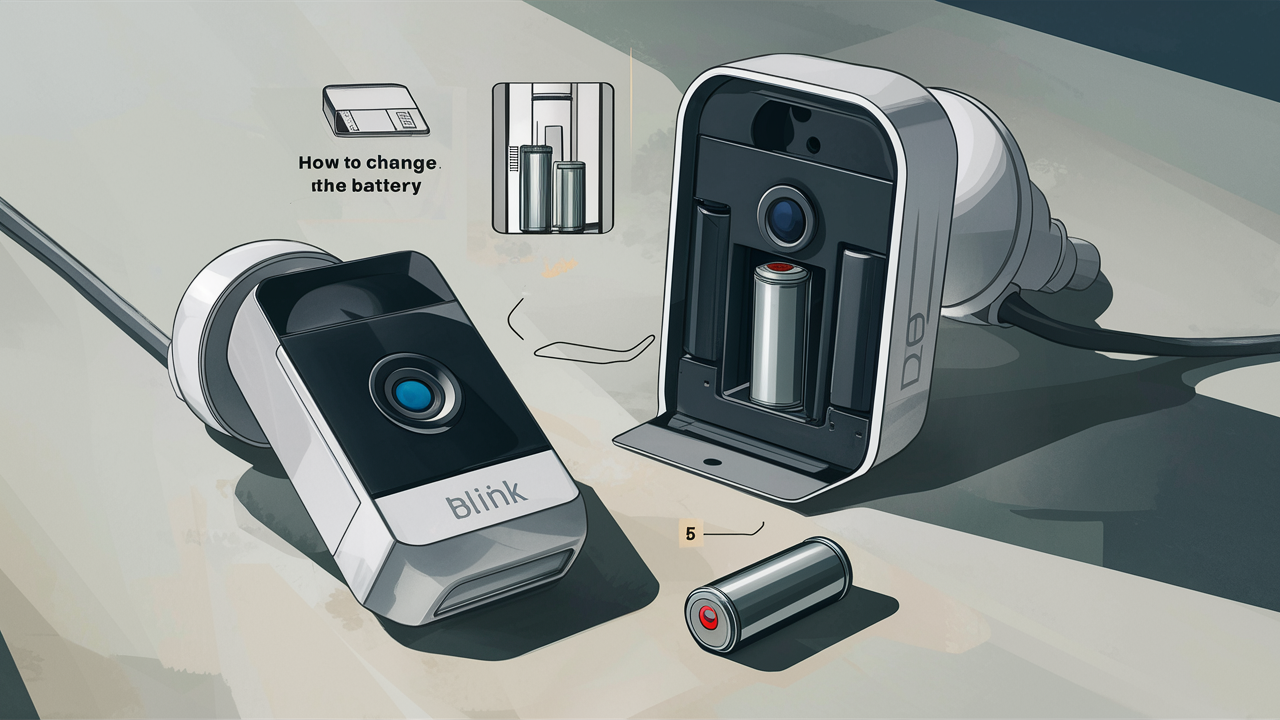
Changing the battery in your Blink doorbell camera is a straightforward process that ensures continuous security and peace of mind. This guide will walk you through each step, from identifying the right battery type to safely replacing it, keeping your smart home vigilant.
Understanding Blink Doorbell Batteries
Blink doorbells, known for their ease of use and integration into smart home ecosystems, rely on batteries to power their essential functions: motion detection, video recording, and two-way audio communication. The type of battery used can vary slightly depending on the specific Blink doorbell model, but generally, they are designed for long life and user convenience. Understanding the battery specifications is the first crucial step in knowing how to change the battery in your Blink doorbell camera.
Types of Batteries Used in Blink Doorbells
Most Blink doorbells, including the original Blink Video Doorbell and the Blink Wired Doorbell (which uses a power adapter but often has a backup battery), primarily utilize AA batteries. However, the number and type can differ. For instance, the Blink Video Doorbell (2nd Gen) typically uses two AA Lithium 1.5-volt batteries. These are often referred to as non-rechargeable lithium batteries, chosen for their high energy density and ability to operate in a wide range of temperatures, which is ideal for an outdoor device.
Some older models or specific configurations might have used different battery solutions, but the AA lithium battery remains the most prevalent. It's essential to check your specific Blink device's manual or the battery compartment itself to confirm the exact battery type required. Using the correct battery ensures optimal performance and prevents potential damage to your device.
Battery Life Expectations and Indicators
The battery life of a Blink doorbell camera is a significant factor in its convenience and reliability. While Blink advertises impressive battery longevity, typically up to two years for some models under optimal conditions, this can fluctuate based on usage patterns. Factors such as the frequency of motion detection events, the length of recorded clips, live view usage, and even environmental conditions (extreme cold can reduce battery performance) all play a role.
Fortunately, Blink provides users with clear indicators when the battery is running low. The Blink app is your primary tool for monitoring battery status. You'll usually receive push notifications when the battery level drops to a critical point, prompting you to consider a replacement. Additionally, within the app's device settings, you can often see a visual representation of the battery percentage for each camera. Some users report seeing a red battery icon next to the device name in the app as a visual cue. This proactive notification system is designed to prevent unexpected power loss and ensure your doorbell remains operational.
As of 2025, battery technology continues to improve, and Blink is committed to leveraging these advancements. While the advertised two-year life is a benchmark, many users find their batteries lasting well over a year, sometimes even closer to 18 months, with moderate usage. For those in colder climates or with very active households, expecting closer to 12-15 months might be more realistic. Understanding these expectations helps in planning for battery replacements and ensuring continuous surveillance.
Why Battery Replacement is Necessary
The necessity of battery replacement stems from the fundamental nature of battery-powered devices. Batteries are consumable components that store and deliver electrical energy. Over time, their chemical composition degrades, reducing their capacity to hold a charge and deliver power effectively. For a Blink doorbell, this degradation means less power available for its operations, leading to:
- Reduced motion detection sensitivity or complete failure to detect motion.
- Inability to record video clips when events occur.
- Poor audio quality or failure of the two-way audio feature.
- The doorbell going offline entirely, leaving a gap in your security coverage.
Regularly checking your Blink app for battery status and replacing batteries when indicated is crucial for maintaining the integrity of your home security system. It's not just about convenience; it's about ensuring your property is protected consistently. In 2025, with the increasing reliance on smart home security, a non-functional doorbell can be a significant vulnerability.
Preparing for Battery Replacement
Before you begin the process of changing the battery in your Blink doorbell camera, a little preparation goes a long way. This ensures a smooth, efficient, and safe replacement, minimizing downtime for your security device. Gathering the necessary tools and supplies, understanding the physical removal process, and ensuring you have the correct replacement batteries are key to a successful outcome.
Gathering the Right Tools and Supplies
For most Blink doorbell models, the battery replacement process is designed to be user-friendly, often requiring minimal tools. However, having a few items on hand will make the task easier.
- Replacement Batteries: This is the most critical item. Ensure you have the correct type and quantity of batteries as specified for your Blink doorbell model. For the Blink Video Doorbell (2nd Gen), this typically means two AA Lithium 1.5-volt batteries. It's highly recommended to use high-quality, reputable brands to ensure longevity and performance. Avoid mixing old and new batteries, or different types of batteries, as this can lead to erratic behavior or reduced lifespan.
- Small Phillips Head Screwdriver: Some Blink doorbell models might require a small Phillips head screwdriver to gently loosen or remove a retaining screw that secures the battery compartment cover or the doorbell unit itself from its mount. Check your specific model's design.
- Mounting Bracket Tool (if applicable): Many Blink doorbells come with a specialized tool or a simple plastic wedge that helps to release the doorbell from its mounting bracket. This is often included in the original packaging. If you've misplaced it, a thin, flat, non-metallic tool might suffice, but using the intended tool is always best to avoid damaging the doorbell or its mount.
- Cleaning Cloth: A soft, lint-free cloth is useful for wiping down the battery contacts if they appear dusty or corroded, and also for cleaning the camera lens before reinstallation.
- Owner's Manual or Online Guide: While this guide aims to be comprehensive, having your Blink doorbell's specific manual or accessing its online support page can be invaluable for model-specific details.
As of 2025, the availability of high-quality AA lithium batteries is excellent, with many brands offering multi-packs that are cost-effective for households with multiple Blink devices or other battery-powered gadgets.
Understanding the Physical Removal Process
The physical removal of the Blink doorbell from its mount is the first step before accessing the batteries. The exact method can vary slightly between models, but the general principle involves disengaging the doorbell from its wall plate or bracket.
- Locate the Release Mechanism: Most Blink doorbells have a small notch or a release point, often at the bottom or side of the unit. This is where you'll typically insert the mounting bracket tool or a suitable flat object.
- Apply Gentle Pressure: Insert the tool into the designated slot and apply gentle upward or outward pressure. You might feel a slight click as the locking mechanism disengages.
- Slide or Pull Away: Once released, the doorbell unit can usually be slid upwards or pulled gently away from the mounting bracket. Be careful not to yank it, as there might be wires connecting it to your existing doorbell wiring if it's a wired model (though battery replacement is typically for battery-powered units). For purely battery-powered models, this step is simpler as there are no wires.
If your Blink doorbell is mounted on a surface that makes it difficult to access the release mechanism, you might need a small step stool or ladder. Safety first! Ensure you have stable footing before attempting any work at height.
Ensuring You Have the Correct Replacement Batteries
This cannot be stressed enough: use the correct batteries. For the Blink Video Doorbell (2nd Gen), this means AA Lithium 1.5-volt batteries. Using alkaline batteries, rechargeable batteries (unless specifically supported and charged), or batteries of the wrong size can lead to:
- Reduced Performance: Non-lithium batteries may not provide sufficient voltage or longevity, especially in varying temperatures.
- Device Malfunction: Incorrect voltage can cause the doorbell to behave erratically or not function at all.
- Damage to the Device: In rare cases, using incompatible batteries can cause internal damage.
- Voiding Warranty: Using incorrect battery types may void your Blink warranty.
Always refer to your Blink doorbell's specifications. The Blink Video Doorbell (2nd Gen) is designed for the high energy density and wide operating temperature range of AA Lithium 1.5-volt batteries. Brands like Energizer Ultimate Lithium or Duracell Ultra Lithium are excellent choices, known for their long shelf life and reliable performance in smart home devices. As of 2025, these premium lithium AA batteries are widely available and offer the best value for consistent performance.
It's also good practice to purchase batteries from reputable retailers to avoid counterfeit products, which can sometimes have lower quality and shorter lifespans.
Step-by-Step Battery Replacement Guide
Replacing the battery in your Blink doorbell camera is a straightforward process that can be completed in just a few minutes. Follow these steps carefully to ensure a successful battery change.
Step 1: Access the Battery Compartment
First, you need to detach the Blink doorbell from its mounting bracket.
- Identify the Release Point: Look for a small notch or slot on the bottom or side of your Blink doorbell. This is where the mounting tool or a flat, thin object (like a paperclip or small screwdriver) is inserted.
- Insert and Gently Pry: Insert the tool into the slot and apply gentle pressure. You might hear a click as the doorbell releases from the mount.
- Remove the Doorbell: Carefully pull the doorbell unit away from the mounting bracket. If it's a wired doorbell, there might be wires attached. However, for battery-powered models, it should come off cleanly.
Once the doorbell is removed, you'll need to access the battery compartment. This is usually located on the back of the unit. Some models might have a small screw holding the battery cover in place, while others may simply snap open.
- Locate the Battery Cover: On the back of the Blink doorbell, find the battery compartment cover.
- Remove Securing Screw (if present): If there's a small screw, use your Phillips head screwdriver to remove it. Keep this screw in a safe place.
- Open the Compartment: Gently pry open the battery compartment cover. It might be a slide-off cover or a hinged flap.
Step 2: Remove Old Batteries
With the battery compartment open, you can now remove the old batteries.
- Note Battery Orientation: Before removing the old batteries, observe how they are oriented (positive and negative ends). This is crucial for correctly inserting the new ones.
- Gently Remove Batteries: Carefully slide or pull out the old batteries. If they are stuck, you can use a non-metallic tool to gently lever them out, being careful not to damage the battery contacts.
- Dispose of Old Batteries Responsibly: Old batteries should be disposed of properly. Check your local regulations for battery recycling or disposal. Do not throw them in regular household trash.
Step 3: Insert New Batteries
Now it's time to install the fresh batteries.
- Insert New Batteries Correctly: Following the orientation you noted in Step 2, insert the new AA Lithium 1.5-volt batteries into the compartment. Ensure the positive (+) end of the battery aligns with the positive (+) marking inside the compartment, and the negative (-) end aligns with the negative (-) marking.
- Ensure Secure Fit: The batteries should fit snugly. If they feel loose, double-check that you have the correct size and that they are properly seated.
- Close the Battery Compartment: Once the new batteries are in place, securely close the battery compartment cover. If there was a screw, reinsert and tighten it gently.
Step 4: Reattach the Doorbell Camera
With the new batteries installed and the compartment secured, it's time to reattach the doorbell to its mount.
- Align the Doorbell: Hold the Blink doorbell unit and align it with the mounting bracket on your wall. Ensure it's oriented correctly.
- Slide or Snap into Place: Gently slide the doorbell unit back onto the mounting bracket until it clicks or snaps securely into place.
- Test the Device: Once reattached, the doorbell should power on automatically. You can check the Blink app on your smartphone to confirm that the device is online and that the battery status has updated to reflect the new batteries. You might also want to perform a test motion detection or a short live view to ensure everything is functioning correctly.
Step 5: Verify Functionality in the Blink App
The final and crucial step is to verify that your Blink doorbell is working as expected.
- Open the Blink App: Launch the Blink Home Monitor app on your smartphone or tablet.
- Check Device Status: Locate your doorbell camera in the device list. It should appear as "Online."
- Monitor Battery Level: Navigate to the device settings for your doorbell. You should see the battery level indicator showing a full charge or a very high percentage.
- Perform a Test: Trigger a motion detection event (e.g., walk in front of the doorbell) or initiate a short live view session. Confirm that you receive notifications and that the video and audio are clear.
If you encounter any issues, refer to the troubleshooting section of this guide. As of 2025, the Blink app is continuously updated, so ensure you are running the latest version for the best experience and access to all features.
Troubleshooting Common Battery Issues
While Blink doorbells are generally reliable, you might occasionally encounter issues related to battery performance or replacement. Understanding common problems and their solutions can save you time and frustration.
Doorbell Not Powering On After Battery Replacement
This is a common concern after changing batteries. Several factors could be at play:
- Incorrect Battery Orientation: The most frequent cause. Double-check that the positive (+) and negative (-) ends of the batteries are correctly aligned with the markings in the compartment. Even a slight misalignment can prevent power-up.
- Dead New Batteries: Although rare, new batteries can sometimes be faulty or have a very low charge. Try testing the new batteries with another device or using a different set of new batteries.
- Corroded Battery Contacts: Inspect the metal contacts inside the battery compartment and on the batteries themselves. If they appear dirty or corroded, gently clean them with a pencil eraser or a soft cloth lightly dampened with rubbing alcohol. Ensure the contacts are completely dry before reinserting batteries.
- Faulty Battery Compartment Cover: Ensure the cover is properly seated and secured. A loose cover might prevent the battery circuit from closing.
- Device Malfunction: In rare instances, the doorbell itself might have a hardware issue. If you've tried all other troubleshooting steps and the doorbell still won't power on, contact Blink customer support.
Blink App Shows Low Battery Immediately After Replacement
This can be disconcerting. Here’s what to check:
- Battery Type: Are you using the correct AA Lithium 1.5-volt batteries? Using alkaline batteries or rechargeable batteries (unless specifically supported and fully charged) can lead to inaccurate battery readings or insufficient power.
- Battery Quality: Low-quality batteries might have inaccurate voltage readings or may not hold a charge effectively. Try a different brand of premium AA Lithium batteries.
- App Glitch: Sometimes, the app might not immediately update the battery status. Try closing and reopening the Blink app, or even restarting your smartphone.
- Device Reset: Performing a soft reset on the Blink doorbell (often by removing and reinserting the batteries) can sometimes resolve communication issues with the app.
- Environmental Factors: Extreme cold can temporarily reduce battery performance and affect readings.
Doorbell Constantly Goes Offline
If your doorbell frequently disconnects, battery issues could be a contributing factor, even if the app doesn't explicitly state "low battery."
- Weak Signal Strength: While not directly a battery issue, a weak Wi-Fi signal can cause the doorbell to work harder to maintain connection, draining the battery faster. Ensure your Blink doorbell is within a good range of your Wi-Fi router. Consider a Wi-Fi extender if necessary.
- Excessive Activity: High motion detection sensitivity, frequent live view sessions, or very long video clips can drain batteries faster than usual. Adjust motion settings and clip length in the Blink app.
- Battery Health: Even if batteries are new, if they are not the correct type or are of poor quality, they might not be able to sustain the power demands of the doorbell, especially during peak activity.
- Firmware Issues: Ensure your Blink doorbell firmware is up to date. Sometimes, firmware bugs can affect power management. Check for updates in the Blink app.
Battery Compartment Difficult to Open or Close
Physical issues with the compartment can hinder battery changes.
- Obstructions: Check for any debris or foreign objects blocking the compartment.
- Bent Tabs or Clips: If the cover is difficult to close, ensure no tabs or clips are bent or misaligned. Gently try to straighten them if possible.
- Damaged Threads (if screw is present): If a screw is involved, ensure the threads are not stripped or damaged.
- Forced Closure: Never force the battery cover closed. If it's difficult to close, there's likely an issue with battery placement or alignment.
For persistent issues, consulting Blink's official support resources or contacting their customer service is always recommended. As of 2025, Blink offers robust online support and troubleshooting guides for their devices.
Maximizing Battery Life and Performance
To get the most out of your Blink doorbell camera's batteries, and to minimize the frequency of battery changes, adopting a few best practices can make a significant difference. These tips focus on optimizing device settings and understanding how usage patterns impact battery consumption.
Optimize Motion Detection Settings
Motion detection is one of the biggest battery drains. By fine-tuning these settings, you can significantly extend battery life.
- Adjust Motion Sensitivity: Lowering the motion sensitivity can reduce the number of unnecessary motion alerts and recordings. Instead of capturing every passing car or distant movement, set it to trigger only for significant events within a defined range.
- Define Motion Zones: The Blink app allows you to create "Motion Zones." This is a powerful feature that lets you designate specific areas within the camera's view where motion detection is active. By excluding high-traffic areas like busy sidewalks or roads, you can drastically cut down on false alerts.
- Schedule Motion Detection: If you don't need constant motion alerts (e.g., when you are home during the day), use the scheduling feature to disable motion detection during specific hours.
Manage Video Clip Length and Frequency
The length and frequency of recorded video clips directly impact battery usage.
- Shorten Clip Length: Blink allows you to set the duration of recorded clips. Opting for shorter clips (e.g., 10-20 seconds) when motion is detected will save battery power compared to longer recordings.
- Reduce Clip Frequency: Some Blink models allow you to set a delay between motion events before a new clip is recorded. This prevents the camera from recording multiple short clips in rapid succession for a single event.
Minimize Live View Usage
While the live view feature is incredibly useful for checking in on your property, frequent or prolonged use can drain batteries quickly.
- Use Only When Necessary: Reserve live view for when you genuinely need to check on something or speak with someone at the door.
- Be Mindful of Duration: Keep live view sessions as brief as possible.
Consider Environmental Factors
The environment where your Blink doorbell is installed can influence battery performance.
- Temperature Extremes: Batteries, especially lithium ones, perform best within a moderate temperature range. Extreme cold can temporarily reduce battery capacity and voltage, while extreme heat can accelerate degradation over time. If your doorbell is in direct, harsh sunlight or exposed to freezing temperatures, consider if its placement can be slightly adjusted or if shade/protection can be added (without obstructing the camera lens).
- Humidity: While less of a direct battery drain, high humidity can contribute to corrosion of battery contacts over time.
Use High-Quality Batteries
As mentioned previously, the quality of your batteries matters significantly.
- Choose Premium Lithium AA Batteries: Invest in reputable brands of AA Lithium 1.5-volt batteries (e.g., Energizer Ultimate Lithium, Duracell Ultra Lithium). These batteries offer superior energy density, longer shelf life, and better performance in varying temperatures compared to standard alkaline batteries.
- Avoid Mixing Batteries: Always use batteries of the same type, brand, and age. Mixing old and new batteries, or different chemistries, can lead to unpredictable performance and reduced lifespan.
Regularly Check Battery Status
Proactive monitoring is key.
- Utilize the Blink App: Make it a habit to check the battery status of your doorbell camera regularly through the Blink app. This allows you to anticipate battery replacements and avoid unexpected power loss.
Consider a Solar Charger (if applicable)
For models that support it, a solar charger can significantly extend battery life or even eliminate the need for manual battery changes. While not a direct battery replacement method, it's a powerful way to maintain power. Check if your specific Blink doorbell model is compatible with Blink's solar charging accessories. As of 2025, solar charging solutions are becoming increasingly sophisticated and reliable for smart home devices.
Blink Doorbell Models and Battery Differences
Blink has released several doorbell camera models over the years, and while the core functionality remains similar, there can be subtle differences in their battery requirements and replacement procedures. Understanding these variations is crucial for accurate battery management.
Blink Video Doorbell (2nd Gen)
This is currently one of the most popular Blink doorbell models.
- Battery Type: Uses two AA Lithium 1.5-volt batteries.
- Battery Life: Advertised up to two years, but actual life varies with usage.
- Replacement Process: Requires detaching the doorbell from its mount, opening the back compartment (potentially with a small screw), and replacing the two AA batteries.
- Key Features: HD video, two-way audio, motion detection, customizable motion zones, and integration with other Blink cameras and Alexa.
Blink Wired Doorbell
This model is designed to be wired into your existing doorbell system but often includes a backup battery.
- Primary Power: Connects to your home's existing doorbell wiring for continuous power.
- Backup Battery: Typically includes a removable battery pack or uses AA batteries as a backup in case of power outages or if not properly wired. The exact type can vary, so consulting the manual is essential. Some might use a proprietary rechargeable battery pack.
- Replacement Process: If the backup battery needs replacement, it usually involves accessing a compartment on the unit after removing it from the mount. The procedure for the backup battery would be similar to other Blink models, but the primary power source is different.
- Key Features: HD video, two-way audio, motion detection, wired installation for continuous power.
Older Blink Video Doorbell Models (if applicable)
While Blink focuses on its current-generation products, some users might still have older versions.
- Battery Type: Older models might have used different battery configurations or types. It is imperative to check the specific model's documentation. For example, some earlier smart doorbells from various brands used larger rechargeable battery packs or a different number of AA batteries.
- Replacement Process: The physical removal and battery access methods can also differ. Always refer to the user manual for the exact procedure.
General Differences and Considerations
Beyond the specific battery type, other factors can influence battery management across models:
- Power Consumption: Newer models often incorporate more power-efficient hardware and software, leading to potentially longer battery life even with similar battery types.
- Firmware Updates: Blink regularly releases firmware updates that can improve power management. Ensuring all your devices are updated is beneficial.
- Accessory Compatibility: Features like solar chargers or extended battery packs are model-specific. Always verify compatibility before purchasing accessories.
As of 2025, the Blink Video Doorbell (2nd Gen) remains the primary focus for battery-powered doorbells, emphasizing the use of AA Lithium 1.5-volt batteries. For any Blink doorbell, the most reliable way to confirm battery type and replacement procedure is to consult the official Blink Home Monitor app's device settings or the product's user manual. This ensures you are using the correct batteries and following the recommended steps for your specific device.
Conclusion
Successfully changing the battery in your Blink doorbell camera is a vital maintenance task that ensures your home security remains uninterrupted. By understanding the battery types, preparing with the right tools, and following the step-by-step guide, you can confidently perform this essential upkeep. Remember to always use the specified AA Lithium 1.5-volt batteries for optimal performance and longevity, and leverage the Blink app to monitor battery status proactively.
Optimizing your doorbell's settings, such as motion detection and clip length, can further extend battery life, reducing the frequency of replacements. Should you encounter any issues, the troubleshooting tips provided offer solutions for common problems. As smart home technology evolves in 2025 and beyond, maintaining your devices ensures they continue to provide the security and convenience you expect. A vigilant Blink doorbell, powered by fresh batteries, is a cornerstone of a secure and connected home.





