
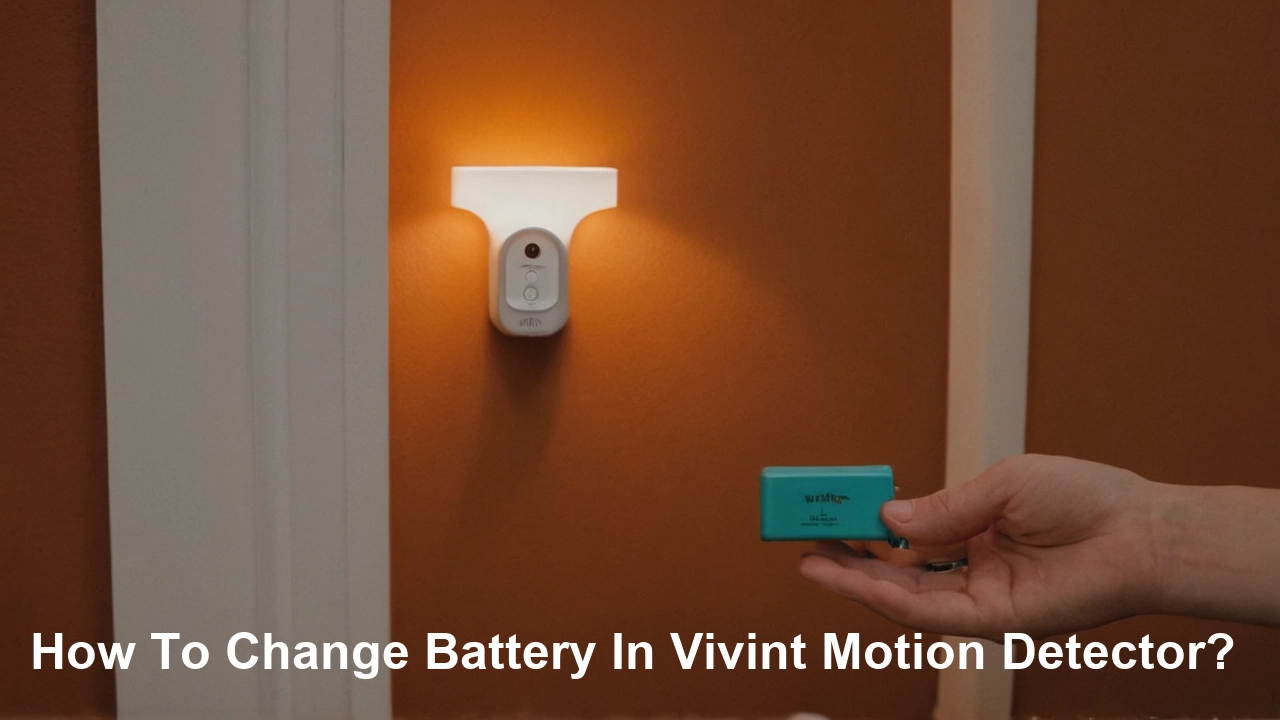
Is your Vivint motion detector showing a low battery warning? This guide provides a clear, step-by-step process on how to change the battery in your Vivint motion detector, ensuring your home security system remains fully operational. We'll cover common models and provide essential tips for a smooth replacement.
Understanding Vivint Motion Detectors and Battery Life
Vivint motion detectors are crucial components of any smart home security system, designed to sense movement within a designated area and alert you and the monitoring center to potential intrusions. These devices rely on batteries to function wirelessly, offering flexibility in placement without the need for wired power. Understanding how these sensors work and what influences their battery life is key to maintaining a robust security setup.
The primary function of a motion detector is to detect changes in infrared radiation, which is emitted by all living beings. When a person or pet moves through the detector's field of view, it causes a change in the infrared signature, triggering the sensor. Vivint offers various types of motion detectors, including passive infrared (PIR) sensors and dual-technology sensors that combine PIR with microwave technology for enhanced accuracy and reduced false alarms. The specific model you have can influence battery type and lifespan.
Battery life for Vivint motion detectors typically ranges from 1 to 5 years, depending on several factors. These include the type of battery used, the frequency of motion detection events, environmental conditions (such as temperature extremes), and the specific settings configured for the detector within your Vivint system. For instance, a detector placed in a high-traffic area will consume battery power more rapidly than one in a seldom-used hallway. Vivint’s system usually provides ample warning when a battery is low, often through the Vivint app or by a notification on the control panel. This proactive alert system is designed to prevent unexpected failures and ensure your security remains uninterrupted.
As of 2025, Vivint continues to innovate in sensor technology. Newer models are designed with improved power management systems, aiming to extend battery life further. However, even with advanced technology, battery replacement remains a routine maintenance task. Understanding the expected lifespan and the signs of a weakening battery will help you stay ahead of potential security gaps. Regular checks and timely replacements are essential for peace of mind.
The cost of replacement batteries is a minor consideration compared to the security they provide. Standard coin-cell lithium batteries, commonly used in these devices, are widely available and relatively inexpensive. For example, a pack of CR2032 batteries, often used in many consumer electronics including some motion detectors, can cost anywhere from $5 to $15 for a multi-pack in 2025, depending on the brand and quantity. More specialized batteries might incur slightly higher costs, but the overall investment remains minimal.
The technology behind motion detection has evolved significantly. Early motion detectors were prone to false alarms due to environmental changes or even insects. Modern Vivint detectors, however, incorporate sophisticated algorithms to differentiate between genuine threats and benign occurrences. This advanced processing, while efficient, still requires a consistent power source. Therefore, monitoring battery status is not just about convenience; it's about ensuring the reliability of your security system.
In 2026, research continues into even more energy-efficient sensor designs and long-life battery technologies. However, for current Vivint systems, understanding the existing battery requirements and replacement procedures is paramount. This guide aims to demystify the process, making it accessible to all Vivint users, regardless of their technical expertise. By following these steps, you can confidently maintain the operational status of your motion detectors.
Preparation: What You Need Before You Start
Before you begin the process of changing the battery in your Vivint motion detector, proper preparation is key to a smooth and efficient replacement. Having everything you need readily available will prevent unnecessary delays and ensure you don't have to interrupt the process to search for tools or supplies.
The most critical item is, of course, the replacement battery. It is essential to use the correct type of battery specified by Vivint for your particular motion detector model. Using an incorrect battery can lead to the detector not functioning, damage to the device, or a reduced lifespan for the new battery. You can usually find the required battery type printed on the detector itself, in the user manual, or by checking the Vivint app or your account online. Common battery types for Vivint motion detectors include CR2032, CR123A, and sometimes AA or AAA alkaline batteries for older or different types of sensors.
For 2025, it's advisable to purchase batteries from reputable brands to ensure quality and longevity. Generic or unbranded batteries might seem cheaper, but they can be less reliable and may not last as long as name-brand alternatives. High-quality lithium coin cells, for instance, offer superior performance and a longer shelf life.
Next, you will likely need a small screwdriver. Many Vivint motion detector casings are secured with tiny screws. Typically, a Phillips head screwdriver of a small size (e.g., PH0 or PH1) is required. Some models might use a flathead screwdriver, or in some cases, the casing might snap open without screws. Always check your specific model’s design. Ensure the screwdriver head fits snugly into the screw slots to avoid stripping them.
A plastic prying tool or a thin, flat object like a guitar pick or an old credit card can be useful if your detector's casing snaps together. These tools help to gently pry open the housing without damaging the plastic. Avoid using metal objects like knives or screwdrivers for prying, as they can scratch or break the casing.
A clean, dry cloth is also recommended. This can be used to wipe down the detector's exterior before opening it, and more importantly, to clean any dust or debris from the battery contacts inside the device. Ensuring clean contacts helps maintain a good electrical connection.
Finally, it's good practice to have your Vivint system's mobile app or control panel readily accessible. After replacing the battery, you may need to perform a system check or acknowledge the battery change within the app to ensure the system recognizes the new battery and the detector is functioning correctly.
Here’s a quick checklist:
- Correct replacement battery (check model specifications)
- Small Phillips head screwdriver (e.g., PH0 or PH1)
- Plastic prying tool or similar (optional, for snap-on casings)
- Clean, dry cloth
- Access to Vivint app or control panel
Having these items prepared will make the battery replacement process straightforward and efficient, minimizing downtime for your motion detector and ensuring your home security remains uncompromised.
Step-by-Step Guide: Changing the Battery in Most Vivint Motion Detectors
Replacing the battery in your Vivint motion detector is a relatively simple process that most homeowners can perform themselves. This guide covers the general steps applicable to many common Vivint motion detector models. Always refer to your specific model’s manual if you have it, or consult Vivint’s support resources for precise instructions.
Step 1: Identify the Low Battery Notification
Your Vivint system will typically alert you when a motion detector's battery is low. This notification usually appears on your Vivint app, the main control panel, or via email. Heeding these alerts promptly is crucial for maintaining continuous security coverage.
Step 2: Locate the Motion Detector
Identify the specific motion detector that is reporting a low battery. This is important to ensure you are replacing the battery in the correct device.
Step 3: Prepare the Area and Gather Supplies
Ensure you have the correct replacement battery (as determined in the preparation section), a small Phillips head screwdriver (if needed), and a clean cloth. It's also helpful to have a stable surface to place the detector on while you work.
Step 4: Open the Motion Detector Casing
Most Vivint motion detectors have a casing that can be opened in one of two ways:
- Screw-Secured Casing: Look for small screws, usually on the back or sides of the detector. Use the appropriate Phillips head screwdriver to carefully remove these screws. Keep the screws in a safe place, like a small dish, so you don't lose them. Once the screws are removed, the front or back cover should detach.
- Snap-On Casing: Some models feature a casing that snaps together. You might find a small notch or seam where you can insert a plastic prying tool, guitar pick, or even a fingernail to gently pry the two halves of the casing apart. Work your way around the seam, applying gentle pressure until the casing pops open.
Important Note: Be gentle when opening the casing to avoid damaging the plastic components.
Step 5: Remove the Old Battery
Once the casing is open, you will see the battery.
- Coin Cell Batteries (e.g., CR2032, CR123A): These are usually held in place by a small clip or simply rest in a compartment. You may need to gently push the battery out from the side or lift it using a non-metallic tool if it’s stuck. Avoid using excessive force.
- AA/AAA Batteries: These will be in a standard battery compartment. You may need to slide them out or lift them up.
Note the orientation of the old battery (positive and negative terminals) before removing it. This is crucial for installing the new battery correctly.
Step 6: Clean Battery Contacts (Optional but Recommended)
Using a clean, dry cloth, gently wipe the metal battery contacts inside the detector. This removes any dust or corrosion that might impede the connection with the new battery.
Step 7: Install the New Battery
Insert the new battery, ensuring it is oriented correctly according to the markings inside the battery compartment (+ on the positive side, - on the negative side). The new battery should fit snugly. If it’s a coin cell, ensure it’s seated properly under any retaining clips.
Step 8: Close the Motion Detector Casing
Carefully align the two halves of the casing and snap or screw them back together. If it’s a screw-secured casing, reinsert the screws and tighten them gently. Do not overtighten, as this can strip the threads or crack the plastic. If it’s a snap-on casing, ensure all the clips engage properly.
Step 9: Test the Motion Detector
The motion detector should now power up with the new battery. To test it, you can usually trigger the sensor by walking in front of it.
- Check the Vivint App/Panel: The low battery notification should disappear from your Vivint app or control panel shortly after the battery is replaced. Some systems may require you to manually acknowledge the change or perform a system check.
- Manual Test: If your detector has an indicator light, it might flash briefly when motion is detected. You can also perform a walk test through the Vivint app or panel settings to confirm the sensor is active and communicating with the system.
If the low battery notification persists or the detector does not seem to be functioning, double-check that the battery is installed correctly, that the casing is fully closed, and that you are using the correct battery type. If problems continue, it may be time to contact Vivint support.
This general guide should help you successfully change the battery in most Vivint motion detectors. Remember, patience and careful handling are key to a successful replacement.
Specific Model Variations and Considerations
While the general steps for changing a battery in a Vivint motion detector are similar across many models, there can be subtle variations that are important to be aware of. Vivint has offered different generations and types of motion detectors over the years, each with its own specific design and battery requirements. Understanding these differences can save you time and prevent potential issues.
Vivint Motion Sensor (PIR)
This is one of the most common types of motion detectors offered by Vivint. These sensors typically use a single CR2032 3-volt lithium coin cell battery. The casing is often secured by small screws on the back. The process involves removing these screws, gently prying open the front cover, replacing the CR2032 battery, and reassembling. The battery life for this model is generally around 2-3 years under normal usage conditions. As of 2025, the CR2032 remains a standard for many small electronic devices due to its compact size and reliability.
Vivint Motion Sensor (Dual Technology)
Some Vivint motion detectors employ dual-technology sensing (PIR and microwave) for enhanced accuracy and to reduce false alarms, particularly in environments with pets or fluctuating temperatures. These models might use a different battery type, often a CR123A 3-volt lithium battery. The CR123A is a slightly larger and more powerful battery than the CR2032, often providing a longer lifespan, potentially up to 5 years for some models. The casing mechanism for these detectors is usually similar, involving screws or a snap-fit design.
Vivint Motion Sensor with Pet Immunity
Detectors designed with pet immunity features are engineered to ignore movement from pets up to a certain weight limit (e.g., 40-80 lbs). These advanced sensors may have slightly different power requirements. While many still use CR2032 or CR123A batteries, their internal components and firmware might lead to a slightly shorter battery life compared to basic PIR sensors if the pet immunity features are heavily utilized or if the sensor is particularly sensitive. The replacement process remains largely the same, focusing on accessing the battery compartment.
Older Vivint Models or Integrated Sensors
Vivint has been in business for many years, and older systems might feature different types of sensors. Some older or specialized sensors, like those integrated into door/window sensors or specific alarm panels, might use different battery formats, including AA or AAA alkaline batteries. If your detector uses these, the replacement process will involve opening a compartment designed for standard cylindrical batteries, noting polarity, and inserting fresh alkaline cells. Battery life for these can vary significantly but might be shorter than lithium coin cells, often in the 1-2 year range for frequently used sensors.
Key Differences to Watch For:
| Feature | Common Battery Type(s) | Typical Lifespan (2025-26) | Casing Mechanism | Potential Considerations |
|---|---|---|---|---|
| Standard PIR Motion Sensor | CR2032 | 2-3 years | Screws or Snap-on | Most common, widely available battery. |
| Dual-Tech Motion Sensor | CR123A | 3-5 years | Screws or Snap-on | Slightly larger battery, potentially longer life. |
| Pet-Immune Motion Sensor | CR2032, CR123A | 2-4 years | Screws or Snap-on | Pet immunity features can sometimes increase power draw. |
| Older/Integrated Sensors | AA, AAA (Alkaline) | 1-2 years | Compartment door | Less common for dedicated motion sensors, may require more frequent changes. |
How to Identify Your Model:
The best way to determine the exact battery type and model is to:
- Check the Detector: Look for labels or markings on the back or inside the casing of the motion detector. The battery type is often printed there.
- Consult Your Vivint Account: Log in to your Vivint account online or through the app. Your system details should list the specific models of your devices, including their specifications.
- Review Your Manual: If you still have the original user manual for your Vivint system or individual sensors, it will contain detailed information about battery types and replacement procedures.
- Contact Vivint Support: If you are unsure, Vivint customer support can readily identify your device model and provide the correct battery specifications.
Always ensure you are purchasing batteries from reputable sources. For 2025-26, reliable brands like Energizer, Duracell, or Panasonic for lithium coin cells, and major brands for alkaline batteries, are recommended for consistent performance and longevity.
By paying attention to these model-specific details, you can ensure you have the right battery and the correct procedure in hand, making the replacement process as smooth as possible for any Vivint motion detector.
Troubleshooting Common Issues After Battery Replacement
In most cases, changing the battery in a Vivint motion detector is straightforward. However, sometimes users encounter issues after the replacement. These problems are usually minor and can be resolved with a few troubleshooting steps. Understanding these common issues and their solutions can save you time and frustration.
Issue 1: Low Battery Notification Persists
This is perhaps the most common issue. You’ve replaced the battery, but your Vivint app or panel still indicates a low battery for that detector.
- Verify Battery Installation: Double-check that the new battery is installed correctly, with the positive (+) and negative (-) terminals in the right orientation. Even a slight misalignment can prevent the detector from recognizing the new power source.
- Check Battery Contacts: Ensure the metal contacts inside the detector are clean and making good contact with the battery. Gently clean them with a dry cloth or a pencil eraser if they appear dirty or corroded.
- Confirm Battery Type and Voltage: Ensure you used the exact battery type specified for your model (e.g., CR2032, CR123A). Using a battery with the wrong voltage or capacity might not work correctly.
- Test the New Battery: If possible, use a battery tester to confirm the new battery is fully charged. Sometimes, a new battery straight out of the package can be faulty.
- System Re-sync: In some instances, the Vivint system might need a moment to re-sync with the detector. Try rebooting your Vivint panel or force a system check through the app. Some systems might require a specific "battery acknowledgement" step within the app.
- Detector Reset: Some motion detectors have a small reset button. Consult your detector’s manual to see if yours does, and try pressing it after installing the new battery.
Issue 2: Detector Not Responding or Offline
After battery replacement, the motion detector might appear offline in your Vivint system, or it might not trigger when motion is detected.
- Proper Casing Closure: Ensure the detector’s casing is fully closed and secured. A loose casing can sometimes disrupt internal connections. If it’s screw-secured, make sure all screws are reinserted and tightened properly (but not overtightened).
- Battery Seating: Confirm the battery is firmly seated in its compartment. A slightly loose battery can lead to intermittent connection issues.
- Environmental Factors: While less common immediately after a battery change, ensure the detector is not placed too close to heat sources, direct sunlight, or vents, which can interfere with its operation.
- System Re-pairing (Rare): In rare cases, especially if the detector was offline for an extended period, the system might need to re-pair with the detector. This usually involves removing the detector from your system in the app and then re-adding it. This process should be done carefully, following Vivint’s instructions for device re-pairing.
Issue 3: False Alarms After Battery Change
Although less directly related to battery replacement, if you experience an increase in false alarms shortly after changing the battery, it’s worth investigating.
- Detector Placement: Review the placement of your motion detector. Ensure it’s not aimed at windows, heating vents, or areas with rapidly changing temperatures.
- Pet Immunity Settings: If your detector has pet immunity, ensure it’s configured correctly for the weight of your pets. An incorrectly set sensitivity can lead to false alarms.
- Sensor Integrity: Inspect the detector’s lens for any smudges or obstructions. Clean it gently with a soft, dry cloth.
Issue 4: Detector Not Triggering at All
If the detector simply doesn't seem to be working after the battery change.
- Battery Orientation: This is the most likely culprit. Re-open the detector and confirm the battery is inserted with the correct polarity.
- Damaged Battery Contacts: Inspect the battery contacts for any physical damage. If they are bent or broken, this could be the issue.
- Faulty Detector: If you have tried all other steps and the detector still doesn't work, it's possible the detector itself has failed. This is more likely if the detector is old or has been subjected to physical damage.
General Troubleshooting Tips:
- Consult the Manual: Always refer to the specific user manual for your Vivint motion detector model. It often contains model-specific troubleshooting advice.
- Vivint App/Website: Vivint’s support resources are extensive. Check their website or app for FAQs and troubleshooting guides related to your specific equipment.
- Document Changes: Keep a record of when you replaced the battery. This helps track battery life and identify patterns.
If you have followed these troubleshooting steps and the issue persists, it is advisable to contact Vivint customer support. They can provide further assistance, diagnose the problem remotely, or arrange for a service technician if necessary.
Optimizing Battery Life for Your Vivint Motion Detectors
Maximizing the battery life of your Vivint motion detectors is not only about saving money on replacement batteries but also about ensuring your security system is always operational. Several factors influence how long batteries last, and by implementing a few smart strategies, you can extend their lifespan significantly. As of 2025-26, with increased reliance on smart home technology, efficient power management is more critical than ever.
1. Choose the Right Battery Type and Brand:
This is the foundational step. Always use the battery type recommended by Vivint for your specific motion detector model. For example, if your detector calls for a CR123A, using a CR2032 will likely result in poor performance and a much shorter lifespan. Furthermore, opt for reputable brands known for quality and longevity. High-quality lithium batteries, such as those from Energizer, Duracell, or Panasonic, generally offer superior performance and a longer shelf life compared to generic or unbranded options. While they might have a slightly higher upfront cost, the extended life and reliability often make them more cost-effective in the long run.
2. Strategic Placement of Detectors:
The location of your motion detectors plays a crucial role in their activity levels and, consequently, battery consumption.
- Avoid High-Traffic Areas (if possible): If a detector is placed in a hallway that sees constant foot traffic, it will trigger more frequently, draining the battery faster. Consider if a less sensitive or different type of sensor might be more appropriate for very high-traffic zones, or if the detector can be repositioned slightly to cover the essential area without capturing every passing movement.
- Minimize False Triggers: Position detectors away from heat sources (like vents or direct sunlight), windows that experience rapid temperature fluctuations, or areas where pets might constantly trigger them if pet immunity isn't properly configured. Each false trigger uses battery power.
3. Adjust Sensitivity Settings (If Available):
Some Vivint motion detectors, particularly newer or more advanced models, may allow you to adjust their sensitivity settings through the Vivint app or control panel. If your detector is overly sensitive and triggering on minor movements (like curtains swaying), reducing the sensitivity can decrease the number of activations and conserve battery power. Always ensure that reducing sensitivity doesn't compromise the detector's ability to detect genuine threats. For pet-immune sensors, ensure the pet weight setting is accurate to prevent unnecessary triggers.
4. Regular System Maintenance and Updates:
Vivint regularly releases firmware updates for its devices, including motion detectors. These updates often include improvements to power management and operational efficiency. Ensure your Vivint system and its components are kept up-to-date. This can be done through the Vivint app or by contacting support to ensure your system is running the latest firmware.
5. Monitor Battery Status Proactively:
Vivint's system is designed to alert you when a battery is low. Don't ignore these alerts. Replacing a battery as soon as you receive a low-battery notification is better than waiting for it to die completely. A detector operating on a critically low battery might perform erratically or fail to trigger when needed. By replacing batteries promptly, you ensure consistent operation and avoid potential security gaps.
6. Understand Environmental Impact:
Extreme temperatures can affect battery performance and lifespan. While Vivint detectors are designed to operate within a certain temperature range, prolonged exposure to very cold or very hot conditions can accelerate battery drain. If your detector is located in an area prone to significant temperature swings, consider if relocation or adding some form of insulation (without blocking the sensor) is feasible.
7. Avoid Unnecessary Testing:
While it's important to test your system periodically, excessive manual testing of motion detectors can deplete the battery faster. Rely on the system's built-in test modes or walk-test features which are often optimized for minimal battery usage.
By implementing these strategies, you can contribute to the longevity of your Vivint motion detector batteries. This proactive approach ensures your home security system remains reliable and efficient, providing you with peace of mind throughout the year.
When to Call Vivint Support
While changing a battery in a Vivint motion detector is a user-serviceable task, there are specific situations where reaching out to Vivint customer support is the best course of action. Knowing when to escalate the issue can save you time, prevent further damage, and ensure your security system is functioning optimally.
1. Persistent Low Battery Warnings After Replacement:
If you have followed all the troubleshooting steps, including verifying the battery type, orientation, and contacts, and the low battery warning for a specific detector continues to appear in the Vivint app or on the panel, it's time to call support. This could indicate a faulty new battery, a problem with the detector's internal battery contacts, or a communication issue with the system. Vivint support can help diagnose whether the detector itself needs replacement.
2. Detector Remains Offline or Unresponsive:
After a battery change, if the motion detector does not come back online in your system, or if it fails to trigger during a walk test, Vivint support can guide you through advanced troubleshooting. They may be able to remotely reset the device or diagnose if the detector has failed entirely. Trying to re-pair a device without proper guidance can sometimes complicate matters.
3. Damage to the Detector or Casing:
If, during the battery replacement process, you accidentally damage the motion detector's casing, internal components, or battery contacts, it's crucial to contact Vivint. Attempting to use a damaged device could compromise its functionality or even pose a safety risk. Support can advise on repair or replacement options.
4. Unsure About Battery Type or Model:
If you are unable to identify the correct battery type for your motion detector, or if you are unsure of your specific model, Vivint support is an excellent resource. They can access your account details and provide precise information about the required battery and any model-specific replacement procedures. This avoids the risk of using an incorrect battery that could damage the device.
5. Experiencing Frequent False Alarms Post-Replacement:
While false alarms are often related to placement or environmental factors, if you notice a significant increase in false alarms immediately after changing a battery, and you've ruled out obvious causes, Vivint support might offer insights. They can check if there are any known issues with a particular firmware version or detector model that might be contributing to the problem.
6. Detector is Consistently Malfunctioning:
Beyond battery issues, if a motion detector is behaving erratically—failing to detect motion consistently, sending phantom alerts, or otherwise not functioning as expected—Vivint support should be contacted. They can help determine if the issue is a simple fix or if the device needs professional attention or replacement.
7. System-Wide Communication Issues:
If you are experiencing communication problems with multiple devices after a battery change, or if the detector is part of a larger system issue, Vivint support can help diagnose the root cause, which might be related to your Vivint hub or network.
When contacting Vivint support, be prepared to provide details such as your account information, the specific device experiencing issues (e.g., "Living Room Motion Detector"), the date you replaced the battery, and any troubleshooting steps you have already taken. This information will help them assist you more efficiently. Vivint’s commitment to customer service aims to ensure your security system remains reliable and that any issues are resolved promptly.
In conclusion, while DIY battery replacement is a common and manageable task, recognizing the limits of self-troubleshooting and knowing when to leverage Vivint's expert support is key to maintaining a secure and fully functional smart home.
Changing the battery in your Vivint motion detector is a vital maintenance task that ensures your home security system remains vigilant. By following these detailed steps, understanding model variations, and knowing when to seek professional help, you can confidently keep your detectors powered and your home protected. Regular checks and timely battery replacements are small efforts that yield significant peace of mind, ensuring your Vivint system continues to provide the robust security it's designed for.

