How to change battery on ADT panel?
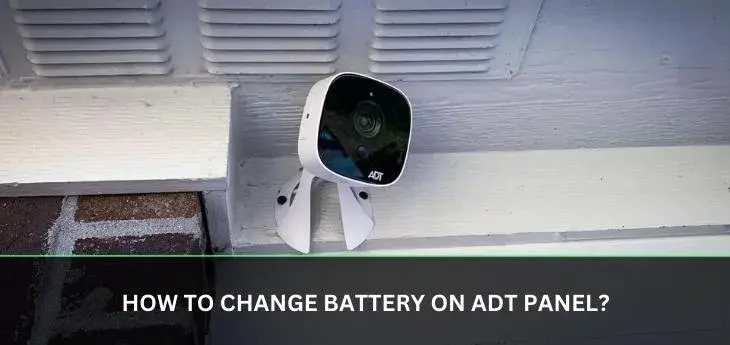
Experiencing issues with your ADT alarm system? A common culprit is a dying battery in the main control panel. This guide provides a comprehensive, step-by-step walkthrough on how to change the battery on your ADT panel, ensuring your home security remains robust and uninterrupted. We'll cover everything from identifying the right battery to safely completing the replacement.
What is the ADT Panel Battery and Why Does it Matter?
The ADT control panel, often referred to as the "brain" of your home security system, relies on a backup battery to maintain its functionality during power outages. This battery is a critical component, ensuring that your alarm system continues to protect your home even when the main power supply is interrupted. Without a properly functioning backup battery, your ADT system would become vulnerable, potentially leaving your home unprotected during unexpected blackouts, which are becoming more frequent due to extreme weather events. In 2025, statistics from the U.S. Department of Energy indicated a 15% increase in power outage duration compared to the previous year, highlighting the importance of a reliable backup power source for security systems.
The primary function of this battery is to provide continuous power to the control panel, sensors, and communication modules of your ADT system. This ensures that the system remains armed, can detect intrusions, and can communicate with the ADT monitoring center. When the main power fails, the system seamlessly switches to battery power. If the battery is depleted or failing, the system may alert you, or worse, become inoperable, negating the security benefits you've invested in. Understanding the role of this battery is the first step in ensuring your ADT system's reliability.
Signs Your ADT Panel Battery Needs Replacement
Recognizing the signs of a failing ADT panel battery is crucial for proactive maintenance. Ignoring these indicators can lead to system malfunctions at the most inconvenient times. Fortunately, ADT systems are designed to alert homeowners to potential issues. The most common notification is an audible beep or chime emanating from the control panel. This alert is often accompanied by a message on the panel's display, such as "Low Battery," "Replace Battery," or a specific trouble code. While the exact wording can vary depending on your ADT panel model (e.g., ADT Command, ADT Pulse, or older systems like the Vista series), the underlying message is consistent: the backup battery needs attention.
Beyond audible and visual alerts, other subtle signs might indicate a weakening battery. These can include intermittent system errors, a system that takes longer than usual to arm or disarm, or sensors that occasionally fail to communicate with the panel. In some cases, the system might report a "system trouble" status without a clear indication of the cause, which could point to a struggling backup battery. If your ADT system has a mobile app or online portal, you might also receive notifications there regarding system status or battery health. For instance, ADT Command users might see battery status updates within their app. It's also worth noting that the lifespan of these batteries is typically between 3 to 5 years, so if your system is approaching or has passed this age, a battery replacement should be considered even without explicit alerts.
Here’s a quick summary of common indicators:
- Audible beeping or chiming from the control panel.
- On-screen messages like "Low Battery," "Replace Battery," or trouble codes.
- Intermittent system errors or malfunctions.
- Slow system response times (arming/disarming).
- Sensors not communicating reliably.
- "System Trouble" status without other clear causes.
- Notifications via the ADT mobile app or online portal.
- System age approaching or exceeding 3-5 years.
Understanding ADT Panel Battery Types
ADT utilizes various control panel models, and consequently, different battery types. The most common type of backup battery found in ADT panels is a sealed lead-acid (SLA) battery. These batteries are rechargeable and designed for deep-cycle applications, meaning they can be discharged and recharged many times without significant degradation. They are often encased in a plastic or metal housing and connect to the panel via terminals or wire leads.
For many ADT systems, particularly those based on Honeywell/Resideo panels like the Vista series, the standard replacement battery is a 12-volt, 4-ampere-hour (Ah) or 7-Ah sealed lead-acid battery. The amperage-hour rating indicates the battery's capacity – a higher Ah rating generally means longer backup time. For example, a 7Ah battery will typically provide longer backup than a 4Ah battery.
Some newer ADT systems, such as the ADT Command and Control panels, may use different battery technologies or configurations. These might include lithium-ion batteries or a combination of batteries for different components. However, for the primary control panel backup, sealed lead-acid remains prevalent due to its cost-effectiveness and reliability. It is absolutely essential to identify the specific model of your ADT panel before purchasing a replacement battery. Incorrect battery type or voltage can damage the panel or lead to system failure.
To accurately identify the battery type, you can:
- Consult your ADT system's user manual.
- Check the label on the existing battery for model numbers, voltage, and capacity (Ah).
- Look up your ADT panel model number online to find compatible battery specifications.
- Contact ADT customer support for precise information regarding your system.
Here's a comparative overview of common battery types used in security systems, though ADT primarily uses SLA for panel backups:
| Battery Type | Typical Use in Security Panels | Pros | Cons |
|---|---|---|---|
| Sealed Lead-Acid (SLA) | Primary backup battery for most ADT panels. | Cost-effective, rechargeable, reliable, good deep-cycle performance. | Heavy, can be sensitive to extreme temperatures, requires periodic replacement (3-5 years). |
| Lithium-Ion (Li-ion) | Increasingly used in newer smart home devices and some specialized security panels. | Lighter, longer lifespan, higher energy density. | More expensive, can have safety concerns if damaged, not as common for main panel backups in older ADT systems. |
| Nickel-Cadmium (NiCd) | Less common now; used in older systems. | Durable, good performance in wide temperature ranges. | Memory effect, environmental concerns, lower energy density compared to Li-ion. |
For most ADT users, the focus will be on finding the correct SLA battery. Ensuring you have the right specifications (voltage and Ah) is paramount for a successful and safe battery replacement. If you are unsure, it is always best to err on the side of caution and seek professional guidance.
Gathering Your Tools and Supplies
Before you begin the process of changing your ADT panel battery, it's essential to gather all the necessary tools and supplies. This preparation will ensure a smooth and efficient replacement, minimizing the time your system is without its backup power source. The specific tools might vary slightly depending on your ADT panel model and its enclosure, but a standard set will cover most scenarios.
The most critical item is, of course, the **replacement battery**. As discussed, ensure you have the correct type, voltage (usually 12V), and amperage-hour (Ah) rating for your specific ADT panel. Common ratings are 4Ah or 7Ah for many systems. Purchasing from a reputable supplier is recommended to ensure battery quality and longevity. Look for batteries specifically designed for alarm systems or UPS (Uninterruptible Power Supply) applications, as these are built for continuous power and deep discharge cycles.
You will likely need a **screwdriver set**, particularly Phillips head screwdrivers, to open the control panel's housing. Some panels might use Torx screws, so having a variety is advisable. A small flathead screwdriver can also be useful for gently prying open clips or disconnecting wires if they are tightly fitted.
To disconnect the old battery and connect the new one, you may need **wire strippers or pliers** if the battery terminals have screw-down connectors. However, many batteries come with spade or ring terminals that can be directly attached or detached by hand or with a simple pull. Always check the type of connectors on your existing battery.
For safety, it's highly recommended to wear **safety glasses** to protect your eyes from any accidental debris or sparks. **Gloves** can also be beneficial, especially if you're handling potentially dusty or corroded battery terminals.
Having a **clean cloth or paper towels** handy is useful for wiping down the battery compartment or cleaning any minor corrosion from the terminals. A **small flashlight or headlamp** can provide illumination if you're working in a dimly lit area.
Finally, it's a good practice to have a **camera or your smartphone** ready to take pictures of the wiring before you disconnect anything. This visual reference can be incredibly helpful if you're unsure about how to reconnect the wires to the new battery.
Here's a checklist of recommended tools and supplies:
- Replacement Battery: Correct voltage (12V) and Ah rating (e.g., 4Ah, 7Ah) for your ADT panel.
- Screwdriver Set: Phillips head, possibly Torx and flathead.
- Pliers or Wire Strippers: For terminal connections (may not be necessary).
- Safety Glasses: To protect your eyes.
- Gloves: For handling the battery and terminals.
- Clean Cloth or Paper Towels: For cleaning.
- Flashlight or Headlamp: For illumination.
- Smartphone/Camera: To document wiring.
- User Manual (Optional but Recommended): For specific panel instructions.
Having these items readily available will significantly streamline the battery replacement process and ensure you can complete the task efficiently and safely. Remember, the goal is to minimize the time the system is operating solely on AC power or is temporarily disconnected.
Step-by-Step ADT Panel Battery Replacement Guide
Replacing the battery in your ADT alarm panel is a manageable DIY task if you follow these steps carefully. The process involves gaining access to the panel, safely disconnecting the old battery, installing the new one, and then reassembling the panel. It’s crucial to perform these steps in order and with attention to detail to avoid system errors or damage.
Step 1: Disarm Your System and Prepare for Disconnection
Before opening the panel, it's essential to disarm your ADT system. This prevents accidental alarms during the process. You can typically do this by entering your user code and pressing the "Disarm" or "Off" button. Some systems might require you to enter a "maintenance" or "bypass" mode, though this is less common for simple battery changes. If you're unsure, consult your system's manual or ADT support.
Step 2: Locate and Open the Control Panel Housing
The control panel is usually a wall-mounted box, often located in a central area like a hallway, closet, or utility room. It will have a cover or door that needs to be opened. Many ADT panels have a small screw at the bottom or top that needs to be loosened or removed with a screwdriver. Once the screw is loosened, the cover typically hinges open from the top or side. Be gentle, as the plastic can be brittle.
Step 3: Identify and Disconnect the Existing Battery
Inside the panel, you'll see the main circuit board and the backup battery. The battery is usually a rectangular block. It will have two wires connected to it: one red and one black. The red wire typically connects to the positive (+) terminal, and the black wire connects to the negative (-) terminal. It's highly recommended to take a photo of the connections before proceeding.
To disconnect, gently pull the plastic connector off the battery terminal. If the wires are attached with screws, loosen the screws with a screwdriver. Always disconnect the negative (black) wire first, followed by the positive (red) wire. This order helps prevent accidental short circuits.
Step 4: Remove the Old Battery
The old battery might be secured in place with a strap or simply sit within a compartment. Carefully lift the old battery out of the housing. Batteries can be heavy, so handle them with care. Dispose of the old battery responsibly; many electronics stores or local recycling centers accept lead-acid batteries for recycling.
Step 5: Install the New Battery
Place the new battery into the compartment, ensuring it fits snugly and is oriented correctly. Connect the wires to the new battery terminals. Attach the red (positive) wire to the positive (+) terminal first, then connect the black (negative) wire to the negative (-) terminal. Ensure the connections are secure. If your new battery has spade terminals, they should push firmly onto the battery posts. If using screws, tighten them securely but avoid over-tightening.
Step 6: Test the System (Optional but Recommended)
Before closing the panel, you can briefly power up the system to check for immediate errors. Some systems may display a "No AC Power" message initially until they recognize the battery is connected and charging. You might hear the system reboot. If you see any error messages that persist, double-check your connections.
Step 7: Close the Control Panel Housing
Carefully close the panel cover. Ensure no wires are pinched. Secure the cover by tightening the screw you removed earlier. Once the panel is closed and secured, the system should recognize both AC power and the newly installed battery. The "Low Battery" alert, if present, should disappear, and the system should indicate that it is "On AC Power" or similar.
Step 8: Test the System Functionality
After closing the panel, arm your system and then disarm it again to ensure it's functioning correctly. Check the panel display for any trouble lights or messages. It's also a good idea to test a few sensors to confirm they are communicating with the panel. If you have cellular or internet backup, ensure those indicators are also active.
Here's a concise step-by-step summary:
- Disarm your ADT system.
- Locate and open the control panel housing.
- Take a photo of existing battery connections.
- Disconnect the old battery (negative wire first, then positive).
- Remove the old battery.
- Install the new battery (connect positive wire first, then negative).
- Ensure connections are secure.
- Close and secure the control panel housing.
- Test system arming/disarming and sensor communication.
By following these steps, you can confidently replace your ADT panel battery and maintain the integrity of your home security system. If at any point you feel uncomfortable or encounter significant issues, do not hesitate to contact ADT or a qualified security technician.
Essential Safety Precautions and Best Practices
When undertaking any DIY project, especially one involving electrical components and home security, safety must be the top priority. Replacing an ADT panel battery is generally safe, but adhering to specific precautions and best practices will prevent accidents, protect your equipment, and ensure the continued reliable operation of your alarm system. Failing to follow these guidelines could lead to electrical shock, damage to the control panel, or even a temporary lapse in your home's security coverage.
1. Always Disarm the System First: This is the most critical initial step. An active alarm system can trigger a full response from ADT if sensors are disturbed during the process. Ensure the system is fully disarmed and that no "system trouble" or "alarm" indicators are active before you begin.
2. Power Down (If Possible/Necessary): While most ADT panels are designed to run on battery power when AC is lost, it's good practice to disconnect the AC power transformer if you can easily locate and access it. This is typically a small plug-in adapter. However, if your panel is difficult to access or you're unsure, simply disconnecting the battery itself is usually sufficient. The primary goal is to remove the main power source while you work on the backup.
3. Handle Batteries with Care: Sealed lead-acid batteries, while common, contain corrosive materials. Avoid puncturing or damaging the battery casing. If the casing is cracked or leaking, wear appropriate protective gear (gloves and eye protection) and handle it with extreme caution. Do not attempt to open or repair a damaged battery.
4. Disconnect in the Correct Order: As mentioned in the step-by-step guide, always disconnect the negative (black) wire from the battery terminal first, followed by the positive (red) wire. When connecting the new battery, connect the positive (red) wire first, then the negative (black) wire. This sequence minimizes the risk of creating a short circuit, which can damage the panel's electronics or cause a spark.
5. Use Insulated Tools: If you are using tools that might come into contact with terminals or wiring, ensure they are insulated. This further reduces the risk of accidental short circuits. While not always strictly necessary for simple battery swaps, it's a good safety measure.
6. Avoid Static Discharge: Static electricity can damage sensitive electronic components. Before touching anything inside the panel, ground yourself by touching a metal object (like a grounded appliance or a metal part of your house wiring, if safely accessible). Wearing anti-static wrist straps is an option for added protection.
7. Document Connections: Before disconnecting anything, take clear photos or make a sketch of how the wires are connected to the battery terminals. This visual aid is invaluable if you get confused during reassembly.
8. Proper Disposal of Old Battery: Never throw a lead-acid battery in the regular trash. They contain hazardous materials. Take them to an authorized battery recycling center, an electronics store that accepts batteries, or a hazardous waste disposal facility. Many auto parts stores also accept them.
9. Test Thoroughly After Installation: Once the new battery is installed and the panel is closed, don't assume everything is fine. Arm and disarm the system, check for any trouble lights or error messages, and test a few sensors. Confirm that the panel indicates it's receiving AC power and that the battery is charging.
10. Know When to Call a Professional: If you are uncomfortable with any part of the process, cannot easily access the panel, encounter unexpected issues, or if the system continues to display errors after the battery replacement, it's best to call an ADT technician or a qualified security professional. Forcing the issue can lead to more expensive repairs.
By integrating these safety precautions and best practices into your battery replacement routine, you can ensure a successful outcome, maintain the security of your home, and protect yourself and your equipment. Remember, your ADT system is a critical security asset, and its maintenance should always be approached with diligence and care.
Troubleshooting Common ADT Panel Battery Replacement Issues
Even with careful planning, you might encounter minor issues during or after replacing your ADT panel battery. Understanding these common problems and their solutions can save you time and frustration. Most issues are related to connections, battery compatibility, or system resets.
Issue 1: "Low Battery" or "Trouble" Light Persists After Replacement
Cause: This is the most frequent issue. It could be due to loose wire connections, incorrect wire placement, a faulty new battery, or the system needing time to recognize the new battery and AC power.
Solution:
- Check Connections: Power down the system again (disconnect battery and AC if possible). Carefully re-examine the wire connections to the battery terminals. Ensure the red wire is on the positive (+) terminal and the black wire on the negative (-) terminal. Push the connectors firmly onto the posts. If screw terminals are used, ensure they are snug.
- Verify Battery Polarity: Double-check that the red wire is connected to the positive (+) terminal and the black wire to the negative (-) terminal. Reversing these can prevent charging and cause persistent trouble lights.
- Test the New Battery: If possible, use a multimeter to check the voltage of the new battery. It should read around 12-13V. If it's significantly lower, the battery might be defective or discharged.
- System Reset: Some ADT panels require a full power cycle to clear persistent trouble codes. Disconnect both the AC adapter and the battery. Wait 5-10 minutes. Reconnect the AC adapter first, then the battery. Observe the panel for a few minutes to see if the trouble light clears.
- Check Battery Compartment: Ensure the battery is not obstructing any other components or airflow within the panel.
Issue 2: System Beeping Continues or New Beeping Starts
Cause: The beeping is usually an alert for a specific issue. If it's the same "low battery" beep, refer to Issue 1. New beeping might indicate a different system fault.
Solution:
- Identify the Beep Pattern: ADT panels use different beep patterns for different issues. Consult your user manual to understand what the specific beep sequence signifies.
- Check Panel Display: Look for any specific error messages or codes on the panel's screen. These codes are crucial for diagnosis.
- Re-seat Other Connections: While unlikely to be related directly to the battery, sometimes other wires or modules within the panel might have become dislodged. If you are comfortable, gently ensure other wire connections are secure.
Issue 3: System Fails to Arm or Disarm Properly
Cause: This can be related to the battery not being fully recognized, or a more general system communication issue that may have coincidentally appeared.
Solution:
- Ensure Battery is Fully Charged: After installation, the battery needs time to charge. Allow the system to be connected to AC power for several hours.
- Perform a System Test: Arm and disarm the system multiple times. If it works intermittently, the battery might still be weak or not charging correctly.
- Check for Other System Faults: If the system is not arming, it might be due to a sensor fault or communication issue unrelated to the battery. Check your panel for any zone faults or system trouble indicators.
Issue 4: AC Power Indicator Off or Flashing
Cause: This suggests the panel is not detecting the main power source. This could be an issue with the AC adapter, the outlet, or the wiring to the transformer.
Solution:
- Verify AC Adapter Connection: Ensure the AC adapter is securely plugged into the wall outlet and the panel's power input.
- Test the Outlet: Plug another device into the same outlet to confirm it's working.
- Inspect AC Adapter: Check the AC adapter for any visible damage.
- Check Internal Wiring: If the AC adapter is hardwired, inspect the connections at the transformer and the panel.
Issue 5: New Battery Dies Quickly
Cause: This is a significant concern and points to a deeper problem. It could be a faulty new battery, a short circuit within the panel, or a problem with the panel's charging circuit.
Solution:
- Replace Battery Again: If you suspect the battery is faulty, try a different, reputable brand.
- Inspect for Shorts: Carefully examine all wiring inside the panel for any signs of damage, fraying, or accidental contact between wires or components that could cause a short.
- Faulty Charging Circuit: The internal charging mechanism of the control panel might be malfunctioning, preventing the battery from receiving a charge. This is a more serious issue that requires professional diagnosis.
- Excessive Power Draw: Ensure no additional devices are drawing excessive power from the panel's auxiliary power outputs, which could drain the battery faster.
If you've tried these troubleshooting steps and the issue persists, it's time to contact ADT customer support or a certified security technician. They have the tools and expertise to diagnose and resolve more complex problems, ensuring your ADT system remains a reliable guardian of your home.
ADT Panel Battery Maintenance and Lifespan Considerations
Proper maintenance and understanding the lifespan of your ADT panel battery are key to ensuring uninterrupted security for your home. These batteries are designed to be reliable backup power sources, but like all components, they have a finite life and require some attention to function optimally.
Typical Lifespan:
The average lifespan of a sealed lead-acid (SLA) battery used in ADT alarm panels is typically between **3 to 5 years**. This lifespan can be influenced by several factors:
- Frequency of Use: Batteries that are frequently called upon to provide backup power (e.g., due to frequent power outages in your area) may have a slightly shorter lifespan than those used infrequently.
- Environmental Conditions: Extreme temperatures (both hot and cold) can significantly impact battery performance and longevity. Batteries stored or operated in very hot attics or uninsulated garages will degrade faster.
- Charging Cycles: While SLA batteries are rechargeable, the number of deep discharge cycles can affect their overall capacity over time.
- Quality of the Battery: Higher-quality batteries from reputable manufacturers tend to last longer and perform more reliably.
Maintenance Best Practices:
While ADT panel batteries are largely maintenance-free in terms of user intervention, a few practices can help maximize their performance and lifespan:
- Regular System Testing: ADT recommends periodically testing your alarm system. This not only ensures all components are working but also allows you to check the status of your backup battery. Many systems have a self-test function accessible through the control panel.
- Monitor System Alerts: Pay attention to any audible chirps or on-screen messages from your panel. These are early warnings that the battery may be nearing the end of its life or is experiencing issues. Addressing these alerts promptly can prevent unexpected system failure.
- Ensure Stable Environment: If your control panel is located in an area with extreme temperature fluctuations, consider ways to mitigate this. For example, ensuring proper insulation in attics or basements where panels might be installed can help.
- Prompt Replacement: When the battery shows signs of aging or failure, replace it promptly. Waiting until it completely dies can leave your home vulnerable during a power outage.
- Proper Disposal: As mentioned earlier, always dispose of old batteries responsibly through designated recycling channels.
Proactive Replacement Strategy:
Given the typical lifespan of 3-5 years, a proactive approach to battery replacement is advisable. Consider marking your calendar for a potential replacement around the 3-year mark. Even if the system hasn't indicated a problem, replacing the battery preventatively can offer peace of mind. This is especially true if you live in an area prone to power outages or if your home security is of paramount importance.
Understanding Battery Health Indicators:
ADT systems are designed to monitor battery health. The panel's internal charger constantly monitors the battery's voltage and charge level. When the voltage drops below a certain threshold, or if the battery fails to accept a charge, the system will typically trigger a "Low Battery" or "Trouble" alert. Newer systems, like ADT Command, may offer more detailed battery status information through their mobile app or online portal, allowing you to check the battery's health remotely.
By understanding the expected lifespan of your ADT panel battery and implementing these maintenance and proactive replacement strategies, you can significantly reduce the risk of system failure due to a depleted battery. This ensures your ADT system continues to provide the reliable protection you depend on, year after year. For 2025-26, with increased grid instability, the importance of a healthy backup battery cannot be overstated.
When to Call an ADT Professional for Battery Replacement
While changing the ADT panel battery is often a straightforward DIY task, there are specific situations where it's highly recommended, or even necessary, to call an ADT professional or a certified security technician. Attempting to handle these situations yourself could lead to further damage, void warranties, or compromise your system's security. Knowing when to seek professional help is as important as knowing how to do it yourself.
1. Unfamiliarity with Your System: If you have a complex or older ADT system that you are not familiar with, and you cannot easily locate the control panel or identify the battery, it's best to call a professional. ADT has various panel models, and some may have unique configurations or access methods.
2. Inability to Access the Control Panel: The control panel might be installed in a difficult-to-reach location, such as a high ceiling, a confined space, or behind fixed furniture. If you cannot safely access the panel and its battery compartment, do not attempt to force it. A technician has the right tools and experience to reach and service such panels.
3. Persistent Trouble Codes After DIY Replacement: If you've followed the DIY steps meticulously and the "Low Battery" or "Trouble" light persists, or if new error codes appear, there might be a more complex issue at play. This could involve a faulty charging circuit within the panel, a short circuit, or a problem with the main power supply that requires professional diagnosis.
4. Signs of Damage to the Panel or Battery: If you notice any physical damage to the control panel itself, such as cracked casings, burnt components, or signs of water damage, do not proceed with a DIY battery replacement. These issues require expert assessment and repair.
5. Lack of Necessary Tools or Confidence: If you don't have the required tools (e.g., specific screwdrivers, multimeter) or if you simply don't feel confident performing the task, it's wise to delegate it to a professional. Peace of mind is often worth the service call fee.
6. System Integration Issues: If your ADT system is heavily integrated with other smart home devices or has advanced features, a battery replacement might inadvertently affect these integrations. A professional can ensure all interconnected systems remain functional.
7. Warranty Concerns: For newer ADT systems, attempting DIY repairs might potentially void your warranty. If your system is still under warranty, it's often best to contact ADT first to understand their policy on battery replacement and whether a professional service call is required.
8. Multiple System Malfunctions: If you experience multiple system errors or malfunctions concurrently with the low battery alert, it could indicate a more significant system-wide problem that a professional is best equipped to handle.
How to Contact ADT for Service:
If you determine that professional assistance is needed, you can typically contact ADT through their customer service number or via their website. They can schedule a service appointment with a certified technician. When you call, be prepared to provide your account information and a clear description of the issue you are experiencing.
For 2025-26, with the increasing complexity of smart home security systems and the growing importance of reliable power backup, knowing your limits and when to call in the experts is crucial. A professional service call ensures that your ADT system is maintained correctly, providing the robust security you expect.
Conclusion: Securing Your Home with a Fresh Battery
Maintaining the integrity of your ADT alarm system hinges on ensuring all its components are in optimal working order, and the backup battery is a cornerstone of this reliability. This comprehensive guide has walked you through understanding the importance of the ADT panel battery, recognizing the signs of a failing unit, identifying the correct battery type, gathering necessary tools, and executing the replacement process step-by-step. We've also emphasized crucial safety precautions, troubleshooting common issues, and understanding the battery's lifespan and maintenance needs.
By following the detailed instructions provided, you can confidently tackle the task of changing your ADT panel battery, a vital step in safeguarding your home against power outages and ensuring continuous protection. Remember, a properly functioning backup battery is not just a convenience; it's a critical element of your home security strategy, especially in an era where power disruptions are becoming more frequent. As we look ahead into 2025-26, prioritizing such maintenance is a smart investment in your peace of mind.
Should you encounter any complexities or feel uncertain at any stage, do not hesitate to leverage the advice on when to call a professional. ADT technicians are equipped to handle any situation, ensuring your system remains robust and secure. Ultimately, a well-maintained ADT system, powered by a fresh, reliable battery, is your best defense.



