
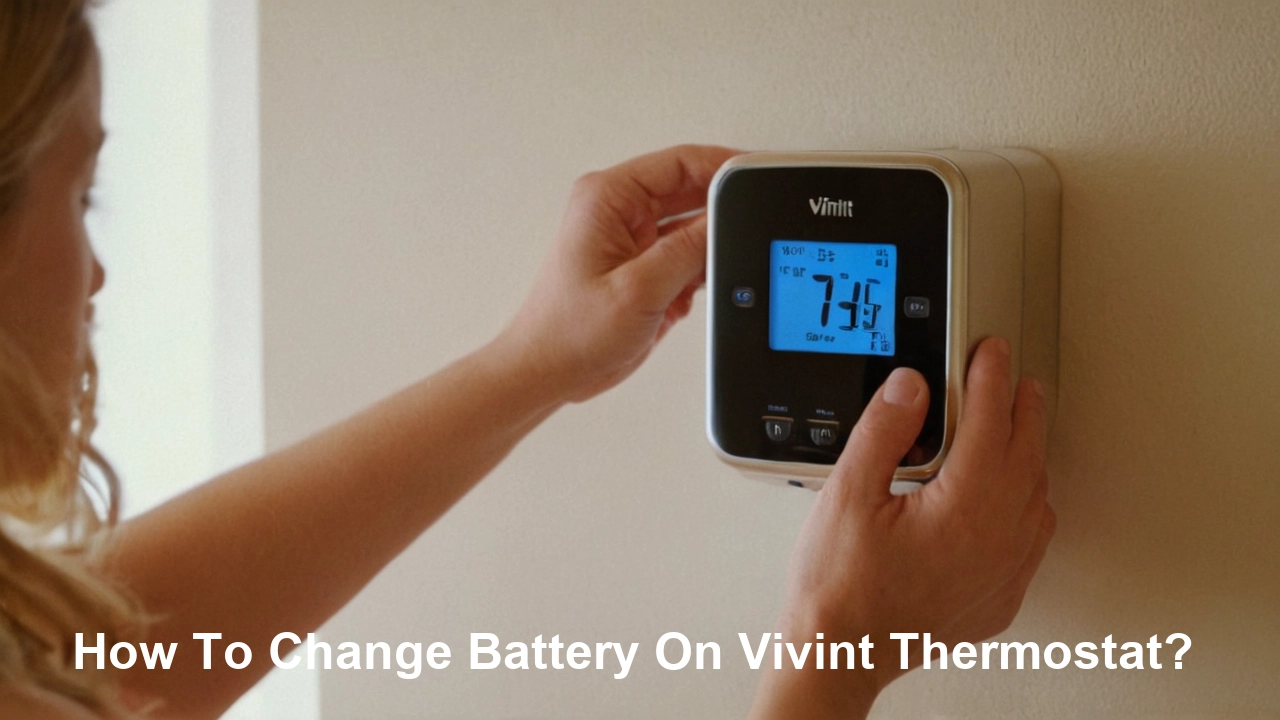
Struggling with a dying battery in your Vivint thermostat? This comprehensive guide will walk you through exactly how to change the battery on your Vivint thermostat, ensuring your smart home remains comfortable and efficient. We'll cover everything from identifying the battery type to troubleshooting common issues, making the process straightforward and stress-free.
Understanding Vivint Thermostat Batteries
Vivint smart thermostats, like most modern smart home devices, rely on batteries to maintain their functionality, especially during power outages or for specific internal processes. Understanding the type of battery your Vivint thermostat uses is the first crucial step in a successful battery change. While Vivint has offered various models over the years, the most common battery types encountered are standard alkaline AA or AAA batteries. Some older or specialized models might use different battery chemistries, but AA and AAA remain the prevalent choice for their widespread availability and cost-effectiveness.
The specific battery requirements can vary slightly between Vivint thermostat models. For instance, the Vivint Smart Thermostat (often referred to as the Vivint Thermostat X) typically uses two AA alkaline batteries. These batteries are chosen for their long lifespan and ability to power the thermostat's sensors, screen, and wireless communication capabilities reliably. It's always best to consult your specific thermostat's user manual or the Vivint app for the most accurate battery information. However, if you're in a pinch and need to make an educated guess, AA alkaline batteries are a very safe bet for most Vivint installations.
The importance of using the correct battery type cannot be overstated. Using incompatible batteries can lead to erratic thermostat behavior, failure to power on, or even damage to the device. For example, attempting to use rechargeable batteries might result in lower voltage output, causing the thermostat to malfunction or not register the battery presence correctly. Always opt for high-quality, reputable brands of alkaline batteries to ensure optimal performance and longevity. In 2025, the market for high-performance alkaline batteries continues to grow, with manufacturers focusing on extended shelf life and consistent power delivery, which are ideal for smart home devices like your Vivint thermostat.
Furthermore, understanding battery polarity is essential. Batteries have a positive (+) and negative (-) terminal. Installing them incorrectly will prevent the thermostat from receiving power. Most battery compartments are clearly marked with the correct orientation, usually indicated by plus (+) and minus (-) symbols. Pay close attention to these markings during the replacement process. The longevity of these batteries is also a factor; in 2025, typical AA alkaline batteries can last anywhere from 1 to 3 years in a Vivint thermostat, depending on usage patterns, Wi-Fi signal strength, and environmental conditions.
The Vivint ecosystem is designed for seamless integration, and the thermostat plays a pivotal role in managing your home's climate. Ensuring its power source is stable is paramount. When considering battery replacements, it's also wise to think about the environmental impact. Many manufacturers now offer batteries with reduced environmental footprints, and recycling used batteries is a responsible practice. For 2025, the focus on sustainable electronics continues to grow, and choosing battery options that align with these values is becoming increasingly important for consumers.
In summary, for most Vivint thermostat models, you'll be looking for standard AA alkaline batteries. Always verify with your device's documentation, pay attention to polarity, and choose reputable brands for the best performance. This foundational knowledge sets the stage for a successful and hassle-free battery replacement.
When to Change Your Vivint Thermostat Battery
Recognizing the signs that your Vivint thermostat battery needs replacing is key to proactive maintenance and avoiding unexpected disruptions. Vivint's smart technology is designed to alert you when power levels are low, but there are also subtle indicators that can signal an impending battery failure. Proactive replacement ensures your thermostat continues to function optimally, maintaining your home's comfort and energy efficiency without interruption.
The most direct notification comes from the Vivint app or directly on the thermostat's display. When the battery level drops significantly, you will typically see a low battery icon appear on the thermostat screen. This is often accompanied by a notification sent to your smartphone via the Vivint app. These alerts are designed to be prominent and should not be ignored. For 2025, Vivint continues to refine its notification system, making these alerts more timely and informative, often providing an estimated remaining battery life.
Beyond explicit alerts, several behavioral changes in your thermostat can suggest a weakening battery. These include:
- Intermittent screen behavior: The thermostat's display might flicker, dim unexpectedly, or become unresponsive. This is a clear sign that the battery is struggling to provide consistent power.
- Delayed response to commands: If you notice a lag between pressing a button on the thermostat or using the app and the device responding, the battery may be the culprit. Low power can slow down internal processing.
- Inability to connect to Wi-Fi: The thermostat's wireless communication module requires a stable power supply. A dying battery can interfere with its ability to maintain a Wi-Fi connection, leading to loss of remote control and smart features.
- System resets or unexpected shutdowns: If your thermostat randomly powers off or restarts without apparent cause, the battery is likely too weak to sustain its operation.
- Inaccurate temperature readings: While less common, a severely depleted battery can sometimes affect the accuracy of the temperature sensors, leading to incorrect readings and inefficient HVAC operation.
The lifespan of a Vivint thermostat battery can vary significantly based on several factors. These include the specific Vivint thermostat model, the frequency of Wi-Fi communication (more frequent updates drain the battery faster), the ambient temperature (extreme cold or heat can impact battery performance), and the quality of the batteries themselves. On average, high-quality alkaline batteries can last anywhere from 12 to 36 months in a Vivint thermostat. In 2025, advancements in battery technology are leading to even longer lifespans for premium alkaline cells.
It's a good practice to establish a routine for checking your thermostat's battery status. If your thermostat doesn't provide explicit low-battery warnings or if you want to be extra cautious, consider replacing the batteries every 18-24 months as a preventative measure. This is particularly advisable if your home experiences frequent power fluctuations or if you live in an area with extreme weather conditions that might stress the battery.
The Vivint system is designed to be intelligent, and its components work in concert. A well-powered thermostat ensures seamless communication with other Vivint devices, such as smart sensors and security panels, contributing to the overall efficiency and responsiveness of your smart home. For instance, accurate temperature readings from the thermostat are crucial for the Vivint system's energy-saving algorithms, which are projected to become even more sophisticated in 2026, further emphasizing the need for a reliable power source.
Ignoring low battery warnings can lead to a scenario where your thermostat stops functioning entirely, potentially leaving your home at an uncomfortable temperature or causing your HVAC system to operate inefficiently. This can result in higher energy bills and a compromised living environment. Therefore, addressing battery replacement promptly is not just about convenience but also about maintaining the intended performance and cost-saving benefits of your Vivint smart home system.
In summary, pay attention to the low battery icon and app notifications. If you notice any unusual behavior like screen flickering, slow responses, or Wi-Fi connectivity issues, it's time to consider a battery change. A proactive replacement every 18-24 months is a wise strategy to ensure uninterrupted comfort and optimal performance of your Vivint thermostat.
Preparing for the Battery Change
Before you embark on the task of changing your Vivint thermostat's battery, a little preparation can make the process smoother and prevent potential issues. This involves gathering the necessary tools and materials, ensuring you have the correct replacement batteries, and understanding any preliminary steps specific to your thermostat model.
1. Identify the Correct Battery Type: As discussed earlier, most Vivint thermostats use AA alkaline batteries. However, it's always best to confirm. Check your thermostat's user manual, the Vivint app, or the battery compartment itself for explicit markings. If you're unsure, take a picture of the battery compartment or the old batteries (if accessible) to a local hardware or electronics store for assistance. For 2025, the availability of high-quality AA alkaline batteries from brands like Duracell, Energizer, and Panasonic is excellent, ensuring you can find reliable replacements.
2. Purchase New Batteries: Once you've confirmed the battery type, purchase a fresh set of batteries. Opt for reputable brands known for their longevity and consistent performance. Avoid using old or expired batteries, as they may not provide sufficient power or could leak. It's also a good idea to buy a pack of extra batteries, as they are commonly used in many household devices, and having spares on hand is always convenient.
3. Gather Necessary Tools: While changing Vivint thermostat batteries is generally a tool-free process, having a few items handy can be beneficial:
- A small, flat-head screwdriver or a plastic prying tool: This might be needed to gently release the thermostat's faceplate from its wall mount. Some models click into place and require a gentle nudge. Ensure the tool is small enough not to cause damage.
- A clean, dry cloth: This can be used to wipe down the battery contacts and the inside of the battery compartment to ensure a clean connection.
- A pen and paper or your smartphone: To jot down any settings you might want to re-enter if the thermostat loses power entirely and resets (though most Vivint thermostats retain settings).
4. Check for Power Outages: While the battery backup is designed for power outages, it's wise to be aware of your local power status. If there's a widespread outage, your thermostat might already be running on battery. Changing the battery during such a time is still possible, but be mindful that your HVAC system may not be operational.
5. Understand Your Thermostat Model: Vivint has released several thermostat models. While the general process is similar, the way the faceplate detaches or the battery compartment is accessed can differ. Familiarize yourself with your specific model by looking for identifying marks on the device or checking your Vivint account online. For example, newer models might have a more streamlined design with a snap-off cover, while older ones might require a slight twist or pull.
6. Consider the Environment: Ensure you have a clean, well-lit area to perform the battery change. This will help you see clearly and prevent dropping small parts. It's also a good time to note any dust or debris that might have accumulated around the thermostat and consider a gentle cleaning.
7. Take a Photo (Optional but Recommended): Before removing the old batteries, consider taking a quick photo of the battery orientation. This serves as a visual reference to ensure you install the new batteries correctly, especially if the compartment markings are unclear.
8. Plan for Temporary Disruption: While the battery change is usually quick, there might be a brief period (seconds to a minute) where the thermostat is powered off. If your thermostat controls critical heating or cooling functions, be aware of this temporary interruption. For most users, this brief downtime is inconsequential, but it's good to be prepared.
By taking these preparatory steps, you'll be well-equipped to handle the battery replacement efficiently and effectively. This ensures your Vivint thermostat is back online and functioning optimally in no time, contributing to the seamless operation of your smart home system throughout 2025 and beyond.
Step-by-Step Guide to Changing the Battery
Changing the battery in your Vivint thermostat is a straightforward process that most homeowners can accomplish without professional assistance. Follow these detailed steps to ensure a successful replacement:
Step 1: Identify the Need for Battery Replacement
As outlined in the previous section, look for low battery warnings on the thermostat display or in the Vivint app. If you notice any unusual behavior such as a dimming screen, slow response times, or Wi-Fi connectivity issues, it's time to change the batteries.
Step 2: Gather Your Supplies
Ensure you have the correct type and quantity of new batteries (usually AA alkaline), a small flat-head screwdriver or prying tool (if needed), and a clean cloth.
Step 3: Access the Battery Compartment
This is the most variable step depending on your Vivint thermostat model. Generally, there are two common methods:
- Method A: Removing the Faceplate: For many Vivint models, the front faceplate of the thermostat can be gently pulled or pried away from the wall-mounted base. Look for small seams or notches around the edges of the faceplate. Insert a small flat-head screwdriver or a plastic prying tool into a notch and gently twist or pry to release the clips holding the faceplate in place. Work your way around the edges if necessary. Once detached, the battery compartment is usually located on the back of the faceplate.
- Method B: Opening a Compartment Door: Some models might have a dedicated battery compartment door on the side or bottom of the unit. This door may slide open, unlatch with a small tab, or require a gentle push. Consult your thermostat's manual if you're unsure.
Important Note: Be gentle when detaching the faceplate or opening the compartment. Avoid using excessive force, as this can damage the thermostat or its mounting. If it feels stuck, re-examine for hidden clips or tabs.
Step 4: Remove the Old Batteries
Once the battery compartment is exposed, carefully remove the old batteries. They usually slide out easily. If they are stuck, you can use a non-metallic object (like a plastic pen cap) to gently push them out. Note the orientation of the batteries (positive and negative ends) as you remove them. Taking a photo at this stage is highly recommended.
Step 5: Clean the Battery Contacts and Compartment
Before inserting new batteries, inspect the battery contacts inside the compartment. If they appear corroded or dirty, gently wipe them with a clean, dry cloth or a pencil eraser. A clean connection ensures optimal power transfer. You can also use the cloth to wipe away any dust or debris from the compartment itself.
Step 6: Insert the New Batteries
Insert the new batteries, ensuring they are oriented correctly according to the polarity markings (+ and -) inside the compartment. Most compartments have clear indicators. Double-check that the batteries are seated firmly.
Step 7: Reassemble the Thermostat
Carefully reattach the faceplate or close the battery compartment door. If you removed a faceplate, align it with the base on the wall and gently press it into place until it clicks securely. Ensure all clips engage properly.
Step 8: Verify Functionality
The thermostat should power on automatically. If it doesn't, double-check the battery orientation and ensure the batteries are making good contact. The screen should illuminate, and you should see the normal operating display. The Vivint app should also update to reflect that the thermostat is online and powered.
Step 9: Check Thermostat Settings (If Necessary)
Most Vivint thermostats are designed to retain their settings (Wi-Fi credentials, schedules, etc.) even when the batteries are removed. However, in rare cases, a complete power cycle might cause a reset. If your thermostat seems to have lost its settings, you may need to reconfigure them through the Vivint app or directly on the device. This is less common with modern smart thermostats.
Step 10: Dispose of Old Batteries Responsibly
Dispose of the used batteries properly. Many retailers offer battery recycling programs, or you can check with your local waste management authority for guidelines on battery disposal. Avoid throwing them in regular household trash.
By following these steps, you can confidently change the batteries in your Vivint thermostat, ensuring it continues to provide optimal climate control and smart home functionality throughout 2025 and beyond. This simple maintenance task is crucial for the reliable operation of your smart home ecosystem.
Troubleshooting Common Battery Issues
While changing the battery on a Vivint thermostat is typically a simple process, you might occasionally encounter issues. Understanding these common problems and their solutions can save you time and frustration. Here’s a guide to troubleshooting battery-related concerns:
Issue 1: Thermostat Not Powering On After Battery Change
- Cause: Incorrect battery orientation.
- Solution: Double-check that the positive (+) and negative (-) ends of the batteries are inserted correctly according to the markings in the battery compartment. Even a slight misalignment can prevent power.
- Cause: Dead or faulty new batteries.
- Solution: Test the new batteries in another device (like a remote control) to confirm they are functional. If they are dead, replace them with a fresh set from a reputable brand.
- Cause: Dirty or corroded battery contacts.
- Solution: Carefully clean the battery contacts inside the compartment with a pencil eraser or a clean, dry cloth. Ensure there's a clean metal-to-metal connection.
- Cause: The faceplate or compartment is not securely attached.
- Solution: Ensure the thermostat's faceplate is clicked firmly into place or the battery compartment door is properly closed. A loose connection can interrupt power flow.
Issue 2: Low Battery Warning Persists After Battery Change
- Cause: Batteries are not fully seated.
- Solution: Remove and reinsert the batteries, ensuring they are pushed firmly into place and making good contact with the terminals.
- Cause: The thermostat's software is not recognizing the new batteries immediately.
- Solution: Try performing a soft reset on the thermostat. This usually involves removing the batteries for about 30 seconds to a minute, then reinserting them. Consult your Vivint manual for specific reset instructions.
- Cause: The thermostat's internal battery sensor is malfunctioning.
- Solution: If the issue persists after trying the above steps, there might be a hardware problem with the thermostat itself. Contact Vivint customer support for further assistance.
- Cause: Using rechargeable batteries that don't meet voltage requirements.
- Solution: Vivint thermostats are typically designed for alkaline batteries. Rechargeable batteries may have a lower voltage output, which can trigger a false low-battery warning. Stick to recommended alkaline batteries.
Issue 3: Thermostat Behaves Erratically (Flickering Screen, Slow Response) Even with New Batteries
- Cause: Weak Wi-Fi signal.
- Solution: A poor Wi-Fi connection can cause the thermostat to work harder to maintain communication, draining batteries faster and leading to erratic behavior. Check your Wi-Fi signal strength near the thermostat and consider a Wi-Fi extender if needed. In 2025, mesh Wi-Fi systems are increasingly popular for ensuring robust coverage in all areas of the home.
- Cause: Extreme ambient temperatures.
- Solution: Batteries perform best within a moderate temperature range. If the thermostat is located near a heat source (like a vent or direct sunlight) or in a very cold area, it can affect battery performance. Ensure the thermostat is installed in a location with stable temperatures.
- Cause: Faulty thermostat unit.
- Solution: If you've tried multiple sets of fresh, high-quality batteries and the erratic behavior continues, the thermostat itself might be defective. Contact Vivint support.
Issue 4: Vivint App Not Showing Updated Battery Status
- Cause: Delayed synchronization.
- Solution: Sometimes, the app takes a few minutes to sync with the thermostat after a battery change. Close and reopen the Vivint app, or try logging out and back in.
- Cause: Thermostat is offline.
- Solution: If the thermostat lost power during the battery change or has Wi-Fi connectivity issues, the app won't be able to update its status. Ensure the thermostat is powered on and connected to Wi-Fi.
General Troubleshooting Tips:
- Always use high-quality alkaline batteries: Brands like Duracell, Energizer, and Panasonic are generally reliable.
- Refer to your Vivint thermostat's manual: Specific models may have unique troubleshooting steps or requirements.
- Document your steps: Keep track of what you've tried. This is helpful if you need to contact Vivint support.
- Contact Vivint Support: If you've exhausted all troubleshooting steps and are still experiencing issues, Vivint's customer support is your best resource. They can diagnose potential system-wide problems or arrange for a technician if necessary.
By systematically addressing these common issues, you can ensure your Vivint thermostat's battery replacement is successful and that your smart home climate control system operates reliably throughout the year.
Optimizing Your Vivint Thermostat Battery Life
While Vivint thermostats are designed for efficient power consumption, there are several strategies you can employ to maximize the lifespan of their batteries. Optimizing battery life not only saves you the hassle of frequent replacements but also ensures your thermostat operates reliably, contributing to better energy management and home comfort. These tips are particularly relevant for 2025, as smart home energy efficiency becomes an even greater focus.
1. Use High-Quality Alkaline Batteries: This is perhaps the most crucial factor. Invest in reputable brands like Duracell, Energizer, or Panasonic. These batteries are engineered for longevity and consistent power output, outperforming cheaper alternatives. Avoid generic or expired batteries, as they may have a shorter shelf life and provide less reliable power, leading to premature replacement needs.
2. Minimize Wi-Fi Connectivity Issues: The thermostat's Wi-Fi module is a significant power consumer. A weak or unstable Wi-Fi signal forces the thermostat to repeatedly attempt to connect, draining the battery faster.
- Ensure a strong Wi-Fi signal: Position your router optimally or consider a Wi-Fi extender or mesh system to ensure robust coverage throughout your home.
- Reduce unnecessary Wi-Fi polling: While Vivint's system is generally efficient, ensure no settings are configured for excessively frequent updates if such an option exists.
3. Maintain Optimal Ambient Temperatures: Extreme temperatures can negatively impact battery performance and longevity.
- Avoid direct sunlight: Do not install the thermostat where it will be exposed to direct sunlight, as this can cause overheating.
- Keep away from heat sources: Ensure the thermostat is not placed directly above or next to heating vents, fireplaces, or other heat-generating appliances.
- Moderate extreme cold: While less common for indoor thermostats, extremely cold environments can also reduce battery efficiency.
4. Limit Screen Brightness and Activity (If Adjustable): If your Vivint thermostat model allows for screen brightness adjustments or screen timeout settings, reducing these can conserve power. A dimmer screen and a shorter time before the screen turns off will use less energy. Check your thermostat's settings menu or the Vivint app for these options.
5. Utilize Energy-Saving Features: While primarily focused on HVAC efficiency, some smart thermostat features can indirectly impact battery life by reducing the overall workload.
- Smart scheduling: Ensure your schedules are optimized to avoid unnecessary heating or cooling, which can reduce the frequency of the thermostat needing to adjust settings.
- Geofencing (if available): If your Vivint system supports geofencing, it can automatically adjust temperatures when you leave or arrive home, preventing the thermostat from constantly monitoring and adjusting.
6. Perform Regular Maintenance Checks: Periodically check the thermostat's battery compartment for any signs of corrosion or dust. Clean the contacts as needed to ensure a good connection. This simple step can prevent power delivery issues.
7. Understand Battery Drain During Power Outages: While batteries serve as a backup during power outages, prolonged outages will naturally drain them faster. If you experience frequent or extended power interruptions, consider having spare batteries readily available.
8. Avoid Using Rechargeable Batteries Unless Specified: Most smart thermostats, including Vivint models, are designed for the specific voltage and discharge characteristics of alkaline batteries. Using rechargeable batteries (NiMH, Li-ion) can sometimes lead to voltage mismatches, inaccurate battery level readings, and reduced performance. Always stick to the battery type recommended by Vivint.
9. Stay Updated with Vivint Software: Vivint regularly releases software updates that can improve the efficiency of their devices. Ensure your thermostat is running the latest firmware, as these updates can sometimes include power management enhancements.
By implementing these strategies, you can significantly extend the life of your Vivint thermostat's batteries, ensuring consistent performance and contributing to a more efficient and comfortable smart home environment throughout 2025 and beyond. Proactive battery management is a small effort that yields considerable benefits.
Conclusion: Keeping Your Vivint Thermostat Running Smoothly
Successfully changing the battery on your Vivint thermostat is a straightforward yet essential maintenance task that ensures your smart home's climate control system operates reliably and efficiently. By understanding the correct battery types, recognizing the signs of a weakening battery, and following the step-by-step replacement guide, you can easily keep your thermostat powered and functioning optimally. Remember to prepare adequately by gathering the right supplies and always prioritize using high-quality alkaline batteries for the best performance and longevity.
Troubleshooting common issues, such as a thermostat failing to power on or persistent low battery warnings, is manageable with a systematic approach. Always double-check battery orientation, ensure clean contacts, and verify secure connections. If problems persist, don't hesitate to consult your Vivint manual or contact Vivint customer support for expert assistance. Furthermore, adopting practices to optimize battery life, such as maintaining a stable Wi-Fi connection and avoiding extreme temperatures, will further enhance your thermostat's performance and reduce the frequency of battery replacements.
In 2025 and beyond, a well-functioning Vivint thermostat is key to maximizing energy savings, ensuring home comfort, and leveraging the full potential of your smart home ecosystem. By investing a few minutes in battery maintenance, you safeguard against unexpected disruptions and contribute to the seamless operation of your entire Vivint system. Keep your home comfortable, efficient, and connected by staying on top of this simple yet vital task.





