
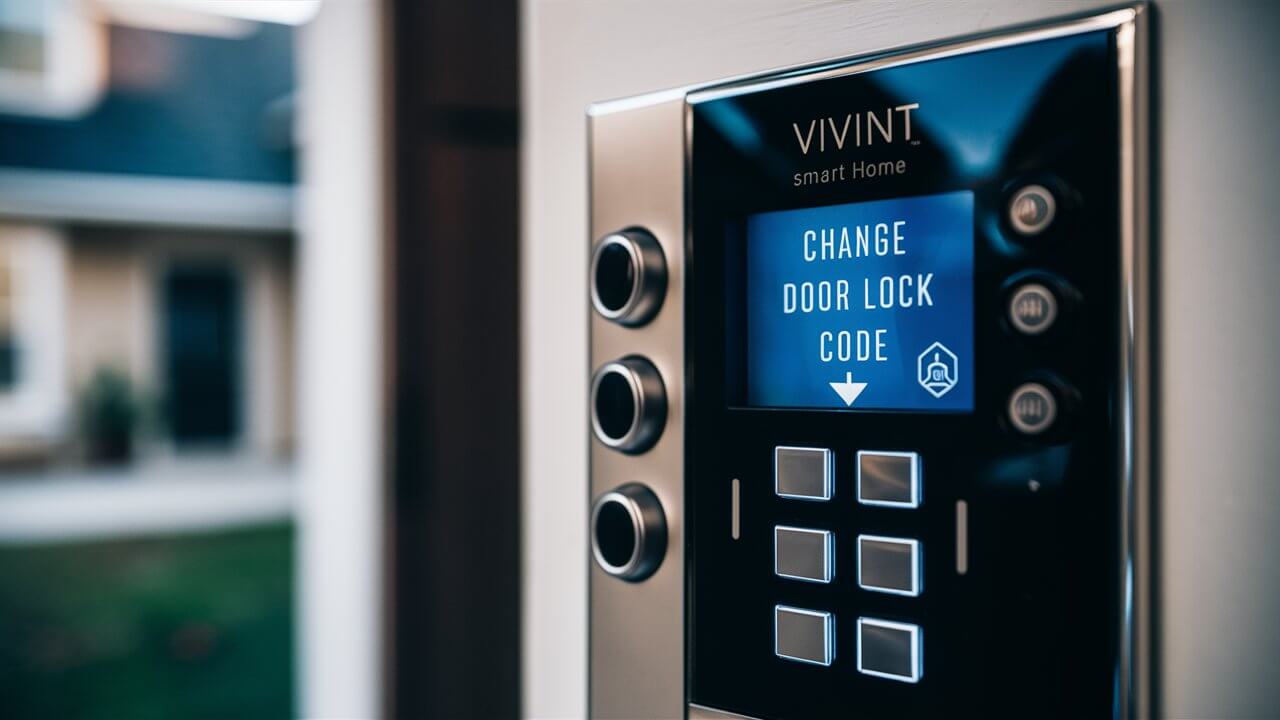
Looking to update your Vivint door lock code for enhanced security or convenience? This comprehensive guide will walk you through the exact steps to change your Vivint door lock code, ensuring your home remains protected and accessible only to those you authorize. We cover all scenarios, from primary user codes to guest access, providing clear, actionable advice.
Understanding Vivint Lock Codes
Vivint's smart home security system offers robust control over your door locks, providing convenience and peace of mind. At the core of this control are the unique access codes you assign. Understanding the different types of codes and how they function is the first step to effectively managing your home security.
Types of Vivint Access Codes
Vivint systems typically support several types of access codes, each designed for specific purposes. Knowing these distinctions is crucial for setting up your system correctly and maintaining optimal security. As of 2025, these codes generally fall into these categories:
- Primary User Codes (Master Codes): These are the main codes used by homeowners or primary residents. They often have elevated privileges, allowing for system arming/disarming and potentially managing other user codes. It's vital to keep these codes secure and change them periodically.
- Standard User Codes: These are for family members, trusted individuals, or regular visitors. They can typically arm and disarm the system and lock/unlock doors but may not have the ability to change other user codes.
- Guest or Temporary Codes: These are ideal for short-term access, such as for service providers, house sitters, or visiting friends. They can be time-sensitive, meaning they only work during specific hours or on certain days, and can be easily deleted once their purpose is served. This feature is a significant upgrade in convenience and security compared to traditional lock systems.
- Duress Codes: A critical security feature, a duress code, when entered, will disarm the system and unlock doors as usual but will also silently alert the Vivint monitoring center to send help. These should be used only in genuine emergencies.
How Codes Interact with the Vivint System
Each code is linked to a specific user profile within the Vivint app and on the control panel. When a code is entered at the door lock, it communicates with the Vivint hub. This communication triggers actions such as unlocking the door, arming or disarming the security system, and logging the entry event. The system administrator (typically the primary user) can view access logs, manage code permissions, and set schedules for temporary codes through the Vivint app or the main control panel.
The sophistication of Vivint's system means that not all codes are created equal. Primary user codes often have the highest level of access, allowing for the creation, modification, and deletion of other user codes. Standard user codes provide access for daily use, while guest codes offer granular control over who enters and when. This tiered system is a cornerstone of modern home security management, providing flexibility without compromising safety.
The Importance of Code Management
Regularly reviewing and updating your Vivint door lock codes is a fundamental aspect of home security. For instance, if a service provider no longer needs access, their temporary code should be promptly deleted. Similarly, if a family member moves out, their associated code must be removed. This proactive approach minimizes the risk of unauthorized access. In 2025, with the increasing prevalence of smart home intrusions, maintaining vigilant code management is more critical than ever. Data from the National Cybersecurity Alliance indicates that a significant percentage of home breaches are facilitated by compromised access credentials, underscoring the need for consistent updates and secure practices.
Accessing Your Vivint Panel to Change Codes
The primary method for managing your Vivint door lock codes is through your Vivint Smart Hub or the Vivint app. While the app offers greater convenience and a more visual interface, accessing the panel directly is straightforward and essential if you're away from your phone or prefer a physical interface.
Using the Vivint Smart Hub (Control Panel)
The Vivint Smart Hub is the central command center for your security system. To access and manage lock codes, you'll typically follow these steps:
- Navigate to the Security Settings: On the main screen of your Smart Hub, look for an icon or menu option related to 'Security,' 'Locks,' or 'Devices.'
- Select 'Locks' or 'Door Locks': Within the security settings, you should find a dedicated section for managing your smart locks.
- Choose the Lock You Want to Manage: If you have multiple smart locks, select the specific door lock whose code you wish to change.
- Access User Codes: Look for an option like 'User Codes,' 'Access Codes,' or 'Manage Users.'
- Select the Code to Modify or Delete: You will see a list of existing codes. Tap on the code you want to change or delete.
- Follow On-Screen Prompts: The panel will guide you through the process of entering a new code or confirming deletion. You may need to re-enter your master code or PIN to authorize these changes.
It's important to note that the exact menu layout can vary slightly depending on your Vivint system's software version. However, the general navigation path remains consistent. Always ensure you have your administrator or master PIN handy, as it's often required to make significant changes to user codes.
Using the Vivint App
The Vivint app provides a more intuitive and accessible way to manage your lock codes from anywhere. This is particularly useful for creating temporary codes for guests while you're away from home.
- Open the Vivint App: Launch the app on your smartphone or tablet.
- Log In: Ensure you are logged in with your administrator account credentials.
- Navigate to 'Locks': On the main dashboard, find and tap on the 'Locks' or 'Smart Locks' section.
- Select Your Door Lock: Choose the specific lock you want to manage.
- Tap 'Manage Codes' or 'Users': This option will typically be found within the lock's settings or details page.
- Add New Code or Edit Existing: You'll see options to 'Add New Code,' 'Edit Code,' or 'Delete Code.'
- Enter New Code Details: For new codes, you'll enter the desired code (usually 4-6 digits), assign it a name (e.g., 'Dog Walker,' 'Sarah'), and set any time restrictions if applicable. For editing, you'll modify the existing code or its associated details.
- Save Changes: Confirm your changes to apply them. The app will then sync these updates to your Vivint system and the door lock.
The app's interface is designed for ease of use, often featuring clear icons and step-by-step instructions. This makes it an excellent tool for managing access for various individuals and situations. For example, if you're expecting a delivery or a contractor, you can quickly create a temporary code for them right before they arrive and delete it immediately after.
Important Considerations Before Accessing
Before you begin changing codes, it's wise to have a plan. Know which codes you want to modify, create, or delete. Have a list of desired new codes ready. Ensure your Vivint system is online and connected, as changes made through the app require an active internet connection to sync. If you're making changes at the panel, ensure you have sufficient battery power or are connected to a power source.
For security reasons, Vivint systems typically enforce certain rules for codes. For example, codes cannot usually be sequential (e.g., 1234) or overly simple. They also often have a minimum and maximum length requirement. Always refer to the on-screen prompts or app instructions for specific guidelines on code creation. In 2025, the emphasis on strong, unique codes is paramount. Cybersecurity experts recommend avoiding easily guessable numbers like birthdays or simple repetitions. Consider using a random number generator or a secure password manager to create robust codes.
Changing Primary User Codes on Vivint
Your primary user code, often referred to as the master code, is the most critical code for your Vivint system. It grants the highest level of access and control. Changing this code is a vital security measure, especially if you suspect it might be compromised or if you're simply following best practices for periodic security updates.
Why Change Your Primary User Code?
There are several compelling reasons to change your primary user code:
- Security Breaches: If you suspect any unauthorized access to your Vivint account or system, changing your master code immediately is paramount.
- Personnel Changes: If a former resident or someone with access to the primary code is no longer living at the residence, their code should be changed or deleted.
- Routine Security Updates: Many security experts recommend changing master codes and other critical passwords at least every 6-12 months. This is a proactive measure against potential future threats.
- New Homeowners: When moving into a new home with a Vivint system, always change all existing codes, especially the master code, to ensure you are the sole administrator.
Step-by-Step Guide to Changing Your Primary User Code
The process for changing your primary user code is similar whether you use the Vivint Smart Hub or the Vivint app, but it requires administrator privileges. Here's how to do it:
Using the Vivint Smart Hub:
- Access the Panel: Go to your Vivint Smart Hub.
- Enter Your Current Master Code: You will need to enter your existing primary user code to access the administrator settings.
- Navigate to Settings: Look for a 'Settings' or 'Gear' icon, usually located in a corner of the screen.
- Select 'Users' or 'User Codes': Within the settings menu, find the option related to user management.
- Choose 'Primary User' or 'Master Code': You should see your profile listed as the primary user. Select it.
- Edit Code: There will be an option to 'Edit' or 'Change Code.'
- Enter New Primary Code: You'll be prompted to enter your new desired primary user code. Ensure it's a strong, unique code that you will remember but is difficult for others to guess. Vivint typically requires codes to be 4-6 digits.
- Confirm New Code: Re-enter the new code to confirm.
- Save Changes: Confirm and save the changes. The system will update the code immediately.
Using the Vivint App:
- Open the Vivint App: Log in with your administrator account.
- Go to 'Settings': Tap on the 'Settings' icon (usually a gear).
- Select 'Users': Find and tap on the 'Users' or 'User Management' option.
- Tap on Your Profile: Select your user profile, which is designated as the primary or administrator.
- Tap 'Edit': Look for an 'Edit' button next to your code or profile details.
- Change Code: Tap on the option to 'Change Code.'
- Enter New Code: Input your new primary user code.
- Confirm and Save: Confirm the new code and tap 'Save' or 'Done.' The app will sync the change to your system.
Best Practices for Primary User Codes
When choosing a new primary user code, adhere to these best practices:
- Avoid Obvious Numbers: Do not use your birthdate, anniversary, house number, or simple sequential patterns (e.g., 1111, 1234, 9876).
- Make it Memorable but Unique: While it needs to be easy for you to recall, it should be difficult for others to guess. Consider a combination of numbers that have personal meaning but aren't easily discoverable.
- Keep it Private: Never share your primary user code with anyone you don't absolutely trust. This code is your key to full control over your security system.
- Change Periodically: As mentioned, aim to change your primary code at least annually, or more frequently if there's any reason for concern.
- Do Not Reuse Old Codes: Even if you're changing it for security reasons, do not revert to a previously used code.
What if You Forget Your Primary User Code?
If you forget your primary user code, you will need to contact Vivint customer support. They have the ability to reset your master code remotely or guide you through a more involved reset process. This is a security measure to prevent unauthorized access to your system if the panel or app is compromised. Be prepared to verify your identity as the account holder. As of 2025, Vivint's customer support is equipped to handle these requests efficiently, often resolving the issue within a single support call.
Changing your primary user code is a fundamental security step. By following these guidelines, you ensure that your Vivint system remains under your secure control, protecting your home and loved ones effectively. For more on securing your smart home, explore our guide on Best Practices for Vivint Lock Code Security.
Creating and Managing Guest or Temporary Codes
One of the most powerful features of Vivint's smart lock system is the ability to create and manage guest or temporary access codes. This allows you to grant access to your home to individuals without compromising your primary security codes, offering unparalleled convenience and control.
Benefits of Guest/Temporary Codes
Guest and temporary codes offer significant advantages:
- Enhanced Security: You don't need to share your main access codes with service providers, visitors, or short-term guests.
- Convenience: Grant access remotely or quickly without being present to open the door.
- Time-Limited Access: Schedule codes to work only during specific hours or days, perfect for contractors or cleaners.
- Activity Monitoring: Each guest code can be assigned a name, allowing you to see who is entering and when through the Vivint app or panel logs.
- Easy Revocation: Codes can be deleted instantly once they are no longer needed, eliminating the risk of forgotten access.
How to Create a Guest/Temporary Code
Creating a guest or temporary code is a simple process, best done through the Vivint app for maximum flexibility.
Using the Vivint App:
- Open the Vivint App: Log in with your administrator account.
- Navigate to 'Locks': Tap on the 'Locks' section from the main dashboard.
- Select Your Door Lock: Choose the specific lock you want to manage.
- Tap 'Manage Codes' or 'Users': Find the option to manage user codes.
- Tap 'Add New Code': This will initiate the creation process.
- Enter Code Details:
- Code: Enter a unique 4-6 digit code. Avoid simple or easily guessable numbers.
- Name: Assign a descriptive name (e.g., "House Cleaner - Monday," "Pet Sitter - July," "Delivery Driver"). This helps in tracking.
- Schedule (Optional): This is where you set the time limitations. You can specify days of the week and time windows (e.g., Monday-Friday, 9 AM - 5 PM).
- Save: Tap 'Save' or 'Done.' The new code will be added to your system.
Using the Vivint Smart Hub:
- Access the Panel: Go to your Vivint Smart Hub.
- Navigate to 'Security' or 'Locks': Find the section for managing devices.
- Select 'Door Locks': Choose the specific lock.
- Access 'User Codes': Look for the option to manage user codes.
- Add New User: Select the option to add a new user or code.
- Enter Code and Name: You'll be prompted to enter the code and a name for the user.
- Set Schedule (If Available): Some panel versions may allow for basic scheduling. If not, you'll need to use the app for advanced scheduling.
- Save: Confirm and save the new code.
Managing Existing Guest/Temporary Codes
Once codes are created, you can manage them easily:
- View All Codes: Both the app and the panel will display a list of all active user codes, including guest codes.
- Edit Codes: You can change the code itself, the assigned name, or the schedule for an existing guest code.
- Delete Codes: This is a crucial step. When a guest no longer needs access, delete their code immediately. Select the code from the list and choose the 'Delete' or 'Remove' option. Confirm the deletion.
Examples of Guest/Temporary Code Usage
Here are some practical scenarios where guest/temporary codes are invaluable:
- Home Services: Grant a cleaner access only during their scheduled work hours (e.g., Tuesday mornings, 9 AM - 12 PM).
- Package Deliveries: Create a temporary code that works for a specific hour on a particular day for a delivery driver if you know they'll be arriving then.
- Pet Sitters/Dog Walkers: Provide a code that's active only during the times they are scheduled to care for your pets.
- Visiting Family/Friends: Give them a code that works throughout their stay, and then delete it once they leave.
- Emergency Access: In a true emergency, you can provide a trusted neighbor or relative with a code that is active only for a short period.
Important Considerations for Guest Codes
- Code Strength: Always use strong, unique codes. Avoid simple patterns or numbers easily associated with you.
- Clear Naming: Use descriptive names to easily identify who each code belongs to and when it should be used.
- Regular Audits: Periodically review your active guest codes to ensure no unnecessary access is granted. Delete any codes that are no longer needed.
- App is Key for Scheduling: For advanced scheduling features (specific days, times, and recurring schedules), the Vivint app is the most effective tool.
- Duress Code Awareness: Remember that a duress code is different from a guest code. It's for emergencies and silently alerts authorities.
By mastering the creation and management of guest and temporary codes, you significantly enhance your home's security and convenience. This granular control is a hallmark of a truly smart home security system. For further security tips, consult our section on Best Practices for Vivint Lock Code Security.
Troubleshooting Common Vivint Lock Code Issues
While Vivint's smart lock system is generally reliable, you might occasionally encounter issues with your door lock codes. Understanding common problems and their solutions can save you time and frustration, ensuring your access control remains seamless.
Issue 1: Code Not Working at the Lock
Symptoms: You enter a valid code, but the lock does not disarm or unlock.
Possible Causes & Solutions:
- Incorrect Code Entry:
- Solution: Double-check that you are entering the correct code. Ensure you are pressing the buttons firmly and clearly.
- System Not Armed/Disarmed:
- Solution: The code might be valid for arming/disarming, but if the system is not in the expected state (e.g., you're trying to disarm when it's already disarmed), the lock might not respond as expected. Verify the system's status on the panel or app.
- Lock is Offline or Not Communicating:
- Solution: The lock might have lost its connection to the Vivint hub. Check the Vivint app or panel for the lock's status. If it shows as offline, ensure the batteries in the lock are sufficient. You may need to re-sync the lock with the hub. This often involves going to the lock's settings in the Vivint app or panel and initiating a 'resync' or 'add device' process.
- Code Disabled or Deleted:
- Solution: The code might have been accidentally disabled or deleted. Check the user code list in the Vivint app or on the panel to confirm the code is still active and assigned to the correct user.
- Software Glitch:
- Solution: Sometimes, a simple reboot of the lock or the Vivint hub can resolve temporary glitches. For the lock, this usually involves removing and reinserting the batteries. For the hub, follow Vivint's recommended reboot procedure.
Issue 2: Unable to Add or Change a Code
Symptoms: You try to create a new code or modify an existing one through the app or panel, but the action fails or an error message appears.
Possible Causes & Solutions:
- Insufficient Permissions:
- Solution: You must be logged in as an administrator or primary user to add or change codes. Ensure you are using the correct account credentials.
- Invalid Code Format:
- Solution: Vivint codes typically have specific length requirements (e.g., 4-6 digits) and cannot be simple sequential patterns (like 1234) or overly repetitive numbers. Check Vivint's guidelines for valid code formats.
- Code Already in Use:
- Solution: You cannot assign a code that is already in use by another user. Ensure the code you are trying to create is unique.
- System Not Connected:
- Solution: If you are using the app and the system is offline, changes may not sync. Ensure your Vivint hub is connected to the internet and the lock is communicating with the hub.
- Panel or App Software Issue:
- Solution: Try performing the action through the other interface (if you tried on the panel, try the app, and vice-versa). If the issue persists, contact Vivint support.
Issue 3: Lock Not Responding to App Commands
Symptoms: You try to lock or unlock the door remotely via the Vivint app, but the command doesn't execute, or the app shows an error.
Possible Causes & Solutions:
- Lock is Offline:
- Solution: As with code entry issues, the lock might not be communicating with the hub. Check its status in the app. Address battery levels and connectivity issues.
- App or System Outage:
- Solution: Occasionally, there might be a temporary service interruption with Vivint's servers or your internet provider. Check Vivint's service status page or contact them.
- Outdated App Version:
- Solution: Ensure you have the latest version of the Vivint app installed on your mobile device. Outdated apps can sometimes cause compatibility issues.
- Weak Wi-Fi Signal:
- Solution: If your Vivint hub is connected via Wi-Fi, ensure it has a strong, stable signal. If the lock itself has Wi-Fi capabilities (less common for basic smart locks, but possible), ensure its signal is also strong.
Issue 4: Lock Battery Drains Quickly
Symptoms: You are frequently receiving low battery notifications for your smart lock, requiring frequent battery replacements.
Possible Causes & Solutions:
- Heavy Usage:
- Solution: If your door is used very frequently, the lock will consume more power. This is normal but requires more frequent battery changes.
- Extreme Temperatures:
- Solution: Very cold or very hot temperatures can affect battery performance and lifespan. Ensure the lock is installed in an environment within its operating temperature range.
- Poor Signal Strength:
- Solution: If the lock is struggling to maintain a connection with the Vivint hub (e.g., due to distance or interference), it may use more power searching for or maintaining the signal. Consider relocating the hub or installing a range extender if applicable.
- Faulty Lock or Batteries:
- Solution: Try using a different set of high-quality batteries. If the problem persists, the lock itself might be faulty. Contact Vivint support for potential replacement.
When to Contact Vivint Support
If you've tried the troubleshooting steps above and are still experiencing issues with your Vivint door lock codes or the lock itself, it's time to contact Vivint customer support. They have advanced diagnostic tools and can provide specific guidance for your system. Be prepared to provide details about the problem, including any error messages you've seen and the troubleshooting steps you've already taken. As of 2025, Vivint's support is available 24/7, ensuring you can get help whenever you need it. For preventative measures, review our Best Practices for Vivint Lock Code Security.
Best Practices for Vivint Lock Code Security
Maintaining robust security for your Vivint door lock codes is paramount to protecting your home and family. In today's connected world, digital security is as important as physical security. Implementing best practices ensures that only authorized individuals can access your home and that your system remains resilient against potential threats.
1. Create Strong, Unique Codes
This is the foundational principle of any secure access system.
- Avoid Predictable Patterns: Never use easily guessable numbers such as birthdays, anniversaries, house numbers, street names, or simple sequences like 1234, 4321, or 1111.
- Length Matters: Vivint typically allows 4-6 digit codes. Longer codes offer more combinations, making them harder to brute-force. If given the option, opt for the maximum allowed length.
- Mix and Match: While most smart locks use numeric codes, if your system or a future iteration allows for alphanumeric codes, consider using them for enhanced security.
- Unique for Each User: Assign a different code to each individual who needs access. This not only enhances security but also allows for better tracking of who is entering and when.
2. Regularly Update and Audit Codes
Security is not a set-it-and-forget-it task. Consistent review is essential.
- Periodic Changes: Change your primary user code at least every 6-12 months. For added security, consider changing all user codes annually.
- Audit User Access: Regularly review the list of active user codes in your Vivint app or on the panel. Remove any codes that are no longer needed, such as for former residents, service providers who have finished their work, or guests who have departed.
- Immediate Removal of Unnecessary Codes: If a guest code was created for a specific purpose (e.g., a contractor), delete it immediately after their work is completed.
3. Utilize Time-Restricted and Temporary Codes
Leverage Vivint's features for granular control over access.
- Guest Codes for Specific Times: Use the scheduling feature in the Vivint app to grant access only during specific hours or days. This is ideal for cleaners, dog walkers, or repair personnel.
- Temporary Codes for Short Stays: For visitors staying for a few days, create a code that expires automatically after their departure date.
- Avoid Sharing Primary Codes: Never share your master or primary user code with anyone. Use guest codes for all non-primary users.
4. Secure Your Vivint Account and App
The physical lock is only one part of the system; the digital access is equally important.
- Strong Account Password: Ensure your Vivint account password is strong, unique, and not used for any other online services. Consider using a password manager.
- Enable Two-Factor Authentication (2FA): If Vivint offers 2FA for your account, enable it. This adds an extra layer of security, requiring a code from your phone or another device in addition to your password.
- Keep App Updated: Always ensure you are using the latest version of the Vivint app. Updates often include security patches and performance improvements.
- Secure Your Mobile Device: Protect your smartphone or tablet with a strong passcode, fingerprint, or facial recognition. This prevents unauthorized access to the Vivint app if your device is lost or stolen.
5. Understand and Use Duress Codes
This is a critical, often overlooked, security feature.
- Emergency Alert: A duress code, when entered, will disarm the system and unlock the door as usual but will also silently notify the Vivint monitoring center to dispatch help.
- Memorize and Keep Secret: Ensure all primary users know the duress code but never share it casually. It's for genuine emergencies only.
6. Physical Security of the Lock
While digital security is key, don't neglect the physical aspects.
- Battery Maintenance: Keep the lock's batteries fresh. Low batteries can lead to malfunctions or connectivity issues, potentially compromising access.
- Regular Inspections: Periodically check the physical condition of the lock for any signs of tampering or damage.
- Secure Wi-Fi Network: Ensure your home Wi-Fi network is secured with a strong password. Most Vivint hubs connect to your home network.
7. Educate Household Members
Ensure everyone who uses the system understands the importance of security.
- Code Privacy: Teach children and other household members not to share codes.
- Reporting Suspicious Activity: Encourage them to report any unusual behavior or suspected security issues immediately.
By diligently following these best practices, you can significantly enhance the security of your Vivint smart lock system, ensuring your home remains a safe and secure sanctuary. For more on managing access, explore our guide on Creating and Managing Guest or Temporary Codes.
Integrating Vivint Locks with Other Smart Home Devices
Vivint's smart lock system is designed to be a central component of a broader smart home ecosystem. By integrating your Vivint door locks with other smart devices, you can create automated routines and scenarios that enhance convenience, security, and energy efficiency. As of 2025, the interoperability of smart home devices is more advanced than ever, allowing for sophisticated custom automations.
The Power of Automation and Scenes
Vivint allows you to create "scenes" or automations that trigger multiple devices simultaneously based on specific conditions. These can be activated manually, by voice command, or automatically based on events like arming/disarming the system, time of day, or sensor activity.
Common Integrations and Automations
1. Lighting Control
- "Welcome Home" Scene: When you disarm the system and unlock the door with your code, lights in the entryway, living room, and kitchen can automatically turn on.
- "Goodnight" Scene: When you arm the system in "Stay" mode and lock the door (either manually or via automation), all interior lights can turn off, and exterior lights can turn on or dim.
- Motion-Activated Lighting: If your lock is integrated with motion sensors, lights can turn on when motion is detected near the door after a certain time, deterring potential intruders.
2. Security System Integration
This is the most fundamental integration for Vivint locks.
- Arming/Disarming: Entering your user code at the lock is the primary way to arm or disarm your Vivint security system. This ensures your home is protected when you leave and secured when you return.
- Alerts and Notifications: If the door is unlocked unexpectedly or if a specific user code is used during an unusual time, you can receive instant notifications on your phone via the Vivint app.
- Video Doorbell Integration: When someone approaches your door and your video doorbell detects motion, or if the doorbell is pressed, you can choose to automatically unlock the door (with caution) or simply receive a notification and live feed to your panel or app.
3. Thermostat Control
- Energy Savings: When you arm the system and leave (locking the door), your Vivint thermostat can automatically adjust to an energy-saving temperature.
- Comfort on Arrival: When you disarm the system upon returning, the thermostat can revert to your preferred comfortable temperature.
4. Smart Blinds and Shades
- Privacy and Security: As part of a "Goodnight" scene, smart blinds can automatically close when you lock the door for the evening.
- Daylight Control: Blinds can automatically open in the morning when the system is disarmed, allowing natural light to enter.
5. Voice Assistant Integration (e.g., Alexa, Google Assistant)
While Vivint systems are largely self-contained, they can often integrate with popular voice assistants for enhanced control.
- Voice Commands: You can use voice commands like "Alexa, lock the front door" or "Hey Google, is the back door locked?" (Note: Unlocking via voice command usually requires a PIN for security).
- Scene Activation: Trigger custom scenes like "Vivint, I'm home" to unlock the door, turn on lights, and adjust the thermostat.
Setting Up Integrations and Automations
The process for setting up these integrations typically involves a few key steps:
- Ensure Devices are Connected: All your smart devices (locks, lights, thermostat, etc.) must be connected to your home network and recognized by the Vivint system.
- Access the Vivint App: Navigate to the 'Automations' or 'Scenes' section within the Vivint app.
- Create a New Scene/Automation:
- Trigger: Define what will start the automation. This could be an event (e.g., "System Armed Away"), a time of day, or a manual command. For lock-specific triggers, you might select "Door Unlocked" or "Door Locked" by a specific user code.
- Actions: Select the devices you want to control and the actions they should perform (e.g., "Turn on Living Room Light," "Set Thermostat to 70°F," "Close Front Door Blinds").
- Name the Scene: Give your automation a descriptive name (e.g., "Morning Routine," "Secure for Night").
- Test the Automation: After setting it up, test it to ensure it functions as expected.
Considerations for Integrated Systems
- Complexity: As you add more devices and automations, the system can become complex. Keep your routines logical and easy to manage.
- Security Implications: Be mindful of the security implications of granting access. For example, automatically unlocking a door when you arrive home might be convenient but could be risky if your location is compromised.
- Network Stability: A stable and robust home network is crucial for seamless integration between devices.
- Vivint Ecosystem: Vivint generally promotes its own ecosystem of devices for the most seamless integration. While third-party integrations are possible, they might have limitations.
By thoughtfully integrating your Vivint door locks with other smart home devices, you can transform your house into a truly intelligent and responsive home. For more on managing access, consult our guide on Creating and Managing Guest or Temporary Codes.
The Future of Smart Lock Codes with Vivint
The landscape of home security is constantly evolving, and smart lock technology, particularly within integrated systems like Vivint's, is at the forefront of this evolution. As we look towards 2025 and beyond, we can anticipate significant advancements in how we manage access to our homes, moving beyond traditional numeric codes towards more sophisticated, secure, and user-friendly methods.
Emerging Trends in Smart Lock Access
Several key trends are shaping the future of smart lock codes:
- Biometric Authentication: Fingerprint scanners are already appearing on some high-end smart locks, and their integration into systems like Vivint's is a logical next step. Imagine unlocking your door with a simple touch, eliminating the need to remember or enter any code. Facial recognition technology is also advancing rapidly and could become a viable option for hands-free access.
- Mobile Key Technology: Using your smartphone as a digital key is becoming increasingly common. Beyond just using the Vivint app, future systems might leverage Bluetooth or NFC (Near Field Communication) to grant access when your phone is simply within proximity, similar to how contactless payments work. This could involve temporary digital keys that can be shared securely with guests.
- AI-Powered Access Management: Artificial intelligence could play a larger role in managing access. AI might analyze patterns of entry and exit, detect anomalies that suggest a security risk, and proactively suggest code changes or temporary lockouts. It could also learn your routines and automatically adjust access permissions based on context.
- Enhanced Geofencing: While geofencing is currently used to trigger actions when you arrive or leave, future iterations could offer more nuanced control. For example, the system might automatically unlock your door only when your phone is within a very specific, secure zone around your home and you are actively approaching the door.
- Interoperability and Standards: The push for universal smart home standards (like Matter) aims to make devices from different manufacturers work together seamlessly. This could lead to greater flexibility in how Vivint locks integrate with a wider array of smart home devices and platforms, potentially offering new ways to manage access codes.
- Passwordless Authentication: The broader tech industry is moving towards passwordless solutions. This trend will likely extend to smart locks, reducing reliance on memorized codes and moving towards more secure, context-aware authentication methods.
Vivint's Potential Future Developments
Given Vivint's commitment to innovation in smart home security, we can speculate on how they might incorporate these future trends:
- Integrated Biometrics: Vivint may introduce smart locks with built-in fingerprint or facial recognition scanners, allowing for faster and more secure access.
- Advanced Mobile Key Sharing: Expect enhanced features for sharing temporary digital keys via smartphone, with granular controls over duration and permissions.
- Smarter AI Integration: Vivint's AI capabilities could evolve to offer predictive security, anomaly detection, and more intelligent automation based on user behavior and access patterns.
- Expanded Third-Party Integration: With the rise of standards like Matter, Vivint could broaden its compatibility with non-Vivint smart devices, offering more choices for users building custom smart home ecosystems.
- Streamlined User Experience: The focus will likely remain on user-friendliness. Future updates to the Vivint app and panel interfaces will aim to make managing access even simpler and more intuitive, even as the underlying technology becomes more complex.
The Enduring Importance of Code Management
Even as new technologies emerge, the fundamental principles of good security hygiene will remain crucial. Whether you're using a numeric code, a fingerprint, or a digital key, managing access responsibly is key. This includes:
- Securing Your Primary Account: Your Vivint account and the devices used to control it (phone, tablet) must be protected with strong passwords and, where possible, multi-factor authentication.
- Granting Access Wisely: Regardless of the method, only grant access to individuals you trust.
- Regular Audits: Periodically review who has access to your home and revoke permissions when no longer needed.
The future of smart lock codes with Vivint promises a more secure, convenient, and integrated experience. By staying informed about these advancements and continuing to practice good security habits, homeowners can ensure their homes remain protected by the most effective and user-friendly technology available. For ongoing security, remember to review our Best Practices for Vivint Lock Code Security.
In conclusion, mastering the process of changing your Vivint door lock code is fundamental to maintaining a secure and convenient smart home. Whether you're updating primary user codes for enhanced security, creating temporary codes for guests, or troubleshooting issues, this guide has provided comprehensive, actionable steps. By prioritizing strong, unique codes, regular audits, and leveraging features like time-restricted access, you ensure your Vivint system offers the robust protection it's designed for. Remember to always keep your Vivint account secure and consider the future of smart access technologies to stay ahead of evolving security needs. Proactive management of your lock codes is an investment in your peace of mind.





