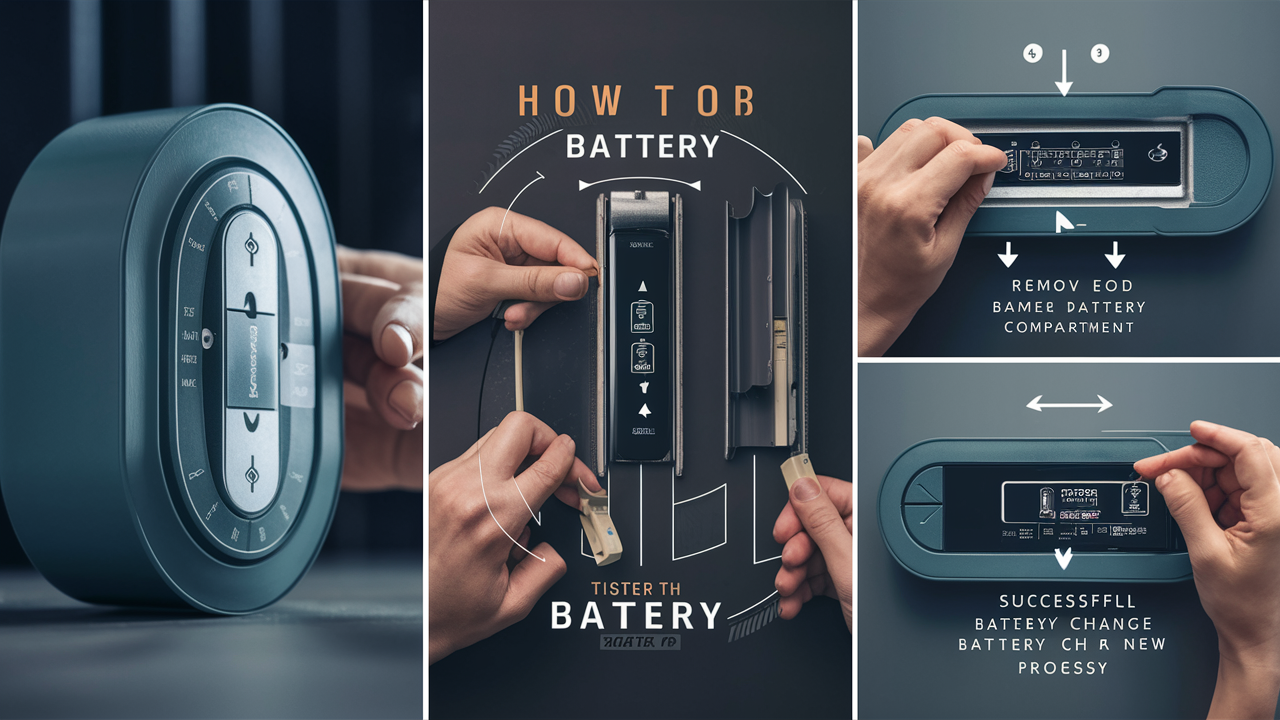
Discover the straightforward steps to change your home alarm battery, ensuring your security system remains vigilant. This guide provides clear instructions, common pitfalls to avoid, and essential maintenance tips for 2025-26, empowering you to maintain peace of mind.
Understanding Your Home Alarm Battery
Your home security system is a vital component of your property's safety, and at its heart, often lies a crucial backup battery. This battery serves as a lifeline, ensuring your alarm continues to function even during power outages. Understanding the role and type of your alarm battery is the first step towards effective maintenance. In 2025, with the increasing reliance on smart home technology, the importance of a consistently powered alarm system cannot be overstated. Most modern alarm systems, whether wired or wireless, incorporate a rechargeable backup battery. This battery is designed to keep the control panel, sensors, and communication modules operational for a specified period when mains power is unavailable. The lifespan and performance of this battery are directly tied to the overall reliability of your security setup.
The primary function of the backup battery is to provide uninterrupted power. When the main power source fails, the system automatically switches to battery power. This transition is usually seamless, preventing any lapse in your security coverage. For wireless sensors, each individual unit might have its own smaller battery, but the central control panel will have a larger, more robust backup battery. Understanding which batteries need replacement and when is key to maintaining a functional system. For instance, a monitored alarm system that loses its connection due to a dead backup battery could leave your home vulnerable and may even incur service fees from the monitoring company for re-establishing connection.
The technology behind these batteries has evolved. While older systems might have used sealed lead-acid (SLA) batteries, newer systems often employ lithium-ion or other advanced chemistries. Each type has its own characteristics regarding lifespan, charging capabilities, and replacement procedures. Knowing your specific system's requirements, as detailed in its user manual, is paramount. For example, some systems might alert you when the battery is low, while others might simply fail without prior warning. Proactive checks and understanding the typical lifespan of your battery type can prevent unexpected failures.
In 2025, the average lifespan of a typical home alarm backup battery, particularly the sealed lead-acid types commonly found in wired systems, is generally between 3 to 5 years. However, this can be significantly influenced by factors such as the frequency of power outages, the ambient temperature where the battery is stored, and the overall power draw of the alarm system. Wireless sensors, on the other hand, might have batteries that last anywhere from 1 to 5 years, depending on the sensor type, usage frequency, and battery quality. For instance, a door/window sensor that is frequently triggered will drain its battery faster than one that remains static.
The sophistication of modern alarm systems also plays a role. Systems with more features, such as integrated cameras, smart home automation capabilities, and frequent cloud connectivity, will naturally draw more power, potentially reducing battery life. Conversely, simpler systems with basic intrusion detection might see their batteries last longer. It’s also worth noting that while the backup battery is designed for emergencies, it's often continuously trickle-charged by the main power supply. This constant charging can also contribute to battery degradation over time, much like how a smartphone battery degrades with constant charging. Therefore, regular checks, even if your system doesn't explicitly indicate a low battery, are a good practice.
Why Battery Replacement is Crucial
The decision to replace your home alarm battery isn't just about convenience; it's a critical step in maintaining robust home security. A depleted battery can render your entire system ineffective when you need it most. In 2025, with the rise in sophisticated home invasions and the increasing reliance on smart home security, a non-functional alarm system is a significant vulnerability. The primary reason for replacement is to ensure continuous operation. When the main power goes out, whether due to a storm, a grid failure, or even a planned outage, your alarm system relies entirely on its backup battery. If this battery is dead or significantly degraded, your alarm will not sound, sensors will not communicate, and your monitoring service (if you have one) will not be alerted.
Consider a scenario during a severe thunderstorm in 2025. Power outages are common. If your alarm battery is at the end of its life, your home becomes an easy target for opportunistic burglars who know that many homes lose their security during such events. The backup battery is designed to provide power for a specific duration, typically between 4 to 24 hours, depending on the system and battery capacity. This buffer is essential for maintaining protection during short to medium-term power interruptions. Without a healthy battery, this crucial safety net disappears.
Beyond power outages, a weak battery can lead to intermittent system malfunctions. You might experience false alarms, sensors that randomly go offline, or communication errors with your control panel. These issues can be frustrating and can erode your confidence in the system's reliability. For instance, a door sensor that intermittently fails due to a low battery might report a false "open" status, triggering an unnecessary alarm. This can lead to a situation where you start ignoring alarms, defeating the purpose of having a security system altogether.
Furthermore, for homes with integrated smart features, such as remote monitoring via a smartphone app, a failing battery can disrupt these connectivity functions. In 2025, many homeowners rely on their apps to arm/disarm their systems, receive alerts, and even view camera feeds. If the backup battery is too weak to support the system's communication modules, these smart functionalities will cease to work, even if the mains power is still on. This disconnect from your security system can be as dangerous as a complete system failure during a power outage.
The cost of replacing a battery is minuscule compared to the potential financial and emotional cost of a burglary or home invasion. According to 2025 FBI statistics, the average cost of property crime, including burglary, can run into thousands of dollars, not to mention the intangible losses of personal belongings and the feeling of security. Therefore, proactive battery replacement is a small investment that yields significant returns in terms of peace of mind and actual security. It's a preventative measure that ensures your investment in a home security system continues to provide the protection it was designed for.
Identifying a Low Battery
Recognizing the signs of a low alarm battery is crucial for timely replacement. Ignoring these indicators can lead to a lapse in security when you least expect it. Fortunately, most modern alarm systems provide clear signals when their backup battery is nearing depletion. In 2025, technology has advanced to make these notifications more sophisticated and user-friendly.
The most common indicator is an audible alert. Many alarm systems emit a series of chirps or beeps at regular intervals, often every 30 to 60 seconds, to signal a low battery. This sound is usually distinct from the alarm siren and is designed to be noticeable but not overly alarming. The frequency and pattern of these chirps can vary by manufacturer, so consulting your system's manual is recommended. Some systems might also display a visual indicator on the control panel, such as a flashing light or a specific error code. For example, a blinking red light or a message like "Low Batt" or "Battery Fault" might appear on the keypad.
Modern smart alarm systems often go a step further by sending notifications directly to your smartphone or email. If you have a connected system, you might receive an alert stating that the backup battery is low or requires attention. This is particularly useful for homeowners who are frequently away from their property. These digital alerts provide a convenient and immediate way to stay informed about your system's health.
Another sign, though less common and more indicative of a critically low or failed battery, is the system behaving erratically. This could manifest as intermittent sensor failures, the system failing to arm or disarm properly, or unexpected reboots of the control panel. If you notice any unusual behavior from your alarm system, it's wise to investigate the battery status.
Some systems also have a diagnostic feature that allows you to check the battery status manually. This might involve pressing a specific button sequence on the keypad or accessing a menu within the system's interface. The user manual will detail how to access this information. For instance, a system might display the battery voltage or a percentage of remaining charge.
The lifespan of a battery is also a good indicator. If your battery is approaching its typical replacement cycle (e.g., 3-5 years for SLA batteries, 1-5 years for wireless sensor batteries), it's prudent to consider replacing it proactively, even if no alerts have been triggered. This preventative approach ensures that you don't wait for a failure to occur.
It's important to differentiate between the main backup battery for the control panel and the batteries in individual wireless sensors. While the control panel battery is usually larger and has a longer lifespan, wireless sensors often use smaller batteries (like AA, AAA, or coin cells) that may need replacement more frequently. The system will typically indicate which specific sensor has a low battery, often by displaying the sensor's name or zone number alongside the low battery warning.
Here's a quick reference table for common low battery indicators:
| Indicator Type | Description | Action Recommended |
|---|---|---|
| Audible Chirps/Beeps | Regular, intermittent sounds (e.g., every 30-60 seconds) | Check system for specific low battery message; prepare for replacement. |
| Control Panel Display | Flashing lights, error codes (e.g., "Low Batt", "BATT"), or specific battery status icons. | Consult manual for code meaning; proceed with battery check/replacement. |
| Smartphone/App Notification | Push notification or email alert regarding battery status. | Confirm notification and plan battery replacement soon. |
| System Malfunctions | Intermittent sensor issues, false alarms, system reboots. | Perform a manual battery check; consider replacement if system is old. |
If you're unsure about the meaning of a specific alert, always refer to your alarm system's user manual or contact the manufacturer's support. Ignoring these warnings is a gamble with your home's security.
Types of Home Alarm Batteries
Understanding the different types of batteries used in home alarm systems is crucial for proper identification and replacement. While the core function remains the same – providing backup power – the technology and characteristics vary significantly. In 2025, a mix of older and newer battery technologies can be found in homes. The most common types include Sealed Lead-Acid (SLA) batteries and various types of Lithium-ion batteries.
Sealed Lead-Acid (SLA) Batteries: These are the workhorses of many traditional wired alarm systems. They are known for their robustness, reliability, and relatively low cost. SLA batteries are sealed, meaning they don't require maintenance like older flooded lead-acid batteries. They are typically found in the main control panel of the alarm system.
- Characteristics: Heavy, rechargeable, typically 12V, good for deep discharge cycles.
- Lifespan: Generally 3-5 years, but can be affected by temperature and charging cycles.
- Pros: Cost-effective, readily available, proven technology.
- Cons: Heavy, can be damaged by overcharging or deep discharge if not managed properly, lifespan is shorter than some modern alternatives.
- Appearance: Often rectangular, black or grey plastic casing, with two terminals on top.
Lithium-ion (Li-ion) Batteries: Lithium-ion technology is becoming increasingly prevalent, especially in newer wireless sensors and some advanced control panels. They offer a higher energy density, meaning they can store more power in a smaller and lighter package.
- Characteristics: Lightweight, rechargeable, higher energy density, can be more expensive.
- Lifespan: Varies greatly by specific chemistry and usage, but often comparable to or longer than SLA batteries for the same size.
- Pros: Lighter weight, longer potential lifespan, can hold a charge for longer periods when not in use.
- Cons: Can be more expensive, may require specific charging circuits, some types can be sensitive to extreme temperatures.
Lithium (Primary) Batteries: These are non-rechargeable lithium batteries, often used in individual wireless sensors like door/window contacts, motion detectors, and key fobs. They are chosen for their long shelf life and ability to provide consistent power for extended periods without needing a recharge.
- Characteristics: Long shelf life, stable voltage output, lightweight, disposable.
- Lifespan: Typically 1-5 years depending on the sensor's activity and battery size (e.g., CR123A, CR2032).
- Pros: Excellent longevity, reliable power delivery, small and lightweight.
- Cons: Non-rechargeable, require periodic replacement, can be more expensive per unit than alkaline batteries.
- Appearance: Commonly cylindrical (e.g., CR123A) or coin-shaped (e.g., CR2032).
Alkaline Batteries: While less common for main backup systems, alkaline batteries (like AA or AAA) are sometimes used in very basic wireless sensors or specific components. They are widely available and inexpensive but generally have a shorter lifespan and less consistent power output compared to lithium or SLA batteries, especially under heavy load.
- Characteristics: Widely available, inexpensive, disposable.
- Lifespan: Shorter than other types, highly dependent on usage.
- Pros: Cheap and easy to find.
- Cons: Shorter lifespan, less reliable for critical systems, voltage can drop significantly as they discharge.
How to Identify Your Battery Type: The best way to identify the type of battery your alarm system uses is to consult your system's user manual. If you don't have the manual, you can often find the battery model number printed directly on the battery itself. For the main backup battery in the control panel, you'll typically need to open the panel enclosure. For wireless sensors, the battery type is usually indicated on the sensor housing or within its battery compartment.
For example, if your system manual states it uses a "12V 7Ah SLA battery," you'll be looking for a sealed lead-acid battery with those specifications. If a wireless motion sensor requires a "CR123A" battery, you'll know to purchase that specific lithium primary cell. Always ensure you purchase a battery that matches the voltage, capacity (Ah or mAh), and physical size requirements of your system. Using an incorrect battery can damage the system or compromise its performance.
In 2025, many homeowners are upgrading their systems, so it's not uncommon to find a mix of battery types within a single home. A wired control panel might have an SLA battery, while several wireless door sensors could use CR2032 coin cells, and a wireless keypad might use AA alkaline batteries. A comprehensive understanding of each component's battery needs is essential for complete system maintenance.
Preparing for Battery Replacement
Successfully changing your home alarm battery requires careful preparation to ensure safety, prevent system errors, and make the process as smooth as possible. Rushing into it can lead to unintended consequences, such as accidental alarms or damage to the system. In 2025, with increasingly complex smart home integrations, proper preparation is more critical than ever.
1. Identify the Correct Battery: This is the most crucial first step. As discussed in the previous section, alarm systems use various battery types.
- Consult Your Manual: The user manual for your alarm system is the definitive source for battery specifications. It will list the exact type, voltage, and capacity required.
- Inspect the Old Battery: If you can safely access the battery compartment, note down any model numbers, voltage ratings (e.g., 12V), and capacity ratings (e.g., 7Ah, 4Ah) printed on the existing battery.
- Check System Manufacturer's Website: If you know your alarm system's brand and model, you can often find battery information on the manufacturer's website.
- Note Sensor-Specific Batteries: Remember that individual wireless sensors (motion detectors, door/window contacts) may use different, smaller batteries (e.g., CR2032, CR123A, AA, AAA). Identify these separately if they are also due for replacement.
2. Gather Necessary Tools: Depending on your system, you might need a few basic tools.
- Screwdrivers: A Phillips head screwdriver is common for opening panels and battery compartments. Sometimes a small flathead screwdriver is also useful.
- Pliers: Small needle-nose pliers can be helpful for disconnecting or connecting battery terminals, especially if they are tight.
- Wire Strippers/Cutters: Rarely needed for standard battery replacement, but good to have if you encounter any unusual wiring.
- Gloves: Especially for SLA batteries, wearing gloves can prevent contact with potentially corrosive terminals and keep your hands clean.
- Safety Glasses: A good precaution, particularly when working with batteries that could potentially leak or spark.
- Flashlight or Headlamp: Many alarm panels are located in dimly lit areas like basements or closets.
- New Batteries: Ensure you have the correct replacement batteries on hand before you start.
3. Plan for System Downtime (Optional but Recommended): Replacing the main backup battery will temporarily disconnect your system from its backup power. While most systems are designed to handle this, it's good practice to minimize potential issues.
- Notify Your Household: Let everyone living in the house know you'll be working on the alarm system and that it might be temporarily offline or produce chirping sounds.
- Disable Notifications (If Possible): Some advanced systems allow you to temporarily disable low battery alerts or system fault notifications via the app or keypad to avoid a barrage of alerts during the process. Check your manual for this feature.
- Consider Timing: Avoid performing the replacement during periods when you critically need the alarm active, such as when leaving the house for an extended period or overnight.
4. Locate the Control Panel: The main backup battery is typically housed within the alarm system's main control panel. This is usually a metal or plastic box mounted on a wall, often in a discreet location like a basement, utility room, closet, or garage.
5. Understand the Disconnection Process: When you open the control panel, you'll see the backup battery. It will have two terminals, usually red (+) and black (-), connected to wires. You'll need to disconnect these wires from the battery.
- Disconnect the Negative Terminal First: It's a general electrical safety practice to disconnect the negative (black) wire first. This prevents accidental short circuits if the tool touches the panel's metal casing while connected to the positive terminal.
- Disconnect the Positive Terminal: Then, disconnect the positive (red) wire.
6. Prepare the New Battery: Once the old battery is disconnected, ensure the new battery is ready. It should be the correct type and fully charged if it's a rechargeable model (though most new SLA batteries come with a residual charge).
7. Check the Battery Terminals: Inspect the terminals on both the old battery and the wires for any corrosion or damage. If there's minor corrosion on the wires, you might need to gently clean them with a wire brush or fine-grit sandpaper. Ensure the terminals on the new battery are clean and free of debris.
By following these preparation steps, you'll be well-equipped to perform the battery replacement efficiently and safely. This proactive approach ensures that your home security system remains a reliable guardian of your property.
Step-by-Step Guide to Changing Your Alarm Battery
Replacing your home alarm battery is a manageable DIY task for most homeowners. This guide provides a detailed, step-by-step process to ensure you do it correctly and safely. Remember to always consult your specific alarm system's manual for any unique instructions.
Estimated Time: 15-30 minutes (for the main control panel battery)
Difficulty: Easy to Moderate
Tools and Materials Needed:
- New replacement battery (correct type, voltage, and capacity)
- Phillips head screwdriver (and possibly a small flathead)
- Needle-nose pliers (optional)
- Gloves (recommended for SLA batteries)
- Safety glasses (recommended)
- Flashlight or headlamp
Step 1: Prepare the System and Your Workspace
- Disable System (If Possible): If your system allows, enter your master code and disable the alarm or put it into a "maintenance" mode. This helps prevent accidental alarms. Check your manual for specific instructions.
- Disconnect AC Power: Locate the transformer for your alarm system. It's usually plugged into a wall outlet, often near the control panel or in a utility area. Unplug it. This removes the main power source.
- Clear the Area: Ensure you have enough space to work around the control panel and that the area is well-lit.
Step 2: Open the Control Panel Enclosure
- Locate the Panel: Find the main alarm control panel box.
- Identify the Latch/Screws: Most panels have a latch or screws securing the cover. The latch is often at the bottom or top of the box. If there are screws, they are usually small and located around the edges.
- Open the Cover: Gently pry open the latch or unscrew the fasteners. The cover should swing open or detach. Be careful not to force it.
Step 3: Locate and Disconnect the Old Battery
- Identify the Battery: Inside the panel, you'll see the backup battery. It's usually a rectangular, sealed unit (SLA type) or a smaller battery pack.
- Note Terminal Connections: Observe how the wires are connected to the battery terminals. Typically, a red wire connects to the positive (+) terminal, and a black wire connects to the negative (-) terminal.
- Disconnect Wires: Using pliers or by hand, carefully pull the wire connectors off the battery terminals. Important: Disconnect the negative (black) wire first, then the positive (red) wire. This prevents short circuits. If the connectors are very tight, gently wiggle them.
Step 4: Remove the Old Battery
- Check for Mounting: The battery might be held in place by a strap, clips, or simply sit snugly.
- Lift Out the Battery: Carefully lift the old battery out of its compartment. It can be heavy, so support it properly.
Step 5: Install the New Battery
- Position the New Battery: Place the new battery into the compartment, ensuring it fits securely and is oriented correctly (terminals facing the right way).
- Connect Wires: Attach the wire connectors to the new battery terminals. Important: Connect the positive (red) wire first, then the negative (black) wire. Ensure the connections are firm and secure.
Step 6: Close the Control Panel and Restore Power
- Secure the Cover: Close the control panel cover and re-secure any latches or screws.
- Reconnect AC Power: Plug the alarm system's transformer back into the wall outlet.
Step 7: Test the System
- Observe System Status: The control panel should power up. You might hear a brief chirping sound or see lights on the keypad. The system may take a few minutes to fully initialize and communicate with sensors.
- Check for Errors: Look for any error messages or low battery indicators on the keypad. These should clear within a few minutes as the system recognizes the new battery and AC power.
- Perform a System Test: Most alarm systems have a built-in test function. Consult your manual on how to initiate a system test. This typically involves triggering a sensor (e.g., opening a door) to ensure the alarm activates correctly and sends a signal (if monitored).
- Test Wireless Sensors (If Applicable): If you replaced batteries in wireless sensors, test each one individually.
Replacing Batteries in Wireless Sensors:
If your system has wireless sensors that are also indicating low batteries, follow these general steps:
- Identify the Sensor: The control panel will usually indicate which sensor has a low battery (e.g., "Front Door Sensor Low Batt").
- Locate the Sensor: Find the specific sensor on your door, window, or wall.
- Open the Sensor: Most sensors have a small latch or screws to open the casing. You might need a small flathead screwdriver.
- Note Battery Type: Observe the battery inside (e.g., CR2032, CR123A).
- Remove Old Battery: Carefully remove the old battery.
- Insert New Battery: Insert the new battery, ensuring correct polarity (+/-).
- Close Sensor: Reassemble the sensor casing.
- Test Sensor: Trigger the sensor (e.g., open the door) and check the control panel or app to confirm it's working and reporting correctly. You may need to re-enroll the sensor in some systems.
By following these steps meticulously, you can confidently replace your home alarm batteries, ensuring your security system remains operational and reliable.
Troubleshooting Common Issues
Even with careful execution, you might encounter minor issues during or after replacing your home alarm battery. Understanding these common problems and their solutions can save you time and frustration. In 2025, with increasingly interconnected systems, troubleshooting might involve both hardware and software aspects.
Issue 1: System Does Not Power Up After Battery Replacement
- Possible Cause: AC power is not restored, or the transformer is faulty.
- Solution:
- Ensure the transformer is securely plugged into the wall outlet and the outlet itself is functional (test with another device).
- Double-check that the wires are correctly connected to the new battery terminals (red to +, black to -).
- Verify the new battery is not dead on arrival. Test it with a multimeter if possible, or try a different new battery.
- Ensure the control panel cover is properly closed, as some systems have a tamper switch that prevents operation if the cover is ajar.
Issue 2: System Continues to Show a Low Battery Warning
- Possible Cause: Incorrect battery type or capacity, faulty new battery, or a system calibration issue.
- Solution:
- Confirm you used the exact battery type, voltage, and capacity specified in your system's manual. An under-rated battery might not be sufficient.
- Try a different brand or batch of the correct battery. Sometimes, a battery can be defective.
- Some systems require a specific reset procedure after a battery change. Consult your manual for any "battery reset" or "system reset" instructions.
- Allow the system at least 24 hours to fully charge the new battery, especially if it's an SLA type.
- If the warning persists, there might be an issue with the system's charging circuit or the control board itself, requiring professional attention.
Issue 3: False Alarms After Battery Replacement
- Possible Cause: Sensors were triggered during the process, or a sensor's connection was disturbed.
- Solution:
- Ensure all sensors were properly re-secured after any work was done.
- If you replaced batteries in wireless sensors, ensure they are properly communicating with the panel. You might need to re-enroll them in the system.
- If the false alarms are persistent and random, perform a full system test (as described in the previous section) to identify the specific sensor that might be faulty.
- Check for environmental factors that might be triggering sensors (e.g., drafts affecting door/window sensors, pets triggering motion detectors).
Issue 4: System Chirping Continues After Battery Replacement
- Possible Cause: The system hasn't fully recognized the new battery, or the AC power is intermittently lost.
- Solution:
- As with the low battery warning, allow up to 24 hours for the system to stabilize and the chirping to stop.
- Ensure the AC power connection is stable. Check the transformer and the outlet.
- Perform a system reboot: unplug the transformer, disconnect the battery, wait a minute, reconnect the battery, then plug the transformer back in.
- If the chirping is specifically a "trouble" or "fault" chirp, it might indicate another issue besides the battery. Check the keypad for a specific trouble code.
Issue 5: Difficulty Opening the Control Panel or Sensor Casing
- Possible Cause: Stuck latches, stripped screws, or unfamiliar design.
- Solution:
- For latches, try gently pressing or pulling in different spots. Sometimes a thin, flat tool can help release them.
- If screws are stripped, use a screw extractor or a slightly larger screwdriver bit that can grip the damaged head.
- If you're struggling, don't force it, as you could damage the enclosure. Refer to online videos for your specific model or consult a professional.
Issue 6: Battery Terminals are Corroded
- Possible Cause: Battery leakage or age.
- Solution:
- Wear gloves and safety glasses.
- Use a small wire brush or fine-grit sandpaper to gently clean the corrosion off the wire terminals.
- Wipe the terminals clean with a slightly damp cloth (water only) and ensure they are completely dry before reconnecting.
- If the battery itself has leaked significantly, clean the area around it within the panel as well, being careful not to spread the corrosive material.
When to Call a Professional:
If you've tried these troubleshooting steps and are still experiencing issues, or if you're uncomfortable performing any part of the process, it's best to contact a qualified alarm technician. This is especially true if:
- The system continues to show critical errors after battery replacement.
- You suspect a fault with the control board or charging circuit.
- You are dealing with a complex or older system you're unfamiliar with.
- The system is professionally monitored, and you need to ensure its integrity.
Proactive troubleshooting can often resolve minor glitches, ensuring your home security system remains a reliable protector.
Battery Maintenance and Lifespan
While alarm batteries are designed to be relatively maintenance-free, understanding their typical lifespan and factors that influence it can help you predict replacements and ensure optimal performance. Proactive care, even if minimal, can extend battery life and prevent unexpected failures. In 2025, with smart home integration, battery health is more critical than ever for seamless operation.
Typical Lifespan:
- Main Control Panel Battery (SLA): Generally 3 to 5 years. This is the most common type for wired systems.
- Wireless Sensor Batteries (Lithium Primary): Varies significantly, from 1 to 5 years, depending on the sensor type, battery size (e.g., CR123A, CR2032), and how frequently the sensor is triggered or communicates.
- Advanced System Batteries (Li-ion): Can vary widely, but often designed for longer life, potentially 5-7 years or more, depending on the specific chemistry and usage.
Factors Affecting Lifespan:
- Temperature: Extreme temperatures, both hot and cold, can significantly reduce battery life. Batteries stored in uninsulated garages, attics, or near heat sources will degrade faster. The ideal operating temperature for most alarm batteries is between 65°F and 75°F (18°C and 24°C).
- Power Outages: The more frequently your system relies on battery backup, the shorter its lifespan will be. Frequent power outages mean the battery is being discharged and recharged more often, which wears it down.
- System Power Draw: Alarm systems with more features, such as integrated cameras, Wi-Fi modules, cellular communicators, and multiple wireless devices, will draw more power, putting a greater strain on the backup battery.
- Charging Cycle: While designed to be trickle-charged, continuous overcharging or a faulty charging circuit can also degrade battery health over time.
- Battery Quality: As with any product, the quality of the battery itself plays a role. Using reputable brands known for reliability can lead to a longer lifespan.
- Age of the Battery: Even if unused, batteries have a shelf life. Older batteries may not perform as well as newer ones.
Maintenance Tips:
- Regular System Checks: Many alarm systems have a self-diagnostic feature. Periodically check your system's status via the keypad or app for any battery-related alerts. Don't wait for a specific "low battery" warning.
- Proactive Replacement: Instead of waiting for a battery to fail, plan to replace it based on its expected lifespan. If your SLA battery is 4 years old, consider replacing it proactively before it reaches its 5-year limit, especially if you live in an area prone to power outages.
- Keep the Area Clean: Ensure the area around the control panel and battery is free from dust and debris, which can sometimes interfere with ventilation or connections.
- Monitor for Leaks: While rare with sealed batteries, periodically inspect the battery for any signs of swelling or leakage. If you notice any, replace it immediately and clean the affected area.
- Test System Regularly: Performing a full system test (as described in the troubleshooting section) ensures all components, including the battery's ability to power the system, are functioning correctly.
Understanding Battery Capacity (Ah/mAh):
The capacity of a battery, measured in Ampere-hours (Ah) or milliAmpere-hours (mAh), indicates how much energy it can store. A higher capacity battery can power your system for longer during an outage. When replacing a battery, it's generally recommended to use a battery with the same or a slightly higher capacity if it fits physically and is compatible with your system's charging capabilities. For example, replacing a 12V 7Ah SLA battery with another 12V 7Ah battery is standard. If a 12V 9Ah battery is compatible and fits, it could offer extended backup time. Always check your manual for recommendations.
By being aware of these factors and adopting a proactive maintenance approach, you can significantly reduce the risk of your alarm system failing due to a dead battery, ensuring continuous security for your home in 2025 and beyond.
Professional vs. DIY Replacement
Deciding whether to replace your home alarm battery yourself or hire a professional involves weighing cost, convenience, technical skill, and the complexity of your system. In 2025, with the rise of DIY-friendly technology, many homeowners are comfortable tackling this task.
DIY Battery Replacement:
Pros:
- Cost Savings: The primary advantage is saving money on labor costs. The cost of a replacement battery is typically between $20-$60 for a main panel battery, and much less for individual sensor batteries. Professional installation can add $75-$150 or more in labor fees.
- Convenience: You can perform the replacement at your own convenience, without needing to schedule an appointment.
- Empowerment: Successfully completing the task can be empowering and build confidence for other home maintenance.
- Quick Turnaround: If you have the battery on hand, you can often complete the replacement in under an hour.
Cons:
- Risk of Error: Incorrectly handling the battery or wiring could lead to system malfunction, accidental alarms, or even damage to the control panel.
- Voiding Warranty: In some rare cases, performing unauthorized maintenance might void your system's warranty. Always check your warranty terms.
- Lack of Expertise: If you're unfamiliar with electrical systems or your specific alarm model, you might struggle with the process or miss crucial steps.
- Time Investment: While quick, it still requires you to research, purchase the battery, gather tools, and perform the work.
Professional Battery Replacement:
Pros:
- Expertise and Assurance: A qualified technician will have the knowledge and experience to replace the battery correctly and safely, ensuring the system functions as expected.
- System Check: Professionals often perform a brief diagnostic check of the entire system while on-site, potentially identifying other issues you might not have noticed.
- Warranty Protection: If the technician is certified by the manufacturer, their work is often guaranteed, protecting your system's warranty.
- Convenience (for some): If you prefer not to deal with the task yourself, hiring a professional offers maximum convenience.
Cons:
- Higher Cost: Labor fees significantly increase the overall expense.
- Scheduling Required: You need to schedule an appointment, which might involve waiting for availability.
- Less Control: You have less control over the timing and the specific process.
When to Choose DIY:
- You have a standard, well-documented alarm system (e.g., common brands like ADT, SimpliSafe, Vivint, Honeywell, DSC).
- You are comfortable with basic tools and following instructions.
- You have identified the correct replacement battery and have it readily available.
- The system is not under a strict manufacturer warranty that prohibits DIY maintenance.
- You are replacing batteries in individual wireless sensors, which are typically very simple to swap.
When to Choose Professional Installation:
- You have a complex or highly customized alarm system.
- You are unsure about the correct battery type or replacement procedure.
- Your system is still under warranty, and you want to ensure compliance.
- You are uncomfortable working with electrical components or fear causing damage.
- The system has shown persistent errors or malfunctions that might indicate deeper issues beyond a simple battery swap.
- You are dealing with a monitored system and want the assurance of a professional performing the task.
In 2025, many alarm companies offer battery replacement services, but often at a premium. For simple battery swaps, especially for the main backup battery in common systems, DIY is a perfectly viable and cost-effective option. If you're unsure, err on the side of caution and consult a professional. A quick call to your alarm provider or a local security technician can help you assess the complexity and decide the best path forward.
Environmental Disposal of Old Batteries
Proper disposal of old alarm batteries is crucial for environmental protection. Batteries contain chemicals that can be harmful if released into landfills or the environment. In 2025, responsible disposal practices are more important than ever, with increasing awareness of e-waste and its impact.
Why Proper Disposal Matters:
- Heavy Metals: Lead-acid batteries contain lead, a toxic heavy metal. Lithium batteries contain lithium, cobalt, and other metals that can be hazardous.
- Environmental Contamination: When batteries end up in landfills, their casings can corrode, releasing these harmful substances into the soil and groundwater, which can contaminate drinking water sources and harm ecosystems.
- Resource Conservation: Many battery components, such as lead, plastic, and metals, can be recycled and reused, conserving valuable natural resources and reducing the need for mining new materials.
Disposal Methods for Different Battery Types:
1. Sealed Lead-Acid (SLA) Batteries:
- Recycling is Key: SLA batteries are highly recyclable. Most local recycling centers, hazardous waste collection sites, and battery retailers accept them.
- Retailer Take-Back Programs: Many electronics stores, hardware stores, and battery specialists offer take-back programs for lead-acid batteries. Some may even offer a small credit or discount on a new purchase.
- Municipal Waste Facilities: Check with your local municipal waste management service. They often have designated drop-off locations or collection events for hazardous household waste, including batteries.
- DO NOT: Never dispose of SLA batteries in your regular household trash.
2. Lithium-ion and Lithium Primary Batteries:
- Specialized Recycling: These batteries require specialized recycling due to their chemistry. They should NOT be thrown in regular trash or even standard battery recycling bins that are only equipped for alkaline or NiCad batteries.
- Household Hazardous Waste (HHW) Facilities: These are the primary drop-off points for lithium batteries.
- Battery Recycling Drop-off Points: Many electronics retailers (e.g., Best Buy, Staples) and some community centers have dedicated bins for rechargeable batteries, which often include lithium-ion types. Always check signage or ask staff.
- Call2Recycle: In North America, Call2Recycle is a prominent battery recycling program with drop-off locations at many retail stores. Check their website for a locator tool.
- Battery Manufacturer Programs: Some manufacturers offer mail-back recycling programs for their batteries.
- Safety First: If a lithium battery appears damaged, swollen, or is leaking, handle it with extreme caution. Place it in a non-flammable container (like a metal can with sand) and take it directly to an HHW facility, informing them of its condition.
3. Alkaline Batteries (Less Common for Alarms, but for Sensors):
- Check Local Regulations: In many areas, alkaline batteries (AA, AAA, C, D, 9V) are now considered safe to dispose of in regular household trash, as manufacturers have removed mercury. However, this varies by region.
- Recycling is Still Preferred: Even if not mandatory, recycling alkaline batteries is always the more environmentally responsible choice. Many battery recycling drop-off points accept them.
How to Find a Recycling Location:
- Online Search: Use search terms like "battery recycling near me," "hazardous waste disposal [your city]," or "electronics recycling [your city]."
- Municipal Websites: Your city or county's waste management department website is an excellent resource for local disposal guidelines and locations.
- Retailer Websites: Check the websites of major electronics or hardware retailers for their battery recycling program information.
By taking a few extra steps to dispose of your old alarm batteries responsibly, you contribute to a healthier planet and conserve valuable resources. It's a small effort with a significant positive impact.
Conclusion
Maintaining your home alarm system's battery is a critical, yet often overlooked, aspect of home security. As we've explored, understanding your battery type, recognizing low battery indicators, and performing timely replacements are essential steps to ensure your system remains a reliable guardian. Whether you opt for a DIY approach or professional assistance, the goal is the same: uninterrupted protection. In 2025, with evolving security needs and smart home integration, a fully functional alarm system powered by a healthy battery is your first line of defense. Don't wait for a power outage or a system failure to address battery maintenance. Proactive replacement, proper disposal of old batteries, and regular system checks are small investments that yield significant peace of mind. Prioritize your home's security by keeping your alarm system's battery in optimal condition.