How To Change The Adt Alarm Code?
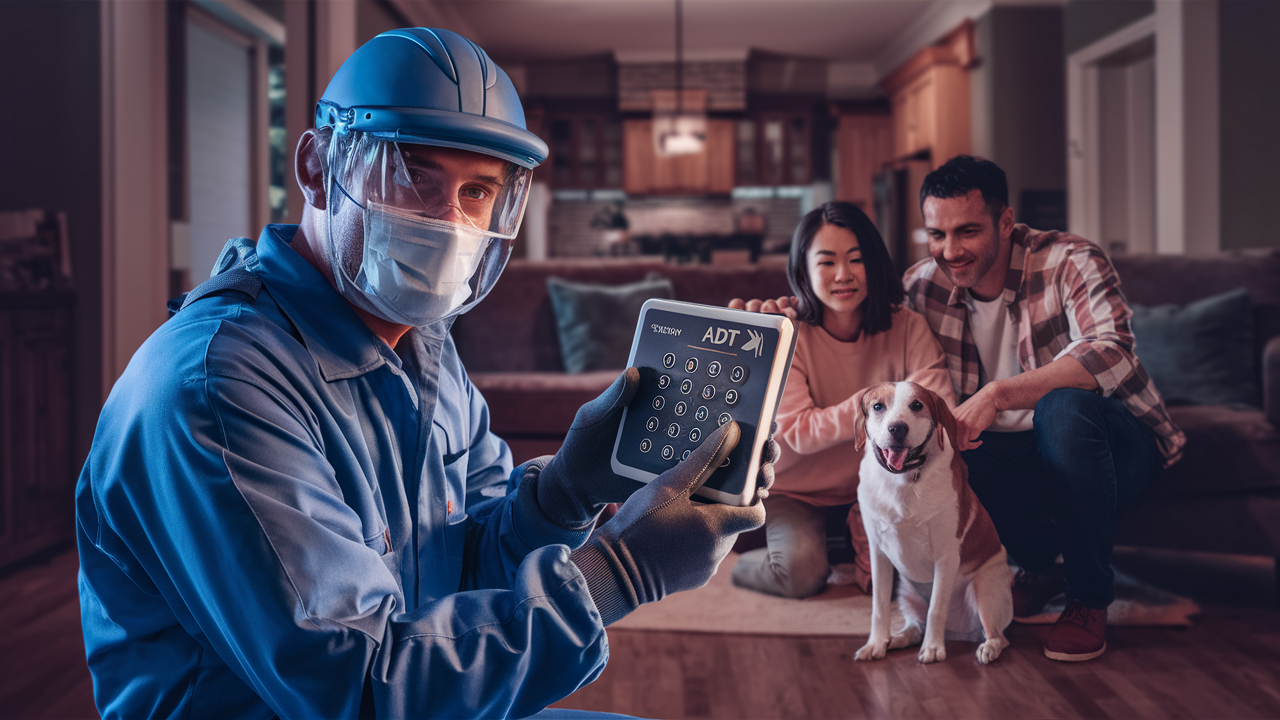
Changing your ADT alarm code is a straightforward process designed for user convenience and security. This guide will walk you through every step, whether you're a new homeowner or looking to update your existing security system's access. Learn how to easily modify your master code, user codes, and understand the implications for your home's safety.
Understanding ADT Alarm Codes
ADT alarm systems are a cornerstone of home security for millions of households. At the heart of their operation lies the concept of access codes, often referred to as alarm codes or passcodes. These codes are essential for arming and disarming your system, granting access to authorized individuals, and managing your home's security status. Understanding how these codes function is the first step to effectively managing your ADT system. ADT systems typically utilize a primary code, known as the master code, which has the highest level of authority. In addition to the master code, most systems allow for multiple user codes, each with varying levels of permission and access. This hierarchical structure ensures that while family members can easily operate the system, the master code remains secure and under the control of the primary account holder. The security of your home hinges on the proper management of these codes. For instance, in 2025, reports from the Bureau of Justice Statistics indicated that homes with professionally monitored security systems, like ADT, experienced a significant reduction in burglary rates compared to those without. This highlights the importance of not just having a system, but actively managing its features, including access codes.
The Role of Codes in System Operation
When you arm your ADT system, you typically enter a code to initiate the process. Similarly, to disarm it, you'll need to enter a valid code. This prevents unauthorized individuals from deactivating your security measures. Beyond simple arming and disarming, these codes are also used for specific system functions, such as bypassing certain zones temporarily or accessing system menus for advanced configurations. The master code, in particular, is crucial as it often has the ability to add, delete, or change other user codes, making its security paramount. Without a clear understanding of how these codes interact with your specific ADT panel model, managing your system can become a challenge. Different ADT panel models, such as the ADT Command or older systems like the Safewatch Pro series, might have slightly different interfaces and procedures, but the fundamental principles of code management remain consistent.
Security Implications of Code Management
The security of your ADT system is directly tied to how well you manage your access codes. A weak or compromised code can render your entire security system vulnerable. This is why regularly changing your codes, especially after a change in household members or if you suspect unauthorized access, is a critical security practice. According to a 2025 cybersecurity report, the average time for a system breach to be detected was 287 days, emphasizing the proactive measures needed to prevent such occurrences. For home security, this translates to the importance of not only having robust systems but also diligently maintaining their access protocols. An ADT alarm code is the digital key to your home's safety, and like any key, it needs to be protected and updated.
Why Change Your ADT Alarm Code?
There are several compelling reasons why you should consider changing your ADT alarm code. These reasons range from enhancing security to adapting to life changes. Understanding these motivations can help you prioritize code management as a vital aspect of your home security strategy.
Enhanced Security Measures
The primary reason for changing your ADT alarm code is to bolster your home's security. Default codes, or codes that have been in use for an extended period, can become predictable or potentially compromised. If a former resident, contractor, or anyone else who previously had access to your code is no longer authorized, it's imperative to change the code immediately. This prevents them from gaining unauthorized entry. In 2025, data from security firms indicated that a significant percentage of home intrusions involved compromised access credentials, underscoring the need for vigilant code management. Keeping your codes unique and regularly updated is a fundamental step in preventing such breaches.
Changes in Household Composition
Life events, such as a new tenant moving in, a roommate leaving, or even a family member moving out, necessitate a change in your ADT alarm codes. When someone who previously had access no longer resides in your home, their code should be promptly removed or changed to ensure your security is not jeopardized. Similarly, if you're adding new members to your household who need system access, you'll need to add their unique user codes. This process is crucial for maintaining control over who can arm and disarm your system. For example, if a teenager turns 18 and moves out, their access code should be deactivated.
Preventing Unauthorized Access
If you suspect your code has been compromised, seen by an unauthorized person, or if your keypad has been accessible to visitors, it's wise to change it. This proactive measure can prevent potential break-ins or misuse of your alarm system. For instance, if you accidentally revealed your code while showing a guest around, or if a service technician had unsupervised access to your control panel, changing the code is a sensible precaution. The National Home Security Alliance reported in 2025 that over 15% of security incidents were attributed to weak or shared access credentials.
System Upgrades or Troubleshooting
Sometimes, after a system update, maintenance, or troubleshooting by an ADT technician, it might be necessary to reset or change your alarm codes. This is often done to ensure the system is operating with the latest security protocols. While ADT technicians will typically guide you through this, understanding the process yourself can be beneficial. If your system is behaving erratically or if you've had recent service, it's a good time to review and potentially update your codes.
Types of ADT Codes
ADT alarm systems utilize different types of codes, each serving a specific purpose and carrying distinct levels of authority. Understanding these distinctions is key to effectively managing your system's access and security.
Master Code
The master code is the highest-level code for your ADT system. It typically has the authority to arm and disarm the system, as well as to add, delete, or modify other user codes. There is usually only one master code associated with an ADT account. This code is critical for system administration and should be kept highly confidential. If you are the primary account holder, this is the code you will use for most system management tasks. For example, if you need to grant access to a new family member, you will use the master code to set up their unique user code.
User Codes (Standard Codes)
User codes, also known as standard codes or guest codes, are assigned to individual household members or trusted individuals. Each user code can typically arm and disarm the system. Depending on the ADT system's capabilities and programming, user codes may have restricted functionalities. For instance, some user codes might not be able to disarm the system in certain modes, or they might not have the ability to change other codes. These are the codes most frequently used by family members for daily operation of the alarm system. For example, a nanny might be given a user code that allows them to disarm the system when they arrive but not to change any settings.
Guest Codes (Temporary Codes)
Some ADT systems allow for the creation of temporary or guest codes. These codes are designed for short-term use, such as for visitors, contractors, or service personnel. Guest codes can often be programmed with an expiration date or time, after which they automatically become invalid. This is an excellent security feature for situations where you need to grant temporary access without compromising the long-term security of your master or user codes. For instance, if you have painters coming for a week, you can issue them a guest code that expires once their work is completed.
Duress Codes
A duress code is a special type of code that, when entered, disarms the system and sends a silent alarm signal to ADT's monitoring center. This code is intended for emergency situations where you are being forced to disarm your system under duress. It's a critical safety feature, though it should only be used in genuine emergencies. The ADT monitoring center will respond as if a full alarm has been triggered, dispatching authorities discreetly. This feature is a vital part of ADT's comprehensive safety net.
How to Change Your ADT Master Code
Changing your ADT master code is a fundamental security task. The process can vary slightly depending on your specific ADT control panel model. However, the general steps involve accessing the system's programming menu using your current master code and then navigating to the code management section.
Step-by-Step Guide for ADT Command and Similar Panels
The ADT Command system, and many newer ADT panels, offer a user-friendly touchscreen interface that simplifies code management.
- Access the Menu: On the touchscreen, locate and tap the "Menu" or "Settings" icon.
- Enter Your Current Master Code: You will be prompted to enter your existing master code to access the administrative functions.
- Navigate to Security Settings: Within the menu, find an option like "Security," "System Settings," or "User Management."
- Select Code Management: Look for an option labeled "Codes," "Access Codes," or "User Codes."
- Choose Master Code: Select the option to modify or change the Master Code.
- Enter New Master Code: You will be prompted to enter your new desired master code. ADT systems typically require codes to be a certain length (e.g., 4 or 6 digits) and may have restrictions against sequential numbers (e.g., 1234) or repeated digits (e.g., 1111).
- Confirm New Master Code: Re-enter the new master code to confirm your selection.
- Save Changes: Ensure you save your changes. The system will usually confirm that the master code has been updated.
Example: If your current master code is 1234 and you want to change it to 5678, you would follow these steps, entering 1234 to access settings, then selecting the master code option, and finally entering 5678 twice.
Step-by-Step Guide for Older ADT Panels (e.g., Safewatch Pro)
Older ADT panels, often featuring a numerical keypad without a touchscreen, have a slightly different procedure. This often involves entering a programming mode.
- Enter Programming Mode: Typically, you'll need to press a specific sequence of buttons. For many older systems, this might involve pressing "INSTELL" (Installer) followed by your current master code, or a specific installer code if provided by ADT. However, accessing installer programming usually requires an ADT technician. For user-level changes, you'll likely use a different sequence. A common user-level programming access is to press "MENU" or "PROG" followed by your current master code.
- Navigate to User Codes: Once in programming mode, you'll use the keypad to navigate through menu options. Look for a section related to "User Codes" or "Access Codes." This might be represented by a number, like "15" or "20," which you would enter.
- Select Master Code: Within the user code section, find the option to modify the master code. This might be designated as "User 01" or "Master Code."
- Enter New Master Code: Input your new desired master code. Again, adhere to length and complexity requirements.
- Confirm New Master Code: Re-enter the new code for confirmation.
- Exit Programming: Press the "OFF" or "Disarm" button to exit programming mode. The system may beep to confirm the changes.
Important Note: Accessing installer programming on older systems without the correct installer code can inadvertently reset your system or cause operational issues. If you are unsure, it is always best to consult your ADT user manual or contact ADT support. For user-level master code changes on most systems, you do not need the installer code.
What If I Forgot My Master Code?
If you've forgotten your master code, you cannot change it yourself through the standard user interface. In this situation, you will need to contact ADT customer support. They will guide you through a verification process and can then either remotely reset your master code or schedule a technician to visit your home to perform the reset. This is a security measure to ensure only the authorized account holder can regain access.
How to Add or Delete User Codes
Managing user codes is essential for controlling who has access to your home and your ADT system. Adding new codes for family members or service providers, and deleting codes for individuals who no longer require access, are common tasks.
Adding a New User Code
The process for adding a new user code is similar to changing the master code, but you'll be working with user slots.
- Access System Menu: Navigate to your system's menu or programming section, usually by pressing "Menu" or "Settings."
- Enter Master Code: You'll need to enter your current master code to gain administrative access.
- Navigate to User Management: Find the "User Management" or "Codes" section.
- Select "Add User" or "New Code": Choose the option to create a new user code.
- Assign a User Number: The system will prompt you to assign a user number (e.g., User 02, User 03, etc.). Avoid assigning a number that is already in use.
- Enter the New User Code: Input the desired code for the new user. Ensure it's a code that the user can remember but is not easily guessable.
- Assign a Name (Optional): Some systems allow you to assign a name to the user code (e.g., "Nanny," "Son").
- Set User Type/Permissions (If applicable): If your system allows, you might be able to define the permissions for this user code (e.g., standard user, guest).
- Save Changes: Confirm and save the new user code.
Example: To add a user code "9876" for your daughter, Sarah, you might select "Add User," choose User Number 02, enter 9876, and then assign the name "Sarah."
Deleting a User Code
Deleting a user code is crucial when someone no longer needs access to your home.
- Access System Menu: Go to your system's menu or programming.
- Enter Master Code: Use your master code to access administrative functions.
- Navigate to User Management: Find the "User Management" or "Codes" section.
- Select "Delete User" or "Remove Code": Choose the option to delete an existing user code.
- Select the User Code to Delete: You will likely see a list of existing user codes. Select the code you wish to remove (often by user number or by entering the code itself).
- Confirm Deletion: The system will ask for confirmation before permanently deleting the code.
- Save Changes: Save your changes.
Example: If your former roommate's code was 4321, you would navigate to delete user codes, select the code 4321 (or its associated user number), and confirm deletion.
Understanding User Slots
ADT systems have a limited number of user slots available for codes. The exact number varies by panel model. It's important to keep track of which user slots are active and which are available. When deleting a code, the slot becomes available again for a new user. Always ensure you are deleting the correct code to avoid accidentally revoking access for an authorized person.
Troubleshooting Common Issues
While changing your ADT alarm code is usually straightforward, you might encounter a few common issues. Here's how to address them.
Code Not Working After Change
Problem: You've changed your master code, but it's no longer working to arm or disarm the system.
Solution:
- Double-check the code: Ensure you are entering the new code correctly, paying attention to each digit.
- Verify you are using the correct code: If you have multiple user codes, make sure you are attempting to use the master code and not a user code.
- System reset: In rare cases, the system might not have properly registered the change. Try disarming the system with a known valid code (if available) or cycling the power to the main panel (consult your manual for the correct procedure and be aware this may temporarily disable the system). If power cycling doesn't resolve it, contact ADT.
- Incorrect programming mode: If you were attempting to change it via a programming menu and it failed, you might have exited programming mode before saving or entered it incorrectly.
System Lockout After Multiple Incorrect Entries
Problem: The system has locked you out after too many incorrect code entries.
Solution: Most ADT systems are programmed to temporarily disable the keypad after a certain number of failed attempts to prevent brute-force attacks. The lockout period varies but can range from a few minutes to an hour. Wait for the lockout period to expire and then try entering your correct code carefully. If the lockout persists or you are unsure of the correct code, contact ADT support.
Unable to Access Code Management Menu
Problem: You cannot find the option to manage codes or are prompted for an installer code.
Solution:
- Check your user manual: Different ADT panels have different menu structures. Refer to your specific user manual for the correct navigation path.
- Ensure you are using the master code: Some administrative functions, including code management, require the master code. If you are using a user code, you will likely be denied access.
- Contact ADT: If you are consistently unable to access the code management features, it's possible that your system's configuration requires ADT intervention, or you may need assistance from their support team.
New Code Not Recognized by ADT Monitoring
Problem: You've changed your code, but ADT monitoring still expects the old code.
Solution: When you change your master code or add/delete user codes, it's crucial to inform ADT. While the system itself updates, ADT's monitoring center needs to have the most current codes on file for dispatch purposes. Failure to update ADT can lead to delays or issues during an alarm event. Contact ADT customer service to ensure they have your updated code information logged in their system. This is especially important if you've changed your master code.
Best Practices for ADT Codes
Implementing best practices for your ADT alarm codes is fundamental to maintaining robust home security. These practices are simple yet highly effective in preventing unauthorized access and ensuring your system functions optimally.
Use Strong and Unique Codes
Avoid easily guessable codes such as birthdays, anniversaries, sequential numbers (1234, 4567), or repeated digits (1111, 2222). Opt for codes that are a mix of numbers that are easy for you to remember but difficult for others to guess. Most ADT systems allow for 4-digit or 6-digit codes, and longer codes generally offer better security.
Change Codes Regularly
It's recommended to change your master code and user codes periodically, at least every 6-12 months, or whenever there's a change in household occupants or if you suspect a compromise. This proactive approach significantly reduces the risk of unauthorized access.
Do Not Share Your Master Code
Your master code is for your use only. Share user codes with family members or trusted individuals, but keep the master code confidential. This ensures that only you can manage the system's user settings.
Assign Unique Codes to Each User
Never share user codes among multiple individuals. Each person who needs access to the system should have their own unique code. This allows you to track who is arming or disarming the system and makes it easy to revoke access for a specific individual without affecting others.
Use Guest or Temporary Codes
For contractors, visitors, or service personnel, utilize the guest or temporary code feature if your system supports it. This provides controlled access that automatically expires, enhancing security.
Inform ADT of Code Changes
Always notify ADT when you change your master code. While user code changes are primarily for your internal management, the master code is what ADT monitoring uses for verification and dispatch. Ensure ADT has your most current master code on file.
Keep a Record Securely
While you should memorize your codes, it can be helpful to keep a secure record of your master code and user codes in a safe place, separate from the alarm panel itself. This could be a password manager or a securely encrypted file. Avoid writing codes down near the alarm panel or in easily accessible locations.
ADT System Updates and Code Changes
ADT periodically updates its systems and software to enhance security features, improve performance, and address emerging threats. These updates can sometimes impact how codes are managed or may necessitate code changes.
Impact of Software Updates
When ADT pushes software updates to your system, especially for smart panels like the ADT Command, it's usually done remotely. These updates are designed to be seamless, but in rare instances, they might reset certain user-configurable settings, including codes. If you notice any unusual behavior with your codes after an update, it's a good idea to verify them. ADT typically aims to maintain your existing codes, but security protocols can sometimes lead to resets.
Remote Management Capabilities
Modern ADT systems, particularly those with app integration (like the ADT Control app), offer remote management capabilities. This means you can often change user codes, add new ones, or even delete existing ones directly from your smartphone or tablet. This feature is incredibly convenient, allowing you to manage your home security codes from anywhere. For example, if a guest is arriving earlier than expected, you can activate their user code remotely via the app.
When to Contact ADT for Updates
While many updates are automatic, there might be instances where ADT needs to schedule an update or require your interaction. If you receive a notification from ADT about an upcoming update, follow their instructions carefully. If you are unsure about the update process or if an update seems to have caused an issue with your codes, do not hesitate to contact ADT customer support. They can guide you through the process or resolve any problems.
Security in the Digital Age
In 2025, the landscape of home security is increasingly digital. ADT's integration of smart technology means that your alarm system is connected, offering enhanced features but also requiring a vigilant approach to digital security. Regularly updating your system's firmware (often handled automatically by ADT) and managing your access codes securely are paramount. The ability to change your ADT alarm code remotely via an app is a testament to this digital evolution, offering convenience alongside advanced security.
Security Statistics 2025-26
Understanding the current security landscape can further emphasize the importance of proactive measures like changing your ADT alarm code. The following statistics reflect trends and data relevant to 2025-26.
Impact of Security Systems on Crime
According to projections and early data from 2025, homes equipped with professionally monitored security systems, such as those provided by ADT, continue to see a marked reduction in property crimes. Studies suggest that the presence of an alarm system can deter burglars by up to 50%. Furthermore, when an intrusion does occur, alarm systems can reduce the time it takes for law enforcement to respond, minimizing potential losses.
| Security Measure | Reported Impact (2025-26 Estimates) |
|---|---|
| Professionally Monitored Alarm System | Up to 50% Reduction in Burglaries |
| Smart Home Security Features (e.g., remote access) | Increased Deterrence and Faster Response Times |
| Regular Code Updates and Management | Crucial for Preventing Unauthorized Access and System Compromise |
Prevalence of Cyber Threats in Home Security
While physical security is paramount, the increasing connectivity of smart home devices, including alarm systems, also makes them targets for cyber threats. In 2025, reports indicate a rise in attempts to exploit vulnerabilities in connected devices. This underscores the importance of strong passwords and secure access protocols, including regularly changing your ADT alarm codes and ensuring your system software is up-to-date. Weak or default codes are often the first point of entry for malicious actors.
Consumer Trust in Security Providers
Consumers continue to place significant trust in established security providers like ADT. In 2025, ADT maintained a high level of customer satisfaction, with many users citing reliability and ease of use as key factors. The ability to easily manage system features, such as changing alarm codes, contributes to this trust. Providing clear, accessible instructions for tasks like code changes is vital for maintaining this customer confidence.
Emerging Security Technologies
The security industry is constantly evolving. By 2025-26, we are seeing increased integration of AI for threat detection, advanced biometric authentication, and more sophisticated remote management tools. While these technologies advance, the fundamental security principles, such as secure access codes, remain critical. Your ADT alarm code is the first line of defense in a multi-layered security approach.
Conclusion
Mastering how to change your ADT alarm code is a fundamental skill for any ADT customer, ensuring the ongoing security and integrity of your home protection system. Whether you're updating your master code for enhanced security, adding or removing user codes for household changes, or troubleshooting an issue, this comprehensive guide has provided the necessary steps and insights. Remember, your ADT alarm code is the digital key to your home's safety; treat it with the importance it deserves.
By following the step-by-step instructions tailored for various ADT panels, adhering to best practices like using strong, unique codes, and changing them regularly, you significantly fortify your home against potential threats. Always remember to inform ADT of any master code changes to keep their records accurate for monitoring and dispatch. In the evolving landscape of home security for 2025-26, where digital threats are as real as physical ones, diligent management of your access codes is a crucial, proactive measure. Don't hesitate to contact ADT support if you encounter any difficulties. Taking control of your alarm codes means taking control of your home's security.



