
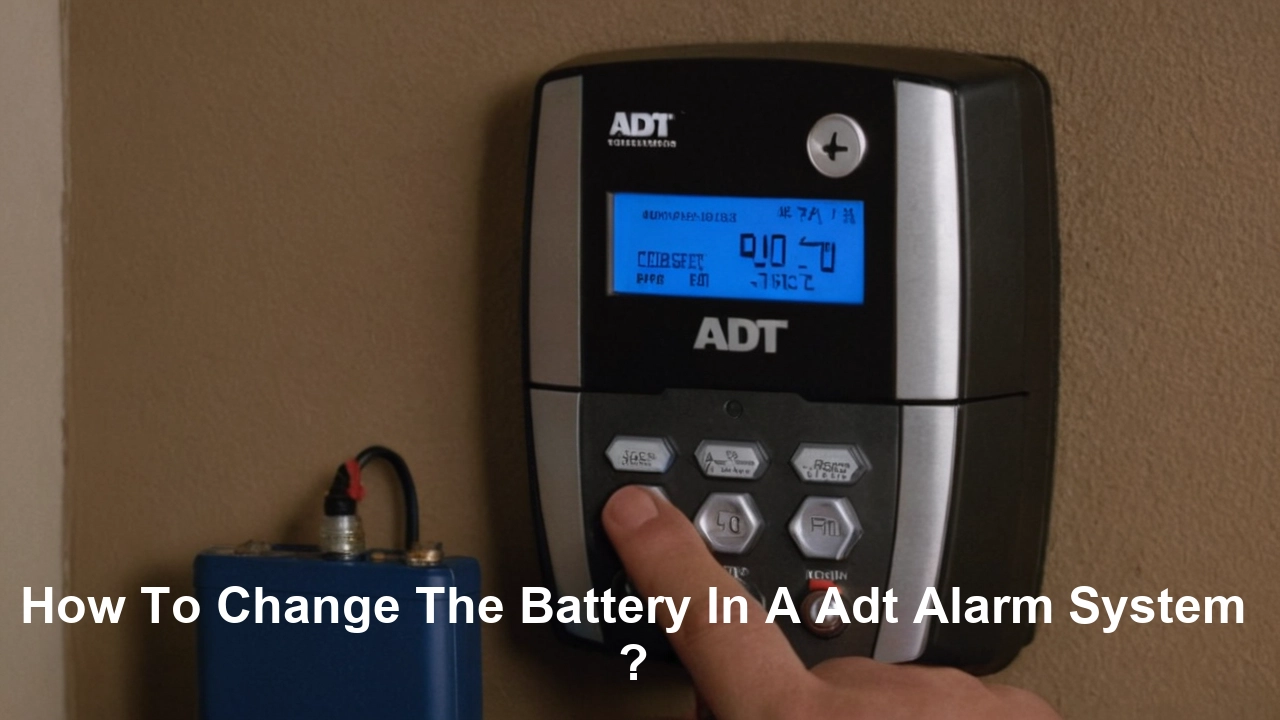
Discover how to confidently change the battery in your ADT alarm system. This comprehensive guide provides step-by-step instructions, essential tools, and safety tips to ensure your home security remains uninterrupted. Learn to identify battery types and troubleshoot common issues, empowering you to maintain your system with ease.
Understanding ADT Alarm System Battery Types
ADT alarm systems, renowned for their reliability and comprehensive home security, utilize various types of batteries to power their components. Understanding these battery types is the crucial first step in successfully performing a battery change. The most common batteries you'll encounter are within the main control panel and the individual wireless sensors. The main control panel, the brain of your security system, typically relies on a larger, rechargeable sealed lead-acid (SLA) battery. These are designed to provide backup power during outages, ensuring your system remains operational even when the main power is cut. For the year 2025, these are still the industry standard for robust backup power in security panels. The lifespan of these main panel batteries typically ranges from 3 to 5 years, depending on usage, environmental factors, and the specific model.
In contrast, wireless sensors, such as door/window contacts, motion detectors, and glass break sensors, usually employ smaller, disposable batteries. These are often standard alkaline or lithium coin cells, or sometimes AA or AAA batteries. The specific type varies by sensor model and manufacturer. For instance, many ADT door/window sensors might use a CR2032 lithium coin cell, while some motion detectors could use two AA alkaline batteries. Lithium coin cells, like the CR2032, are favored for their long shelf life and consistent performance across a wide temperature range, often lasting 1 to 3 years in sensors. Alkaline batteries, while more common and less expensive, may have a shorter lifespan, especially in high-activity sensors or colder environments.
It's important to note that ADT may use proprietary battery types for certain components, especially in newer or more advanced systems. Always consult your system's manual or the component itself for the exact battery specifications. Misidentifying the battery can lead to incorrect replacements, system malfunctions, or even damage to the device. For example, attempting to use a non-rechargeable battery in a system designed for a rechargeable SLA battery will not work and could cause further issues. Similarly, using a battery with the wrong voltage or capacity in a sensor can lead to false alarms or failure to detect.
As of 2025, the trend in battery technology for security sensors is moving towards longer-lasting lithium-ion alternatives, though CR2032 and similar coin cells remain prevalent due to their cost-effectiveness and widespread availability. For the main control panel, advancements are focused on higher energy density and improved charging cycles for SLA batteries, with some premium systems exploring even more advanced battery chemistries, though these are not yet standard for ADT installations.
When identifying the correct battery, look for markings on the battery itself or on the device compartment. Often, the battery type will be printed clearly. If you're unsure, the best course of action is to refer to your ADT system's user manual. If the manual is unavailable, a quick search online using your ADT system's model number can often provide the necessary information. For instance, a common ADT control panel model might be the Honeywell Vista series, and its corresponding backup battery would be a specific 12V 7Ah or 12V 18Ah sealed lead-acid battery.
Understanding these differences is not just about knowing what to buy; it's about ensuring the longevity and optimal performance of your entire ADT security system. The right battery ensures that your system is always ready to protect your home, whether it's during a power outage or a routine day.
Essential Safety Precautions Before You Begin
Before you embark on the task of changing a battery in your ADT alarm system, prioritizing safety is paramount. ADT systems are designed to protect your home, but improper handling during maintenance can lead to unintended consequences, including system errors, false alarms, or even personal injury. Adhering to a strict set of safety precautions will ensure a smooth and secure battery replacement process.
The first and most critical step is to disarm your alarm system. Failing to do so will likely trigger a loud alarm, which can be startling and may alert neighbors or even law enforcement if not promptly canceled. Navigate to your ADT control panel and enter your master code to disarm the system. If you are unsure of your code, or if it does not work, contact ADT customer support before proceeding. Some systems may have a "maintenance mode" or "test mode" that can be activated to prevent alarms during battery replacement. Consult your system's manual for instructions on how to engage this mode, if available. This is particularly important when working on the main control panel.
Another crucial safety measure is to understand the power source of the component you are working on. For the main control panel, there is both AC power and battery backup. Before opening the panel, it is advisable to disconnect the AC power to the transformer that supplies power to the panel. This transformer is typically located near the main electrical panel of your home. Unplugging it or switching off the corresponding breaker will cut off the main power supply. Once the AC power is disconnected, the system will rely solely on its backup battery. Proceeding to disconnect the battery while AC power is still connected can cause a short circuit.
When handling batteries, especially the larger sealed lead-acid (SLA) batteries found in control panels, be aware of their weight and potential for electrical discharge. Although typically low voltage, mishandling can still cause sparks or minor shocks. Always avoid touching both terminals of the battery simultaneously with conductive materials like metal tools or jewelry. It is also recommended to wear safety glasses to protect your eyes from any potential sparks or debris.
For smaller sensor batteries, the risks are generally lower, but it's still wise to avoid shorting the terminals. Dispose of old batteries properly. Many types of batteries, especially lithium and lead-acid, contain materials that can be harmful to the environment if not disposed of responsibly. Check with your local waste management services for guidelines on battery recycling. Never attempt to recharge non-rechargeable batteries, as this can lead to leaks, explosions, or fires.
If you are working with older systems or are unsure about any step, it is always best to err on the side of caution. ADT offers professional installation and maintenance services for a reason. For complex systems or if you experience any difficulties, do not hesitate to contact ADT's customer support or schedule a visit from a certified technician. In 2025, many homeowners are opting for DIY maintenance for simpler tasks like sensor battery changes, but understanding when to seek professional help is a key aspect of responsible home security management.
Finally, ensure you have a clean, well-lit workspace. Remove any clutter that could obstruct your work or cause you to trip. Having a stable surface to place components and tools is also important. By following these safety precautions, you can confidently and effectively manage the battery maintenance of your ADT alarm system.
Gathering Your Tools and Materials
To successfully change the battery in your ADT alarm system, having the correct tools and materials readily available will streamline the process and prevent frustrating delays. The specific items you'll need will depend on whether you are replacing the main control panel battery or the batteries in individual sensors. However, a few universal items will be beneficial for both tasks.
For the Main Control Panel Battery Replacement:
- Replacement Battery: This is the most critical item. As discussed, it's typically a 12-volt sealed lead-acid (SLA) battery. Common capacities are 7 Amp-hour (Ah) or 18Ah. Ensure you have the exact replacement battery specified for your ADT control panel model. Purchasing from a reputable supplier ensures quality and compatibility. For 2025, expect to pay between $30-$70 for a quality replacement SLA battery.
- Screwdriver Set: You will likely need a Phillips head screwdriver to open the control panel casing. Some panels may use Torx screws, so a small set with various heads is advisable.
- Pliers: Needle-nose pliers can be helpful for disconnecting and reconnecting the battery terminals, especially if they are small or in a tight space.
- Wire Stripper/Cutter (Optional but Recommended): If the battery terminals have wires attached that need to be disconnected and reconnected, a wire stripper can ensure clean connections.
- Safety Glasses: Essential for protecting your eyes from potential sparks or debris.
- Gloves: To keep your hands clean and provide a better grip.
- Clean Cloth: For wiping down the battery and terminals.
- Multimeter (Optional): To test the voltage of the old battery and the new battery, confirming they are within the expected range.
For Sensor Battery Replacement:
- Replacement Batteries: The specific type will vary greatly by sensor. Common types include CR2032, CR123A lithium coin cells, or AA/AAA alkaline batteries. Always check the sensor itself or its manual for the exact battery type. A pack of common coin cells (like CR2032) can be purchased for under $10 in 2025.
- Small Phillips Head Screwdriver: Many sensor casings are secured with a tiny Phillips head screw.
- Plastic Pry Tool or Small Flathead Screwdriver: For gently prying open sensor casings that snap together. Using a plastic tool is preferred to avoid scratching or damaging the plastic.
- Tweezers: Can be useful for removing small coin cell batteries from their compartments.
- Clean Cloth: To wipe down the sensor and battery contacts.
General Tools and Materials:
- User Manual: Your ADT system's user manual is an invaluable resource. It will detail specific instructions for your model, including battery types, panel opening procedures, and system reset sequences.
- Pen and Paper or Smartphone: To note down any system codes or settings if a full system reset is required.
- Flashlight or Headlamp: For illuminating dark areas, especially when working on the control panel.
Before you start, ensure you have purchased the correct replacement batteries. Buying batteries in bulk can often save money, especially if you have multiple sensors. For 2025, the availability of all these battery types is excellent through online retailers and electronics stores. However, always verify compatibility with your specific ADT system model. Having these tools and materials organized and at hand will transform a potentially daunting task into a manageable DIY project.
Step-by-Step Guide: How to Change the Battery
Changing the battery in your ADT alarm system is a manageable task for most homeowners, provided you follow a systematic approach. This guide breaks down the process into clear, actionable steps, covering both the main control panel and individual sensors. Remember to always prioritize safety and consult your system's manual for model-specific instructions.
Replacing the Main Control Panel Battery
The main control panel battery is crucial for maintaining your system's operation during power outages. Its replacement is a more involved process than that of sensors.
- Disarm the System: Enter your master code at the control panel to disarm the system. If you have a key fob, use that to disarm. Confirm the system is disarmed by checking the panel display.
- Put the System in Test Mode (Recommended): Many ADT systems allow you to place them in a test mode, which signals to the ADT monitoring center that you are performing maintenance and prevents them from dispatching authorities for any temporary signal disruptions. Log in to your ADT account online or call ADT customer service to activate test mode for your account. This is a critical step to avoid unnecessary emergency service dispatches.
- Disconnect AC Power: Locate the transformer that powers your ADT control panel. This is often a small box plugged into a wall outlet, usually near your main electrical panel. Unplug the transformer or switch off the corresponding circuit breaker at your electrical panel. The control panel should now be running solely on its backup battery.
- Open the Control Panel: The control panel housing is typically secured with screws or a latch. Use your screwdriver set to remove any screws or carefully pry open the panel as indicated in your system's manual. Be gentle to avoid damaging the casing.
- Locate the Backup Battery: Inside the panel, you will see the main circuit board and, usually, a sealed lead-acid (SLA) battery. It's often a black rectangular box.
- Disconnect the Old Battery: The battery terminals are usually connected via spade connectors. Using pliers or your fingers (if safe to do so), carefully pull the red (+) connector off the positive terminal and the black (-) connector off the negative terminal. Note which terminal is which.
- Remove the Old Battery: The battery might be held in place by a bracket or strap. Remove any securing mechanisms and carefully lift the old battery out. Note its orientation. These batteries can be heavy.
- Install the New Battery: Place the new battery into the compartment, ensuring it is oriented correctly (usually with terminals in the same position as the old one). Secure it with any brackets or straps.
- Connect the New Battery: Attach the red (+) connector to the positive terminal of the new battery and the black (-) connector to the negative terminal. Ensure the connections are firm and secure.
- Close the Control Panel: Reassemble the control panel casing, ensuring all screws are tightened and the panel is securely closed.
- Restore AC Power: Plug the transformer back into the wall outlet or switch the circuit breaker back on at your electrical panel. The control panel should power up, and the keypad should illuminate. You may hear a chirp or see a message indicating that AC power has been restored.
- System Reset and Verification: The system may require a brief reset. Consult your manual for specific instructions. You should see a "System Battery" or "Low Battery" trouble message clear from the keypad. If the message persists, double-check battery connections and AC power.
- Take the System Off Test Mode: Once you've confirmed the system is functioning correctly, contact ADT or use your online account to take the system out of test mode.
Replacing Batteries in ADT Sensors
Replacing sensor batteries is generally simpler and less intrusive.
- Identify the Low Battery Sensor: Your ADT control panel will typically indicate which sensor has a low battery. Note the zone number or sensor name displayed.
- Disarm the System (Optional but Recommended): While not always strictly necessary for sensor batteries, disarming the system can prevent a potential tamper alarm if the sensor casing is opened.
- Locate the Sensor: Find the physical sensor on your door, window, or in the room.
- Open the Sensor: Most sensors have a small screw on the side or bottom that needs to be removed with a small Phillips head screwdriver. Others may have a slot where you can insert a plastic pry tool or a small flathead screwdriver to gently release clips and open the casing. Consult your manual if unsure.
- Note the Battery Type: Observe the battery currently in the sensor. It will be labeled with its type (e.g., CR2032, CR123A, AA).
- Remove the Old Battery: If it's a coin cell, you might be able to push it out from the back of the compartment or use tweezers to gently lift it. For AA/AAA batteries, they usually slide out.
- Install the New Battery: Insert the new battery, paying close attention to the correct polarity (+ and -). The markings on the battery and inside the sensor compartment will guide you.
- Close the Sensor: Snap or screw the sensor casing back together securely. Ensure it is properly sealed.
- Test the Sensor: The system should automatically recognize the new battery. For door/window sensors, open and close the protected door or window to trigger the sensor and confirm it communicates with the panel. For motion detectors, you may need to perform a walk test as per your system's instructions.
- Check the Control Panel: The low battery indicator for that sensor should disappear from the control panel display.
By following these detailed steps, you can effectively manage the battery health of your ADT alarm system, ensuring continuous protection for your home.
Post-Replacement Checks and System Reset
After successfully replacing a battery in your ADT alarm system, whether it's the main control panel or a peripheral sensor, thorough post-replacement checks and potential system resets are vital. These steps ensure the new battery is functioning correctly, the system recognizes the change, and no unintended error messages or alarms are triggered. This phase is critical for confirming the integrity of your home security.
For Main Control Panel Battery Replacement:
- Verify Power Restoration: As mentioned in the step-by-step guide, ensure AC power has been restored. The control panel keypad should be illuminated, and any status lights should indicate normal operation. If the panel remains dark or shows a "No AC Power" message, re-check the transformer connection and the circuit breaker.
- Clear Trouble Messages: The most common indication of a successful main battery replacement is the disappearance of the "System Battery," "Low Battery," or "Trouble" message from the control panel display. If the message persists after a few minutes, double-check the battery connections. Ensure the red (+) wire is on the positive terminal and the black (-) wire is on the negative terminal. Sometimes, a loose connection is the culprit.
- Perform a System Test: Once AC power is confirmed and the battery trouble message is cleared, it's highly recommended to perform a full system test. This can usually be initiated from the control panel keypad or through the ADT mobile app. The test typically involves arming the system and then triggering each sensor (e.g., opening doors/windows, walking past motion detectors) to ensure they are communicating with the panel and that the monitoring center receives the signals. This test is crucial to confirm that the system is fully operational and ready to protect your home.
- Confirm Battery Status: Some advanced ADT panels allow you to check the battery status directly from the keypad menu. Consult your user manual to find this feature. It might display the battery voltage or a percentage of charge.
- Exit Test Mode: If you placed the system in test mode with ADT, remember to contact them or use your online portal to take the system out of test mode. Failure to do so might result in the monitoring center not responding to actual emergencies.
For Sensor Battery Replacement:
- Clear Sensor Trouble: The primary indicator of a successful sensor battery replacement is the clearing of the "Low Battery" or "Trouble" message associated with that specific sensor on the control panel. This should happen almost immediately after the new battery is installed and the sensor is closed.
- Trigger the Sensor: To be absolutely sure, manually trigger the sensor. For a door/window contact, open and close the protected entry. For a motion detector, walk through its detection zone. For a glass break sensor, you might need to use a glass break simulator tool or, more practically, wait for the system to perform its periodic self-test.
- Verify Communication: After triggering the sensor, observe the control panel. The zone should register as activated and then return to its normal state. If you have the ADT mobile app, you can often see sensor activity logs there as well.
- Check for Tamper Alerts: If the sensor had a tamper switch that was activated when you opened the casing, ensure this tamper alert also clears after the sensor is properly reassembled and secured.
- Perform a Zone Test: If your system allows, run a zone test for the specific sensor you replaced. This confirms that the sensor is not only powered but also communicating its status reliably to the main panel.
General System Reset Procedures:
In some cases, especially after replacing the main control panel battery, a full system reset might be beneficial or even necessary. This can help clear any lingering error codes or ensure all components re-initialize properly.
The procedure for a system reset varies significantly by ADT system model. Typically, it involves a sequence of powering down the system (disconnecting AC and battery), waiting for a specific period (e.g., 30-60 seconds), and then powering it back up in a specific order (usually battery first, then AC power).
Example of a common reset sequence (consult your manual for exact steps):
- Disarm the system.
- Disconnect AC power.
- Disconnect the backup battery.
- Wait 60 seconds.
- Reconnect the backup battery.
- Reconnect AC power.
- Wait for the system to fully boot up.
- Re-enter your master code to disarm and clear any initial system messages.
Always refer to your ADT system's user manual for the precise reset procedure for your model. Incorrectly performing a system reset can sometimes lead to the loss of programmed settings, requiring you to reconfigure certain aspects of your system. If you are uncomfortable with this process, it's best to rely on the system clearing the messages automatically or to contact ADT for assistance.
By diligently performing these post-replacement checks and system resets, you ensure that your ADT alarm system continues to provide robust and reliable security for your home.
Common Issues and Troubleshooting Tips
Even with careful execution, you might encounter minor issues after changing a battery in your ADT alarm system. Understanding common problems and their solutions can save you time and prevent unnecessary service calls. Here are some frequently encountered issues and how to troubleshoot them.
Troubleshooting Main Control Panel Battery Replacement
Issue: "System Battery" or "Low Battery" Message Persists After Replacement
- Check Connections: The most common cause is a loose connection. Ensure the red (+) and black (-) spade connectors are firmly seated on their respective battery terminals. Try removing and reattaching them.
- Verify Battery Polarity: Double-check that the battery is installed with the correct polarity. The positive terminal (+) should connect to the red wire, and the negative terminal (-) to the black wire.
- Inspect Battery Terminals: Ensure the battery terminals and the spade connectors are clean and free of corrosion. If there's any residue, gently clean them with a pencil eraser or a fine-grit sandpaper.
- Test the New Battery: Use a multimeter to check the voltage of the new battery. A fully charged 12V SLA battery should read around 12.6-13.8 volts. If it's significantly lower, the battery might be faulty or not fully charged.
- Confirm AC Power: Ensure the control panel is receiving AC power. Check the transformer plug and the circuit breaker. If AC power is out, the battery will appear low even if it's new.
- System Reset: Perform the system reset procedure outlined in your manual. This can sometimes clear persistent error codes.
- Faulty Battery: Though rare with new batteries, it's possible the replacement battery itself is defective. Try a different new battery if possible.
Issue: Control Panel Not Powering Up After Battery Replacement
- Check AC Power: First, confirm that the transformer is plugged in and receiving power.
- Verify Battery Connections: Ensure the battery is correctly installed and connected. A reversed polarity can prevent the system from powering up.
- Check for Short Circuits: Ensure no wires are frayed or touching unintended components within the panel.
- Transformer Issue: The transformer itself might be faulty. If you have a multimeter, you can test its output voltage.
Troubleshooting Sensor Battery Replacement
Issue: "Low Battery" Message for a Sensor Does Not Clear
- Re-insert Battery: Remove the new battery and reinsert it, ensuring correct polarity. Sometimes, a slight misalignment can prevent proper contact.
- Check Battery Type: Confirm you used the exact battery type specified for the sensor. Using a slightly different voltage or size might cause issues.
- Clean Sensor Contacts: Gently clean the metal contacts inside the sensor where the battery sits using a pencil eraser or a cotton swab lightly dampened with isopropyl alcohol.
- Sensor Tamper Switch: Ensure the sensor casing is fully closed and any tamper switch is properly engaged. Some sensors won't function or report properly if the tamper switch isn't depressed.
- Sensor Malfunction: If the message persists after trying these steps, the sensor itself might be malfunctioning or failing. In this case, it may need to be replaced.
Issue: Sensor Not Registering or Triggering False Alarms
- Battery Installation: Double-check the battery installation and polarity. An incorrectly installed battery can lead to erratic behavior.
- Sensor Placement: For motion detectors, ensure they are not aimed at heat sources (like vents or direct sunlight) or areas with constant movement (like curtains blowing). For door/window sensors, ensure they are aligned correctly and have a strong enough magnetic connection.
- Environmental Factors: Extreme temperatures or humidity can sometimes affect sensor performance.
- System Interference: While less common, other wireless devices could potentially interfere. Try to keep the sensor relatively close to the main panel.
General Troubleshooting Tips
- Consult Your Manual: Your ADT system's user manual is the definitive guide for troubleshooting specific error codes and messages.
- Power Cycle: For many electronic devices, a simple power cycle (disconnecting power and battery, waiting, and reconnecting) can resolve temporary glitches.
- ADT Support: If you've tried the above steps and are still experiencing issues, do not hesitate to contact ADT customer support. They can often diagnose problems remotely or schedule a technician visit.
By systematically approaching these common issues, you can often resolve battery-related problems with your ADT system independently, ensuring its continued reliability.
When to Call a Professional ADT Technician
While many battery replacement tasks for ADT alarm systems are designed to be DIY-friendly, there are specific situations where calling a professional ADT technician is the most prudent and effective course of action. Recognizing these scenarios can save you time, prevent potential damage to your system, and ensure your security remains uncompromised.
Complex System Configurations: If you have a highly customized or complex ADT system with numerous interconnected components, advanced wireless protocols, or integrated smart home devices, attempting battery replacements on certain modules might be beyond the scope of a standard DIY task. A technician will have the specialized knowledge and tools to navigate these intricate systems.
Persistent Error Messages: If you have followed all the troubleshooting steps for a battery replacement, particularly for the main control panel, and the "System Battery" or "Low Battery" trouble message stubbornly remains on the keypad, it could indicate a deeper issue. This might include a faulty circuit board, a problem with the charging system, or a defective new battery that isn't performing as expected. A technician can diagnose these more complex electrical issues.
Uncertainty About System Model or Battery Type: If you are unsure of your ADT system's model number, or if you cannot definitively identify the correct type of battery required for a specific component, it's safer to call a professional. Incorrect battery types can damage components or lead to system malfunctions. Technicians are trained to identify all parts of your system and know the correct specifications.
Difficulty Accessing Components: Some control panels or sensors might be installed in difficult-to-reach locations, such as high ceilings, tight crawl spaces, or behind secured panels. If you lack the necessary equipment (like ladders or specialized tools) or feel uncomfortable accessing these areas, a technician can safely perform the replacement.
System Malfunctions After Battery Change: If, after changing a battery, your ADT system starts behaving erratically – such as frequent false alarms, failure to arm, or sensors not responding at all – it's a strong indication that something went wrong during the process. This could be due to incorrect installation, a short circuit, or damage to a component. A technician can identify and rectify the problem.
Lack of Confidence or Time: Ultimately, if you feel uncomfortable, lack the necessary time, or simply prefer not to undertake the battery replacement yourself, there is no shame in calling a professional. ADT technicians are trained to perform these tasks efficiently and correctly, giving you peace of mind. As of 2025, ADT offers various service plans that may include routine maintenance and battery replacements, making it a cost-effective option for some homeowners.
Specific ADT Service Plans: If your ADT system is under a comprehensive service plan, battery replacements might be covered. In such cases, contacting ADT to schedule a technician visit is the standard procedure and often the most economical choice.
Safety Concerns: If you have any doubts about electrical safety, working at heights, or handling system components, always prioritize your safety and call a professional. ADT technicians are equipped with safety gear and follow strict protocols.
For routine sensor battery changes, DIY is often feasible. However, for the main control panel battery, or any situation where you encounter difficulties or uncertainties, engaging a certified ADT technician ensures the job is done right the first time, maintaining the optimal performance and reliability of your home security system.
Proactive Battery Maintenance for Your ADT System
Proactive battery maintenance is key to ensuring your ADT alarm system operates reliably at all times, especially during unexpected power outages. By adopting a routine and preventative approach, you can avoid the inconvenience of a system failure and maintain a robust security posture for your home. This strategy involves regular checks, timely replacements, and understanding the expected lifespan of your system's batteries.
1. Understand Battery Lifespans:
- Main Control Panel Battery (SLA): Typically lasts 3-5 years. Factors like frequent power outages, extreme temperatures, and the age of the system can shorten this lifespan.
- Sensor Batteries (Lithium Coin Cells, Alkaline): Can last anywhere from 1 to 3 years, depending on the sensor type, frequency of use (e.g., a frequently opened door vs. a rarely used window sensor), and environmental conditions. Lithium batteries generally offer longer life and better performance in cold temperatures compared to alkaline.
2. Schedule Regular Checks:
- Annual Inspection: At least once a year, perform a visual inspection of your system. Check the ADT control panel for any "Low Battery" or "Trouble" indicators. If your system has a mobile app, check for any notifications related to battery status.
- During System Tests: When you perform your regular system tests (e.g., monthly or quarterly), pay attention to any sensor that seems slow to respond or exhibits unusual behavior. This could be an early sign of a weakening battery.
3. Replace Batteries Proactively:
- Don't Wait for the Warning: While the system will alert you to a low battery, it's often best to replace batteries proactively, especially the main control panel battery, as it approaches the end of its typical lifespan (around 3-4 years). A failing battery can sometimes cause intermittent issues before it completely dies.
- Keep Spares: For common sensor battery types (like CR2032), keep a small stash of fresh batteries on hand. This allows for immediate replacement when a low battery warning appears.
4. Document Battery Information:
- Maintain a Log: Keep a simple logbook or a digital note of when you replaced the main control panel battery and any significant sensor batteries. This helps you track their lifespan and plan for future replacements. Note the battery type and brand used.
- Record System Model: Ensure you know your ADT system's model number. This information is crucial for ordering the correct replacement batteries.
5. Proper Disposal of Old Batteries:
- Environmental Responsibility: Dispose of old batteries responsibly. Sealed lead-acid batteries and lithium batteries should be recycled according to local regulations. Many electronics stores and municipal waste facilities offer battery recycling programs. Never dispose of them in regular household trash.
6. Consider Professional Maintenance:
- Service Plans: If you have an ADT service plan, inquire about battery replacement services. For homeowners who prefer not to handle maintenance, these plans can offer peace of mind.
- Annual Check-ups: Schedule an annual check-up with an ADT technician. They can inspect your entire system, including battery health, and perform any necessary proactive replacements.
By integrating these proactive maintenance tips into your home security routine, you significantly reduce the risk of your ADT alarm system failing due to a depleted battery. This ensures continuous protection and allows you to enjoy the peace of mind that comes with a well-maintained security system.
In conclusion, changing the battery in your ADT alarm system is a crucial maintenance task that ensures your home's security remains uncompromised. By understanding the different battery types, prioritizing safety, gathering the right tools, and following the step-by-step guides for both the main control panel and sensors, you can confidently perform this task yourself. Remember to conduct thorough post-replacement checks and system resets to confirm proper functionality. Should you encounter persistent issues or feel uncomfortable with any part of the process, do not hesitate to contact a professional ADT technician. Proactive maintenance, including regular checks and timely replacements, is the cornerstone of a reliable and effective home security system.





