
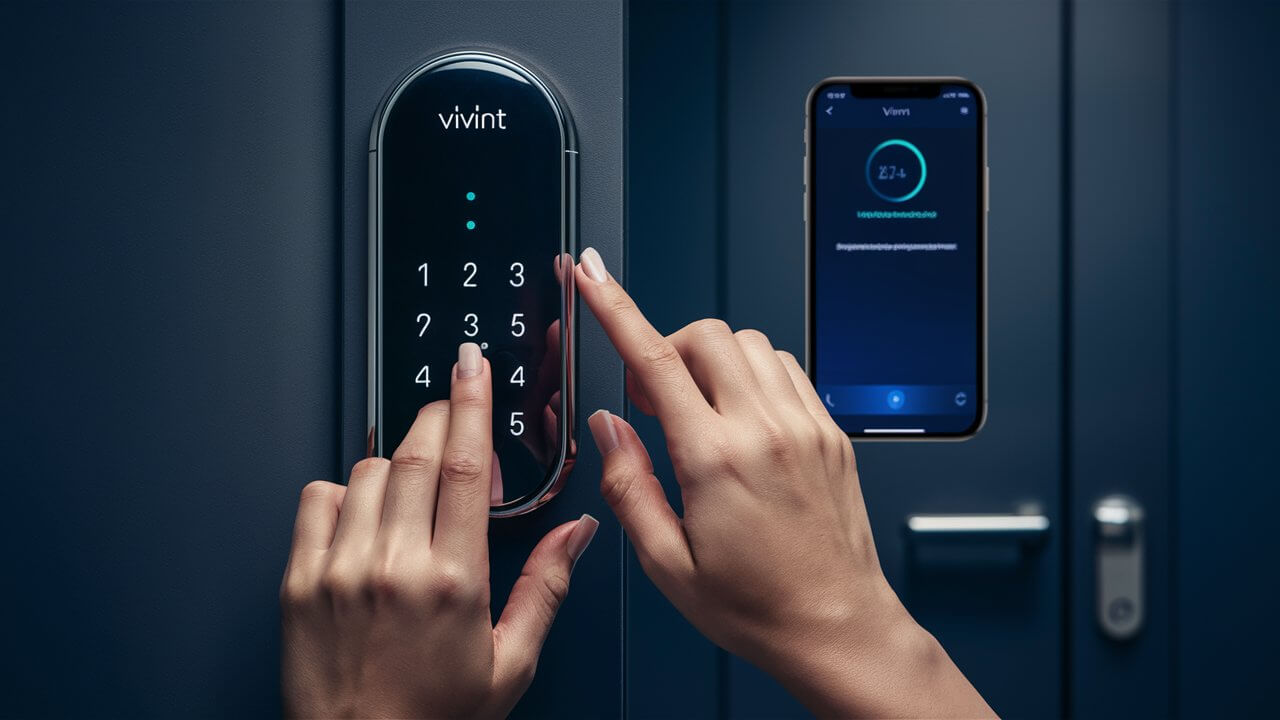
Unlock the secrets to effortlessly changing your Vivint door lock code. This comprehensive guide provides step-by-step instructions, troubleshooting tips, and best practices for enhancing your home security, ensuring you can manage access with confidence and ease.
Understanding Your Vivint Door Lock
Vivint offers a range of smart home security solutions, and their smart door locks are a cornerstone of convenient and secure access control. These locks integrate seamlessly with the Vivint system, allowing users to remotely lock and unlock doors, grant temporary access to guests, and receive notifications about who is entering and exiting your home. Understanding the basics of how your Vivint lock operates is crucial before you begin the process of changing its access codes. Most Vivint smart locks are Z-Wave or Wi-Fi enabled, communicating wirelessly with your Vivint Smart Hub or panel, and subsequently with the Vivint app on your smartphone or tablet.
The primary function of a smart lock is to provide keyless entry, which is managed through unique user codes. These codes can be assigned to different individuals, such as family members, pet sitters, or service providers. The system logs which code is used and when, providing an audit trail for added security. The ability to change these codes is a fundamental security feature, ensuring that only authorized individuals have access to your home. This guide will walk you through the most efficient and secure ways to manage these codes.
Why Change Your Vivint Door Lock Code?
Regularly updating your Vivint door lock codes is a critical aspect of maintaining robust home security. Several scenarios necessitate a code change. The most common reason is when a person who previously had access no longer needs it. This could be due to a guest leaving, a service provider changing their employment, or a roommate moving out. In such cases, immediately removing their code prevents unauthorized entry. Furthermore, if you suspect your code has been compromised or shared inappropriately, changing it promptly is essential to re-secure your home.
Beyond specific personnel changes, routine security audits suggest changing codes periodically, much like you would change your Wi-Fi password. For instance, if you have a permanent code assigned to a house cleaner or a dog walker, it's wise to update it every few months. This practice minimizes the risk of long-term exposure and potential security breaches. In 2025, with the increasing sophistication of cyber threats and the interconnectedness of smart home devices, proactive security measures are more important than ever. Statistics from the National Cybersecurity Alliance indicate that a significant percentage of home security breaches are due to weak or compromised access credentials. Therefore, staying ahead of potential vulnerabilities by regularly updating your Vivint door lock codes is a proactive step towards safeguarding your property and loved ones.
Another compelling reason to change your code is for enhanced privacy and control. By assigning unique codes to different individuals, you can track who enters your home and when. If a code is used at an unusual time or if you simply want to revoke access for a specific period, changing the code provides immediate control. This granular control is a significant advantage of smart locks over traditional deadbolts. For example, you might assign a temporary code to a contractor for a specific work window, and then change it once their job is complete. This ensures that your home remains secure even after they have finished their tasks.
Finally, the simplicity of changing codes on modern smart locks makes it an easy yet effective security enhancement. Unlike re-keying traditional locks, which can be time-consuming and expensive, updating a digital code takes mere minutes. This ease of use encourages regular updates, making it a practical security measure for every homeowner. In 2025, homeowners are increasingly aware of the benefits of digital security, and managing smart lock codes is a fundamental part of that strategy. The ability to manage access remotely via the Vivint app adds another layer of convenience and security, allowing you to make changes even when you're away from home.
Methods to Change Your Vivint Door Lock Code
Vivint provides multiple convenient ways to manage and change your door lock codes, catering to different user preferences and situations. The primary methods involve using the Vivint app on your smartphone or tablet, or directly interacting with your Vivint Smart Hub or panel. Each method offers a straightforward process, ensuring that you can maintain control over your home's access points with minimal hassle. It's important to note that the exact interface and wording might vary slightly depending on your Vivint system's software version, but the core steps remain consistent. We will explore each of these methods in detail, providing clear, step-by-step instructions to guide you through the process.
Choosing the right method often depends on your immediate needs and what devices are most accessible to you. If you're away from home or prefer the convenience of mobile management, the Vivint app is the ideal choice. If you're at home and prefer to use the central control panel, the Smart Hub or panel method is equally effective. Regardless of the method chosen, the goal is to ensure that your door lock codes are updated securely and efficiently, thereby enhancing your home security posture. For those who are new to smart home technology, understanding these options can seem daunting, but Vivint has designed its system for user-friendliness. By following the outlined steps, anyone can successfully manage their door lock codes.
Before proceeding, it's always a good practice to ensure your Vivint system is online and your app is updated to the latest version. This minimizes the chances of encountering technical glitches during the process. Furthermore, having your existing master code or administrator credentials readily available can streamline the process, especially if you are making significant changes or adding new users. The following sections will detail each method, providing the necessary steps to successfully change your Vivint door lock code.
Method 1: Using the Vivint App (Recommended)
The Vivint app offers the most flexible and convenient way to manage your door lock codes, allowing you to make changes from virtually anywhere. This method is particularly useful if you need to grant or revoke access remotely. Here’s a step-by-step guide:
-
Open the Vivint App: Launch the Vivint app on your smartphone or tablet. Ensure you are logged in with your administrator account credentials.
-
Navigate to Devices: Tap on the "Devices" icon, usually found at the bottom of the screen. This will display a list of all connected smart devices in your home.
-
Select Your Door Lock: Locate and tap on your smart door lock from the list of devices. If you have multiple locks, select the one you wish to modify.
-
Access Lock Settings: Once you've selected the door lock, you should see an overview of its status. Look for an option like "Lock Settings," "Access Codes," or "Manage Users." Tap on this option.
-
Manage Existing Codes: You will see a list of all currently active user codes. To change an existing code, tap on the code you wish to modify. You may need to enter your administrator PIN or password for verification.
-
Enter New Code: A prompt will appear asking you to enter the new code. Vivint typically requires codes to be between 4 and 8 digits long. Choose a code that is easy for you to remember but difficult for others to guess. Avoid sequential numbers (e.g., 1234) or easily guessable patterns.
-
Confirm New Code: You will likely be asked to enter the new code again to confirm it. This prevents accidental typos.
-
Save Changes: Tap "Save" or "Done" to apply the changes. The app will then communicate the new code to your door lock. This process usually takes a few moments.
-
Assigning a New Code: If you are adding a new user, you will typically select an "Add User" or "Add Code" option. You'll be prompted to enter the new code and can often assign a name to the user (e.g., "Pet Sitter," "Grandma"). This helps in tracking who is using which code.
-
Deleting a Code: To remove a user's access, find their code in the list, tap on it, and select the "Delete" or "Remove" option. Confirm the deletion when prompted.
The Vivint app also allows you to set schedules for certain codes, meaning they will only work during specific times or days. This is an advanced feature that adds another layer of control. For example, a cleaner's code might only be active between 9 AM and 5 PM on weekdays. This feature is invaluable for managing access for temporary help or ensuring that codes are not used outside of authorized periods.
Example Scenario: Let's say your dog walker, Sarah, has been using code 1234. You decide to change her code for security. You open the Vivint app, go to Devices, select your front door lock, tap "Access Codes," find Sarah's code, tap "Edit," enter a new code like 5872, confirm it, and save. You then inform Sarah of her new code. If Sarah no longer walks your dog, you would simply go back to the "Access Codes" list and delete her code entirely.
The Vivint app provides real-time confirmation that the code has been updated. You can also test the new code immediately by approaching your door and attempting to unlock it with the new code. This ensures that the change was successful and that you haven't locked yourself out. For 2025, the Vivint app's user interface is designed for intuitive navigation, making these tasks accessible even for those less familiar with smart home technology. The ability to manage multiple locks and user codes from a single interface is a significant benefit for homeowners with several entry points or a complex household.
Method 2: Using the Vivint Smart Hub or Panel
If you prefer to manage your lock codes directly from your home's central control panel, the Vivint Smart Hub or panel offers a robust interface. This method is ideal when you are physically present at home and want to make quick adjustments.
-
Access the Panel: Go to your Vivint Smart Hub or panel. You will likely need to enter your master code or administrator PIN to access system settings.
-
Navigate to Security Settings: Look for a "Security" or "Settings" menu. Within this menu, find an option related to "Locks," "Access Control," or "User Codes."
-
Select Door Lock: Choose the specific door lock you want to manage from the list of available devices on the panel.
-
Manage User Codes: You should see an option to "Manage User Codes" or "Add/Edit Codes." Select this option.
-
Edit or Add a Code:
- To Change an Existing Code: Select the user whose code you want to change. You will be prompted to enter the new code. Enter a 4-8 digit code, ensuring it's secure and memorable. Confirm the new code when asked.
- To Add a New Code: Select the option to add a new user or code. You will be prompted to enter the new code and often to assign a name to the user.
- To Delete a Code: Select the user whose code you wish to remove and choose the "Delete" or "Remove" option.
-
Save Changes: After entering the new code or making your desired changes, select "Save" or "Confirm." The panel will then send the update to your smart lock.
The panel interface typically provides clear prompts and confirmations. For example, after saving a new code, it might display a message like "Code updated successfully." This method is as secure as using the app, provided you are using a strong administrator PIN and keeping it confidential. In 2025, Vivint panels are designed with intuitive touchscreens that make navigating these settings straightforward. Users can often view a history of code usage directly from the panel, providing immediate insights into who has accessed the home.
Example Scenario: You're home and realize you need to change the code for your handyman, John. You go to the Vivint panel, enter your admin PIN, navigate to Security > Locks > Front Door Lock > Manage User Codes. You find John's entry, select "Edit," enter his new code (e.g., 9103), confirm it, and save. The panel confirms the update. You then text John his new code.
It's important to remember that the master code or administrator PIN is the key to making these changes. If you have forgotten your master code, you will need to contact Vivint customer support for assistance. They can guide you through the process of resetting it, which may involve a technician visit in some cases. This highlights the importance of securing your administrator credentials. The ability to manage codes directly from the panel ensures that even if your smartphone is unavailable, you can still maintain control over your home's security.
Comparison of Methods
Both the Vivint app and the Smart Hub/panel offer effective ways to change your door lock codes. The choice between them often comes down to convenience and accessibility.
| Feature | Vivint App | Vivint Smart Hub/Panel |
|---|---|---|
| Accessibility | Anywhere with internet access | At home, directly on the panel |
| Convenience | High - manage remotely, quick updates | Moderate - requires physical presence |
| Speed | Very fast, near-instantaneous updates | Fast, updates are sent directly |
| Features | Includes scheduling, user naming, remote access history | Includes user naming, access history (may vary by model) |
| Requirement | Smartphone/tablet with app installed and logged in | Access to the Vivint Smart Hub or panel and administrator PIN |
For most users, the Vivint app is the preferred method due to its flexibility. However, the panel remains a reliable backup and a good option for those who prefer a more direct, on-site approach. Both methods ensure that your Vivint door lock codes are updated securely and efficiently, contributing to your overall home security strategy. As of 2025, Vivint continues to refine both interfaces, ensuring a seamless user experience across all platforms.
Best Practices for Vivint Door Lock Codes
Effectively managing your Vivint door lock codes goes beyond simply knowing how to change them. Implementing best practices ensures that your home security remains robust and that you are leveraging the full capabilities of your smart lock system. These practices are crucial for preventing unauthorized access and maintaining peace of mind. In 2025, with the increasing prevalence of smart home devices, adhering to strong security protocols is paramount.
Here are some key best practices to follow:
-
Use Strong, Unique Codes: Avoid simple, predictable codes like your birthdate, address number, or sequential digits (e.g., 1234, 4321). Aim for a 4-8 digit code that is a random combination of numbers. For example, 7391 or 502816 are better than 1111 or 2580.
-
Assign Codes to Specific Users: Whenever possible, assign a unique code to each individual who needs access. Vivint allows you to name users, which helps in tracking who entered and when. This is invaluable for accountability and troubleshooting.
-
Regularly Review and Update Codes: Make it a habit to review your list of active codes periodically. Remove codes for individuals who no longer require access. Consider changing all codes every 6-12 months as a general security measure, even if no specific access changes have occurred.
-
Utilize Temporary or Scheduled Codes: If you have guests or service providers who only need access for a limited time, use temporary codes or schedule codes to be active only during specific hours. This is a powerful feature of Vivint smart locks that significantly enhances security.
-
Secure Your Administrator Credentials: Your master code or administrator PIN is the key to managing all other codes. Keep it confidential and do not share it with anyone who doesn't have administrative privileges. If you suspect it has been compromised, change it immediately.
-
Educate Household Members: Ensure everyone in your household understands the importance of keeping their assigned codes confidential and not sharing them with others. Teach them to recognize the risks associated with weak or shared codes.
-
Enable Notifications: Set up your Vivint system to send you notifications when doors are unlocked or locked, and specifically when certain codes are used. This allows you to monitor activity in real-time and quickly identify any suspicious behavior.
-
Test Codes After Changes: After changing a code, always test it to ensure it works correctly and that the old code is no longer active. This prevents accidental lockouts or security gaps.
Implementing these best practices will significantly strengthen the security of your home. For instance, by using scheduled codes for a pet sitter, you can ensure they can only access your home during their designated working hours, preventing any potential misuse of the code outside of that window. This level of control is a significant advantage offered by modern smart home technology. In 2025, cybersecurity awareness is at an all-time high, and these simple yet effective measures are crucial for protecting your digital and physical assets.
Consider the scenario where you have a vacation rental. Instead of changing the lock entirely, you can assign unique, temporary codes to each guest that expire automatically after their stay. This is far more efficient and cost-effective than traditional methods. The Vivint system's ability to log each code usage also provides a clear record of who accessed the property and when, which can be invaluable for managing rentals or simply for personal peace of mind.
Troubleshooting Common Vivint Lock Code Issues
While changing your Vivint door lock code is generally a straightforward process, you might occasionally encounter issues. Understanding common problems and their solutions can save you time and frustration. Here are some frequently encountered issues and how to resolve them:
Issue 1: Code Not Updating or Lock Not Responding
Symptom: You've entered a new code via the app or panel, but the old code still works, or the lock doesn't seem to acknowledge the change.
Possible Causes & Solutions:
-
Communication Error: The signal between your panel/app and the lock might have been interrupted.
- Solution: Try updating the code again. Ensure your Vivint Smart Hub or panel is online and has a strong connection to your Wi-Fi network. If using the app, ensure your phone has a stable internet connection. For panel updates, try moving closer to the panel.
-
Incorrect Administrator Credentials: You might not have used the correct administrator PIN or password when attempting the change.
- Solution: Double-check that you are using the correct administrator credentials. If unsure, try logging into the Vivint app with your main account login or using your master code on the panel.
-
Lock Needs Reset: In rare cases, the lock itself might require a soft reset.
- Solution: Consult your Vivint door lock's specific manual for reset instructions. This often involves removing the battery for a short period and reinserting it, or pressing a small reset button on the lock mechanism. After a reset, you may need to re-pair the lock with your Vivint system.
-
System Glitch: Occasionally, the Vivint system might experience a temporary glitch.
- Solution: Wait a few minutes and try again. If the issue persists, contact Vivint customer support.
Issue 2: Forgotten Administrator Code
Symptom: You need to change a user code but have forgotten your master or administrator PIN/code.
Solution:
-
Contact Vivint Support: This is the most common and often the only solution. Vivint customer support can guide you through the process of recovering or resetting your administrator code. This might involve verifying your identity as the account holder. In some instances, a technician may need to be dispatched to reset the system's master code.
Note: It is crucial to keep your administrator credentials secure and accessible. Consider storing them in a secure password manager or a safe place at home.
Issue 3: Code Entry Errors on the Lock Itself
Symptom: You've entered the correct code, but the lock doesn't respond or indicates an error.
Possible Causes & Solutions:
-
Incorrect Code Input: The code might have been entered incorrectly.
- Solution: Ensure you are pressing the correct buttons in the correct sequence. Listen for the lock's audible feedback (beeps) to confirm entry.
-
Lock Mechanism Issue: There might be a physical obstruction or a problem with the lock's motor.
- Solution: Ensure the door is not binding or warped, which can put pressure on the bolt. Check for any visible obstructions. If the issue persists, the lock may need servicing.
-
Low Battery: A low battery can sometimes cause erratic behavior.
- Solution: Check the battery level in the Vivint app or on the panel. Replace the batteries if they are low. Vivint typically uses standard AA or AAA batteries, but consult your lock's manual for specifics.
Issue 4: Unable to Add a New User Code
Symptom: You are trying to add a new user code, but the system gives an error or doesn't allow you to proceed.
Possible Causes & Solutions:
-
Maximum Number of Codes Reached: Vivint locks have a limit on the number of user codes they can store.
- Solution: You may need to delete an existing, unused code before you can add a new one. Review your list of codes and remove any that are no longer needed.
-
Code Format Incorrect: The code you are trying to enter doesn't meet Vivint's requirements (e.g., too short, too long, or contains invalid characters).
- Solution: Ensure your code is between 4 and 8 digits and consists only of numbers.
-
System Lag: Sometimes, the system might be slow to register new entries.
- Solution: Wait a few moments and try again. If the problem persists, restart the app or the panel and attempt the process again.
For 2025, Vivint's support resources, including their website and app's help section, are excellent sources for detailed troubleshooting guides specific to your lock model. If you encounter persistent issues, contacting Vivint customer support is always the most reliable way to get expert assistance.
Advanced Tips and Considerations
Beyond the basic steps of changing codes, several advanced tips and considerations can further enhance your security and convenience with Vivint door locks. These insights are particularly relevant for homeowners looking to maximize their smart home investment and stay ahead of potential security risks in 2025 and beyond.
Integrating with Other Smart Devices
Your Vivint door lock doesn't operate in isolation. It's part of a larger smart home ecosystem. By integrating it with other Vivint devices, you can create powerful automation rules. For example:
-
Automated Lighting: When a specific user code is entered, trigger smart lights to turn on inside and outside your home. This enhances safety and provides a welcoming ambiance.
-
Thermostat Adjustment: Upon unlocking the door with a family member's code, automatically adjust the thermostat to their preferred temperature.
-
Security System Arming/Disarming: Use your door lock codes to automatically arm or disarm your Vivint security system. Entering your primary code when arriving home could disarm the system, while leaving and locking the door could arm it in "Stay" or "Away" mode.
These automations can be set up through the Vivint app under the "Automations" or "Rules" section. They streamline daily routines and add an extra layer of security by ensuring that specific actions are tied to verified access.
Understanding Lock Health and Maintenance
Like any electronic device, smart locks require occasional attention to ensure optimal performance:
-
Battery Monitoring: The Vivint app provides real-time battery status for your door lock. Regularly check this and replace batteries proactively, typically before they reach critical levels. Most Vivint locks use standard AA batteries, which are readily available.
-
Firmware Updates: Vivint periodically releases firmware updates for its devices, including door locks. These updates often include security patches, performance improvements, and new features. Ensure your system is set to receive automatic updates, or manually check for them through the app or panel. Keeping firmware up-to-date is crucial for security in 2025.
-
Physical Cleaning: Keep the keypad and surrounding areas clean to ensure the buttons are responsive and free from debris. Use a soft, damp cloth. Avoid harsh chemicals that could damage the finish or electronics.
-
Lock Mechanism Check: Periodically check that the deadbolt extends and retracts smoothly without excessive force. If you notice any stiffness, it might indicate an alignment issue with the strike plate on the door frame, which can be adjusted.
Guest Access Management Strategies
Vivint's ability to manage guest access is one of its most powerful features. Consider these strategies:
-
One-Time Use Codes: For very specific, single-entry needs (e.g., a delivery person needing to place a package inside), you can create a code that is valid for only one use. This is the ultimate in temporary access control.
-
Time-Restricted Access: As mentioned earlier, assign codes that only work during specific hours. This is ideal for housekeepers, dog walkers, or contractors who have set working hours.
-
Temporary Codes for Visitors: When friends or family visit, assign them a temporary code that you can easily delete after they leave. This avoids sharing your primary codes and provides a clear audit trail.
-
Reviewing Access Logs: Regularly check the access logs in the Vivint app or on the panel. This allows you to see who has entered your home, when, and with which code. This is invaluable for security and peace of mind.
Security Considerations for 2025 and Beyond
As technology evolves, so do security threats. Here are some forward-looking considerations:
-
Two-Factor Authentication (2FA): While not directly for the lock code itself, ensure your Vivint account has 2FA enabled. This adds a critical layer of security to your overall smart home system, protecting against unauthorized access to your account, which could then be used to manipulate lock settings.
-
Network Security: Ensure your home Wi-Fi network is secure with a strong password. A compromised Wi-Fi network could potentially be a vector for attacks on smart home devices. Vivint's Z-Wave locks communicate on a separate, secure network, but Wi-Fi connected locks rely on your home network.
-
Physical Security of the Lock: While codes are digital, the physical lock itself is a barrier. Ensure it's a high-quality, reputable smart lock model. Vivint typically installs robust, well-regarded brands.
-
Awareness of Emerging Threats: Stay informed about new types of smart home vulnerabilities. While Vivint invests heavily in security, staying educated as a user is also important.
By incorporating these advanced tips and considerations, you can ensure that your Vivint door lock system is not only functional and convenient but also as secure as possible, providing robust protection for your home well into the future.
Conclusion: Managing Your Vivint Access
Effectively managing the codes on your Vivint door lock is a fundamental aspect of modern home security and convenience. Whether you prefer the on-the-go flexibility of the Vivint app or the direct control offered by your Smart Hub or panel, the process is designed to be user-friendly and secure. By following the step-by-step guides provided, you can confidently change, add, or delete user codes, ensuring that only authorized individuals have access to your home.
Remember that security is an ongoing process. Implementing best practices, such as using strong, unique codes, regularly reviewing access logs, and utilizing temporary or scheduled codes, significantly strengthens your home's defense. Proactive maintenance, including monitoring battery levels and ensuring firmware is up-to-date, guarantees the reliable performance of your smart lock. In the dynamic security landscape of 2025, these measures are not just recommended but essential for safeguarding your property and loved ones. Should you encounter any issues, the troubleshooting tips offer practical solutions, and Vivint's dedicated customer support is always available to assist. By mastering the art of code management, you unlock the full potential of your Vivint system, enjoying unparalleled peace of mind and seamless control over your home's access.





