How To Change The Code On My Adt Alarm System ?
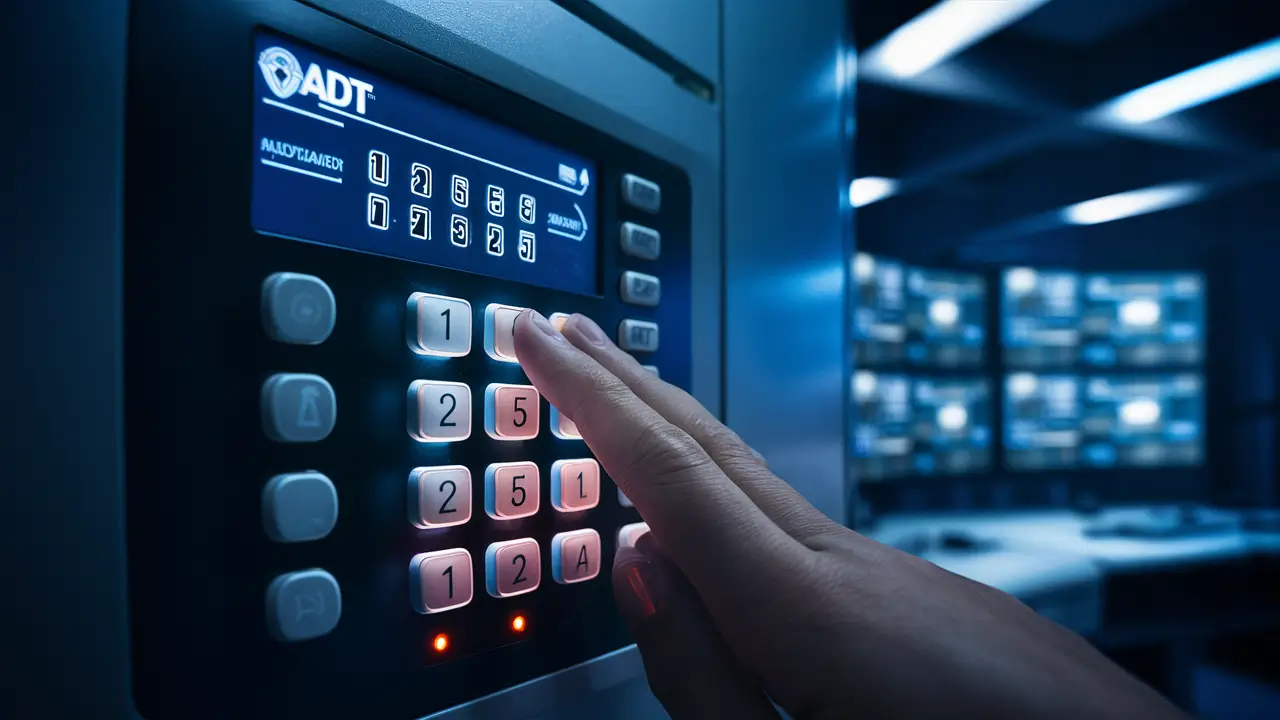
Changing your ADT alarm system code is a crucial security measure. This guide provides a comprehensive, step-by-step walkthrough on how to change the code on your ADT alarm system, ensuring you can maintain control and security effectively. We cover common panel types and offer practical advice.
Understanding ADT Alarm System Codes
ADT alarm systems are designed to provide security and peace of mind. A core component of this security is the use of access codes, often referred to as passcodes or PINs. These codes are essential for arming and disarming your system, as well as for accessing certain system settings. Understanding how these codes work is the first step to effectively managing your ADT system's security. In 2025, with evolving cyber threats and increased reliance on smart home security, managing these codes securely is more critical than ever. ADT's systems, while robust, rely on user diligence for optimal protection. The primary function of an access code is to authenticate a user's identity to the alarm panel, preventing unauthorized individuals from disabling or manipulating the system. This is fundamental to the entire premise of a home security system. Without a secure and properly managed code, the system's effectiveness is severely compromised.
The complexity and management of these codes can vary depending on the specific ADT panel model you have installed. Older systems might have simpler keypad interfaces, while newer smart home integrated systems offer more sophisticated ways to manage codes, often through mobile apps. Regardless of the panel type, the principle remains the same: a unique code grants access and control. It's important to remember that your ADT system likely has multiple types of codes, each with different permissions and purposes. Understanding these distinctions is vital for proper system administration and security. For instance, the master code has the highest level of authority, allowing for the programming of other user codes, while secondary user codes have more limited functionality. This layered approach to code management is a common security feature in many professional alarm systems.
The evolution of home security in 2025 sees a greater emphasis on user-friendly interfaces and remote management. However, the underlying security protocols remain paramount. ADT, as a leading provider, continually updates its systems to meet these demands. For homeowners, this means staying informed about how to best utilize the features of their specific ADT system, including the secure management of access codes. This guide aims to demystify the process of changing your ADT alarm system code, empowering you with the knowledge to maintain a secure home environment. The ability to quickly and easily change your code is not just a convenience; it's a fundamental security practice that should be performed regularly and whenever there's a potential security breach.
Types of ADT Codes
ADT alarm systems typically utilize several distinct types of codes, each serving a specific purpose and carrying different levels of authority. Recognizing these different codes is essential for understanding how to manage your system effectively and securely. The most common types include the Master Code, User Codes, and the Installer Code.
- Master Code: This is the primary code for your ADT system. It has the highest level of administrative privilege. With the master code, you can arm and disarm the system, program new user codes, delete existing user codes, and modify certain system settings. Typically, there is only one master code. It's crucial to keep this code highly secure and known only to trusted individuals. For many ADT systems, the default master code is often something like 1234 or 0000, but this should always be changed immediately upon installation for security reasons.
- User Codes: These are secondary codes assigned to other individuals who need access to the alarm system, such as family members, friends, or even trusted neighbors. User codes can arm and disarm the system, but they generally cannot be used to program or delete other codes or change critical system settings. Each user code can often be assigned a specific zone or permission level, allowing for granular control over who can do what with the system. ADT systems can typically support multiple user codes, allowing for flexibility in managing access for different individuals.
- Installer Code: This is a special code used by ADT technicians during the initial installation and for advanced maintenance or programming. It grants the highest level of access, even beyond the master code, and allows for deep system configuration. For security reasons, homeowners are strongly advised *not* to use or attempt to change the installer code. If you suspect the installer code has been compromised or if you are an advanced user needing to perform specific programming tasks, you may need to contact ADT directly. In 2025, the security around installer codes is even more stringent to prevent unauthorized access.
- Duress Code: Some ADT systems offer a duress code. This code looks like a valid user code and will disarm the system silently. However, when entered, it also sends a silent alarm signal to the ADT monitoring center, alerting them to a potential emergency without the intruder knowing. This is a critical safety feature for personal protection.
Understanding the hierarchy and purpose of these codes is fundamental to managing your ADT system. The master code is your primary tool for administrative tasks, while user codes provide controlled access for others. The installer code is for professional use only, and the duress code is a vital safety net. Ensuring that your master code and user codes are strong, unique, and changed regularly contributes significantly to the overall security of your home. For example, if you have a housekeeper or a dog walker, assigning them a specific user code rather than sharing your master code is a best practice. This allows you to disable their code if needed without affecting your primary access.
When to Change Your ADT Code
Regularly changing your ADT alarm system code is a cornerstone of effective home security. It's not a task to be performed only once; rather, it should be integrated into your routine security practices. Several scenarios warrant an immediate code change to maintain the integrity of your system and protect your property and loved ones.
Here are the key situations when you should consider changing your ADT alarm code:
- Upon Installation: This is the most critical time. ADT technicians will set up your system with default codes. These default codes are often publicly known or easily guessable (e.g., 1234, 0000). For immediate security, you must change the master code and any default user codes to something unique and strong as soon as the installation is complete. This is non-negotiable for basic security.
- When a Person Leaves Your Household: If someone who had access to your alarm code moves out, a new tenant moves in, or a relationship ends, it is imperative to change your codes immediately. This prevents unauthorized access by individuals who are no longer trusted or have legitimate reasons to access your home. This applies to former partners, roommates, or even adult children who have moved out.
- After a Security Breach or Suspicion of Compromise: If you believe your code may have been observed by an unauthorized person, or if there's any suspicion of a security breach (e.g., a break-in attempt where the alarm was bypassed or tampered with), change your codes immediately. This includes situations where you might have inadvertently revealed your code, such as writing it down and losing it, or discussing it in an insecure environment.
- After Hiring New Service Personnel: If you hire new domestic staff, contractors, or anyone who will require access to your home and thus your alarm system, assign them a new, unique user code. When their employment or service contract ends, change the code immediately. It is best practice to create and delete these temporary codes as needed.
- Regularly as a Preventive Measure: Security experts recommend changing your master code at least every six months to a year. This proactive approach helps mitigate the risk of codes being compromised over time through accidental exposure or sophisticated guessing techniques. In 2025, with increased data breaches and sophisticated cyber threats, even for physical systems, a proactive approach is wise.
- If You Forget Your Code: While not ideal, if you forget your master code, you will likely need to contact ADT to reset it. However, if you forget a user code, you can usually reset it using the master code. This situation itself highlights the importance of having a memorable yet secure code.
- When Upgrading or Changing System Components: If you upgrade your ADT system or add new components, it might be necessary to reset or reconfigure your codes. Your ADT technician will advise you on this during the upgrade process.
Treating your alarm code like a key to your home is essential. Just as you wouldn't leave your house key under the doormat, you shouldn't leave your alarm code vulnerable. By adhering to these guidelines, you ensure that your ADT system remains a robust barrier against intrusion and a reliable protector of your home and family. For instance, if you've had a recent party where many people were in and out, it might be a good time to change your code, even if you don't suspect anything specific.
How to Change Your ADT Code: General Steps
The process for changing your ADT alarm system code can vary slightly depending on the specific panel model you have. However, the general principles and steps are quite consistent. Most ADT systems allow you to change user codes using the master code directly from the keypad. This guide will walk you through the most common method.
Before you begin:
- Ensure you have your current Master Code. You will need this to program new codes.
- Decide on your new code. It should be a 4-digit number (or as specified by your system) that is easy for you to remember but difficult for others to guess. Avoid sequential numbers (1234), repeating numbers (1111), or birthdates.
- Be aware of your system's specific instructions. If you have your ADT user manual, refer to it for panel-specific commands.
General Steps to Change a User Code (using Master Code):
- Enter the Master Code: At the main keypad, enter your current 4-digit Master Code. The system should indicate that it has accepted the code, often by a beep or by illuminating the "Ready" light.
- Access Programming Mode: After entering the Master Code, you typically need to press a specific function key or sequence to enter programming mode. This varies by panel, but common sequences involve pressing a '*' or '#' key, followed by a specific number. For example, on many systems, you might press the Master Code, then '*' or '3', then the User Number you wish to change or add.
- Select the User Number: You will need to specify which user code you want to change or add. User codes are usually numbered sequentially (e.g., User 1, User 2, User 3, etc.). If you are changing an existing code, enter the user number associated with that code. If you are adding a new user, select the next available user number.
- Enter the New Code: Once the system is ready for the new code, enter your chosen 4-digit Master Code again. For example, if you are changing User 2, the sequence might be: [Master Code] + [*] + [2] + [New 4-Digit Code].
- Confirm the New Code: Some systems may require you to enter the new code a second time to confirm it. The keypad will usually beep or provide an on-screen confirmation if the code has been successfully changed.
- Exit Programming Mode: Press the 'Off' or 'End' button (often '*'), or simply wait for the system to time out of programming mode.
Example Scenario: Changing User Code 02 to 5678
Let's assume your Master Code is 1234 and you want to change User Code 02 to 5678. The typical sequence might be:
- Press: 1234 (Your Master Code)
- Press: * (or a specific programming key, consult your manual)
- Press: 02 (The user number you want to change)
- Press: 5678 (Your new 4-digit code)
- Press: * (to exit programming)
Important Note on Master Code Changes: Changing the Master Code itself often follows a similar process, but you will typically use the existing Master Code to program the new Master Code. For example, to change Master Code 1234 to 9876:
- Enter: 1234 (Current Master Code)
- Press: *
- Press: 00 (Or the designated user number for the Master Code, check your manual)
- Press: 9876 (New Master Code)
- Press: * (to exit)
If you are unsure about the specific programming sequence for your ADT panel, it is always best to consult your user manual or contact ADT customer support. They can guide you through the exact steps for your system model. For instance, ADT Command and SafeWatch panels have slightly different interfaces that might require specific button presses.
Changing Codes on Specific ADT Panels
ADT offers a range of alarm panels, and while the core functionality of changing codes remains similar, the exact button sequences and menu navigation can differ. Understanding the specific model of your ADT panel is key to performing this task correctly. The most common ADT panels in use include the ADT SafeWatch series, ADT Command, and older ADT Pulse systems.
ADT SafeWatch Panels
ADT SafeWatch panels, often based on Honeywell or Resideo hardware, are popular for their reliability and ease of use. The process to change codes on these systems typically involves using the Master Code to access programming.
To Change a User Code on a SafeWatch Panel:
- Disarm the system if it is armed.
- Enter your current Master Code.
- Press the '3' key (this is often the programming key for user codes).
- Enter the 2-digit user number you wish to change (e.g., '02' for User 2, '10' for User 10).
- Enter the new 4-digit code for that user.
- Press the '3' key again to confirm and save the new code.
- Press the '*' key to exit programming mode.
To Change the Master Code on a SafeWatch Panel:
- Disarm the system.
- Enter your current Master Code.
- Press the '0' key (this is often the programming key for the Master Code).
- Enter the new 4-digit Master Code.
- Press the '0' key again to confirm.
- Press the '*' key to exit.
Note: Some SafeWatch panels might use a slightly different sequence, such as entering the Master Code, then '6' (for function), then '5' (for user codes), followed by the user number and new code. Always refer to your specific panel's manual if these steps don't work.
ADT Command Panels
ADT Command is a more modern, touchscreen-based system that integrates with ADT's broader smart home ecosystem. Changing codes on ADT Command is typically done through its intuitive touchscreen interface.
To Change a User Code on an ADT Command Panel:
- On the main touchscreen, tap the 'Security' icon.
- Enter your Master Code to access the system menu.
- Tap 'Settings' or 'System Settings'.
- Navigate to 'Users' or 'User Management'.
- Select the user whose code you want to change. You might see a list of existing users.
- Tap on the user's current code or an 'Edit' button next to their name.
- Enter the new 4-digit code. The system may prompt you to confirm by entering it again.
- Tap 'Save' or 'Done' to confirm the changes.
To Change the Master Code on an ADT Command Panel:
The process for changing the Master Code is similar, but you will typically select the 'Master' user profile within the User Management section.
- Follow steps 1-4 above.
- Select the 'Master' user.
- Tap on the Master Code field and enter your new 4-digit Master Code.
- Confirm the new code if prompted.
- Tap 'Save' or 'Done'.
ADT Command panels often allow for more advanced user management, including setting up temporary codes or assigning specific access levels, all through the user-friendly interface.
ADT Pulse Panels
ADT Pulse is another smart home integrated system. While ADT is phasing out new ADT Pulse installations in favor of ADT Command, many existing users still have Pulse systems. The management of codes on Pulse can often be done via the web portal or the mobile app, as well as the panel itself.
To Change a User Code on an ADT Pulse Panel (via Panel):
The exact steps depend on the specific Pulse panel model (e.g., ADT Pulse Gateway, ADT Pulse Touchscreen). However, generally:
- Access the main menu on the panel.
- Look for 'Settings', 'System', or 'Users'.
- Enter your Master Code.
- Select the user you wish to modify.
- Enter the new code and confirm.
- Save the changes.
To Change a User Code on an ADT Pulse Panel (via Web/App):
- Log in to your ADT Pulse account via the web portal or the mobile app.
- Navigate to the 'Security' or 'System' section.
- Find 'User Management' or 'Codes'.
- Select the user whose code you want to change.
- Enter the new code and save.
The advantage of ADT Pulse and Command systems is the ability to manage codes remotely, which is incredibly convenient. For example, if you are away from home and need to grant temporary access to a family member, you can do so via the app without needing to be physically present at the panel.
It's important to remember that if you are ever unsure about the specific steps for your ADT panel, the most reliable course of action is to consult your system's user manual or contact ADT customer support. They can provide model-specific instructions and assist you with any programming changes.
Troubleshooting Common Issues
While changing your ADT alarm system code is generally straightforward, you might encounter a few common issues. Knowing how to troubleshoot these problems can save you time and frustration.
Issue 1: System Does Not Accept New Code / Error Message
- Possible Cause: Incorrect Master Code entered, invalid code format (e.g., not 4 digits, using sequential numbers if disallowed), or system is in a lockout mode.
-
Solution:
- Double-check that you are entering the correct current Master Code.
- Ensure the new code adheres to the system's requirements (e.g., 4 digits, no repeating patterns if restricted).
- Try exiting programming mode and starting the process again.
- If the system continues to give errors, it might be in a lockout state due to too many incorrect attempts. Wait a few minutes and try again, or consult your manual for lockout procedures.
- For persistent issues, contact ADT support.
Issue 2: Cannot Access Programming Mode
- Possible Cause: Incorrect sequence of button presses, system is not disarmed, or you are not using the Master Code.
-
Solution:
- Ensure the system is disarmed.
- Carefully follow the programming sequence for your specific panel model. Refer to your user manual.
- Verify that you are using the Master Code, not a User Code, for programming.
- Some systems may require the system to be in a specific state (e.g., 'Ready' to arm) before programming.
Issue 3: System Does Not Respond After Code Change
- Possible Cause: The code change was not saved correctly, or there's a system malfunction.
-
Solution:
- Try arming and disarming the system with both the old and the new code to see which one works.
- If neither works, you may need to perform a system reset or contact ADT for assistance.
- If the new code doesn't work but the old one does, it means the change wasn't successful. Repeat the programming steps carefully.
Issue 4: Forgot Master Code
- Possible Cause: The Master Code was not written down or has been forgotten.
-
Solution:
- Unfortunately, if you forget your Master Code, you cannot reset it yourself through the keypad. You will need to contact ADT customer support. They will guide you through a secure process to regain access, which may involve verifying your identity and potentially scheduling a technician visit to reset the system's master code. This is a security measure to prevent unauthorized access to your system's programming.
Issue 5: Cannot Change Installer Code
- Possible Cause: The Installer Code is intentionally protected and not meant for user modification.
-
Solution:
- As mentioned earlier, the Installer Code is for ADT technicians only. Do not attempt to change or use it. If you believe the Installer Code has been compromised, contact ADT immediately. They will have procedures to address this.
General Troubleshooting Tip: Always have your ADT user manual handy. It contains specific troubleshooting tips and error code explanations for your particular system. If you cannot find your manual, you can usually download a PDF version from the ADT website or request one from customer service. In 2025, many support resources are also available online, including FAQs and video tutorials.
Best Practices for ADT Codes
Securing your ADT alarm system goes beyond just changing the code; it involves adopting smart habits and best practices to ensure your codes remain confidential and your system is as secure as possible. Implementing these practices is crucial for maintaining the integrity of your home security.
Here are some essential best practices for managing your ADT alarm codes:
- Choose Strong, Unique Codes: Avoid simple, predictable numbers. Use a 4-digit code that is easy for you to remember but difficult for others to guess. Do not use sequential numbers (1234), repeating numbers (1111), or easily discoverable information like your birthdate, anniversary, or street number. A random combination is best.
- Do Not Share Your Master Code: The Master Code should be known only to you and perhaps one other trusted adult in the household. If other family members need access, assign them their own unique User Codes. This allows you to manage access more effectively and disable codes if necessary.
- Assign Unique User Codes: Give each person who needs access to your system their own unique User Code. This not only enhances security but also allows you to track which code was used to arm or disarm the system, which can be helpful for troubleshooting or accountability.
- Regularly Review User Codes: Periodically check who has access to your system. If a child moves out, a roommate leaves, or a service provider is no longer used, ensure their code is deleted immediately.
- Change Codes Immediately When Necessary: As detailed in the "When to Change Your ADT Code" section, change codes promptly after installation, if you suspect a compromise, or when circumstances change (e.g., new staff).
- Do Not Write Down Your Codes: Avoid writing your codes on paper, sticky notes, or anywhere they could be easily found. If you must write them down for reference, store them securely in a place only you can access, like a locked safe. For most people, memorizing the code is the safest option.
- Secure Your Keypad: Ensure your keypad is located in a place that is not easily visible to someone looking through windows. Be mindful of who is around when you enter your code.
- Utilize the Duress Code: If your system supports a duress code, program it and understand its function. This is a vital safety feature that can be used in a real emergency.
- Keep System Software Updated: For smart systems like ADT Command and Pulse, ensure your system software is up-to-date. Updates often include security patches that protect against emerging threats. This is particularly relevant in 2025 as cybersecurity evolves rapidly.
- Be Cautious with Remote Access: If you use mobile apps or web portals to manage your system, ensure your login credentials for these services are also strong and unique. Enable two-factor authentication if available.
- Understand Your System's Capabilities: Familiarize yourself with all the features of your ADT system, including different code types, user permissions, and any scheduling or temporary access options. This knowledge allows you to leverage the system's full security potential.
By integrating these best practices into your routine, you significantly enhance the security of your ADT alarm system. It's an ongoing process, not a one-time task. For example, when you hire a new cleaner, instead of giving them your master code, create a specific user code for them that is only active during their working hours, if your system allows. This level of control is what makes a modern security system truly effective.
Conclusion
Effectively managing your ADT alarm system code is a fundamental aspect of home security. This comprehensive guide has detailed how to change your ADT alarm system code, covering general procedures, panel-specific instructions for ADT SafeWatch, Command, and Pulse systems, troubleshooting common issues, and essential best practices.
Remember, your alarm code is the key to your home's security. By understanding the different types of codes, knowing when to change them, and following the correct procedures, you empower yourself to maintain a secure environment. Always prioritize strong, unique codes, avoid sharing your Master Code, and regularly review who has access to your system.
In 2025 and beyond, with increasingly sophisticated security threats, proactive code management is more critical than ever. Whether you're using a traditional keypad system or a modern touchscreen panel, the principles of secure code management remain the same. If you ever feel unsure or encounter difficulties, do not hesitate to consult your ADT user manual or contact ADT customer support. Taking these steps ensures your ADT system continues to provide the reliable protection you expect.



