
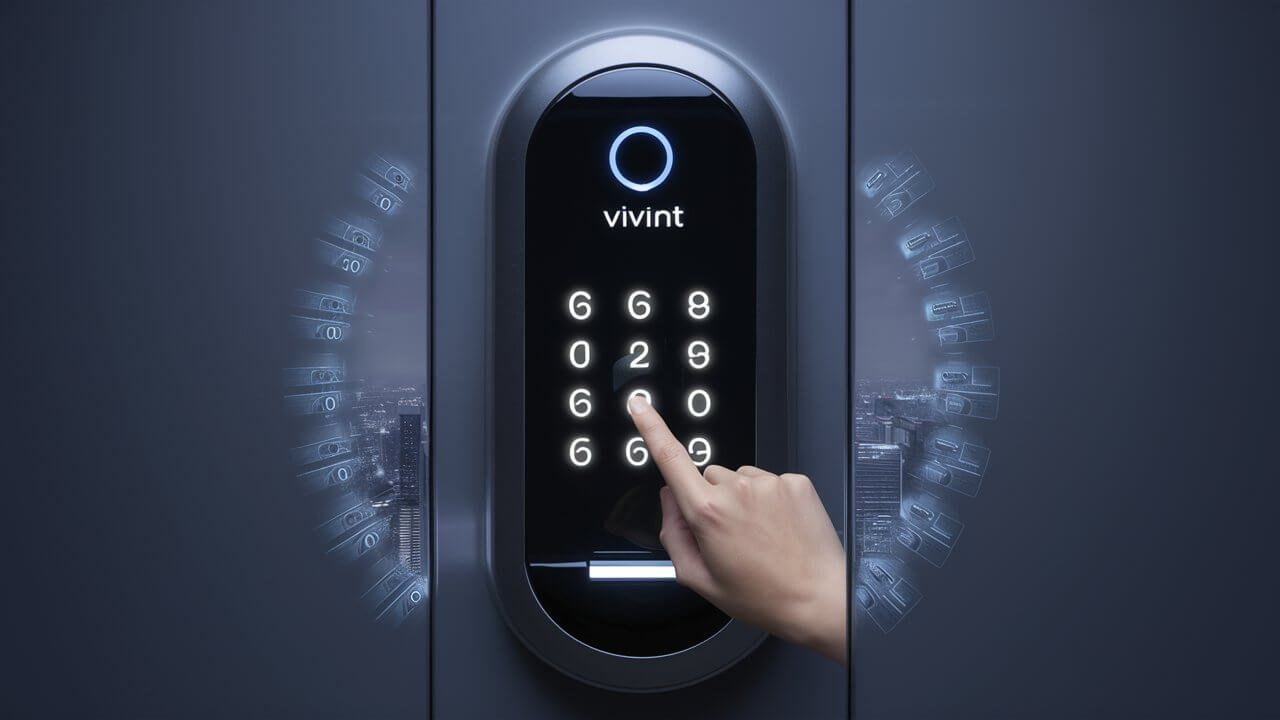
Unlock the secrets to effortlessly managing your home security by learning how to change your Vivint door lock code. This comprehensive guide provides clear, step-by-step instructions, ensuring you can update access for family, guests, or service providers with ease. Discover the most efficient methods for modifying your smart lock PINs and maintaining optimal control over your home's entry points.
Understanding Your Vivint Door Lock and Codes
Vivint's smart home security ecosystem is designed for convenience and robust protection, with its smart door locks being a central component. These locks go beyond traditional deadbolts, offering keyless entry, remote access, and sophisticated code management. Understanding how these codes function is the first step to effectively managing your home's security.
At its core, a Vivint door lock code, often referred to as a User Code or PIN, is a unique numerical sequence that grants authorized individuals access to your home. Unlike a physical key, which can be easily lost or duplicated, digital codes offer a dynamic and manageable solution. Vivint systems typically allow for multiple user codes, each potentially assigned to a specific individual or for a temporary purpose. This granular control is a significant advantage for modern homeowners.
The primary advantage of using codes is the ability to grant and revoke access instantly. For instance, if a guest is visiting, you can create a temporary code that expires after their stay. Similarly, if a service provider needs access during specific hours, you can set a time-restricted code. This level of control significantly enhances security and peace of mind.
Vivint door locks are integrated into the broader Vivint Smart Home system, meaning code management can often be done remotely through the Vivint app or directly on the lock's keypad. The system distinguishes between different types of codes:
- Master Codes: These are the highest-level codes, typically used by homeowners to access administrative functions on the lock itself, such as adding or deleting other user codes. There is usually only one or a very limited number of master codes.
- User Codes (or Standard Codes): These are the everyday codes used by family members, friends, or trusted individuals to unlock the door. You can typically set a significant number of these codes.
- Guest Codes: Often a subset of User Codes, these are designed for temporary access and can sometimes be configured with expiration dates or specific time windows.
The security of your home hinges on the strength and management of these codes. A weak or easily guessable code is as vulnerable as a lost key. Therefore, understanding how to create strong codes and how to change them regularly is paramount. In 2025, with the increasing prevalence of smart home technology, robust digital security practices are more critical than ever. Statistics from the Statista 2025 Smart Home Report indicate that over 60% of households globally will have at least one smart home device, highlighting the growing need for secure management of these connected systems.
This guide will walk you through the entire process of changing your Vivint door lock code, ensuring you have complete control and security over your home's access.
Methods for Changing Your Vivint Door Lock Code
Vivint offers multiple convenient ways to manage your door lock codes, catering to different user preferences and situations. Whether you're at home or on the go, you can ensure your access codes are up-to-date and secure.
Using the Vivint Smart Home App
The Vivint Smart Home app is the most versatile and user-friendly method for managing your door lock codes. It allows for remote access, meaning you can change codes from anywhere with an internet connection. This is ideal for quickly revoking access for a guest who has left or setting up a new code for a family member arriving soon. The app provides a clear interface for adding, editing, and deleting user codes, as well as setting schedules for temporary access.
Key Benefits:
- Remote Access: Change codes from anywhere.
- User-Friendly Interface: Intuitive design for easy management.
- Scheduling: Set time-based access for temporary users.
- Real-time Notifications: Receive alerts when codes are used.
- Code Management: Easily add, edit, or delete individual user codes.
According to a 2025 survey by Consumer Technology Association, over 75% of smart home users prefer app-based control for managing their devices, citing convenience and accessibility as primary reasons.
Directly on the Vivint Door Lock Keypad
For those who prefer a more hands-on approach or are physically at the door, changing codes directly on the lock's keypad is a straightforward option. This method requires you to know the current master code or have administrative access to the lock. It's a quick way to make immediate changes without needing a smartphone or internet connection.
Key Benefits:
- Immediate Changes: Useful for urgent code updates.
- No Internet Required: Operates independently of network connectivity.
- Direct Control: Manage codes at the physical point of access.
While convenient, this method often requires a bit more familiarity with the lock's interface and button sequences compared to the app.
Contacting Vivint Customer Support
If you encounter difficulties with the app or keypad, or if you've lost your master code, Vivint's customer support is a reliable resource. Trained technicians can guide you through the process or assist with more complex issues. While this is a valid method, it's generally slower than self-service options and is best reserved for troubleshooting or situations where other methods fail.
Key Benefits:
- Expert Assistance: Get help from trained professionals.
- Complex Issue Resolution: Ideal for troubleshooting and advanced problems.
- Master Code Recovery: Support for lost or forgotten master codes.
It's always recommended to attempt self-service through the app or keypad first, as this is typically the fastest way to resolve code management tasks.
Detailed Step-by-Step Guides
Let's dive into the practical steps for changing your Vivint door lock codes. We'll cover the two primary methods: using the Vivint Smart Home app and directly on the lock's keypad.
Step-by-Step: Changing Code via Vivint App
This is the most common and recommended method for managing your Vivint door lock codes. Ensure you have the Vivint Smart Home app installed on your smartphone or tablet and that your account is linked to your Vivint system.
- Open the Vivint Smart Home App: Launch the app on your mobile device. Log in with your Vivint account credentials if prompted.
- Navigate to the Lock Settings: Once logged in, you should see a dashboard or a list of your connected devices. Locate your smart door lock. It might be listed under "Doors," "Locks," or a similar category. Tap on the lock icon to access its specific controls.
- Access User Codes: Within the lock's settings menu, look for an option related to "User Codes," "PINs," or "Access Codes." Tap on this option.
- Select the Code to Change: You will see a list of existing user codes. Identify the specific code you wish to modify. Tap on it to select it.
- Edit the Code: You will typically have an option to "Edit" or "Modify" the selected code. Tap this. You will be prompted to enter the new code. Vivint codes are usually 4 to 6 digits long. Ensure you choose a code that is not easily guessable (e.g., avoid birthdates, sequential numbers like 1234, or repeating numbers like 1111).
- Confirm and Save: After entering the new code, you will likely need to confirm it by entering it again. Then, tap "Save" or "Update" to apply the changes.
- Verify the Change: It's crucial to test the new code. Go to your door and try unlocking it with the new code. If it works, congratulations! If not, revisit the app to ensure the code was saved correctly or try the process again.
Adding a New Code via App:
- Follow steps 1-3 above.
- Instead of selecting an existing code, look for an option like "Add New Code" or "+".
- Enter a name for the user (e.g., "John's Code," "Dog Walker").
- Enter the desired new PIN.
- Configure any optional settings, such as scheduling or expiration dates.
- Tap "Save" or "Add."
Deleting a Code via App:
- Follow steps 1-3 above.
- Select the code you wish to delete.
- Tap the "Delete" or "Remove" option.
- Confirm the deletion when prompted.
The Vivint app often provides a "history" log, allowing you to see when specific codes were used, adding another layer of security and insight into who is accessing your home.
Step-by-Step: Changing Code via Lock Keypad
This method requires direct interaction with your Vivint door lock. You will need to know your current Master Code to perform these operations.
- Approach the Lock: Stand in front of your Vivint door lock.
- Activate the Keypad: Touch the keypad to wake it up. The screen should illuminate.
- Enter the Master Code: You will be prompted to enter your Master Code. Enter the current 4-6 digit master code followed by the '#' key. For example, if your master code is 1234, you would enter '1234#'.
- Access Programming Mode: After entering the correct master code, you should hear a beep or see an indicator light. You will then need to press a specific sequence of buttons to enter the programming mode. This sequence can vary slightly by model, but commonly involves pressing a menu button (often represented by a gear or three lines) or a specific function key followed by a number. Consult your lock's manual for the exact sequence if unsure. For many Vivint locks, after the master code, you might press a button like '3' to manage user codes.
- Select User Code to Modify: The keypad will likely prompt you to enter the "User Number" or "Slot Number" of the code you wish to change. If you know the user number associated with the code you want to update, enter it. If you are unsure, you may need to cycle through the existing codes or consult your Vivint app history. For example, if you want to change User Code #5, you would enter '5'.
- Enter the New Code: The keypad will then prompt you to enter the new 4-6 digit PIN for that user number. Enter your desired new code.
- Confirm the New Code: You will typically be asked to enter the new code again to confirm it.
- Save and Exit: After confirmation, the lock will usually beep or display a confirmation message indicating the code has been updated. Press the '#' key or a designated exit button to leave the programming mode.
- Test the New Code: Immediately go to your door and test the newly programmed code to ensure it works correctly.
Adding a New Code via Keypad:
- Follow steps 1-4 above.
- Instead of selecting an existing user number, you will typically select an option to "Add New User" or a blank user slot number.
- Enter the desired new PIN.
- Confirm the new PIN.
- The system will assign a user number to this new code.
- Save and exit programming mode.
Deleting a Code via Keypad:
- Follow steps 1-4 above.
- Enter the user number of the code you wish to delete.
- The keypad will likely prompt you to confirm deletion, often by pressing a specific key (e.g., '0' or 'delete') or by entering the code again followed by a delete command.
- Confirm the deletion.
- Save and exit programming mode.
Important Note: The exact button sequences and prompts can vary slightly between different Vivint lock models. Always refer to your specific Vivint door lock's user manual for precise instructions. If you do not have your manual, you can usually find a digital version on the Vivint website or by contacting their support.
Best Practices for Managing Vivint Lock Codes
Effectively managing your Vivint door lock codes is crucial for maintaining robust home security. Implementing a few best practices can significantly enhance your system's safety and your peace of mind.
1. Create Strong, Unique Codes:
- Avoid Obvious Sequences: Steer clear of sequential numbers (1234, 4321), repeating digits (1111, 2222), birthdates, anniversaries, or simple patterns that are easy to guess.
- Length Matters: While Vivint codes are typically 4-6 digits, longer codes offer more complexity. If your lock supports 6 digits, use them.
- Mix It Up: Aim for a random combination of numbers that doesn't have any personal significance that could be easily discovered.
2. Assign Codes to Specific Users:
- Whenever possible, assign a unique code to each individual who needs access. This allows you to track who is entering and exiting your home and to revoke access for one person without affecting others.
- Name your codes within the Vivint app (e.g., "Sarah's Code," "Delivery Code") for easy identification.
3. Utilize Temporary and Scheduled Codes:
- For guests, contractors, or service providers, use temporary codes that expire after a set period or are only active during specific hours. This minimizes the risk of unauthorized access if a code is compromised or forgotten.
- The Vivint app excels at this, allowing you to set start and end dates/times for user codes.
4. Regularly Review and Update Codes:
- Make it a habit to review your list of active user codes periodically. For instance, every 3-6 months.
- Remove codes for individuals who no longer require access (e.g., former tenants, guests who have departed, employees who have left).
- Consider changing all codes annually as a proactive security measure, especially if you have many temporary users or a high-traffic household.
5. Secure Your Master Code:
- Your Master Code is the key to managing all other codes. Treat it with the utmost importance.
- Do not share your Master Code with anyone.
- If you suspect your Master Code has been compromised, change it immediately via the keypad or app.
6. Enable Notifications:
- Configure your Vivint system to send you notifications when codes are used, especially for the master code or critical user codes. This provides real-time awareness of who is accessing your home.
7. Keep Firmware Updated:
- Ensure your Vivint door lock's firmware is up-to-date. Manufacturers regularly release updates to patch security vulnerabilities and improve performance. The Vivint app usually handles this automatically, but it's good to be aware.
By adhering to these best practices, you can ensure your Vivint smart lock provides maximum security and convenience for your household.
Troubleshooting Common Vivint Lock Code Issues
While Vivint door locks are generally reliable, you might occasionally encounter issues with changing or using your lock codes. Here are some common problems and their solutions:
Issue: New Code Not Working
Possible Causes:
- Incorrect Entry: You might be mistyping the new code.
- Code Not Saved: The change may not have been successfully saved in the app or on the keypad.
- Incorrect User Number/Slot: If changing via keypad, you might have selected the wrong user number.
- System Glitch: Temporary communication or software issue.
Solutions:
- Re-enter Carefully: Double-check the new code as you type it.
- Verify in App: Check the Vivint app to confirm the code was updated and is listed correctly.
- Retry Keypad Method: If using the keypad, repeat the steps, ensuring you select the correct user number and enter the code accurately twice for confirmation.
- Restart the App: Close and reopen the Vivint app.
- Reboot the Lock (if possible): Some locks allow for a soft reset by removing and reinserting batteries. Consult your manual.
- Check Master Code: Ensure you are using the correct Master Code if programming via keypad.
Issue: Cannot Access Programming Mode (Keypad)
Possible Causes:
- Incorrect Master Code: The master code entered is wrong.
- Wrong Button Sequence: The sequence of buttons pressed after the master code is incorrect.
- Lock is Not in a State to Program: The lock might be in a locked or other operational state that prevents programming.
Solutions:
- Verify Master Code: Ensure you are using the correct Master Code. If forgotten, you may need to contact Vivint support.
- Consult Manual: Refer to your specific Vivint lock model's manual for the exact programming sequence.
- Ensure Lock is Unlocked: Sometimes, the lock needs to be in an unlocked state to enter programming mode.
- Try Again: Wait a few moments and try the sequence again, pressing each button deliberately.
Issue: App Changes Not Reflecting on Lock
Possible Causes:
- Connectivity Issues: The lock may not be communicating properly with the Vivint hub or the cloud.
- Delayed Sync: Sometimes, there's a slight delay in syncing changes.
- App/System Glitch: A temporary issue with the Vivint app or backend system.
Solutions:
- Check Lock Battery: Low battery can sometimes affect communication.
- Check Wi-Fi/Cellular Signal: Ensure your home has a stable internet connection and that the Vivint hub is online.
- Refresh the App: Pull down on the app screen to refresh the device status.
- Force Close and Reopen App: Completely close the app and then reopen it.
- Power Cycle the Vivint Hub: If you have access, try power cycling your Vivint Smart Hub.
- Contact Vivint Support: If the issue persists, there might be a deeper system problem that Vivint support can diagnose.
Issue: Forgotten Master Code
Possible Causes:
- Memory Lapse: The master code was not written down or has been forgotten.
- Default Code Not Changed: If the default code was never changed, it might be known by others.
Solutions:
- Contact Vivint Support: This is the primary solution. Vivint support can guide you through a master code reset process, which may involve physical access to the lock or system, or a remote reset if your system is configured for it.
- Check Documentation: If you have any original documentation from your Vivint installation, the default master code might be listed there, which you can then use to set a new one.
Troubleshooting often involves a process of elimination. By systematically checking each potential cause, you can usually resolve most common issues with Vivint door lock codes.
Exploring Advanced Vivint Lock Code Features
Vivint's smart door locks offer more than just basic code entry. Leveraging advanced features can significantly enhance convenience, security, and your overall smart home experience.
Code Scheduling and Time-Based Access
This is perhaps one of the most powerful features for managing access. You can set specific times and days of the week when a particular user code is valid.
- Example: Grant your dog walker access only between 10 AM and 11 AM on weekdays. If they try to use the code outside these hours, it will be denied.
- Benefits: This drastically reduces the risk of unauthorized access. If a dog walker's code is accidentally shared or seen, it's useless outside its designated window. It also provides peace of mind knowing your home is only accessible when it's supposed to be.
Code Expiration
Similar to scheduling, you can set a code to automatically expire after a certain date.
- Example: When friends or family visit for a week, create a code that is valid for those seven days and then automatically deactivates.
- Benefits: This is incredibly convenient for temporary guests, eliminating the need to remember to delete the code yourself once they leave. It's a foolproof way to ensure access is automatically revoked.
Real-time Notifications and Activity Logs
The Vivint Smart Home app provides detailed logs of all lock activity. You can receive instant push notifications on your smartphone whenever a door is unlocked using a code.
- Customizable Alerts: You can often customize which events trigger notifications. For instance, you might want to be notified every time the door is unlocked, or only when a specific user code is used.
- Activity History: The app maintains a history of all lock events, including the user code used (or if it was unlocked via the app), the time, and the date. This log is invaluable for security audits and understanding home activity.
- Benefits: This provides immediate awareness and accountability. You know who is coming and going, and when. This can be crucial for family safety and monitoring household activity.
Auto-Lock Functionality
Most Vivint smart locks come with an auto-lock feature. Once the door is closed, the lock will automatically re-lock itself after a predetermined period.
- Customizable Delay: You can typically set the delay time, for example, 30 seconds, 1 minute, or 5 minutes.
- Benefits: This is a lifesaver for those moments when you're rushing out the door or simply forget to lock it. It ensures your home is secured without any manual intervention.
Master Code Management
As discussed, the master code is critical. Vivint allows you to change this code, and it's essential to do so from the default to a strong, unique code. The app also provides visibility into the master code's status and allows for its modification.
Guest Access Management (Temporary PINs)
Beyond simple scheduling, some advanced systems might offer more sophisticated guest access features, such as one-time use codes or codes that are only valid for a specific duration. While Vivint's scheduling and expiration features largely cover this, understanding the nuances can optimize your approach.
By actively utilizing these advanced features, you transform your Vivint door lock from a simple access device into a sophisticated security and convenience tool.
Security Implications and Code Management
The convenience of smart lock codes comes with significant security implications. Mismanagement can turn a security asset into a vulnerability. Understanding these implications is key to maintaining a secure home.
Risk of Brute-Force Attacks
While less common for physical keypads due to lockout mechanisms, digital systems are always susceptible to sophisticated brute-force attacks if vulnerabilities exist. However, for typical home use, the primary concern is not advanced hacking but rather simpler methods of compromise.
Risk of Code Sharing and Oversharing
One of the biggest risks is accidental or intentional sharing of codes.
- Family Members: Children might inadvertently share codes with friends.
- Service Providers: A contractor might write down a code and leave it behind, or it could be seen by others.
- Digital Sharing: Sharing codes via insecure messaging apps or email can lead to interception.
This is why using unique, temporary, or scheduled codes is so important. It limits the window of opportunity for a compromised code to be exploited.
Risk of Outdated Codes
Failing to remove codes for individuals who no longer need access is a common oversight.
- Former Tenants/Roommates: If someone moves out, their code must be deleted immediately.
- Past Service Providers: If you used a cleaner or pet sitter who is no longer employed, their code must be deactivated.
- Lost or Stolen Devices: If a phone with a shared code is lost or stolen, the code should be changed.
Regularly auditing your user codes is the best defense against this risk.
Risk of Weak Codes
As mentioned, easily guessable codes are a significant security flaw.
- Predictable Patterns: Codes like 1234, 0000, or birth years are easily guessed.
- Personal Information: Using parts of your address, phone number, or family names can be exploited if this information is publicly available.
A strong, random code is your first line of defense.
Risk of Master Code Compromise
If your Master Code is compromised, an unauthorized individual could potentially change all other user codes, lock you out, or grant themselves full administrative access. This underscores the need to keep your Master Code highly confidential and change it periodically.
Mitigation Strategies
The security implications can be effectively managed through diligent practices:
- Educate Household Members: Ensure everyone understands the importance of code security and not sharing codes.
- Use the Vivint App: Leverage its features for scheduling, expiration, and notifications.
- Regular Audits: Periodically review and remove unnecessary codes.
- Strong Code Policy: Enforce the use of strong, unique codes.
- Secure Master Code: Never share it and change it if you suspect compromise.
- Monitor Activity Logs: Review logs for any suspicious activity.
By understanding these risks and implementing robust management strategies, you can ensure your Vivint smart lock system remains a powerful tool for home security.
Vivint Lock Models and Code Management Variations
Vivint offers a range of smart door locks, and while the core principles of code management remain consistent, there can be minor variations in functionality and interface depending on the specific model you have. Understanding your model can help you navigate any subtle differences.
Vivint Smart Lock (Powered by August)
This is one of the most common Vivint-branded smart locks. It often integrates August's technology.
- App Control: Primarily managed through the Vivint Smart Home app.
- Keypad: Features a physical keypad for direct code entry and management. The process for changing codes on the keypad typically involves entering the Master Code, then a specific function code (e.g., '3' for user codes), followed by the user number and the new PIN.
- Features: Supports multiple user codes, scheduling, and auto-lock.
Vivint with Schlage Connect
Vivint also integrates with certain Schlage smart lock models, such as the Schlage Connect.
- Keypad Interface: These locks have a distinct keypad layout. Code management on the keypad usually involves a specific sequence starting with the installation code (similar to a master code) followed by menu options.
- App Integration: While the lock itself might have direct programming capabilities, Vivint's integration means most management will be streamlined through the Vivint app.
- Features: Similar to other smart locks, it supports multiple user codes and often has advanced features like tamper alerts.
Other Potential Integrations
Vivint's ecosystem is designed to be flexible. While they may have specific branded or preferred models, they can sometimes integrate with other Z-Wave or Zigbee compatible locks. The management of codes for these third-party locks might vary:
- Vivint App Dominance: For most integrated locks, the Vivint app will be the primary interface for code management. Vivint translates the commands to the specific lock protocol.
- Direct Lock Programming: Some third-party locks might retain their native keypad programming methods, but these may not always sync perfectly with the Vivint system's view of codes. It's generally best to manage codes through the Vivint app for consistency.
Variations in PIN Length and Complexity
While Vivint generally standardizes on 4-6 digit PINs, older or different integrated models might have slightly different requirements or limitations. Always check your lock's manual or the Vivint app's specifications for the exact PIN length supported.
Master vs. Installation Codes
Some locks use the term "Master Code," while others might refer to an "Installation Code" or "Admin Code." Functionally, they serve the same purpose: to provide administrative access to the lock for programming and management. Ensure you are using the correct administrative code for your specific model when attempting keypad programming.
User Interface Differences
The on-screen prompts or button sequences on the keypad can differ. For example, one model might use a 'gear' icon for settings, while another might use a 'menu' button. The Vivint app aims to abstract these differences, providing a consistent user experience.
Recommendation:
Always refer to the specific user manual for your Vivint door lock model. If you're unsure which model you have, check the physical lock itself for branding or model numbers, or look it up within your Vivint app's device list. This will ensure you are following the most accurate instructions for changing your Vivint door lock code.
Future Trends in Smart Lock Code Management
The evolution of smart home technology is rapid, and smart lock code management is no exception. As we look towards 2026 and beyond, several trends are shaping how we will interact with and secure our home entry points.
Biometric Integration
Fingerprint scanners are becoming increasingly common in high-end smart locks. While some Vivint models may already offer this or integrate with systems that do, the trend is towards more seamless biometric authentication.
- Beyond Fingerprints: Future advancements could include facial recognition, iris scanning, or even voice-based authentication, offering even more convenient and secure access methods.
- Security Implications: Biometrics offer a high level of security as they are unique to individuals and difficult to replicate. However, concerns about data privacy and potential spoofing will continue to drive innovation in robust biometric security.
AI-Driven Access Control
Artificial intelligence will play a larger role in managing access.
- Behavioral Analysis: AI could learn user patterns and flag suspicious activity. For example, if a code is used at an unusual time or from an unexpected location (if linked to mobile device location), the AI could trigger an alert or temporarily disable the code.
- Predictive Security: AI might proactively suggest code changes based on usage patterns or potential security risks identified in broader data sets.
- Contextual Access: AI could grant access based on context – for example, automatically unlocking for a recognized family member arriving home during their usual time, without requiring a code or app interaction.
Enhanced Guest Management Systems
Current scheduling and expiration features are just the beginning.
- Dynamic Codes: Future systems might generate one-time-use codes automatically based on booking platforms or event invitations.
- Temporary Access Delegation: Homeowners could delegate temporary access permissions to trusted individuals (e.g., a spouse, a property manager) who can then manage guest codes for specific periods.
Deeper IoT Ecosystem Integration
Smart locks will become even more integrated with the broader Internet of Things (IoT) ecosystem.
- Cross-Device Automation: Unlocking the door could trigger a cascade of events – turning on lights, adjusting the thermostat, disarming the security system, or even starting a welcome routine on smart speakers.
- Unified Security Platforms: Platforms like Vivint will continue to refine their unified approach, allowing seamless management of locks, cameras, alarms, and other devices from a single interface.
Blockchain for Access Control
While still nascent, blockchain technology offers potential for highly secure and decentralized access management.
- Immutable Records: Blockchain could provide an unalterable record of all access events, enhancing transparency and security.
- Decentralized Identity: It could facilitate secure, self-sovereign digital identities for access, reducing reliance on centralized databases.
Sustainability and Power Management
As smart locks become more prevalent, there will be a greater focus on energy efficiency and sustainable power solutions.
- Solar Integration: Small solar panels might be integrated into lock designs or door frames.
- Kinetic Energy Harvesting: Research into harvesting energy from the act of locking/unlocking or door movement could lead to self-powering locks.
These future trends suggest a continued push towards making smart lock code management more intuitive, secure, and seamlessly integrated into our daily lives. Vivint is well-positioned to incorporate these advancements into its evolving security solutions.
Conclusion
Mastering how to change your Vivint door lock code is fundamental to leveraging the full security and convenience of your smart home system. Whether you opt for the intuitive Vivint Smart Home app or prefer direct interaction with your lock's keypad, the process is designed to be accessible and efficient. Remember to always prioritize strong, unique codes, utilize temporary and scheduled access for guests and service providers, and regularly audit your user codes to maintain optimal security.
By implementing the best practices outlined in this guide – from avoiding predictable PINs to securing your master code and staying informed about advanced features like scheduling and notifications – you can ensure your Vivint lock provides robust protection and seamless access. Should you encounter any issues, the troubleshooting steps and resources provided are designed to help you resolve them quickly. As technology advances, keep an eye on emerging trends like biometrics and AI-driven access control, which promise to further enhance the security and ease of use of your smart home. Taking proactive control of your Vivint door lock codes is a vital step in safeguarding your home and family.





