
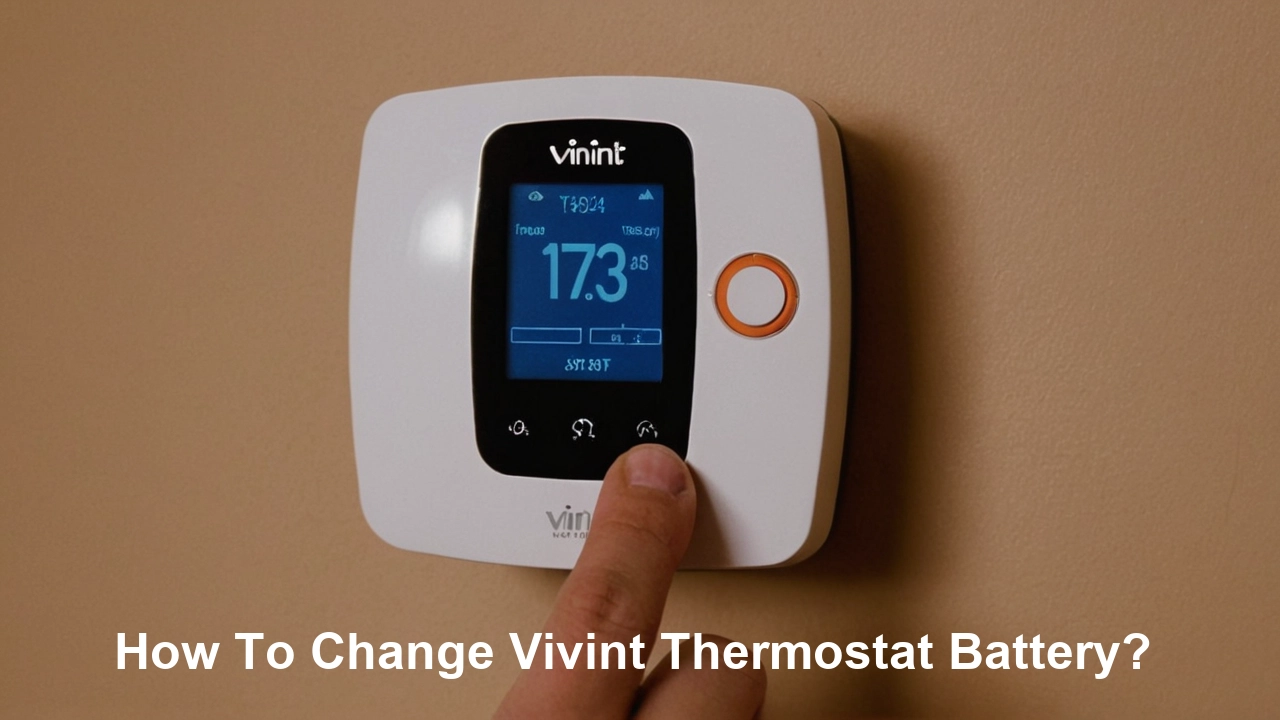
Encountering a low battery warning on your Vivint thermostat can be a minor inconvenience, but knowing how to quickly and easily replace the battery ensures your smart home system continues to operate efficiently. This guide provides a comprehensive, step-by-step solution to change your Vivint thermostat battery, ensuring optimal performance and uninterrupted comfort control throughout your home.
Understanding Vivint Thermostat Batteries
Vivint smart thermostats, like most modern smart home devices, rely on batteries to maintain their internal clock, memory, and in some cases, to power certain wireless communication features when the primary power source is interrupted. While most Vivint thermostats are hardwired to your home's HVAC system for primary power, a backup battery is crucial for several reasons. It ensures that your thermostat settings are not lost during power outages and allows the device to communicate with the Vivint security panel and cloud services even when the main power is down. Understanding the type of battery your specific Vivint thermostat model uses is the first step in a successful battery replacement. Generally, Vivint thermostats utilize standard AA or AAA alkaline batteries, though some older or specialized models might have different requirements. The low battery indicator is a key feature designed to alert you well in advance, preventing any disruption to your home's climate control. This proactive notification system is a hallmark of Vivint's user-friendly approach to smart home management.
Battery Types and Specifications
The most common battery types found in Vivint thermostats are alkaline AA batteries. These are readily available, cost-effective, and provide sufficient power for the backup function. For instance, the Vivint Smart Thermostat X (a popular model) typically uses two AA alkaline batteries. It's important to note that while rechargeable batteries can be used in some devices, they are generally not recommended for thermostat backup power due to potential voltage differences and the risk of inconsistent charging that could affect device performance. Always refer to your specific Vivint thermostat's user manual or the device itself for the exact battery type and quantity required. Some models might list specific battery brands or types that have been tested for optimal compatibility, though standard, high-quality alkaline batteries from reputable brands are usually a safe bet. The expected lifespan of these batteries can range from 1 to 3 years, depending on usage patterns, environmental factors, and the specific model of the thermostat.
How Long Do Vivint Thermostat Batteries Last?
The longevity of a Vivint thermostat's backup battery is influenced by several factors. On average, you can expect a set of batteries to last anywhere from 12 to 36 months. This wide range is due to variables such as the frequency of power outages in your area, the number of times the thermostat needs to access its backup power, the ambient temperature (extreme heat or cold can impact battery performance), and the quality of the batteries themselves. High-quality alkaline batteries, such as those from Duracell or Energizer, tend to last longer than generic brands. Vivint's system is designed to monitor battery levels and will typically provide a notification on the thermostat display and through the Vivint app when the battery is running low, usually when it drops below 20% capacity. This proactive alert system is crucial for ensuring you have ample time to replace the batteries before they are depleted, preventing any potential loss of settings or connectivity.
Why Replace Your Vivint Thermostat Battery?
Replacing the battery in your Vivint thermostat is a straightforward maintenance task that ensures the continued optimal performance of your smart home climate control system. While most Vivint thermostats are hardwired for primary power, the backup battery plays a critical role. Its primary function is to preserve your thermostat's settings, schedules, and Wi-Fi connectivity during power outages or when the main power supply to the thermostat is interrupted for any reason. Without a functional backup battery, you risk losing all your customized settings, requiring you to reconfigure your thermostat from scratch. This can be particularly inconvenient during extreme weather conditions when reliable climate control is most needed. Furthermore, a low or dead battery can sometimes lead to erratic behavior, such as the thermostat freezing, displaying incorrect information, or failing to communicate with the Vivint panel or app. Regular battery replacement is a small effort that prevents larger inconveniences and ensures your smart thermostat continues to provide seamless comfort and energy efficiency.
Preventing Data Loss and Settings Reset
The most significant reason to replace your Vivint thermostat battery is to prevent the loss of all your personalized settings and schedules. Your Vivint thermostat is programmed with your preferred temperature settings for different times of the day and week, optimizing comfort and energy savings. If the backup battery dies, the thermostat will lose its memory when the main power is cut. This means you'll have to re-enter your entire schedule, which can be time-consuming and frustrating, especially if you have a complex setup. For example, if you've spent time creating custom energy-saving schedules to reduce your utility bills, losing that data means you'll need to start over. By proactively replacing the battery when prompted, you safeguard this valuable programming and ensure your smart thermostat continues to operate as intended without manual reconfiguration.
Maintaining System Connectivity and Responsiveness
Your Vivint thermostat is an integral part of your smart home ecosystem, communicating with the central Vivint panel, your mobile app, and other connected devices. The backup battery ensures that this communication link remains active, even during power interruptions. If the battery is depleted, the thermostat might lose its connection to the Vivint network. This can result in your inability to control the thermostat remotely via the app, receive important alerts, or have it function correctly within automated routines (e.g., "Away" mode that adjusts the temperature when you leave). A weak battery can also lead to sluggish performance or unresponsiveness from the thermostat's touchscreen interface. Ensuring a fresh battery keeps your thermostat connected, responsive, and fully integrated into your smart home, providing peace of mind and consistent control over your home's environment.
Avoiding Thermostat Malfunctions
While rare, a critically low or dead backup battery can sometimes contribute to minor malfunctions in the thermostat itself. These might include the display flickering, the unit freezing, or occasional errors appearing on the screen. These issues are often temporary and can be resolved by replacing the battery. Think of the backup battery as a small but vital component that helps maintain the stable operation of the thermostat's internal electronics. When this component is weak, it can put a strain on other parts of the system, leading to unpredictable behavior. Regular battery replacement is a simple preventative measure that helps ensure the long-term reliability and smooth operation of your Vivint thermostat, saving you from potential troubleshooting headaches.
Identifying Your Vivint Thermostat Model
Before you can change the battery, it's essential to know which Vivint thermostat model you have. This ensures you purchase the correct type and quantity of batteries and follow the appropriate removal and installation procedure. Vivint has offered a few different thermostat models over the years, and while the process is generally similar, there can be slight variations in how the faceplate or battery compartment is accessed. The easiest way to identify your model is to look directly at the thermostat unit itself. Most models will have the Vivint logo or branding visible. You can also check your Vivint account online or in the mobile app, where your connected devices are listed with their specific model names. If you're still unsure, a quick search on the Vivint website or a call to Vivint customer support can help you pinpoint your exact model.
Physical Inspection of the Device
The most direct method is to examine the thermostat mounted on your wall. Look for any labels or model numbers printed on the front or back of the unit. Often, the model name or a series number will be discreetly placed. For example, you might see "Vivint Smart Thermostat" followed by a specific identifier. Some models might have a small manufacturer's label on the side or bottom. If the thermostat has a removable faceplate, the model information might be printed on the back of the plate or on the main unit itself. Take a moment to carefully observe the design, button layout, and screen type, as these visual cues can also help differentiate between models.
Checking Your Vivint Account or App
Your Vivint online account or the Vivint mobile app is an excellent resource for identifying your devices. Log in to your account and navigate to the "Devices" or "Equipment" section. Here, you should find a list of all the Vivint devices connected to your system, including your thermostat. Each device will typically be listed with its name and model number. This is often the most reliable method, as it pulls information directly from your system's configuration. If you're unsure where to find this information within the app or website, look for a "Help" or "Support" section, which usually provides guidance on managing your devices.
Consulting Your User Manual
If you still have the original user manual that came with your Vivint thermostat, it will clearly state the model number and specifications, including the type of batteries it uses. If you no longer have the physical manual, most Vivint manuals are available for download on the Vivint website. Simply navigate to the support section, search for "thermostat manuals," and find the one that matches your device's appearance. The manual will be your definitive guide to understanding your specific thermostat model and its requirements.
Gathering Your Supplies
Before you begin the process of changing your Vivint thermostat battery, it's essential to have everything you need readily available. This ensures a smooth and efficient replacement process, minimizing the time your thermostat is without power. The primary item you'll need is the correct type and quantity of batteries. Beyond that, a few simple tools can make the job easier and prevent damage to your thermostat or wall. Having these items on hand means you can complete the battery change in just a few minutes, restoring full functionality to your smart climate control system.
Correct Battery Type and Quantity
As identified in the previous section, the most common batteries for Vivint thermostats are AA alkaline batteries. Typically, you will need two AA batteries. However, always double-check your specific model's requirements. If your model uses a different type, such as AAA, ensure you have those on hand. It's also advisable to use high-quality batteries from reputable brands like Duracell, Energizer, or Panasonic. These batteries tend to offer longer life and more consistent performance compared to generic brands. Avoid using rechargeable batteries unless explicitly stated as compatible by Vivint, as their voltage and discharge characteristics can sometimes cause issues with thermostat operation. Purchase fresh batteries; don't use old ones that have been sitting in a drawer for years, as their charge may already be diminished.
Tools You Might Need
While many Vivint thermostat battery changes require no tools, some models might benefit from a small, flat-head screwdriver or a plastic prying tool. These are typically only needed if the thermostat faceplate is a bit stubborn to remove. A small, flat-head screwdriver can be used gently to release clips or pry open the casing. A plastic prying tool (often found in electronics repair kits) is ideal as it's less likely to scratch the thermostat's surface. In most cases, you can simply pull the thermostat faceplate away from the wall mount by hand. Additionally, having a clean, dry cloth handy can be useful for wiping down the battery contacts or the thermostat casing if it appears dusty. A step stool or ladder might be necessary if your thermostat is mounted in a hard-to-reach location.
Preparing Your Workspace
Ensure you have adequate lighting in the area where your thermostat is located. This will help you see what you're doing clearly, especially when dealing with small battery compartments or delicate components. Clear any clutter from the immediate vicinity of the thermostat. You don't want anything to fall into the thermostat's internal workings or get in your way. If you are replacing batteries in a particularly high or low location, ensure you have a stable platform to stand on, like a sturdy chair or step stool. It's also a good idea to have your new batteries and any necessary tools laid out and easily accessible before you start the removal process. This minimizes the time the thermostat is powered down.
Step-by-Step Guide to Changing the Battery
Changing the battery in your Vivint thermostat is a simple process that typically takes only a few minutes. By following these steps carefully, you can ensure a smooth and successful battery replacement without disrupting your system's operation. Remember to consult your specific model's instructions if you encounter any unique features. The general procedure involves carefully removing the thermostat faceplate, replacing the old batteries with new ones, and then reattaching the faceplate. This ensures your thermostat maintains its settings and connectivity.
Step 1: Identify the Low Battery Indicator
Your Vivint thermostat will typically alert you when the battery is low. This alert usually appears as an icon on the thermostat's screen (often a battery symbol with a low charge) or as a notification in the Vivint app. Don't wait until the thermostat stops working entirely; address the warning as soon as you see it. This proactive approach ensures you have plenty of time to gather supplies and perform the replacement without any service interruption.
Step 2: Gently Remove the Thermostat Faceplate
Most Vivint thermostats are designed with a user-friendly, removable faceplate. For many models, you can simply grip the sides of the faceplate and gently pull it straight away from the wall-mounted base. It might feel like it's clicking into place, so a firm but gentle pull is usually sufficient. Some models might have small tabs or clips on the sides or bottom that you'll need to press or gently pry with a plastic tool or a small flat-head screwdriver. If you're unsure, consult your model's specific instructions or look for subtle seams or indentations that suggest a removal point. Avoid using excessive force, as this could damage the unit.
Step 3: Locate and Remove the Old Batteries
Once the faceplate is removed, you'll see the battery compartment. It's usually located on the back of the faceplate or within the main unit. The batteries will be clearly visible. Note the orientation of the batteries (which way the positive and negative ends are facing) before you remove them. Most battery compartments have small clips or springs holding the batteries in place. You can usually slide the old batteries out by gently pushing them in the direction opposite to their orientation or by using your fingernail to lift them out. Dispose of the old batteries properly (see Environmental Impact section).
Step 4: Insert the New Batteries
Take your fresh, high-quality alkaline batteries and insert them into the compartment, ensuring they are oriented correctly according to the markings (+/-) inside the compartment. The batteries should slide in smoothly. If you encounter resistance, double-check the orientation. Once the batteries are in place, they should be held securely by the compartment's clips or springs. Ensure they are making good contact with the terminals.
Step 5: Re-attach the Thermostat Faceplate
Align the faceplate with the wall-mounted base. Most faceplates simply click back into place. Gently push the faceplate towards the base until you hear or feel it snap securely. Ensure there are no gaps around the edges, indicating it's properly seated. Once attached, the thermostat should power back on automatically. You may see a brief initialization sequence on the screen. The low battery indicator should disappear, and your thermostat should be fully operational again.
Step 6: Verify Thermostat Functionality
After reattaching the faceplate, take a moment to confirm that your thermostat is working correctly. Check the display to ensure it's active and showing the current temperature. Try adjusting the temperature up or down to ensure the system responds. Also, check your Vivint app to confirm that the thermostat is online and communicating properly. If you had any custom settings or schedules, verify that they are still intact. If the thermostat doesn't power on or behaves erratically, double-check the battery orientation and ensure the batteries are making good contact. If issues persist, you may need to consult the troubleshooting section or contact Vivint support.
Troubleshooting Common Issues
While changing a Vivint thermostat battery is usually a straightforward process, you might occasionally encounter minor issues. These are typically easy to resolve with a few simple checks. The most common problems relate to the thermostat not powering on after battery replacement, the low battery indicator persisting, or the thermostat behaving erratically. Understanding these potential hiccups and their solutions can save you time and frustration.
Thermostat Not Powering On
If your Vivint thermostat doesn't power on after you've replaced the batteries, the first thing to check is the battery orientation. Ensure that the positive (+) and negative (-) ends of each battery are correctly aligned with the corresponding markings in the battery compartment. Even a slight misalignment can prevent the unit from receiving power. Next, verify that the batteries are making good contact with the terminals. Sometimes, corrosion or dirt on the terminals can interfere with the connection. You can gently clean the battery terminals with a pencil eraser or a dry cloth. Ensure the faceplate is securely snapped back onto the base; a loose connection here can also prevent power. If you're still experiencing issues, try a different set of brand-new batteries, as the first set might have been faulty.
Low Battery Indicator Persists
If the low battery indicator remains on the screen or in the app even after installing new batteries, it could be due to a few reasons. Firstly, ensure you used the correct type and number of batteries as specified for your model. Using lower-quality batteries or incorrect types might not provide sufficient voltage. Secondly, sometimes the thermostat needs a short period to recognize the new batteries. Try removing the batteries for about 30 seconds and then reinserting them. If the indicator still persists, it's possible that the thermostat's internal software needs a reset. You might need to disconnect the thermostat from its base for a minute or two (if possible without cutting main power) and then reattach it. If the problem continues, it might indicate a more significant issue with the thermostat itself, and you should contact Vivint customer support.
Thermostat Acting Erratically
If your thermostat is displaying strange symbols, freezing, or not responding correctly after a battery change, it could be a sign of a software glitch or a temporary communication issue. Ensure the batteries are properly seated and making good contact. Sometimes, a simple power cycle can resolve these issues. Remove the new batteries for about a minute, then reinsert them. This allows the thermostat's internal components to reset. If the erratic behavior continues, check for any available firmware updates for your thermostat through the Vivint app or your online account. In rare cases, a hardware issue might be present, and you may need to contact Vivint support for further assistance or a potential replacement.
Loss of Wi-Fi Connection
Occasionally, after a battery change, your thermostat might lose its Wi-Fi connection. This is usually temporary. Ensure the thermostat is properly reattached to its base and that the batteries are correctly installed. The thermostat may need a few minutes to re-establish its connection to your home's Wi-Fi network and the Vivint system. If the connection doesn't restore within 10-15 minutes, try restarting your Wi-Fi router. If that doesn't help, you may need to go through the Wi-Fi setup process again on your thermostat, which can typically be accessed through the settings menu or by following prompts on the Vivint app.
Battery Maintenance and Longevity
Proper battery maintenance for your Vivint thermostat isn't just about replacement; it's also about understanding how to maximize their lifespan and ensure your system runs smoothly. While Vivint thermostats are designed to be low-maintenance, a few proactive steps can contribute to longer battery life and prevent unexpected issues. This section delves into best practices for battery care and what factors influence how long your backup power source will last.
Understanding Battery Drain Factors
Several factors contribute to how quickly your thermostat's backup batteries drain. The primary driver is the frequency and duration of power interruptions. If you live in an area with frequent power outages, your batteries will be used more often and will deplete faster. The complexity of your thermostat's programming also plays a role; more frequent schedule changes or advanced features that require constant background processing can increase power consumption. Environmental conditions are also significant. Extreme temperatures, both hot and cold, can negatively impact battery performance and reduce their lifespan. For instance, a thermostat located in a very hot attic or a poorly insulated garage might see its batteries degrade more rapidly.
Best Practices for Extending Battery Life
To extend the life of your Vivint thermostat batteries, consider these practices:
- Use High-Quality Batteries: Always opt for reputable brands known for their longevity and reliability. While they might cost slightly more upfront, they often perform better and last longer, providing better value.
- Minimize Unnecessary Adjustments: While the convenience of smart thermostats is their adaptability, constantly making minor temperature adjustments can slightly increase battery usage. Stick to your programmed schedules as much as possible.
- Ensure Proper Installation: Make sure batteries are inserted correctly and making good contact. A poor connection can lead to the thermostat working harder to draw power, thus draining the batteries faster.
- Maintain Stable Temperatures: Avoid placing your thermostat in areas that experience extreme temperature fluctuations. If possible, ensure it's in a climate-controlled part of your home.
- Address Power Issues Promptly: If you experience frequent power outages, consider investing in a small Uninterruptible Power Supply (UPS) for your modem and router, which can help maintain your Wi-Fi connection and reduce the load on the thermostat's backup power during brief outages.
Recognizing Signs of Aging Batteries
Besides the official low battery warning, there are other subtle signs that your thermostat's batteries might be aging and nearing the end of their life. These can include a slight dimming of the thermostat's display, slower response times when you interact with the touchscreen, or occasional glitches like the screen freezing momentarily. If you notice any of these symptoms, even without a direct low battery alert, it's a good indication that it's time to consider replacing the batteries proactively. It's always better to replace them a little early than to wait until they fail completely and risk losing your settings.
The Importance of Battery Quality
When it comes to the backup power for your Vivint thermostat, the quality of the batteries you choose can make a significant difference. While it might be tempting to opt for the cheapest option available, investing in high-quality batteries is a small but important step in ensuring the reliability and longevity of your smart home system. The performance and lifespan of batteries vary considerably between brands and types, and using subpar batteries can lead to premature failure and potential issues.
Comparing Battery Brands and Types
For Vivint thermostats, the primary recommendation is almost always high-quality alkaline batteries. Brands like Duracell, Energizer, and Panasonic are well-regarded for their consistent performance and long shelf life. These batteries are engineered to provide a steady voltage output, which is crucial for the sensitive electronics in smart thermostats. In contrast, generic or no-name brands may have inconsistent voltage, shorter lifespans, and a higher risk of leakage, which can damage the thermostat. Rechargeable batteries (NiMH or Li-ion) are generally not recommended for thermostat backup power. While they can be recharged, their voltage characteristics differ from alkaline batteries, and they can sometimes cause compatibility issues or fail to hold a charge effectively when not actively being charged. Unless Vivint specifically states that a particular rechargeable battery is compatible, it's best to stick with alkaline.
Impact of Battery Quality on Performance
The quality of your batteries directly impacts the performance and reliability of your Vivint thermostat. High-quality batteries provide a stable power source, ensuring that your thermostat's clock remains accurate, its memory is preserved, and its communication with the Vivint system is uninterrupted. When batteries begin to degrade, they can provide less power, leading to the symptoms mentioned earlier: a sluggish interface, intermittent connectivity, or even data loss. Furthermore, high-quality batteries are less prone to leakage. Battery leakage can occur when a battery is completely depleted or if it's exposed to extreme temperatures. Leaked battery acid is corrosive and can permanently damage the internal components of your thermostat, leading to costly repairs or the need for a full replacement. Therefore, using reliable, high-quality batteries is a preventative measure that safeguards your investment in smart home technology.
Shelf Life and Storage Considerations
High-quality alkaline batteries have an impressive shelf life, often lasting up to 10 years when stored properly. This means you can buy them in bulk or keep a few spare sets on hand without worrying about them losing their charge. To maximize shelf life, store batteries in a cool, dry place, away from direct sunlight and extreme temperatures. Avoid storing batteries loose in a drawer with metal objects like keys or coins, as this can cause them to short-circuit. Keeping batteries in their original packaging or in a dedicated battery organizer is the best approach. When you purchase new batteries for your thermostat, check the expiration date printed on the packaging to ensure they are fresh.
Environmental Impact and Disposal
As environmentally conscious consumers, it's important to consider the impact of our choices, including how we dispose of used batteries. While batteries are essential for the operation of many devices, including your Vivint thermostat, they contain materials that can be harmful to the environment if not disposed of properly. Fortunately, there are responsible ways to handle used batteries, ensuring that their impact is minimized.
Responsible Battery Disposal Methods
Most common household batteries, like the alkaline AA batteries used in Vivint thermostats, are considered non-hazardous in many regions and can often be disposed of in regular household trash. However, regulations vary by location, and some areas may require special disposal methods. To be certain, it's always best to check with your local waste management authority or municipality. Many retailers, including electronics stores and home improvement centers, offer battery recycling drop-off points. These facilities ensure that the materials within the batteries are processed and recycled appropriately, reducing the need for raw material extraction and preventing harmful substances from entering landfills. Some Vivint dealers or service centers might also offer battery recycling services.
Recycling vs. Landfill Disposal
While landfill disposal might be permissible for certain types of batteries in some areas, recycling is always the more environmentally friendly option. Battery recycling processes recover valuable materials like zinc, manganese, and steel, which can be reused in manufacturing new products. This reduces the demand for mining new resources, which is an energy-intensive and often environmentally damaging process. Landfilling batteries, even non-hazardous ones, contributes to landfill waste. Over time, batteries in landfills can corrode and potentially leach heavy metals into the soil and groundwater, posing a risk to ecosystems and human health. Therefore, actively seeking out battery recycling options is a small but significant way to contribute to a more sustainable future.
Impact of Leaking Batteries
Leaking batteries are a common problem, especially with older or low-quality batteries, or those that have been exposed to extreme temperatures. The fluid that leaks from a battery is typically corrosive and can damage not only the device it's in but also the environment if it ends up in a landfill. If you notice any signs of leakage (white powdery residue or a sticky substance) on your old batteries, handle them with care, wearing gloves if possible. It's crucial to clean the battery compartment of your thermostat thoroughly with a dry cloth or a cotton swab dipped in a mild solution of baking soda and water (ensure it's completely dry before reinserting new batteries) to neutralize any corrosive residue. This cleaning step is vital to prevent damage to the thermostat's internal components.
Advanced Tips for Vivint Thermostat Users
Beyond the basic battery replacement, Vivint thermostat users can leverage their smart device for enhanced comfort, energy savings, and system integration. Understanding these advanced features can help you get the most out of your smart thermostat and ensure its optimal performance. These tips range from optimizing energy usage to integrating your thermostat with other smart home devices for a more seamless experience.
Optimizing Energy Efficiency with Your Thermostat
Your Vivint thermostat is a powerful tool for reducing energy consumption. By default, it likely has energy-saving schedules programmed, but you can further optimize these. Utilize the "Away" mode, which automatically adjusts the temperature when you're not home, saving energy. Geo-fencing capabilities, if enabled, can automatically adjust your home's temperature based on your location, ensuring you're not heating or cooling an empty house. Regularly review your energy usage reports through the Vivint app to identify patterns and areas where you can save more. Consider setting your thermostat a few degrees lower in the winter and a few degrees higher in the summer when you're sleeping or away. Even small adjustments can lead to significant savings on your utility bills over time. For 2025-26, energy efficiency remains a top priority for homeowners, with smart thermostats playing a crucial role in achieving this goal.
Integrating with Other Smart Home Devices
Vivint's ecosystem is designed for seamless integration. Your smart thermostat can work in conjunction with other Vivint devices to create powerful automations. For example, you can set up a routine where your thermostat adjusts to an energy-saving temperature when your Vivint security system is armed in "Away" mode. Similarly, you could have your thermostat raise the temperature slightly when your smart lighting system detects you've arrived home. Explore the "Automations" or "Rules" section within your Vivint app to discover and create custom scenarios that enhance both convenience and efficiency. This interconnectedness is a core benefit of a comprehensive smart home system.
Understanding Firmware Updates
Vivint regularly releases firmware updates for its devices, including the smart thermostat. These updates are crucial as they can introduce new features, improve performance, enhance security, and fix bugs. Ensure your thermostat is connected to your home's Wi-Fi network to receive these updates automatically. You can usually check the firmware version and update status within the Vivint app or your online account. Keeping your thermostat's firmware up-to-date ensures you're always benefiting from the latest enhancements and security patches, contributing to a more robust and reliable smart home experience.
Utilizing Advanced Scheduling Features
Beyond simple weekday/weekend schedules, Vivint thermostats often offer more granular control. You can typically create custom schedules for specific days or even for different events. For instance, you might have a unique schedule for holidays or for days when children are home from school. Take advantage of the ability to set multiple temperature points throughout the day (e.g., a cooler temperature for sleeping, a comfortable temperature for waking hours, and an energy-saving temperature when everyone is out). The more precisely you tailor your schedule to your household's actual needs, the greater the potential for comfort and energy savings. In 2025-26, with rising energy costs, these advanced scheduling features are more valuable than ever for homeowners looking to manage their budgets effectively.
Vivint Thermostat Battery Replacement Comparison
When it comes to battery replacement for your Vivint thermostat, understanding the nuances between different scenarios can be helpful. While the core process remains similar, factors like model, battery type, and even whether you're doing it yourself versus calling a professional can influence the experience. This comparison table highlights key aspects to consider.
| Aspect | DIY Battery Replacement (Standard AA Alkaline) | Professional Battery Replacement | Using Rechargeable Batteries (Not Recommended) |
|---|---|---|---|
| Cost (per replacement) | $2 - $10 (for a pack of 2-4 high-quality AA batteries) | $50 - $150 (includes service call fee and battery cost) | Initial battery cost ($10-$30 for a quality set), potential for device issues. |
| Time Required | 5-15 minutes | 30-60 minutes (including travel time) | Similar to DIY alkaline, but with potential troubleshooting time. |
| Difficulty Level | Very Easy | N/A (handled by technician) | Easy, but potential for compatibility issues. |
| Tools Required | None, or a small flathead screwdriver/plastic prying tool. | Technician provides tools. | None, or a small flathead screwdriver/plastic prying tool. |
| Risk of Damage | Low, if careful. | Very Low (handled by professionals). | Moderate, due to potential voltage incompatibility. |
| Frequency of Replacement | Every 1-3 years. | Technician can advise on frequency. | Potentially more frequent if charge degrades quickly or if not fully compatible. |
| Warranty Impact | Generally does not void warranty if done correctly. | Professional service may be covered by specific plans. | May void warranty if device malfunctions due to incompatible batteries. |
| Environmental Impact | Dispose of used batteries responsibly (recycle if possible). | Technician handles disposal. | Rechargeable batteries are reusable, but eventual disposal still required. |
| Key Benefit | Cost-effective, quick, and convenient for most users. | Peace of mind, expert handling, especially for complex systems. | Perceived long-term cost savings and reduced waste. |
| Key Drawback | Requires user to remember and perform task. | Higher cost and scheduling required. | Potential for performance issues, incompatibility, and voiding warranty. |
As the table illustrates, for most Vivint users, the DIY replacement of standard AA alkaline batteries is the most practical, cost-effective, and straightforward method. Professional service is best reserved for those who are uncomfortable with the process or for situations where the thermostat might be integrated into a more complex system that requires specialized knowledge. Using rechargeable batteries is generally discouraged due to potential compatibility issues and the risk of damaging the thermostat or affecting its performance.
Conclusion
Changing the battery in your Vivint thermostat is a crucial, yet simple, maintenance task that ensures your smart home's climate control system operates reliably and efficiently. By understanding the battery type required, gathering the necessary supplies, and following the step-by-step guide, you can easily perform this replacement yourself, typically in under 15 minutes. Proactive battery replacement prevents data loss, maintains system connectivity, and avoids potential thermostat malfunctions, safeguarding your comfort and energy savings. Always opt for high-quality alkaline batteries from reputable brands and dispose of old batteries responsibly to minimize environmental impact. For 2025-26, with smart home technology becoming even more integral to daily life, keeping your Vivint thermostat powered optimally is a small effort that yields significant benefits in convenience and performance. If you ever encounter issues, remember the troubleshooting tips provided, or don't hesitate to contact Vivint support for assistance. Maintaining your thermostat's battery is a key step in ensuring your smart home continues to work seamlessly for you.





