
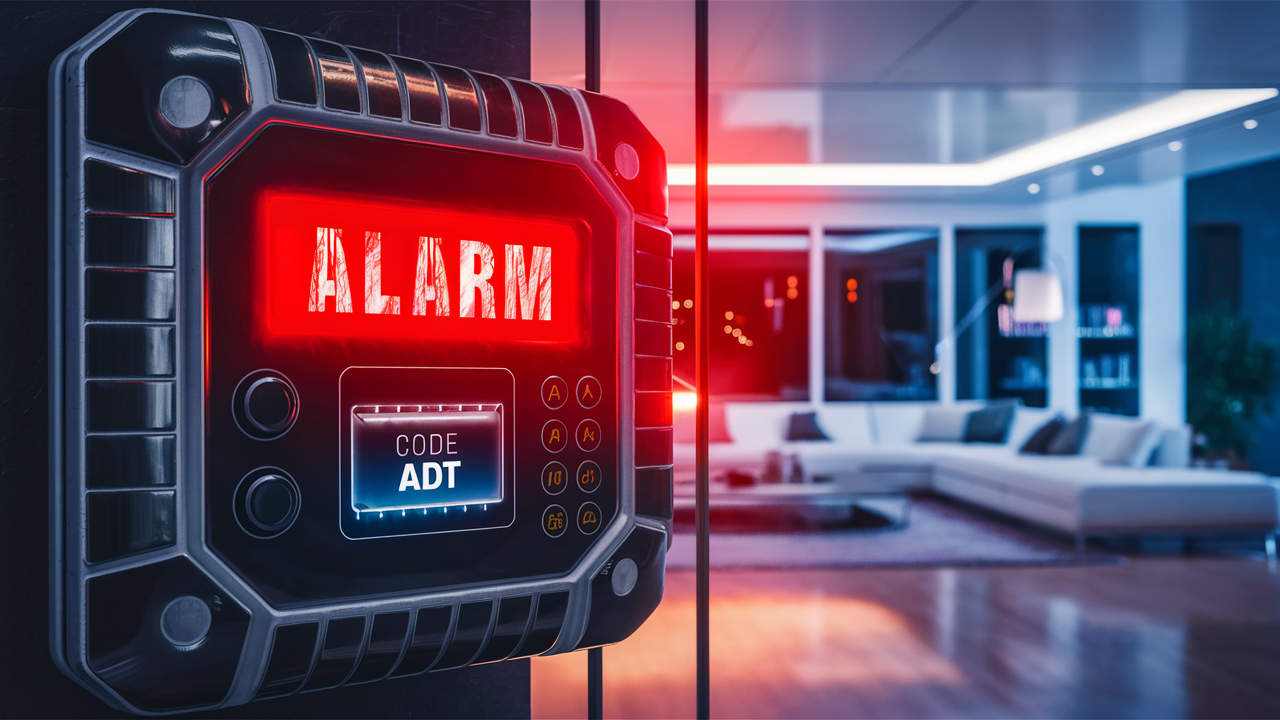
Changing your ADT alarm code is a crucial security measure for homeowners. This guide provides a comprehensive, step-by-step walkthrough on how to update your ADT system's master and user codes, ensuring your home remains secure and accessible only to authorized individuals. We cover all methods, from self-service to professional assistance.
Understanding Your ADT Codes
ADT security systems utilize several types of codes, each serving a distinct purpose. Understanding these is fundamental to managing your system effectively. The most common codes you'll encounter are the Master Code and User Codes. The Master Code is the highest level of access, typically used to arm and disarm the system, and importantly, to change other user codes. User Codes, on the other hand, are for everyday use by family members or trusted individuals. They allow for arming and disarming the system but usually do not permit code modifications.
In addition to these primary codes, some advanced ADT systems may feature temporary codes, guest codes, or even service codes. Temporary codes are ideal for short-term access, such as for a pet sitter or a visiting relative, and can be programmed to expire after a set period. Guest codes function similarly, offering limited access. Service codes are typically reserved for ADT technicians and should not be altered by the homeowner. For the purpose of this guide, we will primarily focus on changing the Master Code and standard User Codes, as these are the most common and essential for homeowners to manage.
The complexity and number of codes available can vary depending on the specific ADT system model you have installed. Newer systems, like those integrated with smart home technology, often offer more sophisticated code management options through mobile applications. Older systems might rely more heavily on keypad programming or direct contact with ADT support. Regardless of your system's age or features, maintaining the security of your Master Code is paramount, as it's the gateway to controlling all other aspects of your alarm system's access.
Why Change Your ADT Alarm Code?
There are several compelling reasons why regularly changing your ADT alarm code is a best practice for home security. The most critical reason is to prevent unauthorized access. If your code is compromised, whether intentionally shared with someone who no longer needs access or inadvertently exposed, changing it immediately is vital. This includes situations where a former employee, a house guest, or even a contractor who had access to your code is no longer permitted on your property.
Another significant reason is to enhance your overall security posture. Just as you'd change the locks on your home if you lost a key, changing your alarm code when there's a change in household personnel or after a potential security breach is a logical step. This is particularly relevant in 2025 and 2026, as the sophistication of home security threats continues to evolve. Proactive security measures are more important than ever.
Furthermore, changing your code can be necessary after a system update or a change in service providers. While ADT aims for seamless transitions, sometimes an update might necessitate a code reset. Also, if you've recently moved into a new home that was previously monitored by ADT, it is absolutely imperative to change the existing codes to ensure that only you have access to your security system. Sharing access codes with trusted individuals also requires periodic review and updates to ensure everyone who needs access still does, and those who no longer do, have their access revoked.
Consider the scenario of a family member moving out. If they were privy to the Master Code, it's a security risk to leave it unchanged. Similarly, if you've had service technicians or cleaners with temporary access codes, it's wise to reset these after their service period ends. The peace of mind that comes from knowing your home security is under your sole control is invaluable. In the current landscape of 2025-26, where digital security and physical security are increasingly intertwined, maintaining strong control over your alarm codes is a foundational element of comprehensive home protection.
Methods to Change Your ADT Code
ADT offers multiple convenient ways for homeowners to change their alarm codes, catering to different user preferences and system capabilities. The primary methods include using the ADT mobile application, directly programming the code through your ADT keypad, or contacting ADT customer support for assistance. Each method has its own set of advantages and may be more suitable depending on your system's configuration and your technical comfort level.
Changing Your Code via the ADT App
For users with newer ADT systems integrated with smart home technology, the ADT mobile app (often referred to as ADT Control or ADT Pulse, depending on the system generation) provides the most streamlined and user-friendly approach. This method allows you to manage your system remotely, making it incredibly convenient. You can typically change master codes, create new user codes, and even delete existing ones directly from your smartphone or tablet. This is a modern solution that aligns with the digital convenience expected in 2025-26.
Changing Your Code via Your ADT Keypad
The traditional method for changing ADT alarm codes involves direct interaction with your system's main control panel or keypad. This method is universally available across most ADT systems, regardless of their smart home integration. It requires you to be physically present at the keypad and follow a specific sequence of button presses and code entries. While it might seem more technical, ADT provides clear instructions for this process, and it's a reliable way to manage your codes if you prefer not to use an app or if your system doesn't support app control.
Contacting ADT Customer Support
If you encounter difficulties with the self-service options, or if your system requires a more specialized approach, ADT customer support is always available to assist. You can reach out to them via phone, and a representative can guide you through the process or, in some cases, perform the code change remotely for you. This is an excellent option for those who are less tech-savvy or if you suspect a more complex issue with your system that requires professional intervention. ADT's commitment to customer service ensures that help is readily accessible.
It's important to note that the exact steps and available options may vary slightly based on your specific ADT equipment model and your service plan. Always refer to your system's user manual or consult with ADT directly if you are unsure about the correct procedure for your particular setup. Understanding these different avenues empowers you to choose the most efficient and secure method for managing your ADT alarm codes.
Step-by-Step Guide: Changing Your ADT Code via the App
Utilizing the ADT mobile application is often the quickest and most convenient way to change your alarm codes. This guide assumes you have the ADT app installed on your smartphone or tablet and that your system is connected and configured for remote access. The specific interface may vary slightly between ADT Pulse and ADT Control apps, but the general process remains consistent for 2025-26.
-
Log In to the ADT App: Open the ADT app on your mobile device and log in using your registered username and password. Ensure you have a stable internet connection.
-
Navigate to System Settings: Once logged in, look for an option like "System," "Settings," or "Security." This is usually found in the main menu or on the dashboard. The exact placement can differ, but it's generally an intuitive icon or tab.
-
Locate Code Management: Within the system settings, find the section dedicated to user management or access codes. This might be labeled as "Users," "Access Codes," "Keypad Codes," or something similar. Tap on this option to proceed.
-
Select the Code to Change: You will typically see a list of existing user codes, including the Master Code. Identify the specific code you wish to change. If you are changing the Master Code, select it from the list.
-
Enter the New Code: The app will prompt you to enter your new code. For security reasons, ADT systems usually require codes to be a specific length (often 4 digits) and may have restrictions against sequential numbers (e.g., 1234) or repeating numbers (e.g., 1111). Choose a strong, memorable, and unique code. You may be asked to enter the new code twice to confirm.
-
Save Changes: After entering and confirming your new code, look for a "Save," "Update," or "Confirm" button. Tap this to apply the changes. The app should provide a confirmation message indicating that the code has been successfully updated.
-
Test the New Code: It is crucial to test your new code immediately. Arm and disarm your system using the new code at the keypad to ensure it works correctly. If you changed a user code, have that user test it as well.
Important Note: If you are changing the Master Code, be aware that this code is also used for various system functions. Ensure you have a reliable way to remember the new Master Code. If you forget it, you may need to contact ADT for assistance in resetting it, which could involve a service call. For creating new user codes, the process is similar, but you'll typically assign a name to the user and then set their unique code.
For instance, if you're adding a code for a new babysitter, you would select "Add User," name them "Babysitter," and then set a 4-digit code like 5839. Always ensure that any new codes you create are not easily guessable and are shared only with individuals you trust implicitly. The ADT app empowers you to manage these codes efficiently, providing a robust layer of control over your home security in 2025-26.
Step-by-Step Guide: Changing Your ADT Code via the Keypad
Changing your ADT alarm code directly through the keypad is a fundamental skill for any ADT system owner. This method is particularly useful if you don't have the ADT app or if your system is an older model. The exact button sequence can vary slightly between ADT panel models (like the ADT Safewatch, Lynx, or Vista series), but the core principles are the same. Always refer to your specific system's manual for precise instructions, but this general guide covers the common procedure for 2025-26.
-
Access Programming Mode: To change codes, you typically need to enter a programming or installer mode. This usually requires your current Master Code and often a specific sequence of button presses. A common starting point is to press the 'COMMAND' or 'FUNC' button, followed by '8' (for installer code or programming), and then the installer code itself. If you don't know the installer code, you may need to contact ADT. For changing user codes, you might not need the installer code, but rather the Master Code.
-
Navigate to User Code Programming: Once in programming mode, you'll need to find the section for managing user codes. This is often indicated by pressing '6' for user codes, followed by the user number you wish to change (e.g., '02' for the second user code, '01' for the Master Code). For example, to change the Master Code (usually User 01), you might press '6' then '01'.
-
Enter the New Code: After selecting the user number, the system will prompt you to enter the new code. You'll typically see the keypad light up or hear a beep. Enter your desired new code (e.g., 4 digits). Some systems may require you to press '#' or '*' after entering the code to confirm. If you are changing the Master Code, ensure it's a strong, unique code.
-
Confirm the New Code: Some systems will ask you to re-enter the new code to confirm. If this is the case, enter it again precisely as you did the first time. If you make a mistake, you might need to start the process over.
-
Exit Programming Mode: After successfully entering and confirming the new code, you need to exit programming mode. This is typically done by pressing the '*' or 'OFF' button multiple times until the system returns to its normal ready state. The keypad should display "Ready" or indicate that the system is disarmed.
-
Test the New Code: This is the most critical step. Immediately after exiting programming mode, try arming and disarming your system using the new code. If you changed a user code, have the designated user test it. If the code doesn't work, you may need to re-enter programming mode and try again, or contact ADT for assistance.
Example Scenario: Changing User Code 03 to 7890
Let's say your Master Code is 1234 and you want to change User Code 03. The sequence might look like this:
- Press 'COMMAND' + '8' + '1234' (to enter programming mode).
- Press '6' (for user codes).
- Press '03' (to select User Code 03).
- Enter '7890' (your new code).
- Press '#' to confirm.
- Press '*' twice to exit programming mode.
Remember to choose codes that are not easily guessable, like birthdays or simple sequences. A good practice is to change user codes periodically, especially if access needs change. For 2025-26, this manual method remains a reliable backup to app-based control.
Important Considerations When Changing Your Code
Changing your ADT alarm code is a straightforward process, but there are several crucial considerations to keep in mind to ensure your security remains uncompromised. These points are vital for maintaining an effective and reliable home security system in 2025-26.
-
Choose Strong, Memorable Codes: Your new code should be difficult for intruders to guess but easy for you and authorized users to remember. Avoid common sequences like '1234', '0000', or '1111'. Do not use easily identifiable personal information such as birthdays, anniversaries, or street addresses. A good strategy is to use a random combination of numbers that you can associate with something memorable, like a phrase or a pattern on a phone keypad.
-
Keep Your Master Code Secure: The Master Code is the most important code on your system. If someone gains access to your Master Code, they can potentially change all other user codes, disable the system, or even access system settings. Never share your Master Code with anyone who doesn't absolutely need it, and consider changing it more frequently than user codes.
-
Update All Authorized Users: If you change the Master Code, ensure that all individuals who use the system are informed of the new code. If you are changing or deleting a user code, make sure the person associated with that code is notified. Lack of communication can lead to confusion and potential security lapses.
-
Test Thoroughly: After changing any code, always test the system. Arm and disarm the system using the new code at the keypad. If you have multiple keypads, test them all. If you have the ADT app, ensure it reflects the changes and that you can arm/disarm remotely. A successful test confirms that the code change was processed correctly and the system is functioning as expected.
-
Document Your Codes (Securely): While you should memorize your codes, it can be helpful to have a secure backup. Store your Master Code and a list of user codes in a place that is inaccessible to unauthorized individuals. Avoid writing them down on paper and leaving them near the keypad or in obvious locations. A password manager or a secure digital note can be a good option for 2025-26.
-
Be Aware of System Limitations: Different ADT systems have different capabilities. Some systems allow for longer codes, while others have specific requirements for code complexity. Familiarize yourself with your system's specifications. If you are unsure, consult your user manual or ADT customer support.
-
Consider Code Expiration: For temporary access, such as for a contractor or a guest, consider using systems that allow for temporary or expiring codes. If your system doesn't support this, make a note to manually change or delete these codes once they are no longer needed. This is a crucial step in maintaining a robust security perimeter.
-
Regular Reviews: It’s good practice to periodically review who has access to your home security system. If someone moves out, a child comes of age and moves out, or a service provider relationship ends, their access code should be promptly removed or changed.
By adhering to these considerations, you can ensure that changing your ADT alarm code is not just a routine task but a proactive step in safeguarding your home and family. The security of your home in 2025-26 depends on these diligent practices.
Troubleshooting Common Issues
While changing your ADT alarm code is generally straightforward, you might occasionally encounter issues. Understanding common problems and their solutions can save you time and frustration. Here are some frequent challenges and how to address them for your ADT system in 2025-26.
Issue 1: "Invalid Code" or System Not Responding to New Code
Cause: This is the most common issue. It could be due to a typo when entering the new code, an incorrect sequence of button presses during programming, or the system not fully processing the change.
Solution:
- Re-enter Carefully: Double-check that you are entering the new code correctly. Ensure you are pressing the right buttons in the right order.
- Verify Master Code: If you are trying to change a user code, ensure you are using the correct Master Code to initiate the process.
- Repeat the Process: Go back through the steps for changing the code (either via app or keypad) and try again. Pay close attention to each step.
- Test the Old Code: If the new code doesn't work, try the old code. If the old code also fails, there might be a larger system issue.
- Contact ADT: If you continue to get an "Invalid Code" message, it's time to contact ADT customer support. They can help diagnose if there's a system malfunction or if the code change wasn't properly registered.
Issue 2: System Locks You Out After Too Many Incorrect Attempts
Cause: For security reasons, most ADT systems will temporarily disable the keypad or require a specific waiting period after a certain number of incorrect code entries to prevent brute-force attacks.
Solution:
- Wait: The simplest solution is often to wait. The lockout period can range from a few minutes to 30 minutes or more, depending on your system's configuration.
- Use the ADT App: If you have the ADT app and it's still functioning, try arming/disarming remotely. This might bypass the keypad lockout.
- Power Cycle (with caution): In some cases, a system reboot might clear the lockout. This usually involves temporarily disconnecting the power to the main control panel and its backup battery. However, this should only be done if you are comfortable with the process and know where your system's power sources are located. Incorrectly powering down can cause other issues. Consult your manual or ADT first.
- Contact ADT: If the lockout persists or you're unsure how to proceed, contact ADT. They can often remotely reset the system or guide you through clearing the lockout.
Issue 3: Cannot Access Programming Mode
Cause: You might be entering the wrong Master Code, installer code, or an incorrect sequence of buttons to enter programming mode.
Solution:
- Verify Master Code: Ensure you are using the correct, current Master Code.
- Confirm Programming Sequence: Refer to your ADT system's user manual for the exact sequence to enter programming mode. Small variations matter.
- Installer Code Issues: If your system requires an installer code to enter programming mode, and you don't know it, you will need to contact ADT. This code is typically set by the installer and is not meant for regular user access.
- System Glitch: In rare cases, the keypad or control panel might be experiencing a glitch. A system reboot (as mentioned above, with caution) might resolve this.
Issue 4: ADT App Not Syncing Code Changes
Cause: The app might be out of date, have a connection issue, or the system's communication with the ADT servers is temporarily interrupted.
Solution:
- Check Internet Connection: Ensure both your mobile device and your home internet are working properly.
- Update the App: Make sure you have the latest version of the ADT app installed from your device's app store.
- Log Out and Log In: Sometimes, simply logging out of the app and logging back in can refresh the connection.
- Restart Your Router/Modem: Restarting your home network equipment can resolve connectivity issues.
- Check System Status: Look for any system status indicators within the app that might indicate a communication problem with your ADT panel.
- Contact ADT: If the app continues to show outdated information or fails to sync, contact ADT support. They can check the communication status between your system and their servers.
By being aware of these potential issues and their solutions, you can more effectively manage your ADT alarm code changes and maintain the security of your home throughout 2025-26 and beyond.
ADT Code Best Practices for 2025-26
In the evolving landscape of home security, adopting robust code management practices is more critical than ever. For 2025-26, ADT users should integrate these best practices to ensure their alarm systems remain secure and reliable against potential threats.
1. Implement a Strong Code Strategy
Master Code Strength: Your Master Code is the key to your entire system. It should be a minimum of 4 digits, ideally longer if your system supports it. Avoid simple patterns or personal information. Consider using a mnemonic device to help you remember a complex code.
User Code Diversity: Assign unique codes to each family member and any trusted individuals (e.g., a cleaner, a dog walker). This allows you to track who is arming or disarming the system, which can be invaluable for security audits or if an incident occurs. For 2025-26, this level of detail is becoming standard for proactive homeowners.
Temporary/Guest Codes: If your system supports temporary or guest codes, use them for short-term access. These can often be programmed to expire automatically after a set date or number of uses, eliminating the need to remember to delete them manually.
2. Regular Code Audits and Updates
Scheduled Changes: Make it a habit to change your Master Code at least every six months, or more frequently if you suspect any compromise. User codes should be reviewed quarterly.
Post-Access Review: Whenever someone moves out, a service provider's contract ends, or a relationship changes, immediately update or delete their associated access code. This is a non-negotiable security step for 2025-26.
System Updates: After any significant system updates or maintenance performed by ADT, it's a good practice to test all codes and consider changing them as a precautionary measure.
3. Secure Communication of Codes
Avoid Written Notes: Never write down your codes and leave them in obvious places, such as on the refrigerator, under a mat, or near the keypad. This is one of the easiest ways for an intruder to gain access.
Verbal Communication: When sharing codes with family members, do so in person or via a secure, private phone call. Avoid sending codes via text messages or unencrypted emails, which can be intercepted.
Digital Storage: If you must store codes digitally, use a reputable password manager that employs strong encryption. Ensure this password manager is itself protected by a very strong password.
4. Leverage Technology Wisely
ADT App Features: For systems with app integration (like ADT Control or ADT Pulse), utilize all available features. Set up notifications for when the system is armed or disarmed, and use the app to manage user codes efficiently. The ability to remotely arm/disarm and monitor activity is a key security advantage in 2025-26.
Two-Factor Authentication (if available): If your ADT account or app offers two-factor authentication (2FA), enable it. This adds an extra layer of security by requiring a second form of verification beyond your password.
5. Understand Your System's Capabilities
Consult Manuals: Keep your ADT system's user manual handy. It contains specific information about code lengths, restrictions, and advanced features unique to your model.
Ask ADT: If you are unsure about any aspect of code management or your system's capabilities, don't hesitate to contact ADT customer support. They are your best resource for understanding and optimizing your system's security features.
6. Educate Household Members
Security Awareness: Regularly discuss the importance of alarm codes and home security with all household members, especially children. Teach them what to do in case of an emergency and the importance of not sharing codes.
Practice Drills: Occasionally practice arming and disarming the system together so everyone is comfortable and proficient.
By consistently applying these best practices, you can significantly enhance the security of your ADT system, providing greater peace of mind for you and your family throughout 2025-26 and beyond. Proactive security management is the most effective defense.
Comparing ADT Code Change Methods
Choosing the right method to change your ADT alarm code depends on your system, your comfort level with technology, and your immediate needs. Here's a comparison to help you decide which approach is best for you in 2025-26.
| Method | Pros | Cons | Best For | Estimated Time | Technical Skill Required |
|---|---|---|---|---|---|
| ADT Mobile App |
|
|
Users with smart ADT systems, those who travel frequently, or prefer digital management. | 1-3 minutes | Low to Medium |
| ADT Keypad |
|
|
Users with older systems, those uncomfortable with apps, or when immediate on-site access is needed. | 3-7 minutes | Medium |
| ADT Customer Support |
|
|
Users experiencing difficulties, those with complex system issues, or individuals who prefer direct human guidance. | 5-30 minutes (phone call), potentially longer if a service call is needed | Low |
Analysis for 2025-26:
The ADT mobile app continues to be the preferred method for a growing number of users due to its unparalleled convenience and speed. If your ADT system supports it, leveraging the app for code changes and system management is highly recommended. It offers the most flexibility and integrates seamlessly with modern smart home ecosystems.
However, the ADT keypad method remains a robust and reliable fallback. It ensures that you can always manage your codes, even if your internet is down or your smartphone is unavailable. It's essential to be familiar with this method as a homeowner, regardless of your primary reliance on the app.
Contacting ADT customer support is the ultimate safety net. While it might not be the fastest option for a simple code change, it's indispensable for troubleshooting or when you encounter issues that you cannot resolve yourself. Their expertise ensures that your system remains secure and operational.
Ultimately, the best method is the one that you are most comfortable and proficient with, ensuring that your ADT alarm codes are always up-to-date and secure. For 2025-26, a combination of these methods, using the app for daily management and the keypad as a backup, offers the most comprehensive security strategy.
Conclusion
Effectively managing your ADT alarm codes is a cornerstone of maintaining robust home security. As we've explored, whether you prefer the convenience of the ADT mobile app, the direct control of your keypad, or the assurance of professional support from ADT customer service, each method offers a viable path to updating your security credentials. Prioritizing strong, unique codes, understanding the difference between master and user codes, and consistently testing your system after changes are paramount. In 2025-26, with evolving security threats, proactive code management—including regular reviews and timely updates when household access changes—is not just recommended, it's essential for safeguarding your home and loved ones. By implementing the best practices outlined in this guide, you empower yourself with the knowledge to keep your ADT system secure and your peace of mind intact.





